





What Is Data Migration and How It Actually Works
Data migration is the planned transfer of data from one system, device, or format to another so it remains usable, intact, and secure. In Singapore, the scale of administrative data makes the discipline clear, with about 2,800 datasets from 70 public-sector agencies and close to 180,000 data series maintained across the public data ecosystem (Singapore Department of Statistics).
You encounter the same problem on a smaller scale when you replace a phone, receive a new work laptop, move files into a cloud service, or upgrade an ageing point-of-sale computer. The files may look like simple folders, but they also include permissions, settings, account access, records, applications, and information that other people rely on. A successful move therefore involves more than copying everything and hoping the new system opens it.
Table of Contents
- The Moment You Realise You Need a Migration
- What Data Migration Really Means
- The Three Main Types of Migration
- How the Migration Process Actually Works
- Common Risks and How to Prevent Them
- Best Practices for a Smooth Migration
- Why Migration Fits Into the Device Lifecycle
- Key Questions to Ask Before You Start
The Moment You Realise You Need a Migration
A device swap, operating-system sunset, cloud move, or business expansion creates a handover between an old environment and a new one. The difficult question appears before anyone starts copying files: which information must remain available, and what else needs to move with it?
A replacement laptop may contain documents, browser logins, email signatures, design assets, application settings, shared-drive shortcuts, and messages. These items do not have the same importance or transfer method. Some can move through a company system, some require a secure export, and others must be recreated and checked manually.
Migration starts when continuity becomes a responsibility rather than an assumption.
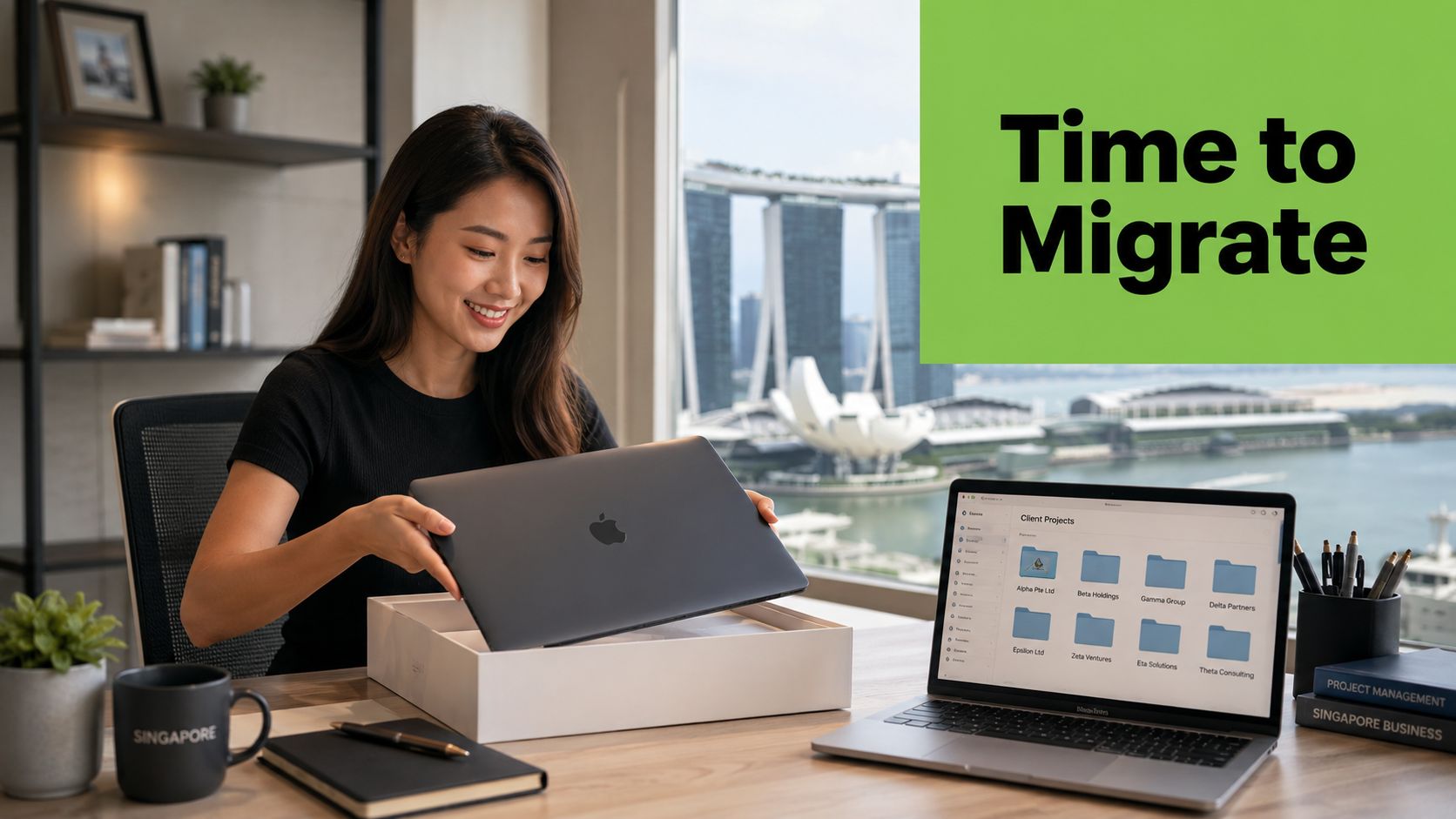
Different triggers, same underlying problem
An ageing POS laptop may take too long to load product records during a busy period. A student changing from Android to iPhone may need contacts, photographs, notes, and messages to remain available. An IT administrator upgrading company devices must also confirm that staff can still access their applications and shared files.
The hardware and users differ, but the handover follows the same pattern. Someone must decide what moves, how it moves, who can access it, and how the destination will be checked. A rushed transfer can leave behind more than documents. It may remove a shortcut, lose a setting, break an application connection, or expose information on equipment that is about to change hands.
Singapore's population movement data offers a useful comparison for continuity across changing systems. The World Bank-linked series records net migration, defined as immigrants minus emigrants, at 214,842 in 2022, 26,996 in 2023, and 20,011 in 2024, after much larger historical swings (World Bank Singapore net migration series). A device migration involves fewer records, but it raises a similar question: how can important information retain its meaning while its environment changes?
The old device also has a lifecycle decision attached to it. Repair, reuse, trade-in, or retirement each creates different privacy and verification tasks. If you are considering a replacement, review how to sell a used laptop in Singapore before handing the machine to another party. Check what must be protected, transferred, removed, or confirmed first.
What Data Migration Really Means
Data migration is the planned transfer of data from one system, device, or format to another, with checks that the information remains usable, intact, and secure at the destination.
A house move makes the idea easier to understand. You don't throw every object into a lorry without sorting it. You decide what to keep, label each box, protect fragile items, transport them, unpack them, and check that important belongings arrived in the right room. A data migration follows the same logic, even when the “boxes” are folders, database tables, application settings, or device profiles.
Five building blocks of a controlled move
- Source: The data currently resides here. It could be an old iPhone, a laptop drive, an on-premise file server, a POS application, or a legacy database.
- Target: The target is the destination. It might be a replacement laptop, an iPhone, a cloud storage platform, a newer database, or a new business application.
- Mapping: Mapping explains how the old structure fits the new one. A spreadsheet may store “customer name” in one column, while the destination database separates first name and surname. Without a mapping rule, the destination may accept the file but place information in the wrong fields.
- Transfer: This is the movement itself. Teams may use a migration tool, encrypted export, device-to-device connection, managed backup, or a staged cloud transfer.
- Verification: Verification checks whether the destination contains the expected information and whether users can work with it. A file may exist but still be corrupted, incomplete, wrongly permissioned, or unreadable by the new application.
Practical rule: If nobody can explain how the team will verify the destination, the migration plan isn't finished.
Migration differs from related terms. A backup creates a recoverable copy, usually so you can restore information after loss or damage. An integration connects systems so they can exchange information while both remain in use. Replication maintains a synchronised copy, often continuously. Migration usually has a defined source, target, transfer window, and point at which responsibility moves to the new environment.
The same principle applies to a phone handover. Photos, contacts, settings, and applications may each follow different paths, and the user still needs to verify that the new device is ready before erasing the old one. The next decision is identifying which broad migration pattern matches the situation.
The Three Main Types of Migration
The right migration type depends on the trigger, the amount of change, the acceptable interruption, and the sensitivity of the data. A phone replacement usually has a shorter path than a database modernisation project, but both still need inventory, transfer, and verification.
| Migration Type | Typical Trigger | Time Required | Risk Level | Common Use Case |
|---|---|---|---|---|
| Device to device | New phone, laptop refresh, trade-in, or replacement | Usually limited to the handover window, depending on the data and connection | Moderate | Moving files, settings, accounts, and user data from an old device to a replacement |
| Cloud migration | Moving away from local servers, changing cloud platforms, or adopting a hybrid setup | Can range from a controlled transfer to a staged programme | Moderate to high | Moving file servers to managed cloud storage or changing productivity platforms |
| OS or platform upgrade | End of support, legacy modernisation, or database version change | Often requires testing before the go-live window | High | Moving from Windows 10 to Windows 11 or upgrading a database platform |
Device to device
This includes phone-to-phone, laptop-to-laptop, and cross-platform transfers such as Android to iOS. Staff laptop refresh cycles and trade-in workflows often trigger this type. The biggest underestimated risk is assuming that visible files represent the whole user environment. Browser profiles, local application data, authentication methods, and device-specific settings may need separate attention.
Cloud migration
A cloud project can mean on-premise to cloud, cloud-to-cloud, or a hybrid arrangement where some workloads stay local. A company might move a file server into managed cloud storage or shift from one productivity suite to another. The largest underestimated risk is losing control of access and ongoing costs after the transfer. Storage, retention, and data movement charges can continue long after the original project appears complete.
OS and platform upgrades
An operating-system upgrade changes the environment in which applications, drivers, permissions, and security controls run. A legacy system modernisation or database version upgrade can also change data structures and behaviour. Teams often underestimate compatibility gaps because a test login succeeds while a specialised workflow, old file format, or peripheral device fails in daily use.
Use the table as a starting point, not a substitute for discovery. A device migration may be technically simple but highly sensitive if it contains client records. A cloud migration may be operationally gradual but legally complex if personal data crosses borders.
How the Migration Process Actually Works
A dependable migration is a connected sequence, not a collection of unrelated technical tasks. Each stage answers a different question, and skipping one usually pushes the problem into a more expensive stage later.
Start with scope and discovery
First, identify the source, target, data owners, affected users, dependencies, and cutover window. Decide whether the move covers every file, only active records, or a defined application dataset. A project manager should also name who can approve the transfer and who can stop it if validation fails.
Next, assess what exists. Inventory devices, folders, databases, file types, permissions, duplicates, stale records, and links between systems. Measure data quality in practical terms. Can the target open the formats? Are essential fields missing? Does an application rely on a local path or a particular user account?
Design the mapping before transfer
Mapping turns the old arrangement into the new one. A company moving customer records into a new CRM may need rules for names, contact details, consent fields, attachments, and account ownership. A laptop migration may map desktop folders, cloud drives, email profiles, and approved applications to the replacement device.
Build the target and run a pilot with a representative sample. The pilot should include unusual file names, different permission levels, older records, and the workflows users depend on. It exposes problems while the transfer remains small enough to repeat.
Transfer, validate, and retire carefully
Run the full transfer using encryption, access restrictions, and bandwidth controls. Keep the source available until validation confirms that the target works. Check file counts, database records, key totals, permissions, application behaviour, and user sign-off. A practical guide to how to verify migrated Shopify data is useful for understanding reconciliation in a commerce context, even if your own system is different.
The final stage is decommissioning. Retire the old system only after integrity checks, restore points, rollback instructions, and business approval are in place. For an old device, secure erasure and its next lifecycle step matter as much as the successful setup of the replacement.
Common Risks and How to Prevent Them
Migration failures usually occur at the edges of the project. A file may truncate during transfer, a field may change format, a user may lose access, or a staging copy may remain exposed after the main move finishes.
Data loss and silent changes
A schema mismatch can make a destination accept data while altering its meaning. A date may become text, a long note may be truncated, or a relationship between records may break. Managers can reduce this risk by requiring a verified full backup, testing a representative sample, comparing record counts, and reconciling important fields before approving cutover.
Checksums provide another useful control for files. A checksum is a calculated fingerprint that helps confirm whether a file changed during transfer. For databases, row-level reconciliation and business-owner checks catch problems that a simple file count cannot.
Downtime and operational disruption
A business may remain technically online while staff cannot complete ordinary work. A phased cutover, off-peak transfer window, or parallel run can keep the old environment available while users test the new one. Decide in advance what downtime is acceptable for each workflow, rather than treating every system as equally urgent.
A rollback plan should state who makes the decision, how the old system will be restored, and which new transactions need reconciliation if the team returns to the source. A plan that says “we can roll back” without tested restore points isn't a plan people can rely on.
Security exposure during movement
The migration process creates temporary copies in exports, staging areas, backups, and transfer logs. The Singapore Government's secure migration guidance says teams should assess confidentiality and integrity risks before transfer and protect data throughout extraction, transfer, staging, and cutover (Singapore Government secure data migration guidance).
The PDPC's ICT guidance recommends encrypting personal data in motion where possible, including during backup or migration, with TLS and SSH given as examples. It also advises encrypting exported data and sending the password or passphrase separately (PDPC ICT data protection guide).
Compatibility and financial surprises
Profile the source before selecting the target. Check application dependencies, file formats, permissions, integrations, and hardware requirements. Middleware or a controlled conversion layer may help when old and new systems cannot exchange data directly.
Cost risk continues after go-live. A Singapore cloud-storage report found that 29% of organisations said storage costs hindered digital transformation, 90% said retention costs and ingress or egress charges reduced their ability to extract value, and almost half encountered unexpected cloud costs after migration (Singapore cloud-storage cost findings). The lesson is practical: price storage, retention, transfer, cleanup, retraining, and licensing before approving the project. Don't assume a technically successful move will automatically reduce the total cost.
Best Practices for a Smooth Migration
Use this checklist before the first production transfer. It applies to a phone handover, a laptop fleet refresh, and a cloud or platform project.
- Create a verified backup: Take a full backup before changing the source. Restore a sample from it so the team knows the backup is usable, not merely present.
- Protect data at rest and in transit: Encrypt exports, staging locations, backups, and destination storage. Singapore's ICT data protection standards distinguish between protection in transit, during the move, and at rest, before and after transfer (Singapore Government ICT data protection standards).
- Run a representative pilot: Include ordinary records and difficult examples. Test schemas, permissions, application behaviour, performance, and the user tasks that matter to the business.
- Obtain stakeholder sign-off: Ask the data owner, business manager, security lead, and end users to approve the scope and validation results. IT confirmation alone doesn't prove that the new environment supports daily work.
- Document rollback: Record the restore point, decision-maker, timing, dependencies, and treatment of changes made during the cutover. Test the process before the live window.
- Monitor after go-live: Track access issues, missing records, data drift, performance anomalies, and user reports during the first 30 days. The duration is a practical monitoring period for the project plan, not a guarantee that every issue will appear within it.
- Close the lifecycle loop: Confirm what happens to the old device, backup copies, licences, and access credentials. Repair or reuse may be more sensible than immediate replacement, while secure erasure protects the previous owner.
A migration becomes easier to manage when these controls are routine lifecycle habits. A verified backup helps with repair, a documented handover supports trade-in, and clear data ownership makes future upgrades less disruptive.
Why Migration Fits Into the Device Lifecycle
A device doesn't begin and end with a purchase. Its journey usually includes procurement, deployment, daily use, repair, refurbishment, migration to a newer device, and eventual trade-in or responsible recycling.
Migration sits at the handover between the ageing device and its replacement. If the team waits until the old laptop fails, it loses time and may have fewer recovery options. If it plans the move alongside repair, replacement, data wipe, and trade-in, the organisation can protect productivity while keeping a clear record of what happened to the hardware and its data.
Lifecycle care supports business resilience
This approach changes the question from “how do we move these files?” to “how do we coordinate the move, the device handover, and the secure erasure?” It can support more predictable budgets because a business considers repair and reuse before automatically buying new equipment. It also creates a clearer audit trail for internal controls, compliance work, and ESG reporting.
For Singapore SMEs, lifecycle decisions can include repairing a laptop, reusing it for a less demanding role, moving a user to a refurbished device, or trading in hardware after the data has been verified and erased. myhalo operates as a technology lifecycle partner in this context, with services covering data and device migration, repairs, trade-ins, and refurbished devices. Its Certified ReLoved and Certified Surplus options are supported by transparent device grading, battery health disclosure, and 30-point quality checks under an ISO 9001-certified process. Its ISO 27001 certification is relevant when organisations assess information-security practices, although it doesn't remove the customer's responsibility to plan and verify its own migration.
A phone handover follows the same logic. Before erasing the old device, complete the transfer, confirm access, and decide whether to repair, reuse, trade in, or recycle it. A practical starting point is how to sell a used phone in Singapore, provided secure data erasure is treated as part of the handover rather than an afterthought.
Key Questions to Ask Before You Start
Copy these prompts into your migration plan:
- Scope: Which devices, users, applications, folders, records, and settings are included? What is explicitly excluded?
- Timing: When must the cutover happen? What downtime can each team accept, and who can approve a delay?
- Security: How will data be encrypted in transit and at rest? Who has access to exports, credentials, backups, and logs?
- Old hardware: How will the previous device be securely wiped, repaired, reused, traded in, or responsibly recycled?
- Success: Which record counts, permissions, workflows, and user approvals prove completion?
- Aftercare: Who handles issues during the first 30 days, and how will the team track data drift or user-reported problems?
For personal data moving overseas, Singapore's PDPA transfer limitation requires the recipient location to provide protection comparable to the PDPA, as described in Section 26 of the PDPA. If a customer requests portable data, PDPC guidance describes machine-readable formats and limits compliance transmission to receiving organisations with a presence in Singapore (PDPC data portability consultation paper). For device handovers, how to trade in a phone in Singapore should be considered alongside transfer verification and secure erasure.
Visit myhalo for device migration, repair, trade-in, Certified ReLoved and Certified Surplus options, with transparent grading and lifecycle support. If you're replacing a phone or laptop, plan the data transfer and secure handover together so the old device can be reused, traded in, or responsibly recycled with fewer surprises.