





How to Repair Samsung Phone in Singapore 2026
Your Samsung phone usually fails at the worst possible time. The screen cracks before work, the battery drops fast halfway through the day, or it suddenly won't charge when you need banking, WhatsApp, maps, and your work apps all on one device. In Singapore, that's not a small inconvenience. It can stop your whole day.
If you're trying to repair a Samsung phone, don't start with random fixes from forums. Start by working out what's wrong, then decide if it's safe to handle yourself, worth sending for repair, or smarter to trade in and move on. That decision is often overlooked. A cheap fix that fails later often costs more than one proper repair done once.
Table of Contents
First Steps Diagnose Your Samsung Phone's Problem
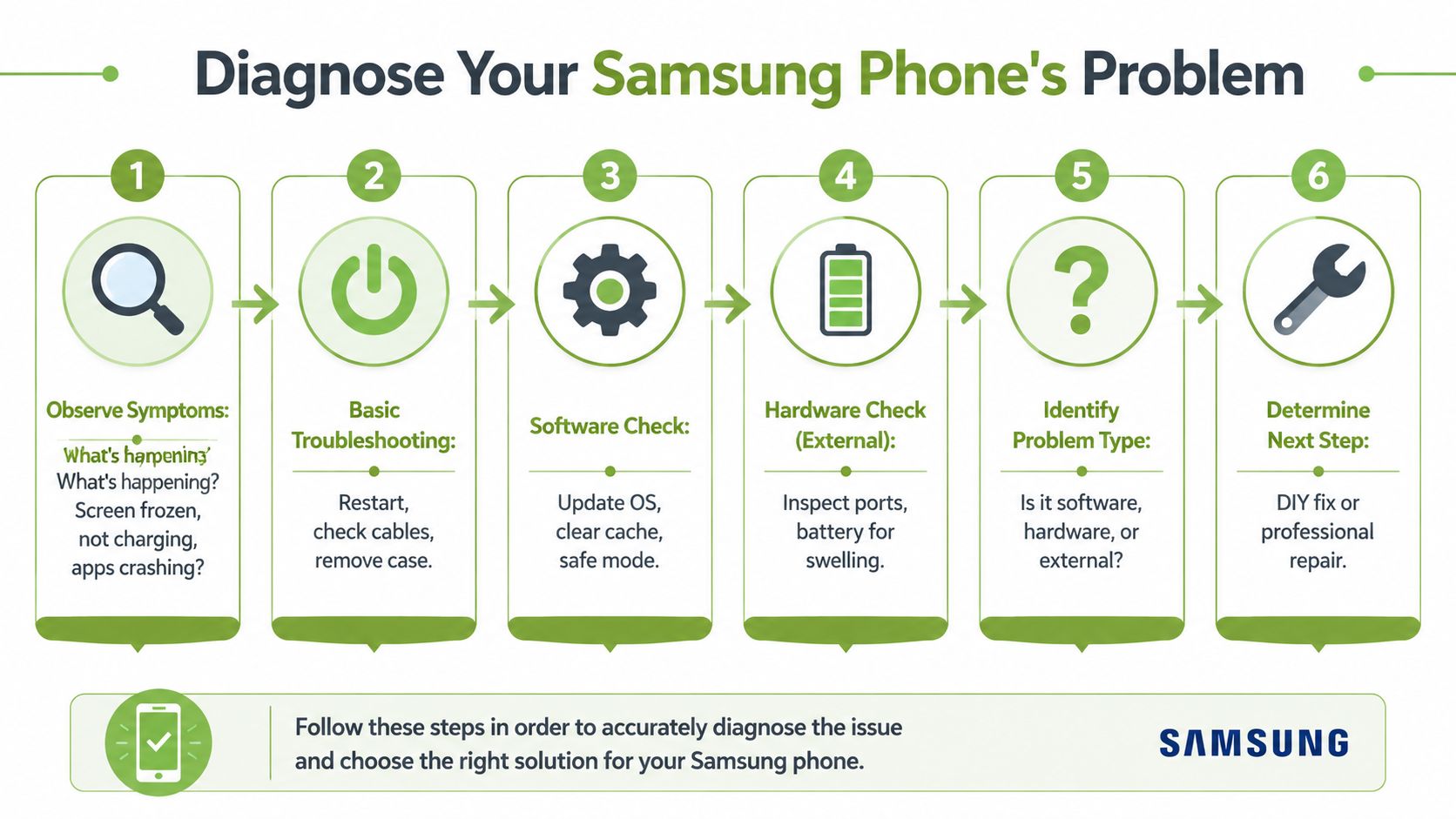
When a Samsung phone stops behaving normally, many immediately jump straight to the worst conclusion. Dead motherboard. Spoilt battery. Expensive screen replacement. Quite often, the phone isn't fully dead. It just needs proper triage.
A clean diagnosis saves money and time. In structured repair operations, diagnostic discipline matters so much that one repair centre using OEM tooling and diagnostics reported 98%+ first-time repair success rates in its device repair process overview. The point isn't that every shop will match that figure. The point is that guessing is expensive.
Check whether the phone is alive or just looks dead
Start with the simplest question. Is the phone off, or is the screen failing while the phone is still running?
Try this in order:
- Force restart the phone. Hold the power button and volume down together until the device restarts.
- Listen and feel. Does it vibrate, make charging sounds, or show notification alerts?
- Call the number from another phone. If it rings but the display stays black, you may have a screen issue rather than a power issue.
- Remove the case and accessories. A warped case or poorly fitted screen protector can interfere with buttons or make screen faults look worse.
If the phone boots after a forced restart, don't assume the problem is solved. Watch for repeat freezing, overheating, or random app crashes. Those point more towards software trouble than broken hardware.
Practical rule: If the phone still gives sound, vibration, or ring activity, don't rush into a battery replacement. The display or touch layer may be the real fault.
Separate charging faults from battery faults
A lot of people say “battery problem” when the actual issue is the cable, charger, or dirt packed into the USB-C port.
Run a basic charging check:
- Change the cable and adapter with known working ones.
- Inspect the port under bright light. Pocket lint can stop the plug seating fully.
- Check charging behaviour. If charging starts only when you angle the cable, the port may be dirty or worn.
- Watch the battery trend. If the phone charges normally but drains abnormally fast, that's more likely a battery health issue than a charging port issue.
If you've got intermittent charging plus no physical looseness in the port, software can also be involved. A restart, app update, or safe mode test can help you rule that out before spending on hardware.
Inspect for physical damage before you do anything risky
Now look closely at the phone itself. Don't just check the obvious crack on the front.
Look for:
- Display symptoms such as black patches, flicker, lines, or touch dead zones
- Frame damage that suggests the phone took a hard impact
- Back glass lifting which can point to internal pressure or a swollen battery
- Moisture signs after rain, spills, or bathroom use
- Bent chassis which often complicates screen replacement
A proper screen workflow also includes testing after reassembly, not just seeing whether the display lights up. A practical guide to cell phone screen repair testing recommends checking for dead pixels with white, black, red, green, and blue backgrounds, then testing touch response across the full panel with taps, scrolling, pinching, and zooming. That's the sort of detail that catches faults casual DIY checks miss.
If you're trying to repair a Samsung phone sensibly, diagnosis comes first. Don't buy parts based on a guess. Don't peel open the phone because one video made it look easy.
Common DIY Fixes You Can Try Right Now
Some Samsung problems are worth trying at home. The key is staying in the low-risk zone. If a fix involves heat, strong adhesive, prying near the battery, or opening the frame, that's no longer beginner DIY.
A few simple actions can sort out common faults without making things worse.
Fix a frozen or unresponsive Samsung phone
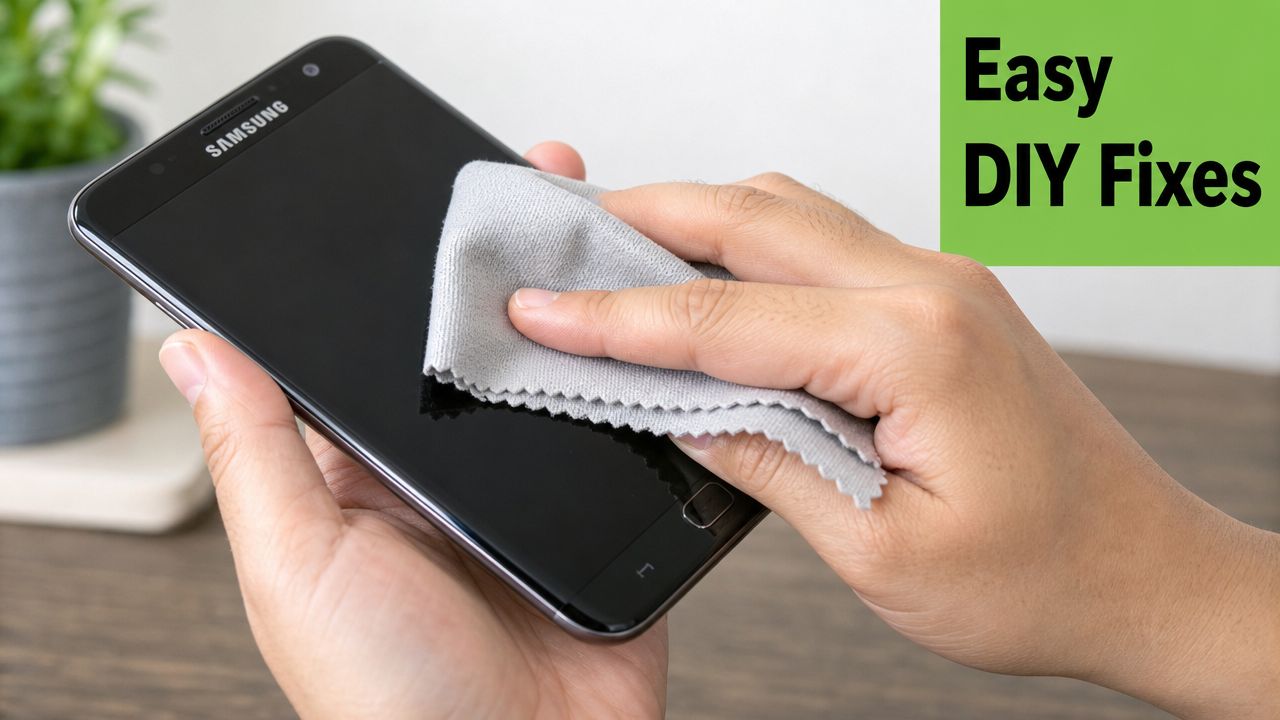
When the screen hangs, apps won't open, or the phone seems stuck, do a forced reboot first. Hold the power and volume down buttons until the device restarts. This clears temporary software lockups and helps you tell the difference between a crashed system and a dead display.
Then do these checks:
- Update One UI and apps if the phone becomes usable again.
- Boot into Safe Mode if repeated crashing started after installing something new.
- Clear app cache for the app causing the problem.
- Remove a damaged screen protector if touch input feels erratic only in some areas.
If the phone behaves normally in Safe Mode, a third-party app is often the culprit. That's a good sign because it means you probably don't need hardware repair.
Fix slow or failed charging safely
Charging issues are often dirt, not damage.
Use this method:
- Power the phone off.
- Shine a light into the USB-C port.
- Use a non-metal tool like a wooden toothpick or soft plastic pick to tease out lint gently.
- Blow lightly or use a hand-squeezed air blower.
- Reconnect a known good cable and adapter.
Don't use a pin, paper clip, or metal tweezers. Those can damage the connector or short the port.
If the charging cable doesn't click in firmly, don't force it. Debris usually compacts at the bottom of the port and stops full insertion.
For users who prefer a visual walkthrough, this video covers basic phone repair handling and simple troubleshooting steps before moving to advanced work.
Use built in checks before assuming hardware failure
Before you decide you need parts, use the phone itself as a test tool if it still powers on.
Try these:
- Battery check. See whether drain is tied to heavy screen use, background apps, or heat.
- Display check. Open plain colour screens or bright backgrounds and look for unevenness, flicker, or lines.
- Touch test. Drag an icon around the full screen and watch for dead spots.
- Camera and speaker test. A hard drop can affect more than the screen.
Short version. DIY is safe when you're restarting, cleaning, updating, removing a faulty accessory, or checking settings. DIY is not safe when you're separating glued parts or trying to replace screen assemblies without the right tools and post-repair testing.
When to Skip DIY and See a Professional
Some faults look simple from the outside and absolutely aren't. That's where people get burned. They watch a teardown, order a cheap part, crack the back glass, slice the adhesive badly, then end up paying for a more complicated repair than the original one.
If any of the problems below match your phone, skip the kitchen-table approach.
Cracked screens are rarely just glass problems
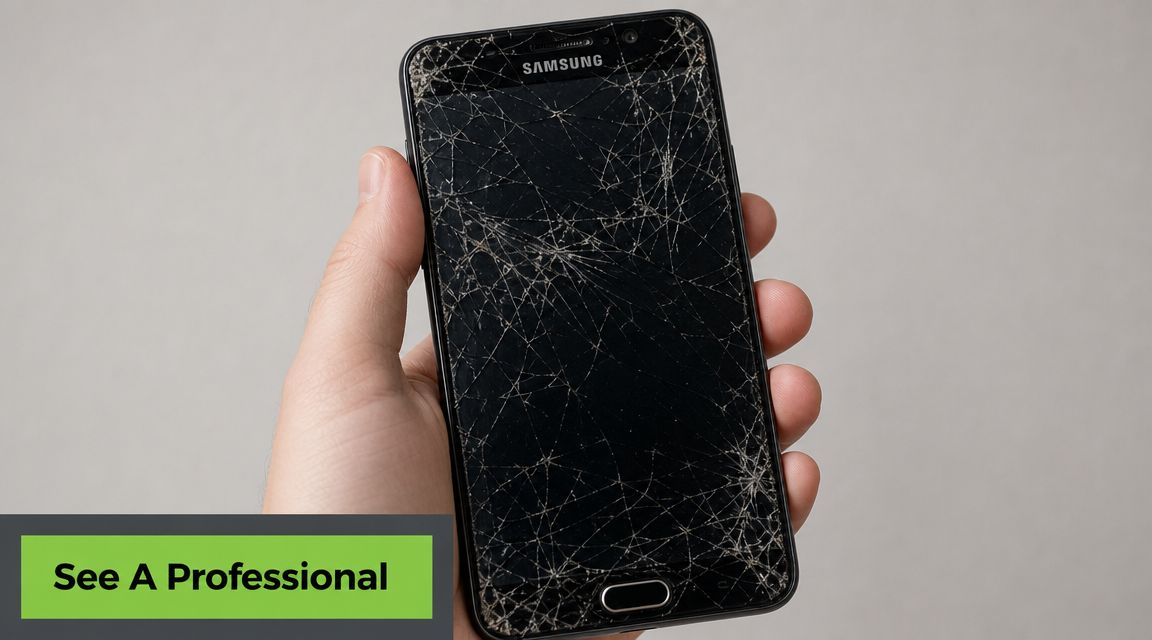
On many Galaxy models, a cracked screen can come with hidden issues underneath. The OLED may still light up today and fail later. Touch may work on half the panel. The frame may be bent enough to stop a new screen from seating properly.
This is why screen repair isn't just “remove old glass, stick on new glass”. If you're deciding whether to go ahead, it helps to read a practical breakdown of phone screen repairs in Singapore and compare what's involved for your model.
A technician should check:
- Whether the frame is straight
- Whether the touch layer is intact
- Whether there are pressure marks or OLED bleed
- Whether impact spread to the charging port, cameras, or housing
Battery swelling and liquid damage need proper handling
If the back cover is lifting, stop charging the phone. Don't press it down. Don't keep using fast charging and don't leave it under a pillow or in a hot car. A swollen battery is a safety problem first, repair problem second.
Liquid damage is another one people underestimate. The phone may still turn on after a spill, then fail days later because corrosion keeps developing. Rice won't solve that. Opening the phone without the right process can also push moisture deeper or delay proper cleaning.
A phone that “still works after water” is not proof that the inside is fine.
Bad DIY can turn a repair into a write off
A failed DIY screen job often leads to torn flex cables, broken fingerprints sensors, damaged frame clips, or poor sealing. Then the next shop has to undo that work before they can even start the actual repair.
Professional help is usually the smarter call when the phone has:
| Problem | Why DIY is risky |
|---|---|
| Severe screen cracks | Hidden OLED, digitiser, or frame damage |
| Battery swelling | Fire and puncture risk |
| Liquid exposure | Corrosion can spread beyond visible areas |
| No touch after drop | Could involve board or connector damage |
| Back glass lifting | Often linked to battery or internal distortion |
If you want to repair a Samsung phone without doubling your cost later, know where the line is. Software glitches and dirty ports are fair DIY territory. Swollen batteries, cracked OLEDs, and water damage are not.
Navigating Samsung Repair Options and Costs in Singapore
You drop your Samsung in the MRT station, the screen still lights up, and by lunch you already have three different repair quotes. One is cheap, one is from the official channel, and one includes the option to trade in if the repair is hard to justify. The right choice depends less on the lowest price and more on what you are trying to get out of the phone over the next 6 to 18 months.
That is the part many people in Singapore have to work through carefully. A repair can be technically possible and still be poor value.
How the main repair paths differ
Official Samsung centre suits newer devices, warranty cases, and owners who want the manufacturer process from intake to testing. In practice, this route makes the most sense when the phone is still valuable enough that preserving warranty status, water resistance standards, and parts confidence matters more than shaving dollars off the bill.
Independent repair shops are often the practical choice for older Samsung models that are already out of warranty. The upside is convenience and, in some cases, lower pricing. The downside is inconsistency. Two shops can quote the same repair and mean very different things by “screen replacement”, especially if one is replacing only the panel and another is fitting a full service pack.
If you are comparing local options, this guide to Samsung service centre options in Singapore gives useful context on how official and third-party routes differ.
A third path matters more than people expect. Some users do not just need a repair. They need a decision. If the phone is ageing, has more than one fault, or is already frustrating in daily use, a service path that can assess the repair and also offer a trade-in or refurbished replacement can save money that would otherwise be sunk into a device near the end of its useful life.
Comparing Samsung Repair Options in Singapore
| Factor | Official Samsung Centre | Independent Repair Shop | myhalo Repair Service |
|---|---|---|---|
| Best fit | Newer devices, warranty-sensitive cases, users who want manufacturer handling | Older devices, simple repairs, users focused on immediate convenience | Users who want repair evaluation plus trade-in or replacement options in one flow |
| Part confidence | Usually aligned with manufacturer standards | Varies by shop and quoted part grade | Uses vetted parts within its service process |
| Diagnosis quality | Structured intake and testing | Depends heavily on technician experience | Structured diagnostic approach before recommending next steps |
| Turnaround expectations | Often fast for straightforward jobs, subject to model and part availability | Can be quick, but consistency varies | Depends on issue and parts, with focus on practical repairability |
| Good for | Screen, battery, and warranty-related repairs on newer models | Out-of-warranty devices where budget matters | Users comparing repair, trade-in, and refurbished replacement |
| Main trade-off | Often costs more on older models | Quality control varies a lot | Value depends on whether repair or replacement is the smarter long-term choice |
When repair is worth it and when it isn't
I usually tell customers to judge the phone by condition, not sentiment.
Repair is often worth it if the fault is isolated. A cracked display on an otherwise healthy Galaxy S or A series phone is a straightforward example. If battery health is still decent, the frame is not bent, cameras are fine, and the phone still meets your daily needs, a proper repair can extend its life without much risk.
Be more careful when faults start stacking up. A damaged screen plus weak battery plus loose back cover is no longer a single repair decision. It is a spending pattern. On older models, that pattern often ends with a second repair a few months later.
Use this framework before approving any quote:
- Repair if one main part has failed and the rest of the phone is still in good shape
- Get a second opinion if the quote is vague about part type, warranty, or whether the frame and seal are affected
- Reconsider the repair if the phone already has multiple age-related issues
- Compare with replacement value if you were already thinking about upgrading this year
- Consider trade-in or refurbished if the repair gets the phone working again but does not solve the bigger value problem
One trade-off that catches people out is partial repair versus proper repair. The cheaper quote is not always the better one if it leaves you with poor fit, weaker durability, or another failure point still waiting. A slightly higher bill can make sense when it restores the phone to a condition you can rely on.
Ask a better question than “What is the cheapest quote?” Ask “After this repair, will this phone still be worth using for long enough to justify the spend?”
For an older Samsung, the sensible choice is often very simple. Either repair it properly and get more real use from it, or stop putting money into a tired device and move to a quality refurbished replacement from myhalo if that gives you better long-term value. Repeated patch-up repairs usually cost more than people expect.
How to Prepare Your Phone for Repair and Protect Your Data
A repair shouldn't expose your photos, chats, banking apps, or saved accounts. Privacy is one of the biggest reasons people delay handing over a phone. Fair enough. Your handset isn't just hardware. It holds your life.
Samsung's repair preparation process is built around that concern, but you still need to do your part before the phone leaves your hands.
Back up first and remove what matters
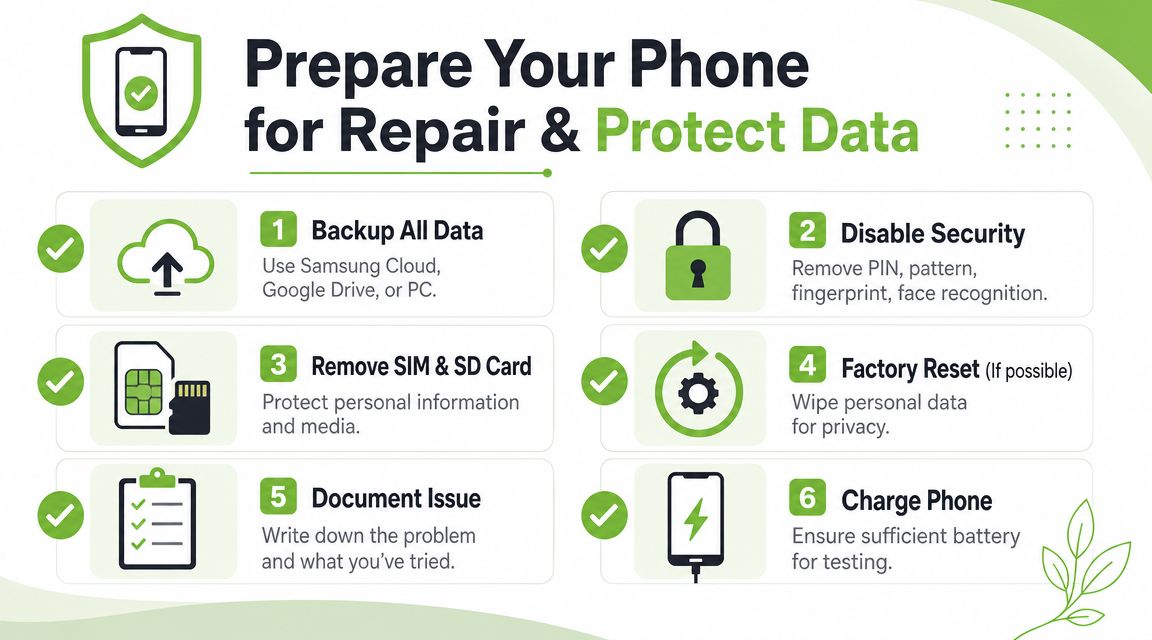
Before any repair booking, back up what you can't afford to lose.
Use a combination of:
- Samsung Smart Switch or cloud backup for contacts, photos, and app data
- Google account sync for contacts, calendar, and some app settings
- Manual copy to PC or external storage for files you want to verify yourself
- SIM and microSD removal so they don't travel with the device
Also note down the fault clearly. “Screen cracked after drop, display still visible, touch fails on right side” is much more useful than “screen problem”.
For longer-term prevention after the repair, proper physical protection still matters. If you're replacing a screen, it's worth reviewing your options for a phone screen protector so you're not back in the same situation too soon.
Use privacy features and reset properly
Samsung introduced Repair Mode on Galaxy S21-series devices and planned to expand it more broadly through software updates. The feature blocks access to photos, messages, and accounts while the phone is being serviced, limiting technicians to default apps. That privacy-focused behaviour is discussed in this Repair Mode rollout reference.
If your phone supports it, use Repair Mode.
If it doesn't, the safer route is:
- Back up the phone
- Remove your Google and Samsung accounts
- Factory reset the device
- Disable screen lock only if the service process requires it after reset
That gives the technician what they need to test hardware without handing over your personal data at the same time.
What to hand over with the phone
Keep the handover simple and controlled.
Bring or provide:
- The phone itself
- Your issue notes
- Relevant passcode instructions only if necessary
- Charging cable only if the problem involves charging
- Proof of purchase or warranty info if applicable
Don't hand over extras unless they are needed for diagnosis. Cases, personal accessories, pop grips, and memory cards just create room for confusion.
The safest phone to submit for service is one that contains no sensitive data you still need to protect.
The myhalo Approach A Smarter Repair Solution
Your Samsung slips at City Hall MRT, the screen cracks, and by lunch you are already asking the wrong question. The question isn't solely whether the phone can be repaired. It is whether putting money into this device still makes sense for the next year of daily use in Singapore.
That calls for a simple framework.
Start with the phone's overall condition, not just the obvious fault. A screen replacement on a phone that still runs well, holds charge properly, and matches your needs is usually money well spent. The same repair on a device with poor battery life, lag, frame damage, or weak resale value can turn into a short-term fix followed by another bill a few months later.
Downtime matters too. If you use one phone for banking, Grab, WhatsApp, work logins, and photos of the kids, even a short repair window can be disruptive. Earlier, we covered the usual prep steps around backup and privacy. Here, the key point is practical value. A cheap repair is not a good deal if it leaves you with an unreliable phone or forces you to spend again soon after.
A better repair decision looks at the whole outcome
myhalo's approach is useful because it does not force every case into a repair-only answer. If the device is worth saving, repair is one path. If the numbers no longer make sense, trade-in and replacement are on the table too.
That matters in real workshop cases. I see phones that come in for one issue, then fail the value test once you factor in battery wear, past drops, older processors, or parts cost. In those cases, insisting on repair just because it is possible is not always the smart move.
A practical service model should help you compare three outcomes:
- Repair if the fault is isolated and the phone still has good everyday value.
- Trade in if the repair cost is getting too close to what the phone is realistically worth.
- Switch to refurbished if you want a dependable replacement with better long-term value than pouring more cash into an ageing device.
Repair versus replacement is a cost question and a trust question
Cost is only half the decision. The other half is confidence.
If you repair the phone, you want to feel comfortable using it for payments, commuting, work, and family life without wondering what will fail next. If that confidence is gone, replacement can be the cleaner choice even when repair is technically possible.
That is where a quality refurbished phone can make sense. For many older Galaxy models, the smartest move is not squeezing one more repair out of tired hardware. It is trading in the damaged device and shifting to a refurbished replacement that gives you predictable condition, a lower upfront cost than new, and less waste than buying another brand-new handset.
myhalo handles repair, trade-in, data migration, and refurbished device replacement, so the decision can match the condition of the phone instead of forcing one answer onto every customer.
If your Samsung phone is cracked, not charging, or just no longer worth sinking more money into, myhalo gives you a practical next step. You can compare repair support, trade-in options, and quality refurbished devices based on what truly gives you the better result over time.