





Power Plug Extension Guide: How to Choose Safely
You've probably seen this in a BTO living room or a small home office. One wall socket is already feeding a laptop, a phone charger, a fan, and a desk lamp, and the easy fix looks like a power plug extension pulled from a drawer or bought on the way home. That moment feels minor, but it's really a decision about load, heat, and how much trust you're putting in a temporary accessory.
The shape of the strip matters less than you might think. What matters first is whether the cord, fuse, socket layout, and protection match the devices you're running, because a wall outlet isn't magically made safer by adding more sockets to it. In Singapore, that distinction matters even more in compact flats, offices, and shared workspaces where extension leads are used every day, not once in a while.
Table of Contents
- Why the Right Extension Lead Matters More Than You Think
- Understanding Extension Leads, Power Strips and Surge Protectors
- Key Specifications You Should Check Before Buying
- Choosing the Right Shape and Form Factor for Your Space
- Singapore Safety Rules Every Buyer Should Know
- Durability, Certification and a Longer-Lasting Setup
- Maintenance Checks and Troubleshooting Red Flags
Why the Right Extension Lead Matters More Than You Think
A common Singapore scene starts with good intentions. Someone unplugs a laptop charger so a fan can run from the same corner, then adds a phone charger and a lamp because the desk still feels cramped. The setup works for a while, until the strip warms up, the cable gets bent behind furniture, or the outlet becomes the only power source for half the room.
That's why a power plug extension should be treated as a temporary electrical accessory, not a wiring solution. The modern plug system grew out of a long standardisation process, starting with Harvey Hubbell's separable plug patent in 1904, then becoming “basically interchangeable” by 1926, with wall receptacle conversion effectively complete only by 1931 according to the Spark Museum history of the electrical plug. Singapore still lives with the wider reality that the world had 15 plug and socket types by 2018 in that same history, so compatibility and correct selection still matter.
What usually goes wrong
The mistake isn't usually dramatic. People buy by outlet count, plug shape, or whether the strip fits behind a sofa, then ignore the actual load on the circuit. That's risky, because extension cords are meant to reach a socket that isn't conveniently near the appliance, not to become permanent power distribution.
Practical rule: if the strip is doing the job of fixed wiring, the setup has already outgrown the accessory.
This guide focuses on the choices that keep a small home or SME setup stable. That means matching the strip to the devices, avoiding daisy-chains, and knowing when a worn unit should be replaced instead of reused.
Understanding Extension Leads, Power Strips and Surge Protectors
A shopping decision can go wrong quickly here, because three products may look alike on the shelf while doing very different jobs in the home. An extension lead is the most basic option, a cable that ends in one or more sockets. A power strip is usually a multi-outlet block, often with a switch. A surge protector adds components that help absorb voltage spikes from events such as lightning or heavy appliance switching.
A power strip works like a multi-way tap on a pipe. It gives you more outlets, but it does not raise the capacity of the wall circuit feeding it. The upstream circuit still sets the limit, so a strip extends reach without increasing what the socket line can safely supply.
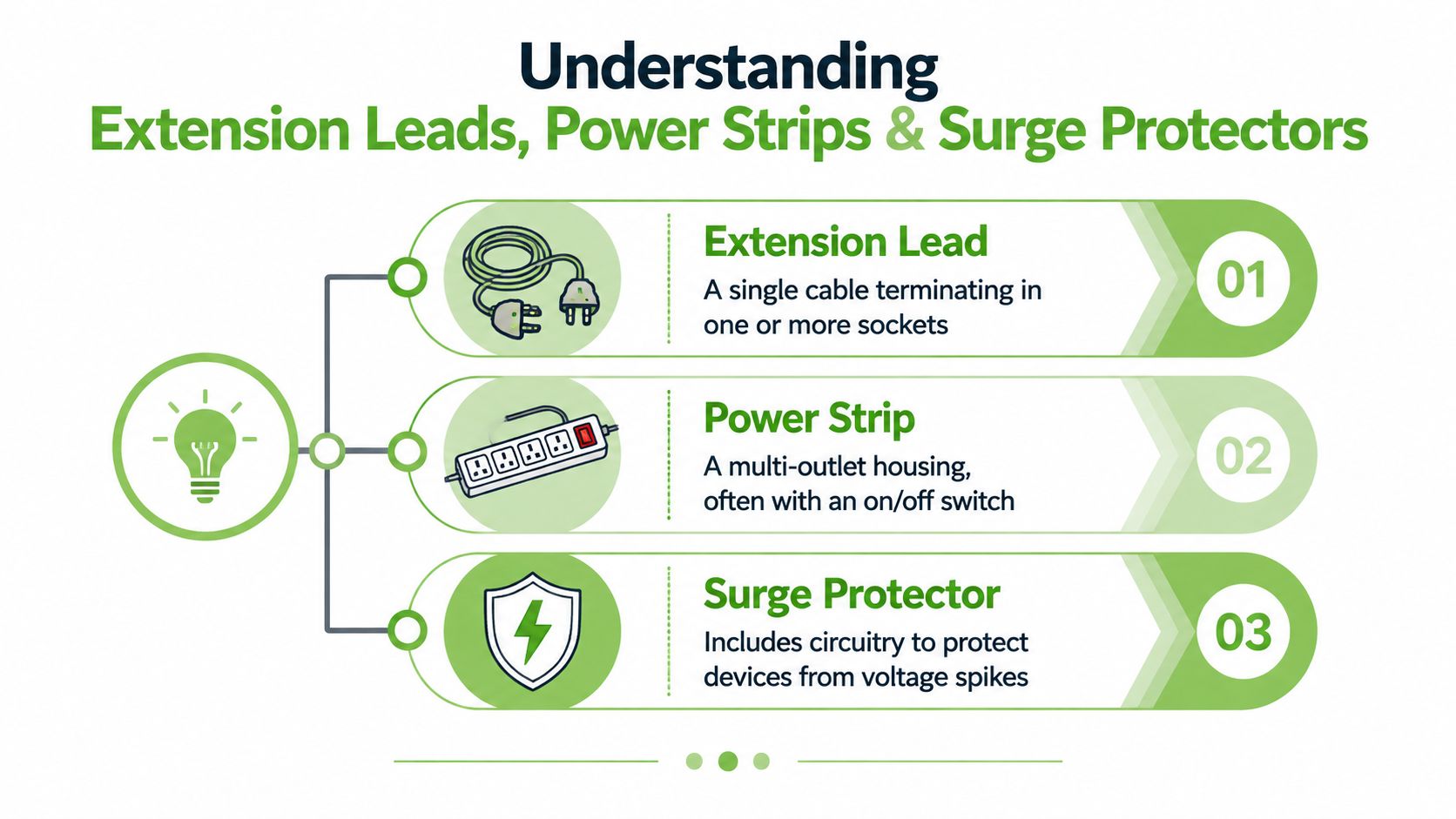
That distinction matters more than the plug shape. If you are placing a laptop, monitor, or home office setup on the strip, a surge-capable model deserves a closer look because protecting electronics from surges becomes part of the purchase decision, not an afterthought. For travel and mixed-device setups, a universal travel adapter is a useful companion read, since plug compatibility and outlet access often come up together.
Matching the strip to the use case
A bedside charging point, a study desk hub, and a workshop bench all ask for different things. At bedside, low clutter and easy reach matter most. At a desk, you care more about enough sockets and sensible cable routing. For tools or appliances, the focus shifts to load and heat, and that is where many shoppers pick the wrong product because the strip looks “heavy duty” even when it is not.
A power strip only redistributes access to the same wall circuit. More sockets do not mean more available power, and a larger body does not make the unit safer on its own. Start with the right category, then check the rating, then decide whether the location and the connected devices suit it.
Key Specifications You Should Check Before Buying
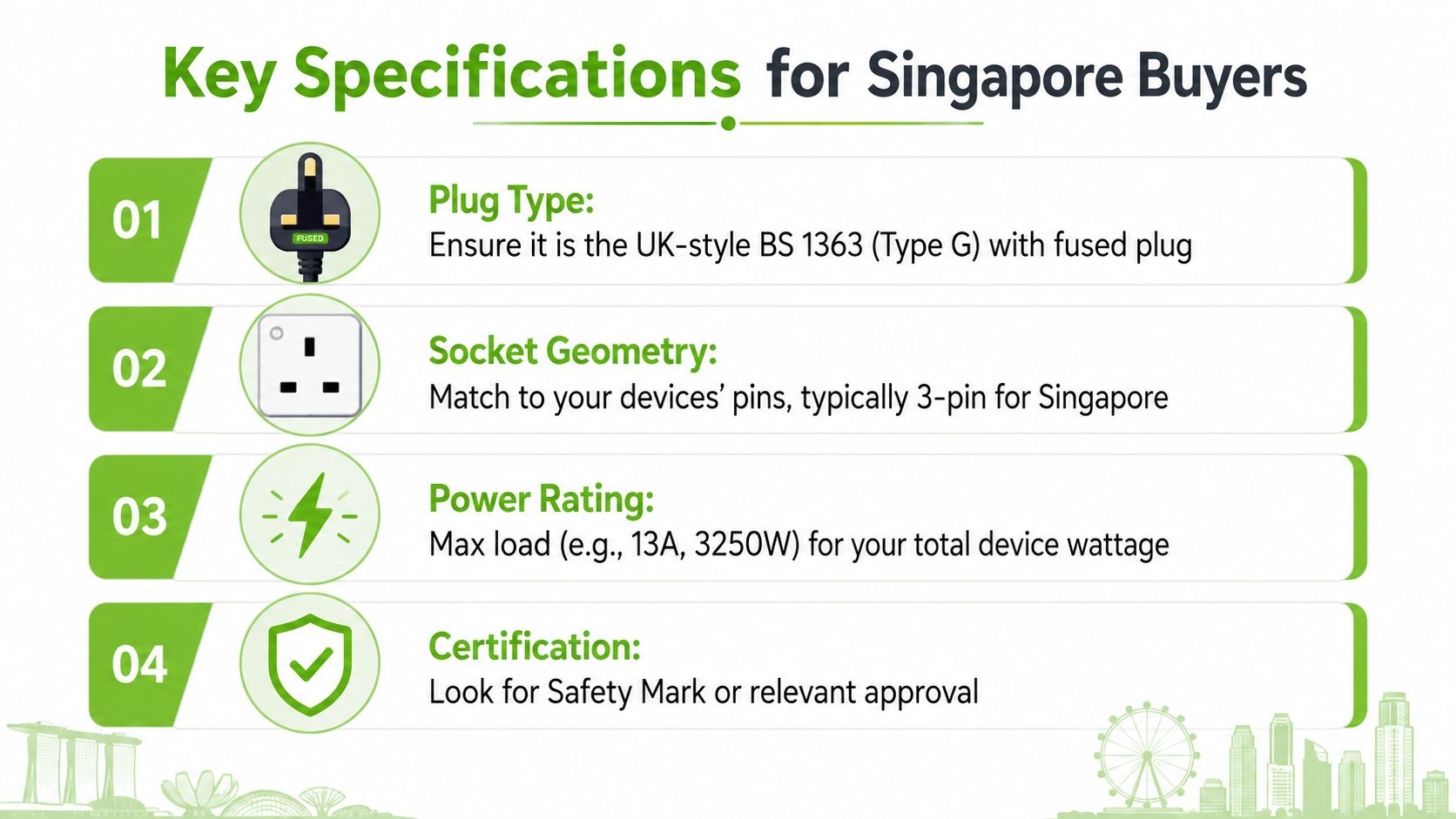
The first number to look for is the current rating. In Singapore's 230 V environment, common 13 A extension leads for the BS 1363 ecosystem are rated around 3250 W max according to Legrand's product guidance, which is the practical ceiling for the strip's total steady load, not the number of sockets on the bar. If the label doesn't tell you the total load clearly, that's a warning sign.
Read the label, not the marketing
The plug type should match the Singapore BS 1363 ecosystem, and the socket geometry should fit the devices you own. A six-socket strip doesn't mean six high-wattage appliances can run together, because the total load still has to stay under the strip's rating. That's the most common buying mistake, especially when a buyer sees multiple sockets and assumes they're independent.
Cable size matters too. Technical references show 1.5 mm² three-core cords being used for typical 16 A / 250 V service, while smaller 0.75 mm² cords are commonly limited to 10 A / 2200 W in 220 V systems, which is why thin cords are a poor match for heavier loads. A longer run also adds resistance and heat, so the safer choice for a printer-heavy or monitor-heavy desk is usually a shorter, thicker cord rather than the longest lead on the shelf. That same logic is covered in myhalo's fast charging cable guide when the core issue is delivering power reliably, not just plugging something in.
What else to verify before checkout
- Fuse and overload protection: Outdoor models often use built-in 13 A fused plugs, which adds a layer of overload protection.
- IP rating: IP54 is useful for outdoor or damp-adjacent use, but the presence of an IP rating does not make a strip suitable for wet locations.
- USB ports: Check the per-port wattage if you plan to charge phones or tablets directly.
- Certification: Look for relevant approval marks rather than trusting packaging claims alone.
Quick buying check: if the label doesn't clearly state current, wattage, cable size, and protection, keep looking.
Choosing the Right Shape and Form Factor for Your Space
Electrical rating comes first. After that, the shape should match the room and the way the cord will sit in daily use. A flat plug can look tidy behind a sofa, but the main question is whether it keeps the cord relaxed and still leaves the strip within reach. A tower strip may suit a work desk where floor space is tight, while a horizontal bar is often simpler to see, switch off, and inspect.
Match the form to the room
Behind a TV console, a flat or right-angle plug usually makes the most sense because it sits close to the wall and leaves less of the plug body sticking out. Under a study desk, a tower-style strip can keep sockets off the floor and make charging points easier to reach. In a kitchen appliance nook, the safer choice is often the one that gives more clearance and less cable bend, rather than the one that disappears most neatly from view.
A strip hidden under a rug, squeezed behind a closed cabinet, or wedged so tightly that air cannot move around it turns convenience into a stress point. Heat then has fewer places to go. Over time, that can increase wear and make a simple accessory work harder than it should.
Compare the trade-offs, not the looks
| Form factor | Best fit | Main trade-off |
|---|---|---|
| Flat or right-angle plug | Behind furniture, tight wall gaps | Can still be awkward if the cord bends sharply |
| Tower-style strip | Small desks, shared workpoints | Takes height, so plug placement matters |
| Traditional horizontal strip | Easy access, clear labelling | Sticks out more from the wall |
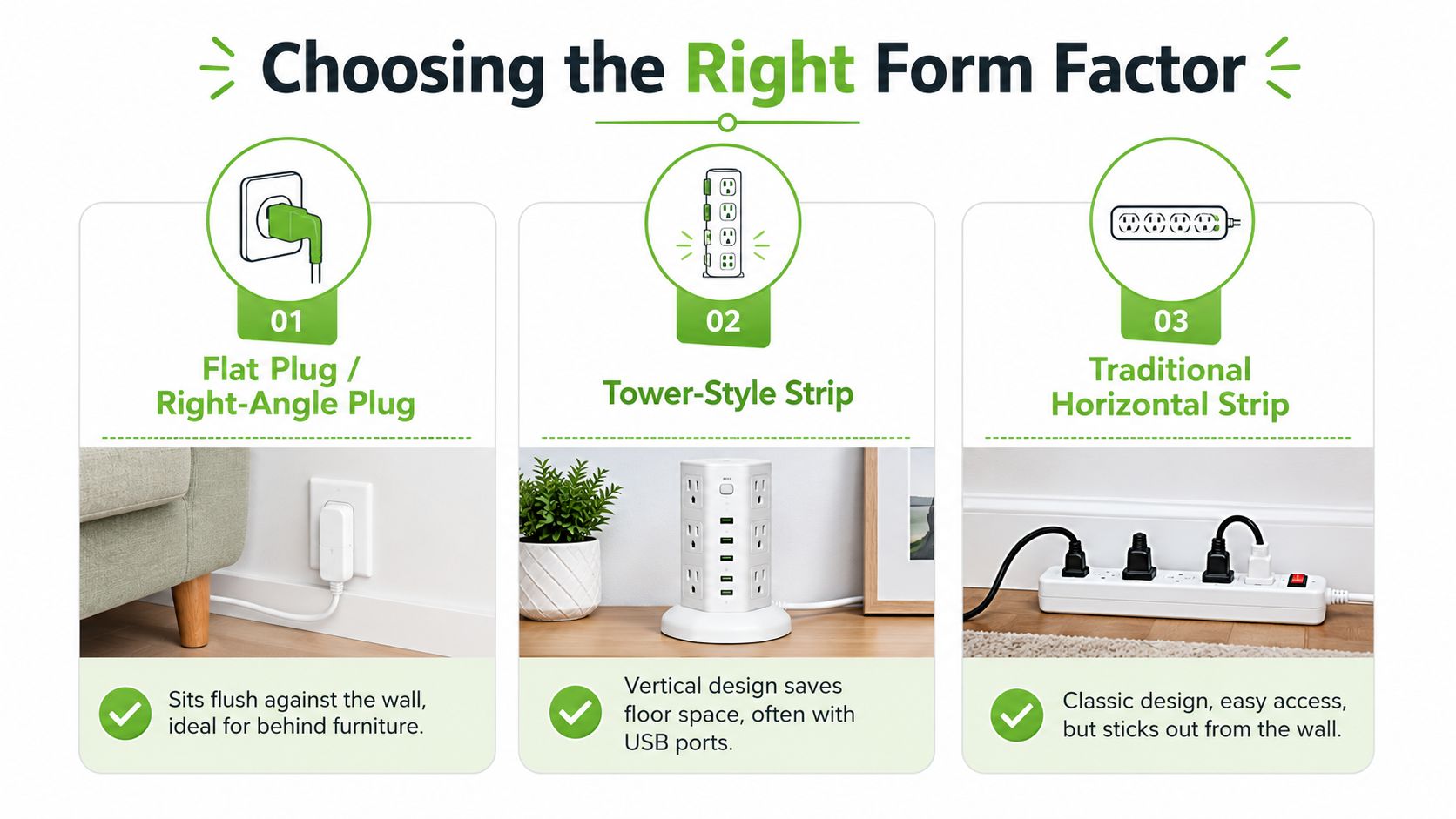
The useful question is not which shape looks tidiest. It is which one keeps the cord relaxed, the sockets reachable, and the heat path open. If furniture blocks all three, the better fix is a different outlet layout, rather than asking the strip to solve a space problem it was never meant to handle.
Singapore Safety Rules Every Buyer Should Know
Singapore's ELD household safety guidance is very direct. No more than one adaptor or one extension unit should be inserted into a socket outlet, and do not plug electrical appliances with high power consumption into an adaptor or extension unit according to the EMSD safety poster. That means the wall socket is the source, and the strip is only an accessory, not a multiplier.
The same logic applies when people try to “solve” a shortage by chaining strips together. The Singapore ELD guidance says no more than one extension unit/adaptor should be inserted into a socket outlet and warns users not to place extension units in wet or humid areas, not to suspend them by the flexible cord, and not to keep using one when sockets no longer hold plugs firmly. You can see the practical wording in the ELD household safety page on extension unit and adaptor safety.
A simple load check
Add up the device wattage before you plug everything in. A laptop at around 65 W, a monitor at 30 W, a phone charger at 20 W, and a desk lamp at 10 W total 125 W, which is comfortably below a 3250 W strip rating. That does not mean the strip can handle anything else, it just shows how to compare the actual load against the label rather than counting outlets.
| Device | Typical running wattage | Safe to run on an extension lead |
|---|---|---|
| Laptop | Around 65 W | Usually yes, if the strip is rated correctly |
| Monitor | Around 30 W | Usually yes, if the total load stays low |
| Phone charger | Around 20 W | Usually yes |
| Desk lamp | Around 10 W | Usually yes |
| Microwave | Higher load, varies by model | No, not through a strip |
| Refrigerator | Higher load, varies by model | No, not through a strip |
If the appliance has a compressor, heating element, or clearly high power draw, don't route it through a strip just because there's an empty socket.
For SMEs, that rule is about resilience as much as safety. A single overloaded strip can knock out a workstation, create downtime, and leave the wrong equipment connected to the wrong outlet.
Durability, Certification and a Longer-Lasting Setup
A cheap strip can be expensive in a different way. If the housing softens, the sockets loosen, or the fuse quality is poor, you end up replacing it early and dealing with another round of cable clutter. A better-built unit with proper certification and a fused plug usually costs less over time because it stays in service longer and fails less often.
The certification itself matters because it tells you the product has been tested against recognised requirements, not just advertised as safe. A strip with a properly rated fuse and fire-retardant housing gives you a more predictable baseline, especially in home offices where chargers, routers, and laptops stay plugged in for long hours. That's also where a transparent warranty matters, because it signals the maker is willing to stand behind the product rather than treating it as disposable.
Think in lifecycle terms
A longer-lasting setup is not only about less waste. It also helps teams keep workstations stable, reduces repeat purchasing, and makes desk planning easier because you're not swapping out accessories every few months. In that sense, durability supports business continuity, not just sustainability messaging.
myhalo fits naturally into that lifecycle view because it also works with Certified ReLoved, Certified Surplus, RescueAdvise, and repair-oriented support that extends the working life of devices instead of treating every problem as a replacement event. Its ISO 9001 Certified and ISO 27001 Certified processes, 30-point quality checks, and transparent device grading and battery health disclosure are relevant here because the same buying mindset that values honest grading for laptops and phones should also value honest specs for accessories. For a broader device-power setup, myhalo's Singapore power bank guide is a good reminder that power planning and device longevity often belong in the same conversation.
Smart ownership rule: buy fewer, better accessories, then keep them in service as long as they stay safe and correctly rated.
Old strips should go into proper e-waste channels rather than the general bin. That keeps material in a managed recovery stream and supports a more disciplined replacement cycle.
Maintenance Checks and Troubleshooting Red Flags
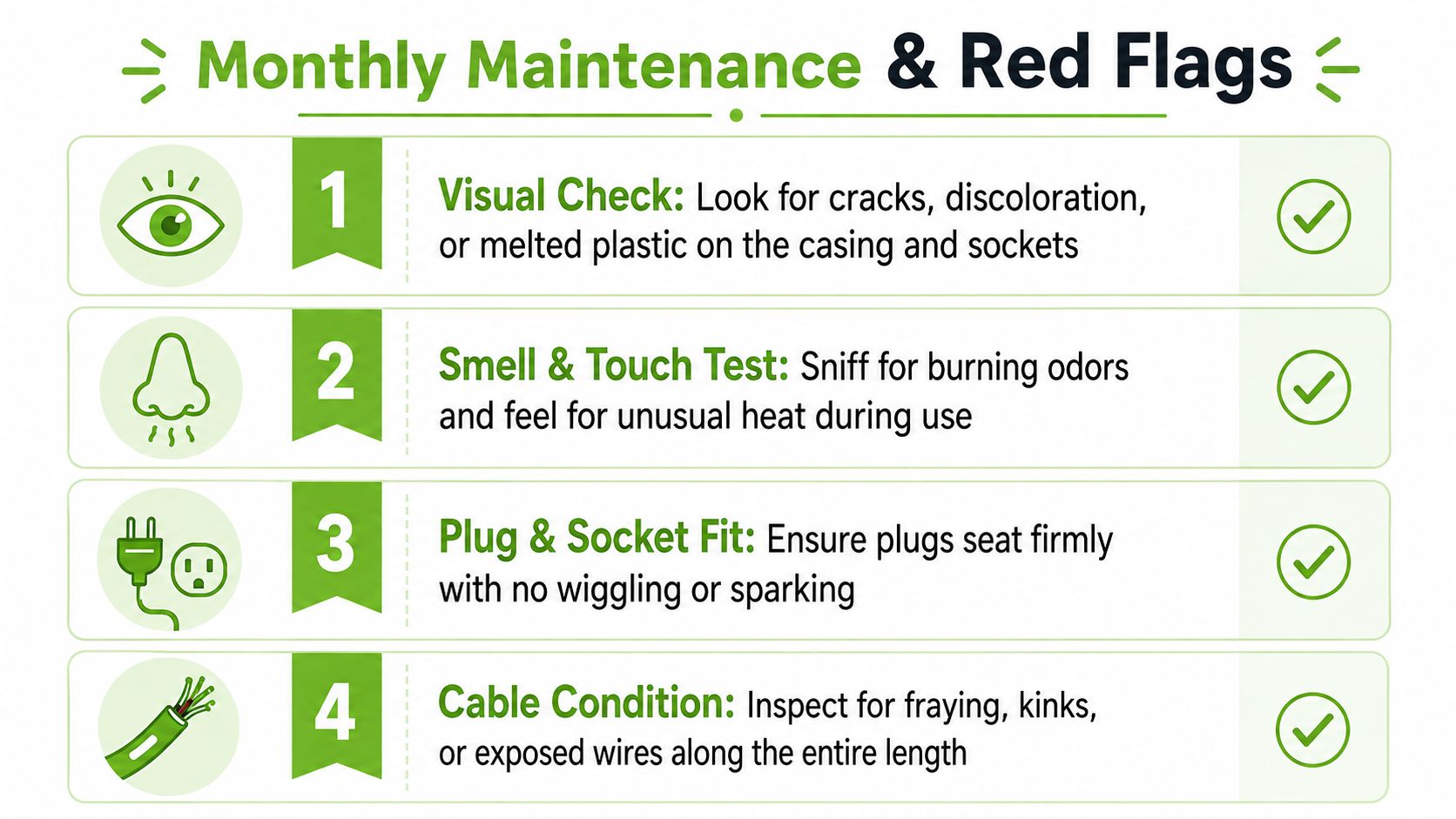
A power strip doesn't need a long inspection routine. It needs a monthly five-minute check, especially if it sits under a desk or behind equipment where heat and wear can go unnoticed. The first thing to look for is obvious damage, because cracks, discolouration, and melted plastic are no longer “cosmetic” once electricity is flowing through the unit.
The quick monthly routine
- Visual check: Look for cracks, dark marks, soft spots, or deformation on the casing and sockets.
- Smell and touch test: Sniff for burning odours and feel for unusual warmth during normal use.
- Plug-fit test: Plugs should seat firmly, not wobble, spark, or fall out too easily.
- Cable condition: Check the full length for fraying, kinks, stiffness, or exposed wires.
A strip that feels too hot for the load, buzzes, or trips breakers under ordinary use should be retired immediately. Loose socket holes and plugs that are too hard to insert are also warning signs, because they point to worn contacts that can create heat and poor connection. The Singapore ELD guidance is clear that a unit with these symptoms should stop being used rather than being “managed around” with tape, bending, or a different angle in the socket.
The safest habit is to plan the replacement before failure happens. That keeps a desk, workbench, or office station from going dark at the wrong time, and it treats the extension lead as a replaceable safety component instead of a permanent fixture.
If you're comparing a new power plug extension with a repaired, reused, or replacement device setup, visit myhalo to explore practical options that fit Singapore homes and SMEs. myhalo can help you think about the whole power and device lifecycle, from safe accessories to repair, reuse, and responsible replacement planning.