





Laptop Battery Singapore: Your 2026 Replacement Guide
Your laptop still works, but the battery has become a daily negotiation. You charge it before a meeting, keep the power adaptor beside you at a café, and watch the percentage fall faster than expected. If the machine is otherwise responsive, replacing the battery may be a more sensible decision than replacing the entire laptop.
A battery replacement is therefore more than a quick hardware fix. It can extend the useful life of a familiar device, preserve your existing files and software setup, and help a household or SME spend its technology budget more carefully. This guide explains how to assess a laptop battery in Singapore, compare replacement options, choose a service route, and handle the old pack safely.
Table of Contents
- When Your Laptop Battery Starts to Fade
- Identifying Your Laptop Battery Needs
- OEM vs Aftermarket Batteries in Singapore
- Where to Buy and Service Your Laptop Battery
- Safe Battery Replacement and Handling
- Responsible Recycling and End-of-Life Care
- Frequently Asked Questions
When Your Laptop Battery Starts to Fade
Consider a typical workday. Your laptop runs well on a desk, but the moment you unplug it, the battery drops quickly or the computer switches off without warning. You might assume the laptop itself is reaching the end of its life. Often, the more useful question is narrower: is the battery the only part that has worn out?
A battery can lose practical capacity while the processor, display, keyboard, storage and ports remain suitable for your needs. Replacing that one component may keep the device useful for schoolwork, office documents, video calls or point-of-sale tasks. It also avoids the disruption of migrating to a new computer before you need to.
Read the warning signs carefully
Fast drain and unexpected shutdowns usually point towards a battery that no longer stores enough energy for normal mobile use. A laptop that works reliably only when connected to a charger deserves a proper health check, because the fault could also involve the charging circuit, adaptor or charging port.
Physical swelling needs a different response. A raised trackpad, uneven base or visible bulge isn't a routine performance complaint. Stop using and charging the laptop, keep it away from heat and seek professional handling. A damaged lithium-ion pack can create a short-circuit and fire risk, so convenience shouldn't outweigh safety.
Practical rule: If the laptop remains suitable for your work, diagnose the battery before treating the whole device as obsolete.
For individuals, this approach can preserve a familiar machine and reduce an unnecessary purchase. For SMEs, it supports better asset planning. A team can decide whether to repair, redeploy, trade in, or recycle each device based on condition rather than using age alone as the deciding factor.
That lifecycle view reflects how myhalo approaches technology. A laptop may be repaired, reused as a Certified ReLoved device, offered as a Certified Surplus product, or directed into responsible recycling when continued use no longer makes sense. The important decision is not solely about finding the cheapest battery, but choosing the next step that delivers safe, dependable value.
Identifying Your Laptop Battery Needs
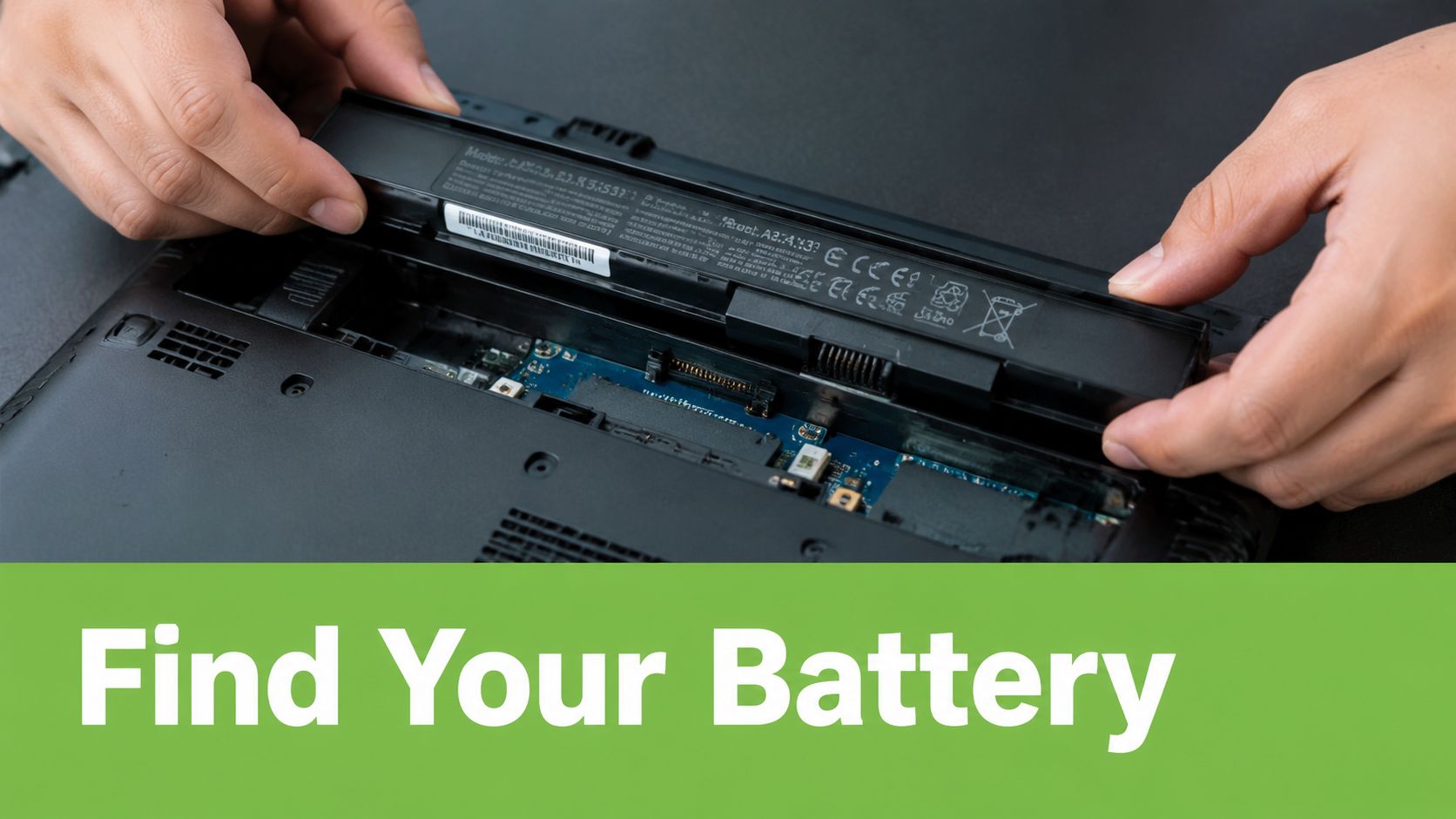
Before searching for a replacement, identify the laptop and the battery precisely. Similar-looking models can use different connectors, dimensions, firmware or electrical specifications. A part that fits physically may still be unsuitable if its voltage or connector doesn't match.
Start with the laptop model
Turn the laptop over and look for a model label on the underside. If the label is worn, open the operating system instead:
- Windows identification: Open Settings and check the device information, or use the model shown in the manufacturer's support application.
- macOS identification: Open the Apple menu, choose About This Mac, and note the model description and identifier.
- Business device records: For an SME, check the asset register, purchase record or deployment list before ordering parts.
Record the full model, not only the brand. “ThinkPad”, “ASUS ZenBook” or “MacBook Pro” is not enough by itself. The screen size, generation and exact model identifier can affect battery compatibility.
Read the battery label
If the battery is removable, its label may show a part number, voltage expressed in volts, capacity in milliampere-hours, and sometimes watt-hours. Built-in batteries may require a technician to open the lower case, so don't pry into the laptop just to read the label.
Voltage, or V, is the electrical level the laptop expects. The replacement should match the specified voltage. mAh describes charge capacity, so a higher figure generally means more stored charge, but it doesn't make an otherwise incompatible battery safe. The connector, physical shape, battery-management electronics and laptop model still matter.
A useful check is the operating system's battery report. Windows can generate a battery report through its built-in system tools, while macOS exposes battery condition and cycle information in system settings and system information. Treat these readings as evidence, not as the only answer. A reported capacity decline supports replacement planning, but swelling, overheating or charging faults require inspection.
Consider cycle wear
Lithium-ion batteries have a typical expected life of about 300 to 500 charge cycles, and under normal conditions at 25°C, a battery might reach 300 cycles in about one year of daily use, providing a technical baseline for expected performance decline. See the NEA guidance on the EPR system for e-waste management-system-for-e-waste-management-system) for that reference.
A cycle isn't just one connection to the charger. It represents accumulated use equivalent to a full discharge and recharge. Frequent short sessions gradually contribute to that total, while heat can accelerate degradation. A battery health warning, noticeably shorter runtime and a high cycle count together provide a stronger replacement case than any single reading.
Before buying, compare the part number with the seller's compatibility list and ask whether the quote includes installation, testing and warranty. You can also review myhalo's laptop condition information when assessing whether your existing device remains a sensible candidate for continued use, trade-in or reuse.
OEM vs Aftermarket Batteries in Singapore
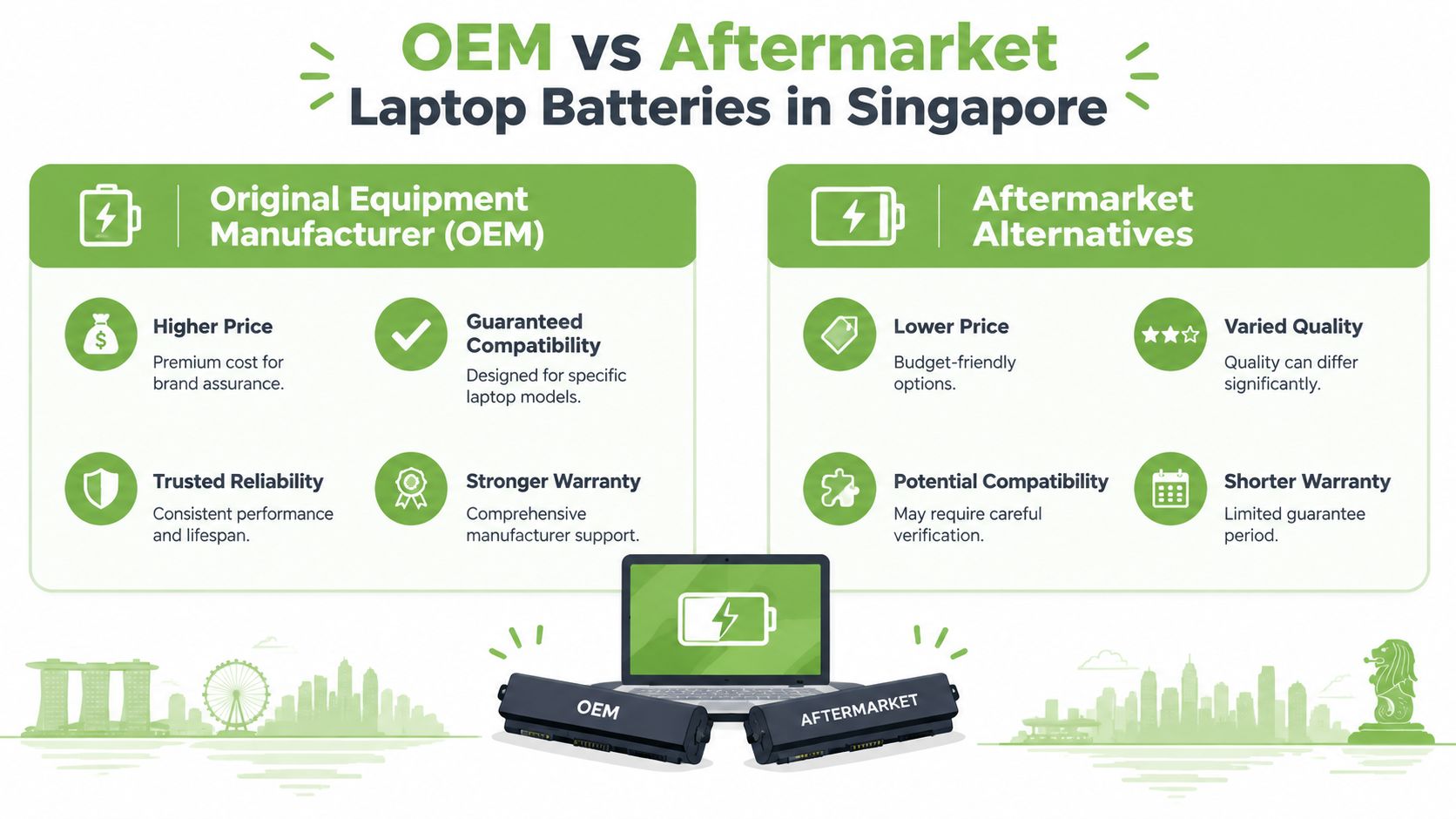
The label on a replacement battery tells you less than the evidence behind it. OEM usually refers to a battery made for the laptop brand or supplied through its authorised parts channel. Aftermarket describes a third-party replacement designed to match the original part. Neither label alone answers every practical question, so compare compatibility, construction, warranty and service accountability.
OEM batteries
An OEM battery is usually the straightforward choice when the laptop is valuable, still under support, or used for work where reliability matters more than the lowest initial price. The part should be designed for the specific model family, with the expected connector, battery-management communication and physical dimensions.
The trade-off is usually a higher purchase price. You may be paying for brand assurance, documented compatibility and access to a manufacturer-backed service path. Ask whether the part is new, whether it carries a serial or traceability information, and what warranty applies to both the battery and the installation.
Aftermarket alternatives
Aftermarket batteries can make sense for an older laptop whose market value is modest. They may cost less and can keep an otherwise capable computer in service. Quality, however, varies between suppliers, so the buyer needs to do more checking.
Look for a clear part number, matching electrical specifications, a stated warranty and a seller willing to explain the source. Avoid listings that provide only a generic battery image or promise compatibility with a long list of unrelated models. A poor fit can create charging errors, unreliable runtime or physical pressure inside the chassis.
| Decision point | OEM option | Aftermarket option |
|---|---|---|
| Compatibility | Usually designed for a defined model range | Requires careful model and part-number verification |
| Price | Typically higher | Often lower |
| Quality consistency | More predictable when sourced properly | Can vary by manufacturer and batch |
| Warranty | May offer broader manufacturer support | Depends heavily on the seller |
| Best fit | Valuable, newer or business-critical laptops | Older devices where repair value remains strong |
Judge the whole replacement
A battery is not a standalone commodity. The technician must check the charging circuit, connector, battery seating and system behaviour after installation. Ask what happens if the laptop still fails to charge after the battery is replaced. A responsible provider should distinguish battery degradation from a port or motherboard fault rather than selling a part without diagnosis.
For an SME, the decision should include downtime, data migration, user disruption and the cost of redeploying a replacement computer. A cheaper part that fails early can create more administrative work than its purchase price suggests. Conversely, an expensive OEM pack may not be sensible if the laptop has a failing display, worn hinges and an outdated operating environment.
Choose based on the laptop's remaining role. A reliable aftermarket battery from an accountable service provider can be reasonable for a secondary machine, while an OEM part may be preferable for a primary work device. The safest decision is the one supported by verified compatibility and a clear warranty, not the one with the most attractive listing headline.
Where to Buy and Service Your Laptop Battery
Singapore gives laptop owners several service routes, and each suits a different situation. The right choice depends on the laptop's value, whether the battery is built in, how quickly you need it back, and how much confidence you need in the part and installation.
Authorised service centres
An authorised centre is the clearest route for a newer laptop or a device still covered by manufacturer support. It can provide brand-specific diagnostics and parts, and its process may align closely with the manufacturer's repair requirements. The disadvantages can include a higher total price, appointment availability and less flexibility for older models.
Ask for a written assessment before approving work. It should identify the laptop model, the battery part, whether the quoted service includes installation, and the warranty period. If the diagnosis finds a board-level charging issue, you should receive that information before paying for a battery.
Independent repair shops
An independent technician may be a practical option for an older Dell, HP, Lenovo, ASUS, Acer or Apple laptop. These shops often handle a broader range of devices and can assess related faults such as a damaged charging port or adaptor.
The quality of the experience depends on the shop's discipline. Ask whether the replacement is OEM, OEM-equivalent or another aftermarket part, and how the technician checks capacity, charging behaviour and temperature. A credible provider won't treat “battery not charging” as proof that the battery itself is defective.
Lifecycle partners
A technology lifecycle partner can assess more than one repair transaction. myhalo, for example, offers laptop battery replacement and can check whether replacement is practical for symptoms such as fast drain, sudden shutdowns, charging failure or swelling. Its wider service model includes repair, reuse, Certified ReLoved devices, Certified Surplus products, trade-ins and responsible recycling.
That broader view helps when the battery isn't the only consideration. A repair may restore mobility, while a trade-in may be more sensible if the laptop has several unrelated faults. If the device is being reused, ask for transparent grading and battery health disclosure so its next owner understands its condition.
Questions to ask before approving work
Use the first conversation to test the provider's process:
- Part identity: Can the provider confirm the exact battery part number and compatibility?
- Installation scope: Does the quote include removal, fitting, testing and calibration?
- Warranty: What does the warranty cover, and does it apply to labour as well as the part?
- Data handling: Will the technician need access to your files, or can the work be completed without logging into your account?
- End-of-life handling: Will the old battery go through a licensed e-waste channel?
- Quality controls: Does the provider follow documented processes?
For organisations, process maturity matters. myhalo operates with ISO 9001 and ISO 27001 certifications, and its devices undergo 30-point quality checks. These credentials don't replace a model-specific diagnosis, but they give consumers and IT managers useful questions to ask about quality management and information security.
Safe Battery Replacement and Handling
Professional installation is the safer choice for a built-in battery, especially when the pack is adhesive-backed, swollen or physically damaged. A technician can isolate the power source, use suitable tools and inspect the surrounding components without forcing the pack against the chassis.
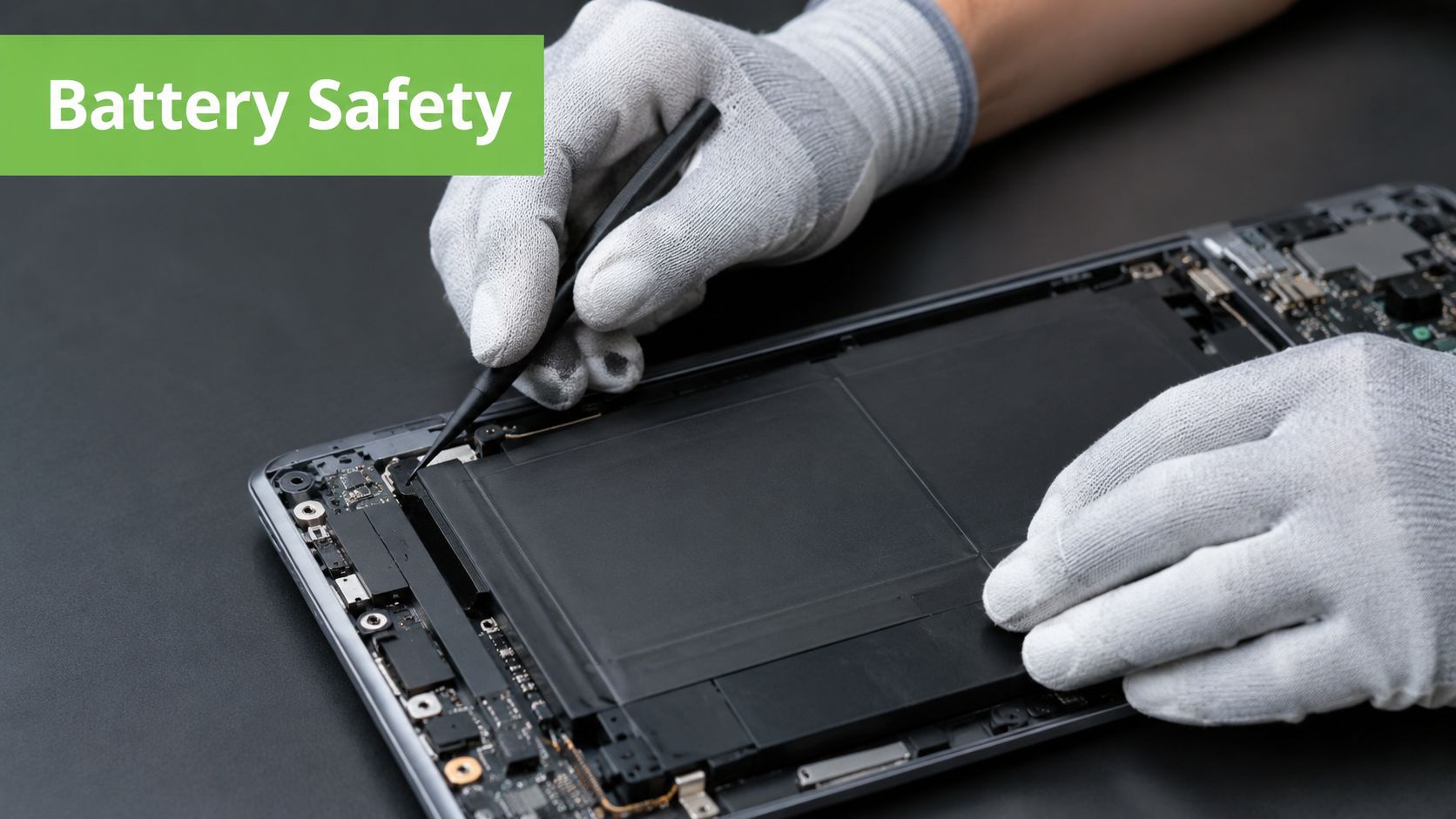
If you attempt a straightforward removable-battery replacement, shut down the laptop fully, disconnect the charger and work on a clean, dry surface. Use the correct screwdriver, avoid metal objects near exposed contacts, and prevent static discharge by using appropriate anti-static precautions. Never bend, puncture, crush or heat a lithium-ion pack.
Stop if the battery is swollen
A swollen battery can lift the trackpad, distort the bottom cover or make the laptop sit unevenly. Don't press the chassis flat, continue charging, or try to puncture and flatten the cells. Switch the device off if it can be done safely, keep it in a cool, ventilated location away from combustible materials, and contact a qualified service provider.
The repair method also depends on the laptop design. A removable pack may disconnect cleanly, while a thin laptop can have a battery bonded inside the chassis. Pulling adhesive aggressively can damage cables or short the pack. If you aren't sure whether the battery is damaged, stop opening the device and seek help.
Safety first: A replacement job isn't successful if it leaves the battery, laptop or technician exposed to avoidable risk.
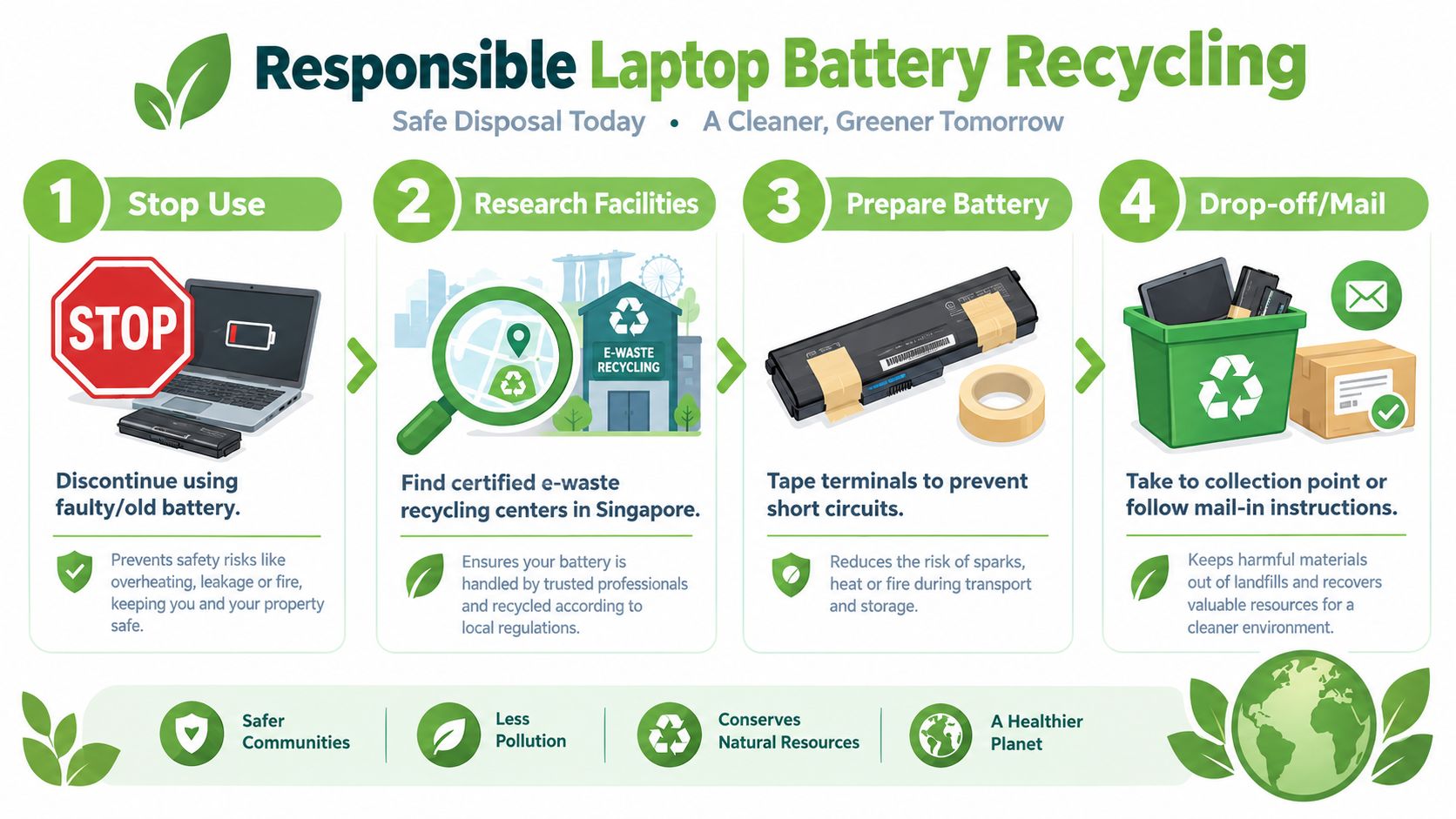
Before recycling, Singapore authorities advise taping battery terminals to reduce short-circuit and fire risks, and sealing any leaking battery in a leak-proof bag or container. Higher-risk damaged batteries should go through dedicated collection drives, depot drop-off or doorstep collection rather than an ordinary bin. The Singapore product safety guidance for lithium-ion batteries explains this handling approach.
A short visual demonstration can help you understand why battery work needs care, but don't use a video as a substitute for a professional assessment of a swollen or damaged pack.
For model-specific context, you can also review myhalo's MacBook battery replacement guide. The removal method differs between laptop families, so general instructions shouldn't be treated as universal.
Responsible Recycling and End-of-Life Care
An old laptop battery isn't ordinary household waste. Lithium-ion packs can short when their terminals contact metal or other conductive material, creating a fire risk during storage, collection and transport. Safe disposal protects collection workers and keeps recoverable materials within a controlled processing system.
Singapore's framework has a long regulatory history. The NEA e-waste management framework states that mercury content in certain batteries has been restricted since 1 June 1992, and rechargeable batteries are encouraged to reduce the quantity of discarded batteries. Today, the framework directs consumers towards dedicated e-waste channels, treating laptops and their batteries as a distinct recovery stream rather than general household waste.
Use the correct collection route
NEA says laptop and mobile phone battery recycling is available through current services, while public disposal is supported through dedicated e-waste bins, battery-and-bulb bins and battery-only bins collected by ALBA and sent to licensed recycling facilities. Laptops belong in the 3-in-1 e-waste bin stream, but the battery slot is intended for small loose batteries such as AA, AAA and button cells. A laptop battery pack should therefore use the ICT or e-waste route, not the household battery compartment.
Prepare the pack before transport. Tape exposed terminals, keep the battery from moving against metal objects, and seal any leak in a leak-proof container. If the pack is swollen, crushed, leaking or otherwise damaged, contact ALBA through its dedicated collection arrangements or use a depot or doorstep option rather than placing it in a standard public bin.
See the material value
Singapore generates about 60,000 tonnes of e-waste each year, and NEA reporting in 2024 said about 10,000 tonnes had been recycled since the scheme began two years earlier, only a fraction of annual output. The same reporting placed batteries from consumer electronic items at about 50 to 60 tonnes a year, showing that laptop batteries sit inside a large national waste stream while dedicated battery recovery remains comparatively limited. These figures are reported in EDB's account of lithium-battery recycling in Singapore.
Recycling also supports resource efficiency. Licensed facilities can recover useful materials such as cobalt, lithium, nickel and copper from end-of-life batteries. For businesses, that means responsible disposal is part of asset governance, not merely an environmental gesture. It reduces safety exposure, supports orderly records and prevents usable material from being lost in general waste.
When a device has reached the end of its useful life, a trade-in assessment can help determine whether reuse is still realistic. Learn about laptop trade-in options through myhalo, then send any battery that cannot be reused through the correct e-waste channel.
Frequently Asked Questions
How much should I budget for replacement?
There isn't one reliable price for every laptop battery. The total depends on the model, battery design, part availability, labour, and whether the fault is the battery. Request a model-specific quote that separates the part, installation, testing and warranty.
Can I upgrade to a higher-capacity battery?
Only if the laptop manufacturer designed the device to support that specific pack and its electrical characteristics. A larger mAh figure doesn't automatically provide a safe upgrade. Check the exact part number, voltage, connector, physical dimensions and system compatibility with a qualified provider.
How long should a new battery last?
Lithium-ion batteries wear through use and heat rather than following one guaranteed calendar timetable. The technical baseline is about 300 to 500 charge cycles, with roughly 300 cycles in about one year of daily use at 25°C under the reference conditions cited earlier. Keep the laptop cool, use a suitable charger and investigate unusual swelling or heat promptly.
Will replacement erase my files?
Battery replacement normally concerns the power component, not the storage drive. Still, maintain a current backup before any repair, especially if the laptop is used for work, school or business records.
Should I repair or replace the laptop?
Repair is sensible when the screen, keyboard, storage and performance still meet your needs. Consider trade-in, reuse or recycling when several major components need attention or the device no longer supports your software and workload.
myhalo can assess whether your laptop battery should be replaced, repaired, reused or managed through a broader device lifecycle decision. Visit myhalo to explore battery service, Certified ReLoved and Certified Surplus devices, trade-in support, and responsible technology options for home or business use.