





iPad Battery Replacement Cost Your Singapore Guide for 2026
In Singapore, iPad battery replacement cost usually starts around S$75 to S$105 at independent repair shops, while Apple's official out-of-warranty battery service is S$149. If your iPad still works fine except for weak battery life, paying for a battery swap is often the smartest move instead of replacing the whole device.
You're probably reading this because your iPad dies too fast, drops battery percentage unpredictably, or has become that annoying device you can't trust unless it's near a charger. That's the point where you might either overpay, delay too long, or walk into a shady repair shop because the cheapest quote looks tempting.
Don't do that.
A battery replacement is one of the few iPad repairs that can make immediate practical sense in Singapore, but only if you choose the right channel. Price matters, yes. So do speed, repair quality, and whether the shop looks like it'll still exist if something goes wrong next week.
Table of Contents
- Your Guide to iPad Battery Replacement Costs in Singapore
- The Price Spectrum A Breakdown of Costs
- Comparing Your Four Main Replacement Options
- Factors That Influence Your Final Price
- Your Step by Step Process for a New Battery
- How to Save Money and Avoid Common Scams
-
Frequently Asked Questions About iPad Batteries
- Is it worth replacing an iPad battery or should I just buy a new iPad
- Will a new battery make my iPad feel faster
- Can I use a third-party repair shop without getting ripped off
- How do I know my battery is the actual problem
- Should I try a DIY battery replacement
- What should I ask before I approve the repair
Your Guide to iPad Battery Replacement Costs in Singapore
If your iPad only behaves when plugged in, you don't need vague advice. You need a realistic Singapore price range and a clear idea of what you're paying for.
The useful benchmark is Apple's official out-of-warranty battery service fee. Apple lists iPad battery service in Singapore at S$149, while “other damage” is listed at S$599, which tells you something important right away. If the problem is mainly the battery, fixing it is far cheaper than ending up in a full replacement-style scenario through official channels. Apple's repair pricing page also shows S$29 for screen damage and S$99 for other accidental damage in Singapore, placing battery service somewhere in the middle of Apple's service pricing rather than at the very bottom of the list, according to Apple's iPad repair pricing for Singapore.
That Apple figure is the market anchor. Everything else should be judged against it.
Practical rule: If your iPad still does what you need and the battery is the main complaint, a battery replacement is usually the value play. If the device also has frame damage, display issues, or broader faults, the maths changes fast.
For many in Singapore, the key decision isn't “repair or not”. It's which repair route gives you the best balance of cost, speed, and confidence.
The Price Spectrum A Breakdown of Costs
The Singapore market has a wide spread for iPad battery replacement. That's normal. What matters is understanding why the spread exists and which options are sensible.
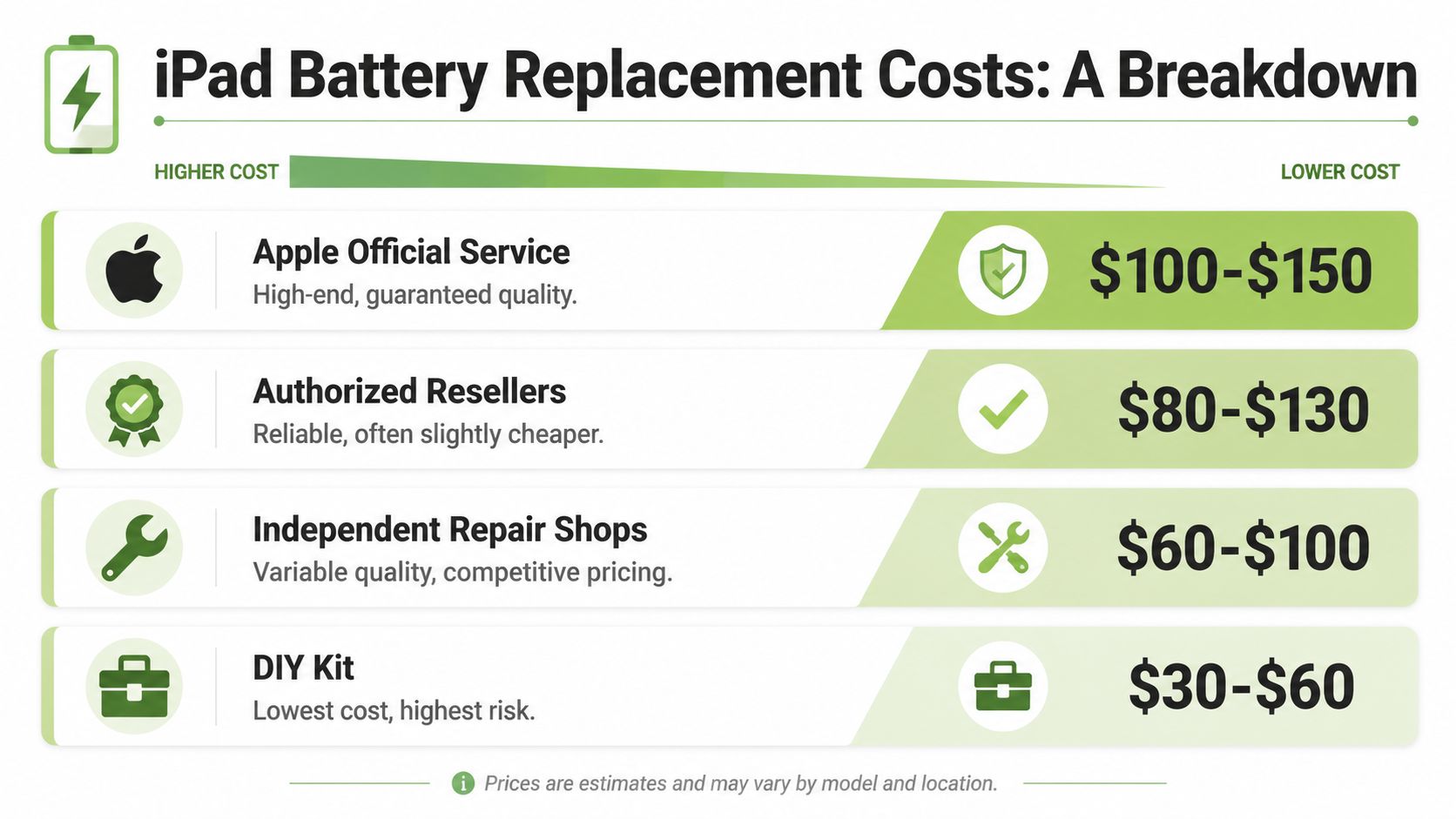
Apple sets the benchmark
Apple is the premium reference point. If you want the cleanest official route, that's where you start.
The main upside is obvious. You get official handling and predictable pricing rather than a shop making up a quote on the spot. The downside is price. In Singapore, Apple's out-of-warranty iPad battery service sits at S$149, which is why many people use it as the ceiling when comparing alternatives.
Independent shops win on value
Independent repair shops are where the strongest value usually sits. A repair cost guide covering Singapore describes third-party iPad battery replacement as typically S$75 to S$105, with same-day service often available, and notes that this can work out to about 30% to 50% less than Apple's S$149 benchmark, based on the comparison in this Singapore-focused iPad battery replacement cost guide.
That's the sweet spot for most out-of-warranty iPads. You're not chasing the absolute cheapest route. You're buying back useful battery life without paying official-premium pricing.
Here's the practical breakdown:
| Option | Typical cost view | Best for | Main trade-off |
|---|---|---|---|
| Apple official service | Highest benchmark | People who want the official route | Higher price |
| Independent repair shop | Lower than Apple in many cases | Budget-conscious users who still want convenience | Quality varies by shop |
| DIY battery kit | Lowest upfront spend | Confident tinkerers only | Highest risk |
| Replace the iPad instead | Most expensive path in many cases | Devices with multiple serious issues | Bigger spend |
DIY is cheap for a reason
The same Singapore repair guide also notes DIY kits at roughly S$45 to S$70. That sounds attractive until you remember what an iPad repair involves. Large glued screens, tight internal tolerances, and a battery you really don't want to mishandle.
If you need YouTube courage before opening your iPad, you probably shouldn't be opening your iPad.
A DIY route only makes sense if you accept the risk of turning a battery job into a screen job. For many, that's false economy.
Comparing Your Four Main Replacement Options
Price gets the click. Decision quality comes from the details. These four routes are not equal, and pretending they are is how people waste money.
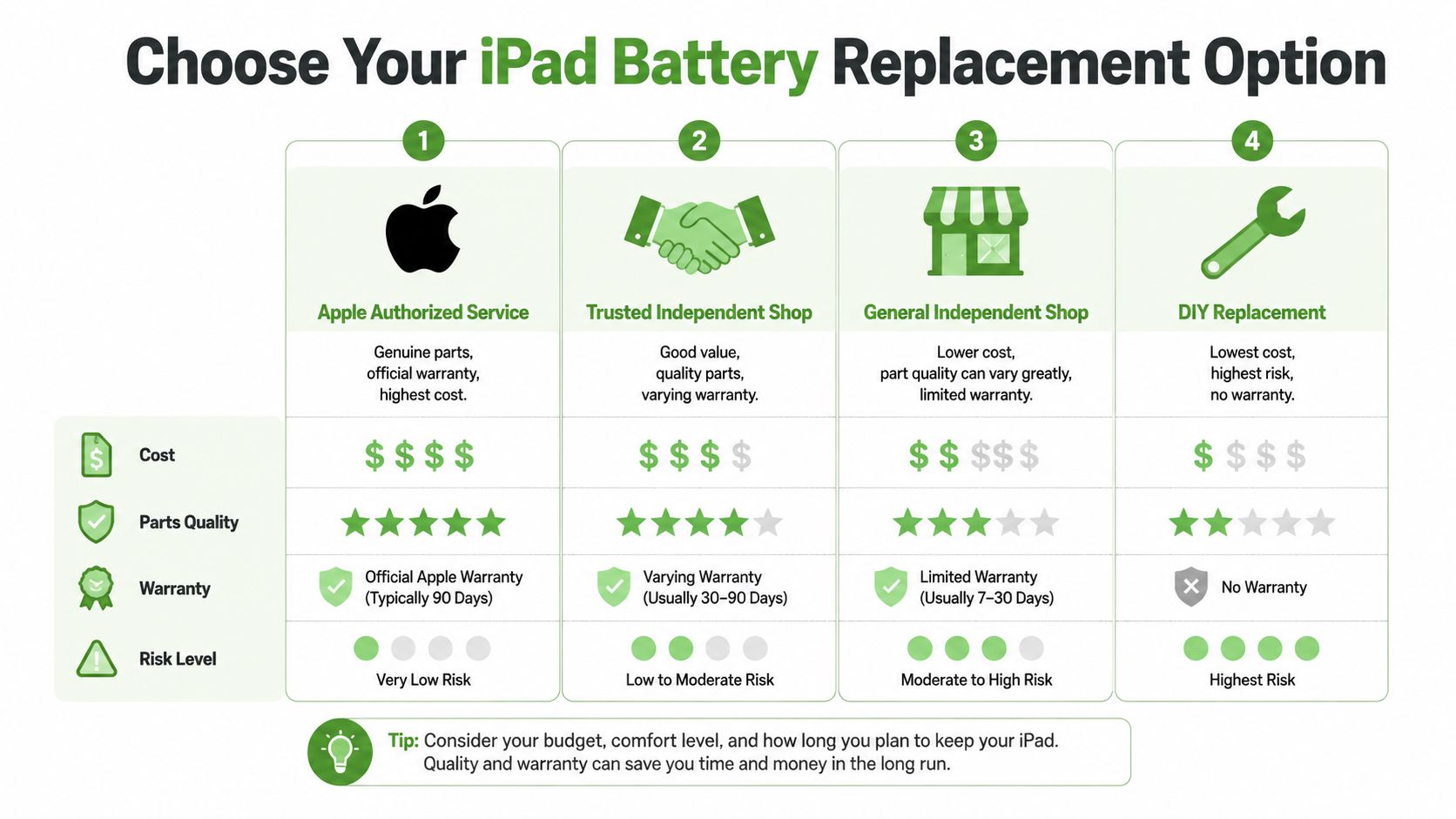
Apple authorised service
Apple is the safest answer for people who want zero ambiguity about where the repair is being done. You pay more, but the process is straightforward and the service category is clearly defined.
Choose this if your iPad is still covered under Apple-related protection, or if you don't want to think about shop selection at all. It's the least mentally taxing option.
What you're buying:
- Official handling: You know who is responsible for the repair process.
- Predictable pricing: No haggling, no mystery upsell if the issue really is the battery.
- Brand confidence: Some users just sleep better going official.
The catch is obvious. You're paying the premium benchmark.
Trusted independent repairers
Savvy buyers usually weigh these options. The good ones offer the best combination of lower cost, faster turnaround, and decent peace of mind. The bad ones hide behind vague promises, ultra-low quotes, and “trust me bro” energy.
A solid independent shop should be transparent about the repair process, realistic about turnaround time, and comfortable answering direct questions. If they dodge basic questions, move on.
The advantage of this route is simple. Singapore third-party battery replacement is commonly priced below Apple, and same-day service is often part of the appeal, as noted earlier. That's why independent repairers dominate the value conversation.
If you're still comparing repair channels, it also helps to understand how the official route works locally through this overview of an Apple service centre in Singapore.
Retailer repair counters
This is the middle ground many people overlook. Some retailers and service counters are more organised than typical repair kiosks and more convenient than going through the full official route.
The quality here depends heavily on the operator. Some are excellent. Some are just outsourcing the job and adding margin. Ask who performs the repair, what happens if the first fix doesn't solve the issue, and whether the quote is firm if the battery is confirmed as the main fault.
Use this route if convenience matters, but don't switch your brain off just because the counter looks polished.
DIY battery kits
DIY is for people who already know what a difficult glued tablet repair feels like. Everyone else should stop romanticising it.
Here's the honest view:
- Lowest upfront cost: That's the only reason to consider it.
- No meaningful safety net: If you crack the display, that's on you.
- Higher stress: Even successful DIY repairs can turn into long, messy sessions.
A cheap repair isn't cheap if it creates a second repair.
If your goal is best value, trusted professional repair usually beats DIY. The only time DIY makes sense is when you're comfortable treating the iPad as expendable.
Factors That Influence Your Final Price
Not every battery quote means the same thing. Two shops can both say “battery replacement”, but one may be pricing a clean, routine job while the other is already accounting for complications.
Your iPad model changes the repair difficulty
Some iPads are more awkward to open and reseal than others. Larger models, tightly packed internals, and design differences affect labour difficulty even when the symptom looks identical from the outside.
That's why you should always ask for a quote based on your exact model, not “iPad” in general. Bring the model number if you can. It saves time and cuts down on sloppy estimates.
Extra damage can derail a simple battery job
A battery problem often isn't travelling alone. A cracked screen, bent housing, lifting display, or charging issue can change the repair path.
If the iPad has visible swelling or the display is starting to separate, stop using it heavily and get it checked. That's no longer a “maybe later” issue. It's a safety and damage-control issue.
Use this checklist before asking for quotes:
- Check the screen: Is there cracking, lifting, or touch issues?
- Inspect the frame: Any bends or dents can complicate opening and resealing.
- Test charging: A weak charge may be the battery, the port, or both.
- Note heat behaviour: If it gets unusually hot, mention that upfront.
Warranty status still matters
If your device is still covered by AppleCare+ or another protection plan, don't blindly book a third-party repair first. You need to understand what coverage you may be giving up.
That doesn't mean third-party repair is bad. It means warranty status should be checked before you decide. Once you've confirmed your coverage position, the repair choice becomes much simpler.
Don't ask only “How much is the battery replacement?” Ask “What happens if you open it and find more damage?”
That one question separates careful buyers from people who get surprised at the counter.
Your Step by Step Process for a New Battery
A good repair experience starts before anyone touches the screws or adhesive. Most mistakes happen in the preparation stage, not the repair itself.
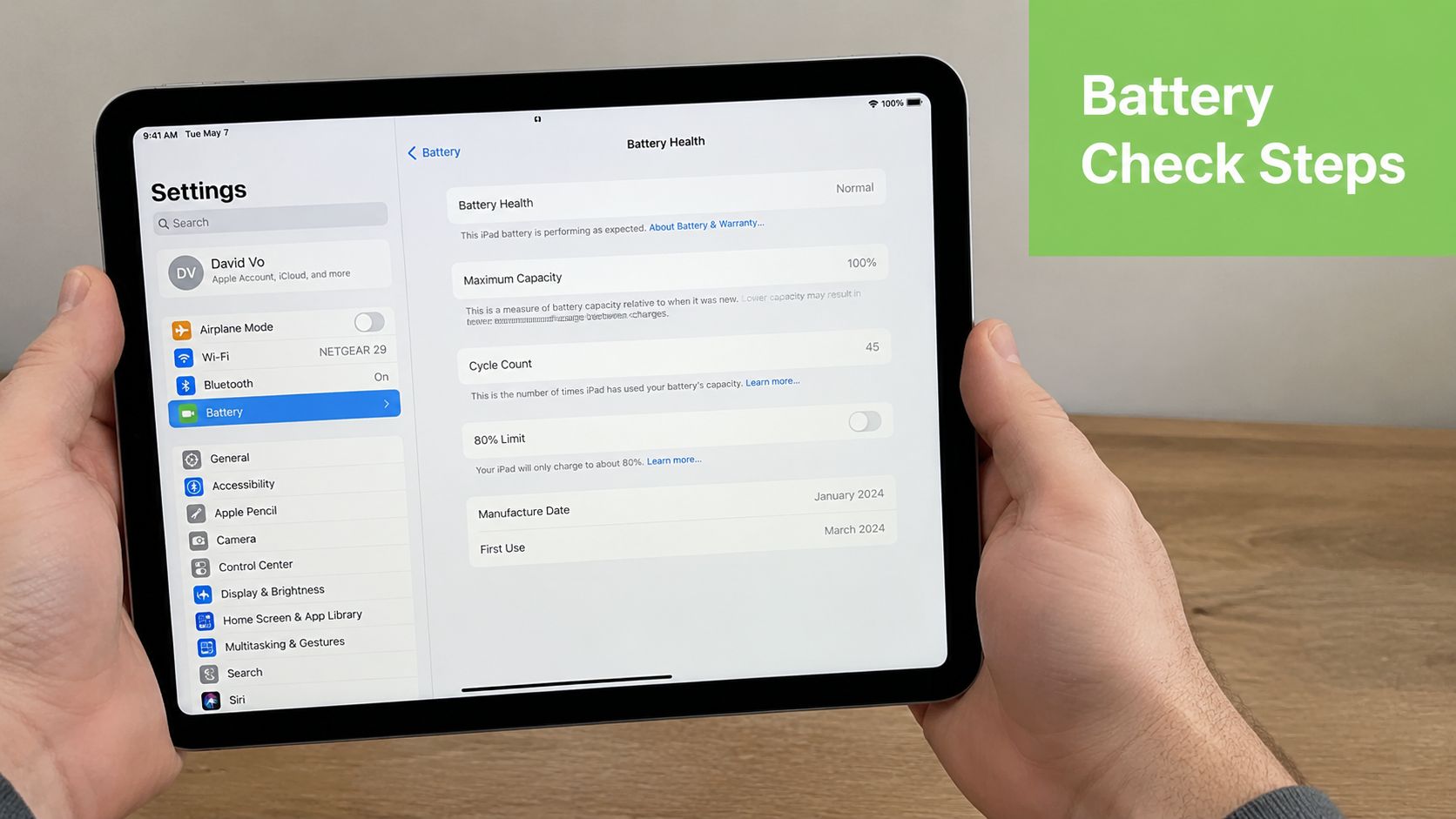
Start with a proper diagnosis
First, confirm that the battery is the problem. If the iPad drains rapidly, shuts down under light use, or only behaves when plugged in, a battery issue is likely. But charging accessories, background software issues, and port problems can mimic battery failure.
Do a quick self-check at home. Charge the iPad with a reliable cable and adapter. Use it normally for a while. Note whether the battery drops in big jumps, whether performance tanks when unplugged, and whether the device gets hotter than usual.
Then contact a repair provider with a clean description of the symptoms. Don't just say “battery spoil”. Say what the iPad does.
If you want a practical overview of what a battery service typically involves, this guide on iPad battery replacement is a useful reference point.
Prepare your iPad before handing it over
This part is not optional. Back up your data before any repair. Use iCloud or a computer. Sign out if the provider asks you to. Remove accessories and note any existing cosmetic damage before you leave the device behind.
Your pre-repair checklist should look like this:
- Back up first: Photos, notes, school files, app data. Everything you care about.
- Test the basics: Charging, speakers, cameras, Wi-Fi, buttons, and touch response.
- Take photos of the device: Front, back, corners, and screen condition.
- Disable Find My if required: Some repair workflows may need it.
- Ask for the warranty terms in writing: Verbal promises are useless later.
A quick visual explainer can help if you're unsure what battery-related symptoms usually look like:
What to check after the repair
Don't collect the iPad and walk off immediately. Test it on the spot.
Check these before leaving:
- Charge response: Make sure it begins charging normally.
- Touchscreen behaviour: No dead zones, ghost touches, or lifting edges.
- Speakers and cameras: Quick test, just in case something was disturbed.
- Battery hold: You won't know everything instantly, but you should see normal behaviour during setup and basic use.
If the repair shop gets irritated that you want to test the device, that's a warning sign. A good shop expects it.
How to Save Money and Avoid Common Scams
Saving money on an iPad battery replacement cost in Singapore isn't about finding the lowest number on the internet. It's about avoiding the fake bargain.
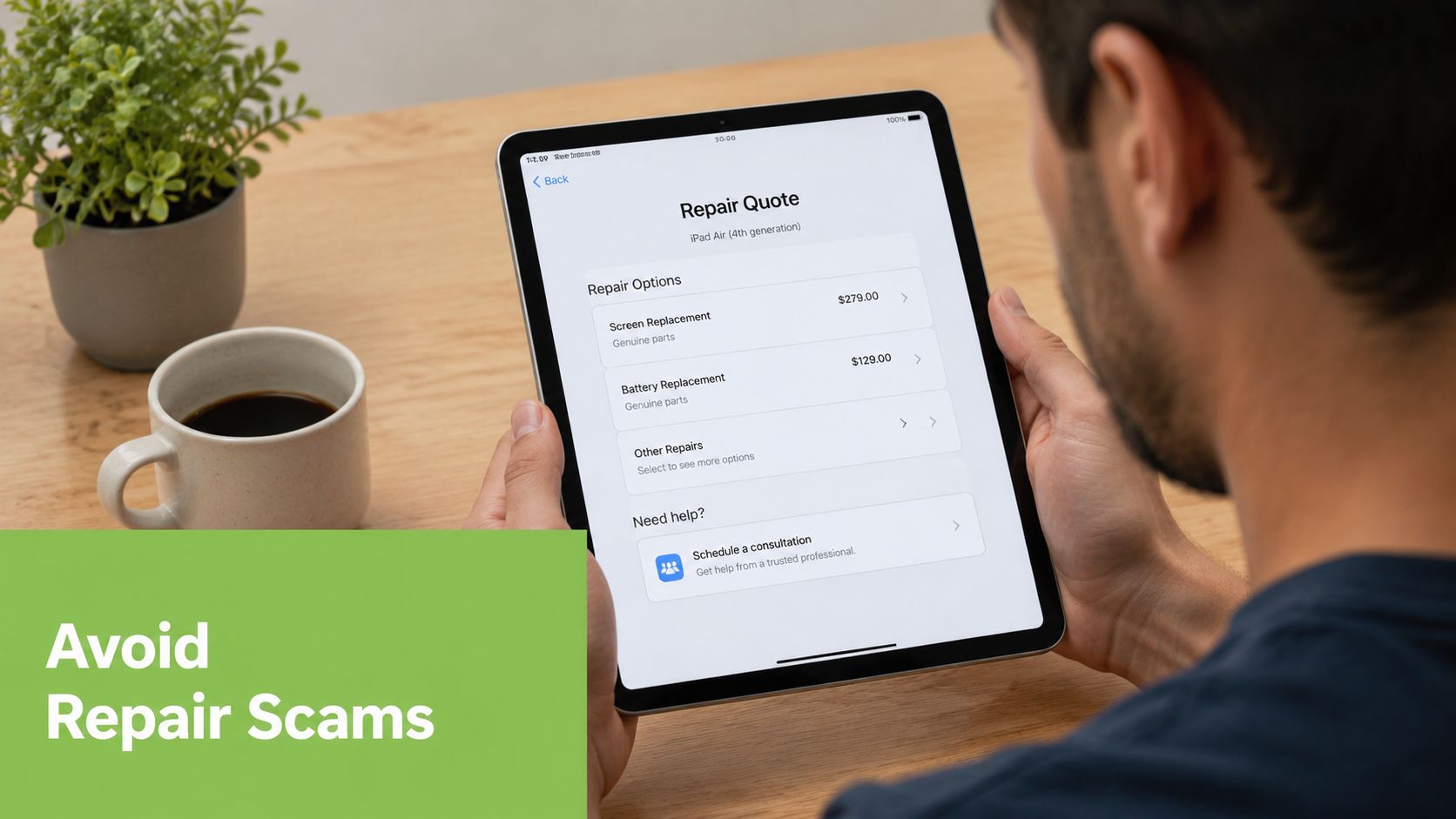
How to spend less without asking for trouble
Start by getting a firm quote for the battery issue, then ask what could change that quote. Serious repairers can answer that clearly. Vague answers usually mean vague billing later.
You can also save money by being honest about the device's condition. If the screen is already cracked or the frame is bent, say so. Hidden damage discovered mid-repair often causes delays and awkward re-quoting.
Smart ways to protect your wallet:
- Compare against the official benchmark: If a quote is close to official pricing, ask what extra value you're getting.
- Ask about turnaround: Same-day convenience can be worth paying a bit more for.
- Think beyond repair: If the iPad is very old or heavily worn, a refurbished replacement might make more sense. This roundup of refurbished iPads in Singapore helps frame that decision.
- Request written terms: Quote, warranty, and what happens if extra issues are found.
Red flags that should make you walk away
The Singapore repair market has plenty of honest operators. It also has shops that rely on urgency and ignorance.
Walk away if you see any of these:
- Suspiciously low pricing: If the number looks unreal, there's usually a reason.
- No clear warranty: If they won't define what they stand behind, don't hand over your iPad.
- Pressure tactics: “Today only” language is nonsense for a battery repair.
- No proper inspection: A serious technician wants to inspect the device before promising certainty.
- No physical accountability: If you can't tell who's responsible after the repair, that's a bad setup.
Cheap quotes attract rushed decisions. Rushed decisions attract bad repairs.
The best value usually sits with a reputable shop that isn't the cheapest and isn't pretending to be luxury.
Frequently Asked Questions About iPad Batteries
Is it worth replacing an iPad battery or should I just buy a new iPad
If the iPad still does what you need, replacing the battery is usually the smarter financial move. The battery is often the main wear item. Once that's sorted, many iPads remain perfectly usable for streaming, study, browsing, reading, video calls, and light work.
It stops making sense when the iPad has multiple problems at once. If the battery is weak, the screen is damaged, the body is bent, and performance already feels limiting for your needs, you should at least compare repair with replacement.
Will a new battery make my iPad feel faster
Sometimes, yes, but not because the battery itself is magical. A failing battery can make the whole device feel unreliable. Random shutdowns, charge anxiety, and poor unplugged performance make users think the iPad is “slow” when the bigger issue is unstable power.
A new battery won't turn an old iPad into a new iPad. It can make the device feel more dependable, which matters more in daily use than benchmark fantasies.
Can I use a third-party repair shop without getting ripped off
Yes, if you choose properly. The right question isn't “Is third-party repair safe?” It's “Is this specific shop trustworthy?”
Look for a real storefront, clear communication, written warranty terms, and a willingness to inspect the device before making absolute promises. Avoid shops that lead only with rock-bottom pricing.
How do I know my battery is the actual problem
Look at the pattern. If the iPad drains abnormally fast, dies unexpectedly, struggles off the charger, or gets unstable during normal use, the battery is a likely culprit.
If charging is inconsistent only with certain cables or only at certain angles, the port or accessory may be the issue. A proper diagnosis matters because replacing the wrong part is just paying to stay frustrated.
Should I try a DIY battery replacement
No. iPads are not beginner-friendly battery jobs. The risk isn't theoretical. One mistake can turn a straightforward repair into a cracked display, damaged internal component, or worse.
If you already repair electronics and you're comfortable with delicate adhesive-heavy work, you can judge that risk for yourself. Everyone else should pay a professional.
What should I ask before I approve the repair
Keep it simple and direct:
- What's included in the quote
- What could increase the final price
- How long will the repair take
- What warranty do I get
- What happens if another issue is discovered during repair
Those five questions eliminate most nasty surprises.
If your iPad battery is fading and you want a practical repair or replacement path in Singapore, myhalo is worth a look. They handle repairs, refurbished devices, trade-ins, and support from a real local storefront, which is exactly the kind of accountability you want when deciding whether to fix your iPad or move on to a better-value replacement.