





Fix the Phone Screen: 2026 Expert Guide
You pick up the phone, turn it towards the light, and there it is. A crack running across the screen, or worse, a spiderweb from one corner. The first reaction is usually the same in Singapore. Panic for a few seconds, then quick mental maths. Can I still use it? Should I live with it? Is it worth fixing? Can I do it myself?
Cracked screens are not the result of rare accidents. Cracked screens are a routine problem. In Singapore, about 62% of all mobile repairs are for screen damage, and 25% of smartphone users have a cracked screen at any given time, according to phone repair industry data compiled here. That matters because it means two things. First, you’re not alone. Second, there are established ways to handle this properly.
A key decision isn’t just how to fix the phone screen. It’s how to fix it without turning one repair into two problems. In practice, you usually have three paths. You can stabilise the damage and wait. You can attempt a DIY replacement. Or you can pass it to a repair technician who does this work every day. If you’re comparing options, it also helps to look at trusted screen repair shops so you know what professional support in your area looks like before you commit.
That Heart-Sinking Moment a Cracked Screen Appears
The worst drops are the quiet ones. The phone slips out while you’re getting off the MRT, hits tile, and for half a second it looks fine. Then you tilt it and the crack shows up.
Sometimes it’s only a thin line near the edge. Sometimes the whole front glass is shattered but the display still lights up. That difference matters more than often realized, because a usable cracked phone isn’t always a simple cosmetic issue.
A lot of owners keep using the device for days or weeks because the phone still works. That’s understandable. The problem is that cracked screens rarely stay in the same condition once pressure, moisture, pocket lint, and repeated tapping get involved. A small impact point can turn into touch failure later.
Practical rule: If the screen is cracked and your thumb catches on the glass, treat it as an active repair issue, not a harmless scratch.
The first smart move is to slow down. Don’t rush into ordering the cheapest replacement part you can find. Don’t assume every crack means the same repair. And don’t let one video convince you this is a ten-minute home job.
There’s a simple sequence that works better. Check what’s damaged. Judge whether the phone is still safe to use. Then compare the cost of DIY against professional repair, including the cost of getting it wrong.
Is It Just the Glass or the Whole Display
A cracked front doesn’t always mean the same internal damage. Some phones have visible outer glass damage but still show a normal picture and respond properly to touch. Others look similar from the outside but already have display failure underneath.
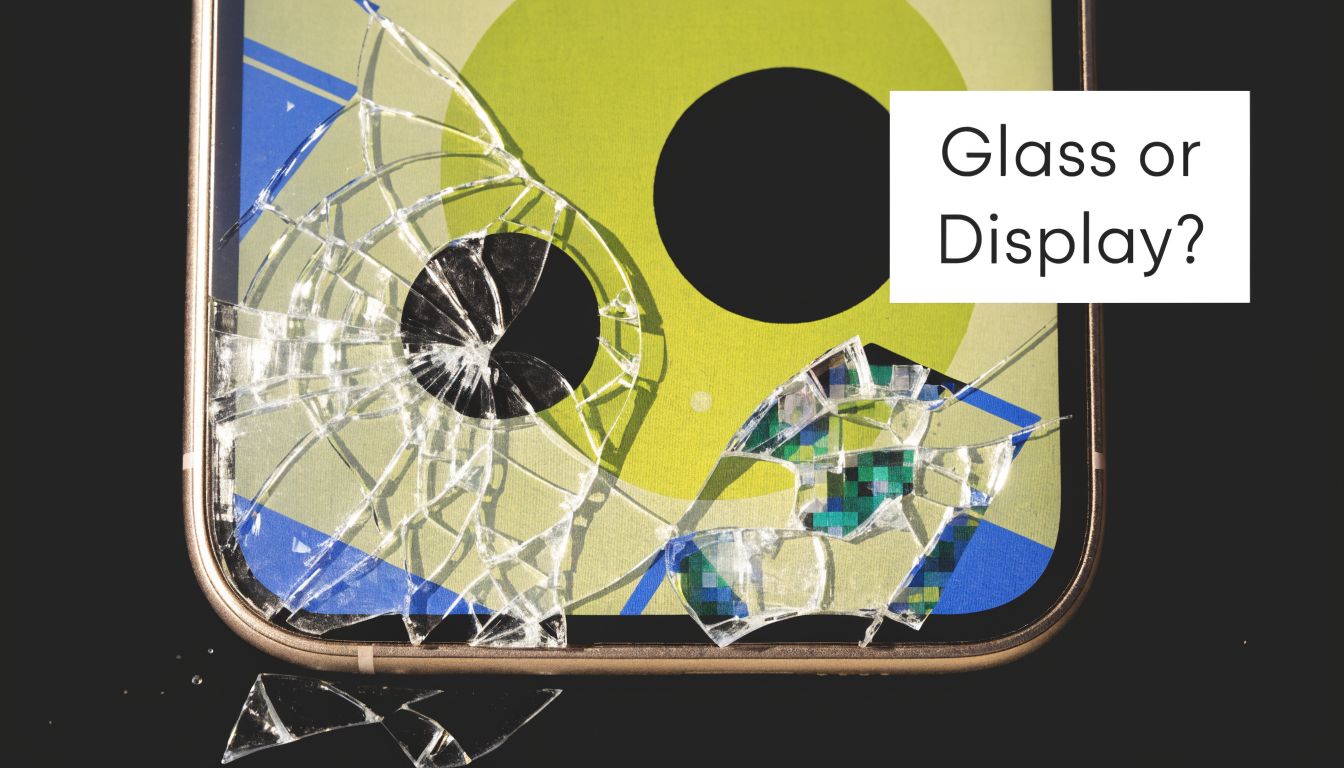
Signs it may be mostly outer glass damage
If your phone shows a clear image across the full screen, touch works everywhere, brightness is stable, and there are no odd colours or dead areas, the damage may be limited to the front layer. You’ll still need care because broken glass can spread, but the display system itself may still be intact.
Look for these signs:
- Picture is normal: No black patches, no flicker, no coloured lines.
- Touch responds evenly: You can type across the whole keyboard and drag icons without dead zones.
- Brightness stays consistent: No dim half, flashing, or sudden darkening.
- Face recognition and front sensors still behave normally: If they stop working after a drop, that can point to deeper damage.
Consider a cracked windscreen where visibility is still clear. It’s damaged, but the structure behind it may still be working.
Signs the display layer is damaged
Once you see black ink-like spots, vertical or horizontal lines, screen flicker, ghost touches, or parts of the display that don’t react, the issue usually goes beyond the top glass. If the phone still vibrates or rings but the screen stays black, that’s another common clue that the display assembly has failed while the rest of the phone is still alive.
It is common for DIY buyers to make the wrong call. They assume they only need glass, order the wrong part, then realise the phone needs a full display replacement.
If the screen looks alive but behaves strangely, don’t diagnose by appearance alone. Test image quality, touch response, brightness, sensors, and any area that fails under normal use.
A simple self-check before you decide
Use the phone for five minutes and test normal actions, not just whether it turns on.
- Open the keyboard and tap every row.
- Drag an app icon across the whole screen to check for dead touch zones.
- Play a bright video to spot flicker, colour bleed, or black areas.
- Rotate the phone and see whether the image distorts or cuts out when pressure shifts.
- Check the front camera and access sensors if your model uses them through the screen assembly.
If all of that passes, you may be dealing with a more straightforward screen issue. If several tests fail, the repair is more complex than it looks, and that changes the cost, the part choice, and whether DIY is even sensible.
The Reality of a DIY Screen Repair
DIY repair videos make screen replacement look clean, orderly, and fast. Real bench work is less forgiving. The hardest part isn’t removing a broken screen. The hardest part is putting everything back together without creating a second fault.
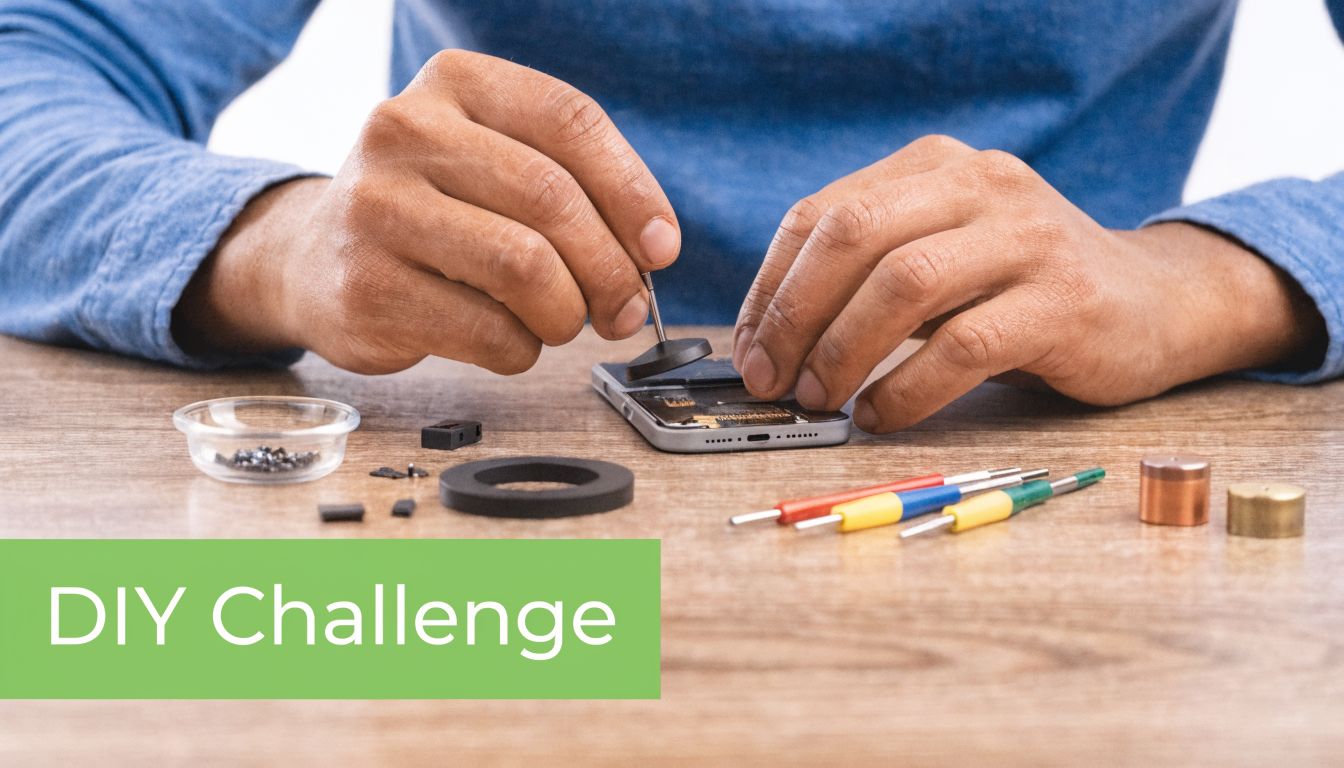
What the job actually involves
To fix the phone screen properly, you need more than a replacement panel and confidence. You need the right driver bits, controlled heat, safe opening tools, a clean surface, patience, and enough model-specific knowledge to know which cable sits where and what must be transferred from the old screen.
A typical modern iPhone repair involves:
- Pentalobe screwdrivers
- A suction tool
- Plastic or nylon prying tools
- Heat applied carefully to soften adhesive
- Safe handling around battery and display cables
- Reassembly with correct alignment and testing
That’s before you get into adhesive quality, water-resistance resealing, and sensor transfer.
Why iPhone repairs are where DIY usually goes wrong
A professional iPhone screen replacement requires very tight tolerances. The repair process can involve applying 80-100°C of heat to loosen adhesive, transferring the TrueTone and Face ID sensors correctly, and avoiding misalignment of more than 0.5mm. The same source notes that the DIY failure rate in Singapore is around 40%, often because people overheat the display or tear micro-flex cables during disassembly, as detailed in this professional guide to phone screen repair methods.
That number makes sense from a workshop point of view. A lot of failed DIY jobs don’t come in because the owner lacked effort. They come in because the phone design leaves very little room for mistakes.
A cracked screen is visible damage. A torn flex cable is hidden damage. The second one is often the more expensive problem.
The trade-offs people underestimate
DIY can still make sense for some people. If you’ve opened phones before, understand adhesive behaviour, and accept the risk, it may be worth attempting on a lower-value device. But people often underestimate four things:
- Part quality varies a lot: Screens that fit physically may still have weaker brightness, poor touch response, or sensor issues.
- One wrong pry point can cause new damage: Connectors, frame edges, and cables don’t tolerate force well.
- Heat control matters: Too little heat and you force the glass. Too much and you damage the display or nearby components.
- Testing is part of the repair: If you don’t test properly before sealing, you can trap a fault inside a freshly closed phone.
If you want a benchmark for what a repair service looks like before deciding whether to do it yourself, this phone repair service option shows the kind of route people use when they’d rather not risk opening the device on their own.
A quick demo can help you understand the physical complexity better than a parts listing ever will.
When DIY makes sense and when it doesn’t
DIY is most defensible when the phone is older, the stakes are lower, and you’re prepared for a failed attempt. It’s harder to justify on a current iPhone, a phone you depend on for work, or any device carrying important data you haven’t backed up.
A practical way to approach this:
| Situation | DIY may be reasonable | Professional repair is usually smarter |
|---|---|---|
| Older spare phone | Yes | Optional |
| Main daily-use phone | Risky | Usually yes |
| Face ID or sensor-heavy model | Risky | Usually yes |
| No repair tools at home | Poor fit | Yes |
| You need the phone working reliably the same day | Poor fit | Usually yes |
If you’re even slightly unsure whether you can remove, transfer, align, reseal, and test without creating fresh faults, that uncertainty is your answer. DIY isn’t impossible. It’s just much less forgiving than it looks on screen.
Cost vs Risk A Singaporean's Repair Decision
Individuals often start with cost. That’s sensible, but incomplete. The cheapest-looking route can become the most expensive once you count failed parts, lost time, and follow-up repairs.
In Singapore, professional screen repair typically ranges from S$80-200 at an independent service like myhalo, compared with S$150-350 at authorised centres, according to this Singapore repair cost comparison. That same source also notes that failed DIY attempts can push people into full device replacement, adding to the 60,000 tonnes of e-waste Singapore generated in 2024.
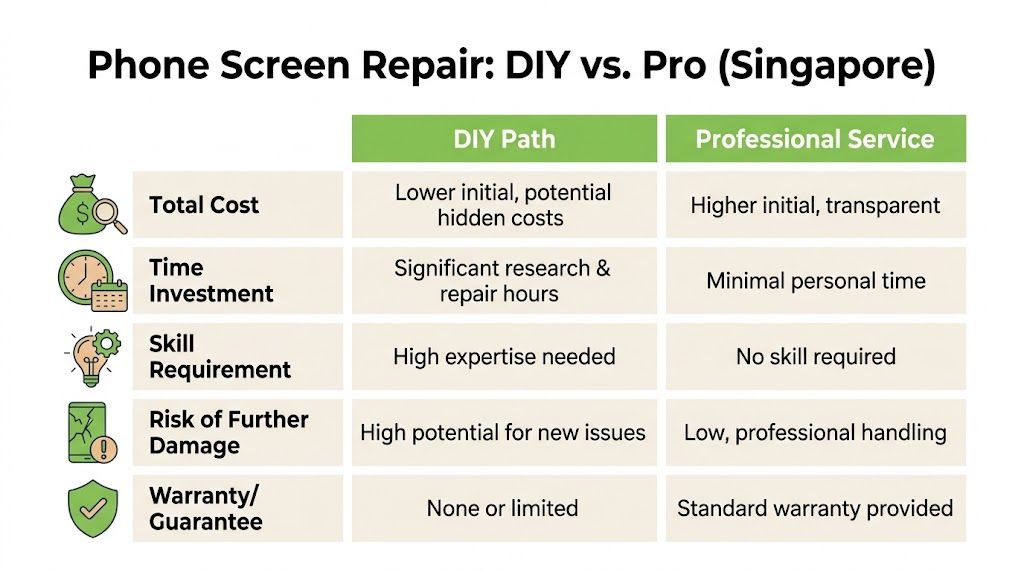
DIY versus professional repair at a glance
| Factor | DIY Repair | Professional Repair (like myhalo) |
|---|---|---|
| Total Cost | Lower upfront if everything goes right | Higher upfront, but clearer final pricing |
| Time | Research, ordering parts, setup, repair, retesting | Usually less personal time involved |
| Skill | Requires precision and model-specific knowledge | Technician handles disassembly and testing |
| Risk | Higher chance of extra damage or poor part fit | Lower handling risk if the shop is competent |
| Warranty | Usually limited to the part seller, if any | Often includes service or parts warranty |
| Sustainability | Can still help if successful | Usually a cleaner path to extending device life |
What cost really means in practice
DIY looks cheaper because people compare only the part price against the service fee. That leaves out tools, adhesive, failed first attempts, and the cost of buying the wrong screen type. It also leaves out your time.
Professional repair looks more expensive because the labour is visible. The hidden benefit is that diagnosis, fitting, alignment, and testing are bundled into one job. For many owners, that’s what they’re really paying for.
Decision shortcut: If replacing the screen yourself would feel like a stressful weekend project, you’re not comparing equal costs. Your time and risk are part of the bill too.
The sustainability side is not abstract
Repair isn’t just about saving one phone. It’s also about not discarding a usable device too early. If your current phone is still good apart from the display, repair often makes more sense than replacing the entire device.
That matters even more if you’re comparing repair with buying another handset. For buyers exploring lower-waste alternatives, it can help to look at the wider market for refurbished iPhones and compare that route against repairing the phone you already own.
If the repair quote is close to what you’d pay to move on, then trade-in becomes relevant too. For that scenario, this iPhone trade-in guide in Singapore is useful when you’re deciding whether to repair, replace, or recover some value from the damaged device.
How to make the right call
Use this simple filter:
- Choose DIY if the phone is non-essential, you already have tools, and you accept the possibility of losing the device.
- Choose professional repair if the phone is your daily driver, has face sensors or premium display hardware, or you need reliable function without experiments.
- Consider replacement or trade-in if the phone already had multiple issues before the crack, such as weak battery, frame damage, or charging problems.
The goal isn’t to spend the least today. It’s to spend once, solve the problem, and avoid paying again for the same mistake.
The myhalo Advantage for Phone Repairs
A professional repair shop is worth considering only if it handles the basics well. That means consistent process, proper testing, clear communication, and some thought for what happens after the repair, not just during it.
For many Singapore customers, the bigger concern is whether repair is worth doing in the first place. It usually is. Singapore generated 43,800 tonnes of e-waste in 2022, and professional repair can help divert 30% of mobiles from landfills by extending their usable life, according to this report on repair and e-waste in Singapore.
Why process matters more than promises
A screen replacement done well should be organised, repeatable, and checked. That’s why process matters. A technician should verify basic functions before and after repair, inspect the frame, test touch response, and confirm that the phone behaves normally once the new screen is fitted.
From a practical standpoint, that’s more useful than flashy promises. Customers don’t need marketing language. They need to know whether the repair shop treats a cracked phone as a proper device restoration job instead of a quick part swap.
When support after the repair matters
A lot of screen failures don’t happen at the counter. They show up later when a customer notices a touch dead spot, poor brightness, or another issue they didn’t catch immediately. Good repair support should account for that possibility.
That also connects to protection. If you’ve already paid to restore the screen, it makes sense to think about accidental damage cover or extended protection for the same device. The myhalo Protect options are relevant in that context because they cover the ownership side after the repair, not just the repair event itself.
Good repair value doesn’t come only from replacing the broken part. It comes from reducing the chance that the same phone becomes a problem again next month.
Why location and convenience affect the decision
Convenience sounds minor until your daily phone is the broken one. A central store, responsive support, and a straightforward handover process matter because users aren’t dropping off spare devices. They’re handing over the phone they use for work, banking, school, messaging, and transport.
That’s where a shop with a physical retail presence, clear service flow, and practical support options becomes easier to trust. For a lot of Singapore users, the smarter choice isn’t the cheapest headline figure. It’s the repair path that gets the phone back into stable use without unnecessary friction.
Your Pre-Repair and Post-Repair Checklist
Before any repair starts, protect the data first. Most owners focus on the visible damage and forget the information inside the device. In Singapore, that’s a serious concern. A 2025 Singtel survey found that 72% of users fear losing personal data during phone repairs, and the same source states that a proper backup is the most critical pre-repair step in a PDPA-conscious environment, as noted in this survey summary about repair data concerns.
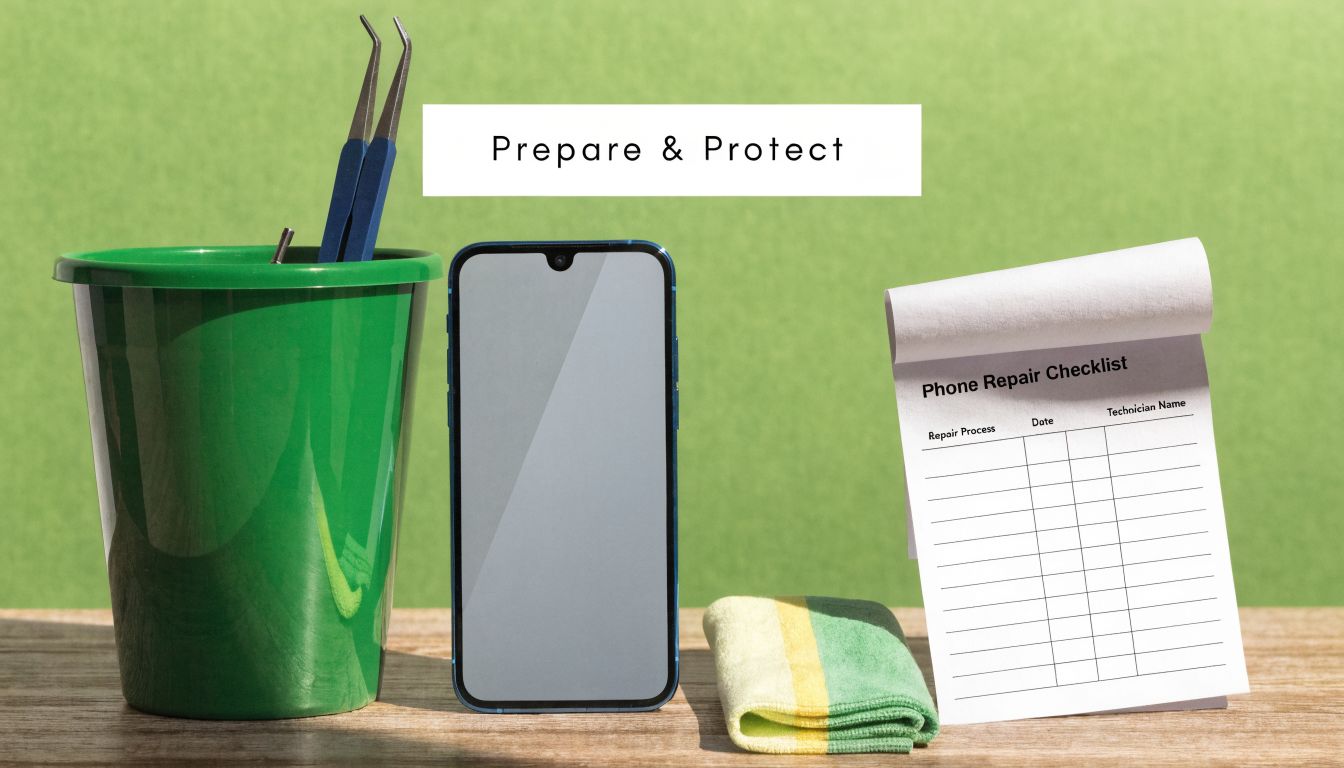
Before you hand over the phone
Do these before DIY or professional repair:
- Back up your data: Use your normal cloud backup or local backup method. Don’t assume a screen repair can’t affect access.
- Power the phone down: A damaged screen plus an active device is unnecessary risk.
- Remove SIM card if appropriate: This helps avoid mix-ups and keeps one part of your personal access with you.
- Take photos of the phone’s condition: Capture the front, back, sides, and existing dents before repair.
- Disable sensitive access if needed: If the screen still works, sign out of critical apps you don’t want left open.
- Ask what will be tested: You want to know whether the shop checks touch, display, front camera area, charging, and speakers after reassembly.
Questions worth asking before repair starts
Not every question needs technical jargon. Ask direct things:
| Ask this | Why it matters |
|---|---|
| Will you replace just the damaged assembly, or are there other faults? | Avoids surprise charges |
| What kind of warranty applies to the repair? | Clarifies your fallback if something fails |
| Will face sensors, front camera functions, and touch be tested after installation? | These are common trouble points |
| If more damage is found after opening, how will you confirm next steps with me? | Prevents unauthorised add-ons |
Back up first. Everything else comes after that.
After the repair is done
A fresh screen isn’t invincible. Treat the first few days as a settling period.
- Test immediately: Check touch across the full panel, brightness, speakers, front camera area, and charging.
- Inspect alignment: The screen should sit evenly without obvious lift or gaps.
- Add a proper screen protector: This protects the new surface from minor knocks and scratches.
- Use a decent case: A good case reduces the chance that the next drop hits the glass edge first.
- Watch for delayed issues: If touch starts failing or the screen lifts, report it quickly while your repair terms are still clear.
A repair only pays off if you protect the result. Too many people spend on a new screen, then keep using the same loose case that failed them the first time.
Frequently Asked Questions About Screen Repair in Singapore
Will a third-party screen repair void my original phone warranty
It can affect your manufacturer warranty, especially if the maker requires authorised servicing for warranty support. The practical move is to check your existing warranty status before any repair. If the phone is already out of warranty, that concern usually matters less than getting a reliable repair.
How long does a normal screen repair take
Repair timing depends on the phone model, the part required, and whether deeper damage appears after opening. Straightforward jobs are usually much faster than ordering a new phone or replacing the entire device. What matters is whether the shop tests the phone properly before returning it, not just how quickly it closes the job.
If my DIY attempt fails, can the phone still be saved
Sometimes yes, sometimes not. It depends on what went wrong. A poor-quality replacement screen can often be replaced again. Torn cables, damaged connectors, or frame distortion are harder and more expensive to correct. If the phone has already been opened and forced, diagnosis becomes more important than ever.
Can any cracked screen be repaired
No. Some phones have damage that goes beyond the screen, such as bent frames, internal board faults, battery problems, or liquid exposure. In those cases, replacing the display alone won’t solve the whole issue.
Should I repair or replace the phone
If the phone still meets your needs apart from the damaged screen, repair is often the more sensible move. If the device already had multiple problems before the drop, replacement may be the cleaner decision. The key is to compare full value, not just the headline repair price.
What should I do right now if the glass is cracked but the phone still works
Back it up, stop pressing hard on the damaged area, and avoid carrying it loose in a bag or pocket where the crack can worsen. If the glass is flaking or sharp, don’t keep using it bare-handed. A cracked but functioning screen can still become a more expensive repair if you keep stressing it.
If you need a practical next step, myhalo offers repair, trade-in, refurbished devices, and protection options in Singapore, which makes it useful when you’re deciding whether to fix the phone screen, replace the device, or extend its life responsibly.