





Vivo Service Center Singapore: Your Complete 2026 Guide
A cracked screen, a phone that keeps dying halfway through the day, or a charging port that only works when you hold the cable at an angle can turn a normal afternoon into a scramble. If you own a Vivo phone in Singapore, the question isn't just where to fix it, it's which repair path protects your time, your data, and the long-term value of the device. The good news is that you've got clear options, from the official vivo service center singapore route to trusted independent repair and lifecycle support when the phone is older or the issue is outside warranty.
Table of Contents
- Your Vivo Phone Needs Help What Are Your Options
- Finding Authorised Vivo Service Centres in Singapore
- How to Prepare Your Device for a Smooth Repair
- Understanding Timelines Costs and the Repair Process
- Smart Alternatives to the Official Service Centre
- Making the Right Call for Out-of-Warranty Repairs
Your Vivo Phone Needs Help What Are Your Options
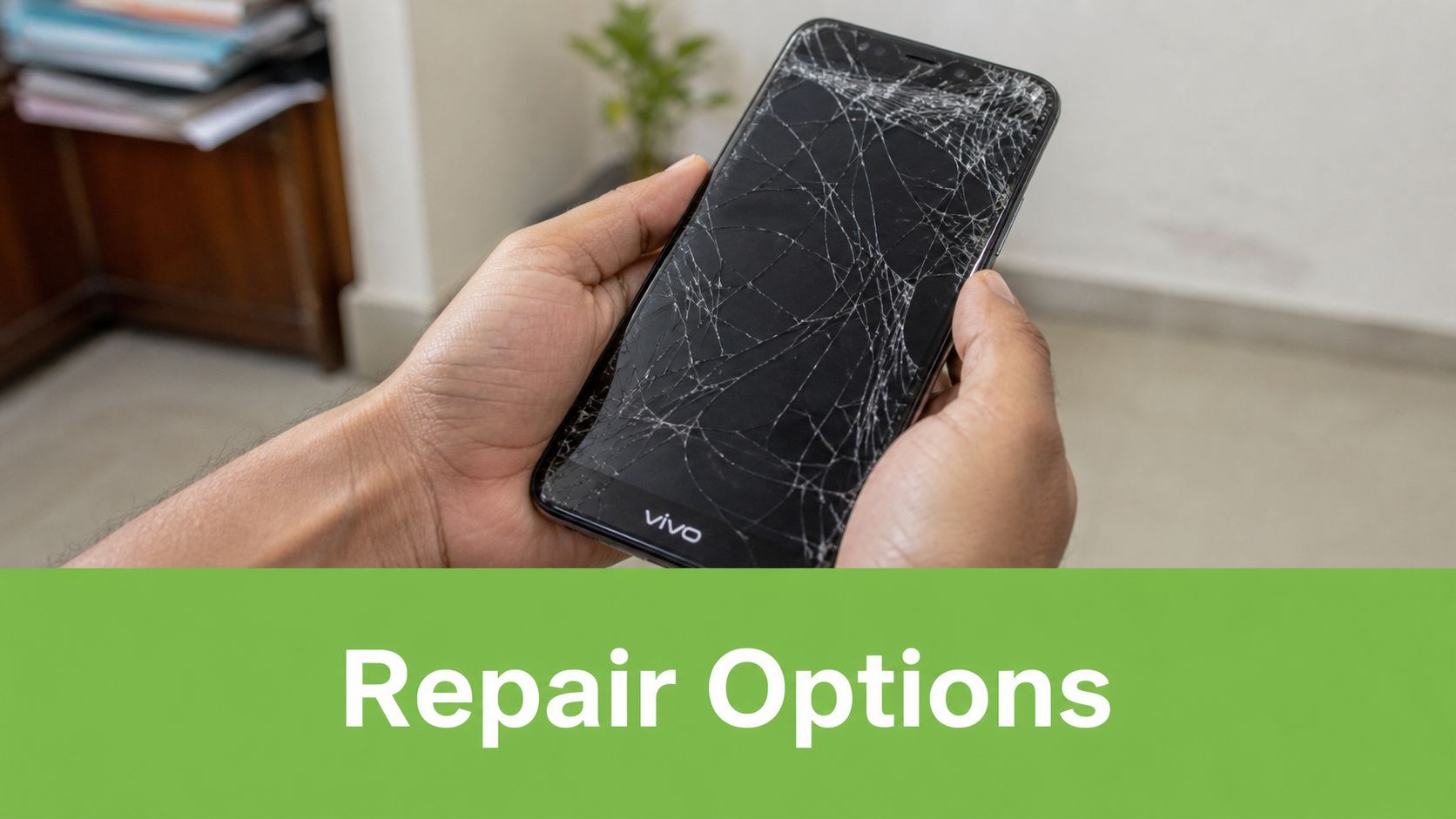
The phone is still in your hand, but the screen has spiderwebbed across the glass, or the battery drops from comfortable to critical before lunch. At that point, what's needed is a fix that's reliable and doesn't create a bigger problem than the one they started with.
For Vivo owners in Singapore, the decision usually splits into two paths. The first is the official route, which is the safer choice for warranty-sensitive issues, software support, and repairs where brand handling matters. The second is a trusted independent repair or lifecycle partner, which can make more sense for older phones, repeat faults, or cases where you care about speed, value, and whether the device still deserves a second life.
That choice is bigger than convenience. A repair touchpoint should help you keep using the phone properly, not just patch the symptom and send you off with the same unresolved issue. A good repair plan looks at the device as part of a longer lifecycle, especially if you're trying to balance budget, downtime, and data safety.
Practical rule: if the device still has meaningful life left, don't treat repair as the only decision. Compare repair, reuse, replacement, and trade-in together before you hand the phone over.
For people who want a broader device-care mindset, this guide sits alongside myhalo's practical repair and trade-in content, including mobile phone repair in Singapore. That's useful because a broken Vivo isn't always just a repair ticket, it can also be a chance to decide whether to keep, upgrade, or re-home the device in a smarter way.
Finding Authorised Vivo Service Centres in Singapore
If your phone is still under warranty, or you prefer the manufacturer's own service flow, start with the official locations. vivo's primary support point in Singapore is the Service Centre at 10 Anson Road, #16-11A, International Plaza, Singapore 079903, and it operates Monday to Friday, 10am to 7pm, and Saturday, 10am to 2pm. vivo Singapore says this centre offers consulting, inspection, system updates, and repair services. You can verify the official details on vivo's Singapore service centre page.
What the official centre is best for
A dedicated service centre is the right first stop when the issue might touch warranty coverage, firmware, or deeper diagnostics. That matters because a phone that looks “hardware broken” can sometimes turn out to have a software or port issue, and an official workflow is designed to sort that out before parts are swapped.
vivo also has a second Singapore touchpoint at 313 Orchard Road, #B2-44, Singapore 238895, which HardwareZone described as vivo's first Singapore experience and servicing store. The store listing at 313@somerset shows daily opening hours, while the servicing window is separate from the retail hours, so it's smart to plan the visit around the support desk rather than the shopping mall clock. For store visibility and local listing hygiene, a good reference point is essential GBP advice for local businesses, especially if you're comparing how official service locations are presented online.
How to choose the right location
Use the Anson Road centre for formal repair handling, especially if you want a clear service process. Use the Orchard Road location if you're already in the central area and need a retail-service touchpoint that can handle after-sales support alongside sales traffic. vivo's own Singapore presence makes it clear that the brand isn't relying on third-party counters alone, which gives customers a more structured service route.
A useful planning mindset is simple, go where the issue will be handled. Software updates, inspection, and repair work belong in a service-first environment. Quick consultation and retail-linked after-sales support fit better at the mixed store format.
How to Prepare Your Device for a Smooth Repair
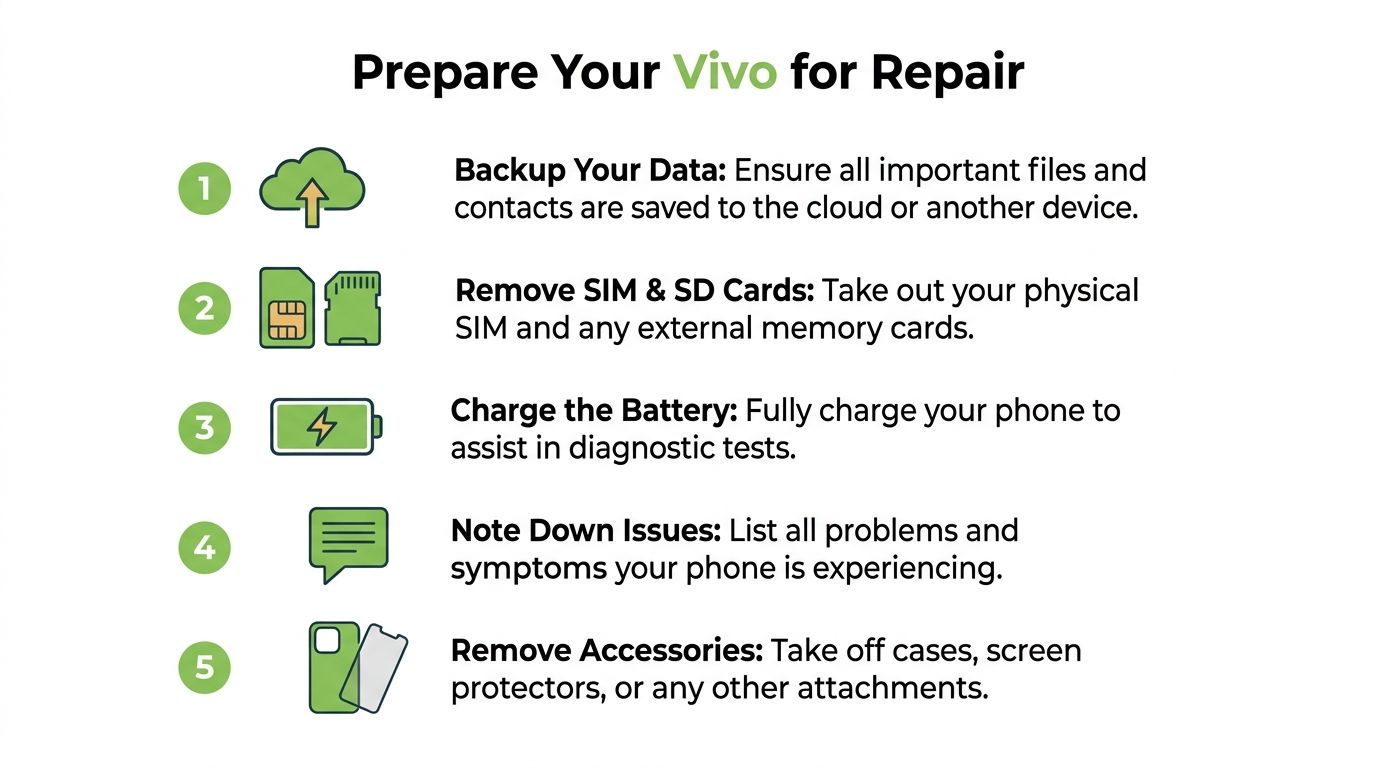
A repair visit goes better when the phone is already set up for handover. The biggest mistake people make is waiting until they reach the counter to think about data, SIM cards, or account access. That can slow things down, potentially exposing information they didn't mean to leave on the device.
Start with the data you can't lose
Back up your photos, messages, contacts, and files before anything else. If the phone won't power on properly, back-up options may be limited, which is why this step belongs at the top of the checklist, not after the screen crack has gotten worse. If you rely on cloud sync, confirm that your most recent files really made it across.
Then remove your SIM card and SD card if the phone uses one. Those are small items, but they hold personal contacts, messages, and stored files, so leaving them in a repair queue just creates avoidable risk. Take off any case, lens cover, or screen protector too, since technicians need clean access to the phone body and display.
Good habit: charge the phone before you bring it in, even if the battery is weak. A device that can power up makes diagnosis easier and reduces back-and-forth at the counter.
Keep the paperwork in order
For international warranty service in Singapore, vivo says customers may need to provide proof of purchase, details of where and when the device was bought, and sign a hand-over document before repair begins, according to the company's International Warranty Service FAQ. That's not just admin. It's what allows the service team to decide whether your case is warranty, out-of-warranty, or software support.
If the issue is tied to account security, be ready to make the phone accessible for inspection or disable protections that block service access. A repair centre can't responsibly work blind, and if the phone stays locked, diagnosis often takes longer than it should.
For readers comparing repair with trade-in or replacement, myhalo's trade-in phone guide for Singapore is a useful companion because it helps you think beyond a single repair visit.
Understanding Timelines Costs and the Repair Process
Repairs feel uncertain mainly because what happens after the handover is often unknown. In practice, the process is usually straightforward, but the time it takes depends heavily on whether the fault is simple, software-related, or buried deeper in the device.
Simple jobs move faster than deep faults
In Singapore, common vivo repairs like screen or battery replacements often take 30 to 60 minutes for walk-ins, while motherboard faults or water damage can require 1 to 3 days for diagnostics and repair, according to local repair guidance from lykrepair. That gap makes sense. A display swap is usually a contained job, while a board-level or liquid issue means technicians need time to isolate the problem before they commit to a part replacement.
The key step in any serious repair process is diagnosis. Good technicians don't just guess at the failing part, they test the device first, then decide whether a replacement is justified. That's also why you should always test the phone before you pay and leave, because unresolved faults are easier to catch on the spot than after you've walked away.
Why the first diagnosis matters
Many phone problems look like hardware failure but start somewhere simpler. A charging issue can come from the cable, the port, or debris in the connector. That's why repair guidance commonly recommends trying an original charger and cable combination before assuming the phone needs a board-level fix. It saves time, avoids unnecessary parts changes, and helps technicians avoid replacing the wrong component.
Expert insight: the cheapest repair is not always the lowest-cost outcome. A correct diagnosis prevents repeat visits, extra downtime, and avoidable part swaps.
Cost also follows that logic. In-warranty work is usually the better route when the failure fits the warranty terms, while out-of-warranty work becomes a value decision. For readers comparing service options by fault type, myhalo's phone screen repair guide is worth a look because display damage is one of the clearest examples of when repair speed and part quality matter.
Smart Alternatives to the Official Service Centre
For a newer Vivo phone, the official centre often makes the most sense. For an older handset, a warranty-expired model, or a device that also needs data and lifecycle advice, a trusted independent partner can be a better fit. That's where myhalo fits naturally as a technology lifecycle partner, not just a retailer.
Comparing the two approaches
| Consideration | Official Vivo Service Centre | myhalo, Trusted Alternative |
|---|---|---|
| Warranty handling | Best suited to manufacturer-led warranty cases | More relevant for out-of-warranty and lifecycle decisions |
| Repair focus | Official consulting, inspection, system updates, and repair services | Repair, rescue, reuse, trade-in, and device migration support |
| Data handling | Suitable when you want a formal handover process | Useful when you also want practical support around device data and reuse |
| Device age fit | Strong option for newer or recently purchased phones | Often more sensible for older devices that still have value |
| End-of-life decision | Primarily repair-led | Can help you decide between repair, reuse, Certified ReLoved, Certified Surplus, or recycling |
That comparison matters because a phone is rarely just “broken” in one dimension. A cracked display may be easy to fix, but if the battery is fading, the storage is cramped, and the model no longer suits daily use, the right answer might not be a straightforward repair. It might be a repair plus trade-in, or an upgrade to a refurbished device that preserves budget while extending useful life.
myhalo also operates a physical support point at Bugis Junction, which makes it easier for Singapore users to get a real assessment rather than making the choice from a screen alone. For customers who care about process quality and data discipline, myhalo's ISO 9001 Certified and ISO 27001 Certified operations, along with 30-point quality checks, Transparent device grading, and battery health disclosure, give the conversation a more structured footing than a quick parts-only repair.
Practical takeaway: if the phone still has resale or reuse value, don't think only in terms of “fix or scrap”. A repair partner that can also guide trade-in and replacement can create more usable value from the same device.
Making the Right Call for Out-of-Warranty Repairs
Once a Vivo phone is out of warranty, the decision gets more personal. You're no longer just asking whether the phone can be repaired, you're asking whether the repair still makes sense for how long you plan to keep using it. That's the point where the age of the device, the fault type, and your budget need to be weighed together.
Repair only when the device still has a useful run left
The official vivo service centre at International Plaza remains a practical benchmark because it's centrally located and open Monday to Friday, 10am to 7pm, and Saturday, 10am to 2pm, according to vivo's service-day page. That accessibility is useful for weekday users and weekend drop-offs, especially if you want a formal manufacturer route before deciding anything else.
But accessibility alone doesn't answer the economics. If the phone is older and the repair is likely to be repeated, the smarter move may be to stop treating it like a one-off emergency fix. At that point, a repair-and-reuse strategy can be more rational than spending time and money on a handset that's close to retirement.
Look at the next step, not only the current fault
In this context, Certified ReLoved devices become relevant. Instead of forcing an old handset through another repair cycle, you can move to a device that's already been checked, graded, and prepared for reuse. That approach supports a lower-friction upgrade path and a more disciplined use of budget, especially for households and SMEs that need predictable device performance rather than constant troubleshooting.
Certified Surplus options can play a similar role when you need functional hardware without paying for unnecessary brand-new capacity. In practical terms, that's about getting a device that matches the job, whether the task is personal use, work messaging, or a backup phone for continuity.
If you're making the call today, use a simple rule. Repair the Vivo when the device still has clear lifespan left and the fix is proportionate. Switch to reuse or replacement when the repair cost, downtime, and future fault risk start to outweigh the phone's remaining value.
If you're weighing repair against replacement, myhalo can help you treat the phone as part of a longer device lifecycle, not just a one-time fault. Visit myhalo to explore repair, trade-in, Certified ReLoved, and Certified Surplus options that fit your budget and your timeline.