





Video Editing Laptop Buying Guide for Singapore Creators
You're editing a TikTok clip for a client, assembling a wedding highlight, and copying 4K footage from a corporate shoot, all from a co-working desk or an HDB study room. Your laptop fan is loud, the timeline keeps dropping frames, and the export queue is already threatening tomorrow's deadline.
That's the reality for many Singapore freelancers, students and SMEs. A video editing laptop isn't just a notebook with a large screen. It's the foundation for turnaround time, client approvals, storage management and operating cost. The right machine should keep working through sustained renders, show colour accurately, leave room for raw footage and remain useful after your current projects become more demanding.
This guide focuses on matching the machine to your work, not chasing the most expensive specification sheet. Before you open a product page, answer four questions: What do you edit, how often do you edit, where do you work, and how long do you want the laptop to last? For broader context on choosing affordable devices locally, see this Singapore laptop buying guide.
Table of Contents
- Why Picking the Right Video Editing Laptop Matters in Singapore
- The Specs That Actually Drive Editing Performance
- Matching Specs to Your Editing Workload
- Configurations by Budget and Use Case
- Optimising Your Laptop for Faster Editing
- Should You Choose a Refurbished or Surplus Editing Laptop
- Singapore Buyer Checklist, Accessories and End-of-Life
- Final Takeaway and a Smarter Way to Buy
Why Picking the Right Video Editing Laptop Matters in Singapore
A Singapore freelancer may record at a client's office, review footage in a café and finish the edit at home. That routine makes portability useful, but a light general-purpose notebook can still struggle during a long export when its cooling system cannot sustain the workload. Choose a video editing laptop for the hours it must keep working, not just for how quickly it opens a browser.
A gaming laptop can deliver strong performance, yet gaming priorities do not always match editing needs. High refresh rates and graphics power may come at the expense of colour accuracy, quieter cooling, webcam quality or useful ports. A creator-focused model should balance those factors with sustained performance, particularly for freelancers, students and SMEs working across different locations.
Start with the workload
Your footage sets the baseline. Short 1080p social clips, school assignments and simple talking-head edits place less pressure on a laptop than 4K multicam projects, layered motion graphics or detailed colour grading. The software matters too. Premiere Pro, DaVinci Resolve and Final Cut use hardware differently, so match the configuration to the application and workflow you use.
Singapore buyers can compare creator-focused options locally. ASUS Singapore's creator range offers a dedicated “Video editing” filter with 6 devices, alongside categories for home, work, creators and students. Its portfolio includes models such as the ProArt P16, giving buyers access to higher-performance creator hardware rather than only general-purpose notebooks. For broader advice on affordable local options, see this Singapore laptop buying guide.
Practical rule: Buy for the heaviest project you regularly complete, not the easiest clip you edit today.
Budget for ownership, not only the initial specification. Upgradeable memory, replaceable storage, repair access and battery support can matter more than a small performance advantage on purchase day. Refurbished options and lifecycle support from myhalo also deserve consideration, especially when an SME needs dependable machines without replacing an entire team's equipment as workloads grow.
The Specs That Actually Drive Editing Performance
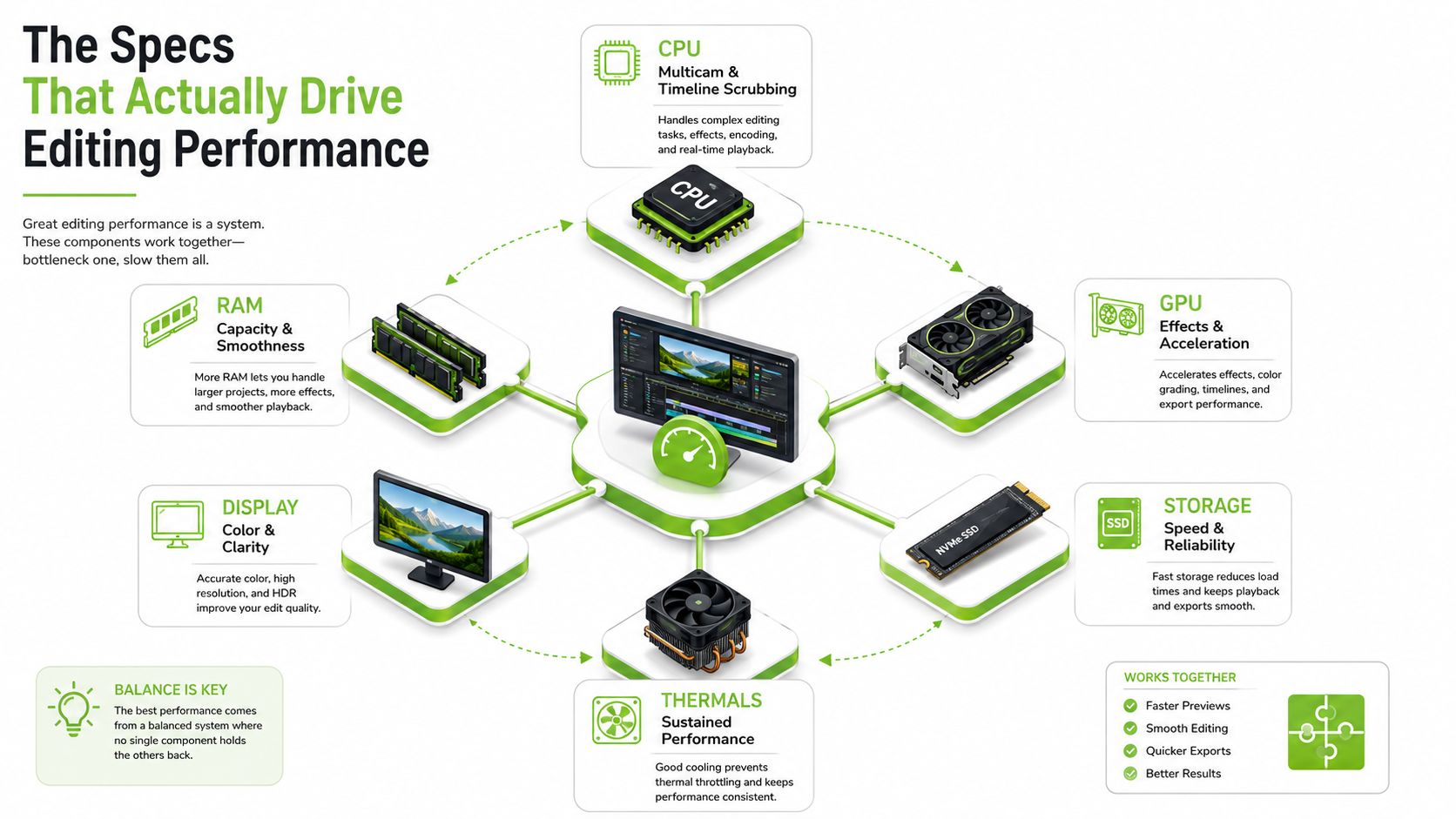
A laptop's headline processor name tells you only part of the story. Editing performance comes from how the CPU, GPU, RAM, SSD, display and cooling system work together. A balanced configuration usually feels better than a machine with one powerful component paired with weak memory, limited storage or poor thermal management.
CPU and GPU
The CPU handles many parts of editing, including timeline calculations, media management, audio processing and exports. More cores can help with multicam synchronisation and encoding, while strong single-core speed keeps scrubbing and interface actions responsive. Look for a high-end H-series or AI-class processor when editing is a central part of your work.
The GPU becomes especially important for 4K playback, colour effects, transitions, noise reduction and other accelerated functions. NVIDIA RTX graphics provide CUDA support for compatible creative applications, while Apple systems use integrated graphics and Metal acceleration. GPU memory, often called VRAM, gives the software room to process complex frames and effects without constantly moving data through slower system memory.
RAM and storage
16GB RAM can suit straightforward social content, but 32GB is a more comfortable starting point for serious editing. Premiere Pro, After Effects, Chrome, Teams and asset-management tools can consume memory together, particularly during a client call while a project remains open.
Storage affects both speed and organisation. An NVMe SSD keeps applications, project files and cache data responsive. Raw video fills space quickly, so a smaller internal drive forces you to rely on external storage sooner. A practical setup uses the internal SSD for software and active projects, then a fast external SSD for media, cache or completed exports.
Display and thermals
A sharp display isn't automatically a colour-accurate display. For client-facing work, check resolution, colour gamut, brightness and factory calibration. HP Singapore's editing guidance recommends matching the screen to 3840 x 2160 pixels so images aren't stretched, and highlights a 16-inch UHD+ OLED touch display with 3840 x 2400 resolution and Delta E colour accuracy. ASUS also identifies powerful GPUs as a key difference between creator laptops and ordinary notebooks.
Singapore's warm environment makes cooling important. A laptop that performs well for a short benchmark may slow down during a long render if heat builds up. Check reviews for sustained-load behaviour, fan profiles and chassis ventilation, not just peak processor specifications.
Matching Specs to Your Editing Workload
The right tier depends on the work you deliver. A student cutting short social videos shouldn't pay for a mobile workstation, while an event videographer shouldn't expect an entry-level machine to handle several 4K camera angles comfortably.
| Workload | CPU Cores | GPU / VRAM | RAM | Storage | Display |
|---|---|---|---|---|---|
| 1080p social content | 6 or more | Integrated or entry-level GPU | 16GB | 512GB NVMe SSD | Full HD, good colour coverage |
| 4K multicam event work | 8 or more | RTX-class GPU, 6GB or more VRAM | 32GB | 1TB NVMe SSD plus fast external SSD | 4K-class, colour-accurate |
| Colour grading | 8 or more | Dedicated GPU with strong compute | 32GB or more | 1TB NVMe SSD and separate media storage | Wide-gamut, calibrated panel |
| Motion graphics and After Effects | 8 or more | Dedicated GPU with ample VRAM | 32GB or more | Fast SSD for cache and projects | High-resolution, accurate colour |
| AI-assisted editing | High-end CPU or AI-class processor | High-VRAM RTX GPU or capable integrated graphics | 32GB or more | Fast NVMe SSD | Bright, colour-accurate display |
Social content and student projects
For TikTok, Instagram Reels, lecture projects and simple YouTube edits, prioritise responsiveness and portability over maximum GPU power. A processor with 6 or more cores, 16GB RAM and a 512GB NVMe SSD gives a sensible starting point. Integrated graphics can work for cuts, captions and basic transitions, but a discrete entry-level GPU offers more breathing room for effects and heavier exports.
4K, multicam and commercial work
A 4K event project needs stronger sustained performance. Aim for 8 or more CPU cores, 32GB RAM, a dedicated RTX-class GPU with 6GB or more VRAM, and at least a 1TB NVMe SSD. Add a fast external SSD for camera media and backups, because keeping everything on one internal drive creates both capacity and resilience problems.
Colour grading needs a better display than ordinary editing. A wide-gamut panel with reliable calibration matters when skin tones, product colours or corporate brand colours need client approval. If the laptop's screen isn't trustworthy, connect a suitable external monitor rather than grading by eye on a bright but inaccurate panel.
Motion graphics and AI features
After Effects and similar tools benefit from memory headroom, fast cache storage and GPU acceleration. AI-assisted functions such as transcription, noise removal and automatic reframing can use dedicated GPU resources, AI accelerators or both. Newer RTX 50-series laptop pages in Singapore now highlight 4:2:2 decode support and faster 4K 60fps 4:2:2 playback, while 4:2:2 carries 50% higher colour sampling density than 4:2:0 for compatible footage and workflows, as described by ASUS ROG Singapore.
That feature matters most if your camera records compatible 4:2:2 media and you regularly edit high-quality 4K footage. It won't transform a simple social workflow, so an older RTX 40-series laptop may remain sufficient for many creators. For general guidance on diagnosing performance-heavy notebooks, this gaming laptop repair resource is useful because overheating, storage faults and unstable drivers can affect editing systems as well as gaming machines.
Configurations by Budget and Use Case
Budget should follow the work you sell or submit. A student producing short social edits doesn't need the same machine as an agency delivering colour-heavy commercial work, but each buyer should avoid cutting corners on the components that limit the workflow.
| Budget Bracket | Primary Use Case | Recommended Specs | New Build | myhalo ReLoved Premium / ReEco / As-New |
|---|---|---|---|---|
| Under S$1,200 | 1080p social content and student work | 6-core CPU, 16GB RAM, 512GB NVMe SSD, integrated or entry GPU, Full HD colour-capable display | Suitable for CapCut, Premiere Pro basics and DaVinci Resolve cuts | Can provide stronger chassis quality or a better processor within the same budget, subject to stock |
| S$1,200 to S$2,200 | 4K timelines and freelance YouTube | 8-core CPU, RTX-class GPU, 32GB RAM, 1TB NVMe SSD, 4K-capable colour-accurate display | Suitable for regular Premiere Pro and DaVinci Resolve projects | A ReLoved Premium or As-New unit may deliver higher-tier graphics or memory without paying for a factory-sealed box |
| Above S$2,200 | Agency work and colour-heavy production | High-end H-series or AI-class CPU, RTX GPU with ample VRAM, 32GB or more RAM, fast expandable storage, calibrated wide-gamut display | Best fit for sustained exports, multicam, After Effects and intensive grading | Surplus or professionally checked higher-tier devices can reduce upfront cost while preserving performance |
Under S$1,200
Choose reliability and memory over decorative features. A new laptop in this bracket can handle 1080p edits in Premiere Pro, DaVinci Resolve or Final Cut where supported, provided you don't overload it with effects and background applications. A 512GB NVMe SSD is the practical minimum, but keep completed projects on external storage.
A myhalo ReEco or ReLoved Premium option can make sense when a refurbished unit gives you a stronger processor, better display or more durable chassis than a new entry-level model. Check the actual condition, battery information and warranty rather than assuming every refurbished device has the same specification.
S$1,200 to S$2,200
This is the most useful range for many freelancers. Prioritise 32GB RAM, an RTX-class GPU, 1TB of fast storage and a display suitable for reviewing colour. New factory-sealed models provide straightforward configuration and warranty expectations, while an As-New or ReLoved Premium unit may shift more of the budget towards GPU performance.
Above S$2,200
Spend more only when your workload justifies it. Agency editors, wedding studios and creators handling layered 4K projects benefit from stronger cooling, more VRAM, additional SSD capacity and a display that supports dependable colour decisions. A surplus model can be attractive when it comes from a recent professional range, but verify ports, upgrade paths and service coverage before buying.
Optimising Your Laptop for Faster Editing
A well-configured laptop can still perform poorly if the software and operating system work against it. Start with the simple changes that cost nothing, then measure the result before spending on upgrades.
Clean up the operating system
Remove unnecessary startup applications and keep the operating system updated. On Windows, reduce visual effects if the interface feels sluggish and use a performance-oriented power profile when connected to mains power. Don't leave the laptop on soft bedding or block its vents. In a warm HDB room, a raised stand or cooling pad can help air reach the intake.
For NVIDIA systems, use the Studio Driver branch when your editing software supports it. AMD users should keep the appropriate Adrenalin package current. Driver updates can improve compatibility, but install them deliberately and avoid changing a stable production machine immediately before a deadline.
Tune the editor
In Premiere Pro, enable GPU acceleration and hardware decoding where supported. For demanding 4K footage, generate proxy media. Proxies are lower-resolution working copies that make scrubbing easier while the final export still uses the original files.
Place cache files on a fast SSD, ideally separate from a crowded system drive. DaVinci Resolve users should check GPU processing preferences, cache settings and render format. Final Cut users should organise libraries and generated media so the internal drive doesn't become the bottleneck.
Measure before upgrading: Test the same short project before and after each change, then compare playback, export behaviour and fan noise.
Keep active projects organised, archive old cache files and maintain more than one copy of important footage. Use the editor's own performance tools, a short real project and a repeatable export rather than relying only on synthetic benchmark scores.
Should You Choose a Refurbished or Surplus Editing Laptop
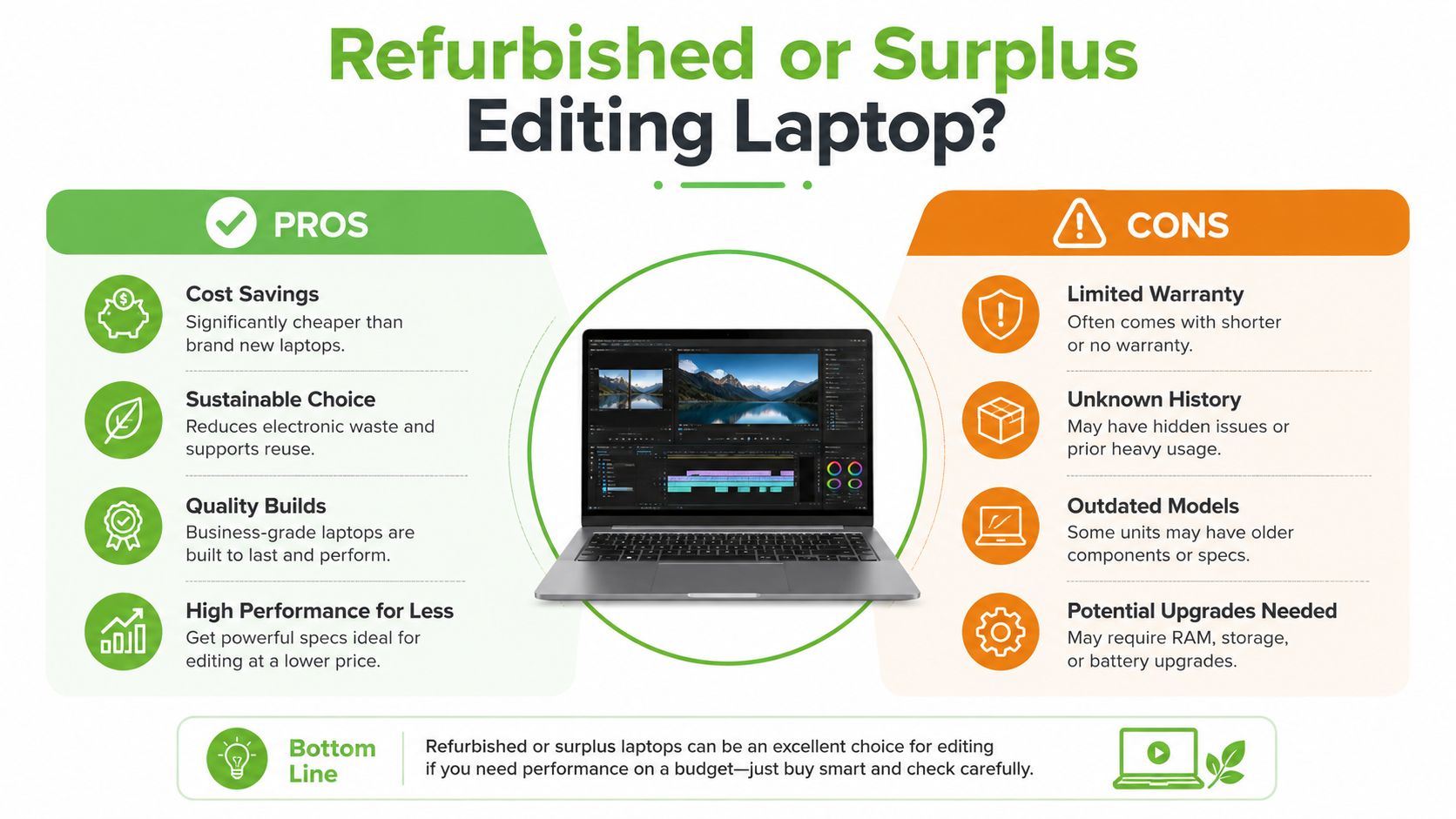
A refurbished or surplus editing laptop can be the sensible choice in Singapore, especially when your budget is limited or you want to reduce unnecessary replacement. Refurbished may describe a corporate off-lease device that has been inspected and prepared for resale, while surplus can refer to excess stock or unused inventory that needs a new channel. Those categories aren't interchangeable, so ask what happened to the device before it reached the shelf.
The main advantage is value concentration. More of your budget can go towards the CPU, GPU, RAM and display instead of paying entirely for the newest release cycle. Business-grade chassis can also offer useful keyboards, port selection and serviceability. For a student, freelancer or small team, that can mean a capable editing setup without stretching cash flow.
The drawbacks need equal attention:
- Older connectivity: You may find fewer modern ports, slower wireless hardware or limited external-display options.
- Battery wear: A previously used machine may have less battery capacity, so request clear health information.
- Cosmetic variation: Keyboard shine, lid marks and display uniformity can differ between units.
- Upgrade limits: Some thin laptops have soldered RAM or only one accessible SSD slot.
- Warranty differences: Coverage may be shorter or narrower than a factory-sealed purchase.
Before buying, inspect the display for uneven brightness, check SSD health, test every key and port, confirm the operating system is properly licensed, and ask whether the battery can be replaced. A seller should explain the grading system rather than using “refurbished” as a vague label.
myhalo presents Certified ReLoved and Certified Surplus devices as lifecycle-supported choices, with transparent grading, battery health disclosure and 30-point quality checks under an ISO 9001 Certified process. That doesn't make every device suitable for every editor, but it gives buyers specific checks to discuss instead of relying on appearance alone. You can also review this guide to refurbished laptop computers before comparing new and professionally prepared units.
A short visual explanation can also help first-time buyers understand the differences:
Singapore Buyer Checklist, Accessories and End-of-Life
Use this checklist in a shop or on a product page. Don't accept a vague “creator laptop” label without confirming the parts that affect your own projects.
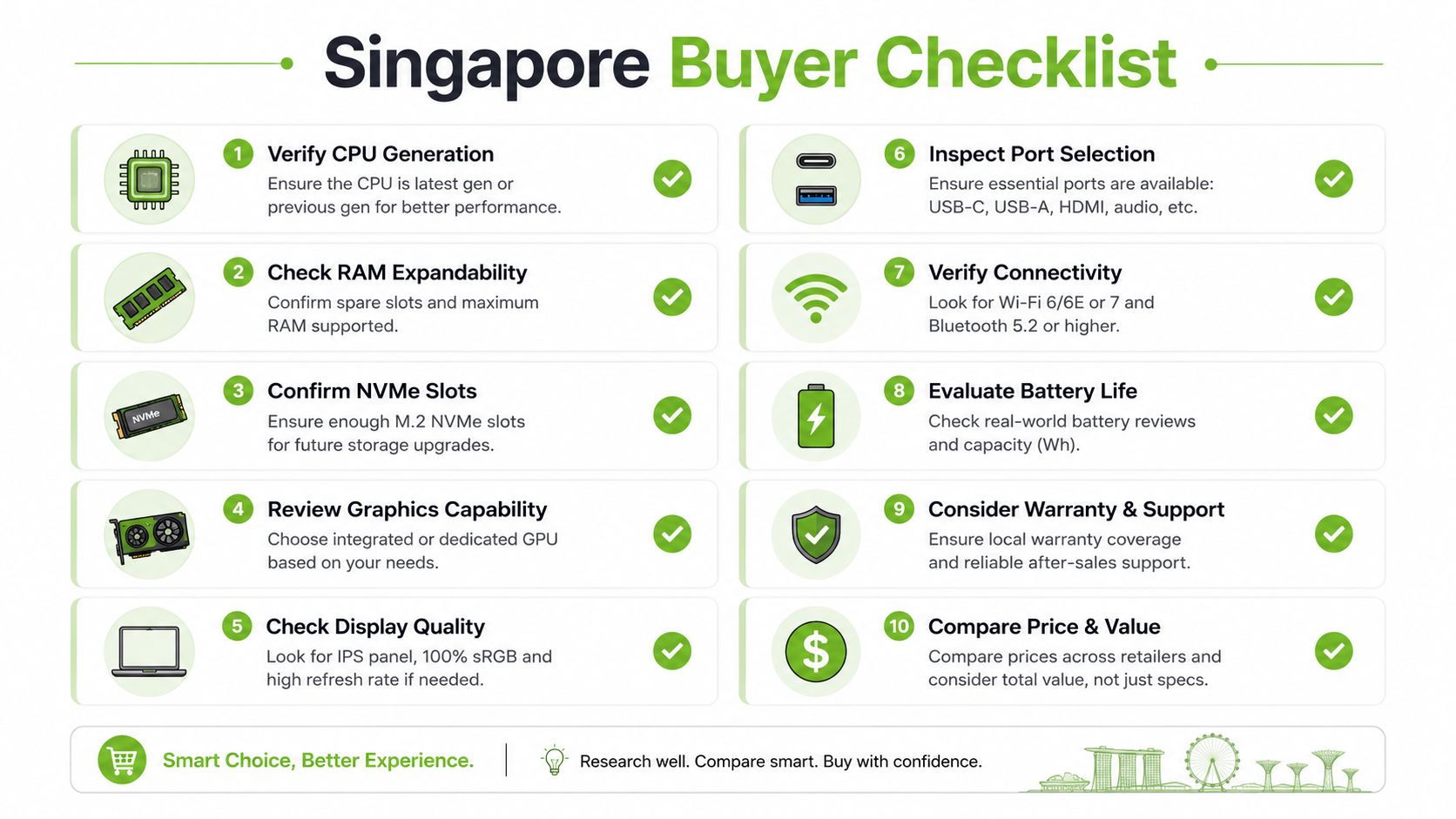
- Confirm the CPU generation: Check the exact processor, core configuration and power class, not only the brand family.
- Verify the GPU and VRAM: Make sure the graphics chip supports your editor's acceleration features.
- Check RAM expandability: Find out whether memory is upgradeable or permanently soldered.
- Inspect NVMe slots: Additional storage can extend the laptop's useful life.
- Review the display: Ask about resolution, colour coverage, calibration and brightness.
- Count the ports: Check HDMI, USB-A, USB-C, SD card support and Thunderbolt where your workflow needs it.
- Test the battery information: Request a clear health disclosure and understand replacement options.
- Read warranty terms: Confirm what parts, labour and battery coverage include.
- Check security and support: For SME equipment, ask about data protection, device migration and service processes.
- Test the actual unit: Inspect the keyboard, hinges, speakers, webcam, fans, screen and charger.
Accessories that earn their space
A 27-inch colour-accurate external monitor can improve grading and reduce eye strain. A Thunderbolt dock helps connect displays, storage and peripherals from one cable, but confirm that the laptop supports the required standard. A fast NVMe external SSD keeps large project folders manageable, while calibrated headphones help catch dialogue noise and uneven levels.
For a co-working desk or compact HDB workspace, use a stand that raises the display and leaves the intake clear. Avoid buying accessories before confirming the laptop's ports and power requirements.
Plan the exit before purchase
Singapore's NEA e-waste system provides a route for laptops through 3-in-1 public bins that accept ICT equipment, provided the item fits through a 500 mm by 250 mm slot. Details are available in NEA's e-waste recycling guidance. Laptop batteries have a separate collection pathway under the national system, as explained by NEA's battery recycling information.
Before disposal, wipe business and client data securely, remove accounts and retain any required records. A Singapore laptop trade-in service can provide another route if the device still has reuse value. Reuse, repair and redeployment preserve more value than sending a functioning laptop straight to recycling.
Final Takeaway and a Smarter Way to Buy
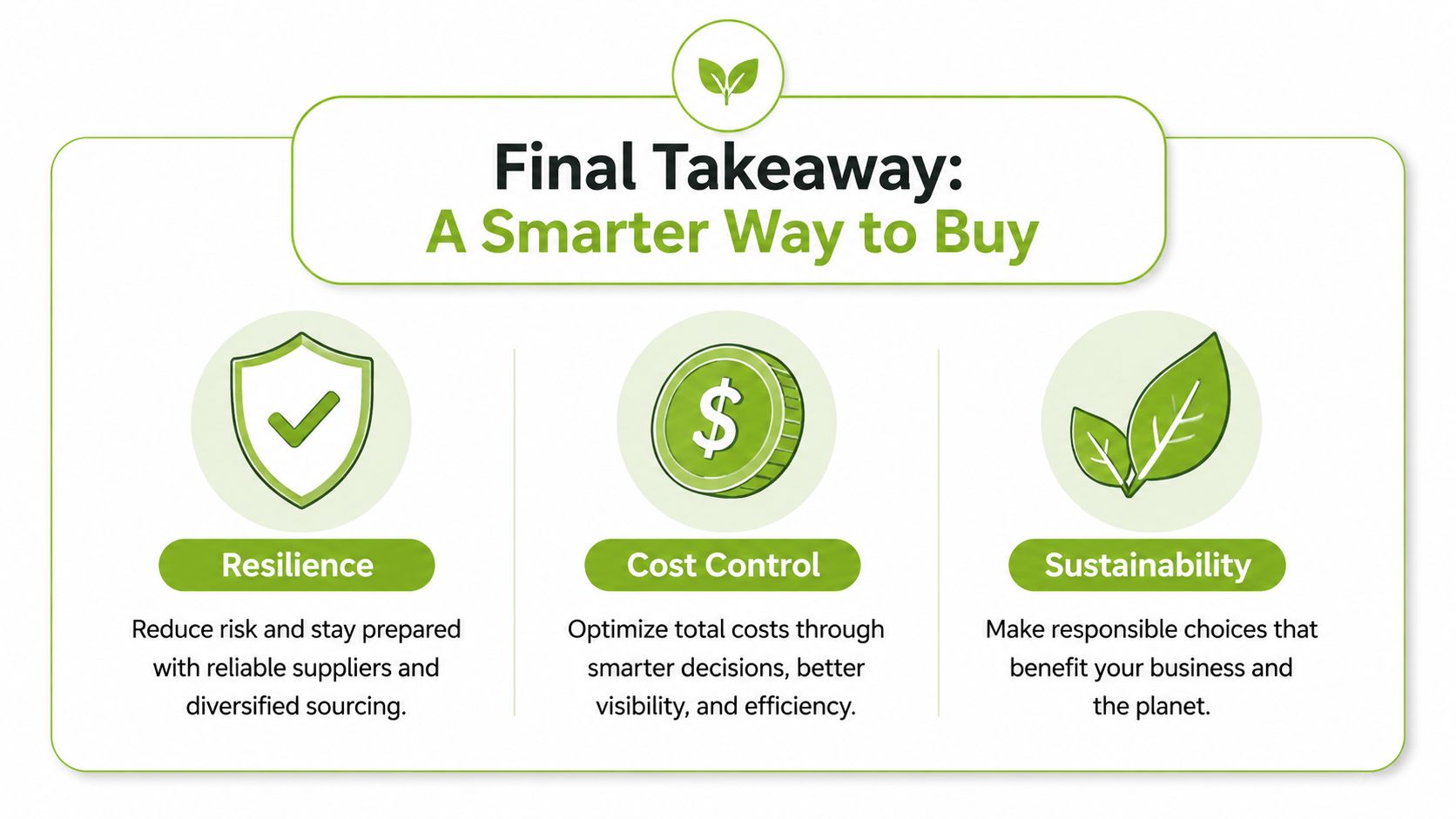
The right video editing laptop isn't the one with the most impressive badge. It's the one that handles your current footage, leaves sensible headroom for the next project and remains supportable when the battery, storage or software needs attention.
Singapore's business demand is increasingly digital. IMDA reports that SME adoption of at least one digital solution for general business functions rose from 69% in 2021 to 82% in 2023, while adoption of at least one sector-specific solution recommended in Industry Digital Plans reached 85% in 2023, up from 61% in 2021. The Singapore Digital Economy Report 2024 supports a practical conclusion: laptops now support core business workflows, not just occasional content projects.
Earlier IMDA reporting also recorded SME technology adoption rising from 73.8% in 2018 to 94.3% in 2022, according to the Singapore Digital Economy Report 2023. That makes resilience and lifecycle support procurement concerns. A laptop that can be repaired, upgraded, reassigned or responsibly recycled may create more value than a faster machine that gets replaced early.
myhalo's role as a technology lifecycle partner includes options such as Certified ReLoved, Certified Surplus, RescueAdvise and the mylo AI Assistant, alongside new devices. Its ISO 27001 Certified processes are relevant when businesses handle client footage and device data, while transparent grading and battery health disclosure help buyers make a more informed comparison.
The decision rule is simple: choose the lowest-cost configuration that handles your heaviest regular project, then protect its useful life through repair, upgrades, reuse and responsible recycling.
If you're choosing a video editing laptop in Singapore, visit myhalo to compare new, Certified ReLoved, Certified Surplus and As-New options against your actual workload. Ask myhalo for configuration guidance, lifecycle support and a device path that includes what happens when your current laptop is ready for repair, reuse or recycling.