





Expert Tablet Repair Singapore: Fast & Reliable Service 2026
A broken tablet usually creates the same chain of questions in a few seconds. The screen is cracked, the device won't charge, or it keeps freezing right before a class, meeting, delivery run, or family trip. You're not thinking about repair theory. You want to know if it's fixable, whether your data is safe, how long you'll be without it, and if paying for repair still makes sense.
Such is the nature of tablet repair in Singapore. Customers often don't start calm and analytical. They start annoyed, worried, and half-convinced they may need a new device. In practice, many tablet problems are more manageable than they first appear, but the outcome depends on the fault, the parts used, and the shop's process.
Table of Contents
Your Tablet Is Broken What Happens Now
A common walk-in situation goes like this. Someone drops an iPad or Samsung tablet getting out of a taxi, the corner takes the hit, and the display still lights up but touch starts acting strangely. Another customer plugs in a tablet overnight, wakes up, and finds it still dead at one per cent or completely unresponsive.
The first thing to do is slow down and separate the problem into categories. Is it physical damage, a power issue, or a software problem? A cracked front glass isn't the same as a damaged display panel. A tablet that won't charge may have a worn cable, a dirty port, a weak battery, or board-level damage from liquid or impact.
Practical rule: Don't force a restart over and over, keep charging with random adapters, or press on a swollen screen. Those habits can turn a routine repair into a more expensive one.
Most customers also underestimate the data side. If the tablet contains school files, signed PDFs, business apps, family photos, or banking access, your repair decision shouldn't focus only on the cheapest quote. It should focus on three things together: recoverability, data safety, and remaining device lifespan.
That's how experienced technicians look at tablet repair Singapore cases. The fault matters, but the context matters just as much. A student's note-taking tablet, a delivery fleet device, and a child's media tablet can all have the same cracked screen and still need different advice.
Common Tablet Faults and Simple First Checks
Some faults need a bench test straight away. Others can be narrowed down safely at home in a few minutes. The goal isn't to fix everything yourself. It's to avoid wasting time and to describe the issue clearly when you bring the device in.

Screen damage and touch issues
A cracked tablet doesn't always need the same repair. Sometimes only the outer glass is damaged. In other cases, the LCD or OLED panel is also affected.
Look for these signs:
- Visible lines or ink-like blotches: The display panel is likely damaged, not just the glass.
- Dead touch zones: If one side doesn't respond, the digitiser layer may be compromised.
- Flicker or brightness shifts: The impact may have affected the panel connection or the panel itself.
- Lifting at the edge: Stop pressing it down. Battery swelling or frame distortion may be involved.
If the tablet still works, avoid applying tape directly over exposed shards unless you need it safe for transport. Tape can help contain loose glass, but it doesn't protect the display underneath from further pressure damage.
Battery, charging, and power faults
Power problems often get misdiagnosed. Before assuming the battery has failed, try a controlled check.
- Use a known-good charger and cable: Prefer the original set or one you trust.
- Inspect the charging port with a torch: Pocket lint and dust often block proper contact.
- Leave it charging for a while: Severely drained batteries may not respond instantly.
- Check for heat: Warmth during charging suggests power is entering the device, even if the screen stays dark.
If your tablet's battery drains unusually fast, shuts down at random, or drops charge during light use, a battery issue becomes more likely. For readers comparing symptoms, this guide on iPad battery replacement signs and options helps explain what battery wear looks like in everyday use.
Software problems that look like hardware faults
Not every frozen tablet has damaged hardware. System crashes, failed updates, storage issues, and app conflicts can mimic serious faults.
Try these simple checks:
- Force restart the device: This clears temporary system hangs.
- Remove recently added accessories: Some keyboards, docks, or cases can interfere with charging or wake behaviour.
- Check whether the screen is on but dim: Some users think the tablet is dead when brightness has dropped or the display is stuck.
- If it boots intermittently, back up immediately: Don't wait for it to fail again.
If a tablet restarts only when plugged in, the battery may be weak, but it can also mean the charging circuit is unstable. That's a workshop diagnosis, not a guessing game.
Repair vs Replace The Singaporean Context
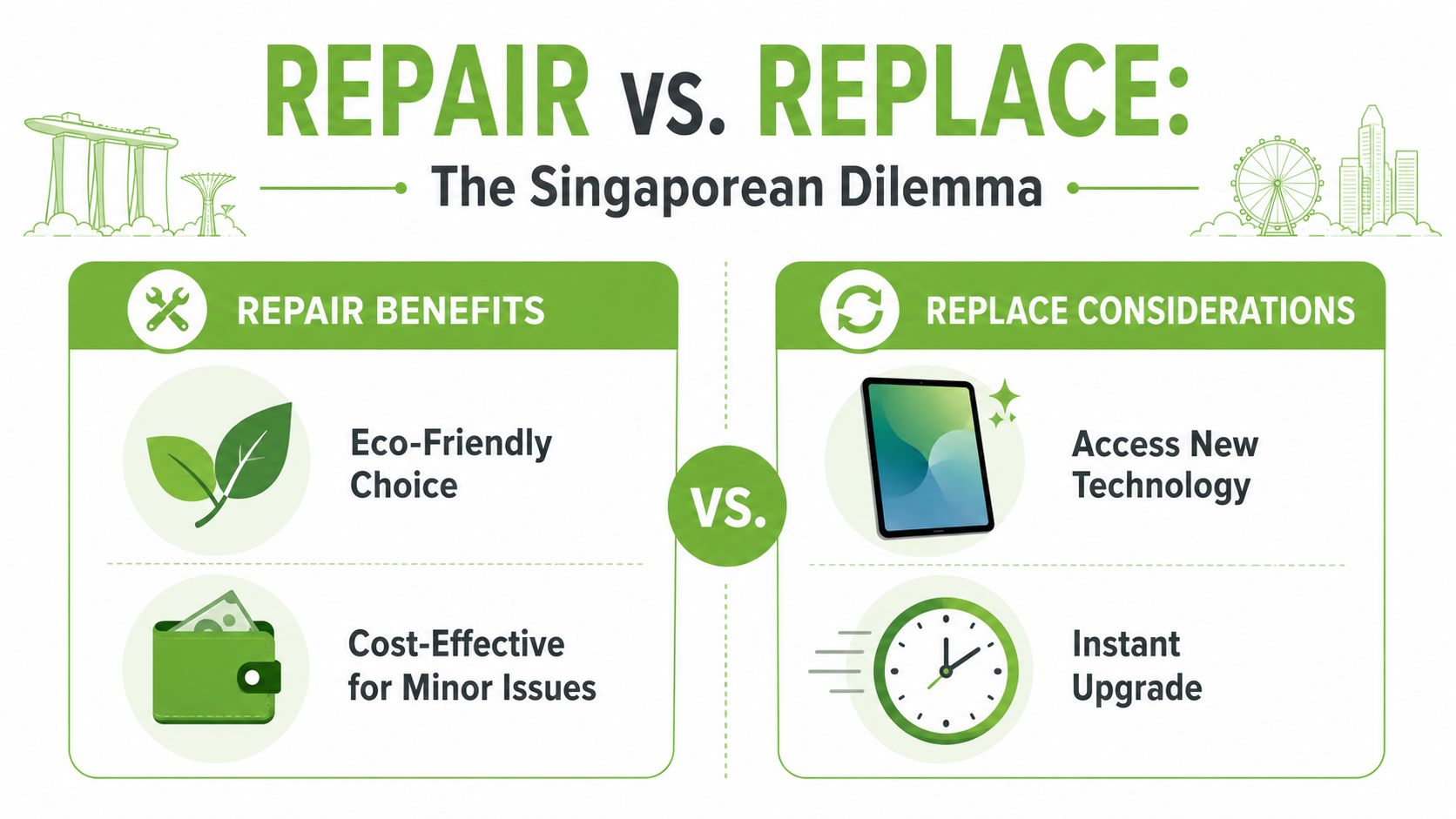
The question usually isn't “Can this be repaired?” It's “Should I repair it?” In Singapore, that decision often comes down to how you use the device day to day, how much life it still has, and whether the fault is isolated or part of a larger decline.
Cost versus useful life
A repair makes sense when it restores the tablet to stable daily use without exposing you to repeat failures soon after. A screen replacement on a tablet that still performs smoothly can be sensible. The same repair on a device with poor battery health, charging issues, and limited software support may not be.
Consider car ownership: Replacing one worn part on an otherwise reliable vehicle is normal maintenance. Replacing several major parts on a car you no longer trust feels different.
A lot of customers benefit from comparing repair against a professionally restored replacement option, especially when they need predictable warranty coverage. If you're weighing that route, browsing refurbished iPad options in Singapore helps put the decision into real-world context.
Age, support, and daily use
Tablet age isn't just about the purchase date. It's about what the device still handles comfortably.
Ask yourself:
- Performance: Does it still open your main apps without lag that disrupts work or study?
- Battery behaviour: Is battery life a single issue, or one of several issues?
- Accessory compatibility: Do your keyboard, stylus, or work apps still function properly?
- Software support: Are you already missing app updates or key security updates?
A parent buying time for a child's streaming and homework tablet may decide differently from a designer who uses a Galaxy Tab with stylus input every day. The same cracked display can represent a minor inconvenience in one case and a workflow blocker in another.
When replacement makes more sense
Some patterns usually point towards replacement.
- Multiple stacked faults: Cracked display, weak battery, and charging issues together often change the value equation.
- Intermittent board behaviour: Random shutdowns after impact or liquid exposure can be harder to trust long term.
- Usage needs have changed: If you now need more storage, better multitasking, or newer accessory support, repair may only delay an upgrade you already need.
Repair is strongest when the problem is isolated. Replacement makes more sense when the tablet's weaknesses are spreading across hardware, battery, and software at the same time.
Environmental impact matters too, even if people don't always say it first. Extending a functioning tablet's life usually avoids unnecessary waste. But keeping an unreliable device alive through repeated stopgap repairs isn't sustainable either. The better choice is the one that gives you stable use, not just the lowest immediate bill.
Navigating Repair Costs and Turnaround Times
Customers usually ask for a quote first, but a useful quote has to reflect the type of damage, the part quality, and the amount of work involved. A simple glass-only repair, a full display assembly replacement, and a board-level charging fault aren't interchangeable jobs.
What affects the quote
The final repair cost usually moves based on a handful of practical variables.
- Tablet model: Newer iPads and premium Samsung tablets often use more expensive display assemblies.
- Repair depth: A charging port replacement is different from a charging fault on the motherboard.
- Part standard: Better displays tend to have better colour, brightness, touch response, and fit.
- Frame condition: Bent housings can complicate screen installation and sealing.
Time matters as much as price for many people. In Singapore, fast turnaround is a clear market norm. Multiple repair providers advertise 30 to 90 minutes for tablet repairs, one states that 90% of repairs can be done on-the-spot, and another says common repairs can take up to 60 minutes, according to Samsung tablet repair service timings in Singapore. That tells you what customers now expect locally. Short downtime, quick diagnostics, and walk-in convenience.
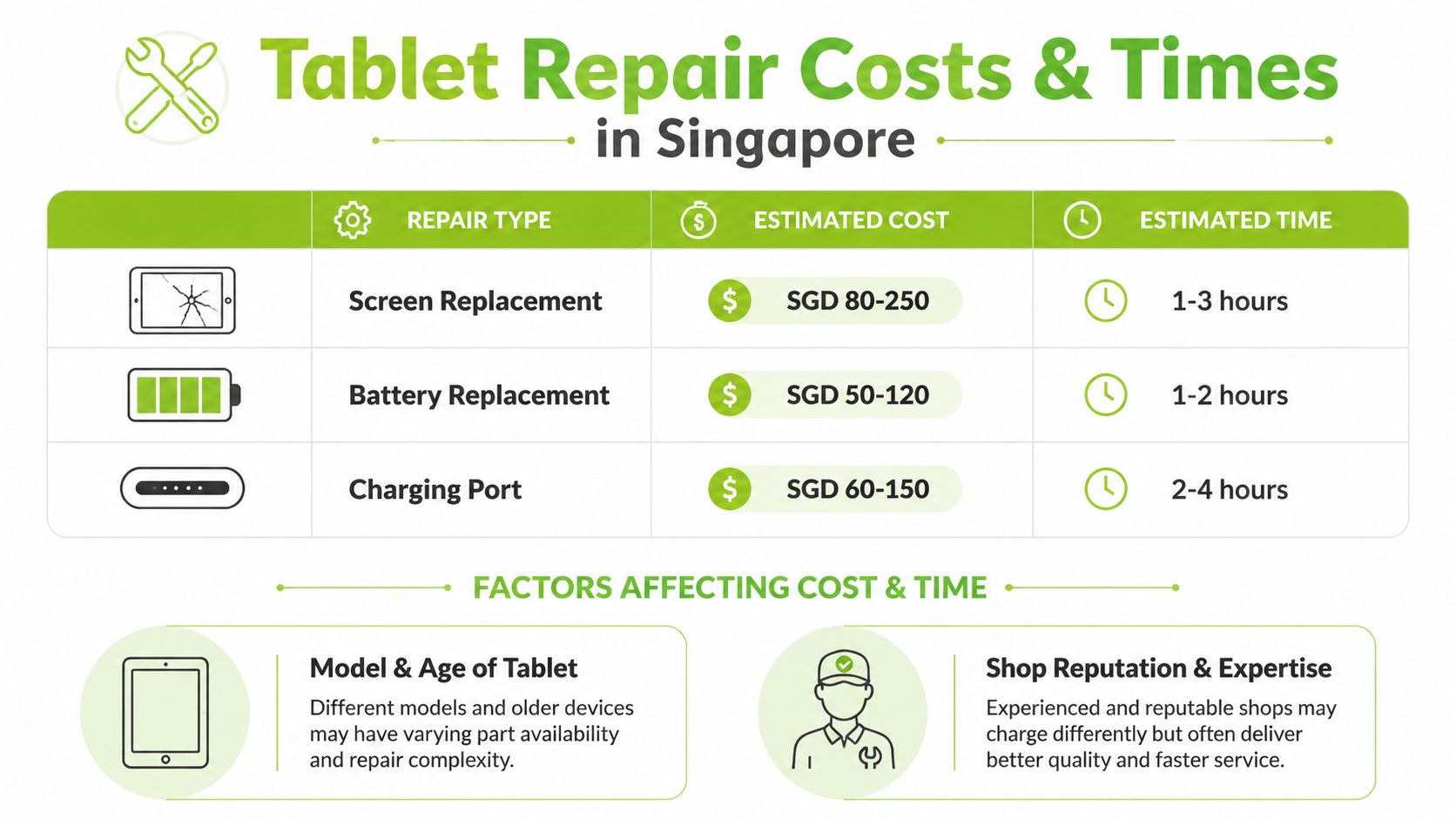
Estimated Tablet Repair Costs & Times in Singapore 2026
The table below reflects broad market-style estimates for common jobs. Treat it as a starting point, not a guaranteed quote.
| Repair Type | Estimated Cost (SGD) | Typical Turnaround Time |
|---|---|---|
| Screen Replacement | SGD 80-250 | 1-3 hours |
| Battery Replacement | SGD 50-120 | 1-2 hours |
| Charging Port | SGD 60-150 | 2-4 hours |
A few cautions matter here. First, “screen replacement” can hide big differences in panel quality. Second, some jobs that look like battery or charging issues turn out to be board faults. Third, same-day repair is common in Singapore, but uncommon parts or hidden internal damage can still extend the job.
A fast repair is useful only if the technician also checks touch response, charging stability, cameras, speakers, and post-repair fit. Speed without testing creates comeback cases.
If a shop gives a very low quote without explaining part quality, warranty terms, or what happens if the diagnosis changes after opening the unit, that's not a transparent estimate. It's just an opening number.
Choosing a Repair Service What Matters Most
The shop you choose affects more than the bill. It affects whether your tablet comes back properly aligned, whether the screen looks right, whether Face ID, cameras, speakers, stylus input, or charging still behave normally, and whether you've got any recourse if the repair fails later.

A cheap quote can cost more later
The easiest mistake is choosing on price alone. Tablet displays are especially sensitive to part quality and installation quality. Poor bonding, inconsistent touch layers, weak colour reproduction, or low-grade panels can create problems that don't show up at the counter but appear after a few days of use.
Warranty length is one practical clue. In Singapore, repair providers advertise warranties ranging from 90 days to 1 year, with examples including 100-day and 1-year coverage, and some specifically note original-grade AMOLED or OEM-style replacement parts for Samsung tablet screens, as shown on Singapore tablet repair warranty and parts listings. That combination matters because tablet screens aren't just pieces of glass. They involve display calibration, touch sensitivity, panel bonding, and heat management.
A short or vague warranty isn't automatically wrong, but it should make you ask better questions.
- What exactly is covered: Part failure only, or labour too?
- What part is being installed: OEM-style, original-grade, or generic aftermarket?
- What tests are done before handover: Touch grid, brightness, charging, cameras, speakers?
- What happens if extra damage is found inside: Will they call before proceeding?
What a reliable repair process looks like
A trustworthy repair flow is organised. The technician checks the symptom, inspects the frame and internals, explains the likely fault, outlines risks, and confirms whether your data or settings might be affected.
For customers who want a retail-and-repair option with structured processes, mobile phone and device repair in Singapore is one example of how a service provider presents device support alongside broader aftercare. myhalo also states that its devices go through 30 quality checks under an ISO 9001:2015-certified process, and it offers programmes such as myhalo Protect and myhalo e-Xtender for customers who want longer-term coverage and maintenance support.
This is also worth watching if you're comparing how repair workflows and service expectations are typically explained to customers:
What doesn't work well? Vague promises, no written quote, no discussion of part grade, and no clear statement about warranty exclusions. A tablet repair should feel documented, not improvised.
How to Prepare Your Tablet for a Smooth Repair
A little preparation saves time at the counter and reduces risk around privacy, activation locks, and missing accessories. Many delays happen because the device arrives without the right passcode access or because key protections are still enabled.
Your pre-repair checklist
-
Back up your data first
Use iCloud, Google backup, or a computer backup if the tablet still powers on. If the tablet is unstable, prioritise photos, notes, chat exports, and work files first. -
Remove SIM and memory cards
Tablets with SIM trays or microSD storage should be cleared before handover. Small items go missing easily when people are stressed. -
Disable activation locks if required
Features such as Find My iPad or Google's Factory Reset Protection can block testing or post-repair setup. Don't disable them unless the shop has explained why it's necessary. -
Know your passcode
If the issue affects touch input, tell the technician before they start. Don't assume they can test everything without access. -
Remove the case and note existing damage
Heavy-duty cases can hide bent corners, loose buttons, or previous repair signs. Mention them upfront.
Before handing over the tablet, take a quick photo of the front, back, corners, and any visible damage. It helps both you and the shop if there's any dispute about pre-existing condition.
If you're worried about privacy, ask whether the repair can be completed without accessing your personal content. In many hardware repairs, that's possible. In some cases, function testing still needs limited access.
Frequently Asked Questions for Singapore Customers
A few concerns come up repeatedly at the counter, especially when the tablet holds work data or the customer has never used an independent repair service before.
Will my data be wiped during repair
Not always. Many hardware repairs, such as screen, battery, or charging port work, can often be completed without wiping the device. But there's never a responsible technician who should promise that data risk is zero. If the tablet is unstable, badly damaged, or may need software restoration during testing, backup first whenever possible.
What if the tablet can't be fixed
A proper shop should tell you why. Common reasons include severe board damage, liquid corrosion, unavailable parts, or a repair cost that no longer makes financial sense. What matters is whether the diagnosis is clear and whether the device is returned with an honest explanation instead of guesswork.
Do repair shops use original parts
Terms vary, and customers should ask for plain language. “Original”, “original-grade”, “OEM-style”, and “aftermarket” don't all mean the same thing. The important point is how the part performs in real use, how it fits, and what warranty supports it. For premium screens, colour accuracy, touch behaviour, and bonding quality matter more than marketing labels alone.
How do I know if a warranty is meaningful
Read what it excludes. A useful warranty should state the coverage period, the failure types covered, and whether labour is included. If the tablet is repaired quickly but the screen later shows touch drift, colour issues, lift, or charging instability, you need to know exactly what the shop will do next.
A good tablet repair experience in Singapore should leave you with three things: a working device, a clear record of what was done, and confidence that you won't be arguing over responsibility if something fails shortly after.
If your tablet is cracked, not charging, or no longer reliable enough for daily use, myhalo is one place to compare repair support, refurbished replacement options, trade-ins, and aftercare in Singapore. That gives you room to choose based on device lifespan and data safety, not just the lowest upfront quote.