





How to Sell My Phone in Singapore for the Best Price
You've probably got an old phone sitting in a drawer right now. It still powers on, the screen might be fine, and you keep meaning to deal with it after your next upgrade. Then you check a few listings, see wildly different prices, and realise selling a phone in Singapore isn't just about posting a photo and waiting.
If you want the best result when you sell my phone becomes an actual task on your list, you need to handle three things properly. Value, presentation, and risk. Most sellers focus only on the model name. Experienced buyers don't. They look at battery health, cosmetic wear, activation status, repair history, timing, and whether you've done a proper wipe.
I've seen too many sellers lose money by guessing their price, hiding defects, or choosing the wrong channel for the outcome they want. A clean, organised sale usually gets you a better result than a rushed one. In Singapore, where buyers have plenty of options, details matter.
Table of Contents
- Determining Your Phone's True Value in 2026
- Prepare Your Phone for Maximum Appeal
- Back Up and Securely Wipe Your Data
- Choosing Your Selling Channel in Singapore
- Mastering Private Sales and Negotiation
- Post-Sale Essentials and FAQs
Determining Your Phone's True Value in 2026
Most sellers start with the wrong question. They ask, “How much did I pay for it?” The market doesn't care. Buyers care about what your specific phone is worth today, in its current condition, with its current battery, storage, colour, and timing.
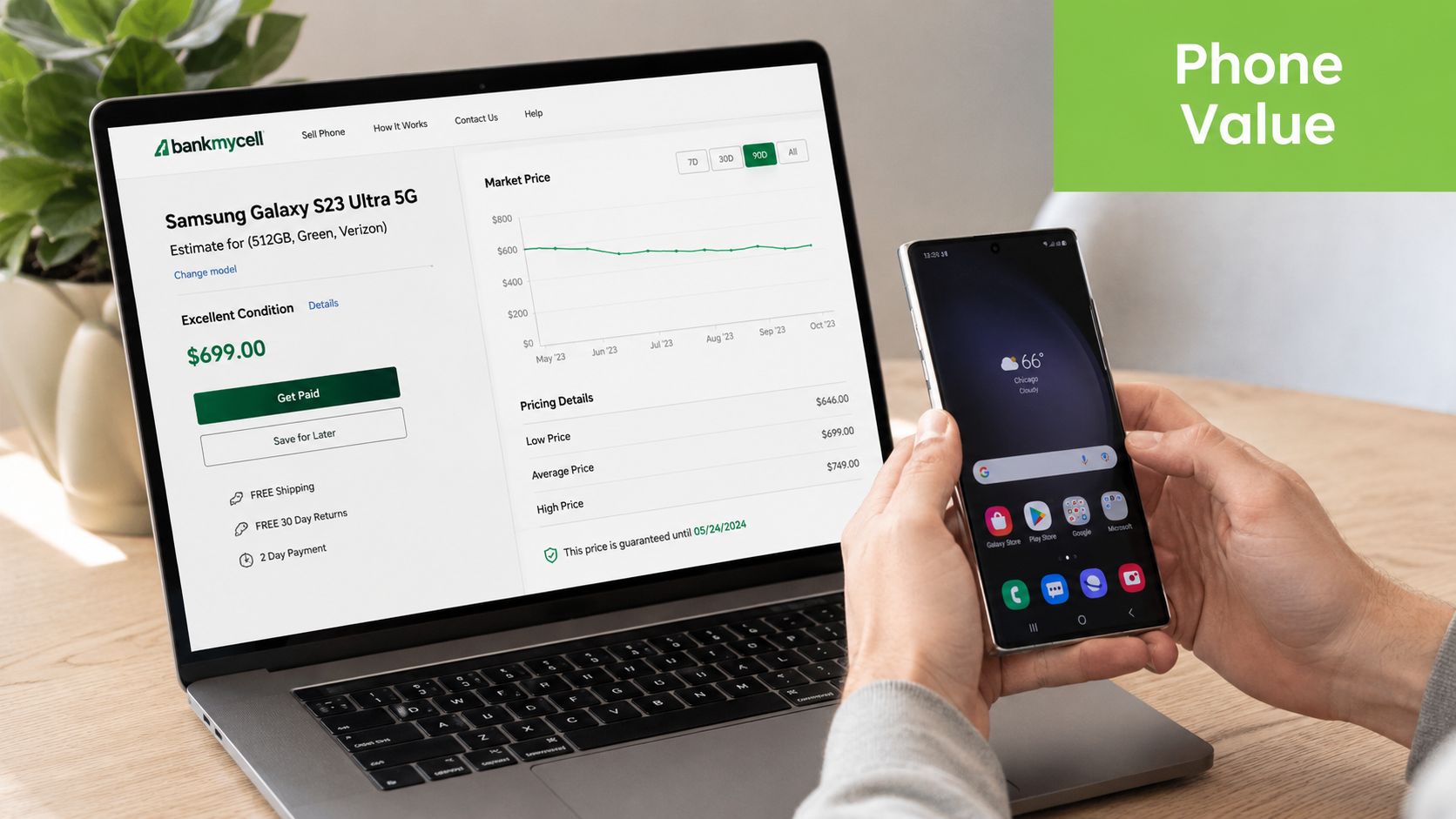
The fastest way to avoid overpricing is to get a baseline quote first, then compare that with active local listings. A quote gives you a floor. Marketplace checks show you the ceiling. Your realistic price sits somewhere in between.
Start with a baseline, not a fantasy price
Use an instant estimator or trade-in tool before you write your listing. That gives you a rough market anchor in seconds. After that, check sold-style pricing behaviour on local platforms by looking for the same model, same storage size, same colour, and similar visible wear.
If you're comparing channels, this guide to phone trade-in options in Singapore is useful because it frames the gap between convenience pricing and private-sale pricing. That gap is where many sellers either leave money on the table or waste time chasing an unrealistic number.
Practical rule: Price against comparable condition, not just comparable model.
A 256GB device doesn't move like a 128GB unit. A clean black or natural titanium model may attract interest differently from a less common colour. A device with a replaced screen may still sell well, but only if you disclose it clearly and price accordingly.
What changes the number in Singapore
A point many Singapore sellers miss is timing. It can be worth selling before a new launch because resale value can fall sharply as newer models arrive, and Singapore's trade-in market is active enough that condition, battery health, and storage capacity can materially affect payout, not just the model name, as noted in this trade-in timing reference.
That matters most with iPhones, but the same logic applies to flagship Samsung and Google devices. If a new generation is close, buyers start benchmarking your phone against incoming alternatives, and your negotiating room shrinks.
Here's the quick framework I use when valuing a phone:
- Model cycle: If a launch is near, sell sooner if cash value matters more than squeezing out a few more weeks of use.
- Battery health: Buyers treat weak battery performance as a future cost, even if the phone looks excellent.
- Storage tier: Higher storage often helps, but only if the condition supports a premium ask.
- Repair history: Replaced parts don't automatically kill value. Hidden repair history does.
- Network and account status: Carrier issues, activation locks, or incomplete sign-out can stall a sale immediately.
A common mistake is copying the highest listing you see and assuming that's the market. It often isn't. Many top-priced listings sit unsold because the seller is anchored to what they want, not what the next buyer will pay.
Prepare Your Phone for Maximum Appeal
A buyer decides very quickly whether your phone feels well-kept or troublesome. That judgement starts before they message you. Dust in the speaker grill, fingerprints on the camera lens, and vague descriptions make a device feel risky even when it works perfectly.
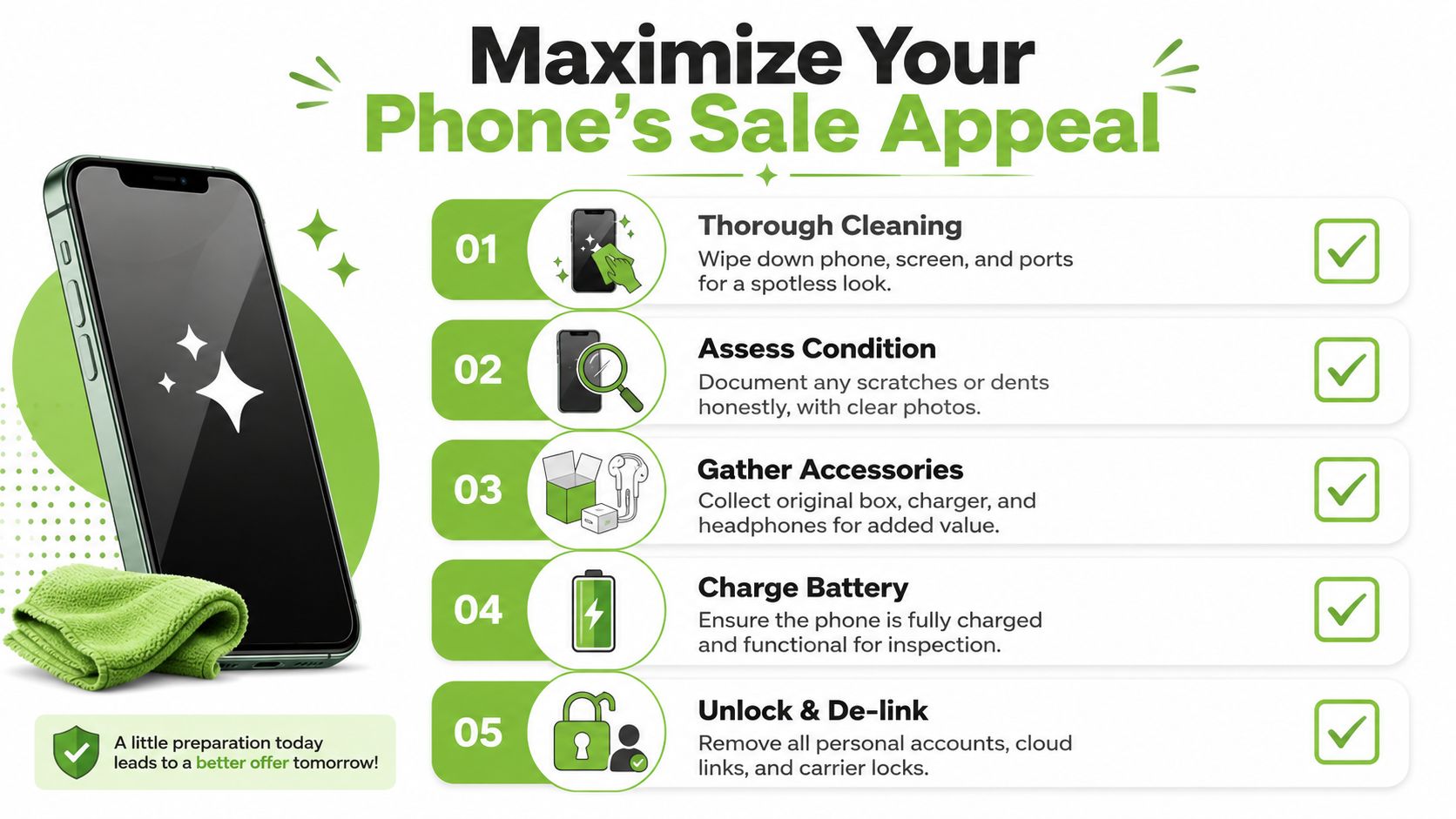
Good prep does two jobs. It improves first impression, and it reduces reasons for the buyer to bargain you down later.
A prep routine that prevents price drops
A structured pre-sale workflow matters. Guidance on sales process discipline notes that sellers do better when they back up and factory-reset, verify battery health, and disclose exact condition and accessories up front, because buyers anchor on verified value instead of uncertainty, as described in this sales process reference.
In practical terms, your prep checklist should look like this:
-
Clean the device properly
Wipe the screen and back. Clear lint from the charging port carefully. Clean the camera rings and speaker areas. Don't use a soaked cloth or anything abrasive. - Charge it before inspection A dead phone creates unnecessary doubt. Buyers want to test the display, cameras, buttons, Face ID or fingerprint recognition, charging, and speakers on the spot.
-
Gather the extras
Original box, charging cable, unused accessories, receipts, and warranty info all help the sale feel organised. They don't always transform the price, but they improve trust. -
Check what needs fixing first
If the screen has lifting, the battery drains unusually fast, or the charging port is unreliable, sort that out before listing. If you need help deciding whether a repair is worth doing, this resource on mobile phone repair in Singapore can help you judge whether repairing first makes financial sense.
Use honest grading, not flattering descriptions
Most disputes happen because the seller says “like new” when the phone is clearly not. A better approach is to grade it like a professional buyer would.
Use simple tiers such as:
| Grade style | What it should mean |
|---|---|
| As-New | Very clean body and screen, no meaningful wear visible in normal use |
| Premium | Minor signs of handling, no major dents or distracting marks |
| Excellent | Noticeable but moderate wear, fully functional |
| Value | Clear cosmetic wear, chips, dents, scratches, but still working properly |
If you need to explain away the condition in a long message, your asking price is probably too high.
Your photos should support the grade. Don't just show the front screen turned on. Include the corners, frame edges, rear glass, camera housing, charging port area, and a battery health screen if your device provides one. If there's a dent, photograph it clearly. Honest listings get fewer messages, but better ones.
Those looking to sell a phone usually think only about getting rid of the device. Smart sellers think about reducing friction. A buyer who sees clean photos, complete details, and realistic grading is more likely to commit without dragging the conversation into endless clarification.
Back Up and Securely Wipe Your Data
The most expensive mistake in a phone sale often has nothing to do with price. It's data exposure.
In Singapore, a 2021 study found that 54% of second-hand phones sold still contained personal data from previous owners, including emails and bank information. The same study found that 27 out of 50 tested SIM cards retained private information. That's why a casual reset isn't enough unless you complete the handover process properly and verify that your accounts are removed. Reputable retailers have responded by building certified data erasure into their trade-in workflows.
Why this step isn't optional
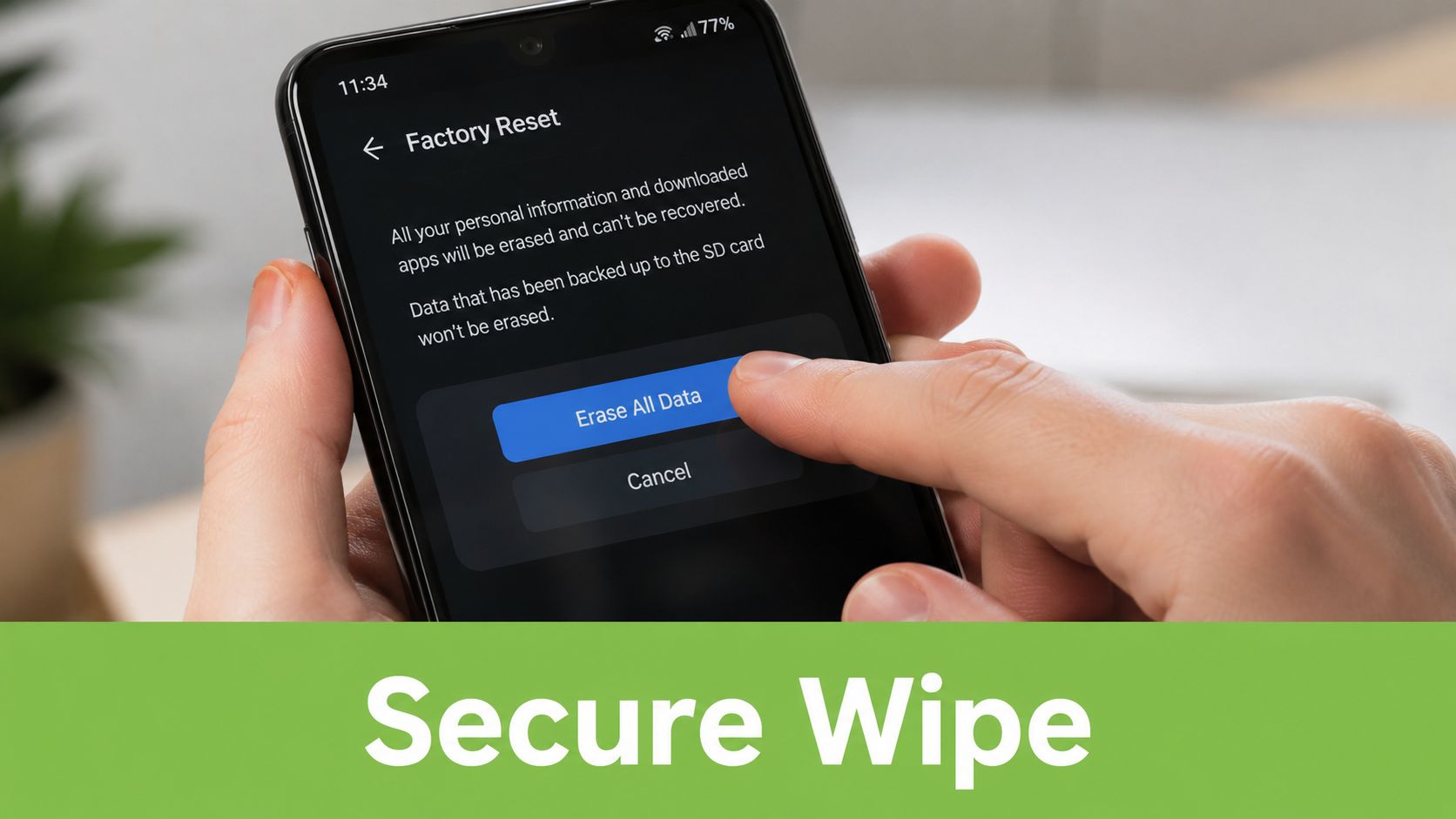
People often assume deleting photos and doing a quick reset solves everything. It doesn't, if the phone is still tied to your Apple ID, Google account, cloud backup session, device locator service, or eSIM settings.
That's where sellers get caught. The phone looks blank, but ownership controls and account links remain behind. The buyer can't activate it properly, or worse, fragments of personal information remain accessible.
A phone isn't ready to sell when the home screen is empty. It's ready when ownership has been fully released.
Back up first. For iPhone, that usually means iCloud or a computer backup. For Android, Google Drive or the manufacturer's backup tools are the usual route. Confirm the backup completed before you touch account settings.
Then remove your personal ties in the right order:
- Sign out of your Apple ID or Google account
- Disable Find My iPhone or equivalent device-finding tools
- Remove eSIMs or confirm the physical SIM is out
- Unpair wearables and accessories
- Turn off screen locks if needed for buyer inspection
- Run the full factory reset only after sign-out is complete
This walkthrough helps if you want to see the reset flow visually before you do it:
The safe handover checklist
The safest handover is boring. That's a good thing. No surprises, no account-lock drama, no “I'll reset it later” promises.
Use this final check before you pass the phone over:
- Backup confirmed: Open your backup location and verify the latest backup exists.
- Accounts removed: Don't assume. Check the settings pages and confirm sign-out succeeded.
- Activation lock cleared: If the next owner hits a lock screen, the sale becomes a support problem.
- SIM removed: Physical SIM out. eSIM removed from the device and carrier side where required.
- Factory reset completed: Wait for the setup screen. Don't hand over a phone that still opens to your apps or home screen.
- Proof retained: Keep your sale chat, receipt, or written confirmation for your own records.
For many sellers, this is the point where a managed trade-in becomes attractive. Not because they can't reset a phone, but because they don't want to gamble with privacy.
Choosing Your Selling Channel in Singapore
Sellers often don't fail at selling because they chose a bad price. They fail because they chose a bad channel for their priorities.
If your real goal is maximum payout, private sale usually gives you the most room. If your real goal is same-day convenience with less admin, trade-in or kiosk options fit better. Problems start when sellers want private-sale pricing with zero effort, or instant cash with premium valuation.
What each channel is really optimised for
Singapore has become much more comfortable with automated selling. The local kiosk market now handles over 100,000 transactions weekly, which shows how strongly people value speed and instant cash. The trade-off is that kiosk pricing often lacks the detailed cosmetic grading that can help cleaner devices earn more.
That doesn't make kiosks bad. It makes them specific. They're built for speed, not nuance.
A specialist trade-in route sits in the middle. It's usually faster and safer than dealing with strangers, while giving more room for proper grading than a machine-led assessment. That's where a service like myhalo's used iPhone selling flow in Singapore can make sense if you want a quote with less negotiation and clearer condition-based assessment.
If you're exploring the broader resale ecosystem beyond phones, this roundup of reseller apps for profit in 2026 is a useful reference for how different platforms are structured and what kind of seller each one suits.
Selling Channel Comparison
| Channel | Pros | Cons | Best For |
|---|---|---|---|
| Private marketplace sale | Highest potential asking price, direct control over listing, room to negotiate | More messages, more no-shows, more safety and payment risk, slower process | Sellers with time, patience, and a clean desirable phone |
| Retailer trade-in | Simpler workflow, less back-and-forth, clearer handover process, lower personal risk | Payout may be lower than an ideal private sale | Sellers who value convenience and certainty |
| Automated kiosk | Fastest route to cash, minimal conversation, accessible for straightforward devices | Less detailed grading, weaker payouts for well-kept phones, limited nuance | Sellers who prioritise speed above all else |
Choose the channel that matches your priority, not the one that sounds exciting on paper.
There's also a practical point many sellers miss. Some phones are poor candidates for private sale. Heavily used budget phones, older government-issued devices, or units with visible wear often attract tire-kickers rather than serious buyers. For those, convenience channels can save time and frustration.
On the other hand, a recent iPhone or Samsung flagship in clean condition usually deserves a more careful route, because grading and buyer confidence have a bigger effect on final value.
Mastering Private Sales and Negotiation
Private sales can pay more, but they punish sloppy execution. A weak listing attracts weak enquiries. A vague seller invites lowballing. A disorganised meetup creates doubt right when the buyer is deciding whether to proceed.
The goal isn't to sound like a salesperson. It's to sound credible.
Write a listing that filters out weak buyers
A good listing answers the buyer's serious questions before they ask. Include the exact model, storage, colour, battery health if available, repair history, included accessories, and clear defects. Keep the title direct. “iPhone 14 Pro 256GB Deep Purple, battery health shown, box included” is stronger than “Fast deal, cheap, good condition”.
Use your photos to prove the description. Show the setup screen or system info page where relevant. Show each side of the frame. Show the screen powered on and off. Buyers in Singapore move quickly when the information is complete.
You should also state your sale terms early. Meetup area, payment method, whether price is firm, and whether you'll reserve the phone only with confirmed timing. That removes a lot of wasted chat.
Negotiate without getting dragged around
Sales guidance suggests that addressing competitive alternatives early can raise the chance of closing by 49%, and that's relevant here when you already have a trade-in quote or another channel available, as explained in this phone sales guidance.
That doesn't mean bluffing. It means positioning. If a buyer knows you have a realistic backup option, they have less room to pressure you into an unreasonable discount.
Try this approach:
- Set an asking price with some room: Not an absurd buffer. Just enough space for a normal negotiation.
- State defects before they inspect: Hidden issues destroy trust and give the buyer an advantage.
- Use your fallback quote calmly: “I can trade it in if needed, so I'm not rushing below this range.”
- Confirm details in writing: Time, location, agreed price, model, and what's included.
Serious buyers respond well to clarity. Lowballers respond to hesitation.
For meetups, choose a public, well-lit place. MRT station entrances, mall atriums, or coffee shops with seating and cameras work well. Avoid isolated carparks and don't hand over the device before payment is confirmed. If using PayNow, wait until the transfer is visible and settled on your side.
If the buyer starts inventing new issues at the meetup to cut the price, don't argue for ten minutes. Either hold your line or walk away. The cleanest private sales are the ones where both sides know the terms before they meet.
Post-Sale Essentials and FAQs
Once the phone is sold, there are still a few loose ends to close properly. Skip them, and a completed sale can turn into follow-up messages, account confusion, or warranty misunderstandings.
What to do right after the sale
Keep a record of the transaction. That can be your marketplace chat, a screenshot of payment, or a short written note confirming the device model and sale date. If the phone was tied to any warranty, protection plan, or carrier service, check whether anything needs to be cancelled or transferred.
Then update your own digital housekeeping. Remove the old phone from trusted-device lists, Bluetooth pairings, banking app approvals, and any password manager device authorisations. The phone may be gone, but its access history can still sit inside your accounts.
Common questions sellers still ask
Can I still sell a phone with a cracked screen?
Yes, but price it around the defect and disclose it clearly. Some buyers want damaged phones for repair or parts. Hiding the crack wastes everyone's time.
Do I need the original box?
No. A phone can sell perfectly well without it. The box helps presentation and may improve buyer confidence, but it isn't essential if the phone itself is accurately described.
Should I repair the battery before selling?
Sometimes. For newer or higher-value devices, a healthier battery can make the listing easier to defend. For older phones, repair cost may not come back in the final sale price.
What happens to remaining warranty?
That depends on the brand, seller, and warranty terms. Some warranties follow the device, others depend on original proof of purchase, and some protection plans are non-transferable.
Is trading in better than selling privately?
It's better if you care more about speed, simplicity, and reduced hassle. It's usually not better if your only goal is squeezing out the highest possible price.
The best phone sale is the one that closes cleanly. Fair price, proper wipe, no drama, no call-backs.
If you want a simpler way to sell or trade in a device without managing listings, meetups, and condition disputes yourself, myhalo is one practical option in Singapore. You can check your device route, compare the convenience against a private sale, and choose the path that fits your time, risk tolerance, and expected value.