





Razer BlackShark V2: 2026 Singapore Review and Buying Guide
You’re probably looking at the razer blackshark v2 for one of two reasons. Either you’re tired of losing fights because you heard the enemy a split second too late, or you want a headset that works for gaming, Discord, classes, and calls without sounding like a cheap afterthought.
That’s why this headset line still matters. It isn’t just another flashy gaming accessory. The BlackShark V2 family has stayed relevant because it gets the basics right for competitive play: positional audio, a usable mic, and comfort that doesn’t punish you after a long night of ranked matches. In Singapore, there’s also a more practical question. Should you buy a brand-new unit, or is a professionally refurbished set the smarter move if you care about value?
Table of Contents
Why the Razer BlackShark V2 is Still an Esports Staple
In shooters, the difference between a clean clutch and a bad death often comes down to audio. You hear a reload behind cover. You catch a step on the left. You notice someone dropping from height before they swing. A headset that presents those cues clearly gives you information earlier, and earlier information wins rounds.
That’s where the razer blackshark v2 still earns its place. It has been around long enough to lose the hype cycle, which is usually a good sign. Gear that survives past the launch window tends to do so because people keep using it, not because the marketing team keeps shouting.
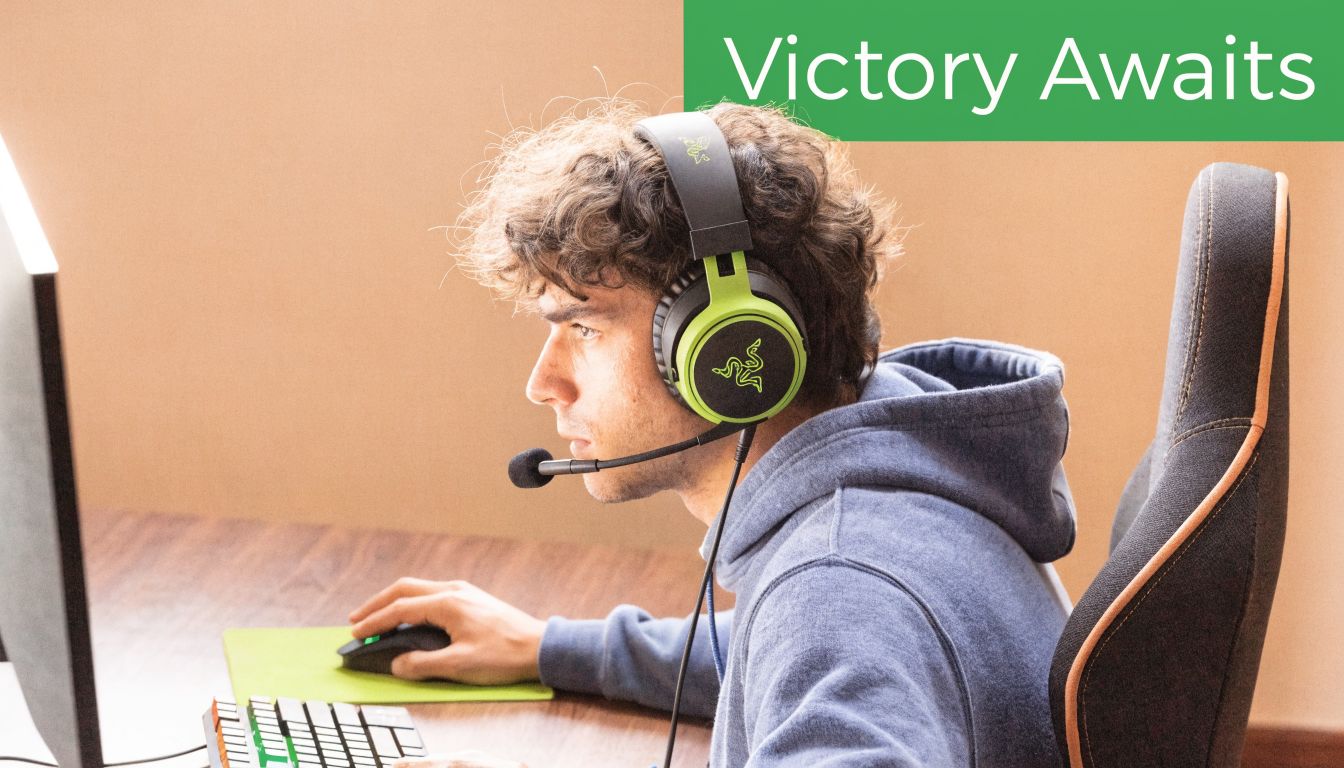
The appeal is simple. The BlackShark V2 line focuses on competitive priorities first, then adds lifestyle features after that. That’s the opposite of a lot of gaming headsets that chase RGB, exaggerated bass, or gimmicky branding.
What keeps it relevant
- Competitive tuning first: The BlackShark V2 has always made sense for players who care more about hearing placement than cinematic boom.
- A proper product stack: You’re not stuck with one version. There’s a wired V2, a lighter HyperSpeed model, a Pro model, and the more basic V2 X.
- Useful in Singapore setups: The line fits well whether you game at a desk, in a shared room, or move between gaming and work calls.
Practical rule: If you mostly play FPS titles, a headset should help you sort sounds quickly. If it makes everything bigger but not clearer, it’s working against you.
It also helps that Razer built this family around a clear identity instead of constantly reinventing it. If you like the BlackShark fit and sound philosophy, you can step up or down the range without relearning what the headset is trying to do.
For gamers comparing portable gaming setups as well, the broader ecosystem matters too. If you’re also deciding between a desk setup and handheld play, this Lenovo Legion Go guide is a useful companion read.
Deconstructing the BlackShark V2's Audio Engine
Queue into a ranked match and the audio test is immediate. Can you separate a footstep from gunfire, tell whether utility landed close or far, and react before the screen confirms it? That is the standard the BlackShark V2 has to meet, and for the most part, it does.
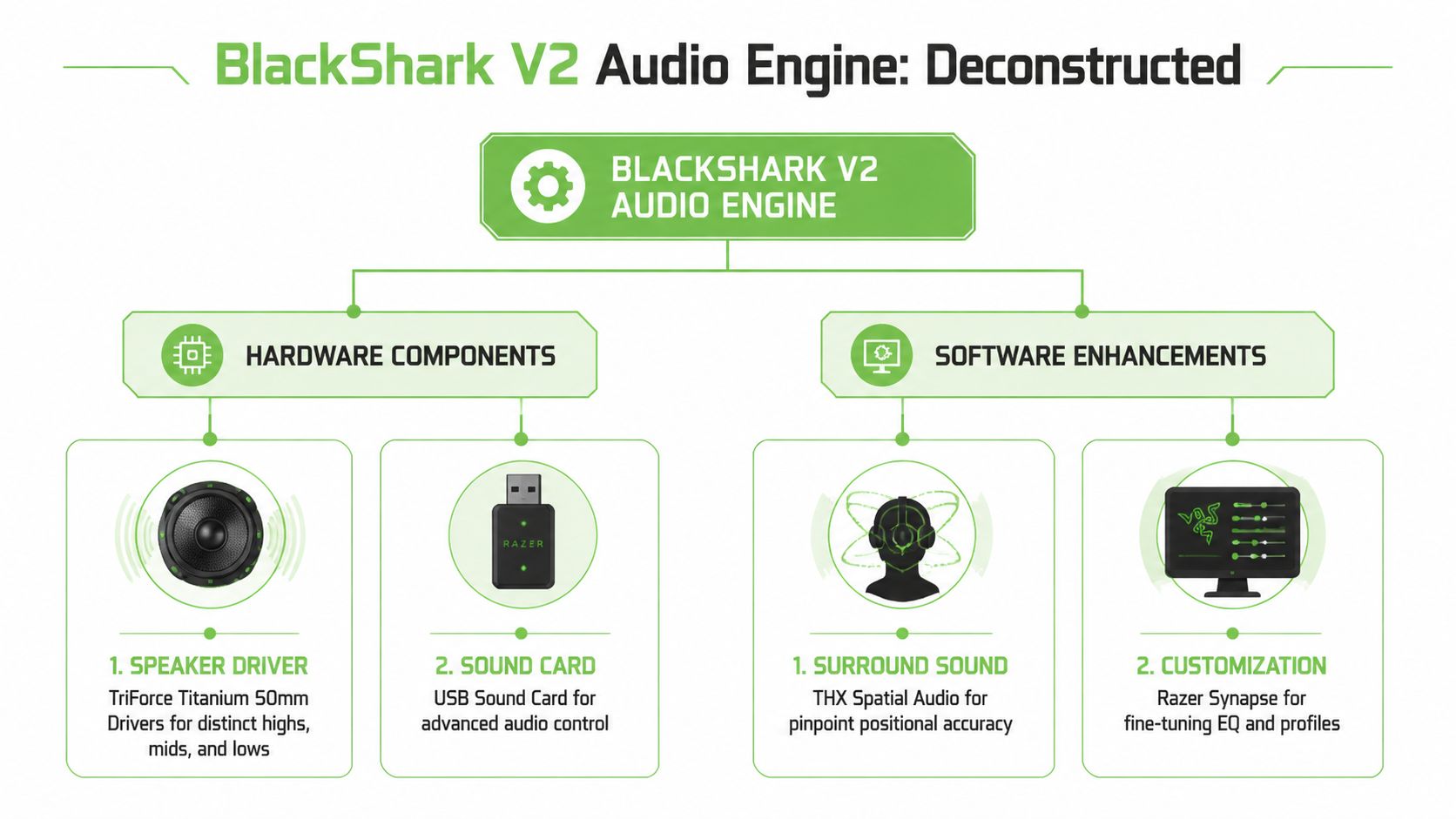
The wired model pairs Razer’s 50 mm TriForce titanium-coated drivers with a USB sound card that handles the PC-side processing. The hardware matters, but the tuning matters more. This headset is at its best when you want cleaner placement cues, not bigger explosions.
Drivers that prioritise separation
Razer markets the driver design heavily, but the practical benefit is simpler than the branding. The BlackShark V2 keeps different parts of the mix from crowding each other too much.
In shooters, that helps more than boosted bass ever will. Footsteps, reloads, and movement cues stay easier to pick out because the headset does not smear everything into one thick wall of sound. It still has enough low-end impact for casual play, but it is clearly tuned with competitive use in mind.
That tuning does come with a trade-off. For music or story-driven games, some listeners will find it less natural and less full-bodied than headsets or headphones that aim for a warmer sound.
The USB sound card is not just box filler
On PC, the included USB sound card is a real part of the package. It is required for the software features, including THX Spatial Audio and Synapse-based adjustments, and it usually gives the wired BlackShark V2 a more controlled presentation than plugging straight into a weak motherboard jack.
That does not mean THX turns every game into a wallhack for your ears. Good game audio still depends on the game engine, the mix, and your own familiarity with sound cues. What THX can do is make directional information easier to sort when the source material is already decent.
Use it with realistic expectations.
What matters in actual use
A lot of headset specs are there to sell the idea of performance. The BlackShark V2 earns its reputation in a more boring, more useful way. It stays readable under pressure.
For Singapore buyers, the wired setup also has a value advantage. There is no battery to age out, no charging routine, and fewer long-term failure points than a wireless model. That makes a difference if you are comparing a brand-new set against a myhalo refurbished unit and trying to keep total cost sensible over the next few years.
If you game mainly on PC, the full package makes the most sense. On console or through plain 3.5 mm, the headset still works, but part of what you paid for stays on the table because the software features are PC-focused.
Buy the BlackShark V2 for positional clarity and consistency. Do not buy it because titanium coating and THX branding sound impressive on a product page.
If your teammates say your voice is too quiet, software can help on the mic side after setup. ClearAudio's mic boosting guide covers the common fixes clearly.
Here’s the short version of what each part does:
| Part | What it actually changes |
|---|---|
| 50 mm drivers | Helps preserve detail and spacing so cues are easier to separate |
| USB sound card | Enables the software features on PC and can improve consistency versus poor onboard audio |
| THX Spatial Audio | Can improve directional awareness in supported games, but it will not fix bad game audio |
| Synapse profiles | Useful for players willing to tune the sound. Less useful if you want perfect plug-and-play results |
Audio Precision Mic Clarity and All-Day Comfort
Queue into ranked from a typical Singapore setup. Air-con humming, ceiling fan on, maybe traffic outside the window, maybe someone else in the room on a call. In that situation, a headset earns its keep with two things. Your teammates need to hear your callouts clearly, and you need to last through a long session without constantly adjusting the fit.
How it behaves in actual matches
The BlackShark V2 stays focused on usable information. That is why competitive players still rate it. It does not push huge bass for drama, and it does not smear smaller cues together. Footsteps, reloads, utility usage, and movement changes come through in a way that is easy to follow under pressure.
That tuning works well for Valorant, Counter-Strike, Apex Legends, and Rainbow Six. If your goal is faster reads rather than a bigger sense of spectacle, the BlackShark V2 is pointed in the right direction.
There is a trade-off. Music and single-player games can sound a bit restrained next to warmer, fuller headsets. Buyers who want one headset mainly for Spotify, movies, and casual gaming may prefer a less analytical sound.
The BlackShark V2 is strongest when clean callouts and readable cues matter more than cinematic punch.
Why the mic matters more in Singapore
The microphone is better than many budget buyers expect, and that matters locally. In HDB bedrooms, shared flats, and student setups, background noise is normal. The detachable boom mic does a respectable job keeping speech forward and limiting some of that room noise, especially once the USB sound card settings are dialed in on PC.
That does not make it broadcast-grade. It makes it dependable, which is what squad chat needs.
If your voice still sounds too soft after setting gain properly, ClearAudio's mic boosting guide is a practical fix. It covers how to raise level without turning your mic into a distorted mess.
For Singapore buyers comparing a new set with a myhalo refurbished unit, this is one of the areas worth checking closely. Ask whether the mic is included, whether the foam windscreen is fresh, and whether the detachable connection feels secure. A cheaper refurbished headset is only good value if the parts you use every day are still in good shape.
Here’s a closer look at how the headset is commonly discussed in use:
Comfort over long sessions
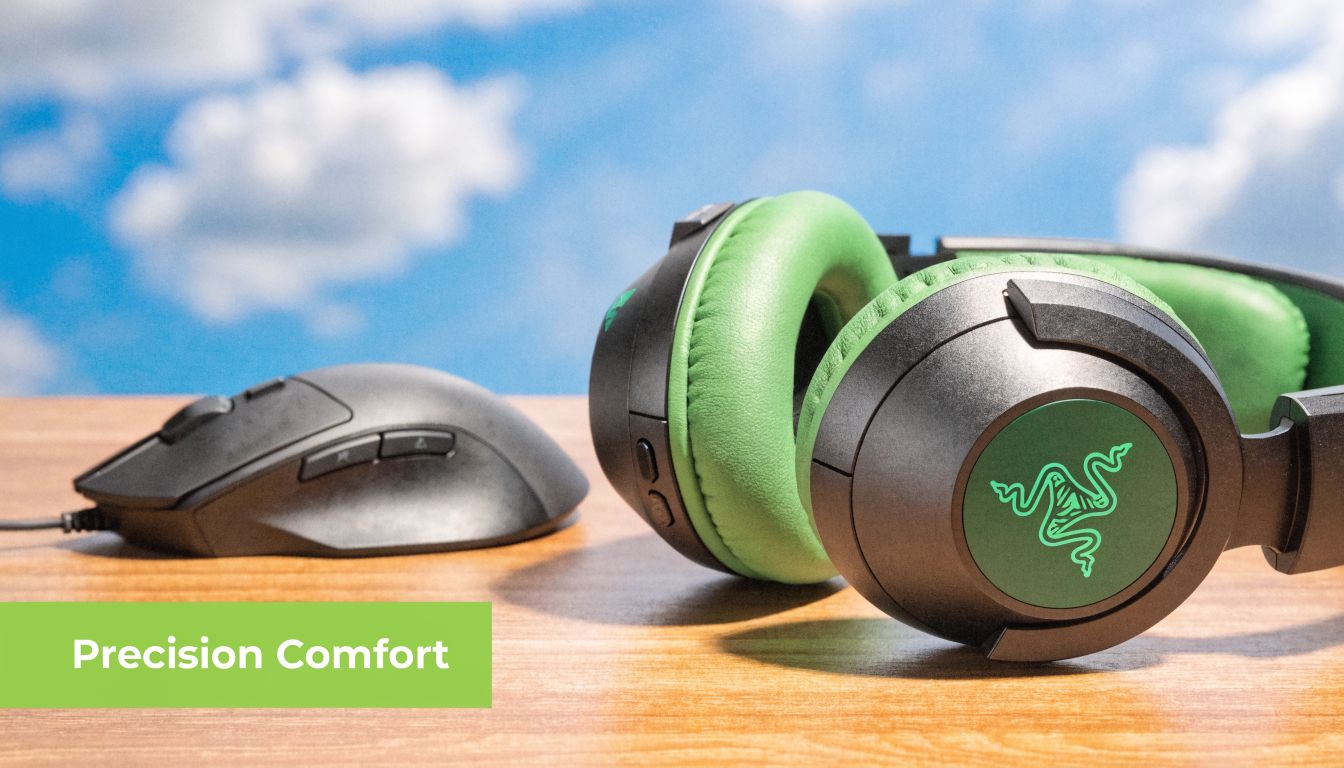
Comfort is one of the BlackShark V2’s better features. The headset avoids the overbuilt feel that makes some gaming models tiring after two or three hours. The ear cushions are soft, the headband spreads weight well, and the overall fit is easier to live with than many clamp-heavy alternatives.
That said, comfort is never universal. Players with larger heads may still want more room, and anyone who games in a warm room should expect the usual heat buildup that comes with closed-back pads. It is comfortable, not magic.
The practical takeaway is simple:
- For ranked play: Lower fatigue helps you stay focused deeper into a session.
- For shared spaces: Clear enough mic pickup matters more than flashy software tricks.
- For mixed daily use: The headset handles gaming, Discord, classes, and work calls well enough to justify the spend.
- For value hunters in Singapore: A clean refurbished unit can make a lot of sense, but only if the pads, mic, and cable condition are confirmed upfront.
That balance is why the BlackShark V2 still holds up. It gets the basics right where many cheaper headsets cut corners.
V2 Pro vs HyperSpeed vs X Whats the Difference
A lot of buyers in Singapore hit the same wall. You search “BlackShark V2,” see three or four versions with near-identical styling, then end up comparing names instead of actual use. That usually leads to overspending on features you will never use, or buying the cheapest model and regretting the compromises after a week of ranked play.
The short version is simple. BlackShark V2 X is the budget entry. BlackShark V2 is the safer wired pick for competitive players. BlackShark V2 HyperSpeed is the wireless sweet spot for many people. BlackShark V2 Pro is the premium wireless model if you want the fullest feature set and are prepared to pay for it.
Razer BlackShark V2 Model Comparison
| Feature | BlackShark V2 X | BlackShark V2 | BlackShark V2 HyperSpeed | BlackShark V2 Pro |
|---|---|---|---|---|
| Position in lineup | Entry-level | Core wired model | Lightweight wireless model | Flagship wireless model |
| Weight | 240 grams | Wired model, weight not listed here | 280 grams | 320 grams |
| Battery life | Not applicable | Not applicable | Up to 70 hours, fast charging supported | Up to 70 hours, fast charging supported |
| Connectivity | Wired | Wired 3.5 mm + USB sound card workflow | 2.4 GHz wireless + Bluetooth 5.2 | 2.4 GHz wireless + Bluetooth 5.2 |
| Spatial audio | 7.1 Surround Sound | THX Spatial Audio on supported Windows systems | THX Spatial Audio | THX Spatial Audio on supported Windows systems |
| Mic direction | Basic option in the family | Detachable boom mic | Bendable HyperClear Super Wideband mic | Removable HyperClear Super Wideband mic |
| Best for | Tight budgets | Wired competitive play | Players who want lower headset weight with wireless freedom | Players who want the fullest wireless feature set |
Data sourced from official Razer product pages, including the BlackShark V2 HyperSpeed and BlackShark V2 Pro.
Which one should you actually buy?
For pure value, the regular BlackShark V2 is still the model I would start with if you play mostly on PC and care about competitive shooters. Wired is less exciting on paper, but it removes battery anxiety, pairing issues, and long-term wireless wear. If you sit at a desk and just want consistent performance, that simplicity matters more than marketing copy.
The V2 X works for tighter budgets, but it is a cost-cut version, not a hidden gem. It is lighter and cheaper, which helps if you just need a functional headset for casual play, school, and Discord. The trade-off is that it feels more basic across the board, so serious FPS players will usually outgrow it faster.
The V2 HyperSpeed is the one that makes the most sense for a lot of wireless buyers. It keeps the headline features people care about, strong battery life, dual wireless options, and lower weight than the Pro. In real use, that lighter build matters. A headset can sound good, but if it starts bothering your neck during a long session, you stop caring about the spec sheet.
The V2 Pro is for the buyer who knows they want the top wireless BlackShark and is willing to pay the premium. It gives you the most complete package in the range, but the extra spend is not always the smartest spend. If the HyperSpeed is already meeting your needs, the Pro can feel like paying more for smaller gains.
That is where Singapore pricing matters. New retail pricing often puts the Pro close enough to other premium wireless headsets that it stops being an automatic recommendation. HyperSpeed usually lands in the more sensible middle ground. A clean refurbished unit can shift the math even more, especially if you buy from a seller that checks battery condition, dongle function, and microphone health properly. The same basic caution used for secondhand electronics applies here, and this guide on what to check before buying refurbished tech is a useful baseline.
If you want the blunt recommendation:
- Buy the V2 X if price is your main filter.
- Buy the V2 if you want the safest wired choice for competitive play.
- Buy the HyperSpeed if you want wireless freedom without jumping straight to the most expensive version.
- Buy the Pro if you want the flagship model and are comfortable paying extra for it.
For most budget-conscious buyers in Singapore, the decision is not Pro versus X. It is wired V2 versus HyperSpeed, or new versus properly refurbished. That is where the best value usually sits.
Saving Money with a Refurbished BlackShark V2
A lot of BlackShark coverage treats the buying decision as if everyone is shopping brand new. That isn’t how many people buy gear in Singapore, especially students, younger gamers, and anyone trying to stretch their budget without settling for junk.
That gap matters because the BlackShark V2 line includes wireless models, and wireless headsets introduce a different set of concerns from wired ones. Buyers worry about battery health, dongle reliability, microphone wear, and whether a used unit will start acting up after a few weeks.
Why refurbished matters more than most reviews admit
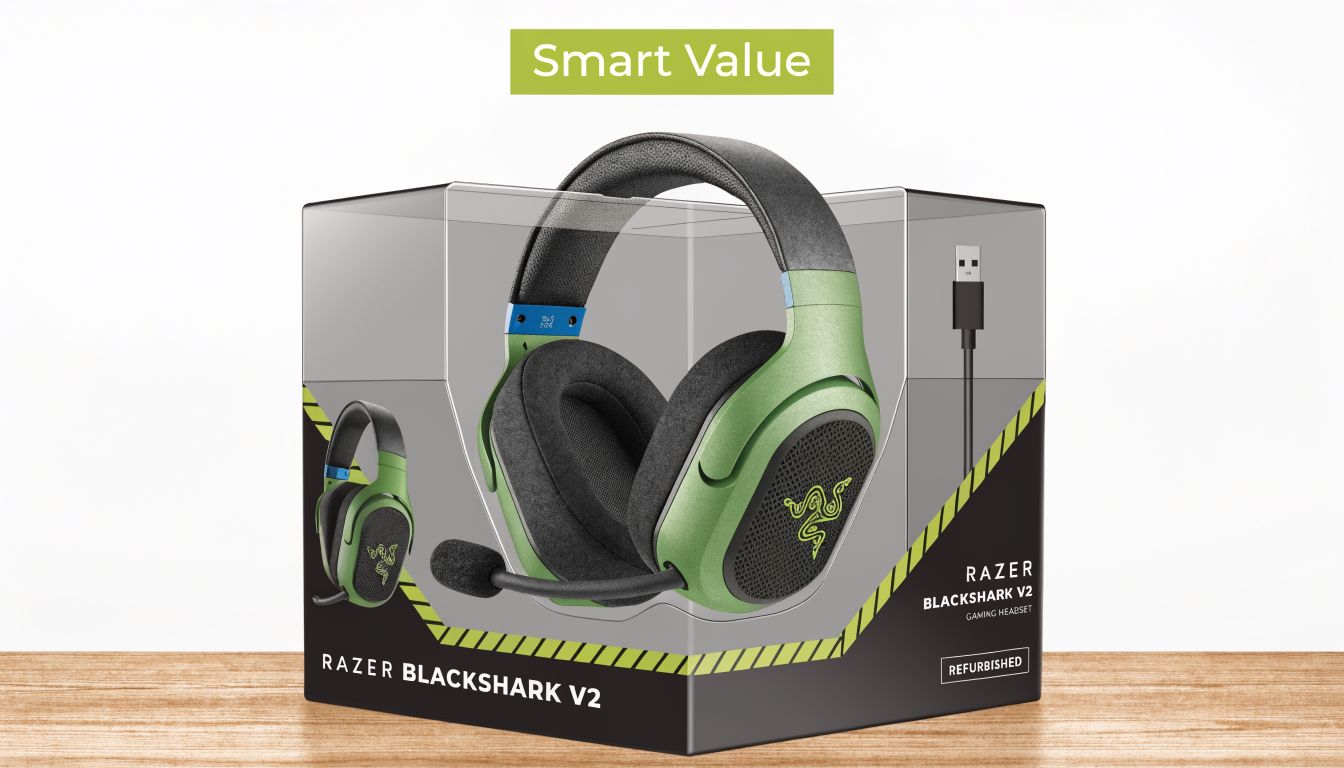
Existing reviews of the BlackShark V2 series focus almost entirely on new units, and there’s a clear gap around the long-term durability of parts like the battery and wireless module. That leaves budget-conscious Singapore buyers with incomplete advice, especially when a professionally refurbished and warrantied option can make much more sense, as highlighted in this discussion about the refurbished market gap for BlackShark V2 buyers.
That’s the reason refurbished can be the smarter route. Not because “used is cheap”, but because a properly checked unit can shift your value equation. You care less about unboxing and more about whether the headset has been inspected, cleaned, tested, and supported if something goes wrong.
What to check before you buy pre-owned
When looking at any refurbished razer blackshark v2, focus on the failure points that matter in real use:
- Wireless stability: Pairing should be consistent, with no random cutouts or flaky reconnection behaviour.
- Battery behaviour: For wireless models, charging should be predictable and the unit shouldn’t drain abnormally fast during normal use.
- Physical wear: Headband tension, ear cushion condition, and microphone attachment points tell you a lot about prior treatment.
- Accessory completeness: Dongles, detachable mics, and cables matter. Missing parts reduce value quickly.
- Return support: Refurbished only makes sense if there’s meaningful recourse when a hidden issue appears.
A practical buyer should also know what to inspect before buying any refurbished device, even beyond headsets. This guide on things to look out for before buying a refurbished phone covers the broader mindset well, and the same discipline applies here.
Refurbished is a good deal only when someone has already done the boring checks you don’t want to discover the hard way.
For wired BlackShark V2 buyers, refurbished is often easier to justify because there’s no battery wear to worry about. For wireless buyers, it can still be excellent value, but only if the seller treats testing as a process rather than a promise.
How the BlackShark V2 Stacks Up Against Competitors
The BlackShark V2 sits in a crowded part of the market. Most buyers comparing it aren’t deciding whether it’s good. They’re deciding whether it’s better for them than the usual alternatives from Logitech or SteelSeries.
That distinction matters. Headsets in this tier often trade blows rather than winning outright.
Where the BlackShark V2 wins
The razer blackshark v2 stands out when your priority is competitive readability. It tends to appeal to players who want a headset that helps them sort important game sounds quickly instead of wrapping everything in a warmer, more entertainment-focused presentation.
Its design language also helps. The headset looks gaming-oriented, but the shape is cleaner and less bulky than some rivals that feel oversized on the head. For many players, that makes the BlackShark line easier to wear across gaming, work calls, and day-to-day PC use.
Another advantage is lineup clarity. Once you understand the family, it’s easier to choose a version that matches your priorities, whether that’s wired simplicity, lower weight, or flagship wireless features.
Some competitors sound more dramatic. The BlackShark V2 often sounds more useful.
Where another headset may fit better
A Logitech alternative may suit you better if you prefer software ecosystems you already know and want a safer, more familiar tuning with fewer variables. A SteelSeries option may appeal if your top concern is a different comfort profile or you prefer its design and controls.
The BlackShark V2 also isn’t the universal pick for music lovers. If you spend more time listening to playlists than grinding competitive games, another headset or a proper pair of headphones may feel more balanced and less tactical.
So the trade-off is straightforward:
| If you care most about... | Better fit |
|---|---|
| Competitive FPS awareness | BlackShark V2 |
| General use with less gamer tuning | Depends on the competitor |
| Wireless choice within one product family | BlackShark range is strong |
| Music-first listening | Another headset may suit you better |
The BlackShark V2 wins when you know what you want. It’s less convincing when you want one audio product to satisfy every possible use equally well.
Buying and Caring for Your Headset with myhalo
If you’ve narrowed it down to the razer blackshark v2, the last step is choosing the version that matches how you play. For most desk-bound competitive players, the wired BlackShark V2 remains the easiest recommendation. For wireless buyers, the decision usually comes down to whether you value lower weight or the fuller flagship package more.
After buying, care is simple but worth taking seriously. Keep the ear pads dry, don’t yank the detachable mic in and out carelessly, and store the headset where the headband isn’t constantly under pressure from being wedged into a bag. Wireless models also benefit from sensible charging habits and occasional checks on dongle fit and connection stability.
Support matters too. If you’re buying refurbished or just want more peace of mind, quality control and aftercare are part of the product, not an extra. That’s why it’s worth understanding how myhalo’s device quality checks are structured before you commit.
A sensible buying path looks like this:
- Choose the right model first: Don’t pay for wireless if you’ll stay at one desk anyway.
- Decide whether refurbished suits you: Wired models are the lower-risk entry point if you’re cautious.
- Think beyond checkout: Warranty, exchange support, and repair options matter more than flashy launch promos.
The BlackShark V2 line has stayed relevant because it solves real gaming problems. It helps you hear what matters, communicate clearly, and stay comfortable long enough to focus on the match instead of your gear.
If you want a practical way to buy smarter in Singapore, browse myhalo for new and professionally refurbished tech, then compare the option that best fits your budget, gaming habits, and need for aftercare.