





Laptop Stickers Singapore: 2026 Ultimate Guide & Shops
You're probably looking at your laptop right now and thinking one of two things. Either the lid feels too plain, or you want to personalise it without wrecking the finish and regretting it at resale time.
That's the main question with laptop stickers in Singapore. They're fun, cheap, easy to buy, and everywhere from campus tables to café counters. But once you factor in humidity, daily commuting, heat, adhesive residue, and the fact that many people here upgrade or trade in devices fairly often, the smart choice isn't just about what looks good. It's about what still looks good later, and what comes off cleanly when you need it to.
Table of Contents
- Why Laptop Stickers Are More Than Just Decoration in Singapore
- A Guide to Laptop Sticker Materials and Types
- Local Channels for Custom Laptop Stickers
- How to Apply and Remove Stickers Without Damaging Your Laptop
- Ensuring Sticker Longevity and Device Safety
- Sustainable Choices and Protecting Your Laptop's Resale Value
Why Laptop Stickers Are More Than Just Decoration in Singapore
Walk into a co-working space in Bugis, a campus library, or a café full of people nursing iced kopi and deadlines, and you'll spot the pattern quickly. One laptop has a clean monochrome logo sticker. Another has a full collage of bands, memes, causes, and side hustles. A third keeps it minimal with one small decal near the corner.
That mix says a lot about how laptop stickers function for Singapore buyers in daily life. They aren't just decorative add-ons. They sit at the intersection of personalisation, identity signalling, and practical branding, which matches broader student sticker culture and the way people use visible designs to communicate interests and affiliations, as noted in this campus profile on laptop sticker culture.
A laptop lid acts like a public-facing surface
In Singapore, laptops travel. They go from lecture halls to MRT rides, then into offices, cafés, shared desks, and meeting rooms. That makes the laptop lid a surprisingly visible surface.
For students, stickers often show taste, fandom, clubs, or causes. For freelancers and small businesses, the same space can act like a small-format brand asset. A logo, a tagline, or a well-designed icon can make a device recognisable without the cost or commitment of larger promo materials.
Practical rule: If a sticker will be seen from across a table, it's part style choice and part communication tool.
That's also why niche stickers have staying power. If you like fandom designs, something like Dean Winchester laptop decals shows how specific people get about what they want on a device. The point isn't the fandom itself. It's that the laptop lid becomes a way to say, “this is me,” without saying a word.
It also reflects what kind of consumer you are
Sticker choices can signal values too. Some people want full visual expression. Others want clean removability because they know they'll sell the laptop later. That's part of a wider device-lifecycle mindset, especially if you care about repair, reuse, and less waste. If that resonates, this guide on building a zero e-waste world is worth a look.
The better way to think about stickers is simple. You're not just decorating a lid. You're making a decision about appearance, use, maintenance, and eventual exit.
A Guide to Laptop Sticker Materials and Types
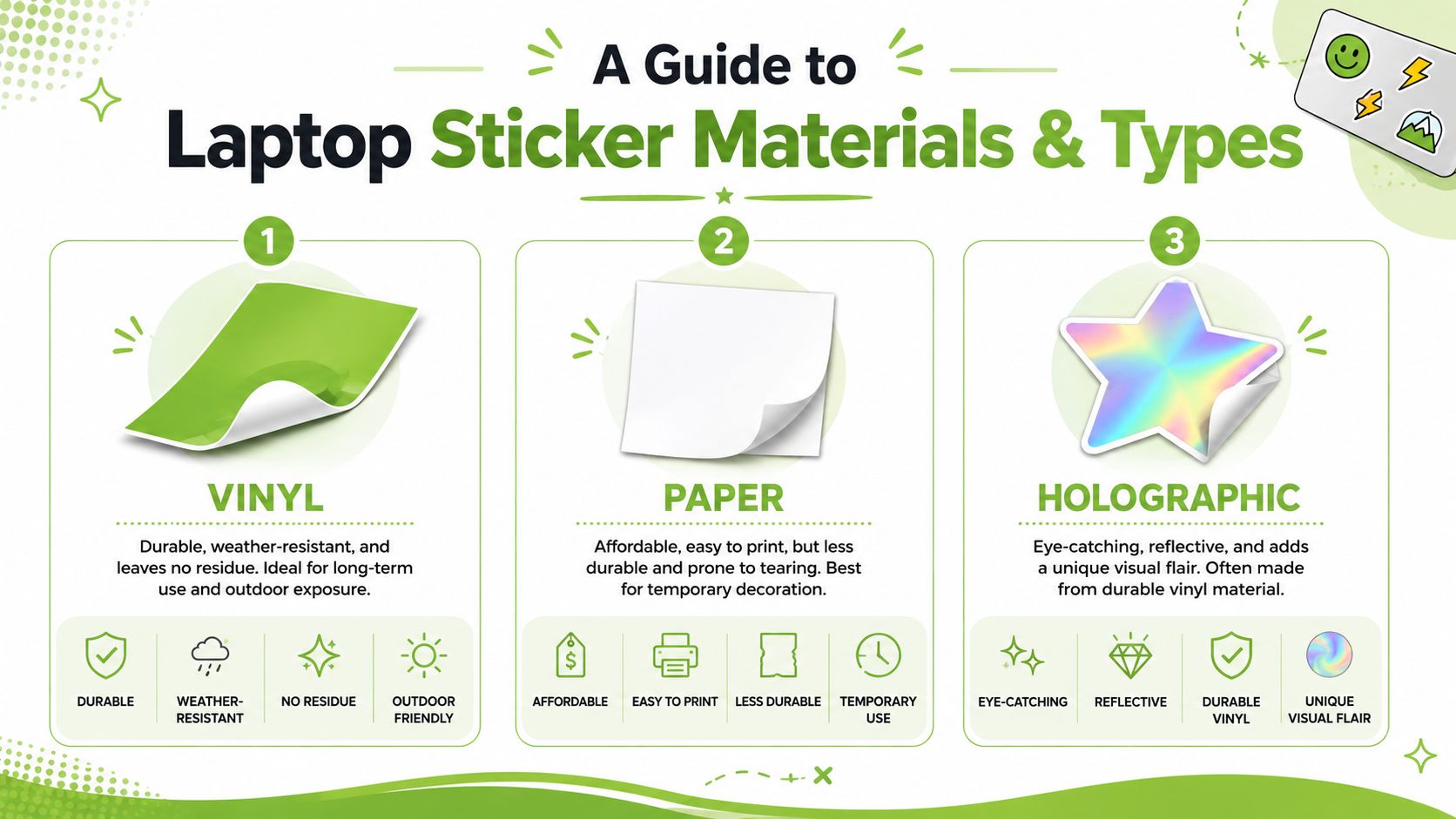
Material matters more than most buyers realise. A sticker can look great on day one and still be the wrong choice if it curls at the corners, fades quickly, or bonds too aggressively to the surface.
The quick mental model
Think of sticker materials like phone cases.
- Vinyl is the dependable everyday option.
- Paper is the cheap temporary one.
- Holographic or specialty finishes are the style-first option that can still be practical if the base material is good.
- Transparent stickers work best when you want a lower-profile look and don't want a big white border effect.
What each type is good at
| Type | Best for | What works | What doesn't |
|---|---|---|---|
| Vinyl | Daily-use laptops | Better durability, cleaner finish, stronger print quality | Poor-quality vinyl can still leave residue |
| Paper | Short-term decoration | Budget-friendly, easy to print | Tears easily, hates moisture, usually ages badly |
| Holographic | Visual impact | Reflective finish, catches attention well | Can overpower minimalist designs |
| Transparent | Subtle branding or clean aesthetics | Lets laptop colour show through | Weak artwork contrast can disappear visually |
Vinyl is usually the safest default
If you're commuting, opening and closing the laptop constantly, or carrying it in and out of air-conditioned spaces, vinyl is usually the sensible choice. It handles wear better and tends to look more intentional.
But “vinyl” alone isn't enough. You still want removable adhesive if resale matters, and you still want decent cutting and print quality. Cheap bulk stickers often look fine online and disappointing in person.
Paper is only for temporary use
Paper stickers are the classic low-cost impulse buy. They're okay if you want to test a look or decorate a device you don't mind refreshing often.
They're a bad fit if your laptop spends time in bags, public spaces, or humid rooms. In Singapore, that usually means paper ages fast, corners lift, and the finish starts looking tired before the laptop does.
If you want a sticker to survive daily use, don't choose based on artwork alone. Choose the material first, then the design.
Matte, gloss, and special finishes
Finish changes how a sticker feels before it changes how it looks.
- Matte suits clean, understated designs and hides fingerprints better.
- Gloss makes colours pop but can show smudges and reflections more easily.
- Holographic works best as an accent, not always as a full-lid collage.
- Clear finishes can look premium if the artwork uses strong contrast.
The best approach is to match the sticker to the laptop's role. A work laptop usually benefits from restraint. A personal laptop can carry more character. A creator's machine often sits somewhere in the middle.
Local Channels for Custom Laptop Stickers
If you want custom laptop stickers Singapore sellers can produce properly, where you buy matters almost as much as what you buy. There are three common routes, and each suits a different kind of buyer.

Online print services for straightforward custom orders
This is the easiest path if you already have artwork. In Singapore, custom sticker printing is often handled with kiss-cut formats, and suppliers commonly ask for 300 ppi raster effects, CMYK colour mode, and bleed settings so the final print stays crisp and readable on a laptop lid, according to this local laptop sticker print specification guide.
In plain English:
- 300 DPI or 300 ppi means your file is sharp enough for print.
- CMYK is the colour mode printers use, so colours behave more predictably.
- Bleed gives the printer extra edge area so tiny cutting shifts don't leave awkward white slivers.
If your design includes text, keep it bold and high-contrast. Tiny elegant fonts that look nice on screen often disappear once printed small.
Artist marketplaces for personality and niche taste
If you don't want to design from scratch, local marketplaces and independent artist shops are often better than generic mass listings. You get more character, smaller runs, and artwork that doesn't feel copied from the same trend board.
For buyers who want something less generic, browsing Unique sticker designs can help you understand the range of visual styles available when you move beyond plain logo decals or generic bundles.
Physical print shops for more control
A physical shop still makes sense when you care about exact cuts, unusual shapes, or colour matching. It's also useful if your file needs fixing.
Bring the right file and the printer's job becomes much easier. Bring the wrong file and you'll spend money correcting problems that could have been avoided.
A simple artwork checklist
Before sending anything for print, check these basics:
- Use high resolution. If the image already looks soft on your screen, print will make it worse.
- Set up clean outlines. Complex custom cuts need clear borders.
- Leave breathing room. Don't push artwork too close to the edge.
- Check readability. Laptop lids are viewed quickly, often from a short distance.
- Ask about adhesive type. This matters later when you remove it.
A good sticker file isn't fancy. It's legible, properly sized, and built for cutting.
How to Apply and Remove Stickers Without Damaging Your Laptop
Application is where people create most of their own problems. A good sticker can still look terrible if you trap dust under it, misalign it near an edge, or press it down on an oily surface.
Apply it properly the first time
For prep, the key step is simple. Clean the surface with more than 70% isopropyl alcohol, not water. That removes oils and oxidation so the adhesive bonds properly instead of catching dirt, bubbling, or lifting later.
Use this sequence:
- Power down the laptop and let the surface cool.
- Clean the lid with isopropyl alcohol and a lint-free cloth.
- Dry it fully before the sticker touches the surface.
- Test the position without peeling everything at once.
- Apply from one side and smooth gradually with a card or your fingers wrapped in microfibre.
- Work slowly to push air outward instead of trapping it in the centre.
If the sticker sits close to an edge, take extra care. Edge placement is where lifting usually starts.
What not to do
Some mistakes look harmless but create trouble later:
- Don't use water for prep if you want a clean bond.
- Don't apply over dust from a bag or desk surface.
- Don't stretch the sticker while placing it.
- Don't stick across seams, vents, or moving parts.
- Don't rush the final press if you see a bubble forming.
A visual walkthrough helps if you prefer seeing the technique before trying it yourself.
Removing a sticker safely
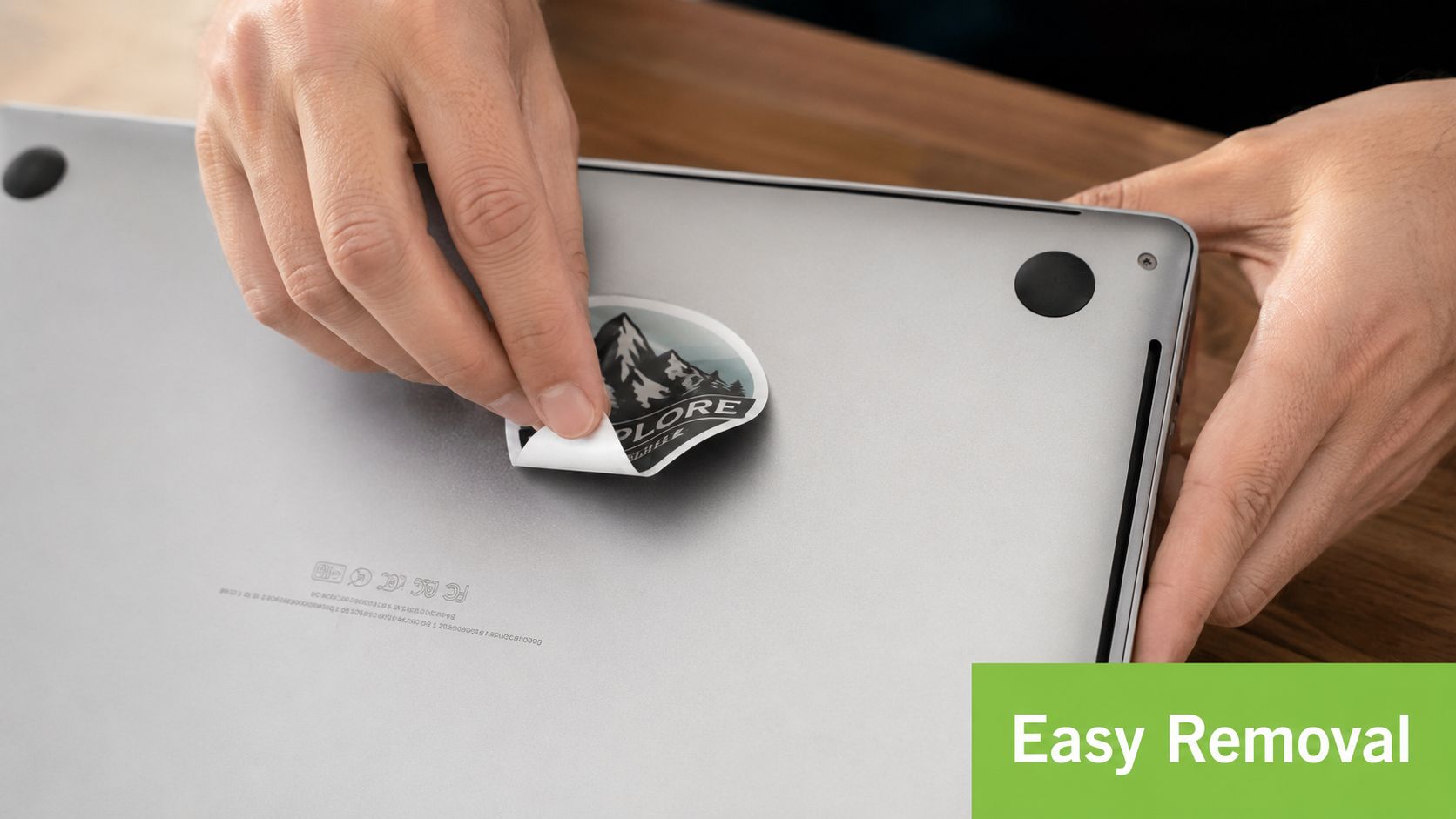
Removal should feel controlled, not forceful. Start at one corner and peel slowly. If the adhesive resists, use gentle warmth to soften it first. Low heat helps loosen the bond without encouraging you to yank.
For leftover residue, stick with gentle cleaning. A little isopropyl alcohol on a soft cloth is usually the sensible first move. Avoid aggressive scraping or harsh chemicals, especially on premium finishes.
Peel low and slow. Fast upward pulling is what turns a simple removal into a mess.
If you know you'll resell the laptop later, keep the sticker away from high-touch areas and avoid layering multiple decals on top of each other. Stacked adhesive almost always makes cleanup worse.
Ensuring Sticker Longevity and Device Safety
The biggest mistake people make is treating all stickers as harmless if they look thin and lightweight. They're not. Material quality, placement, and climate exposure all matter.
Singapore weather punishes low-grade stickers
In a hot, humid environment, poor materials fail quickly. Expert guidance notes that standard vinyl stickers without UV stabilisers typically last less than 12 months on laptops exposed to direct sunlight or indoor UV fixtures. For better retention, manufacturers should specify outdoor durability tested via QUV B at 1000+ hours, along with removable acrylic or low-tack repositionable adhesives.
That sounds technical, but the practical takeaway is easy. If a seller can't tell you what adhesive they use or whether the sticker is built for tougher exposure, assume it's a cosmetic short-term product.
Placement affects laptop health
This part matters more than style.
Independent RF testing under IEEE Std 1528-2013 found that vinyl and acrylic stickers contain no conductive metals and produce less than 0.2 dB signal attenuation, which is effectively negligible for Wi-Fi and 5G use. So no, a normal sticker isn't the thing ruining your connection.
Heat is the main issue. Stickers placed over camera notches, speaker grilles, or ventilation openings can obstruct airflow and trap heat, which can contribute to throttling in Singapore's average ambient temperature of 30°C. Technical guidance also calls for a clearance zone of at least 0.125 inch (3.2 mm) from edges, plus a minimum line weight of 0.75 pt for black and white text to avoid die-cutting failure.
A shortlist of safety rules
- Keep vents clear. Never trade cooling for aesthetics.
- Respect edges. Leave breathing room so the sticker doesn't catch or shift.
- Avoid ultra-cheap bulk buys. The lowest-price options often miss cutting and clearance standards.
- Check removal claims carefully. “Weatherproof” doesn't automatically mean device-safe.
- Don't cover sensors or cameras unless the product is specifically designed for that exact use.
A sticker should personalise the laptop, not interfere with how the laptop breathes, cools, or closes.
If your device already runs warm, has fan issues, or needs a professional check before you start layering accessories onto it, it's smarter to sort the hardware first through an Apple service centre in Singapore guide.
Print quality also affects durability
Bad cutting doesn't just look cheap. It creates weak points.
Guidance from the same technical benchmark notes that die-cut accuracy worse than ±0.015 inch can lead to visible white halos and messy edges. On a laptop lid, those flaws stand out fast because the surface is flat, smooth, and easy to inspect under bright indoor lighting.
Sustainable Choices and Protecting Your Laptop's Resale Value
The sticker question becomes serious only when it's time to upgrade. That's when you find out whether your “cheap and fun” customisation was a smart choice.
Stickers can be worth it if you plan the exit
If you replace devices regularly, the right sticker strategy is simple. Choose removable materials, avoid full-coverage designs unless you're sure, and keep the original finish easy to restore.
That matters because the wider personalised stickers market is projected to grow from USD 4.84 billion in 2025 to USD 8.45 billion by 2035, with Asia-Pacific identified as the fastest-growing region in that category, according to this market outlook on laptop sticker trends. More people are customising devices, but buyers in the second-hand market still care about clean surfaces, tidy edges, and easy inspection.
Better materials support a longer device lifecycle
A sustainable sticker choice isn't just about using a trendy “eco-friendly” label. It's about whether the sticker supports reuse, refurbishment, and clean removal.
Recent market coverage points to growth in eco-friendly designs, including biodegradable materials, smart QR and NFC labels, and more personalised products, as discussed in this stickers market report. For laptop owners in Singapore, the practical version of that trend is choosing materials that are easier to remove and less likely to contaminate the device surface before repair, trade-in, or resale.
The best mindset is moderate customisation
A few well-placed stickers usually age better than a full random collage. That isn't about taste policing. It's about options.
Try this approach:
- Choose fewer, better stickers instead of covering every gap.
- Prioritise removable adhesive over novelty finishes.
- Skip permanent-feel bargain packs if you care about future value.
- Consider clear skins or subtle decals if you want style with less visual commitment.
- Think one step ahead. If you had to sell the laptop next month, would cleanup be easy?
If resale is already on your mind, it helps to understand what buyers and trade-in channels usually look for in used devices. This guide on how to sell used laptops in Singapore gives useful context for that side of the decision.
The short version is this. Laptop stickers are worth it when they express something meaningful, protect rather than punish the device's finish, and come off without drama. That's the difference between decoration and good ownership.
If you're upgrading, trading in, repairing, or looking for a dependable refurbished device, myhalo is a practical place to start. You'll find warranty-backed laptops and support for the full device lifecycle, which makes it easier to personalise your tech without losing sight of longevity, resale value, and e-waste reduction.