





iPad Screen Repair Singapore: Fast & Affordable
Your iPad slips, lands face down, and the next few seconds usually tell you everything. The glass is cracked. The display may still light up, or it may show lines, black patches, or dead touch zones. Either way, you now have the same common questions for iPad owners in Singapore. Is this a simple screen job, how much is it going to cost, and can you trust someone else with the data on the device?
That stress is justified. In Singapore, ipad screen repair singapore pricing spans a wide range. Older models can start from $60, while newer iPad Pro repairs can go over $400, according to Singapore iPad repair pricing data from Red White Mobile. The price spread isn't random. It usually reflects the model, the type of display damage, the parts quality, and how the repair centre handles the work.
A lot of people also assume all cracked screens are the same. They aren't. A top-glass crack behaves very differently from a damaged LCD or a failing touch layer. On top of that, many repair guides spend pages on price and speed but say very little about privacy, data integrity, or when a repair isn't worth doing.
Table of Contents
-
Frequently Asked Questions About iPad Repair
- How long does an iPad screen repair usually take
- Will I lose my data during a screen repair
- What does the 90-day warranty matter for
- Can you quote my iPad model without seeing it
- Is a glass-only repair always cheaper
- Should I repair an older iPad or replace it
- What's the safest first step if I'm undecided
Your iPad Screen Is Cracked Now What
You pick up your iPad after a drop, see the spider crack, and the first question is usually simple. Is this a quick fix, or did the impact turn into a much bigger repair bill?
The answer depends on what failed. On some iPads, the outer glass is the main problem. On others, the impact has also damaged the display underneath, the touch layer, or even the frame. The distinction is important because two shops can quote very different prices while talking about different repair scopes.
That is where people get caught. A low quote can sound attractive until you learn it covers only the glass, or uses a lower-grade replacement that changes how the screen looks and feels after repair.
What usually worries people most
From the repair counter, I see the same concerns come up again and again. The crack is visible, but the stress usually sits in three less obvious areas:
- Cost uncertainty. You want to know the full repair scope before approving anything, not discover later that LCD damage, touch issues, or frame correction costs extra.
- Parts quality. Screen quality affects brightness, colour, touch response, and how well the repair holds up with daily use.
- Data exposure. Many iPads carry work documents, school accounts, banking access, photos, and app logins. Handing the device over without thinking about privacy is a mistake.
Practical rule: Before comparing prices, confirm whether the quote is for glass only or for the full display assembly.
There is one more point many repair guides skip. If the repair cost starts getting close to the value of the device, the smartest option may not be repair at all. In some cases, protecting your data, avoiding more spend, and trading in the iPad responsibly is the better outcome.
What to do before you panic
If the iPad still turns on, stop using the damaged area aggressively. Do not press hard on the crack, peel loose glass, or keep retesting a screen that is flickering or showing lines. A panel that is barely holding together can fail completely with extra pressure.
Keep the device dry, back it up if you still have access, and make sure you know your Apple ID password before sending it in. Those small steps save time later and reduce risk if the device needs deeper work or stops responding during testing.
If you want a broader repair decision framework, this guide on phone screen repair options and repair decision factors gives useful context. iPads are built differently, but the same core rule applies. Do not guess from the crack alone. A proper diagnosis saves money, protects your data, and helps you decide whether repair is still worth it.
How to Diagnose Your iPad Screen Damage
A cracked iPad can look worse than it is. It can also look minor and turn out to be a full display failure. The right call starts with a calm check before anyone removes a screw.
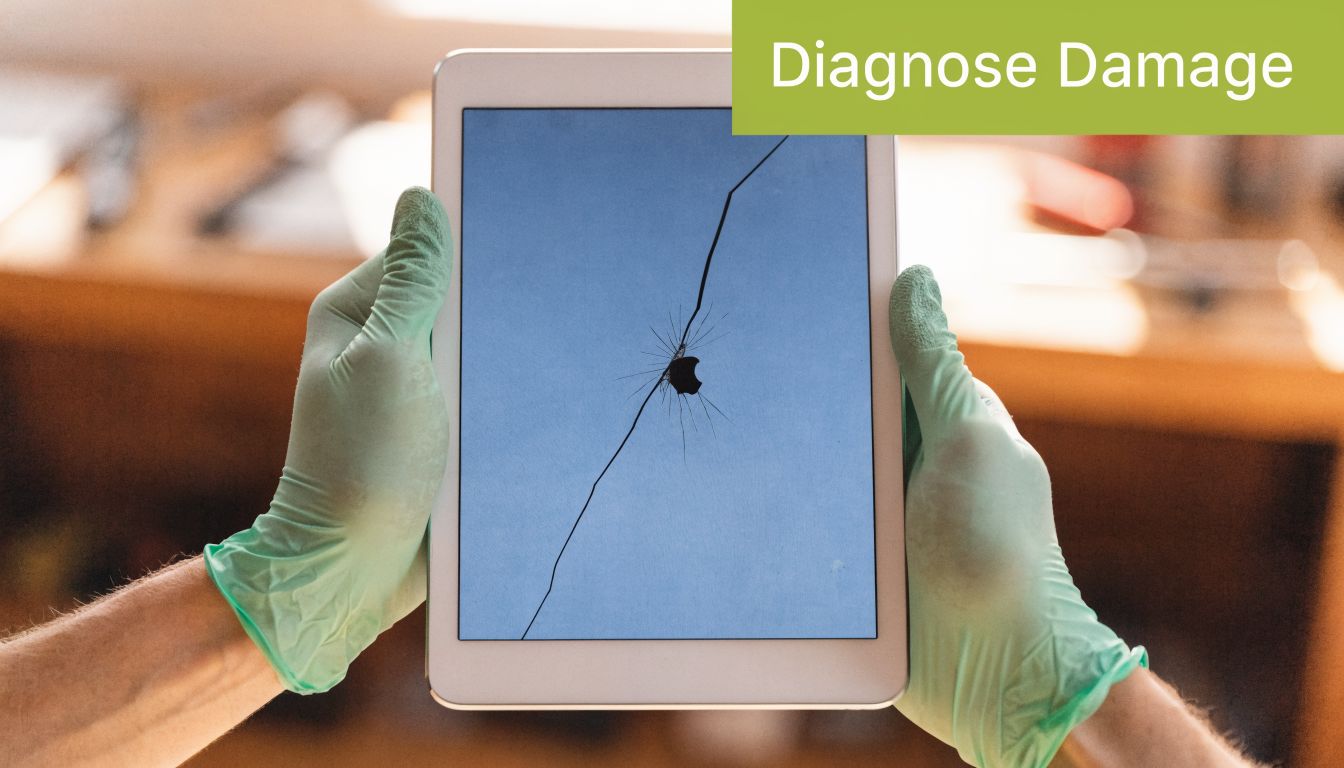
Check the screen with power off, then on
Start with the iPad switched off under good light. Look for raised glass, missing shards, a corner that no longer sits flush, or a bend in the frame. A bent housing matters because even a good replacement screen may not seat properly if the chassis took the hit.
Then power it on.
What shows on the panel tells you more than the crack pattern. Clear image, normal brightness, and stable colour usually point to lighter damage. Coloured lines, black blotches, flicker, ghost touches, or parts of the screen that stop responding usually mean the damage goes past the outer glass.
One practical test works well at home. Press and hold an app icon, then drag it slowly across the whole screen. If it drops out in one strip or jumps on its own, the touch layer has a fault even if the picture still looks normal.
What each symptom usually means
Use these signs as a guide, not a final verdict:
- Glass damage only. Cracks are visible, but the image is clean and touch works across the full panel.
- LCD or display panel damage. You see lines, dark patches, light bleed, black spots, or distorted image areas.
- Digitiser or touch layer damage. The display looks normal, but taps, swipes, or Apple Pencil input fail in certain zones.
- Frame damage. One side sits high, corners are pushed in, or the screen no longer aligns evenly with the body.
On many iPad models, the display layers are bonded closely together. In repair terms, that means glass-only work is only suitable if the image and touch are still behaving properly. Once the LCD shows faults, replacing the full display assembly is usually the safer repair.
Check for hidden damage around the edges
This is the part owners often miss.
Look closely around the front camera, home button area on older models, and the bezel corners. A hard impact can crack the screen and also shift the frame enough to stress internal connectors. If the iPad reboots after a knock, shows intermittent backlight, or only fails when the body is slightly twisted, the problem may be deeper than the panel itself.
Do not press hard on suspicious spots to "test" them. That often turns a usable screen into a dead one.
Ask the right question about parts quality
A repair quote means very little until you know what part grade is being offered. Some replacement screens hold colour, brightness, and touch response close to original standards. Cheaper options can save money upfront but may feel less accurate, show weaker viewing angles, or fail sooner under daily use.
That trade-off matters more on iPads used for drawing, schoolwork, client presentations, and long reading sessions. A lower-cost part can still be reasonable on an older model with low resale value. On a newer iPad, it often makes more sense to fit a better panel or reconsider whether repair is worth the spend at all.
If you want a clearer baseline for comparing shop standards, this guide to mobile phone repair in Singapore shows what transparent quoting and parts disclosure should look like. The same screening logic applies to tablets.
Diagnose the repair decision, not just the crack
A proper diagnosis is also about risk. If the iPad still holds sensitive work files, school logins, saved passwords, or family photos, the repair method matters. A simple screen job usually does not require access to your personal data, but deeper faults can lead to more testing, more handling, and more time with the device open. That is why I always tell customers to assess two things together. What is broken, and what is stored on the device.
If a shop is vague about inspection steps, parts source, or device handling, treat that as a warning sign. This checklist on how to hire computer repair is useful for judging whether a repair provider is careful enough for a device that carries your accounts and documents.
A quick visual walkthrough can help if you're unsure what LCD damage looks like in real life:
Comparing Your Main Repair Options in Singapore
A cracked iPad creates two pressures at once. You want the screen fixed fast, and you do not want to hand over a device full of photos, school files, banking apps, or work accounts to the wrong shop.
In Singapore, the choice is usually between the official Apple route, a general third-party repair shop, or a repair provider that can also advise on data handling and trade-in value if the repair no longer makes financial sense.
Apple versus independent repair
Apple's official route suits owners who want the manufacturer process and genuine parts support. The trade-off is usually time, appointment availability, and less flexibility on older devices or edge cases. If you want a clearer picture of how that channel works locally, this guide to an Apple service centre in Singapore explains the practical differences.
Independent repair centres are faster, but the category is broad. One shop may use reliable parts, test touch and display properly, and document pre-existing damage. Another may quote only for the glass, then add charges later when frame issues appear. Speed is useful only when the diagnosis is accurate and the device comes back stable.
There is also a privacy trade-off. A straightforward screen replacement should not require browsing your apps, messages, or photo library. If a shop is casual about passcodes, account access, or post-repair testing steps, that matters as much as the price.
iPad Screen Repair Options in Singapore at a Glance
| Factor | Official Apple Centre | Typical 3rd-Party Shop | myhalo |
|---|---|---|---|
| Parts approach | Manufacturer process for supported repairs | Varies by shop and quote clarity | Part type and repair scope should be confirmed before approval |
| Turnaround | May involve appointment or service-channel delays | Often same day for common screen issues | Many screen and battery jobs are completed in about 3 hours |
| Warranty style | Apple service terms apply | Usually a limited shop warranty | 90-day warranty on applicable screen replacements |
| Best for | Owners who prioritise the official service path | Owners focused on speed or lower upfront cost | Owners who want repair guidance, careful device handling, and a trade-in discussion if repair is poor value |
| Main caution | Downtime and cost can be higher | Quality control differs widely between shops | Heavily damaged units may still be better traded in than repaired |
How to judge a repair provider properly
Ask how the shop handles both hardware risk and data risk.
A useful screening checklist is the same one I would use for any device that stores personal or business information. This article on how to hire computer repair is worth reading because the questions transfer well to iPad repair. Ask what part grade is being installed, whether the quote already accounts for bent frames or housing damage, how the device is tested after repair, and whether technicians need your passcode at all.
A low quote can still become the expensive option. Poor adhesive work, weak-quality panels, or skipped testing often show up later as lift, ghost touch, dim display areas, or Face ID and camera alignment issues after reassembly.
myhalo sits in a middle ground many customers need. The job is assessed first, the repair path is explained clearly, and if the numbers do not make sense, the conversation can shift to trade-in instead of pushing a repair that is hard to justify. That matters on older iPads with severe impact damage, because the smartest option is sometimes preserving your data, recovering some device value, and replacing the unit instead of sinking money into a marginal repair.
The myhalo Repair Process From Start to Finish
Most screen repair frustration comes from uncertainty. Customers don't mind waiting for a careful job nearly as much as they mind not knowing what is happening, what is being replaced, and whether the final bill will change.
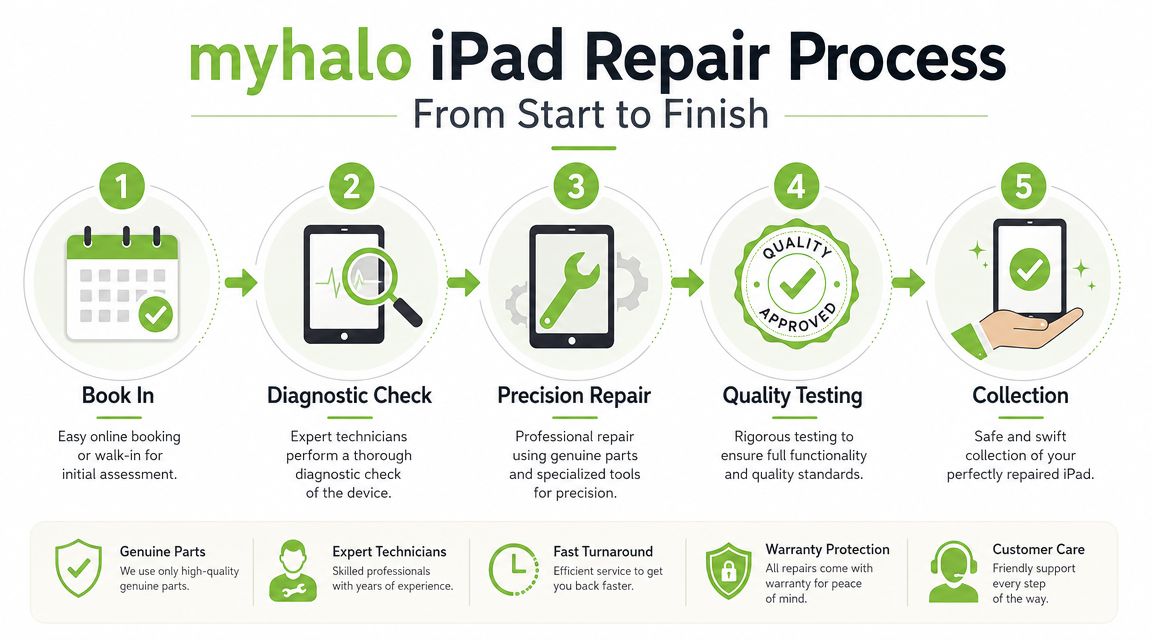
Booking and quoting
The first step is simple. Get a quote through WhatsApp at 80680100 or through the repair quote page on the website. That early check matters because some cracked-screen cases are straightforward, while others involve frame distortion, battery swelling, or impact damage beyond the display.
At this stage, the useful details are:
- Exact iPad model. "iPad Pro" isn't enough on its own.
- Visible symptoms. Cracks only, no display, lines, dead touch, bent corner.
- Urgency. If it's a school or work device, downtime affects the decision.
Diagnosis and approval
After drop-off, the device is inspected before any work starts. The technician checks the display condition, touch behaviour, housing alignment, and whether there are signs the impact reached other internal components.
This is also the point where a responsible shop should tell you if the repair is no longer economical. A heavily cracked screen plus casing damage often changes the equation. If the frame is bent badly enough, fitting a new display can become risky or poor value.
Workshop note: The hardest jobs aren't always the most broken-looking ones. The difficult cases are the ones where the screen is damaged and the casing is already distorted.
Repair testing and collection
If the repair is approved, common screen and battery jobs are typically completed in about 3 hours. Other faults can take up to 24 hours, depending on the issue. After the hardware work is done, the device goes through functional checks so the repaired iPad isn't returned with a new problem hidden behind a fresh screen.
Customers usually value three things most after collection:
- A clear explanation of the replacement screen type
- A reliable panel that feels consistent in daily use
- A 90-day warranty that gives real post-repair confidence
The handover should be straightforward. You should know what was replaced, what was tested, and what to watch for in the first few days of use.
Protecting Your Data During an iPad Repair
A screen repair may only involve the display assembly, but your concern about privacy is still valid. An iPad usually holds far more than photos and messages. It may contain company email, school documents, saved passwords, banking access, identity documents, and cloud-connected apps.
Why privacy matters for screen repairs
Many repair guides in Singapore focus on price and turnaround but overlook data handling. That's a real gap.
As mentioned in the context regarding often neglected repair concerns,
existing local guidance often doesn't deal properly with data security, even though Apple advises users to disable certain features before service.
A careful repair process should minimise access to your personal content. Screen work often doesn't require digging through user data at all, but the customer still needs to know how the device is being handled, where it is being stored, and whether the process respects local privacy expectations.

What you should do before handing over the device
You don't need to overcomplicate this, but you should prepare properly.
- Back up first. Use iCloud or a local computer backup before the repair if the screen still allows access.
- Remove sensitive accessories. Take off the case, Apple Pencil, keyboard cover, and any card or document stored in the cover.
- Review logged-in apps. If the device is used for work, consider whether any especially sensitive session should be logged out first.
- Ask how testing is performed. A professional answer should explain that only functional checks are needed, not browsing your personal content.
The strongest repair conversations are the transparent ones. Ask whether the shop handles repairs in a way that preserves data integrity, whether any reset is expected, and what happens if the device has pre-existing software issues unrelated to the screen.
For privacy-conscious users, PDPA-aware handling isn't a luxury. It's part of choosing a credible repair partner. That's one reason some customers avoid repair entirely and discard the device early, even when the hardware itself is fixable.
When Repair Is Not the Best Option
You drop the iPad, the glass is shattered, and the frame has a visible bend in one corner. At that point, the question is no longer "Can the screen be replaced?" The better question is whether replacing it is a smart use of money.
The point where repair stops making sense
I see this most often on older iPads with two problems at once. The screen is broken, but the housing is also warped, the corner is crushed, or the chassis no longer closes evenly. In those cases, fitting a new screen can become a poor bet because the new part may sit under pressure from the bent frame. That can lead to lifting, touch issues, or another crack after a minor knock.
Cost matters, but structure matters just as much. A repair can be technically possible and still be the wrong decision.
The calculation changes again if the iPad already has battery decline, charging issues, or signs of board damage from an earlier drop. Once several faults stack up on an older device, the total repair bill can get too close to the iPad's current resale value. That is usually the point to reconsider instead of approving the job out of frustration.
If the repair cost is close to what the iPad is worth in working condition, replacing the screen is rarely the cheapest long-term choice.
Why trade in can be the smarter move
A trade-in or resale-for-parts route often makes more sense when the device still holds some value, but a full repair no longer does. This is the option many guides skip. They frame the choice as repair or throw away. In practice, there is a middle ground.
For some customers, that middle ground is also safer from a data-handling point of view. If the iPad still powers on but needs a major repair, you may prefer to recover what value you can and move to another device rather than hand over an aging work tablet for a long multi-part job. The key is to choose a buyer or repairer who can explain how they handle device wiping, parts harvesting, and disposal of any storage-bearing hardware.
There is also a sustainability angle. Extending the life of a device is good when the repair is sensible. If the iPad is too damaged to justify the cost, trade-in, refurbishment, or responsible parts recovery is usually better than forcing an uneconomical repair and then replacing the device again soon after.
At myhalo, the honest answer is sometimes "don't repair this one." A good technician should be willing to say that clearly, explain why, and point you toward the option that protects your budget, your data, and the useful value left in the device.
Frequently Asked Questions About iPad Repair
How long does an iPad screen repair usually take
For common screen and battery jobs, the usual working estimate is about 3 hours. If the iPad has other faults beyond the screen, the turnaround can extend to up to 24 hours.
Will I lose my data during a screen repair
A standard screen replacement shouldn't automatically require data deletion. Even so, you should always back up the iPad before handing it over if the device is still accessible. Ask the repairer how they test the screen after replacement and whether they expect any reset.
What does the 90-day warranty matter for
Customers usually care about warranty because it gives them a clear path if the replacement screen develops faults after collection. The value isn't just the duration. It's also the clarity around what the warranty covers and the explanation of which screen type was installed.
Can you quote my iPad model without seeing it
A preliminary quote is possible if you provide the exact model and the symptoms. That's useful for planning, but a final repair recommendation should still depend on physical inspection because a crack can hide LCD damage or frame issues.
Is a glass-only repair always cheaper
Usually yes, but only if the LCD and touch layer are still healthy. If the image shows lines, discolouration, black spots, or touch failure, a glass-only job won't fix the underlying issue.
Should I repair an older iPad or replace it
That depends on the overall condition. If the screen is the only problem, repair can still make sense. If the iPad also has casing damage, battery issues, or poor resale value, trade-in may be the cleaner decision.
What's the safest first step if I'm undecided
Get the device assessed before you commit. A proper quote with a real diagnosis is cheaper than guessing, buying the wrong repair, or approving a low-cost screen that doesn't match the actual damage.
If you need a practical next step, myhalo handles repair quotes, device assessment, trade-ins, and replacement options in one place. If your iPad is worth fixing, you'll get a clear repair path. If it isn't, you can move straight to a more economical replacement without wasting more money on a bad repair decision.