





Find Your Perfect iPad Screen Protector
You’ve just unboxed an iPad, or picked up a beautifully refurbished one that still looks almost untouched. The display is the first thing you notice. It’s bright, sharp, and completely clean. Then the practical question lands straight away. How do you keep it that way once it starts living in a bag, on a desk, in a meeting room, or in a child’s hands?
That’s where buying an ipad screen protector gets surprisingly messy. You’ll see tempered glass, film, matte, privacy, “paper-like”, and even liquid coatings. Some promise hardness. Others promise shatter resistance. A few feel better with Apple Pencil but make the display look slightly different. Many buyers end up choosing based on packaging, then realise later that the wrong protector can make daily use less enjoyable.
I’ve seen this decision go wrong in very ordinary ways. A student buys the cheapest film and expects drop protection. A designer buys thick glossy glass and hates sketching on it. A professional wants privacy on the train but forgets that side viewing matters more than raw clarity. And sometimes the protector is fine, but the installation is crooked or full of dust.
Repairs are the expensive version of this lesson. If you ever want a sense of what screen damage turns into once protection fails, this overview of Klimka Computer Solutions mobile device repair is a useful reminder that prevention is usually easier than replacement.
Table of Contents
Your New iPad Needs a Shield
A bare iPad screen feels great for about five minutes. After that, real life starts. You set it down on a café table. Someone slides it across a classroom desk. It goes into a backpack with a charger, keys, and loose stationery. Even careful owners put wear on a screen faster than they expect.
The first thing to understand is simple. A screen protector isn’t only about scratches. It’s about matching risk to usage. If the iPad spends most of its time at home for reading and streaming, you can prioritise feel and clarity. If it travels every day, gets handed around, or serves as a working tool, durability matters much more.
A lot of confusion comes from marketing language. 9H hardness sounds like “unbreakable”, but it usually tells you about scratch resistance on the surface. “Shatter-proof” can describe a material that doesn’t crack like glass, even if it behaves very differently in use. “Paper-like” often improves writing feel while trading away some clarity. None of these terms are useless, but they don’t answer the core question on their own.
Practical rule: Buy for the problem you actually have, not the feature list that sounds most premium.
That’s why the right ipad screen protector depends on where your iPad lives, how you use Apple Pencil, whether you care about glare, and how much annoyance you’ll tolerate from fingerprints, texture, or reduced side visibility.
Before comparing brands, I’d narrow the decision to material type first. Once that part is right, the rest gets easier. Most buyer regret comes from choosing the wrong category, not from missing some tiny spec on the box.
The Main Types of iPad Screen Protectors
Some protectors are built to take impact. Others are there to reduce glare, create writing resistance, or stop shoulder surfing. They look similar in product photos, but they don’t behave the same once installed.
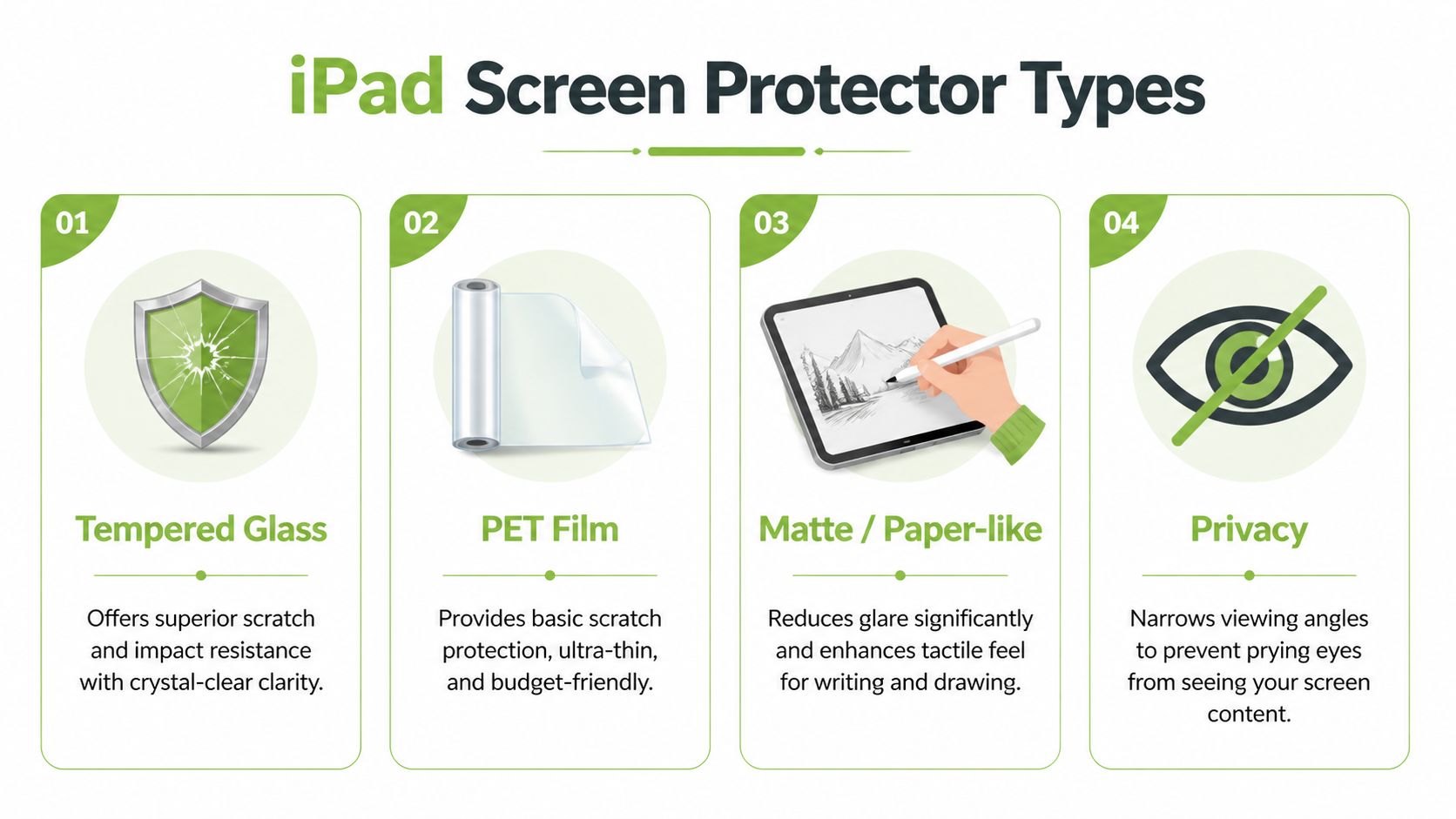
Tempered glass
This is the most familiar option. It’s a rigid glass layer that sits on top of the display and usually feels closest to the original screen. If your priority is scratch resistance and impact buffering, glass is often the first place to look.
A good tempered glass protector tends to offer the clearest view and the smoothest finger glide. It also gives many buyers peace of mind because visible cracks in the protector can mean the iPad screen underneath stayed intact. If you want a deeper breakdown of how glass behaves in everyday use, this guide on tempered glass screen protector choices is worth reading.
The trade-off is straightforward. Glass can crack, chip at the edge, and feel a little too slick for people who write or draw constantly.
PET and TPU film
Film protectors are thinner and more flexible than glass. PET is usually the simpler, lower-cost option. TPU tends to be softer and can absorb impact differently.
These protectors don’t feel as “invisible” as good glass, but they have strengths. They’re light, less likely to chip, and often better when you want flexibility over hardness. Some urethane-style films also resist edge lifting better in humid conditions, which matters in Singapore more than many buyers realise.
Matte and paper-like protectors
This category is about feel. Matte protectors reduce reflections and add texture, which many note-takers and artists prefer. If you write all day with Apple Pencil, glossy glass can feel too slippery. Matte surfaces create more drag and can make handwriting feel more controlled.
The cost is visual. Colours can look a bit softer, deep blacks can seem less crisp, and the screen won’t look as glassy and vivid as it does bare.
If your iPad is mostly a drawing pad or notebook, the best protector often isn’t the clearest one. It’s the one that makes the device easier to use for hours.
Privacy protectors
A privacy protector narrows the visible viewing angle. From the front, your display remains readable. From the side, it becomes much harder for others to see what’s on screen.
This is useful for mobile professionals handling business documents, customer information, drafts, or financial material in public spaces. The compromise is that privacy layers often reduce brightness perception and can make the display feel less open and bright even for you.
Liquid protectors
These are usually wipe-on or spray-on coatings marketed as an invisible shield. I treat them cautiously. They don’t replace a physical layer that can absorb scuffs, take a hit, or be peeled off and replaced later.
If someone wants real protection, I wouldn’t rely on liquid alone. At most, it belongs in the category of minor surface treatment, not a substitute for glass or film.
iPad Screen Protector Types Compared
| Type | Protection Level | Feel & Clarity | Apple Pencil Feel | Typical Cost |
|---|---|---|---|---|
| Tempered Glass | High against scratches and everyday knocks | Very clear, smooth, glossy | Slick, fast, low friction | Mid to higher |
| PET Film | Basic surface protection | Thin, clear enough, less premium feel | Neutral to slightly soft | Lower |
| TPU Film | Flexible protection with different shock behaviour | Clear, slightly softer surface | Controlled, softer drag | Mid |
| Matte / Paper-like | Better for glare control than impact | Lower glare, slightly muted display | Higher friction, better for writing | Mid |
| Privacy | Best for viewing-angle control | Dimmer feel, narrower viewing comfort | Usually acceptable, depends on texture | Mid to higher |
| Liquid | Limited practical protection | Invisible if applied well | No major change in feel | Varies |
A quick way to think about it is this:
- Choose tempered glass if protection and screen clarity matter most.
- Choose film if flexibility, lower profile, or non-glass behaviour matters more.
- Choose matte if Apple Pencil use defines the iPad.
- Choose privacy if you regularly work around other people.
- Skip liquid-only solutions if you expect meaningful physical protection.
How to Choose the Right Protector for You
The right ipad screen protector starts with routine, not marketing. A poly student carrying an iPad in a packed bag, a designer sketching for hours with Apple Pencil, and a consultant reviewing client files on the MRT should not buy the same surface.
A good choice also has to hold up over time. In store, the mistake I see most often is buying for the first week of ownership instead of the next year. That usually leads to the wrong texture, the wrong level of protection, or a protector that gets replaced too late because installation was frustrating the first time.
The student
Students usually need a protector that handles daily movement, fast packing, and careless table contact. For notes, streaming, web research, and general school use, tempered glass is still the safe default because it keeps the screen clear and does a better job against the scratches and knocks that come from bag life.
There is one trade-off. Glass feels smoother under the Pencil, so handwriting and sketching can feel a bit slippery compared with matte film.
If budget matters, this is usually where I suggest keeping things simple. Spend on a proper fit and clean installation first. A cheaper protector that lifts at the edge or traps dust is poor value, even if the box looks impressive.
The digital artist or creator
Creators tend to notice surface feel within minutes. If the iPad is used more for drawing than watching, texture matters almost as much as protection.
Matte and paper-like protectors add friction, which helps with line control and longer writing sessions. The cost is lower sharpness and a little less colour punch. Clear film keeps more of the display’s original look while softening the surface slightly. Tempered glass preserves clarity best, but many illustrators find it too slick for precise work.
A practical way to choose is to rank these in order: drawing feel, display quality, and impact protection. The top priority should decide the material.
For buyers using refurbished iPads or trying to avoid the crack-and-replace cycle of glass, flexible film can make sense. It usually does not feel as premium as glass, but it avoids the spiderweb failure you get after one bad hit. That is often the better long-term fit for mobile creators who work in cafes, shared studios, or on set.
The mobile professional
Professionals often need a protector that matches where they work, not just what they own. If the iPad is used for presentations, sales decks, and client-facing work, clear glass usually gives the best viewing experience. It stays bright, sharp, and easy to share across a table.
If the iPad regularly shows payroll data, internal reports, medical notes, or customer information in public, a privacy protector deserves serious consideration. It narrows the viewing angle, which helps in taxis, coworking spaces, and airport lounges. The compromise is a dimmer screen and a less open feel when several people need to see the display at once.
That trade-off is easy to underestimate until the first time someone beside you can read the screen.
The eco-minded buyer
Some buyers want a protector that fits a longer ownership cycle. That usually means choosing an option you will maintain properly, replace on time, and pair with a device you may later resell or trade in rather than discard.
For this group, removable film and sensible replacement habits often matter more than buying the hardest material on day one. A protector that stays usable, comes off cleanly, and does not leave the screen in rough shape is easier to live with if you plan to pass the iPad on later.
In Singapore, this is also where local support matters more than many guides admit. Professional installation at myhalo reduces early waste from failed applications. Clear advice on replacement timing helps avoid using a badly worn protector for too long. If you eventually upgrade, keeping the screen in better condition also puts you in a stronger position for resale or trade-in.
Buy for your actual use, then for the full ownership cycle. The best protector is the one that still makes sense six months later, after classes, commutes, client meetings, and one or two accidental drops.
Compatibility with iPad Models and Apple Pencil
A protector can be high quality and still be the wrong product for your iPad. This is one of the most common causes of frustration, especially with buyers who assume “10.9-inch iPad” is specific enough.
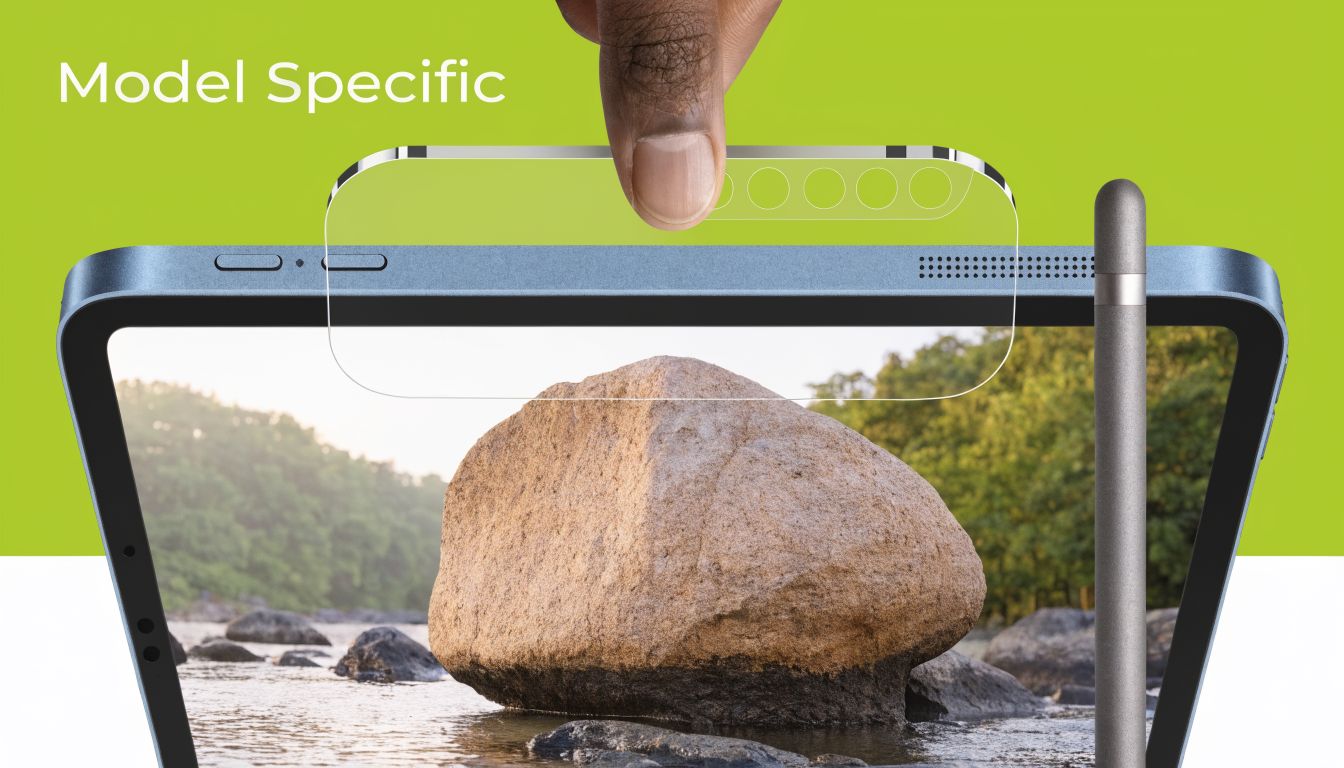
Fit matters more than many buyers expect
Different iPad generations can place cameras, speakers, bezels, and sensors slightly differently. A poor fit may leave a visible edge, interfere with a case, or partially cover important cut-outs. With modern iPads, that becomes more annoying because accessories and cases tend to fit tightly.
Before buying, check three things:
-
Exact model name and generation
Don’t stop at “iPad Air” or “iPad Pro”. Match the protector to the precise model. -
Front sensor and camera layout
If the cut-out is off, video calls and face-related features can become irritating even if the mismatch looks minor. -
Case compatibility
Some edge-to-edge protectors sit very close to the frame. That can be fine with one case and a problem with another.
If you’re unsure about model differences, a product guide that separates sizes and generations, such as this overview of the iPad Pro 12.9 range, helps clarify how easy it is to confuse one version with another.
How different materials change Apple Pencil use
Apple Pencil users notice surface changes immediately. For handwriting and illustration, the protector isn’t passive. It changes resistance, stroke control, and how natural the screen feels.
Here’s the practical version:
- Tempered glass feels fast and smooth. Great for clarity, less ideal if you want grip.
- Clear film offers a middle ground. Less slippery than glass, usually without the full texture of matte.
- Matte or paper-like surfaces create more friction. That helps many people write more neatly, but the nib-to-surface drag is part of the experience every time you use it.
- Privacy protectors can work with Apple Pencil, but they’re chosen for security first, not drawing comfort.
The best Apple Pencil protector isn’t the one that feels most like paper in a product listing. It’s the one that still feels right after a full day of note-taking or sketching.
If you write occasionally, glass is often fine. If the iPad is effectively your notebook or sketchbook, texture becomes a primary buying factor, not a secondary one.
Perfect Installation and Bubble-Free Application
A cheap protector installed perfectly often feels better than a premium one installed badly. Dust, skewed alignment, and trapped bubbles can make a brand-new iPad look sloppy within minutes.
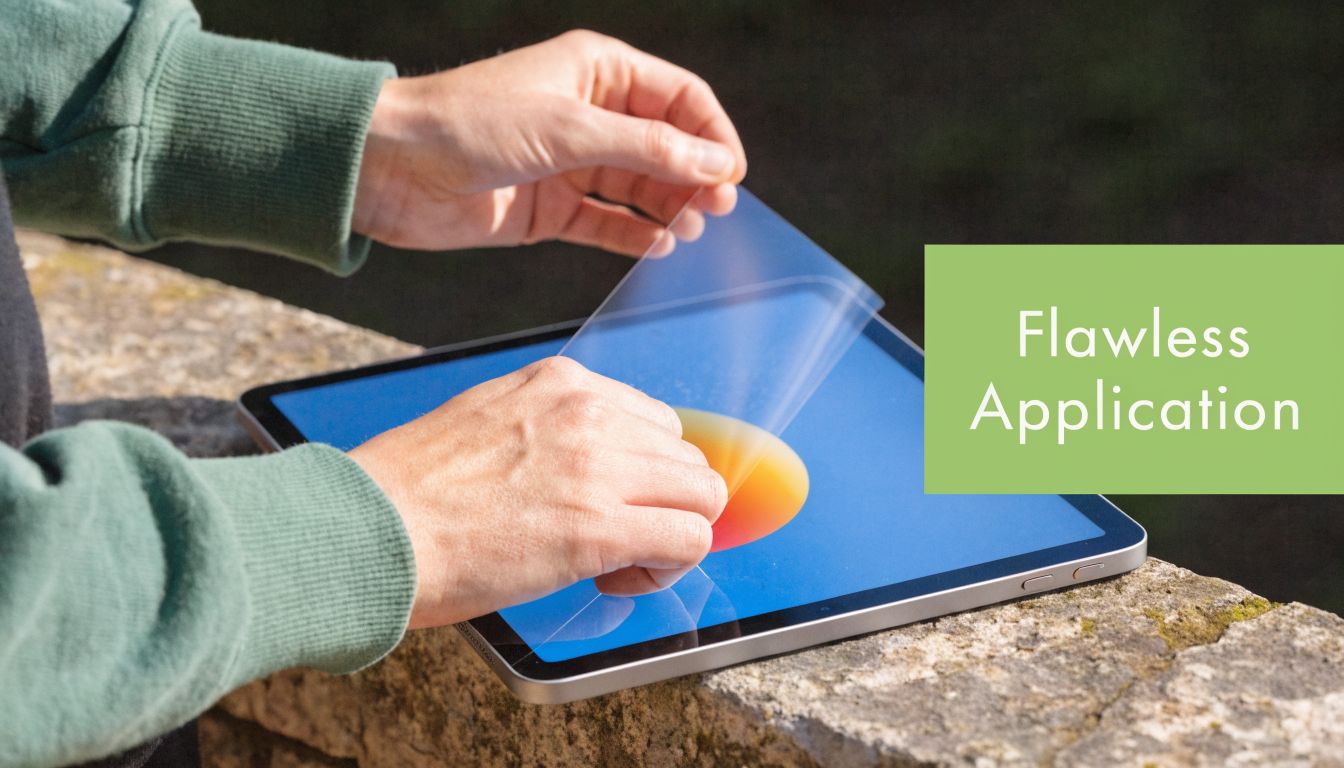
Prepare the space before you touch the adhesive
Most bad installs start before the backing film is removed. The environment matters. If the room is dusty, bright sunlight is hitting the screen at an angle, or you’re rushing, you’re already making the job harder.
Use a flat table with good overhead lighting. Clean the iPad screen thoroughly with the supplied wipe or a clean microfibre cloth. Then inspect it from multiple angles. Tiny lint specks that are invisible head-on often show up when you tilt the glass.
I prefer to lay out everything first:
- Protector and tray if the kit includes one
- Dry cloth for the final polish
- Dust removal sticker or tape for stray particles
- A card or squeegee for pressure after placement
A clean screen isn’t enough. Your hands should be clean too, because fingerprints on the adhesive side can ruin the fit.
Use the hinge method for alignment
The hinge method is still the easiest reliable approach, especially on larger iPads.
- Place the protector on the screen without removing the backing.
- Align the edges and cut-outs carefully.
- Use small pieces of tape along one side to create a “hinge”.
- Lift the protector like a cover.
- Peel the backing away.
- Lower the protector slowly back into place using the taped edge as your guide.
This reduces panic and stops the protector drifting as you lower it.
Once it lands, press at the centre and let the adhesive spread outward. Many minor air lines disappear on their own if the protector is aligned correctly and the screen is clean.
For a visual walkthrough, this install video shows the movement and pacing more clearly than written instructions can:
How to fix bubbles and trapped dust
Not every bubble means failure. Some are just air. Others have dust trapped inside.
Try this sequence:
-
For simple air bubbles
Push from the centre toward the nearest edge using a card wrapped in a soft cloth. -
For a bubble that won’t move
It’s often dust, not air. Lift that nearest corner gently with tape. -
For visible lint underneath
Use another piece of tape to dab the underside of the protector or the screen where the particle sits. -
For major misalignment
Lift and reset once, carefully. Repeating that too many times weakens the clean finish and raises the chance of contamination.
A final check under bright light helps. If the protector looks good there, it’ll usually look perfect in normal use.
Cleaning, Maintenance, and When to Replace
A week after installation, maintenance starts deciding whether your ipad screen protector feels good for months or becomes annoying far too early. In store, I usually see the same pattern. Buyers spend time choosing the right glass or film, then clean it with the wrong cloth, let grit sit at the case edge, or keep using a cracked protector long after it should have been changed.
Good care is simple. It just needs to be consistent.
Clean without wearing the surface out
Use a clean microfibre cloth and light pressure for routine wiping. If the screen is oily, lightly dampen the cloth with water. Avoid strong cleaning sprays, rough tissues, and alcohol-heavy wipes unless the product maker specifically allows them, because they can wear down the coating that keeps the surface smoother and less greasy.
The same habit applies across protective films. This expert guide to car PPF upkeep covers vehicle film, but the maintenance logic is similar. Gentle cleaning, less abrasion, and faster removal of dirt all help the protective layer last longer.
A few habits make a real difference over the full life of the protector:
- Wipe off skin oil before long study or drawing sessions so the surface stays predictable under your finger or Apple Pencil.
- Check the case edge every few days because trapped dust near the frame often leads to corner lift.
- Remove grit quickly if the iPad goes into a backpack often. One grain dragged across the screen repeatedly can leave visible marks.
- Keep charging and desk areas clean if the iPad is used in class, at a cafe, or on a shared office table. Fine dust builds up faster than many users expect in Singapore.
Replace it when function drops, not only when it looks ugly
A protector does not need to be shattered to be finished. Replace it when the surface starts getting in the way of normal use.
For tempered glass, that usually means edge chips, spreading cracks, deep scratches, or a rough patch that catches on swipes. For film, the usual signs are permanent lifting, gouges, haze, or a texture change that makes writing feel inconsistent. Students often tolerate damage too long because the iPad still turns on. Creators usually notice earlier because Pencil accuracy and hand feel matter more.
If the protector took a hard hit, replacing it soon is the safer call. As noted earlier in the article, school-use product data for shatterproof glass showed lower break risk while the protector remained intact. Once the layer is cracked or lifting, that benefit drops, and the next impact can reach the display itself.
At that point, keeping it on is false economy.
For Singapore buyers, the practical question is not only whether to replace it, but how. A careful reinstall helps avoid dust, poor alignment, and wasted protectors, which is why many customers prefer professional fitting at myhalo after a drop or after heavy school-term wear. That matters even more if you plan to keep the iPad in good condition for resale, hand-me-down use, or a later trade-in. A fresh protector at the right time costs less than living with a damaged one until the actual screen pays the price.
Local Buying and Lifecycle Support in Singapore
Buying an ipad screen protector locally changes more than delivery speed. It changes how likely you are to end up with the right fit, a clean install, and support that still matters a few months later when the protector is scratched, chipped, or no longer matches how you use the iPad.
I see this often in store. A student usually wants the lowest safe cost and quick replacement if the protector gets damaged mid-term. A designer or note-heavy Apple Pencil user usually cares more about writing feel, glare control, and whether the installer can line it up properly on the first try. Those are different jobs, and the buying process should reflect that.
Buying locally changes the experience
Product listings rarely answer the questions that decide whether you stay happy with the purchase. Will the protector sit well with your case? Does the glass leave enough edge clearance? Will a paperlike film feel good for handwriting but look too grainy for movies? Those trade-offs are easier to sort out with hands-on advice than with a short spec sheet.
Installation is part of the value too.
A poor application can waste a good protector. Dust under the surface, slight misalignment, or edge lift from the wrong case can turn a decent product into money lost. That is why many Singapore buyers choose in-store fitting at myhalo, especially for larger iPad models where home installation is harder to get right.
It also makes sense to choose the case and protector together. Edge protection, lip height, and fit all affect how well the screen stays protected over time. If you are selecting both, this guide to covers for the iPad helps you avoid combinations that look fine separately but clash in daily use.
A protector is part of a longer device lifecycle
A screen protector is a small purchase, but it affects the bigger ownership cycle. Keeping the display clean and scratch-free helps if you plan to resell the iPad, pass it to a family member, or trade it in later. That matters even more with refurbished iPads, where preserving condition is part of getting full value from the device.
Local after-sales support matters here. If the first protector is the wrong finish, if your usage changes from media viewing to heavy note-taking, or if the protector needs replacement after a drop, it helps to deal with a shop that can advise on the next step instead of leaving you to reorder blindly.
For buyers in Singapore, the practical win is simple. Choose a protector that suits your current use, install it properly, replace it when performance drops, and keep the iPad in good enough condition for its next stage of use.
If you want help matching an ipad screen protector to your model, budget, and workflow, myhalo gives you a practical place to start. You can compare options, ask about compatibility and installation, and look at trade-in or refurbished paths with the full device lifecycle in mind.