





HP ZBook Singapore Guide: Find Your 2026 Workstation
You're probably looking at hp zbook because a regular laptop has already failed one of your real jobs.
It may have started with a Premiere Pro export that slowed to a crawl halfway through. Or a Revit model that became unstable once the file got heavy. Or a staff laptop that seemed fine in a meeting room, then struggled the moment someone opened CAD, a browser full of tabs, Teams, and a spreadsheet at the same time. That's the point where buying by consumer-laptop logic stops making sense.
A mobile workstation exists for that gap between “good enough on paper” and “reliable enough for paid work”. The difference isn't just raw specs. It's sustained performance, professional graphics options, and ISV certification, which matters when your software stack includes tools like Adobe Premiere Pro, Autodesk Revit, or Enscape. If your business bills by project, missed render windows and software instability cost more than the laptop itself.
Table of Contents
- Is the HP ZBook More Than Just a Laptop
- Decoding the HP ZBook Family Firefly Power Fury and Studio
- Which ZBook for Your Workflow Real-World Use Cases
- How to Configure Your Perfect ZBook A Spec-by-Spec Guide
- New vs Refurbished ZBook A Smart Buyer's Analysis
- Maximising Your Investment Pricing and Trade-In Tips
- ZBook Care in Singapore Warranty Repairs and myhalo Services
Is the HP ZBook More Than Just a Laptop
Yes. That's the short answer.
The longer answer is that hp zbook is a workstation line, not a dressed-up office notebook. HP introduced ZBook mobile workstations in 2013 as the portable version of its Z workstation range, and that line has had a long development cycle since then. The progression from early generations to newer machines like the ZBook Power G11 shows how far the platform has moved, with newer configurations offering Intel Core Ultra 9 processors and up to 64GB of DDR5-5600 RAM according to HP ZBook history and platform details.
That matters because workstation buying is rarely about one headline spec. It's about whether the machine stays dependable under actual work conditions.
What separates a workstation from a normal laptop
A consumer laptop is built for bursty tasks. Open apps, browse, join calls, edit a few files, then idle. A workstation is built for sustained demand. That includes rendering, large design files, code builds, simulation work, and professional media workloads that stay heavy for long stretches.
Three things usually separate the two:
- Certified graphics and software stability. ISV-certified systems are validated for professional applications where crashes are expensive.
- Thermal design that assumes prolonged load. The machine isn't just fast for five minutes.
- Expandability and component headroom. More memory, stronger GPUs, and storage options that better fit project-based work.
Practical rule: If your laptop directly affects billable output, buying on thinness alone is usually a mistake.
Why Singapore buyers should look at it differently
In Singapore, the buying mistake I see most often is overspending on premium office laptops for people doing workstation jobs, then underspending on the specs that directly affect workflow. A sleek machine with a high-end commercial badge won't help much if the GPU is too weak for your software or if the cooling system can't hold performance.
The ZBook line makes sense because it spans different working styles. You can go from an ultra-portable Firefly to a much more serious desktop-replacement setup without leaving the workstation category. For SMEs, agencies, architects, and independent creatives, that's useful. It lets you match the machine to the job instead of forcing every staff member onto the same laptop template.
Decoding the HP ZBook Family Firefly Power Fury and Studio
Think of the ZBook family like car classes. They all get you to work, but they're built for very different roads.
The Firefly is the compact city car. The Power is the practical sedan. The Fury is the performance machine built for load. The Studio is the premium design-focused model that balances style with serious capability.
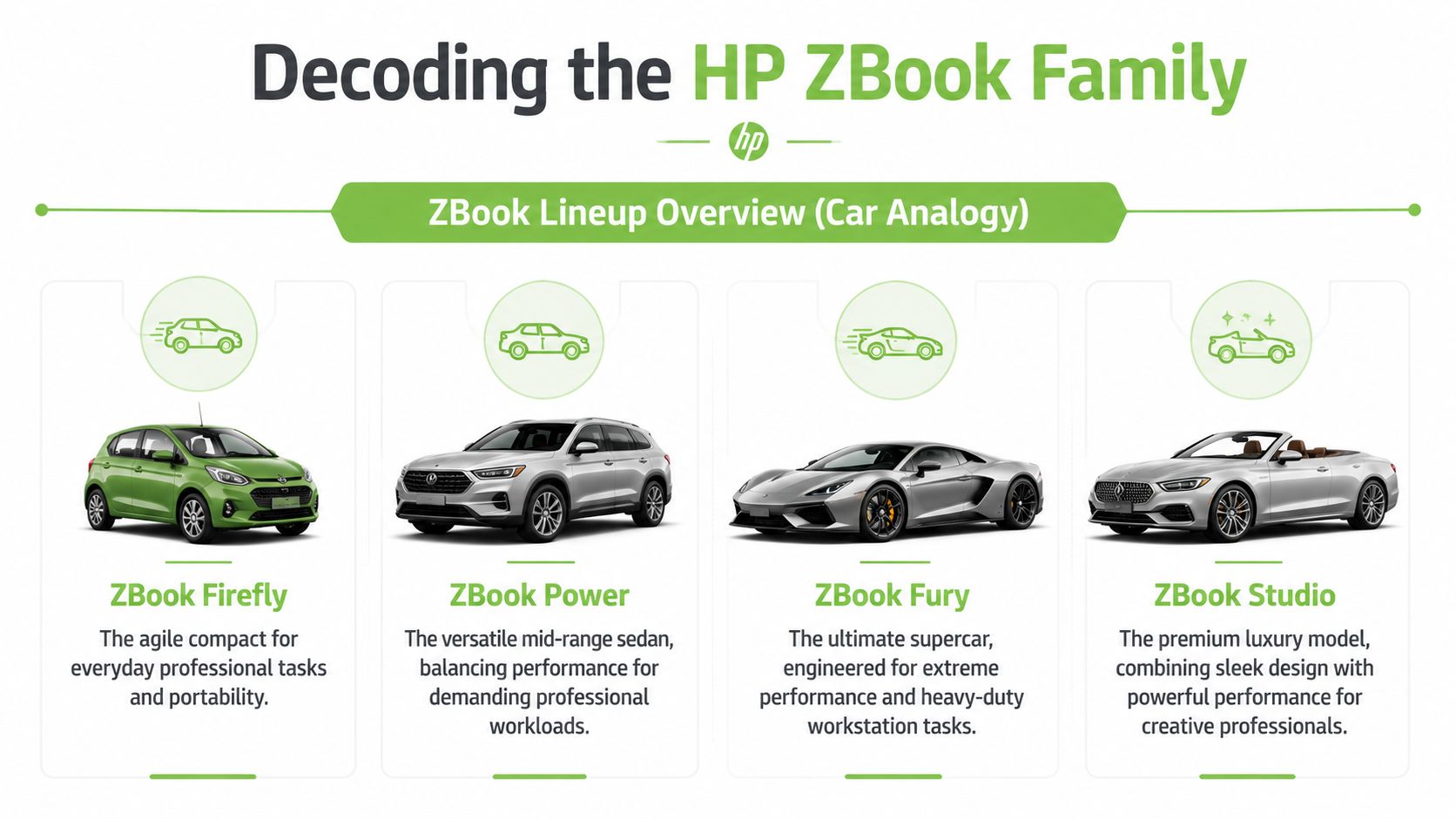
Current ZBook models cover a broad spread of performance needs. Depending on model and configuration, you'll see Intel Core Ultra or next-generation AMD Ryzen processors, and some current variants go up to the NVIDIA RTX 500 Ada Laptop GPU with up to 154 AI TOPS for AI-specific workloads. Top-end storage can reach 2 x 4TB PCIe Gen4 SSDs, as listed in HP's current workstation specifications.
HP ZBook Family at a Glance
| Model Line | Primary Use Case | Key Strengths | Typical User |
|---|---|---|---|
| Firefly | Mobile productivity with light professional work | Portability, easier daily carry, pro features in a lighter chassis | Consultants, hybrid workers, light creative users |
| Power | General workstation work | Better performance-per-dollar, stronger component options | SMEs, architects, editors, developers |
| Fury | Heavy-duty workstation workloads | Strongest cooling, highest performance ceiling, better long-session behaviour | 3D artists, engineers, simulation users |
| Studio | Premium creative workstation use | Design, display appeal, creative-focused balance | Designers, client-facing creatives |
Firefly for mobility-first users
The Firefly fits people who move around all day and still need professional-grade reliability. If you split time between office, home, client sites, and shared spaces, this is the line that feels easiest to live with.
Its biggest strength is that it gives you workstation DNA without turning your bag into dead weight. A model like the HP ZBook Firefly 15 G8 mobile workstation makes sense for business analysts, project managers, light Adobe users, and teams that need something more stable than a regular ultrabook.
Power for balanced professional work
For most small businesses, the Power line is the practical centre of the range.
The HP ZBook usually provides the best balance of cost, GPU capability, memory headroom, and day-to-day portability. If your work includes CAD, editing, design reviews, heavier Excel models, or code compilation, Power is often the safest default recommendation.
Fury for heavy workstation jobs
Fury is the machine you buy when the laptop is effectively replacing a desk workstation.
It's meant for sustained compute-heavy work. If your files are large, your sessions are long, and you don't want the system dropping pace midway through the day, Fury is where the line starts to justify itself properly. This is the model family for demanding 3D, engineering, simulation, and advanced rendering pipelines.
Buy Fury when waiting is more expensive than carrying extra weight.
Studio for design-led creative setups
Studio serves a narrower audience, but it's a real one.
It appeals to creative professionals who care about presentation, display quality, and a cleaner premium form factor without stepping down to consumer-class hardware. It isn't the first pick for every buyer, but for design leads, art directors, and client-facing creatives, it often lands in the sweet spot between visual polish and workstation credibility.
Which ZBook for Your Workflow Real-World Use Cases
Specs only matter when they shorten real work.
A better way to choose hp zbook is to start with your file type, software habits, and how long the machine stays under load. That tells you more than any marketing label.
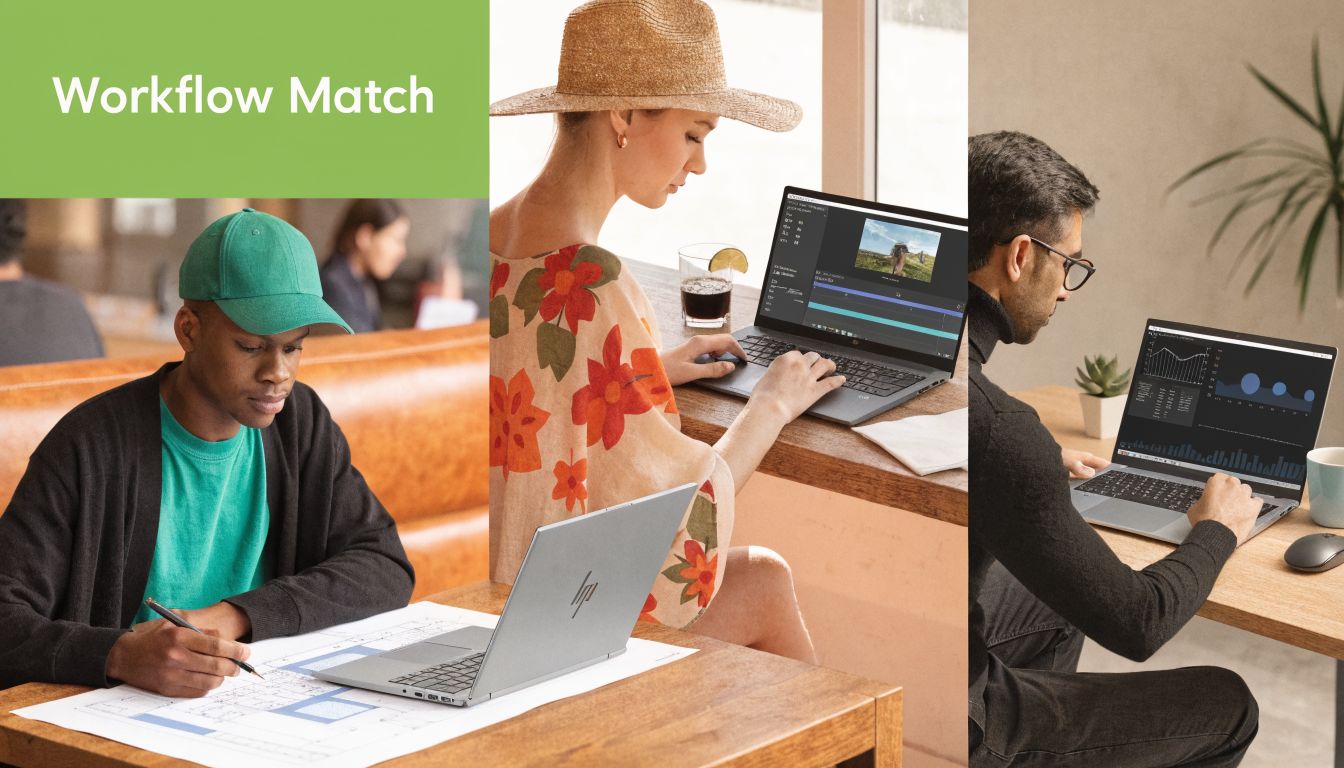
Architects and engineers
An architect working in Revit, SketchUp, Enscape, or similar software usually needs two things from a workstation. First, a professional GPU that plays nicely with certified software. Second, cooling that doesn't collapse after a long render or model review.
That second point gets ignored too often in Singapore. High-end ZBooks are built with more serious cooling and can maintain over 95% performance during 8+ hour workloads, while lighter models can throttle significantly after 45 to 60 minutes of intensive work, according to this thermal comparison of ZBook workstation behaviour. If your team runs long simulations, large BIM files, or repeated visualisation exports, that difference affects delivery timing.
A practical fit looks like this:
- Smaller architecture practice. ZBook Power if the work is mixed and staff still travel.
- Engineering or rendering-heavy team. ZBook Fury if the machine spends long hours under full load.
- Site-based technical consultant. Firefly only if the files are lighter and mobility comes first.
Video editors and content teams
For editors, the wrong laptop often feels fine until the timeline gets messy.
Proxy workflows can hide hardware weakness for a while, but real pain shows up during exports, colour work, multiple effects, and when source media starts stacking across drives. A stronger ZBook setup helps because it gives you more room for GPU-accelerated effects, faster access to project files, and fewer slowdowns when juggling several professional apps at once.
What matters most here isn't just CPU. It's a balanced machine. Enough RAM to keep applications from fighting each other. Enough storage speed so footage doesn't become the bottleneck. Enough cooling so exports don't stretch longer than they should.
If your editor spends more time watching progress bars than reviewing cuts, the laptop is part of the problem.
Data scientists and AI workflows
Data science buyers often make a different mistake. They focus only on processor branding and forget the wider workflow.
A good workstation for data work depends on where the load sits. Some users lean harder on CPU and memory. Others benefit from stronger GPU acceleration. Newer ZBook options now include hardware aimed at AI-specific workloads, so the right fit depends on whether your work is notebook-and-browser heavy, local inferencing, or GPU-assisted experimentation.
For this group, I'd separate buyers into three practical lanes:
- Analytics and business intelligence users need stability, RAM headroom, and multi-app responsiveness more than extreme graphics.
- Developers and technical teams often benefit from the Power line because it balances price and usable performance.
- AI-heavy or compute-heavy users should treat Fury and higher-end GPU options as productivity tools, not luxury upgrades.
How to Configure Your Perfect ZBook A Spec-by-Spec Guide
A bad ZBook configuration usually comes from spending too much on one component and starving the others.
The right build is the one that fits your software, your session length, and your upgrade horizon. Not the one with the flashiest single spec.
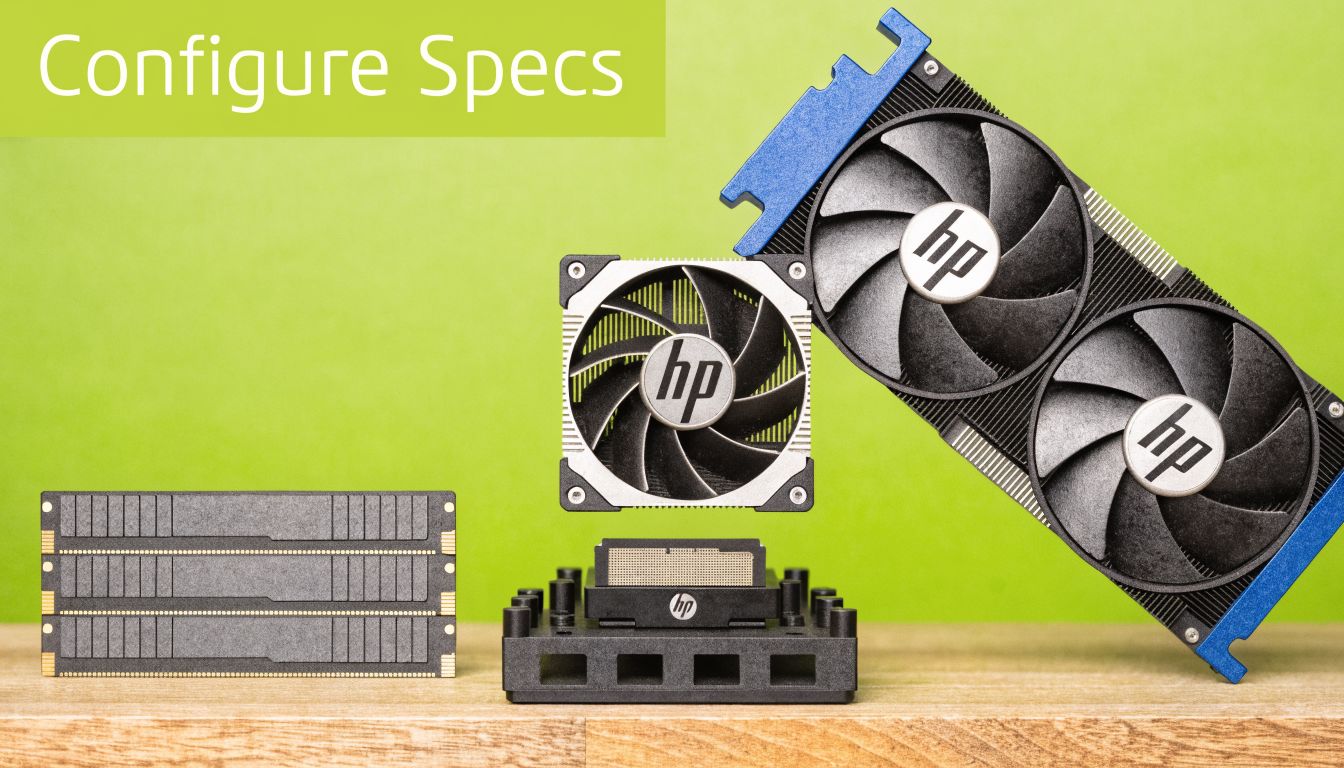
Start with the processor
Choose the CPU based on your main workload pattern.
If your day is mostly office apps, browser work, meetings, and light Adobe use, you don't need to chase the highest tier. But if you compile code, batch-process media, run simulations, or work in large project files all day, a stronger processor becomes worthwhile because it affects responsiveness across everything else.
The right question isn't “What's the fastest CPU?” It's “What keeps my team moving?”
Choose the GPU based on software not ego
Workstation buyers use this choice to either save money intelligently or waste it.
If your software doesn't rely much on GPU acceleration, don't overspend. But if you work in CAD, 3D, rendering, visualisation, or GPU-assisted creative tools, the graphics choice is central. Higher-tier ZBook GPUs also matter because of ISV certification and professional driver support, not just benchmark bragging rights.
A useful rule of thumb:
- Light professional work. Entry graphics are often enough.
- Regular CAD and creative work. Mid-tier RTX options usually make more sense.
- Heavy render and 3D workflows. Pay for the stronger GPU. That's often where time savings are clearest.
For buyers who want a quick visual walkthrough before choosing components, this video is a decent primer on the platform:
Don't underbuy RAM and storage
RAM shortages create annoying slowdowns that users often blame on the processor. Storage bottlenecks create the same confusion.
If your staff routinely keep many apps open, switch between project files, or work from large local assets, don't cut the configuration too tightly. ZBook models can support workstation-level memory and storage options, so the smarter move is to buy enough headroom for the actual workload rather than the lightest possible usage scenario.
Be careful with display options
Some display features sound excellent on a product page and become irritating in practice.
A clear example is HP Sure View. It's sold as a privacy feature for mobile professionals, but on the ZBook Firefly 14, enabling it reduced brightness from 950 nits to 116 nits, which made the screen impractically dim in testing. The same testing noted that only the 1,000-nit panel offers a somewhat usable Sure View experience. That's from Notebookcheck's hands-on Sure View testing.
For Singapore buyers, that matters. If you work near windows, in shared offices, or while moving between sites, a dimmed screen is a daily nuisance.
Privacy features are only useful if you can still see your own work.
New vs Refurbished ZBook A Smart Buyer's Analysis
Total cost of ownership becomes more useful than simple purchase price in this context.
A new hp zbook gives you the newest platform, full factory customisation, and the cleanest lifecycle from day one. If you need a specific current-generation CPU, want to standardise a fleet around one exact configuration, or your procurement rules favour sealed stock, new is still the straightforward answer.
When new makes sense
Buy new if your business needs the latest architecture for a specific reason, not just because “newer sounds better”.
That could mean internal IT policy, long planned depreciation cycles, or a very particular current-gen requirement. It also makes sense when you want the broadest possible manufacturer options at point of order.
When refurbished is the smarter buy
For many professionals, refurbished is the better value because workstation performance doesn't age the same way consumer marketing does.
The strongest example is GPU tiering. In HP's own comparison, NVIDIA RTX A5000 Ada graphics deliver about 2.5x the floating-point performance of A1000 variants, and on the same 3D CAD project that can mean the difference between a 4-hour render and a 90-minute render. That's from HP's high-end workstation comparison for ZBook-class GPUs. If your budget can stretch to a refurbished higher-tier machine instead of a weaker new one, the workflow benefit can be more important than the age of the chassis.
That's why I often tell buyers to compare by completed work per dollar, not by model year.
A practical way to consider this:
- Choose new if your requirement is platform-specific.
- Choose refurbished if your work benefits more from a higher GPU or cooling tier than from owning the latest generation.
- Check the refurbishment process before anything else. Cosmetic condition matters less than testing, warranty terms, and component health.
If you want a broader framework for that decision, this guide to refurbished laptop computers is a useful starting point.
Maximising Your Investment Pricing and Trade-In Tips
Most buyers focus on shelf price and ignore acquisition strategy. That's a mistake, especially for workstation purchases.
Reduce the upfront hit
Three moves usually help:
- Trade in your old device if it still has resale value. Even an ageing business laptop can offset part of the cost.
- Use instalment plans carefully. They're useful when cash flow matters more than absolute lowest upfront payment, especially for SMEs buying more than one unit.
- Check for post-purchase protection policies. A price-drop refund guarantee won't change the machine, but it can reduce the regret of buying at the wrong moment.
Think in lifecycle cost not shelf price
A workstation should be judged over its useful life, not just at checkout.
If a stronger configuration prevents delays, extends service life, or reduces the need to replace the machine early, it can still be the cheaper option overall. The same goes for trade-ins at the back end. A business that plans refresh cycles properly often spends less over time than a business that repeatedly buys underpowered laptops and replaces them too soon.
For Singapore SMEs, the cleanest buying strategy is usually simple. Buy the right class once, avoid under-spec purchases, and recover value from the outgoing device instead of letting it sit in a drawer.
ZBook Care in Singapore Warranty Repairs and myhalo Services
A workstation purchase doesn't end when you unbox it. For business users, support quality is part of the product.
Know what support you're actually buying
New and refurbished machines come with different warranty structures, and that's normal. What matters is clarity. You should know who handles the claim, what's covered, how long repair turnarounds usually take, and whether support is local.
If you're checking a used or older HP unit, it also helps to understand serial-based warranty verification and common admin issues around it. This resource on saving businesses from HP warranty issues is useful background for owners who want to avoid confusion before a repair becomes urgent.
For local buyers, it's also sensible to review a Singapore-specific process for HP warranty checks in Singapore so the ownership side is clear before purchase.
Plan for ownership not just purchase
A workstation used for paid work should have a maintenance plan. That includes battery health awareness, thermal cleaning over time, storage checks, and a repair path if accidents happen. Support programmes that cover proactive maintenance or accidental damage can make sense for teams that travel or move frequently between office and field environments.
This is also where one local option can be relevant. myhalo handles new and refurbished devices, offers repair and migration support, and backs devices with transparent grading and warranty terms. For buyers who care about extending device life rather than treating laptops as disposable, that's a practical ownership model.
If you're choosing an hp zbook for work in Singapore, don't stop at specs. Check the service path, the warranty logic, and how fast you can get back up if something fails.
If you want help comparing a new or refurbished hp zbook for your workload, myhalo can help you shortlist the right model, check trade-in options, and sort out support before you buy.