





HP ProBook: 2026 Buyer's Guide & Smart Choices
If you're shopping for an hp probook right now, you're probably not chasing a flashy ultrabook. You're trying to solve a practical problem. Maybe you need a dependable laptop for staff who live in Outlook, Teams, browser tabs, and spreadsheets. Maybe you're a student who wants something that can survive daily commuting, project work, and a few years of use without becoming e-waste too quickly.
That's where the ProBook usually enters the conversation. In Singapore, it has long sat in the sensible middle ground. Not as stripped down as many entry consumer laptops, and not as expensive as premium enterprise machines. For SMEs, schools, and budget-conscious buyers, that balance matters more than headline specs.
A good hp probook choice isn't just about CPU generation or SSD size. The main question is simpler. Will this machine stay useful, serviceable, and economical over time?
Table of Contents
- Why Choose an HP ProBook in Singapore
- Decoding the HP ProBook Lineup and Models
- Key Specs to Evaluate for Your Needs
- New vs Professionally Refurbished A Smarter Choice
- Maximising Your ProBook's Lifespan and Value
- Where to Buy and Service Your ProBook in Singapore
- Is an HP ProBook Right For You? A Final Checklist
Why Choose an HP ProBook in Singapore
A common buying scenario looks like this. A small business needs a few laptops for admin, sales, and operations. Nobody needs workstation-class graphics, but everyone needs stable day-to-day performance, decent keyboard comfort, proper ports, and a machine that won't feel flimsy after months of travel between office, home, and client sites.
That's the role the hp probook fills well. It has long been treated as a business-first machine rather than a purely consumer model, so buyers tend to get a more practical mix of features and serviceability. If you want a sense of what makes a business laptop different from a lifestyle laptop, this guide to a reliable business laptop is a useful reference point.
Built for ordinary work that matters
For most Singapore users, “good laptop performance” doesn't mean synthetic benchmark wins. It means the laptop wakes quickly, joins video calls without fuss, handles browser-heavy workflows, and doesn't overheat when you've got Excel, accounting software, email, and messaging all open at once.
That's why ProBooks remain common in offices and schools. They're workhorses. They're usually easier to justify financially because they focus on function over gimmicks.
Practical rule: If a laptop will spend most of its life doing office work, web apps, meetings, and document-heavy tasks, reliability and repairability usually matter more than chasing the highest-tier processor.
A better fit for buyers who think in years
Students and SME owners often make the same mistake. They buy based on launch excitement, then realise later that the machine isn't easy to upgrade, the battery is difficult to replace, or the resale market is weak.
The hp probook tends to age more sensibly because it starts from a business use case. That usually means a more conservative design, easier fleet deployment, and better odds of finding parts, accessories, and refurbished stock locally. For anyone managing spending carefully, that's often the difference between a cheap purchase and a smart one.
Decoding the HP ProBook Lineup and Models
When people say “I'm looking at an hp probook”, that still leaves a lot unanswered. A ProBook 440 isn't the same machine as a 450, and a G8 isn't the same generation as a G10. If you don't decode the model name, it's easy to compare the wrong devices.
Start with the family name
The ProBook line has been around since April 2009, when HP introduced the ProBook s-series including the 4410s, 4510s, and 4710s, alongside AMD-based 4415s and 4515s. HP's documentation also shows early screen sizes of 14-inch, 15.6-inch, and 17.3-inch, which helps explain how long this family has served mainstream business buyers rather than trend-driven consumer segments. Current materials for the ProBook 450 G9 continue that business-oriented approach with upgradeable dual-channel DDR4 memory up to 32 GB, SSD options up to 1 TB, and 15.6-inch display choices including FHD touch and non-touch panels in HP's ProBook family history and 450 G9 product material.
That history matters because the naming convention stayed tied to practical business deployment. The line wasn't created as a one-off experiment. It was built as a mainstream corporate notebook tier.
What the numbers usually tell you
A quick shorthand helps when browsing listings:
- 440 series usually points to a 14-inch class ProBook
- 450 series usually points to a 15.6-inch class ProBook
- Generation labels like G8, G9, or G10 tell you the relative age of the platform
This won't replace checking the full spec sheet, but it helps you screen listings fast. If portability matters more, many buyers start with the 440 family. If you prefer a larger display for spreadsheets and multitasking, the 450 line is often the more comfortable choice.
One practical example is this HP ProBook 440 G8 configuration, where the model name already tells you a lot before you even read the finer specs.
Why model decoding saves money
Used and refurbished buyers in Singapore often overpay for the wrong thing. They see “ProBook” and assume every unit has the same build, ports, upgrade path, or battery condition. That's not how this category works.
A newer generation may bring better platform efficiency. An older but higher-tier configuration may still be more productive than a newer low-spec one. A 14-inch model may fit a commuter better, while a 15.6-inch model may cut eye strain for office-heavy work.
The smart buyer doesn't ask, “Is ProBook good?” The smart buyer asks, “Which ProBook generation and size actually fits the work?”
Key Specs to Evaluate for Your Needs
Spec sheets become useful only when you translate them into work outcomes. The hp probook range is broad enough that you can overspend easily, or buy too little laptop for the job.
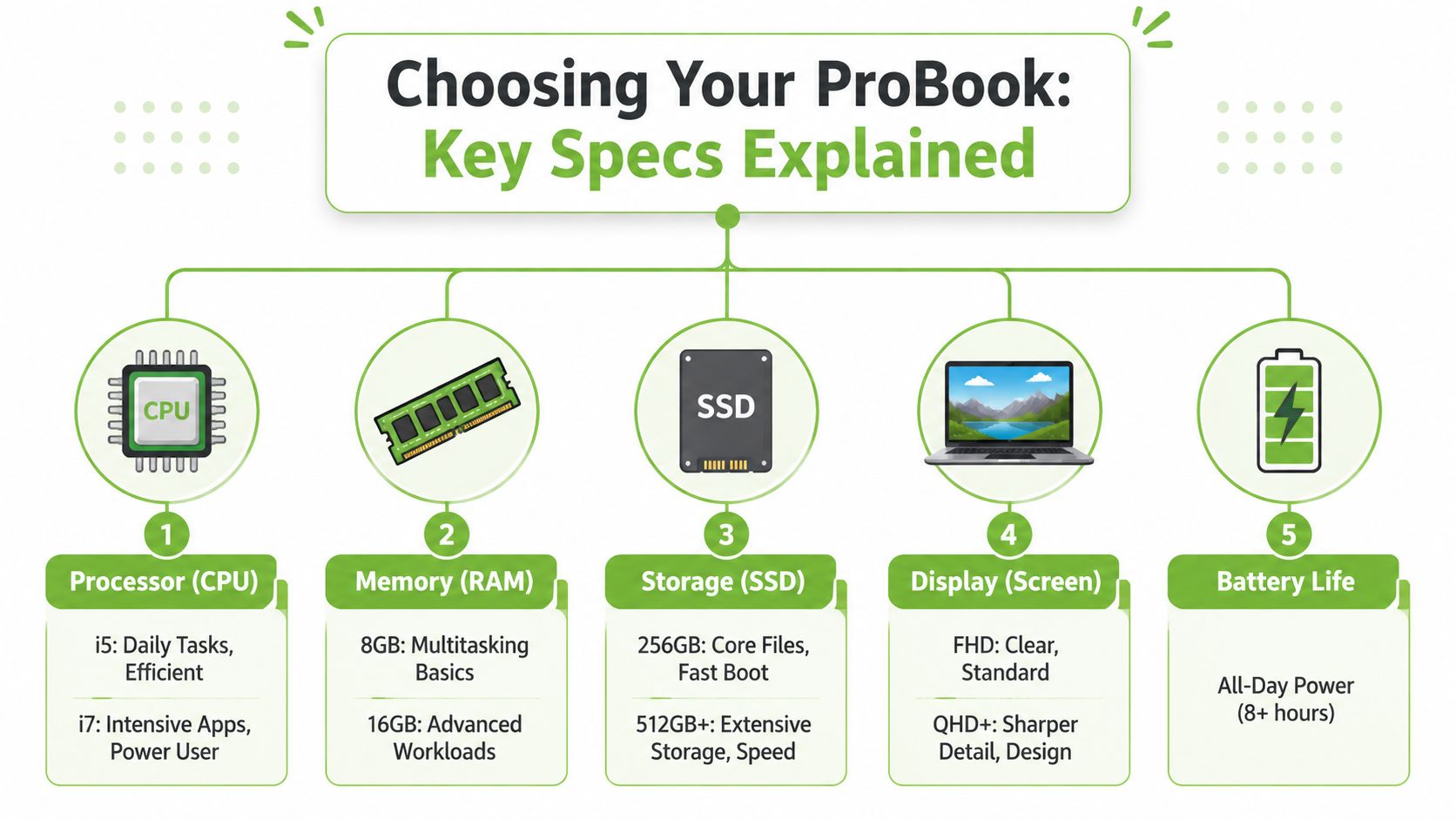
HP's ProBook configurations typically span Intel Core i5/i7 or Ryzen 3/5/7 processors, 8 GB to 32 GB+ RAM, PCIe NVMe SSD storage from 256 GB up to 1 TB or more, with optional dedicated graphics on some SKUs, according to HP's ProBook platform overview. That flexibility is good news for Singapore SMEs because one chassis family can cover basic admin work and more demanding office tasks.
CPU choice should match the job
For routine office work, an i5 or Ryzen 5 class machine is usually the sensible middle ground. It gives enough headroom for browser tabs, documents, video calls, and line-of-business apps without paying extra for capacity you may never use.
Move to an i7 or Ryzen 7 when the user regularly handles heavier spreadsheets, light data work, more demanding multitasking, or casual content tasks. The gain isn't just “more power”. It's smoother performance when workloads stack up.
- Admin and student use: Prioritise efficiency, portability, and stable day-to-day responsiveness.
- Operations and finance roles: Lean towards stronger mid-range CPUs because large spreadsheets punish weak systems.
- Hybrid users with light creative work: A higher-tier CPU and faster SSD make a visible difference when juggling office apps and media tools.
RAM and SSD are where bottlenecks show up
RAM is the first thing I check after the processor. A machine can have a decent CPU and still feel sluggish if memory is too tight for the way the user works.
Here's the practical view:
| Component | Good for | Watch out for |
|---|---|---|
| 8 GB RAM | Email, browser work, documents, light multitasking | Can feel cramped when many tabs and apps stay open |
| 16 GB RAM | Heavier multitasking, spreadsheets, long video calls, larger working files | Usually the sweet spot for business use |
| 256 GB SSD | Core apps and essential files | Fills up faster than people expect |
| 512 GB SSD or more | Broader file storage, easier long-term use | Costs more, but reduces storage pressure |
If two laptops are similarly priced, I'd usually favour the one with better RAM and SSD practicality over a minor CPU bump. That tends to improve daily experience more consistently.
Buy for the workload you already have open at 3 pm on a busy weekday, not for the empty desktop in a showroom.
Screen, ports, and battery affect productivity more than buyers expect
The display matters because a laptop that looks fine for ten minutes in a shop may be tiring after a full workday. For spreadsheet users, operations staff, and students writing reports, a clear FHD screen is the sensible baseline.
Ports matter for office life too. Business users still connect projectors, external displays, USB drives, wired accessories, and meeting-room gear. A laptop with the right built-in ports saves money and inconvenience later because you won't need to live on dongles.
Battery life also needs realistic expectations. The goal isn't mythical all-day perfection under every workload. The goal is enough stamina for classes, meetings, and commuting without constant charger anxiety.
New vs Professionally Refurbished A Smarter Choice
A brand-new hp probook is the straightforward option. You get a fresh unit, current packaging, and the comfort that nobody else has used it before. For some buyers, that's reason enough.
But in real SME budgeting, “new” isn't always the smartest answer. If the workload is office-heavy and the machine has been professionally refurbished, the better value often sits in the refurbished market, especially when you care about lifecycle cost rather than showroom appeal.
Where new still makes sense
New is easier to justify when you need the latest platform, a specific warranty arrangement, or a standardised fleet on one exact generation. It also suits buyers who don't want any cosmetic variation and prefer factory-sealed stock.
There's also less ambiguity. With new stock, you're usually deciding between current configurations, not comparing condition grades, battery health expectations, or prior usage patterns.
Why refurbished can be the better business decision
Professionally refurbished is not the same as buying a random second-hand unit from a marketplace listing. The difference is process, testing, and accountability. If you're weighing that route, this overview of refurbished laptop computers covers the core distinctions buyers should understand before committing.
The practical upside is simple. Business laptops like ProBooks are often designed to keep working long after the first owner is done with them. If the device has been checked properly, cleaned up, graded clearly, and sold with a defined warranty, it can be a much more rational purchase than a cheap new consumer laptop with fewer service options.
New vs myhalo Refurbished ProBook at a Glance
| Factor | Brand New | myhalo As-New | myhalo ReLoved |
|---|---|---|---|
| Cosmetic condition | Factory fresh | Like new | Varies by grade, from lighter wear to more visible wear |
| Warranty | Depends on seller and manufacturer terms | 6-month warranty | 30-day warranty |
| Value for budget | Highest upfront spend in most cases | Better value if you want near-new condition | Strongest savings potential if cosmetics matter less |
| Best fit | Buyers who want sealed stock and latest cycle | Buyers who want lower cost without much cosmetic compromise | Students, SMEs, and practical users focused on function |
| Main trade-off | Higher purchase cost | Availability depends on stock | Need to accept cosmetic grading differences |
What actually matters when comparing options
A refurbished ProBook is a smart buy only if the seller is transparent about condition and support. That's where grading matters. As-New tells you the device is positioned close to like-new cosmetic condition. ReLoved grades make more sense for buyers who are comfortable separating cosmetic wear from actual usefulness.
From an IT manager's perspective, this is the proper approach:
- For client-facing staff: Cosmetic condition may matter more.
- For back-office users: Function, keyboard feel, screen quality, and battery behaviour matter more than tiny marks.
- For students: Budget and repairability often beat pristine appearance.
The mistake is assuming refurbished always means compromise. Often, the actual sacrifice is buying a lower-tier new laptop with weaker build quality just to avoid the word “refurbished”.
Maximising Your ProBook's Lifespan and Value
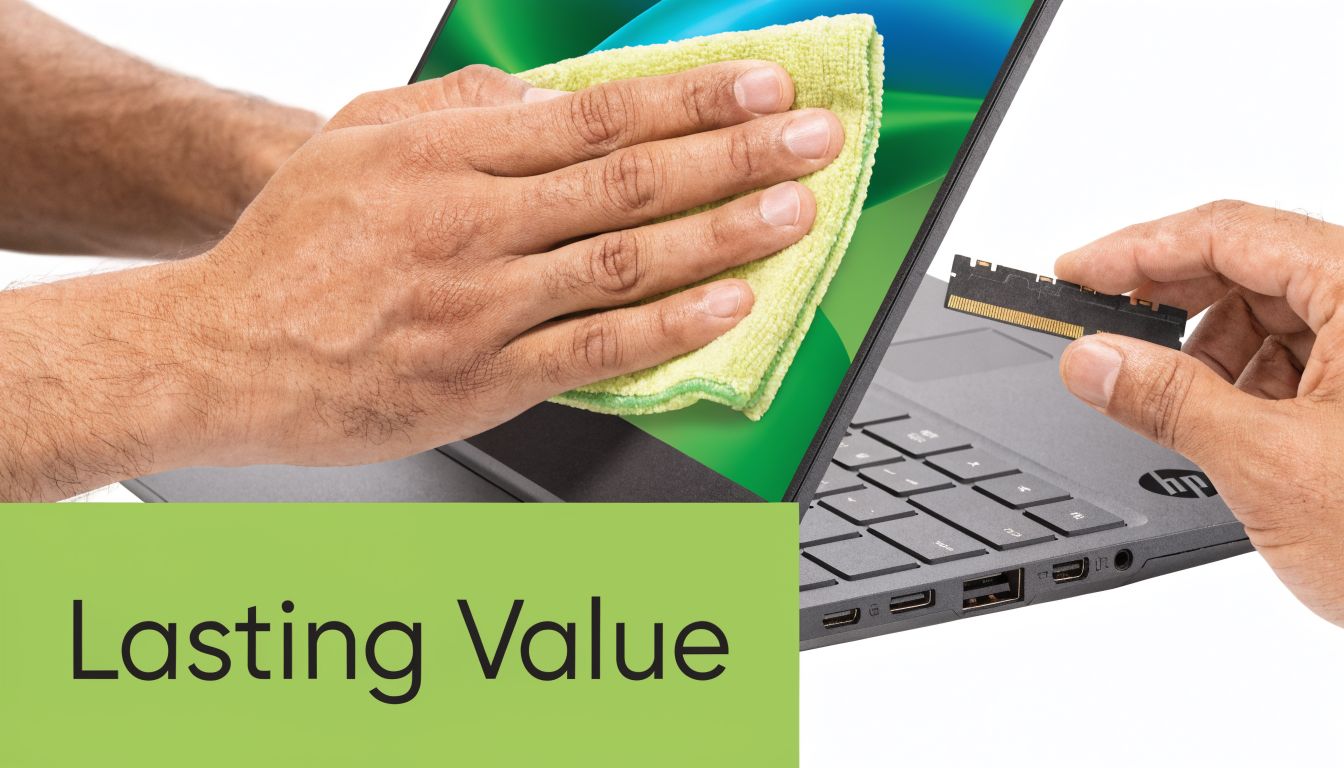
Owning an hp probook properly starts after purchase, not at checkout. If you want better total cost of ownership, you need to think like a fleet manager. Heat, dust, storage pressure, battery habits, and delayed maintenance all shorten useful life faster than is generally expected.
Check upgradeability before you buy
One of the most overlooked ProBook buying questions is whether the exact model is easy to upgrade or service. Coverage often treats “ProBook” as one broad category, but upgradeability changes a lot by generation and configuration. Recent user-guide and teardown-style coverage shows that some models have user-accessible memory paths and even an empty M.2 SSD slot, while others need much closer scrutiny before you assume anything about future upgrades, as shown in this ProBook upgradeability walkthrough.
That matters in Singapore because many students and SMEs want to extend device life instead of replacing laptops too often. A model with accessible RAM or spare SSD capacity gives you options later.
Simple habits that preserve value
Most laptops don't fail dramatically. They decline gradually. The keyboard gets grimy, vents clog, storage fills, and the battery starts spending more time on the charger than it should.
A few habits make a real difference:
- Keep vents clear: Don't use the laptop on soft surfaces that block airflow for long periods.
- Manage storage early: Leave breathing room on the SSD so updates and daily file work stay smooth.
- Clean the screen and keyboard carefully: Grime affects usability and resale condition.
- Use the right charger: Inconsistent power accessories create avoidable problems.
- Address small faults quickly: A loose hinge, weak battery, or unstable port rarely improves by itself.
A repairable business laptop usually delivers better long-term value than a sealed consumer model, even when the consumer machine looks more modern on day one.
Plan maintenance before failure
If you rely on the laptop for business or study, don't wait until it becomes unreliable. Periodic checks, battery assessment, thermal cleaning, and storage upgrades are cheaper and less disruptive than emergency replacement.
For buyers who want structured support, one option in Singapore is myhalo, which offers repairs, device migration, trade-ins, and care programmes such as e-Xtender for ongoing maintenance and Protect for accidental-damage-related coverage. That kind of support matters more once a laptop is out of its honeymoon period and you're trying to keep it productive for longer.
This video gives a useful visual sense of the kind of practical care and setup steps owners should think about over the device lifecycle.
Where to Buy and Service Your ProBook in Singapore
Where you buy an hp probook matters almost as much as which model you choose. In Singapore, availability is generally strong because HP operates at global scale. Statista's HP company profile notes HP Inc. revenue of 54 billion USD in 2023 and Q4 2024 revenue of 14.1 billion USD, while industry figures cited there show HP holding 22.6% market share in 2024 after 23.9% in 2020. That scale helps explain why business machines like the ProBook stay visible across both new and refurbished channels, with better odds of parts circulation and broader support ecosystems, as reflected in Statista's HP market context.
Choose seller quality, not just list price
A low listed price doesn't tell you enough. You need to know:
- What condition standard applies: Cosmetic wear should be clearly described, not hidden behind vague wording.
- What support exists after sale: Exchange terms, warranty handling, and repair options matter.
- What exactly is included: Charger quality, battery expectations, and installed storage or RAM should be explicit.
For business buyers, the right seller also helps with consistency. If you may need another matching ProBook later for a new hire, it's useful to work with a channel that understands business-device lifecycle needs rather than only moving one-off consumer stock.
Local service matters more over time
The best purchase channels in Singapore are the ones that can still help after the invoice is issued. That includes warranty claims, battery replacement, keyboard issues, storage upgrades, and data transfer when the user migrates to another machine.
Physical inspection still has value as well. If you're comparing refurbished grades, seeing the device in person can prevent mismatched expectations about cosmetic wear. For some buyers, online purchase is fine. For others, especially SMEs buying multiple units, in-store inspection and local servicing reduce risk.
Is an HP ProBook Right For You? A Final Checklist
The hp probook is a strong fit when you want a laptop that treats work like work. Not theatre. Not fashion. Just reliable daily use with a better chance of staying serviceable over time.
Independent review coverage of the HP ProBook 450 G9 in a Core i7-1255U, 16 GB DDR4, 512 GB SSD configuration found quiet, cool operation, noted optional features such as a 400-nit low-power display, NVIDIA GeForce MX570 graphics on some SKUs, and Wi-Fi 6E via Intel AX211 with strong throughput in testing. That combination matters in dense offices and campuses because the U-series platform favours lower heat and mobility over peak burst power, as detailed in Notebookcheck's ProBook 450 G9 review.
Use this checklist before you decide:
-
You want reliability over trendiness
ProBooks make more sense for buyers who care about stable office use, typing comfort, practical ports, and sane business design. -
Your workload is mostly productivity-focused
Email, documents, browser tabs, video meetings, spreadsheet work, and routine multitasking are squarely in this category. -
You care about total cost, not just sticker price
Upgrade potential, repair access, local support, and resale or trade-in value all matter. -
You're open to refurbished if the process is transparent
That's often where the value sits for students, startups, and SMEs.
If your laptop's job is to help you work consistently every day, the ProBook remains one of the easiest categories to justify.
If that sounds like your use case, the next step is straightforward. Shortlist by screen size, confirm RAM and SSD practicality, then compare new and professionally refurbished options with the same discipline you'd use for any other business asset.
If you want to compare hp probook options in Singapore, browse the current range at myhalo or reach out via WhatsApp for a practical recommendation based on your workload, budget, and whether new or refurbished makes more sense for you.