





Fix iPhone: Your 2026 Singapore Repair Guide
Your iPhone stops charging just as you're heading out. Or the screen starts flickering after a small drop that didn't even look serious. Or the battery falls from comfortable to critical before lunch. In the shop, these are the moments we see every day, and the first need isn't a part. It's a calm, accurate check of what's wrong.
That matters in Singapore because iPhones are everywhere, and repair demand follows that reality. Apple is the most repaired smartphone brand globally, with iPhones taking all top 20 spots for the most repaired models according to Electronics Hub's analysis of iFixit data. When a device is this common, good repair advice saves money, stress, and often the phone itself.
A proper fix iphone approach starts simple. Rule out software trouble first. Then run safe hardware checks. If the warning signs point to a real parts issue, stop before a small repair turns into board damage.
Table of Contents
Your iPhone Is Acting Up Start Here
Most iPhone faults don't announce themselves clearly. A frozen screen can be a software hang, a weak battery, or damage from a drop the day before. A charging problem can mean a failing port, but just as often it's compacted pocket lint. If your phone is misbehaving, don't jump straight to “I need a new screen” or “the motherboard is dead”.
The better approach is triage. Start with what can be checked safely in minutes, without tools and without risking your data. That means restart behaviour, storage pressure, charging response, heat, touch response, and any visible physical damage.
I tell customers to treat the first ten minutes like a diagnosis, not a repair attempt. If you begin prying, heating, or buying parts before you know the fault, you can make the job harder and more expensive.
Practical rule: If the phone still turns on, still responds sometimes, or still charges intermittently, you usually have time to diagnose before you decide on a repair path.
A useful way to think about it is this:
- Software symptoms often include lag, app crashes, random restarts, or settings that changed after an update.
- Minor hardware symptoms often include weak battery life, inconsistent charging, muffled sound, or touch issues in one part of the screen.
- High-risk hardware symptoms include a swollen battery, severe cracks, liquid exposure, or a phone that went dead after a drop.
Singapore users also face a practical trade-off. You can often save money by fixing rather than replacing, but only if you stop at the right point. Safe checks at home are sensible. Blind DIY part swaps usually aren't.
That balance matters more with newer iPhones, where design complexity has made repairs less forgiving. The smartest fix iphone decision isn't always “repair it yourself” or “replace it immediately”. Often it's “diagnose properly, do the low-risk steps yourself, then hand over the rest if the signs point to parts, adhesive, or board-level work”.
Quick Software Fixes You Can Try In 5 Minutes
When an iPhone acts strange, software is the first suspect. That's good news, because software faults are the cheapest kind to test and the least risky to correct.
Start with the least risky reset
Do a force restart before anything else. It clears a stuck process and often brings back a frozen or black screen without touching your personal data.
For most recent models, press volume up, press volume down, then hold the side button until the Apple logo appears. If your iPhone responds after that, use it for a few minutes and watch for a pattern. Does it freeze only in one app, only while charging, or only when battery is low? Patterns matter.
Then test the basics:
- Open the problem app again. If only one app is crashing, the issue may sit there rather than in the phone.
- Try another charger and cable. A charging complaint can look like a phone failure when it's really an accessory issue.
- Watch temperature. If the phone feels unusually warm during light use, pause and let it cool before assuming the battery is failing.
If your device is working again and you want to tidy up the Home Screen after deleting buggy or unnecessary apps, this guide to free iPhone widget apps for customization is a practical way to rebuild a simpler layout without adding clutter back in.
A phone that improves after a force restart but fails again later is giving you a clue. Don't ignore the pattern.
Check storage and app behaviour
A nearly full iPhone can feel broken even when the hardware is fine. Apps stall, photos don't process properly, updates fail, and the whole device can become erratic.
Open Settings and review your storage. If space is tight, remove the obvious offenders first:
- Old videos and duplicated media that you don't need locally.
- Large apps you haven't used in months.
- Offline downloads from streaming or messaging apps.
- Browser clutter if Safari or another browser feels slow.
Don't rush into deleting important chats or photos before confirming they're backed up. Start with what's disposable.
One more useful test is to note whether the issue follows one specific app. If the phone only freezes in a game, editing app, or social platform, uninstalling and reinstalling that app may solve the problem faster than resetting the whole device.
Here's a quick walkthrough if you need a visual prompt before trying the basic resets yourself.
Update iOS and reset settings carefully
If your iPhone remains unstable, check for an iOS update. Updates can correct bugs, charging quirks, connectivity issues, and app compatibility problems. Plug the phone into power first if battery is low.
If the phone still misbehaves after updating, Reset All Settings is the next safe step. This won't erase your photos, messages, or contacts, but it does reset system preferences like Wi-Fi, Bluetooth, keyboard, and display settings. It's useful when the issue feels “system-wide” but you don't want a full wipe.
Use this when you see problems like:
- Wi-Fi dropping for no clear reason
- Bluetooth pairing that keeps failing
- odd notification behaviour
- keyboard lag or touch settings that feel off
What you shouldn't do at this stage is install random “cleaner” apps, keep tapping through repeated crash loops, or jump into online teardown videos because a black screen “looks easy”. If software steps don't hold, the next move is diagnosis, not guesswork.
DIY Hardware Diagnostics Before You Panic
If software fixes didn't solve it, switch into hardware-check mode. The key word is check. Not dismantle.
Protect your data before you test anything
Before you inspect ports, screen behaviour, or battery condition, back up the phone if it still powers on. That's especially important if the device has taken a fall, got wet, or started restarting on its own. Intermittent faults often become complete failures at the worst time.
Then power the phone down before any close physical inspection. That reduces the risk of shorting something accidentally, especially if there's hidden liquid exposure or damaged connectors inside.
Start with this quick visual checklist.
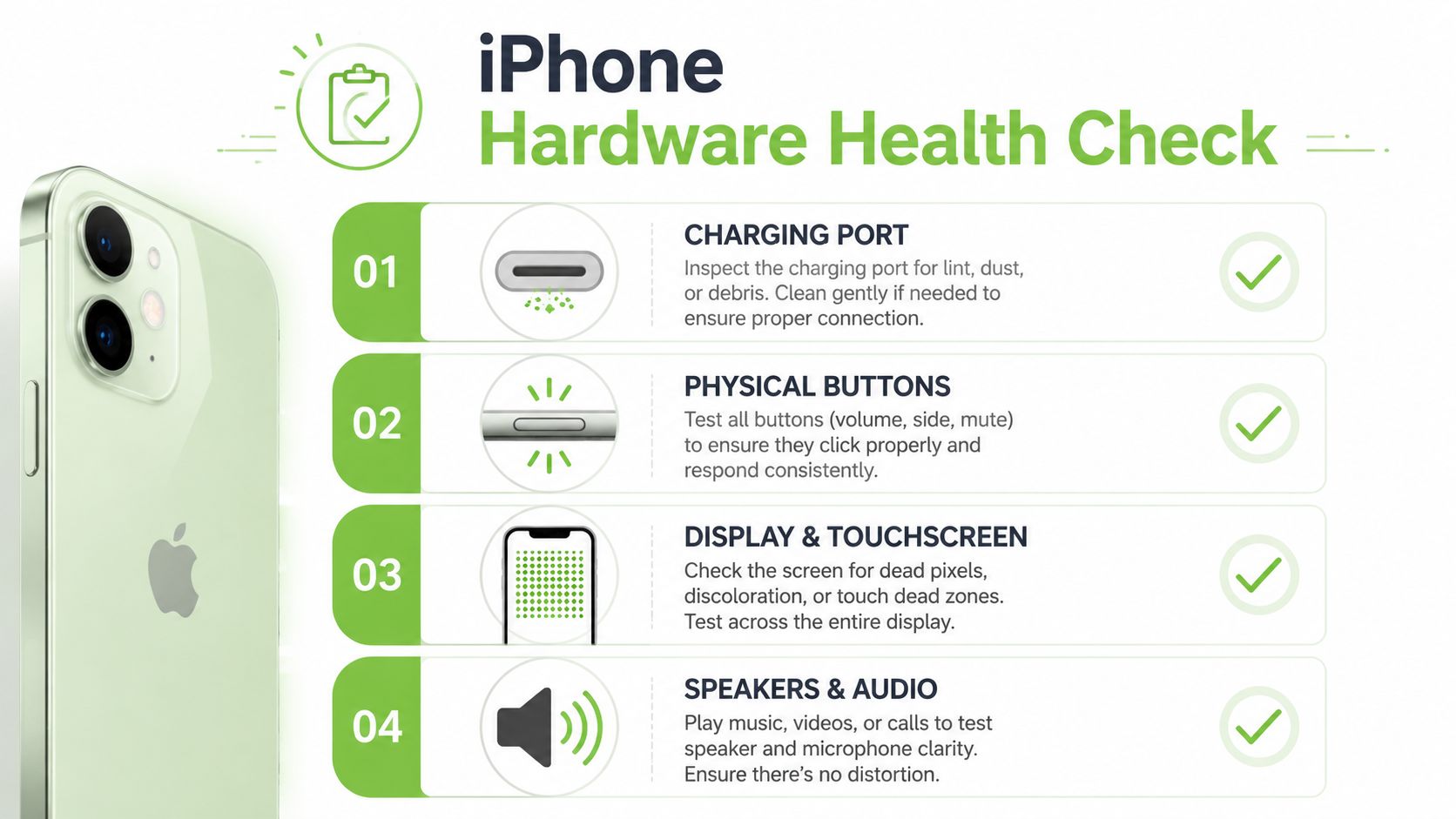
If your concern is mainly battery-related, this guide on iPhone battery replacement cost in Singapore helps you weigh whether the problem is worth repairing or whether it's time to consider a different device path.
What to inspect without opening the phone
You can learn a lot from symptoms without lifting a single screw.
Battery health
Check Battery Health in Settings if the phone allows it. Capacity gives context, but behaviour matters too. A phone that shuts down under moderate load, heats up during simple tasks, or drains sharply after reaching low charge deserves attention even if it still feels usable.
Charging port
Use a bright light and inspect the port for lint, dust, or compacted debris. This is one of the most common reasons a cable feels loose or charging cuts in and out. Clean only with care. Avoid metal tools. If debris is deep or packed hard, don't dig aggressively.
Screen and touch
Open a plain bright background and scan for lines, dark patches, odd colour shifts, or dead zones. Then drag an app around the screen and type across the full keyboard area. That helps reveal weak touch regions and ghost touch behaviour.
Buttons and speakers
Test volume buttons, side button, microphones, earpiece, and loudspeaker separately. Intermittent response often points to impact damage, trapped debris, or moisture.
If one symptom appears with another, treat them as connected. A cracked corner plus weak touch plus green lines is rarely “just software”.
You should also check for signs of liquid exposure. Don't use rice. The verified data available for this topic notes that the rice method fails often in water-damaged cases, which lines up with what repair counters see in practice. What helps is powering down, keeping it unplugged, and getting proper drying and inspection if water got in.
Why screen and battery repairs go wrong
Many home attempts cross from sensible to risky. People watch a short clip, order a part, and assume the rest is simple. It isn't.
Professional screen repair relies on a controlled process that includes diagnostic scans, heat application at 80 to 100°C, and careful disconnection of multiple flex cables according to this repair methodology reference. That same source notes that using non-genuine screens can lead to functionality loss and a 25% reduction in trade-in value.
The details matter because newer iPhones are tightly assembled. Adhesive strength, cable placement, display calibration, and parts authentication all affect the result. A screen that “turns on” after DIY repair can still lose True Tone, throw warnings, drain the battery faster, or create intermittent touch faults days later.
Battery jobs carry their own risks. Tabs tear. Cells bend. Connectors get damaged. If the battery looks swollen, stop immediately. Don't charge it again and don't try to pry it up.
A good DIY rule is simple:
- Safe at home: checking battery settings, inspecting the port, testing touch, changing cables, backing up data
- Borderline: cleaning compacted debris if you're extremely careful and the phone is powered down
- Stop and book help: opening the device, heating adhesive, lifting the display, disconnecting the battery, replacing parts
The most expensive fix iphone jobs we see often started as cheap home repairs that nearly worked.
When to Stop DIY and See a Professional
The line between “worth trying” and “stop now” often dictates whether one saves or loses money. The easiest way to stay on the right side of that line is to treat visible damage, battery swelling, and liquid exposure as professional jobs from the start.
Red flags that mean stop now
If you see any of these, don't keep testing random fixes.
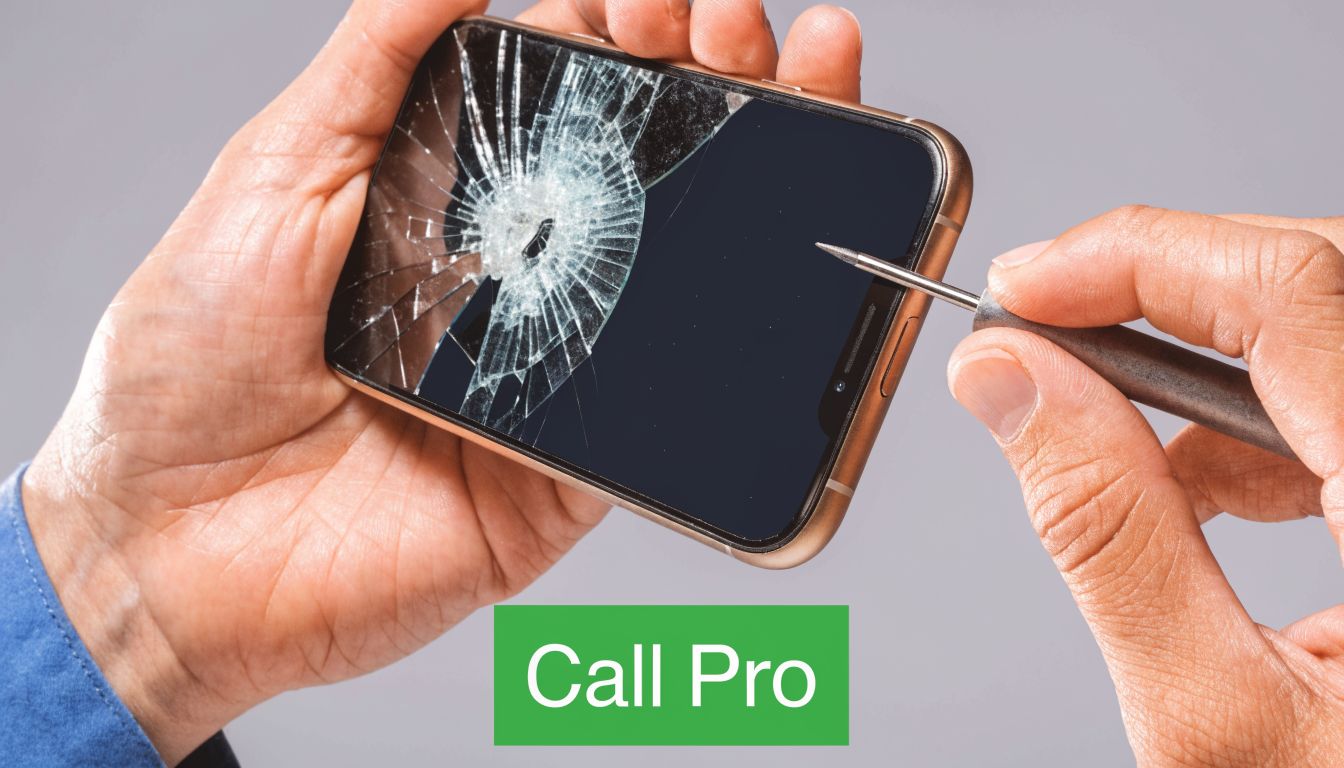
- A lifted screen or bulging frame usually suggests battery swelling. That's a safety issue.
- Heavy cracks with black ink-like patches or flashing lines usually mean display damage, not a settings problem.
- No power after a drop can mean board, battery, connector, or charging circuit trouble.
- Any serious liquid exposure can trigger corrosion that worsens while the phone sits powered on.
- Burning smell, unusual heat, or repeated restart loops can move from inconvenience to hazard quickly.
Singapore users already lean towards practical repair choices. According to smartphone repair industry figures cited for this topic, 68% of users choose independent repair shops and cite 45% average cost savings. The same data notes that recent iPhones have repairability scores of around 4/10 and that while DIY can save $120 on average, failure risk is high for complex repairs.
That trade-off is the important part. Saving money on the easy steps makes sense. Saving money on a difficult repair by gambling with the screen, battery, or internal connectors often doesn't.
Shop-floor reality: A phone can be repairable when it arrives with one fault and uneconomical after a bad DIY attempt adds three more.
The cost decision most people get wrong
People often compare repair cost against the price of a brand-new phone only. That's too narrow.
A better question is whether the repair returns the device to stable daily use for a sensible spend. Screen and battery jobs are often worth doing when the rest of the phone is healthy. A water-damaged device with charging, display, and board problems at the same time is a different story.
Think in tiers:
| Situation | Practical call |
|---|---|
| Single clear fault, phone otherwise stable | Repair is usually sensible |
| Two linked issues after one drop | Get a proper quote before deciding |
| Water exposure plus charging or power failure | Professional diagnosis first |
| Swollen battery or lifted display | Stop using it and repair urgently |
| Repeated failures after attempted DIY | Consider both repair and replacement paths |
Also pay attention to warranty implications. Unauthorised opening or parts replacement can complicate support options later. If the phone still has coverage, check that before anyone removes the display.
The smartest decision is often boring. Stop early, get a clear diagnosis, and compare repair against replacement using the actual condition of your device, not just wishful thinking.
Navigating Professional iPhone Repair in Singapore
Once you've decided not to DIY further, the next job is choosing the right repair route. In Singapore, the key comparison isn't just price. It's parts handling, turnaround, transparency, and what happens if the first repair doesn't hold.
Authorised versus independent repair
Authorised service can suit people who want an official channel and are comfortable with the process and timeline. Independent repair can suit people who want a cost-conscious route, faster handling, or help with older devices outside formal support.
Local consumer protection matters here. The verified data for this topic states that Singapore's framework includes minimum repair warranties, and also notes that DIY fixes can fail at high rates in local humid conditions due to moisture-related corrosion, which is why professional, ISO-certified service is the safer path for many users, as cited in this Singapore repair guidance reference.
If you're comparing service models beyond the phone industry, a broad service overview is a useful reminder of what good service businesses make visible upfront: scope, process, and support rather than vague promises.
For screen-specific issues, this iPhone screen repair guide from myhalo can help you understand the common fault patterns before you commit to a quote.
Here's the practical budget view.
| Estimated iPhone Repair Costs in Singapore (2026) | iPhone 13 / 14 Series | iPhone 15 / 16 Series |
|---|---|---|
| Screen replacement | $50 to $400 | $50 to $400 |
| Battery replacement | $50 to $120 | $50 to $120 |
Those are broad ranges drawn from the verified data provided for this topic. The actual quote depends on the exact model, the part quality route, and whether there's hidden damage beyond the obvious fault.
Questions to ask before handing over your phone
A good repair counter should answer these clearly.
- What exactly is included in the quote. Ask whether the price covers diagnosis, part replacement, testing, and warranty.
- What part type is being used. This matters for display quality, warnings, and resale value.
- Will all affected functions be tested after repair. Screen replacement isn't just about picture. It can affect touch, sensors, and calibration.
- How long is the warranty for parts and labour. Get this in writing.
- What happens if more damage is found after opening. You want approval before extra charges are added.
One provider in this market, myhalo, states that it operates under an ISO 9001:2015-certified process, offers device lifecycle services beyond repair, and serves customers from Bugis Junction. That's useful if you want repair, migration, trade-in, and protection handled in one place rather than as separate errands.
The strongest sign of a trustworthy shop isn't polished branding. It's a clear diagnostic process, realistic limitations, and no pressure to approve work before you understand the trade-offs.
Beyond the Fix Upgrade Trade-In or Protect with myhalo
Sometimes the best fix iphone decision isn't another repair. It's recognising when the phone has reached the point where repair only postpones the next problem.
Repair is only one part of the decision
Singapore's refurbished iPhone market is moving quickly. The verified data for this topic states that refurbished iPhone sales are up 35% year over year, and that a repair-and-trade-in cycle can extend a device's lifecycle by 18 months, based on the referenced market summary. For users who care about value and waste, that matters.
If your iPhone has one clean fault, repair can be the practical answer. If it has stacked issues, such as battery wear plus display trouble plus weak resale after non-genuine parts, a trade-in path often makes more sense than sinking more money into it.

A sensible next step is to check what your current device is worth before you authorise a major repair. This iPhone trade-in option in Singapore gives you a clearer basis for that comparison.
A practical next step after repair or replacement
Once a phone is repaired, protection matters more than people think. Many repeat repairs come from the same pattern: no case, weakened battery, then one awkward drop or one rushed cable insertion. A decent case, cleaner charging habits, and timely battery service usually do more for long-term reliability than any “phone booster” app ever will.
If you replace instead of repair, look for clear grading, warranty terms, and proper data migration support. If you repair and keep the device, ask about post-repair care and what symptoms should bring you back quickly, especially after battery or screen work.
The strongest long-term choice is the one that keeps a usable device in service safely, without hiding the phone's actual condition or pushing you into unnecessary replacement.
If your iPhone is freezing, not charging properly, draining too fast, or showing signs of physical damage, myhalo can help you assess whether repair, trade-in, or replacement makes the most sense for your situation. Bring the device to the Bugis Junction store or reach out on WhatsApp for a practical diagnosis and the next step that fits your budget and device condition.