





Lenovo Legion Tablet Guide for Singapore Gamers
You're on the MRT after work, your phone is in one hand, and a serious game is loading in the other. A gaming laptop would give you more power, but it's awkward to carry and use on a crowded train. A phone is convenient, but the screen and controls can feel cramped. That middle ground is where the Lenovo Legion tablet attracts attention.
For Singapore buyers, the decision isn't only about processor speed. You'll also need to consider Wi-Fi-only connectivity, storage expansion, screen comfort, battery expectations, warranty support and whether a new unit or professionally checked pre-owned device makes better financial sense. This guide explains those trade-offs without treating benchmark language as a substitute for everyday experience.
Table of Contents
- Introduction to the Lenovo Legion Tablet in Singapore
- What Makes the Legion Tablet a Gaming Tablet
- Gaming and Everyday Performance in Real Use
- Display Battery and Portability You Can Feel
- How the Legion Tablet Compares to Alternatives
- Buying in Singapore New Versus Certified ReLoved at myhalo
- Final Takeaways and Smart Next Steps for Buyers
Introduction to the Lenovo Legion Tablet in Singapore
The Legion Tab sits between a gaming phone and a laptop. It offers a compact Android form factor that's easier to hold than a large tablet, while its gaming-focused hardware aims to deliver a more responsive experience than a basic media device. For a student travelling between campus and home, that can mean a device for games, video, reading and selected productivity tasks without adding laptop-sized weight to a bag.
Lenovo's Singapore product page currently presents the Legion Tab Gen 5, an 8.8-inch Snapdragon model, under its local Legion gaming lineup. The page was last updated on 19 July 2026, which confirms that the Legion tablet remains actively maintained and sold in Singapore rather than being only a grey-import product. The Singapore range also includes the Legion Tab Gen 3 through local retailers and marketplaces across 2025 and 2026, giving shoppers more than one generation to compare. In China, Lenovo also sells related models under the Xiaoxin name, so shoppers comparing listings across regions may see different branding for closely related tablets. Lenovo describes the product as “built for play and beyond”, with emphasis on sustained performance, high-refresh visuals and competitive gaming use cases. See Lenovo Singapore's current Legion Tab listing
This guide uses the Gen 3 as the clearest local reference because Singapore retail listings provide detailed hardware and pricing information. It'll help you understand what the processor, memory, display and chassis mean in practice, then weigh the tablet against phones, larger tablets and laptops.
Practical rule: Decide first whether you need a compact gaming device or a general-purpose tablet. The Legion Tab makes the most sense when responsive gaming and portability matter more than cellular data, expandable storage or a large workspace.
myhalo approaches this decision from a lifecycle perspective. Alongside buying new technology, shoppers can consider repair, reuse, Certified ReLoved devices, Certified Surplus products and responsible recycling. That matters because the cheapest purchase price isn't always the lowest long-term cost, especially when warranty coverage, battery condition and future support affect how long a device remains useful.
What Makes the Legion Tablet a Gaming Tablet
A gaming tablet isn't defined by a bright logo or an aggressive design. Its identity comes from how the main components work together under demanding software.
The processor is the engine
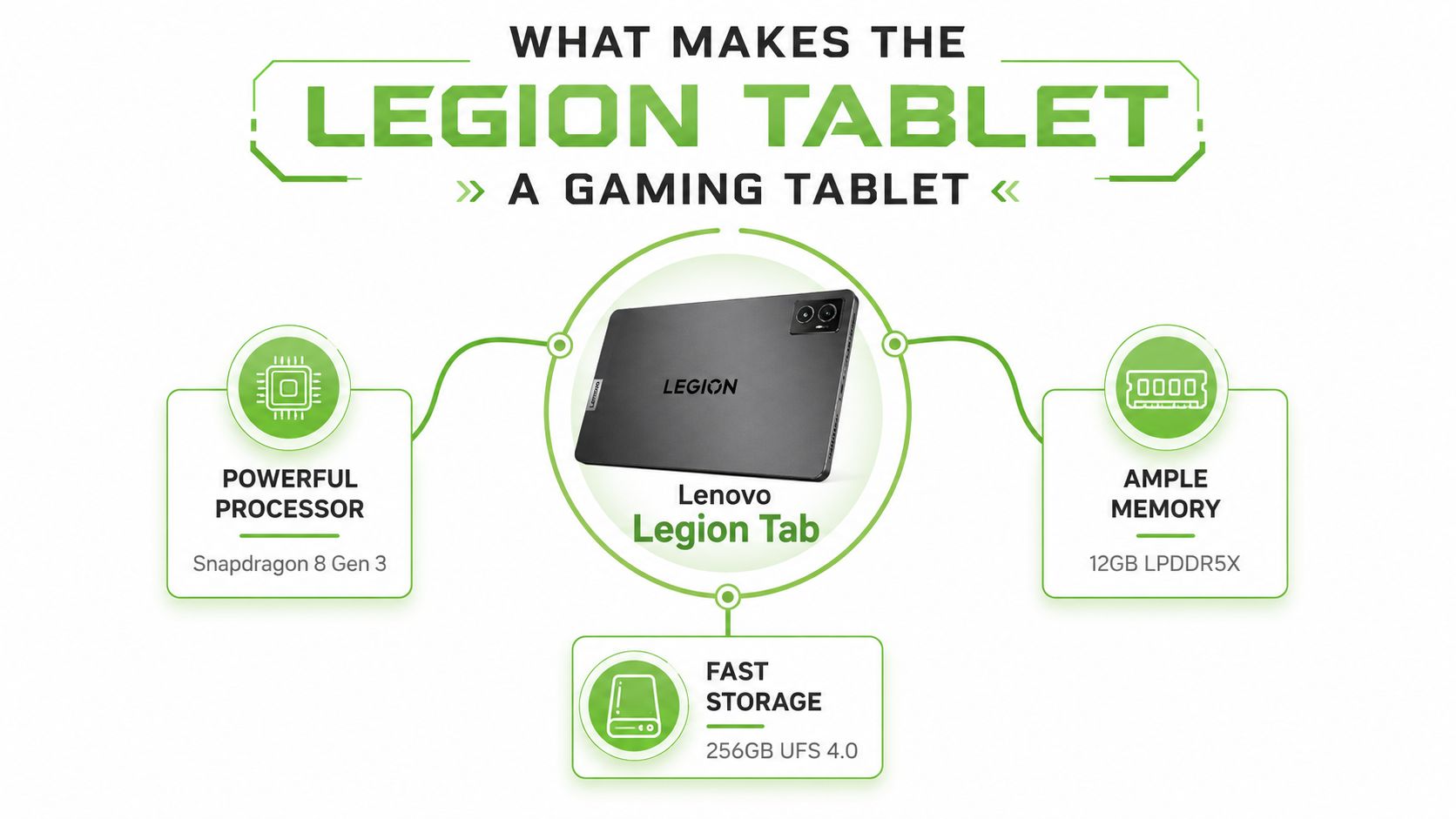
The Singapore Legion Tab Gen 3 uses the Snapdragon 8 Gen 3. Think of the processor as the engine that handles game logic, graphics instructions, app launches and background tasks. A stronger chip gives the device more headroom when a game is running while chat, downloads or other services remain active.
That doesn't mean every game needs this level of hardware. It means the tablet is designed for demanding Android titles and sustained use rather than only streaming video or browsing. Independent Singapore retail listings identify the same Snapdragon 8 Gen 3 configuration, making the specification straightforward for local shoppers to verify. Check the listed Legion Tab Gen 3 hardware at FairPrice
Memory is the working desk
The tablet includes 12GB LPDDR5X memory. RAM is the temporary workspace where active apps keep information. A larger workspace can make switching between a game, voice chat and a browser feel less disruptive, although actual results still depend on the software and how Android manages background apps.
The “LPDDR5X” label describes the memory technology. You don't need to memorise the term. The practical point is that this is a gaming-class memory configuration, not an entry-level tablet setup.
Storage is the filing cabinet
The 256GB UFS 4.0 storage provides space for games, media and applications, while UFS 4.0 is designed to move data quickly. Faster storage can reduce the waiting involved in opening large apps and loading game resources. It won't improve your internet connection, and it won't make a slow game server faster, but it can contribute to a more responsive device.
Lenovo also positions the Legion Tab around sustained performance and high-refresh visuals. That combination matters because gaming isn't only about peak processing power. The tablet needs to keep responding while displaying fast movement, managing heat and supporting the player's controls.
For an SME, the same hardware can support a narrow but useful role, such as a portable demonstration screen, a secondary Android device or a compact entertainment unit. It shouldn't be treated as a replacement for a full Windows workstation unless the organisation's applications run comfortably on Android.
Gaming and Everyday Performance in Real Use
The Legion Tab Gen 3's specifications translate into a device built for games that demand quick responses and frequent loading. The Snapdragon 8 Gen 3, 12GB LPDDR5X and 256GB UFS 4.0 combination gives it the foundation for sustained multitasking and fast app loading, rather than merely short bursts of performance. Review the Singapore retail configuration and connectivity details
Fast games benefit most
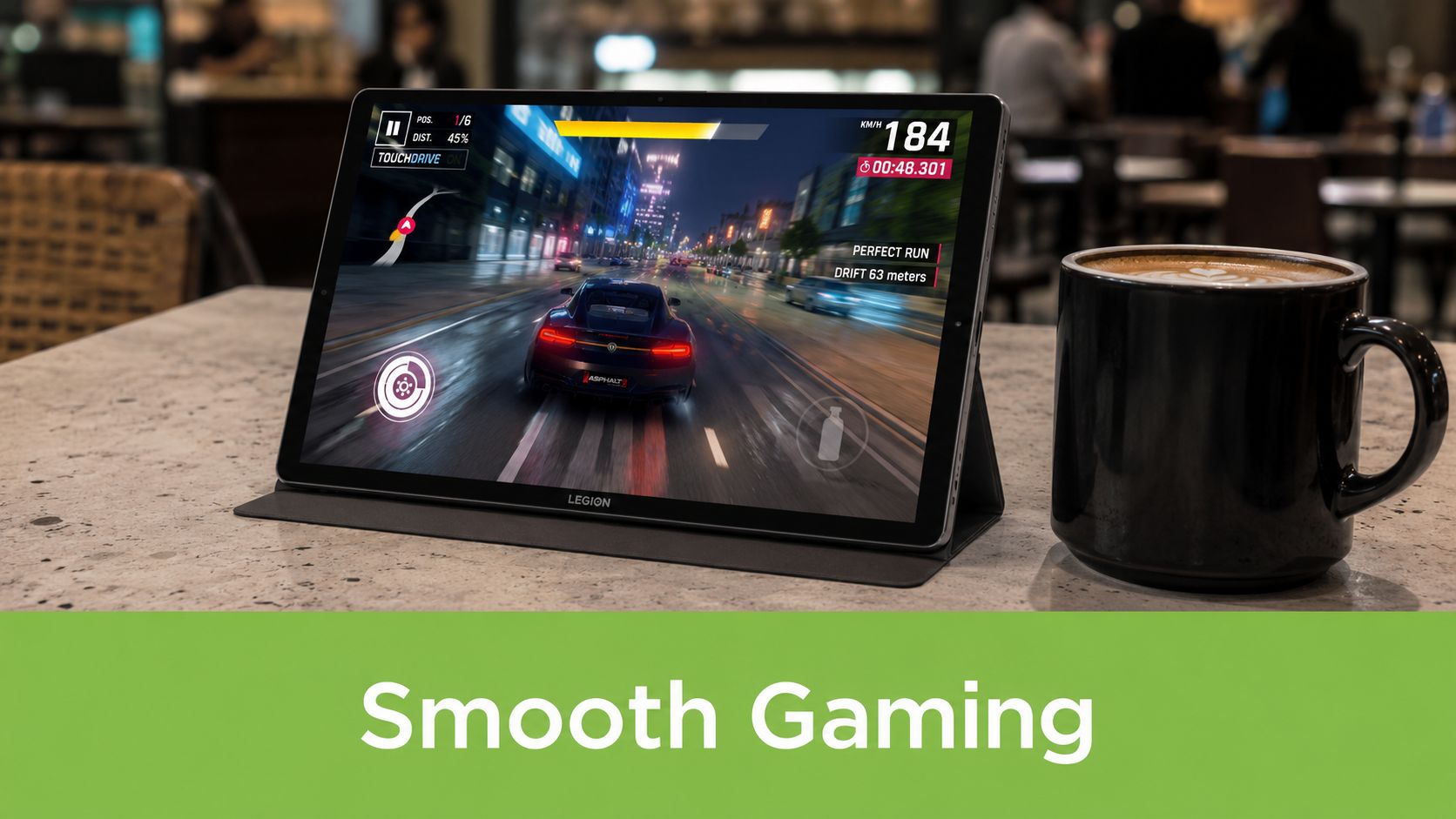
Racing games, shooters and action titles are where a high-refresh display and strong processor make the clearest difference. The local Gen 3 listing specifies an 8.8-inch 2560 × 1600 panel at 165Hz, with 98% DCI-P3 colour coverage and 900 nits in HBM. A 165Hz refresh rate allows the display to update more frequently than a conventional 60Hz tablet, which can make camera movement and scrolling appear smoother and reduce perceived motion blur. The result still depends on whether the game can produce enough frames and whether the settings are balanced sensibly.
A commuter might use the tablet for a quick session during a journey, while a student could use it at a library table with headphones. The compact size makes on-screen controls easier to reach than they would be on a large tablet, though some players will still prefer a controller for longer sessions.
Multitasking has limits
The hardware is suitable for switching between a game, messages and media, but Android multitasking isn't identical to a laptop workflow. A browser tab, document editor and desktop-class business application may require a larger screen and a keyboard. The Legion Tab is better understood as a capable Android companion than as a complete laptop replacement.
Wi-Fi 7 support can help when paired with a compatible network, while the dual USB-C arrangement adds flexibility. One port supports DisplayPort-out, allowing the tablet to connect to a compatible external display for a docked setup. At home, that could turn the device into a compact gaming station. In an office, it could serve as a secondary screen or presentation device, provided the required apps and accessories are compatible.
What you'll feel: The Legion Tab is strongest when you want high responsiveness in a small device. It's less suitable when your priority is a large document canvas, cellular independence or desktop software.
Heat and battery behaviour will vary with game settings, screen brightness, network conditions and session length. A demanding game can place much more load on the tablet than reading an e-book, so don't interpret a large battery as a guarantee of identical endurance in every situation.
Display Battery and Portability You Can Feel
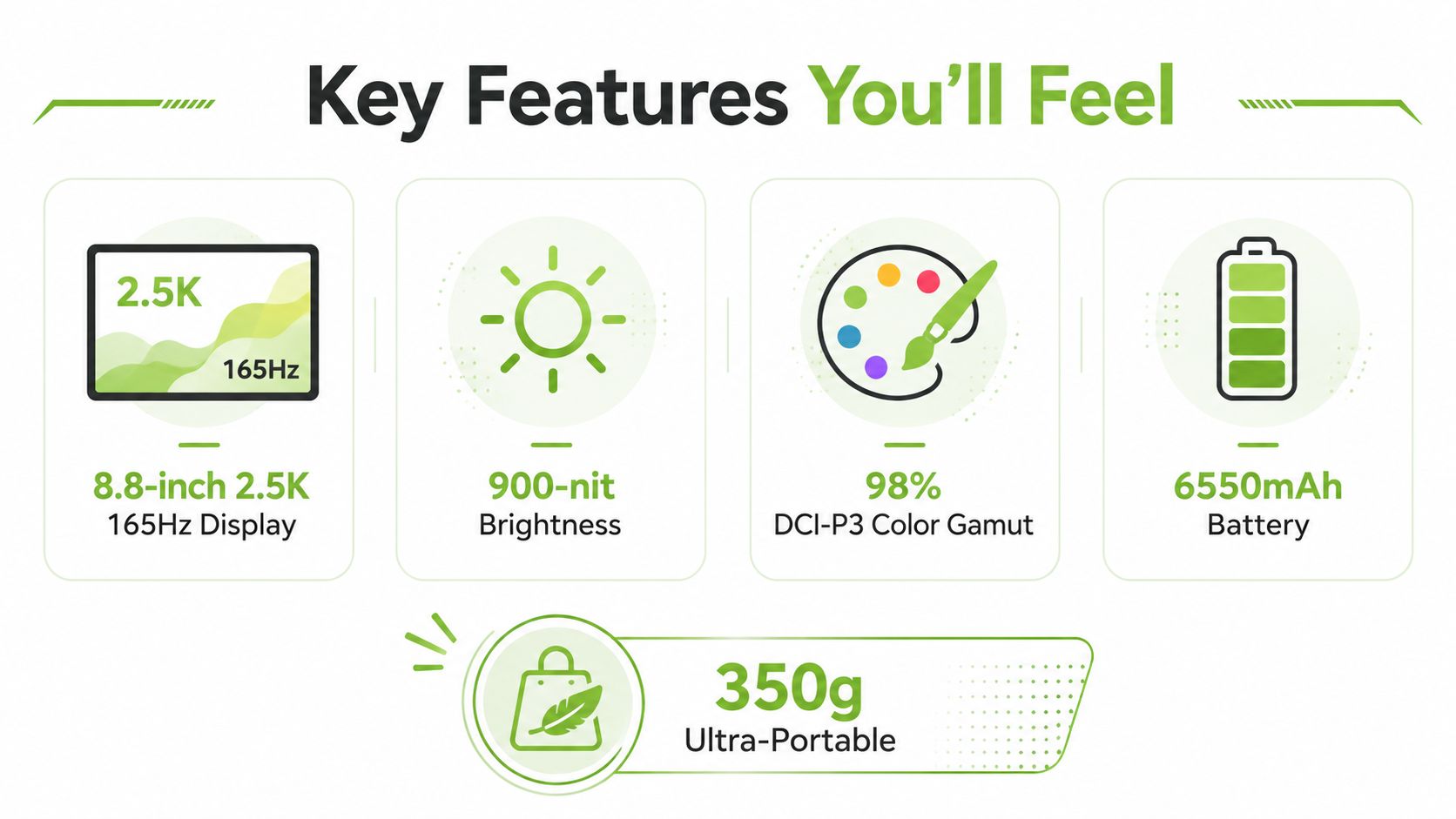
For a commute from Jurong East to town, the Legion Tab needs to do more than run games. Its display, battery and weight determine whether it remains useful after the train ride, during a study break, or away from a power socket. The Legion Tab Gen 3 combines an 8.8-inch 2.5K display, a 165Hz refresh rate and a 6550mAh battery, according to the listed specifications. See the myhalo pricings here.
Why the screen feels different
Refresh rate is the number of times the screen updates its image each second. At 165Hz, quick camera movement and scrolling can appear smoother than on a 60Hz panel. This does not improve a game's graphics or solve weak Wi-Fi, but supported content can feel more responsive.
The 900-nit HBM brightness helps when you are using the tablet beside a bright MRT window or in a common study area. 98% DCI-P3 points to broad colour coverage, while HDR support can show more detail between dark and bright areas in compatible games and video. The final result still depends on the content.
Weight changes how you use it
At 350g and 7.79mm thick, the tablet can travel beside a notebook or laptop without feeling like another full-size computer. Its compact body suits one-handed use and short gaming sessions. You get more control space than on a phone, although split-screen documents remain more comfortable on a larger productivity tablet.
The 6550mAh battery gives the device a substantial reserve for its size. Gaming, high brightness, high refresh settings and wireless connections draw power faster than reading or watching downloaded video. If you expect a full day away from a socket, bring the appropriate charger or a suitable Singapore power bank. Check its output and cable against the tablet's charging setup.
Portability also means accepting the tablet's Wi-Fi-only ownership pattern. Without cellular data, commuters may need a phone hotspot, and the lack of a microSD slot makes internal storage planning more important. These are practical limits to check before choosing a lighter gaming tablet over a larger or more connected alternative.
The tablet runs Android 14 and is listed with support for three OS upgrades. Bluetooth 5.4 supports controllers, earbuds and other accessories. Those features suit a portable gaming routine, while software compatibility and storage needs still deserve a check before purchase.
How the Legion Tablet Compares to Alternatives
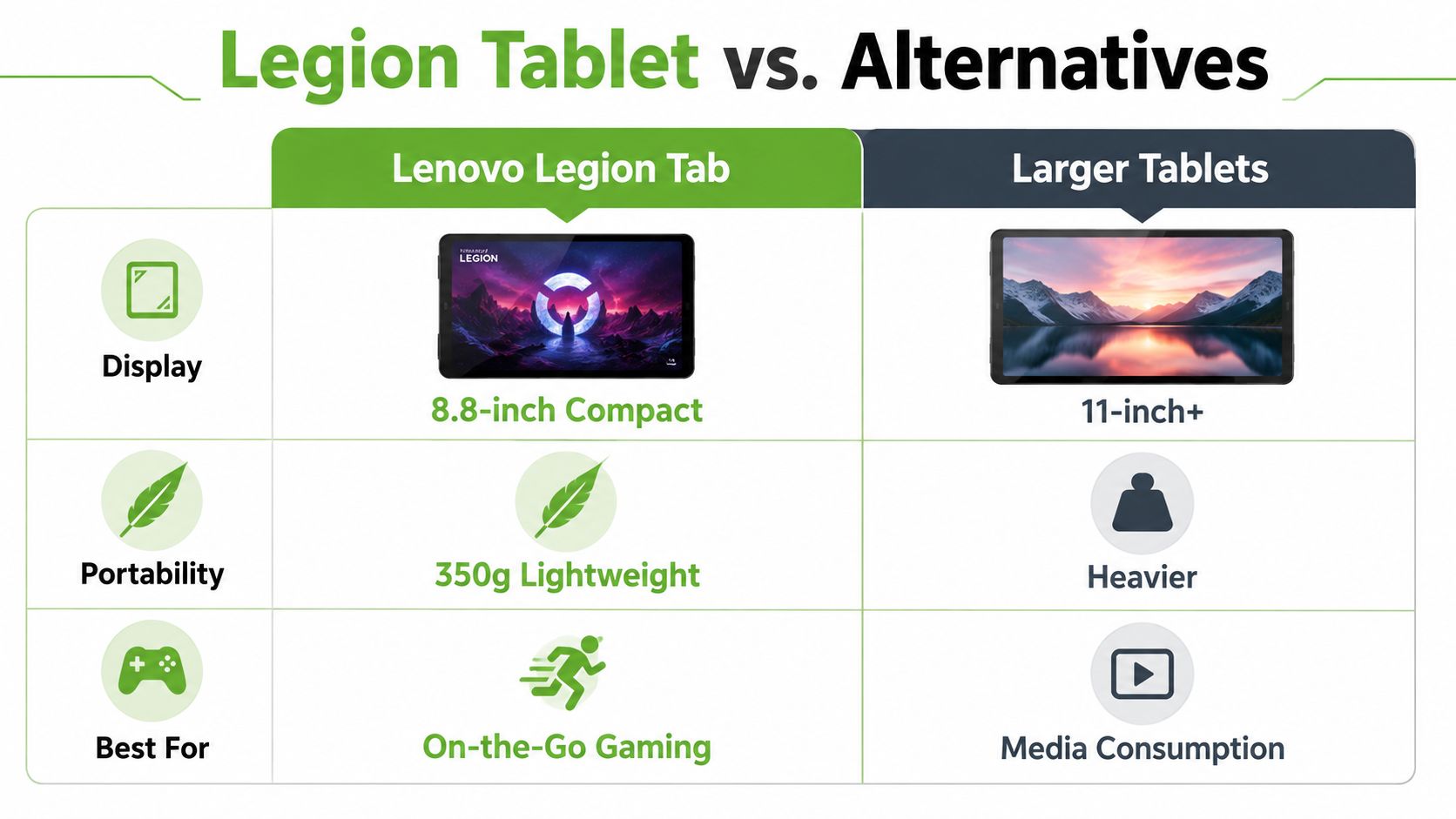
The Legion Tab isn't automatically the right choice because it has gaming-focused hardware. It's right for a particular balance: compact size, strong Android performance and a high-refresh screen. A different form factor may suit you better if your priority is mobile data, handwriting, desktop software or a large workspace.
The ownership compromises
Independent coverage of the Legion Tab Gen 3 notes three omissions that Singapore shoppers should consider: no fingerprint scanner, no cellular option and no microSD slot. The local retail position is therefore mainly Wi-Fi gaming, with the listed price range running from S$599 to S$769 depending on the stated sale or regular price. Read the independent Legion Tab Gen 3 ownership review
| Your priority | Legion Tab | Another category may suit you better |
|---|---|---|
| Gaming controls | More room than a phone, compact enough for handheld play | A gaming phone is easier to pocket |
| Screen area | 8.8-inch display keeps the device portable | A larger tablet is more comfortable for documents and shared viewing |
| Connectivity | Wi-Fi-focused ownership | A cellular tablet avoids relying on hotspots |
| Storage | 256GB internal storage, with no microSD expansion | A tablet with expandable storage offers more flexibility |
| Software | Android gaming and apps | A laptop is better for full desktop applications |
A gaming phone wins for pocketability and always-available mobile data, but the smaller screen can make touch controls less comfortable. A larger tablet works better for video, reading and documents, though it's less convenient to hold during games. A compact gaming laptop offers desktop software and a physical keyboard, but it's heavier, more expensive to carry and less natural for touch-first Android games.
Match the device to the person
The commuter gamer should value the Legion Tab's 350g portability and Wi-Fi access at home, work or school, but must plan for connectivity away from trusted networks. The student may appreciate the size for notes, media and games, while needing to check whether their course tools work on Android and whether the lack of microSD matters. The casual media user may find a larger tablet more comfortable if gaming performance isn't central.
For readers comparing Lenovo's wider gaming ecosystem, a Lenovo Legion Go overview can help clarify whether a handheld PC or Android tablet fits their software needs.
Buying in Singapore New Versus Certified ReLoved at myhalo
A Singapore buyer comparing a sealed Lenovo Legion tablet with a Certified ReLoved unit should look beyond the initial price. Local listings provide a useful starting point for checking model availability, warranty coverage and seller terms. The decision also depends on condition, battery health, returns and support after purchase. Review the Singapore retail references for the Legion Tab Gen 3, then compare those details with the specific Certified ReLoved listing.
A new, factory-sealed unit makes the condition easy to understand. There is no previous owner, and the seller's stated manufacturer warranty gives you a clear starting point if something goes wrong. This option suits buyers who want new stock and prefer not to trade a lower upfront cost for a device with previous use.
A Certified ReLoved tablet needs a more detailed check. Ask which grade applies, how battery health is disclosed, what inspections were completed, and how warranty or exchange terms work. myhalo provides transparent device grading and battery health disclosure, supported by 30-point quality checks under processes certified to ISO 9001 and ISO 27001. Those details let you compare assessed condition with a new unit instead of judging reliability from appearance alone.
A student might accept minor cosmetic marks if the tablet passes its checks and leaves more budget for school expenses. A household may value documented condition and support when the device is shared. An SME equipping staff may prefer predictable assessment and lifecycle assistance, especially when replacing a device is less convenient than maintaining it.
Think beyond the first purchase
Ownership also includes what happens after the sale. myhalo's lifecycle support includes Certified Surplus, RescueAdvise for practical guidance and the mylo AI Assistant. Repair, device migration and trade-in services can help keep a working tablet in use. Care options such as myhalo e-Xtender and myhalo Protect offer further ways to manage repairs, replacement planning and ownership risk.
These services do not make every used device suitable. They give buyers more information and support for extending useful life, which matters when the Legion tablet becomes a daily commuter, study or entertainment device.
For a wider example of how grading, condition and warranty affect tablet value, see this guide to refurbished iPads in Singapore. Apply the same checks to a Lenovo Legion tablet: confirm what you receive, how it was assessed, and who supports it afterward.
Final Takeaways and Smart Next Steps for Buyers
The Lenovo Legion tablet is a focused choice for someone who wants strong Android gaming performance in a compact body. The Gen 3 combines the Snapdragon 8 Gen 3, 12GB LPDDR5X, 256GB UFS 4.0 storage, a high-refresh display and a 350g chassis. That mix suits commuters, students and players who find a phone too cramped but don't want a laptop in every gaming session.
The compromises are equally clear. The device is mainly Wi-Fi-based, has no cellular option, offers no microSD slot and lacks a fingerprint scanner according to independent coverage. If you need mobile data without a hotspot, expandable storage or full desktop software, a cellular tablet, larger tablet or laptop may be a calmer long-term choice.
Use this decision check before buying:
- Choose the Legion Tab if compact gaming, high refresh visuals and portability are your main priorities.
- Choose a larger tablet if documents, video and split-screen work matter more than handheld comfort.
- Choose a phone if pocketability and mobile connectivity come first.
- Choose a laptop if your games or work depend on Windows applications, keyboard input or desktop workflows.
- Choose new or Certified ReLoved after comparing condition, battery disclosure, warranty and lifecycle support, not just the initial price.
If possible, handle the tablet at the Bugis Junction store at 200 Victoria Street, #03-25/26 before deciding. Compare the feel of the display and controls, then check current new and ReLoved stock online. A trade-in, repair or responsible recycling route can also help you avoid replacing a device that still has useful life.
myhalo helps Singapore buyers compare new, Certified ReLoved and Certified Surplus technology while supporting repairs, trade-ins, quality checks and responsible recycling. Visit myhalo to review available devices and choose a lifecycle option that fits your gaming, study or work needs.