





Laptop Battery Replacement Cost Guide 2026
In Singapore, a realistic benchmark for laptop battery replacement cost is S$199 for a MacBook Air and S$309 for a MacBook Pro. That puts a proper battery job in the low hundreds before you even factor in model-specific labour, diagnosis, or any extra parts.
If you're reading this with your laptop plugged in all day, you're in the same position many owners reach sooner or later. The battery drains too fast, the charger becomes permanent, and the primary question stops being “how much is a battery?” and becomes “is this laptop still worth spending money on?”
That second question matters more in Singapore than most general repair guides admit. Here, people regularly compare a repair bill against what the laptop could fetch on the used market, or what a decent refurbished replacement would cost instead. That's the practical lens to use if you want to make a sensible decision and not just react to a bad battery.
Table of Contents
Is Replacing Your Laptop Battery Worth It in 2026
You unplug the laptop at home with 60% left, walk into a meeting or class, and it shuts off before you finish the first task. In Singapore, that is usually the moment people start checking battery replacement prices. The smarter question is whether the repair cost still makes sense against what the laptop is worth in the local resale market.

A battery change is worth doing when it restores portability to a machine that still runs well and still has resale value. If the laptop is old, slow, and already showing other hardware problems, the battery bill can become money sunk into a machine the market no longer values much.
That resale check matters more in 2026 because buyers in Singapore have a healthy second-hand and refurbished market to compare against. A practical benchmark is simple. If the all-in battery replacement cost is a small share of what the laptop could still sell for, repair is usually sensible. If the repair cost starts getting close to the price of a workable used replacement, stop and compare options carefully, including refurbished laptop computers in Singapore.
A simple Singapore decision rule
Use these checks before approving the job:
- Test the laptop on charger power first. If it is still fast enough for work, study, browsing, Zoom, and office apps, the battery may be the only issue that matters.
- Check what similar models sell for locally. A newer ThinkPad, Latitude, Zenbook, or MacBook usually has enough remaining value to justify a battery replacement. A low-end laptop from many years ago often does not.
- Compare the full repair bill, not just the battery part. Include labour, diagnostic checks, and any GST or transport costs if applicable.
- Look for other ageing parts. Loose hinges, a weak keyboard, screen damage, charging port problems, or storage issues can turn one repair into several.
- Be honest about how you use it. If you need true portability every day, a dead battery cuts the laptop's usefulness far more than it would for someone who only works at a desk.
Here is the rule I give customers. Replace the battery if the laptop still feels good enough to keep for another year or two and the repair cost is reasonable against its current resale value. Skip the repair if the machine is already near the bottom of its market value and the new battery only solves one of several problems.
Breaking Down the Average Replacement Costs
The cleanest price anchor in Singapore comes from Apple's service pricing. Apple lists an out-of-warranty MacBook Air battery replacement at S$199 and a MacBook Pro battery replacement at S$309, inclusive of GST, which gives you a concrete premium-model benchmark for laptop battery replacement cost (Apple Singapore benchmark discussed here).
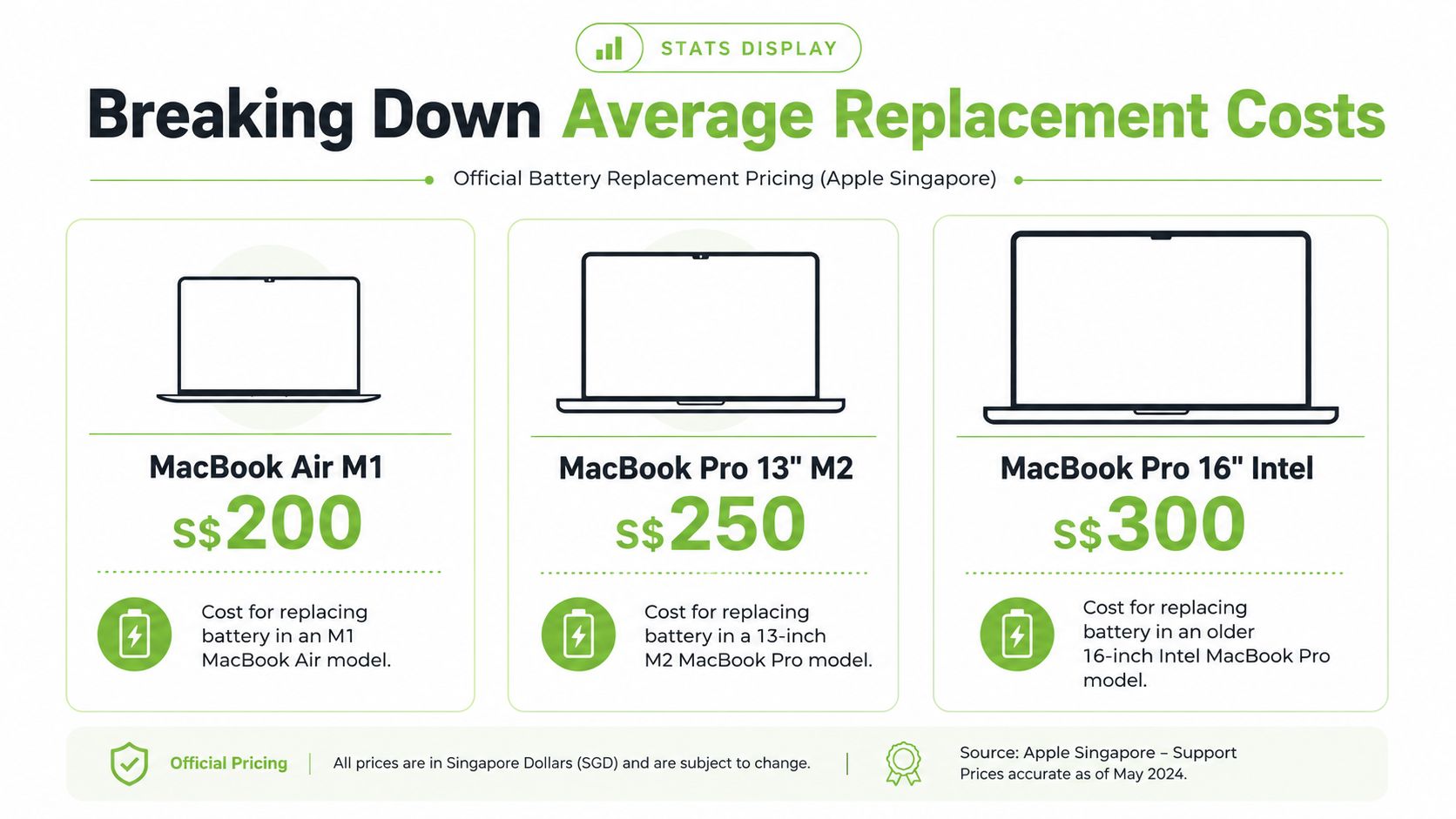
That benchmark matters because it resets expectations. Many people search online, see battery part prices, and assume the job should be cheap. In practice, a real service bill usually reflects the part, the opening and closing of the machine, basic testing, and the fact that some batteries are much harder to access than others.
What those Apple prices actually tell you
The gap between S$199 and S$309 is S$110, and that difference is useful. It shows that battery pricing is not a flat market rate. Device tier, internal layout, and service complexity affect the bill.
Here's the practical takeaway:
| Laptop category | What the benchmark suggests |
|---|---|
| Premium ultrabooks | Expect battery replacement cost to sit in the low hundreds when the machine uses a model-specific internal pack |
| MacBooks | Official service pricing gives a reliable anchor, not a guess pulled from parts marketplaces |
| Older basic laptops | The battery may be cheaper than a premium model, but the final value decision is often tougher |
A short explainer helps visualise why official service prices often differ from online battery listings:
Battery replacement pricing only makes sense when you compare like for like. A parts-only listing is not the same as a completed repair.
What doesn't work is chasing the lowest advertised battery listing and assuming the final repair cost will match it. What does work is asking one direct question: Is this quote for the full job, including the correct part and installation, or only for the battery itself?
What Determines Your Final Replacement Bill
Two laptops can both have “bad batteries” and still get very different quotes. That's normal. Battery jobs are a lot like car repairs. Replacing one easy-access part is one kind of job. Pulling apart half the machine to reach a glued internal component is another.
The model changes the whole job
Some laptops are straightforward. Others are tightly packed, use delicate connectors, or require more disassembly just to reach the battery safely.
That's why brand alone doesn't tell you enough. A Lenovo business laptop and a thin premium ultrabook may both be Windows machines, but the labour behind the job can be very different. The exact model matters more than the logo on the lid.
Battery design affects parts cost
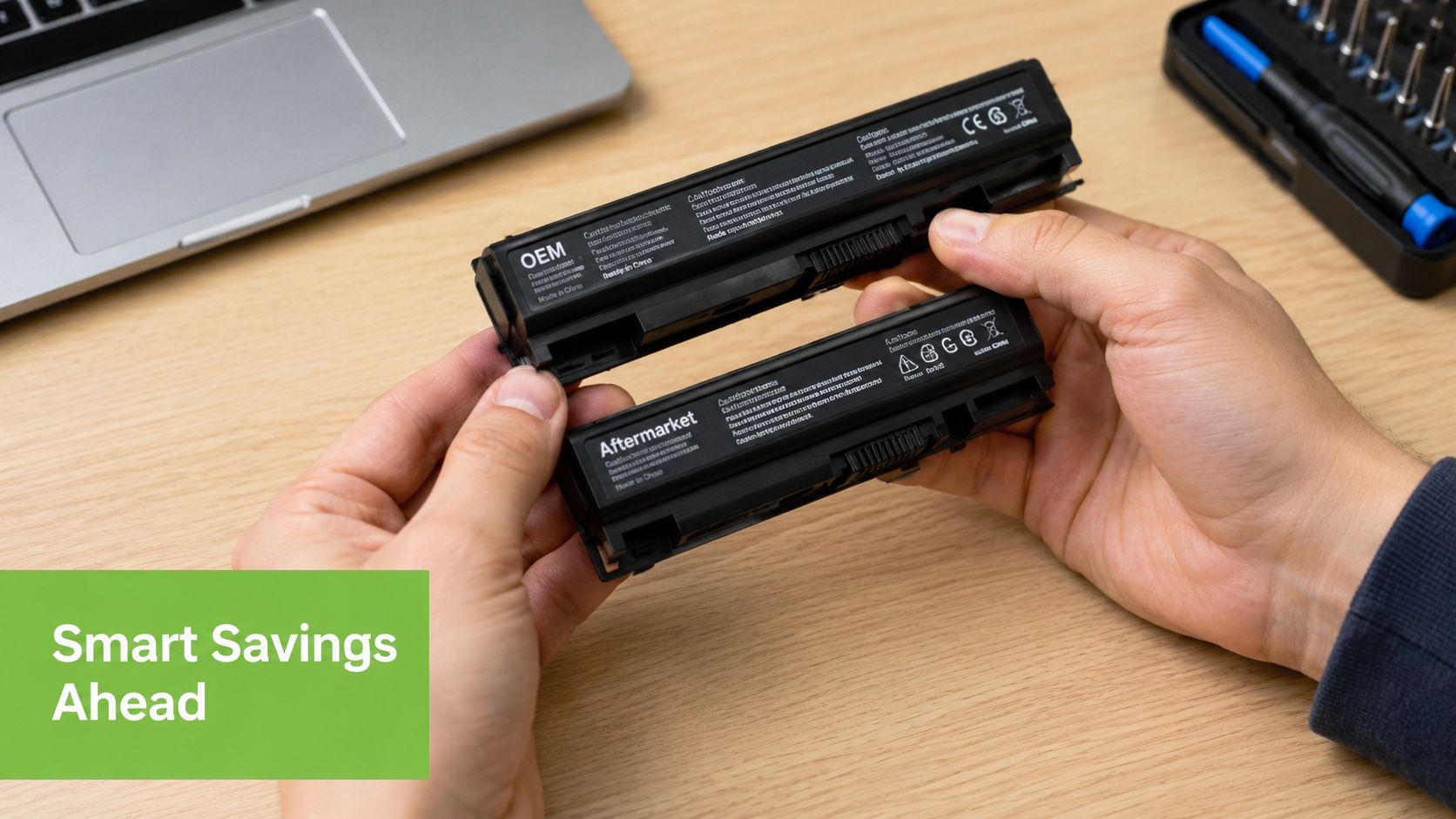
Battery chemistry and pack design often drive the price more than the outer chassis. Generic replacements can be relatively inexpensive, while higher-capacity OEM-style packs, including 6-cell to 9-cell designs, can reach about US$120, which is why laptop battery replacement cost varies so widely by part type (battery pack pricing background).
Many buyers get caught. They search by laptop brand, find a cheap battery online, and assume it's suitable. But battery compatibility often depends on the precise pack design and exact model fit.
If you want a model-focused explanation for Apple machines specifically, this MacBook battery replacement guide is a useful reference.
Labour is not the same for every laptop
Modern batteries are often internal. Some are easy to remove once the bottom cover is off. Others sit under components, adhesives, or cable runs that require patience and the right tools.
A fair quote usually reflects things like:
- Disassembly effort: Slim laptops often take longer to open and reassemble properly.
- Part sourcing: Common models are easier to service than niche or older machines with less available stock.
- Testing after installation: A proper job includes checking that the battery is recognised and behaves normally after fitting.
Cheap quotes can be expensive later if they rely on a poor-quality pack or skip proper testing.
What works is asking the shop to identify the exact battery first, then quote for the whole job. What doesn't work is approving a replacement based on a rough guess or a generic “compatible battery” label.
DIY vs Professional Replacement A Clear Comparison
DIY battery replacement sounds simple until you're halfway through it with tiny screws on the table, a cable you're afraid to pull, and a battery pack that doesn't quite match what you ordered.
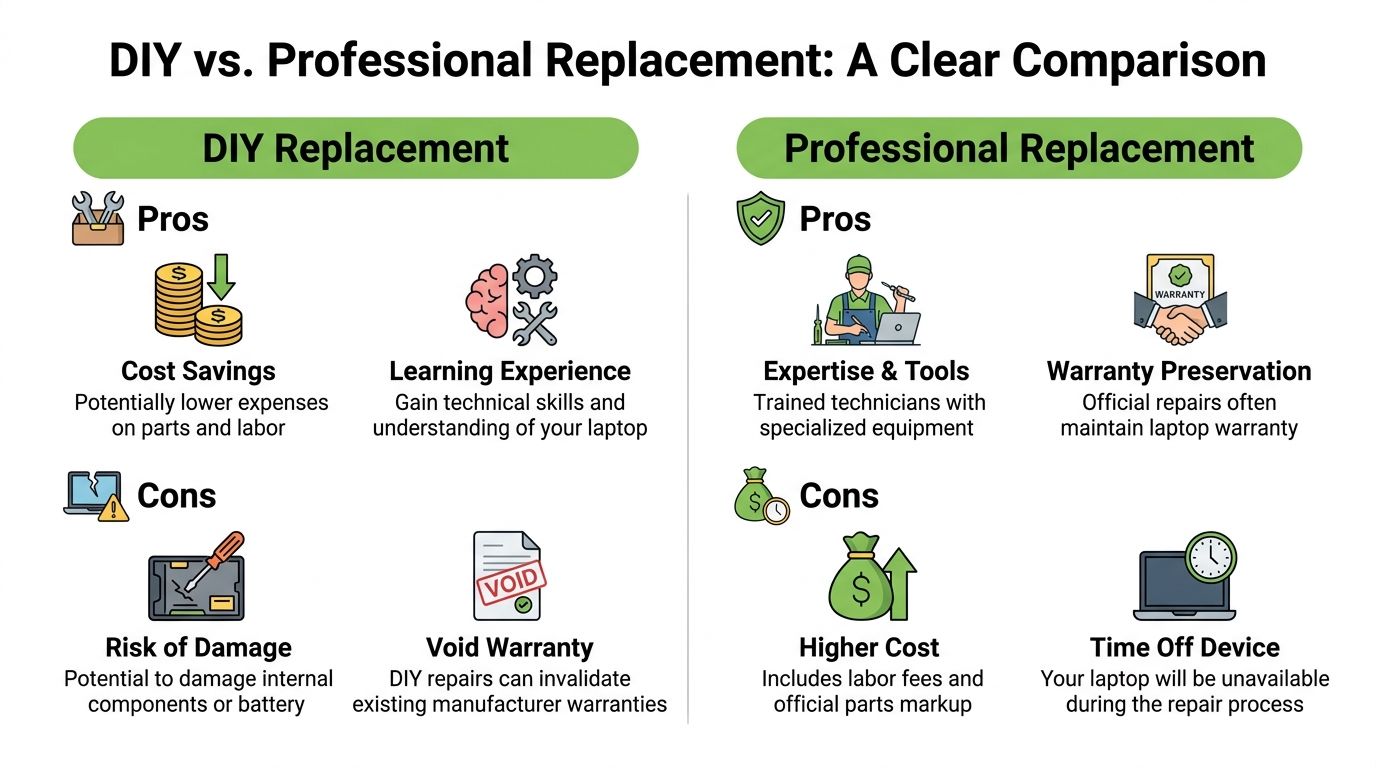
The biggest issue isn't courage. It's part identification. Technical service guidance stresses that many modern batteries are internal and the correct part number has to match the notebook model precisely. If you skip that step, you can end up buying the wrong battery, wasting money, and delaying the repair (model-specific battery identification guidance).
Where DIY can make sense
DIY can work if the laptop is older, the battery is easy to access, and you already have experience opening electronics.
DIY upsides
- Lower direct spend: You may avoid labour charges if you source the part yourself.
- Control over parts sourcing: Some owners prefer to choose the battery personally.
- Good fit for hobbyists: If you already repair electronics, the job may be manageable.
DIY tends to work worst when people assume every laptop opens the same way. It doesn't. Thin consumer laptops and premium business models often punish rushed handling.
Why professional replacement is often safer
Professional repair costs more because you're paying for the process, not just the battery. That includes diagnosis, part matching, safe installation, and a clear point of accountability if something goes wrong.
| Factor | DIY replacement | Professional replacement |
|---|---|---|
| Cost | Lower upfront if you buy only the part | Higher because labour is included |
| Risk | Higher chance of wrong part or accidental damage | Lower if the technician confirms the exact model and pack |
| Time | Unpredictable, especially if the first part is wrong | Usually more straightforward once the part is confirmed |
| Peace of mind | Depends on your own skill | Better if you want the job done without guesswork |
For businesses, this choice is similar to comparing managed and in-house IT services. Doing it yourself can look cheaper at first, but outsourced expertise often makes more sense when mistakes create more downtime and cost.
If your laptop is still valuable to you for work or school, the safest route is usually the one that avoids a second repair.
What doesn't work is doing DIY to save a little, then paying again because the battery was incompatible or a connector was damaged. What works is choosing DIY only when the model is known, the battery is confirmed, and you're comfortable with careful disassembly.
Smart Ways to Save Money on Your Replacement
Saving money on a battery replacement isn't about choosing the cheapest quote. It's about spending in the right place.
Use the cost-to-value test
In Singapore's used-device market, older laptops are often listed around S$200 to S$600. A battery replacement in the S$199 to S$309 range can therefore represent 33% to over 100% of the value of the device, which is why the repair-versus-replace decision changes sharply by age and model (used-laptop value comparison in Singapore).
That single comparison is the most useful money-saving filter I know.
If your laptop is older and sits near the lower end of local resale value, a battery job can be hard to justify. If the machine is premium, reliable, and still suits your workload, replacing the battery can still be perfectly sensible.
Spend money where it extends useful life
Use this checklist before approving the repair:
- Keep it if the machine still feels current: A good screen, solid keyboard, healthy storage, and acceptable speed matter more than age alone.
- Walk away if multiple parts are worn: A weak battery plus hinge issues, charging faults, or screen problems usually changes the maths.
- Compare against a replacement path: Look at trade-in or resale value first, then judge whether repair still makes sense. A guide to laptop trade-in options in Singapore can help frame the decision.
- Choose the right solution, not one solution: Sometimes a battery replacement is the right answer. Sometimes a refurbished replacement laptop is the better financial move.
This is also the one place where a service provider can be useful without overselling. myhalo offers repair quoting for laptops and also sells refurbished devices, which means a buyer can compare repair against replacement using the same practical lens rather than assuming repair is always the answer.
The cheapest option is the one that gives you the most usable life for the money you spend.
Your Laptop Battery Questions Answered
How do I know it's the battery and not just a software problem
A simple test gives you a useful answer fast. If the laptop runs properly on the charger but shuts down early, drops battery percentage suddenly, or becomes unstable once unplugged, the battery is usually the problem.
Software issues tend to show up differently. You may see slow startup, freezing, or apps misbehaving whether the charger is connected or not. In the workshop, the clearest battery cases are laptops that behave normally on wall power and fail only when they need to run from the pack.
How long does a professional battery replacement take
There is no single timing that fits every laptop. Some business models open quickly and the battery comes out cleanly. Others need careful disassembly, adhesive removal, and post-repair testing before the job is safe to close up.
A straightforward replacement may be done within the same visit. A more difficult model can take longer, especially if the shop checks charging behaviour, battery health reporting, and thermal performance before handover.
Will replacing the battery affect my files
In a normal repair, no. The battery is separate from your SSD or hard drive, so your files should stay untouched.
I still tell customers to back up first. Not because battery replacement usually causes data loss, but because older laptops often arrive with more than one issue. If the machine already has a weak drive, liquid history, or intermittent power fault, it is better to protect your data before any hardware work starts.
Should I replace the battery or put that money toward another laptop
This is the question that matters most in Singapore. Do not look at battery cost alone. Compare the repair bill against what the laptop is worth in today's local resale market.
If a battery replacement takes up a large share of the machine's resale value, spending that money may not make sense. If the laptop is still a higher-value model, performs well, and meets your daily workload, a battery swap can be a sensible way to get more usable life without paying for a full replacement.
If your laptop battery no longer lasts through a normal day, compare the repair cost against the laptop's real current value before you spend anything. For readers in Singapore who want both paths available, myhalo is one place to check a repair quote, browse refurbished replacements, or decide whether it's smarter to extend the life of the machine you have. Whatsapp to +6580680100!