





iPad Trade in Singapore 2026: Get Max Cash for Your Device
You've probably got one of these at home right now. An older iPad still works, the screen is mostly fine, the battery is acceptable, but it's no longer the one you reach for. It sits in a drawer while you debate whether to keep it as a backup, pass it to a family member, or finally trade it in.
In Singapore, that decision is usually worth making properly. A careless trade-in can cost you value, expose personal data, or leave you stuck with a revised offer you didn't expect. A smart one gives you a cleaner upgrade path, less clutter at home, and one less usable device going to waste.
This guide looks at iPad trade in Singapore from the practical side. Not just where to go, but how to decide between channels, how to prepare the device, what affects value, and how to finish the handover safely.
Table of Contents
- Why Your Old iPad Is Worth More Than You Think
- Your Pre-Trade-In Preparation Checklist
- Comparing iPad Trade In Channels in Singapore
- Insider Tips to Maximise Your Trade-In Value
- Completing the Trade-In and Securing Your Data
-
Frequently Asked Questions About iPad Trade-Ins
- Can I trade in an iPad with scratches
- Is it better to trade in or sell privately
- Do I need the original box and charger
- What if my iPad still turns on but the battery drains quickly
- Can I trade in an iPad that has been repaired before
- What if I forgot to sign out of iCloud
- Should I erase the iPad before getting a quote
- What's the safest option for nervous first-time sellers
Why Your Old iPad Is Worth More Than You Think
A lot of people underestimate used Apple devices. They assume an older iPad has little value once the newer models come out. In practice, a working iPad still has a strong place in the resale and refurbishment cycle, especially in Singapore.
That starts with the local market itself. Singapore is one of the most trade-intensive economies in the world, and imports of goods and services were 150.31% of GDP in 2022, according to Singapore trade statistics compiled by GlobalEdge. For consumers, that kind of open market usually means faster device turnover, more active electronics resale channels, and better liquidity for well-kept Apple products.
Why drawers destroy value
An iPad stored for too long rarely becomes more useful. Batteries age. Accessories get misplaced. Activation details are forgotten. Minor wear that felt harmless at first becomes harder to explain later when a buyer or trade-in team checks the unit.
Trading in earlier often works better because:
- Working condition matters most: A fully functional iPad with honest cosmetic wear is much easier to price than one that has sat uncharged for ages.
- Upgrade timing is cleaner: Credit from your old device can offset your next tablet, phone, or laptop purchase.
- You reduce waste: Reuse beats leaving electronics idle until they become recycling-only items.
A forgotten iPad isn't just old stock. It's still part of a usable device pipeline if the screen, battery, and core functions remain sound.
Value is more than cash
Trade-in value isn't only about the highest payout. Sometimes the better outcome is less hassle, safer handling of your data, and a straightforward handover that gets completed.
That's also why refurbished demand matters. Many buyers in Singapore want a dependable Apple tablet without paying full new-device pricing. A healthy refurbished market gives older iPads a second life, whether they end up with students, families, or businesses needing basic tablets. If you want a sense of how that ecosystem works on the buying side, this guide to refurbished iPads in Singapore is a useful companion read.
The greener choice is usually the practical one
Keeping electronics in circulation is one of the easiest ways to cut unnecessary waste. If your iPad still powers on, charges properly, and runs as expected, letting someone else use it is usually better than treating it as junk.
The simplest way to think about it is this: if your old iPad is still functional, it's not clutter. It's an asset.
Your Pre-Trade-In Preparation Checklist
Before you ask for a quote, prepare the iPad properly. Most avoidable problems begin here. People forget to back up photos, leave Find My enabled, or hand over a device that still has their Apple ID attached.
A good trade-in starts before the valuation. It starts with data protection, clean presentation, and realistic condition checking.
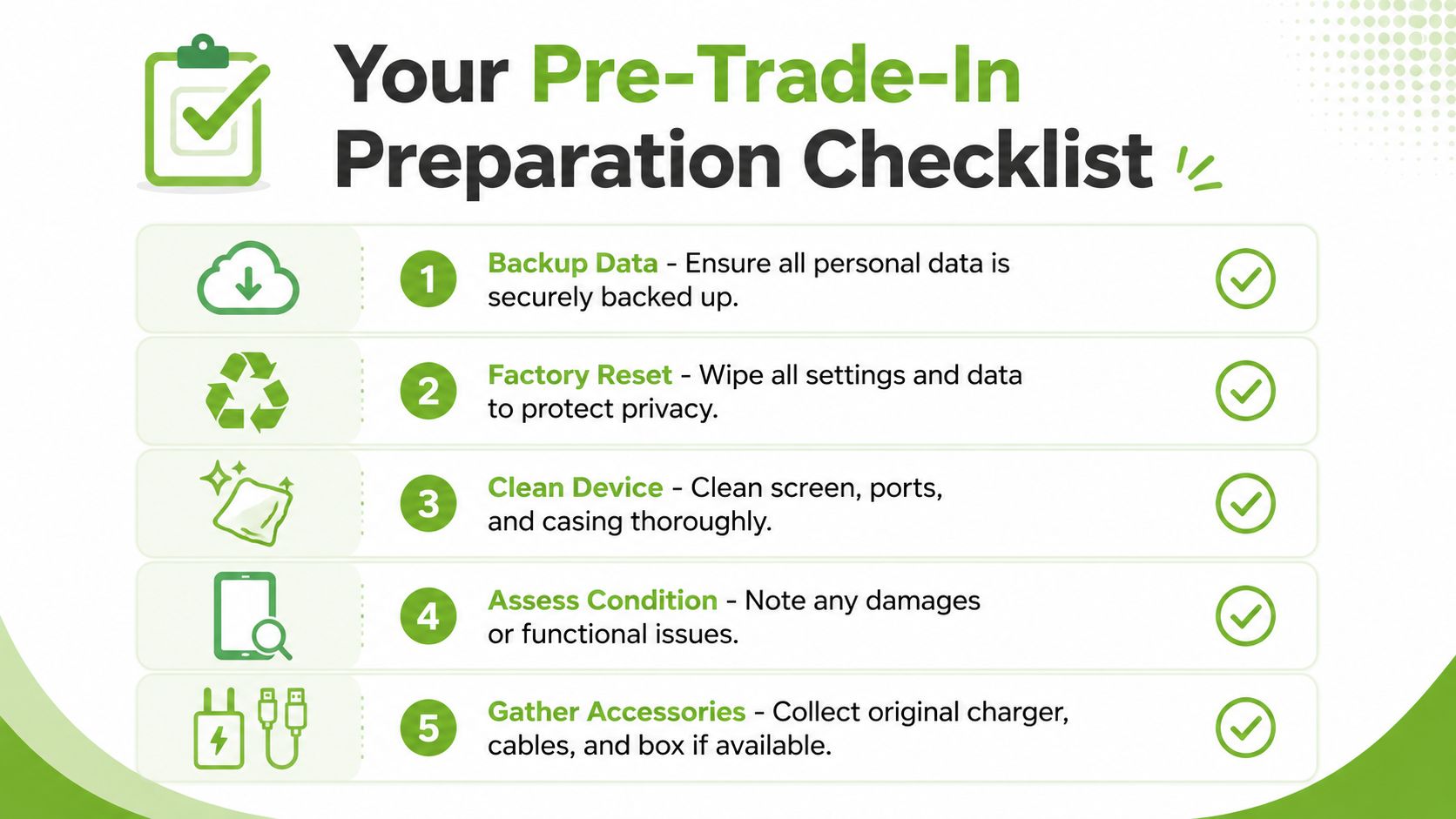
Back up before you touch anything else
If the iPad still contains photos, notes, chats, app files, or school documents, back it up first. Use iCloud if that's already part of how you use Apple devices. If you prefer local control, create a backup on a computer.
Use this simple order:
- Connect to stable Wi-Fi: Don't begin a cloud backup on weak public Wi-Fi.
- Check that the backup finishes: Don't assume it completed just because it started.
- Verify key items: Photos, files, notes, and app data are the usual deal-breakers.
- Sign in on another device if needed: Make sure what matters is actually recoverable.
This is not optional. Once the device is wiped and handed over, recovery may not be possible.
Remove your account and reset the device
A factory reset alone is not enough if your Apple ID is still tied to the iPad. You need to sign out properly so the next owner or trade-in processor doesn't hit activation lock issues.
Use this checklist:
- Turn off Find My: This is one of the most common reasons a handover gets delayed.
- Sign out of iCloud and Apple ID: Make sure the device is no longer linked.
- Erase all content and settings: Do a full reset, not a partial cleanup.
- Remove saved cards or profiles if applicable: Especially if the iPad was used for work or school.
Practical rule: If you can still see the iPad listed under your Apple account after resetting it, the job isn't finished.
Clean, inspect, and document the condition
Presentation affects trust. A dusty charging port or greasy screen doesn't necessarily lower value on its own, but it makes the device look neglected. That influences how cautiously a buyer or evaluator approaches the rest of the inspection.
Do these small things before requesting or accepting an offer:
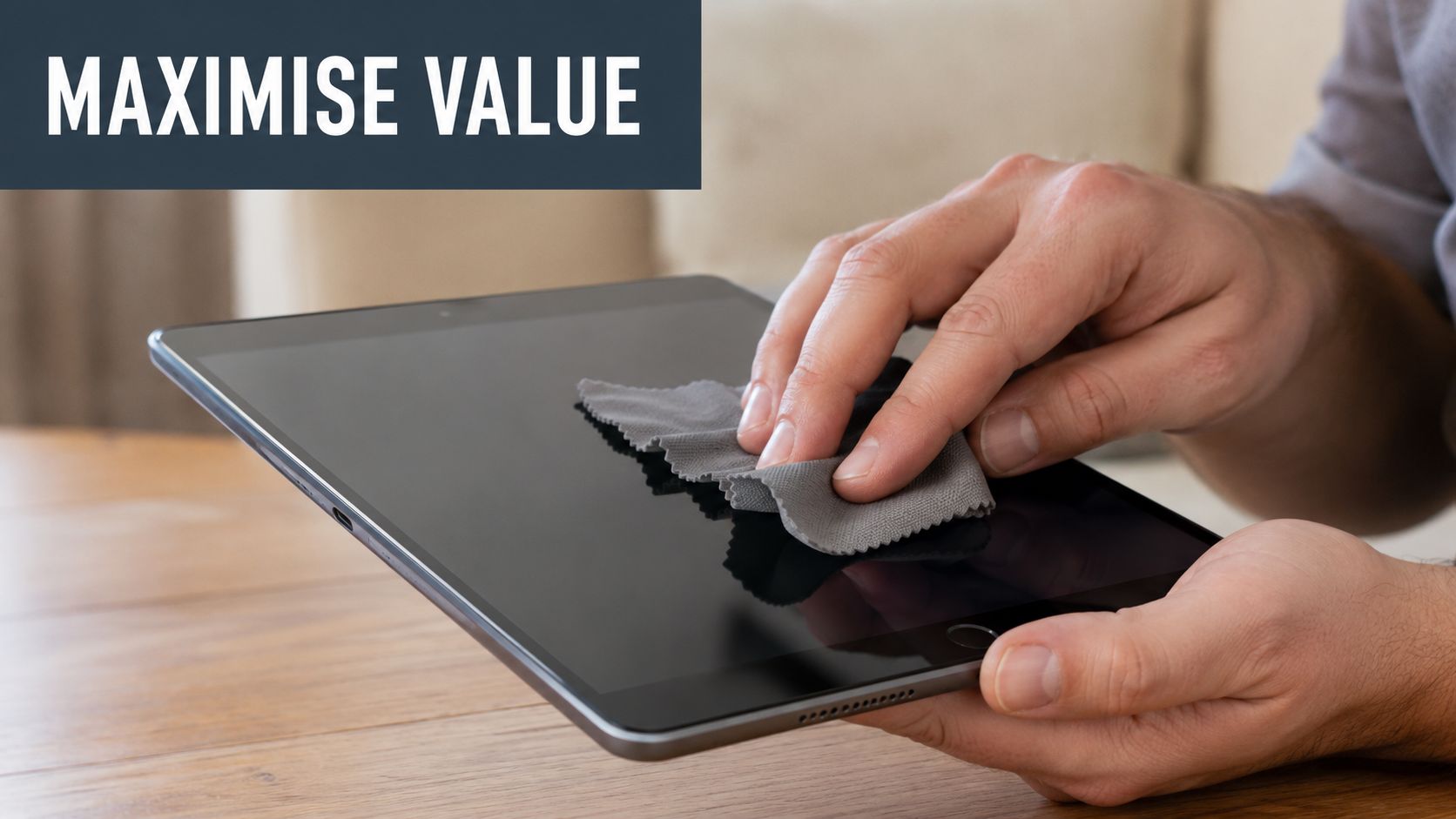
- Wipe the screen and casing: Use a soft microfibre cloth.
- Check buttons and cameras: Volume buttons, power button, speakers, and front and rear cameras should all be tested.
- Test charging: Loose or inconsistent charging gets noticed quickly.
- Photograph the device clearly: Take front, back, sides, corners, and close-ups of any dents or scratches.
- Gather extras: Box, cable, charger, and any keyboard or case can help support a smoother assessment.
If you're unsure how cosmetic grading is usually judged, a quick look at tablet condition examples helps you describe the iPad more accurately. That honesty matters. Overstating condition is one of the fastest ways to turn an encouraging quote into a lower final offer.
Comparing iPad Trade In Channels in Singapore
Once the iPad is ready, the main consideration is where to trade it in. Choosing involves weighing convenience, speed, security, and potential value. You usually can't maximise all four at once.
Apple sets one clear baseline in Singapore. Its local trade-in programme confirms that iPad trade-ins are supported and that customers can trade in an iPhone, iPad, Mac, Watch, or other device for credit toward a new purchase, or recycle it for free if the device isn't eligible for credit, through Apple Trade In in Singapore. That matters because it shows trade-in isn't only an informal resale route. It's part of a formal local upgrade and recycling system too.
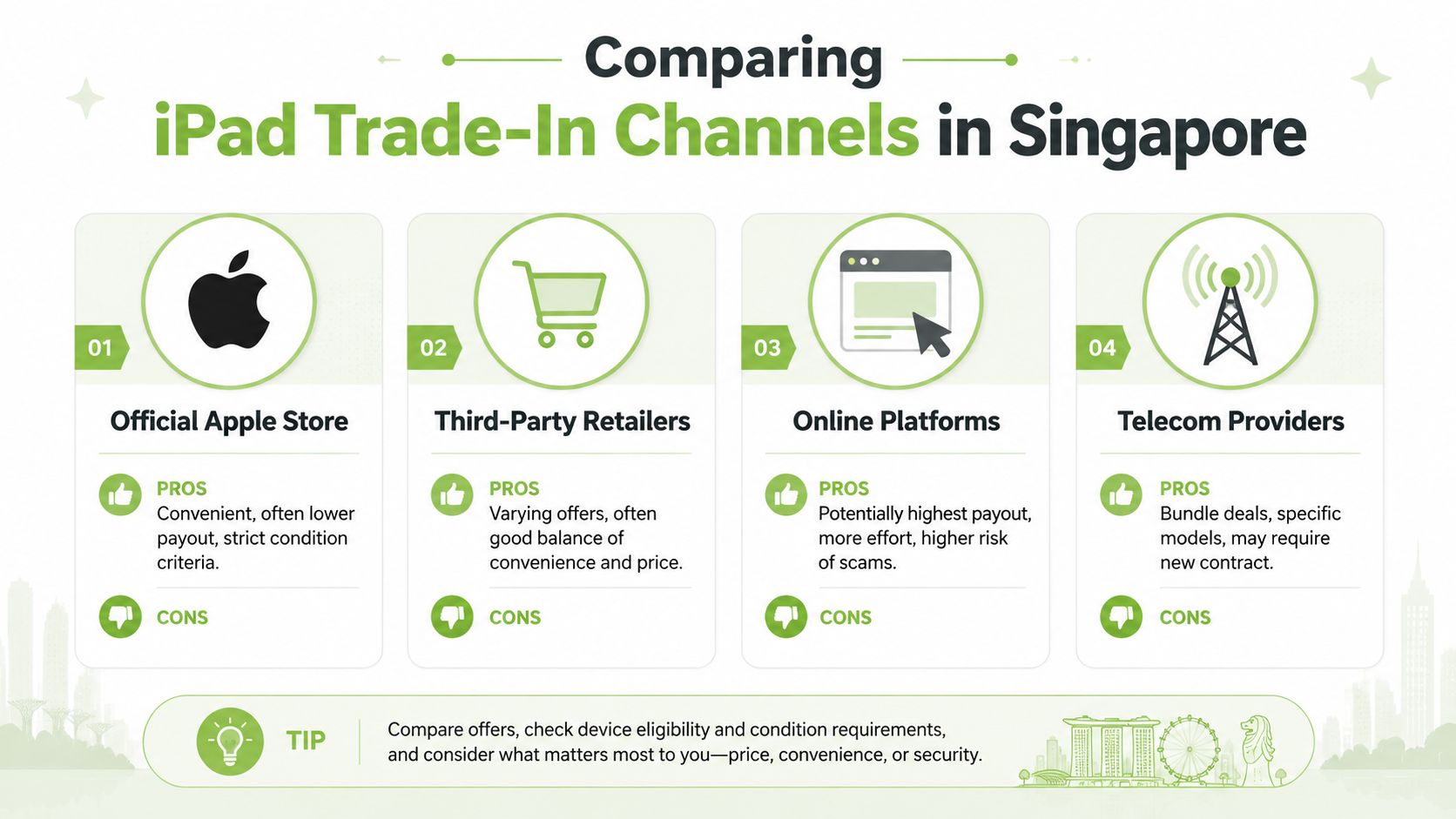
Official Apple Store
Apple is usually the simplest benchmark because the process is structured, familiar, and available online or in-store. If your main priority is a smooth upgrade path into another Apple purchase, it's a very clean option.
Trade-offs:
- Best for: People upgrading within Apple's ecosystem
- Strength: Predictable process and strong trust factor
- Weakness: Credit may be less flexible than direct cash from other channels
- Watch for: Strict condition and verification standards
Dedicated buyback services
These services focus specifically on trade-ins and resale rather than only pushing a new-device purchase. In practice, they often strike a middle ground between convenience and return.
Some buyers want a quote, inspection, and payment process without the negotiation of peer-to-peer platforms. That's where services like trade-in options in Singapore can fit, including providers such as myhalo that handle device trade-ins as part of a broader circular tech model.
Reseller marketplaces
Peer-to-peer platforms can produce the highest headline offers if you're patient, detailed, and willing to manage the listing yourself. But they also require the most effort.
What often goes wrong:
- Time drain: Messaging, no-shows, lowball offers, and repeated meet-up scheduling
- Condition disputes: Buyers may renegotiate on the spot
- Data risk: Handing over a device to a stranger requires more caution
- Payment uncertainty: You need to control the transaction carefully
If you choose a marketplace, treat it like a mini sales job. Good photos, honest descriptions, and clear meetup rules matter.
Traditional retail stores and telecom-linked offers
Some physical retailers or telecom providers accept trade-ins as part of a purchase bundle. These can be convenient if you're already buying another device there, but the offer structure varies.
This route can work well when:
- You want speed: Same-visit evaluation can be easier than arranging private sale
- You prefer face-to-face: Staff can verify condition on the spot
- You're bundling an upgrade: A store or telco may tie the trade-in to your next purchase
The downside is flexibility. Some programmes are narrow about eligible models, and some are built around store credit rather than cash.
Singapore iPad Trade-In Channel Comparison
| Channel | Best For | Typical Value | Speed | Convenience |
|---|---|---|---|---|
| Official Apple Store | Apple upgrades and formal process | Often competitive for credit, not always ideal for cash seekers | Moderate | High |
| Dedicated buyback services | Balanced mix of price and ease | Often a middle ground | Fast to moderate | High |
| Online platforms | Sellers chasing maximum direct payout | Potentially highest, but less predictable | Slow to moderate | Low to moderate |
| Telecom providers or retail stores | Bundle purchases and walk-in convenience | Varies by promotion and model | Fast | Moderate to high |
How to choose without overthinking it
Use your priority, not someone else's.
- Choose Apple if you want a formal upgrade path and don't mind credit-based value.
- Choose a buyback service if you want less friction than a marketplace.
- Choose a marketplace if you're willing to do the work for a possible upside.
- Choose a retail or telco channel if you value same-day simplicity over squeezing every bit of return.
That's the core framework for iPad trade in Singapore. Not “Which option is best?” but “Which option matches how you want this to go?”
Insider Tips to Maximise Your Trade-In Value
Small details change offers. Not always dramatically, but often enough that they're worth your attention. The people who get the smoothest, strongest trade-ins usually aren't doing anything fancy. They're just avoiding the obvious value killers.
Be accurate about condition
The easiest mistake is calling an iPad “excellent” when it has a dented corner, faint screen pressure marks, or charging issues. Initial quotes are often based on what you declare. Final offers depend on what inspection finds.
A better approach is to inspect like a technician would:
- Under bright light: Hairline scratches show up fast
- With the charger connected: Intermittent charging needs to be disclosed
- At different angles: Bent frames and chipped corners are easier to miss head-on
- During basic use: Open apps, test speakers, rotate the screen, use both cameras
A realistic quote that holds is better than an inflated quote that gets cut later.
Include the extras if you still have them
Original accessories don't always transform the value, but they help. A box, charging cable, adapter, folio case, or Apple Pencil support a cleaner resale story, especially if the iPad has been well looked after overall.
What helps most:
- Original charger and cable: Signals a complete set
- Box and paperwork: Useful for presentation and confidence
- Compatible accessories: Helpful if they're functional and in decent shape
Timing matters more than people admit
If you already know you're upgrading, don't wait until your old iPad has become an afterthought. Devices usually attract stronger interest when they're still current enough to be easy resell stock.
That doesn't mean chasing rumours or trying to outguess every product launch. It means this: if your iPad is in good working condition and you're likely to replace it soon, start getting quotes while it still feels current in the market.
Clean first, quote second. A buyer who sees a well-presented iPad is less likely to assume hidden neglect.
A quick visual refresher helps if you're prepping the device for inspection:
Don't repair blindly before trading in
This surprises some customers. Not every repair increases trade-in value enough to justify the cost and effort. A minor scratch usually isn't worth fixing. A badly cracked display or failing battery might be, but only if the repair cost is sensible relative to the improved offer.
Use simple judgement:
- Repair first if the fault makes the device hard to test or easy to reject
- Trade in as-is if the defect is cosmetic and clearly visible
- Ask for both scenarios when possible, one quote as-is and one after repair
That keeps you from spending money just to arrive at the same net return.
Completing the Trade-In and Securing Your Data
Once you've accepted an offer, the final stretch matters just as much as the quote. In this stage, timing, inspection, handover, and payment all come together. Most problems at this stage happen because expectations were never made clear at the start.
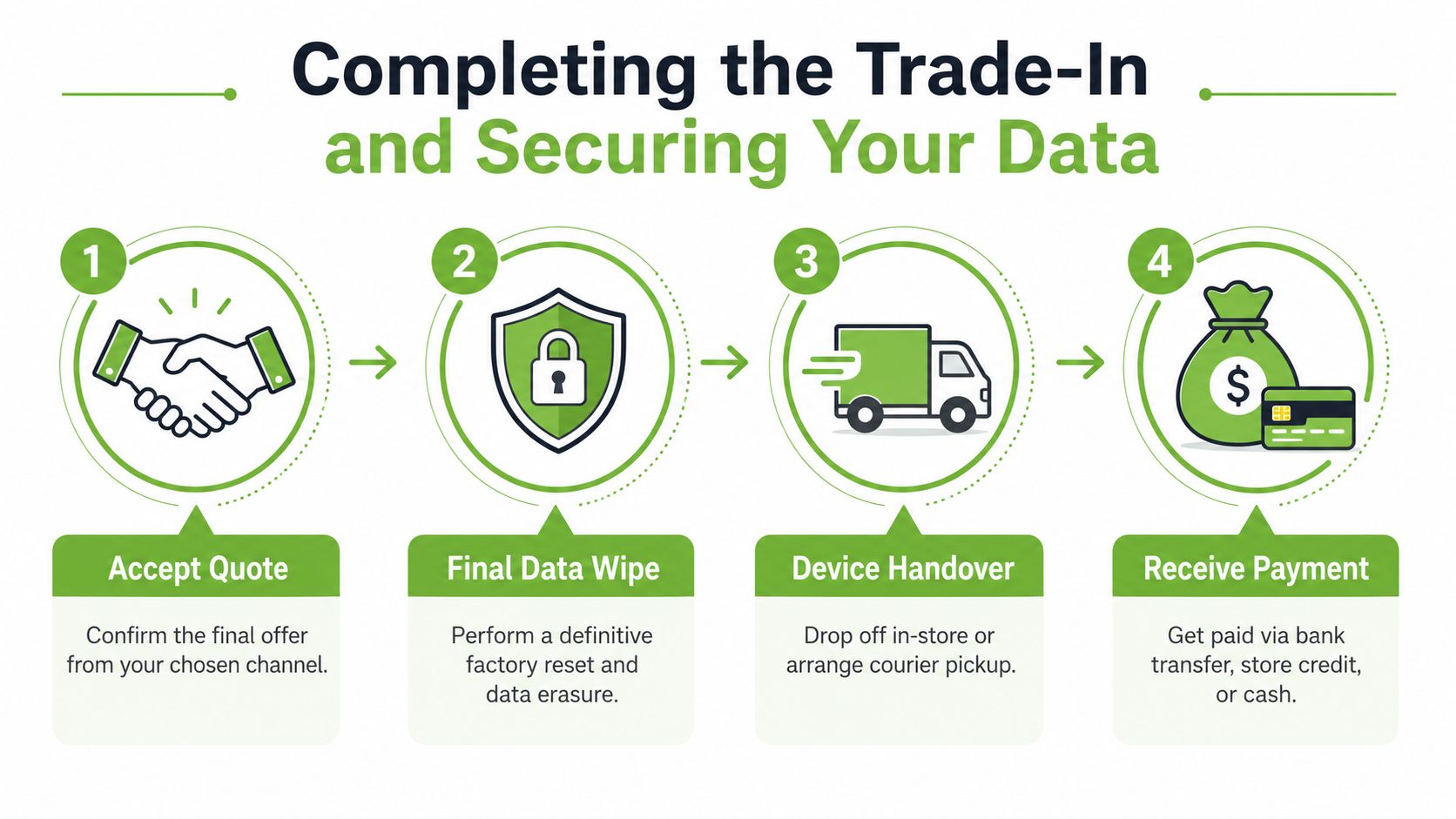
Know what timeline you're accepting
Different channels move at different speeds. Walk-in stores may inspect quickly. Courier-based programmes take longer because collection, verification, and processing happen in stages.
Apple provides a useful benchmark for this part of the process. For trade-ins through its programme, there is a 14-day return window after receiving the replacement device, the full credit or gift-card cycle generally takes 2 to 3 weeks, and credit is typically processed within 3 to 5 business days after verification, according to Apple's trade-in process details. Apple also advises sending only one device per box, keeping the device below 30% battery, and removing personal data before shipment.
That doesn't mean every provider follows the same sequence. It does give you a reasonable operational reference point. If a service says the inspection will take a little time, that's normal. If the process feels vague, undocumented, or inconsistent, pause before handing over the device.
Final data checks before handover
Even after a reset, I always tell customers to do one more account-level check. Open your Apple account on another device and confirm the iPad is no longer attached where it shouldn't be.
Use this peace-of-mind list:
- Confirm Find My is off
- Check your Apple ID device list
- Remove any school or business management profile
- Eject SIM or storage add-ons if applicable
- Keep photos of the device after reset
- Record the serial number for your own reference
If your iPad is frozen or unresponsive and you need a reset reference before the final wipe, this guide on Nerds 2 You iPad hard reset is a practical walkthrough.
A factory reset protects the data on the device. Removing the device from your account protects you from activation and ownership issues later.
Handover and payment without surprises
When you drop off in-store, ask the staff member to confirm the assessed condition before the transaction is finalised. When using courier collection, photograph the packed device and note what was included in the parcel.
Pay attention to the payment format too:
- Cash or bank transfer: Usually best if you want direct liquidity
- Store credit: Fine if you were planning that purchase anyway
- Gift card: Useful only if you're certain you'll use it
If the final offer comes in lower than the preliminary quote, don't rush. Ask exactly what changed. A legitimate revision should be tied to a specific issue such as screen damage, account lock, battery concern, or a mismatch between declared and actual condition.
When to walk away
You don't have to accept a revised offer just because the process is already underway. If the explanation is weak or the downgrade doesn't match the condition you documented, step back and request the device back if the channel allows it.
Good trade-ins feel boring in the best way. Clear quote, clear inspection, clear payment, no drama.
Frequently Asked Questions About iPad Trade-Ins
Can I trade in an iPad with scratches
Yes, usually. Light cosmetic wear is common and expected on used tablets. What matters is whether the scratches are superficial or affect use. Deep cracks, display damage, or touch issues are more likely to reduce the offer or push the device into a lower grade.
Is it better to trade in or sell privately
It depends on what you value most. Private sale may give you a higher asking price, but you'll spend more time on listings, messages, meetups, and negotiation. Trade-in is usually better if you want a faster, more controlled process with less effort.
Do I need the original box and charger
No, not always. Many buyers and trade-in services will still accept the iPad on its own. But having the box, charger, cable, or related accessories can help support a cleaner offer and smoother evaluation.
What if my iPad still turns on but the battery drains quickly
Be honest about it. Battery weakness doesn't automatically make the device worthless, but hidden battery issues often create disputes after inspection. A transparent declaration gives you a more reliable quote from the start.
Can I trade in an iPad that has been repaired before
Often yes, if it works properly and there are no hidden issues from the repair. The key is whether the device passes testing and whether parts such as the display, charging system, and cameras behave normally. If third-party repairs caused fit, finish, or functionality problems, expect closer scrutiny.
What if I forgot to sign out of iCloud
Fix that before handover if the device is still with you. If you've already sent it, contact the trade-in provider immediately and remove the device from your Apple account remotely if possible. An iPad with activation lock can be delayed, rejected, or repriced.
If there's one mistake to avoid, it's handing over an iPad that still belongs to your Apple ID on paper.
Should I erase the iPad before getting a quote
Get your backup done first, then reset before the final handover. Some in-store assessments may only need the device powered on for testing, but you should still plan to erase it before it leaves your possession. Never assume the other party will do the privacy steps for you.
What's the safest option for nervous first-time sellers
Usually, a formal trade-in route with clear inspection and payment terms. You may not squeeze out every last dollar, but you reduce uncertainty. For many people, that trade-off is worth it.
If you want a straightforward place to start, myhalo offers trade-in, refurbished devices, repairs, and support for customers who'd rather handle the process through an established Singapore retailer instead of managing a private sale alone.