





Best Laptop for Startup Business: 2026 Guide
You're probably facing the same question many first-time founders in Singapore face after hiring the first few staff. Do you buy the cheapest laptops that get everyone started quickly, or do you spend more now and hope they last? It feels like a simple purchasing decision, but it isn't.
A laptop affects how your team works every day. It shapes call quality, speed, reliability, data handling, support workload, and how soon you'll need to replace the device. If you're trying to choose the best laptop for startup business use, the smarter question isn't “Which model is popular?” It's “Which option gives my team the right performance, support, and lifespan for the money?”
That shift matters. A startup that buys with lifecycle value in mind usually makes calmer, more sustainable decisions. It also avoids the painful pattern of underpowered devices, rushed replacements, and unnecessary waste.
Table of Contents
Choosing Your Startup's Laptops A Strategic Decision
A founder I often meet has a familiar situation. The team has grown from three people sharing tables in a co-working space to eight people handling sales calls, product work, finance tasks, and customer support. Suddenly, buying laptops is no longer an ad hoc errand. It becomes one of the first real infrastructure decisions in the business.
The easy mistake is to shop the way a consumer shops. You compare screen size, storage, and a promotional price tag, then buy what looks attractive. That works for a personal device. It's risky for a startup fleet, because the laptop isn't only a gadget. It's a business asset.
A business asset should be judged by a few practical questions:
- Daily workload: Can it handle video calls, browser-heavy work, documents, cloud apps, and file syncing without slowing staff down?
- Operational stability: If something fails, how fast can the business recover?
- Useful lifespan: Will it still be fit for purpose after the team and software stack get heavier?
- Exit value: Can you repair it, reuse it, redeploy it, trade it in, or retire it responsibly?
Buy laptops the same way you'd choose office space. Don't focus only on rent. Look at suitability, support, flexibility, and what happens when the business changes.
That's why a shortlist of shiny models rarely solves the problem. Startups need a framework. You want to match each role to the right class of machine, understand the few specs that affect productivity, and decide whether brand-new or professionally refurbished equipment gives better value over time.
This is also where a lifecycle partner matters. Some businesses only need a supplier. Others need help thinking through procurement, repair, reuse, migration, trade-ins, and responsible retirement so each device delivers value for longer.
First Define Your Startup's Real Needs
Many founders start with brands. Apple or Dell? Lenovo or HP? That's understandable, but it's the wrong first step. Start with the work your people do.
Look at work by role, not by brand
A sales lead travelling across Singapore doesn't need the same machine as a developer running local environments or a data analyst working with heavy files. If you buy one laptop type for everyone without checking workloads, you'll either overspend on light users or frustrate power users.
For most startups, roles usually fall into a few broad patterns:
- Sales and business development: Portability, dependable battery life, webcam quality, and smooth performance for email, CRM, presentations, and video calls.
- Operations and finance: Stability for spreadsheets, browser tabs, accounting tools, document work, and frequent multitasking.
- Developers and product teams: More headroom for coding tools, browser-based testing, containers, local builds, and sustained multitasking.
- Design, content, and media roles: Better displays, more memory, and stronger graphics capability where creative software is involved.
- AI, analytics, and data-heavy roles: Machines that can cope with heavier local processing and more demanding workflows.
One point is becoming harder to ignore in Singapore. A January 2025 Singapore SME survey found that 42% of startups use AI tools daily, yet 68% lack hardware capable of running local AI models, which points to a growing mismatch between software adoption and device readiness (Singapore startup AI hardware survey).
Planning cue: If a role touches local AI workflows, heavier data handling, or sustained analysis work, don't treat it like a standard admin profile.
That doesn't mean every employee needs an AI-focused mobile workstation. It means founders should stop assuming that “documents and Zoom” covers the whole company. In many startups, at least one or two roles already need more than that.
A simple role-based planning table
| Startup Role | Primary Need | Key Specs to Prioritise |
|---|---|---|
| Sales or account management | Mobility and smooth meetings | Lightweight design, good battery life, reliable webcam, enough memory for calls and browser work |
| Operations or admin | Stable multitasking | Responsive processor, adequate RAM, fast SSD storage, strong keyboard |
| Founder or general manager | Versatility across many tasks | Balanced CPU, ample RAM, solid storage, portability, dependable support |
| Developer | Sustained performance | Strong processor, more RAM, NVMe SSD storage, cooling that copes with longer sessions |
| Designer or content creator | Visual work and larger files | Better display, more RAM, fast SSD, graphics capability if software needs it |
| Data analyst or AI-focused role | Heavier local processing | Strong CPU, more memory headroom, larger SSD, hardware selected for AI-ready workflows |
A useful exercise is to list your team in rows and assign each person to a workload type. Don't overcomplicate it. Light, standard, performance, and specialised is enough for most early-stage companies.
Then ask one more question. Will this role look the same a year from now? Startups change quickly. A customer support lead may become an operations lead. A founder doing slide decks today may be reviewing dashboards, prototypes, and AI outputs next quarter. Buying only for current usage often leads to early replacement.
Decoding Laptop Specs for Business Value
Specs confuse a lot of founders because laptop listings mix important details with marketing language. You don't need to become a hardware expert. You just need to know which components affect work speed and device lifespan.
Think of specs as work capacity
The simplest way to think about a laptop is this.
The CPU is the person doing the thinking.
RAM is the size of the desk they're working on.
Storage is the filing cabinet.
The GPU helps with visual and compute-heavy tasks.
The battery decides how independent the device is away from a charger.
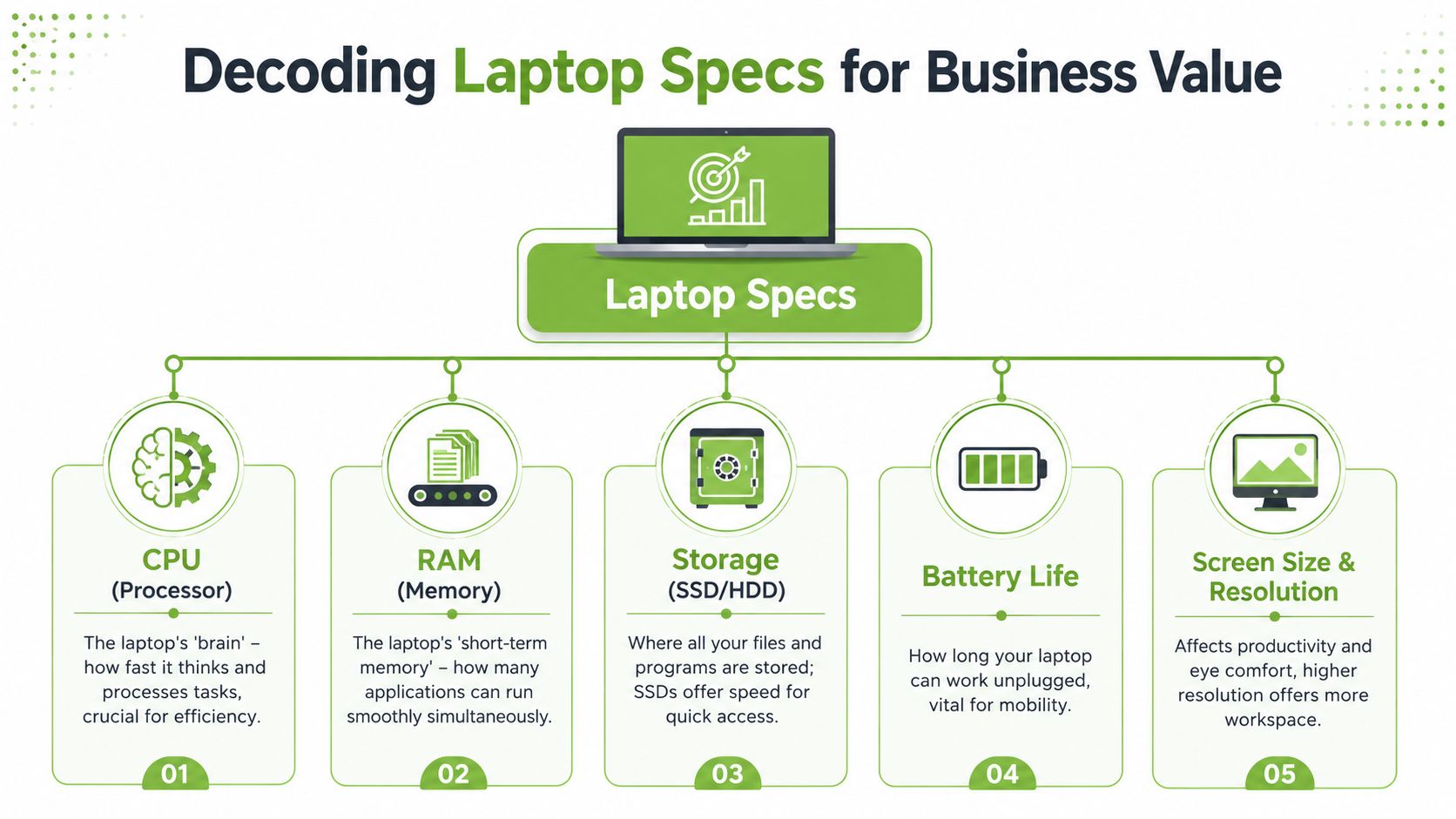
When a founder buys a machine with a fast processor but too little RAM, staff still complain that the laptop feels slow. That's because modern work isn't one task at a time. It's Teams calls, cloud dashboards, browser tabs, documents, chat apps, and file syncing all at once.
RAM is where many business purchases go wrong. For 2026 SME laptop deployments in Singapore, a minimum of 16GB RAM is required to maintain performance, because 8GB systems get pushed into sustained swap usage under Windows 11, Microsoft Teams, multi-tab browsers, and OneDrive sync, leading to noticeable degradation within 12 to 18 months (Singapore SME laptop RAM guidance).
That's one of the clearest examples of a spec translating directly into business value. A device that feels acceptable on day one can become a frustration machine later, not because staff changed, but because normal business software keeps growing heavier.
What matters most for startup teams
Here's a practical way to read the main specs.
- Processor choice: For standard business use, look for a current, capable mid-range or better processor. The point isn't chasing the most expensive chip. It's avoiding low-end processors that struggle once real work begins.
- Memory: Treat 16GB RAM as the sensible floor for mainstream startup use. If a role handles heavier datasets, creative software, or demanding local workflows, more headroom may be justified.
- Storage: Fast SSD storage matters more than many founders realise. It affects boot speed, file access, software launch times, and general responsiveness. Where business workflows include larger files or local project assets, more storage prevents constant cleanup.
- Battery life: This isn't only for sales staff. Founders, managers, hybrid workers, and meeting-heavy staff all benefit when a laptop doesn't become desk-bound by lunchtime.
- Screen and keyboard: These are productivity components, not cosmetic extras. A better screen reduces strain. A comfortable keyboard matters when your team spends long hours writing, replying, and documenting work.
Another useful benchmark comes from Singapore-focused business travel guidance. To support AI-optimised and data-migration workflows common in local startups, the minimum specification should include an Intel Core i5 or AMD Ryzen 5, at least 512GB of NVMe SSD storage, and 16GB of RAM (business laptop specification guidance for Singapore).
A cheap laptop rarely stays cheap if it wastes staff time every day.
If you remember only one point from this section, let it be this. The best laptop for startup business use isn't the one with the longest spec sheet. It's the one whose specifications match the work your team does, with enough headroom to stay useful.
The Smart Choice New vs Certified Refurbished
Plenty of founders assume new laptops are automatically the safer choice. Sometimes they are. But that assumption often hides the more important question, which is value over the device's working life.
Why TCO changes the decision
The better lens is Total Cost of Ownership, or TCO. That means you look beyond the purchase price and include support, warranty, lifespan, repairs, downtime risk, and replacement timing.
For Singapore startups focused on TCO, the key metric isn't the sticker price but the combined effect of warranty coverage, support costs, and expected lifespan. Business-grade lines such as Lenovo ThinkPad and Dell Latitude offer a 3 to 5 year operational lifespan, which can reduce annualised cost compared with consumer models (Singapore business laptop TCO guidance).
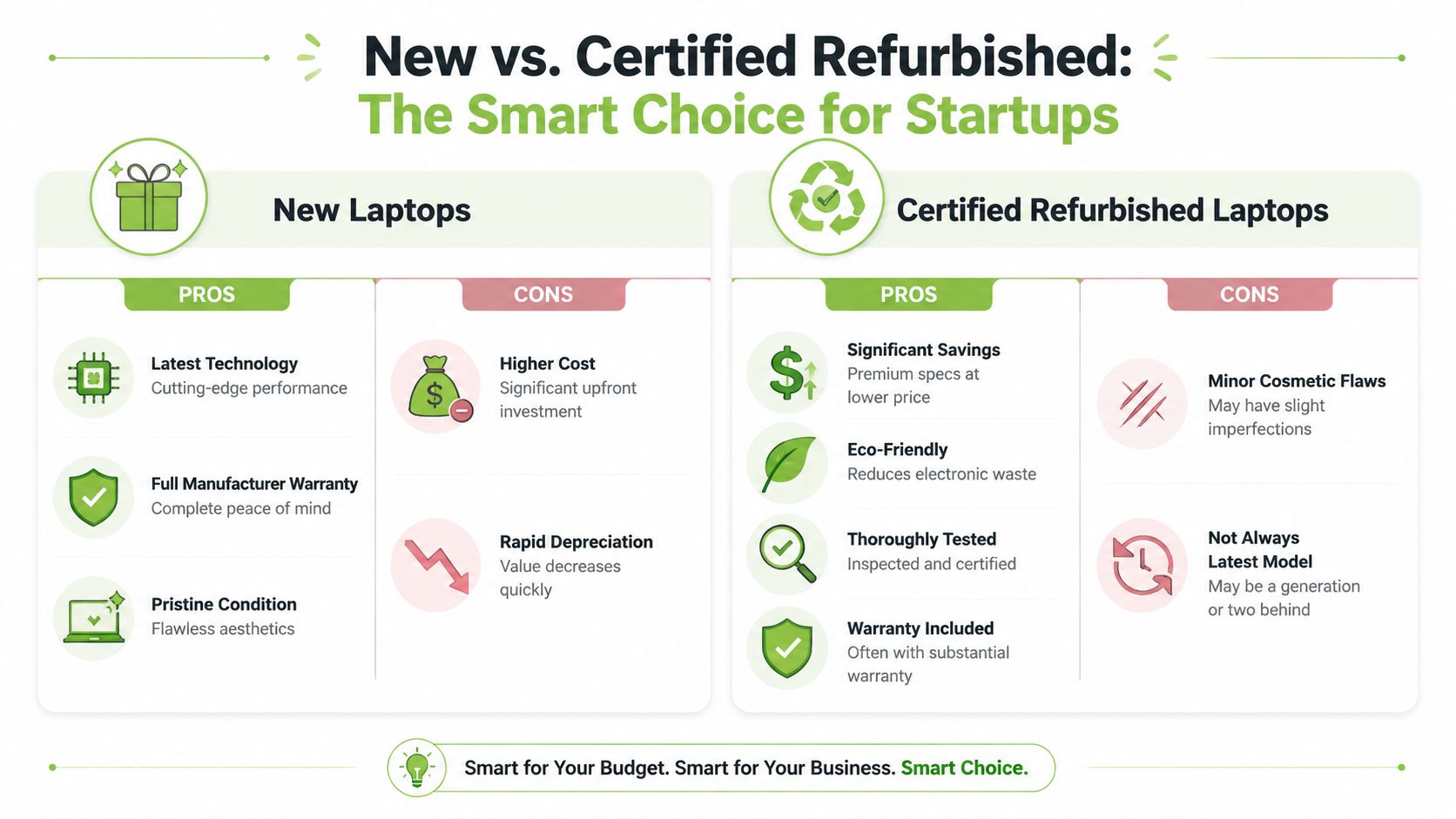
That matters because a new consumer laptop and a professionally refurbished business laptop can sit near the same spending level while offering very different outcomes. The consumer model may look more current. The business model often gives you sturdier construction, better security features, easier servicing, and more predictable support.
A founder who buys for roles rather than showroom appeal often sees the appeal of refurbished business-grade devices quickly. For admin, operations, and many office-heavy roles, a well-selected business machine can be a smarter fit than a fresh consumer unit.
A good starting point is to review how specialists approach vendor selection for refurbished laptops, because the seller's testing, grading, and support process matters as much as the device itself.
Later in the evaluation, it also helps to compare your assumptions against practical buying notes on refurbished laptop computers.
How to assess refurbished devices properly
A refurbished laptop should never be judged by price alone. Ask a few direct questions.
- What device class is it? A refurbished business-grade laptop is different from a random used consumer notebook.
- How was it checked? Look for structured inspection processes, not vague promises.
- Is grading clear? You should know the cosmetic condition and battery status, not guess.
- What support follows the sale? If something goes wrong, the response process matters more than marketing language.
One practical option in Singapore is myhalo, which handles new and professionally refurbished devices through programmes such as Certified ReLoved and Certified Surplus, with 30-point quality checks, transparent device grading, battery health disclosure, and processes aligned with ISO 9001 Certified and ISO 27001 Certified operations. For a startup, details like that are useful because they turn refurbished procurement into a managed decision rather than a gamble.
A quick visual summary can help when you're comparing both paths.
The larger point is simple. Refurbished isn't only a budget tactic. It can be a lifecycle strategy. If a device can be repaired, reused, redeployed, and retired responsibly, it supports resilience as well as cost control.
Setting a Realistic Budget and Scaling Your Fleet
A startup budget should reflect workload tiers, not a single emotional number. If you decide that every employee gets the same machine regardless of role, you may create a neat spreadsheet but a poor operating model.
Use one reference point, then tier by role
A useful reference point for the Singapore market is the Apple MacBook Air 13-inch (M5), which has been identified as the top all-rounder laptop purchase in Singapore for 2026 at S$1,599, with 512GB base storage and a substantial jump in on-device AI performance (MacBook Air 13-inch M5 in Singapore).
That doesn't mean every startup should buy it. It means you now have a concrete benchmark for what a premium all-rounder costs in the local market.
From there, build budget tiers around job function:
- Founders and versatile managers: Often benefit from an all-rounder machine that can handle meetings, planning, documents, dashboards, and occasional heavier work.
- Admin and operations roles: Usually don't need premium pricing if the device is business-grade, responsive, and reliable.
- Developers and specialist users: Deserve a higher allocation because underpowered hardware wastes skilled time.
- Temporary, project, or support roles: May be well served by quality certified devices rather than new purchases.
If you're comparing options across price bands, this guide to affordable laptops in Singapore is a practical reference point for thinking about trade-offs without assuming the cheapest model is the best value.
Budget rule: Standardise where the work is similar. Differentiate where the workload is genuinely different.
Build for the next hiring wave
Scaling a fleet isn't just about today's order. Think about what happens when you hire the next five people.
Some startups do well with a two-tier setup. One standard model for general business roles, and one higher-performance model for technical or specialist staff. That simplifies support, accessories, chargers, and replacement planning without forcing every role into the same machine.
It also helps to think of laptops as circulating assets. A founder's first machine might later move to operations. A project device might become a backup unit. A good procurement plan leaves room for redeployment instead of immediate disposal.
That's where lifecycle thinking starts affecting budget discipline. You aren't only funding a purchase. You're building a small, manageable fleet that can adapt as the company grows.
Beyond the Purchase Lifecycle Management and Support
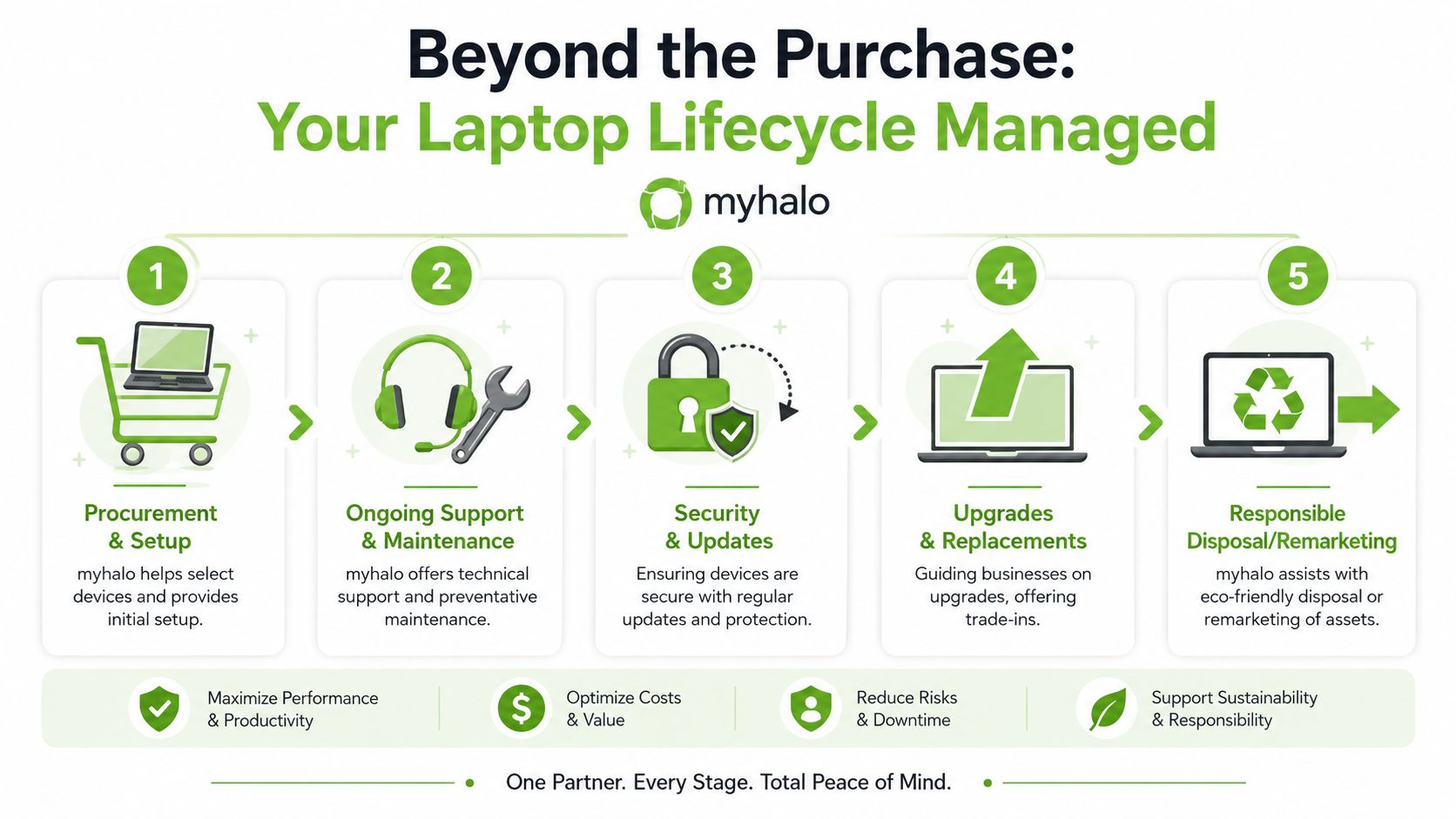
A laptop decision doesn't end when the box is opened. For a startup, most of the cost and risk shows up afterwards, during setup, support, repairs, upgrades, staff turnover, and retirement of old devices.
Support is part of the asset value
Singapore businesses often favour Lenovo ThinkPad, Dell Latitude, and HP EliteBook because they're consistently business-focused lines known for durability, security, and manageability, and because repair costs over a 3 to 5 year life cycle matter when choosing them (business-focused laptop lines in Singapore).
That last part deserves more attention. Repair cost and serviceability are not side issues. They're procurement factors. A cheaper laptop that's hard to repair or support can become more expensive once something breaks or a staff member loses productive time.
Many growing firms eventually need processes, not just devices. If your team is expanding and internal IT resources are thin, it's worth understanding how providers structure managed IT for growing businesses. Even if you're not outsourcing support today, that operating model helps you think more clearly about uptime, patching, user support, and replacement cycles.
A mature laptop strategy usually includes:
- Setup and migration: New hires need to be productive quickly.
- Ongoing maintenance: Devices slow down when no one owns upkeep.
- Protection and recovery: Accidents happen. What matters is recovery time.
- Role changes: Staff move teams, and devices should be easy to redeploy.
A startup doesn't need enterprise complexity. It does need repeatable habits for device care, security, and handover.
End-of-life planning should start early
The final stage of the lifecycle is often ignored until a drawer fills up with old laptops. That's a missed opportunity.
A retired business laptop may still hold value through repair, reuse, resale, parts recovery, or structured recycling. Planning that pathway early reduces clutter and improves the economics of your next procurement round.
For founders thinking ahead, a structured laptop trade-in process in Singapore is often more useful than storing ageing devices indefinitely. It turns old hardware into part of the funding logic for the next refresh.
This is also where sustainability becomes practical, not abstract. Extending lifespan, using certified refurbished equipment, and retiring devices responsibly can lower waste, reduce rushed spending, and help a startup make fuller use of each asset. That's business resilience.
Your Next Steps to a Smarter Tech Strategy
The best laptop for startup business use usually isn't decided by a top-five list. It's decided by whether you make the purchase like an operator.
Start with the role, not the brand. Match the machine to the work. Learn the few specifications that affect real productivity. Treat refurbished business devices as a strategic option, not a compromise. Then manage the laptop through its whole lifecycle, from deployment to repair, reuse, trade-in, or recycling.
If you keep those principles in view, your decisions get simpler. You stop chasing hype. You stop overspending on the wrong people and underspending on the right ones. Above all, you build a device strategy that can scale with the company.
A practical next move is to review your current team and group each person by workload. Light, standard, performance, or specialised is enough to begin. After that, list which devices should be new, which could be certified refurbished, and what support you'll need after purchase.
If you'd like a second opinion before committing budget, use RescueAdvise to sanity-check your shortlist, compare lifecycle value, and see whether Certified ReLoved or Certified Surplus options make sense for your team. Tools such as mylo AI Assistant can also help you sort through choices faster, especially when you're balancing cost, performance, and long-term usefulness.
If you're building a startup fleet and want a practical, lifecycle-focused starting point, explore myhalo for new and certified devices, repair and migration support, trade-in pathways, and planning options that help you extend value instead of replacing hardware too soon.