





Water Damage Repair Phone: Your 2026 Singapore Guide
Your phone just slipped into a sink, a puddle, a toilet bowl, or a rain-soaked bag. You've wiped the screen, it might still light up, and now you're wondering whether to leave it in rice, try charging it, or rush to a repair shop.
That decision window is smaller than commonly perceived. A wet phone can survive the initial splash and still fail later because moisture stays trapped under shields, around connectors, or inside ports. A proper water damage repair phone plan isn't only about getting it to switch on again. It's about reducing short-circuit risk, protecting your data, and deciding whether repair still makes financial sense in Singapore.
Table of Contents
Phone in Water? Your First 60 Minutes Are Critical
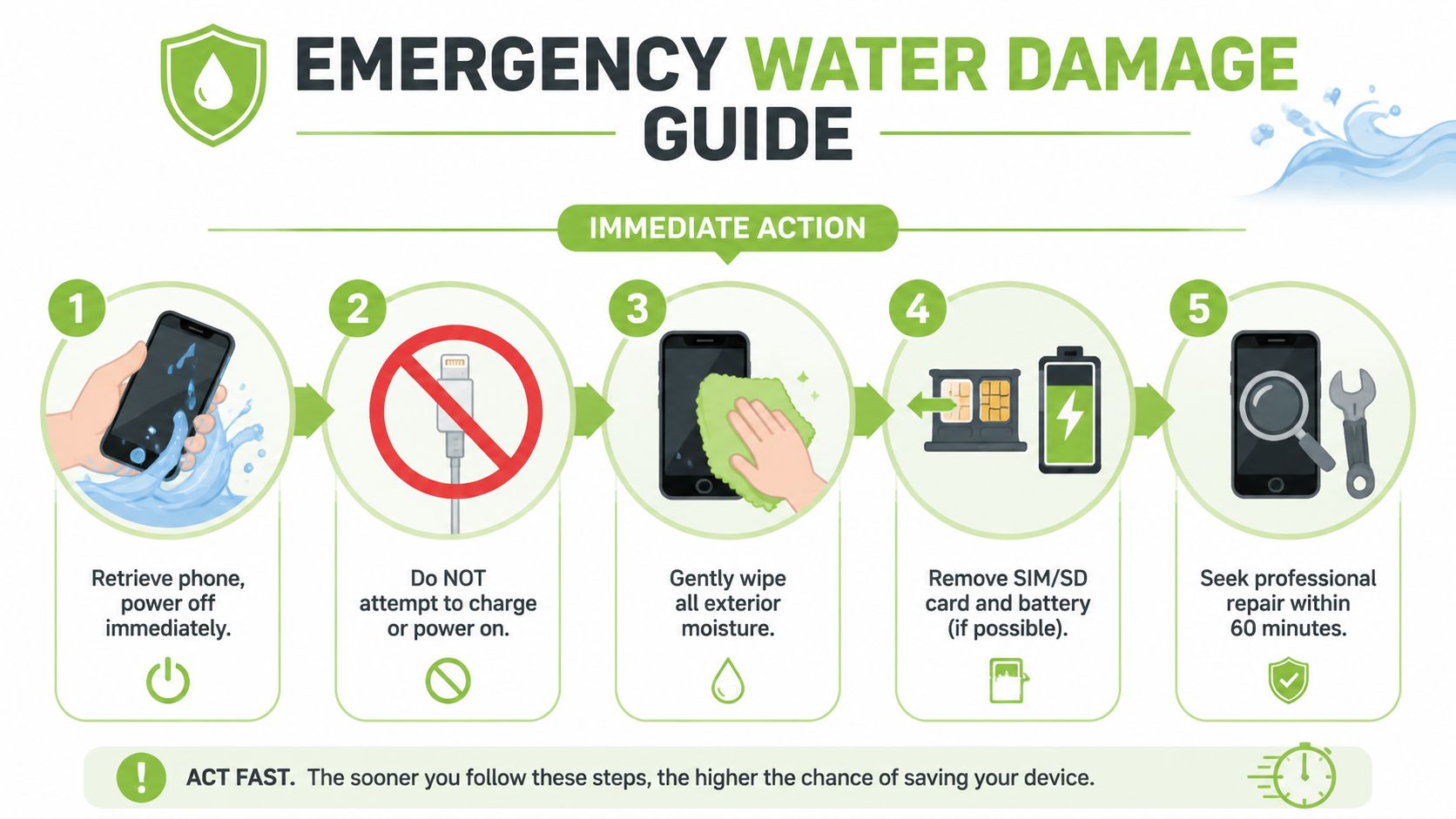
The first mistake people make is waiting to “see if it still works”. If the phone is wet, the safest move is to power it off immediately. Early shutdown reduces the risk of a short circuit, which is why the most defensible recovery workflow starts with powering down, removing the SIM or SD tray and case, gently blotting the outside, then drying the device with silica gel for about 24 hours. If you rely on rice or basic fan drying, the drying window typically extends to 48 hours, based on published step-by-step recovery guidance.
Do these steps immediately
Use this checklist in order:
- Switch it off if it's still on.
- Do not charge it and don't test it “just once”.
- Remove the case so trapped moisture can escape.
- Eject the SIM or SD tray.
- Blot the exterior gently with a soft, absorbent cloth.
- Place it in a sealed container with silica gel.
- Leave it alone for the full drying interval.
Practical rule: The phone that stays powered off has a better chance than the phone that keeps getting checked, shaken, or charged.
If the device was in deep water, sugary liquid, soapy water, or dirty water, treat it as more serious even if the screen still works. A phone can look normal while moisture sits under the display, around the battery connector, or on the board.
If you need a local starting point for follow-up service options, this iPhone repair resource in Singapore is one useful place to compare what professional help usually involves.
Why rice isn't the answer
Rice became popular because it's easy to find, not because it's the best drying material. Silica gel is preferred because it's designed to adsorb moisture more efficiently, and it doesn't leave starch or dust behind in ports.
Rice also creates false confidence. People put the phone in a bowl overnight, power it on the next morning, and assume the danger has passed. What often hasn't happened is a full internal dry-out.
A proper water damage repair phone response is boring but effective. Shut it down, open what you safely can from the outside, dry patiently, and avoid every shortcut that introduces heat, pressure, or repeated power attempts.
To DIY or Not to DIY Safe Checks vs Damaging Myths
Once the drying interval is over, the question changes. It's no longer “How do I dry it?” It's “Can I safely assess it myself, or am I about to make it worse?”
That's where many DIY recoveries go off track. People move from low-risk checks into high-risk guessing.
What you can safely check yourself
After the phone has fully rested through the drying period, you can do a few careful checks without opening the device:
- Inspect the charging port and SIM area: Look for visible residue, discolouration, or anything that suggests contamination.
- Watch the screen closely: Flicker, ghost touches, patches, or fogging all point to internal moisture or component damage.
- Listen to the speakers: Distorted or muffled audio can mean water remains around the speaker assembly.
- Test buttons lightly: Sticky or inconsistent button response often means liquid has reached deeper than the exterior.
- Observe boot behaviour: If it loops, shuts down, or behaves erratically, stop testing it.
These checks are about observation, not experimentation. You're trying to detect signs of lingering damage, not prove the phone is safe.
What usually makes the damage worse
Repair sources consistently warn against hair dryers, ovens, rubbing, and aggressive handling because heat can warp sensitive parts and force water deeper into the handset. Those same sources also warn that if the phone still shows moisture, audio distortion, touchscreen anomalies, or won't power on after drying, it should go for professional inspection rather than repeated power attempts in Singapore's humid conditions. That guidance is summarised in this repair-focused water damage article.
Don't do these:
- Don't blast it with heat: Warm air feels helpful, but internal adhesives, seals, and tiny components don't react well to improvised heating.
- Don't shake the phone: That can move trapped liquid to places it hadn't reached yet.
- Don't keep charging it to test it: Repeated power introduction is one of the fastest ways to turn recoverable damage into board damage.
- Don't open a modern sealed phone casually: Once you start prying, you can add screen, frame, or battery damage to the original problem.
For a broader home-versus-professional decision framework, this guide to professional water damage help makes the same underlying point. Water damage often looks simpler from the outside than it is internally.
If your phone already has other issues such as a cracked display, this screen repair guide for iPhone owners can help you think about whether the device is worth saving as a whole.
DIY drying vs professional repair a realistic comparison
| Factor | DIY Method (Silica Gel) | Professional Repair (e.g., myhalo) |
|---|---|---|
| Best use case | Fresh exposure, phone powered off quickly, no obvious severe symptoms | Phone won't power on, shows erratic behaviour, or needs internal cleaning and diagnosis |
| What you can actually do | External drying and cautious observation | Internal inspection, cleaning, part replacement, and board-level assessment |
| Main risk | Hidden corrosion remains undetected | Repair cost may not be worth it on an older or heavily damaged phone |
| Data recovery potential | Limited if the phone doesn't boot | Better chance when the goal is extracting data rather than restoring full daily reliability |
| Time expectation | Requires patient drying and no interference | Depends on damage severity and parts, but gives a clearer answer faster |
| When to stop | The moment symptoms persist after drying | When the quote approaches replacement value or long-term reliability looks poor |
A phone powering on after water exposure is not the same thing as a phone being healthy.
Inside a Professional Water Damage Repair Service
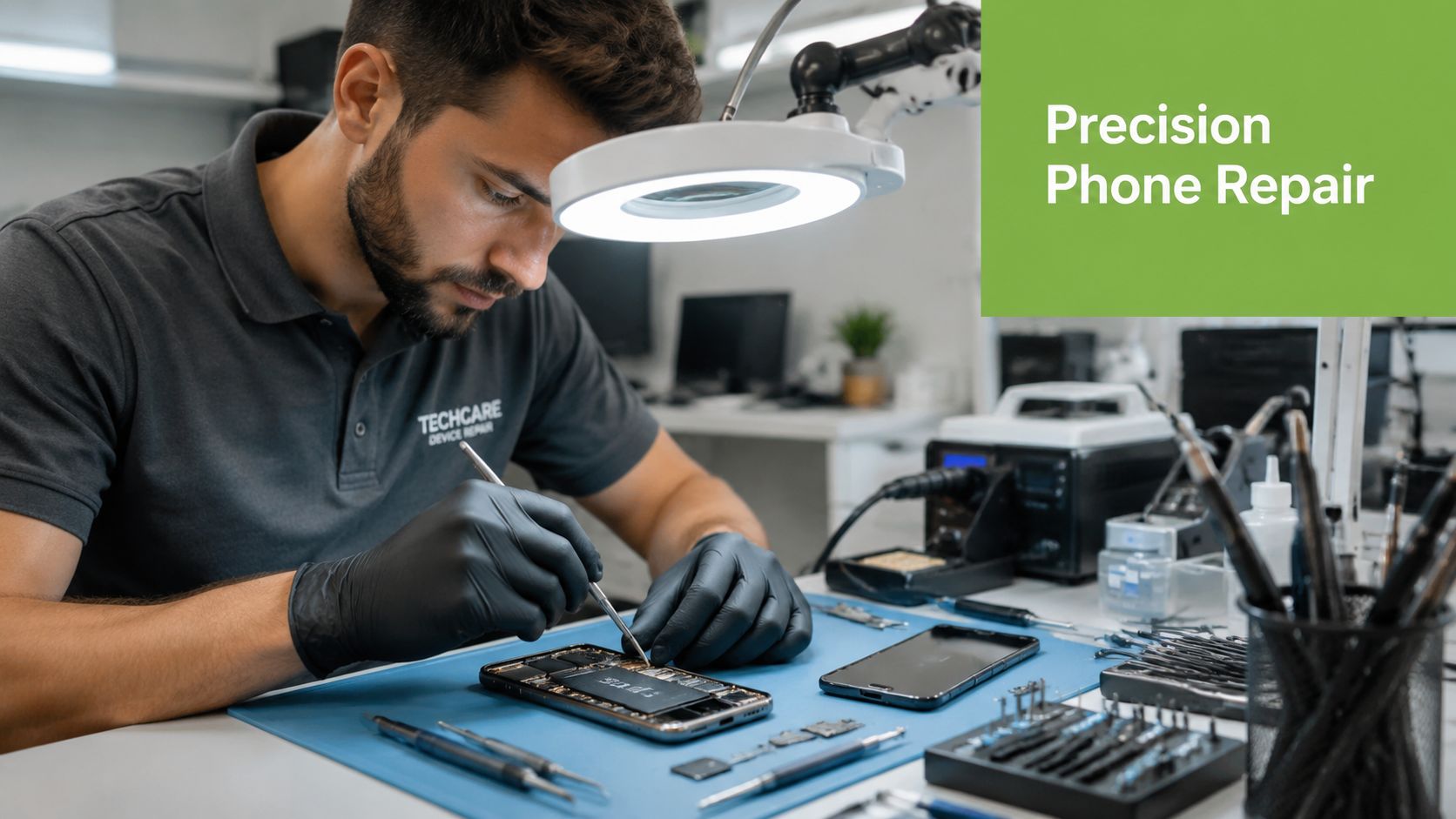
A proper repair bench tells a different story from the kitchen-counter version of phone rescue. The device may look dry on the outside while connectors, shields, or board areas still show residue or early corrosion.
What a technician actually checks
In workshop terms, the first job is diagnosis, not blind replacement. A technician usually checks for signs of liquid ingress, looks at high-risk areas such as connectors and exposed board sections, and assesses whether the issue is confined to one replaceable part or has spread further.
That process may include:
- External evidence review: Ports, SIM area, speaker mesh, camera lens fogging, and visible residue.
- Internal inspection: Signs of oxidation, staining, or corrosion on connectors and board sections.
- Cleaning work: Many repair listings refer to ultrasonic cleaning, which is used to remove contamination from components that can't be cleaned properly with surface wiping alone.
- Part isolation: Battery, screen, charging assembly, or other modules may be tested or replaced if they've been compromised.
A good technician is also assessing something customers rarely ask about clearly enough. Not “Can this be made to turn on?” but “Will this remain stable after I hand it back?”
Independent repair discussions often point out that wet phones are tricky because corrosion may continue even after the phone powers back on, and many shops avoid them for exactly that reason. The better question is whether the device is still economically worth repairing in the first place, as reflected in this repair-versus-value discussion around liquid-damaged phones.
Here's a visual look at the sort of internal repair work involved:
What repair usually costs
Water damage quotes vary because the liquid may have affected only one part, or several. A 2022 repair-cost guide reported that iPhone water damage repairs typically cost $70–$400, while Android repairs usually cost $50–$250. The same guide noted that Apple's out-of-warranty repair pricing can reach $269–$699 depending on model, and professional data recovery can add $50–$150 to the total bill. Those ranges come from this water damage repair cost breakdown.
That price spread matters because “water damage repair phone” can mean very different jobs. One phone needs cleaning and a battery. Another needs board work, a screen, and data extraction.
For local repair context beyond liquid incidents alone, this mobile phone repair guide for Singapore users helps frame how repair decisions are usually approached.
When a repair is technically possible but still not wise
Some phones can be revived but shouldn't be trusted as a main device afterwards. That's especially true if the user depends on the phone for banking, commuting apps, work logins, or authentication tools.
If the goal is keeping your photos, chats, and accounts accessible, data recovery may be the real repair target, not full long-term handset reliability.
That distinction changes the conversation. In practice, the smart outcome may be one of three things: restore the phone to daily use, recover the data and retire the phone, or stop before costs pile up on a device that still carries corrosion risk.
The Smartest Path Forward with myhalo in Singapore
In Singapore, the practical decision often isn't just repair or replace. It's repair, replace, or recover what matters first and move on cleanly.
A smartphone isn't only hardware anymore. It's payment access, work apps, school logins, photos, chat history, and two-factor authentication. That makes a weak repair outcome expensive even when the phone appears functional on day one.
Repair replace or recover data first
A 2017 consumer study cited in a peer-reviewed smartphone durability review found that 35% of smartphone failures were caused by contact with water, making liquid exposure one of the most common failure modes after drops. The same review also showed a large share of failures happening within the earlier years of ownership, which is why a sensible repair or protection plan matters in ordinary use, not only in freak accidents. The study is discussed in this peer-reviewed review of smartphone failure patterns.
That's the core planning lens:
- Repair it when the fault appears contained and the phone still makes sense as a daily device.
- Recover the data first when your priority is photos, chats, notes, app access, and account continuity.
- Replace it when the quote climbs and confidence in long-term reliability falls.
myhalo is one Singapore option that fits into that decision tree because it offers repairs, trade-ins, refurbished replacements, and protection plans in the same ecosystem. That matters when a technician's answer is “repairable, but not ideal for long-term use”, because you may need a path from diagnosis to replacement rather than a repair-only conversation.
Why the long view matters
The worst outcome isn't always a dead phone. Sometimes it's a phone that comes back to life, works just long enough for you to rely on it again, then starts failing intermittently.
That's why the smartest path forward is usually the one that answers three questions clearly:
- Is the device safe to keep using daily?
- Is the repair cost still reasonable for this model?
- If not, how do I preserve value and avoid starting from zero?
When those answers are handled together, you avoid the common trap of spending on a rescue that only delays replacement.
Frequently Asked Questions About Water Damaged Phones
Some questions only come up after the panic settles. These are the ones that usually matter most.
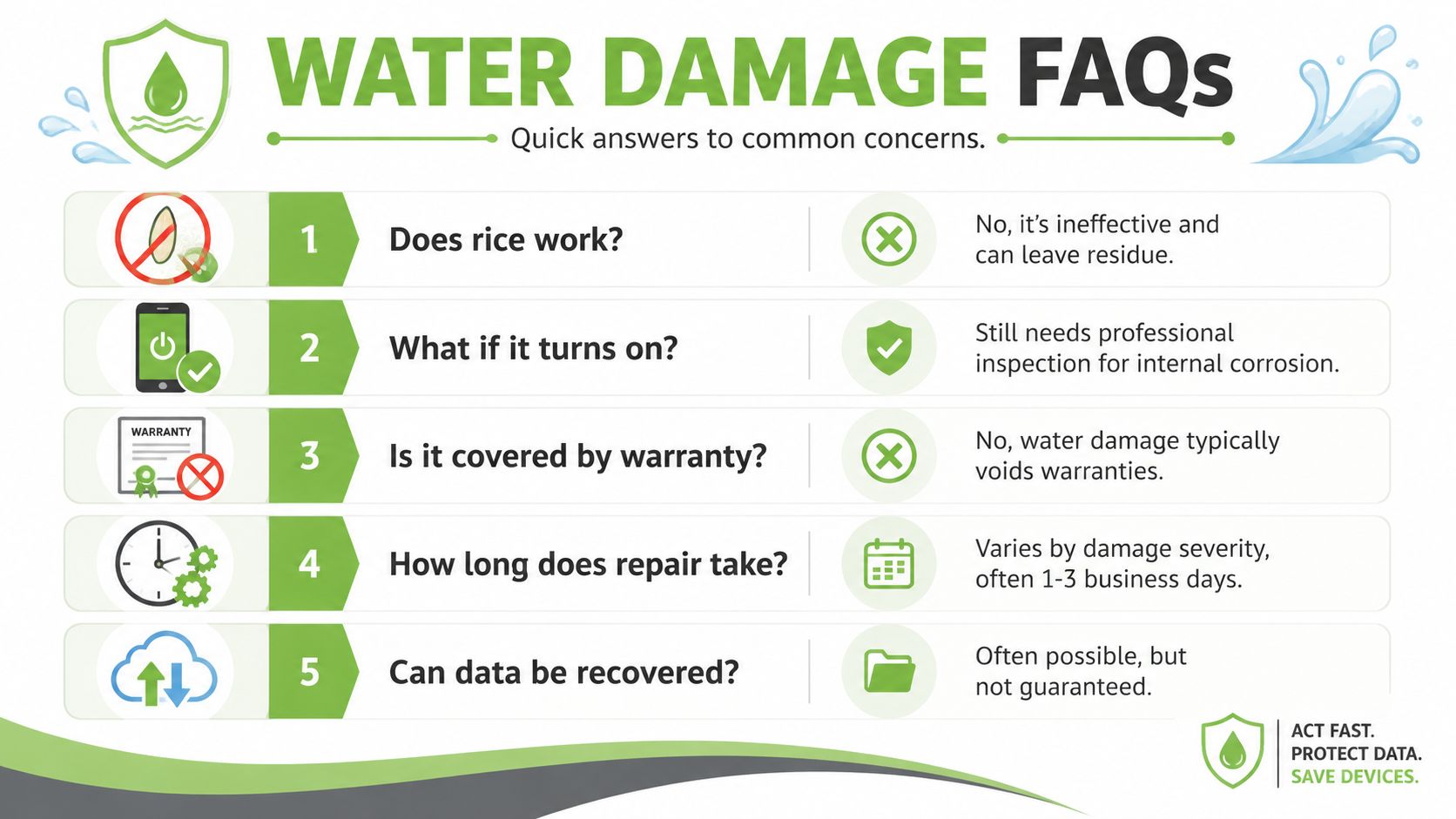
Does rice work at all
Not well enough to rely on. Rice is commonly used because it's available, but silica gel is the better drying choice because it adsorbs moisture more effectively and doesn't introduce the same particulate risk. If you've already used rice, the next concern isn't guilt. It's whether the phone still has symptoms that suggest incomplete internal drying.
If the phone turns on is it fine
No. A working screen only proves the phone can power on right now. It doesn't prove the inside is clean, stable, or free from corrosion.
A major gap in consumer repair advice is the difference between successful device repair and successful data recovery. Liquid damage can cause intermittent faults, delayed failures, and short-lived recoveries, which means a phone that seems fixed may still be unreliable later. That distinction is highlighted in this discussion of water damage repair versus data recovery outcomes.
Is water damage covered by warranty
Usually not under a standard manufacturer warranty. Liquid exposure is commonly treated as accidental damage, not a defect in materials or workmanship. If you have separate accidental-damage cover, check the terms before authorising any repair.
Is saltwater worse than clean water
Yes. Saltwater, pool water, and sugary drinks are generally more aggressive than clean freshwater because they leave conductive or corrosive residue behind. Those cases deserve faster professional attention and lower optimism about long-term reliability.
Can data still be recovered if the phone won't boot
Sometimes, yes. But data recovery and phone restoration are not the same job.
If the phone won't power on, the question is whether a technician can get the board stable enough, even temporarily, to access storage or recover key account data. That may be worthwhile even when full repair is not.
Treat backups, cloud sync, and authentication access as part of the repair conversation. For many people, that's the highest-value part of the device.
If your phone has been exposed to water and you need a clear next step, myhalo offers a practical place to start. You can explore repair support, trade-in options, refurbished replacements, and protection plans based on whether your priority is saving the device, recovering data, or moving to a more reliable replacement.