





Your 2026 Guide to Second Hand Stores Near Me
Your phone dies during a work call. Your laptop hinge is loose, your battery drains by lunch, and you're typing “second hand stores near me” because you need a replacement soon, not after a week of comparing random listings.
That search makes sense in Singapore. Tech is expensive, space is tight, and there's a natural reluctance to overspend on a device they use every day for school, work, or running a small business. The mistake isn't buying second hand. The mistake is buying blind.
Most guides stop at store names. That's not enough for phones, tablets, and laptops. Used tech has hidden variables: battery wear, screen replacement quality, activation locks, data wiping, charger authenticity, return terms, and whether the seller disappears once something goes wrong. If you know how to judge the store, not just the device, you can avoid most of the bad deals.
Table of Contents
- Why 'Second Hand Stores Near Me' is a Smart Search in 2026
- Beyond a Simple Search Where to Find Reputable Tech Stores
- Your Pre-Purchase Inspection Checklist for Second Hand Tech
- Decoding the Jargon Grading, Warranties, and Returns
- Maximising Value with Trade-Ins and Smart Negotiation
- The myhalo Standard A Trusted Local Choice
Why 'Second Hand Stores Near Me' is a Smart Search in 2026
If you need a working device without paying new-device prices, second hand is often the rational place to start. In Singapore, that choice also sits inside a much bigger reuse economy. Singapore generated about 6.94 million tonnes of solid waste in 2023, with an overall recycling rate of 50%, which shows how much material still needs better reuse pathways such as second-hand retail and refurbishment, according to this secondhand market and waste overview.

That matters because “cheap” and “good value” aren't the same thing. A used phone with a weak battery and no return option can cost more in frustration than a properly checked refurbished unit. If you're weighing that difference, this breakdown of the quality of refurbished devices is a useful companion read because it focuses on what buyers usually miss at first glance.
Practical rule: Buy second hand when the seller reduces uncertainty, not just price.
A solid second-hand tech buy should do three things at once:
- Lower your upfront cost: You avoid paying full retail for performance you may not need.
- Extend product life: Reuse keeps capable devices in circulation instead of pushing people into unnecessary replacement cycles.
- Reduce risk through process: The seller should have visible checks, clear grading, and proper after-sales terms.
That last point is what separates a smart purchase from a gamble. A student buying a MacBook for assignments, a parent replacing a cracked iPhone, and a founder equipping a small team all need the same thing. Reliable hardware, honest condition reporting, and a seller who can still be contacted after checkout.
Beyond a Simple Search Where to Find Reputable Tech Stores
Typing “second hand stores near me” into search will surface everything from established retailers to one-person resellers with a Telegram handle and vague promises. Don't sort by distance first. Sort by accountability.
Singapore generates about 60,000 tonnes of e-waste annually, but only about 6% was formally recycled in 2022, which means a substantial pool of recent devices can be collected, refurbished, and resold through proper channels, as noted in this Singapore e-waste benchmark. So the issue usually isn't whether supply exists. It's whether the seller has done the work to make that supply trustworthy.
Trust signals you should look for first
When I shortlist stores, I check the business itself before I check stock.
- A proper website: Product pages should show condition details, not just model names and a low price.
- Clear contact information: You should see a real phone, WhatsApp, email, or store address.
- A physical retail presence: In-person stores in known shopping areas matter because they create accountability.
- Real after-sales information: Warranty, exchange policy, and testing language should be easy to find.
- Specific product descriptions: Storage size, battery condition, cosmetic grade, included accessories, and model year should be visible.
If a store page only says “used iPhone, good condition, PM for best price”, that's not transparency. That's admin for you to do.
Read listings like a technician, not a bargain hunter
A good listing answers practical questions before you ask them. It should tell you whether the screen has visible wear, whether the keyboard has shine or missing key feedback, whether the battery has been checked, and whether the device has been reset and cleared for the next user.
A physical location doesn't guarantee quality, but it does make poor behaviour harder to hide.
For buyers focused on Apple devices, phones, and what to compare before paying, this guide on buying a second-hand iPhone in Singapore is useful because it highlights the kind of checks a serious local seller should already be addressing in the listing.
A quick shortlist filter
Use this before visiting any store:
| What you see | What it usually means |
|---|---|
| Detailed grading and warranty terms | The seller has an internal process |
| Only “chat for price” and no policy page | Higher ambiguity and more risk |
| Store address and service options | Better accountability |
| No mention of returns or testing | You'll carry most of the risk |
Distance is convenient. Process is what protects you.
Your Pre-Purchase Inspection Checklist for Second Hand Tech
The biggest mistake buyers make is checking only cosmetics. A clean chassis can hide a weak battery, poor repair work, speaker issues, or a device that was reset badly. The better approach is simple. Inspect in layers.
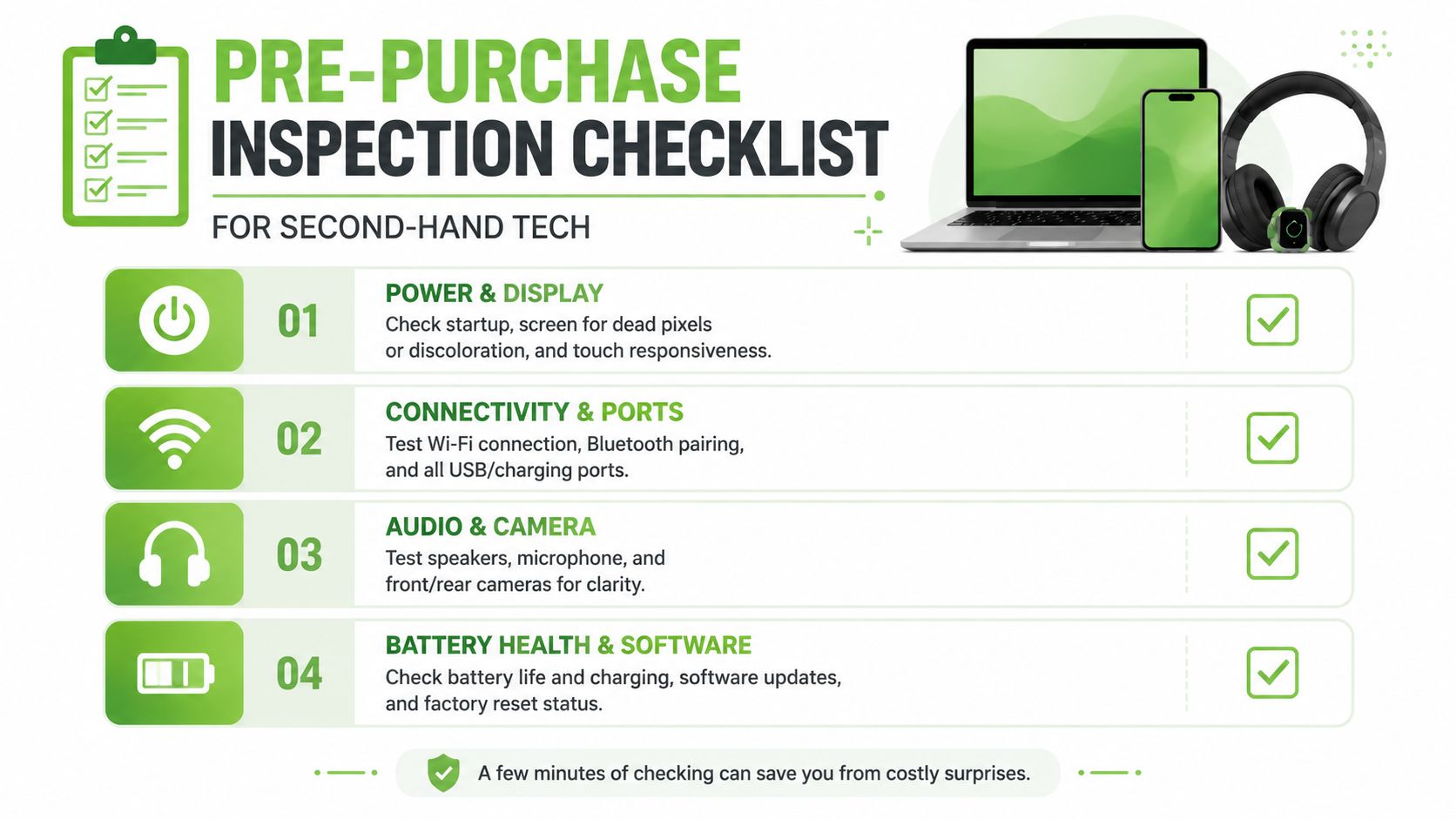
Singapore guidance around reuse puts the emphasis on trust, not just inventory. The core buyer question is whether the device is verified, repaired, and backed by any guarantee, especially because official guidance stresses proper data wiping and functional condition before reuse. That gap is highlighted in this consumer trust discussion around second-hand tech.
Start with the physical condition
Begin with what your eyes and hands can confirm in under three minutes.
- Frame and casing: Look for dents near corners, SIM trays, hinge lines, and screw points. Heavy impact marks can suggest internal stress.
- Screen and glass: Check for scratches, dead areas, lifting edges, pressure spots, and uneven brightness.
- Ports and buttons: Insert a charger gently. Loose ports, sticky power buttons, or mushy volume keys are common warning signs.
- Camera lens and housing: Scratches on the lens ring or dust inside the module can affect results more than sellers admit.
If it's a laptop, open and close the lid several times. A tired hinge or uneven resistance usually gets worse, not better.
Here's a useful visual reminder before you hand over any money:
Run the basic functional tests
Cosmetics tell you how the device lived. Functional checks tell you whether it still deserves a place in your daily routine.
- Boot test: It should start normally without odd delays, flashing screens, or repeated restart behaviour.
- Display check: Open a bright screen and look for dead pixels, colour inconsistency, or touch issues.
- Battery check: Review battery health if the device shows it. On laptops, watch whether charging starts reliably and whether the battery indicator behaves normally.
- Connectivity: Test Wi-Fi, Bluetooth, charging, and basic pairing.
- Audio and camera: Record a short clip, test speakers, and make sure the microphone works.
- Biometrics and buttons: Face ID, fingerprint feature, keyboard backlight, trackpad click, and side buttons should all respond consistently.
Ask the questions sellers often avoid
A careful buyer asks short, direct questions. If the seller can't answer clearly, that's your answer.
- Has the device been factory reset and data-wiped properly?
- Any parts replaced? If yes, which parts?
- Any repair history or past faults?
- What exactly does the warranty cover?
- What happens if I discover a fault after I get home?
For a deeper buyer-side checklist, this local guide on things to look out for before buying a refurbished phone is worth reviewing before you visit a store.
If a seller rushes you through testing, assume they know something you don't.
Decoding the Jargon Grading, Warranties, and Returns
A lot of bad purchases happen because buyers accept fuzzy words. “Good as new.” “Mint.” “Lightly used.” “Shop warranty.” None of those terms help unless the seller defines them in writing.
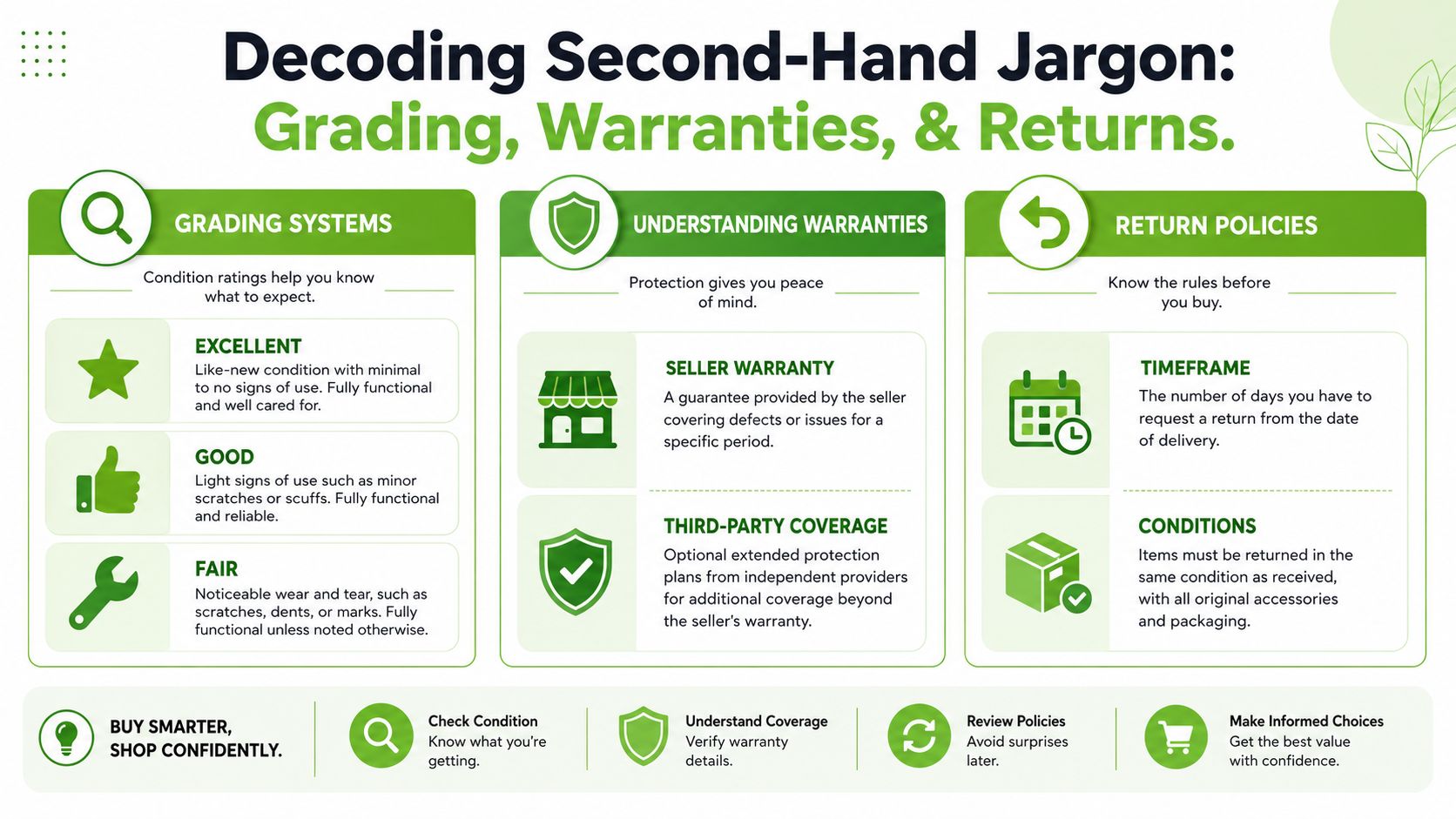
Second hand isn't automatically the best value. The smarter question is which option gives you the lowest total cost of ownership once lifespan, repair risk, and support are factored in. That's why a warranty-backed purchase often beats a cheaper as-is listing, as discussed in this guide to total cost and second-hand value.
Used versus professionally refurbished
Used usually means pre-owned and sold in its current condition. The seller may have tested it lightly, or may have done almost nothing beyond charging it and wiping the screen.
Professionally refurbished should mean the device has gone through a repeatable inspection process, faults have been addressed where needed, and the condition has been graded against a standard. The key word is repeatable. If the seller can't explain the process, the term is doing too much work.
What good grading looks like
A usable grading system tells you what to expect before you arrive. It separates cosmetic condition from function, and it gives you enough detail to compare two devices.
One local example is myhalo, which lists devices across categories such as As-New, ReLoved Premium, ReLoved Excellent, ReLoved Value, and ReEco, with defined warranty periods and a 14-day exchange policy. It also states that devices go through 30 quality checks under an ISO 9001:2015-certified process. That doesn't mean every buyer must choose the same retailer. It does give you a practical benchmark for what transparent grading and post-sale support should look like in Singapore.
Use this as your reference point when comparing stores:
| Term on listing | What you should expect from the seller |
|---|---|
| As-New | Minimal cosmetic wear, clear warranty, strong testing record |
| Excellent or Premium | Light wear only, no functional compromise |
| Value or Fair | More visible cosmetic wear, still fully functional |
| Repaired or refurbished | Seller should state what was done and what is covered |
Why paperwork matters after payment
A proper receipt is not admin fluff. It proves model details, serial-linked purchase history where applicable, date of sale, and the terms you were offered. If you ever need an exchange, warranty claim, or payment dispute review, that paperwork becomes the difference between a quick fix and an argument.
If you want a concise refresher on what counts and why it matters, this essential guide to transaction records explains the basics clearly.
Don't rely on a chat screenshot when the store should be issuing proper purchase records.
Maximising Value with Trade-Ins and Smart Negotiation
Focusing too hard on shaving the sticker price can help, but it's not usually where the best value sits. In second-hand tech, the stronger play is reducing your net cost while keeping support intact.
Reuse has a clear environmental upside. Extending a device's service life by even one additional year can defer the manufacturing impact of a replacement purchase, and stores that verify functionality and support trade-ins are technically more useful for both budget and carbon reasons, as outlined in this overview of reuse and embodied carbon.
Trade-ins are more useful than haggling
Trade-ins work well because they solve two problems at once. You offset the cost of your next device, and you avoid leaving an old phone or laptop in a drawer until it becomes e-waste.
That's especially practical if your current device still powers on, holds some charge, or has salvageable parts. Even if it isn't ideal for resale between individuals, a store with a proper buyback path can assess it more realistically. If you're comparing how local programmes work, this explainer on phone trade-ins in Singapore covers what sellers usually look for.
Negotiate the deal structure, not just the sticker price
A direct discount is only one lever. Ask about the whole package.
- Warranty coverage: A slightly higher price may be worth it if you're getting meaningful protection.
- Exchange flexibility: This matters more than a small upfront discount if your device turns out to be the wrong fit.
- Included accessories: A proper charger or adapter can save you from buying replacements immediately.
- Instalment options: For a work device, cash flow can matter more than squeezing the last bit off the tag.
If you do negotiate, be specific. Ask whether the store can improve the total package rather than “best price?” Sellers are usually more flexible when the conversation stays practical.
The myhalo Standard A Trusted Local Choice
If you want one local option that matches the checklist above, myhalo fits the criteria people should be using when they search “second hand stores near me” in Singapore. It has a physical store at Bugis Junction, 200 Victoria Street, #03-25/26, which matters because in-person accountability still counts for a lot when you're buying a phone, tablet, or laptop you depend on daily.
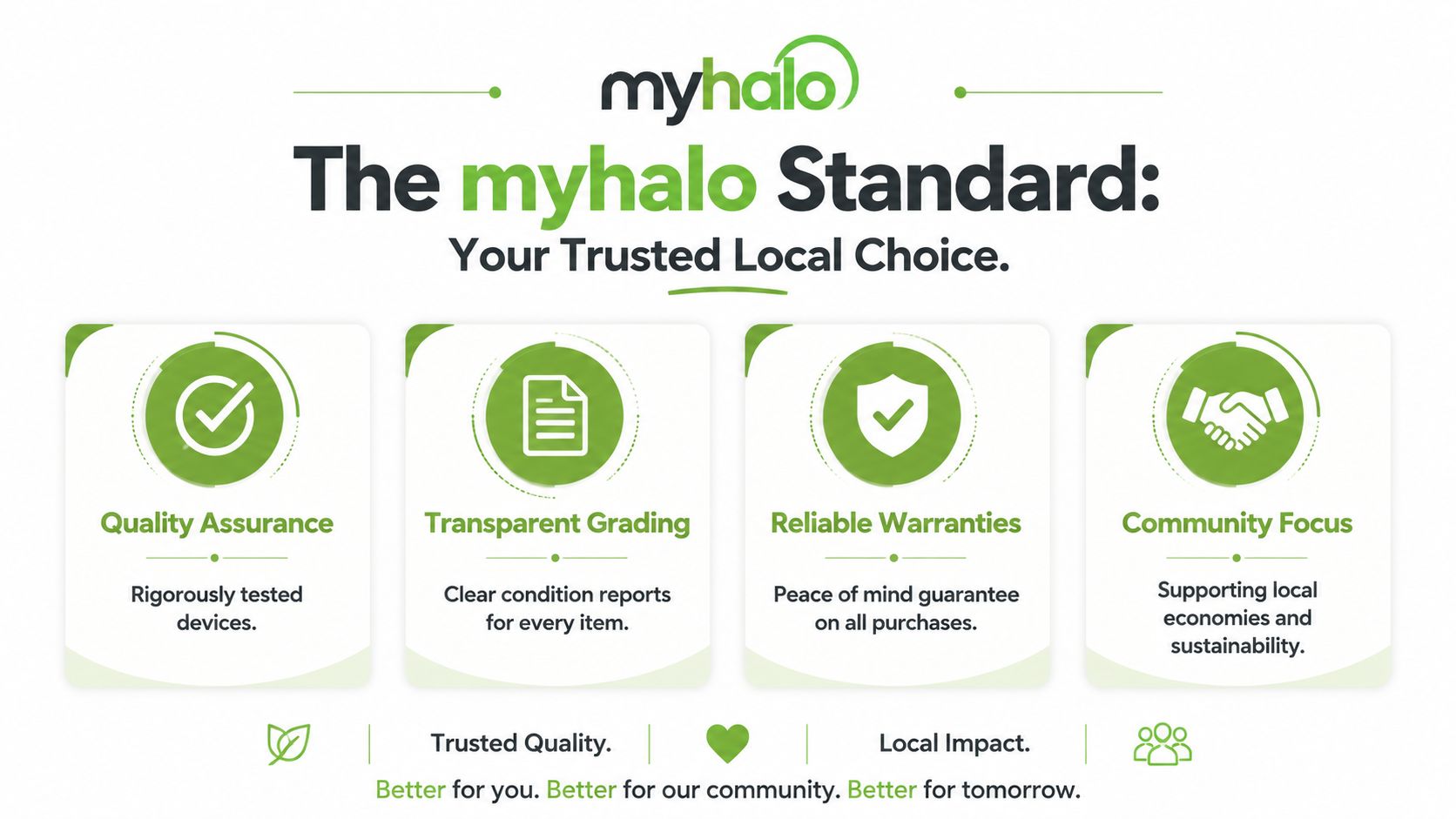
The parts that matter are straightforward. Its grading is explicit. Its warranty structure is stated up front. It offers a 14-day exchange, trade-ins, repairs, data and device migration, and 0% instalment plans. Those are the operational details that reduce buyer risk.
For shoppers, students, and small teams, that combination is what a trustworthy second-hand tech retailer should look like. Not vague promises. Not “DM for details”. Clear condition bands, documented checks, and after-sales support you can use.
Buy from the store that still makes sense after the sale, not just before it.
If you want a safer way to buy pre-owned or refurbished tech in Singapore, browse myhalo for devices with transparent grading, stated warranty coverage, trade-in options, and in-person support at Bugis Junction.