





Samsung Mobile S Series: Your 2026 Buying Guide
You're probably looking at a Samsung Galaxy S model right now and wondering if you should buy the newest one, save money on an older flagship, or skip the showroom shine and go refurbished. That confusion is normal. Samsung's naming looks simple until you're comparing FE, base, Plus, Ultra, and then trying to work out whether an S24, S25, or S26 changes your day-to-day use.
In Singapore, that decision gets more practical. The phone isn't just a gadget. It's your wallet, camera, work device, hotspot, banking screen, boarding pass, and messaging hub. So the right choice isn't the one with the loudest launch marketing. It's the one that fits how long you'll keep it, what you'll use, and how much value you can retain when it's time to upgrade.
Table of Contents
- The Samsung S Series Legacy and What It Means Today
- Understanding the S Series Lineup FE vs Base vs Plus vs Ultra
- Generational Leaps What Really Changed From S24 to S26
- Which Samsung S Series Phone Is Right for You
- New Versus Refurbished S Series The Smart Singaporean Choice
- Smart Buying and Trade In Strategies in Singapore
- Your Next Steps to Owning the Right Samsung S Series
The Samsung S Series Legacy and What It Means Today
Walk into a shop or scroll a marketplace listing and the Samsung Mobile S Series can look more complicated than it should. One model promises flagship power, another pushes camera hardware, another gives you a lower entry price, and all of them sound close enough to make second-guessing easy.
That confusion exists because the S series has been around long enough to build real weight in the Android market. People don't compare these phones casually. They compare them because Samsung's flagship line has stayed relevant over multiple generations and still sets the shortlist for buyers who want a premium Android phone.
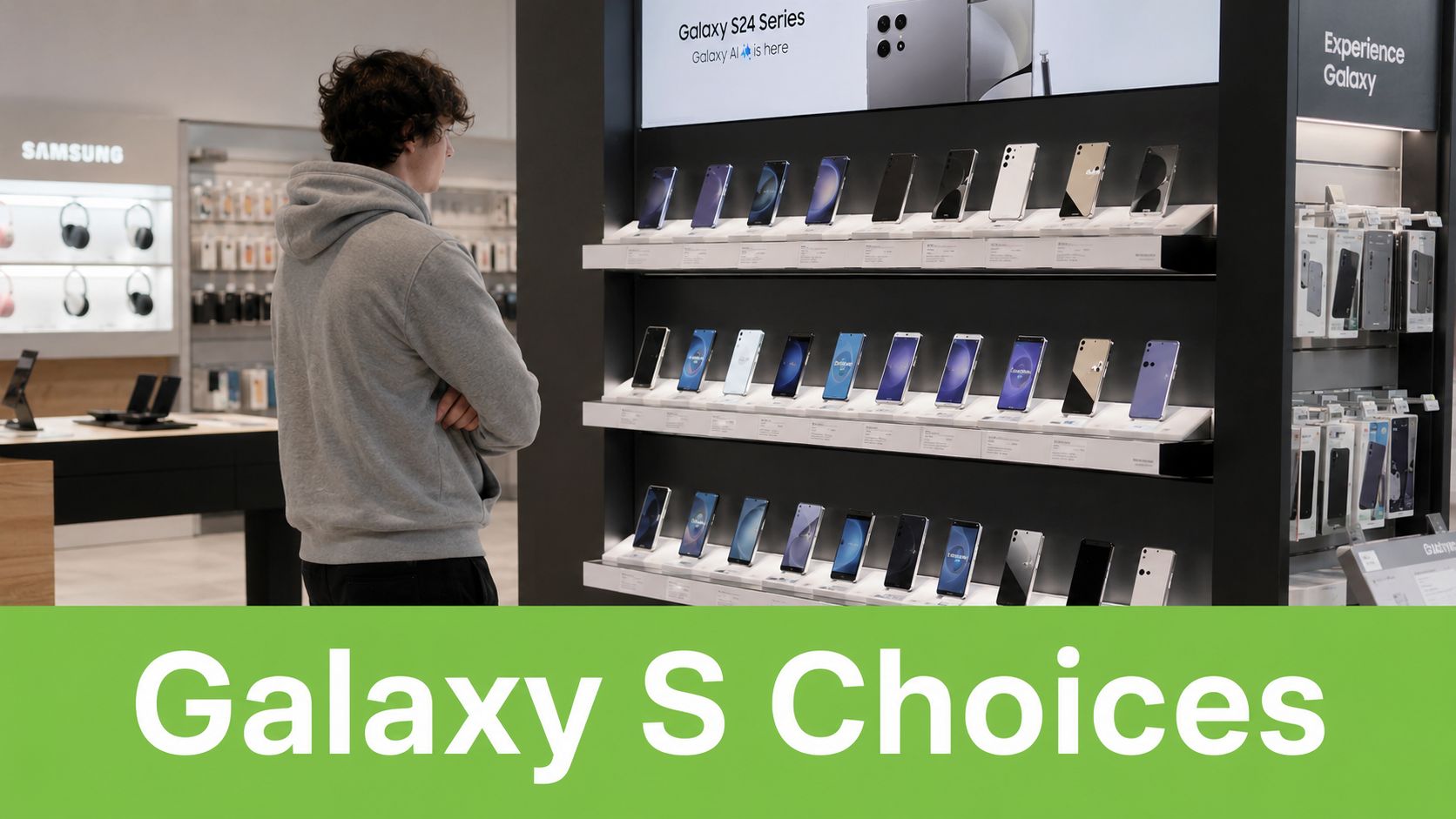
The sales history shows why the lineup still matters. The Galaxy S10 sold 37 million units, the S23 sold 29.5 million, and the S24 reached 35 million, while the S25 series had sold 20.5 million units as of June 2026 and was on track to match earlier records, according to Samsung community sales figures shared in this S series sales record discussion.
Why that matters for a buyer in Singapore
A phone line with that kind of staying power usually gives you three useful advantages:
- Wider accessory support: Cases, chargers, screen protectors, and repair familiarity tend to be easier to find.
- Stronger resale interest: Buyers know what an S series phone is. That makes used-market conversations simpler.
- Less buying risk: You're not betting on an obscure model that disappears from attention in a few months.
Practical rule: Don't buy a Galaxy S phone by generation number alone. Buy by fit. Size, battery needs, camera use, and exit value matter more than launch hype.
A common challenge isn't whether the S series is good. It's choosing the right tier and deciding whether buying new makes financial sense.
Understanding the S Series Lineup FE vs Base vs Plus vs Ultra
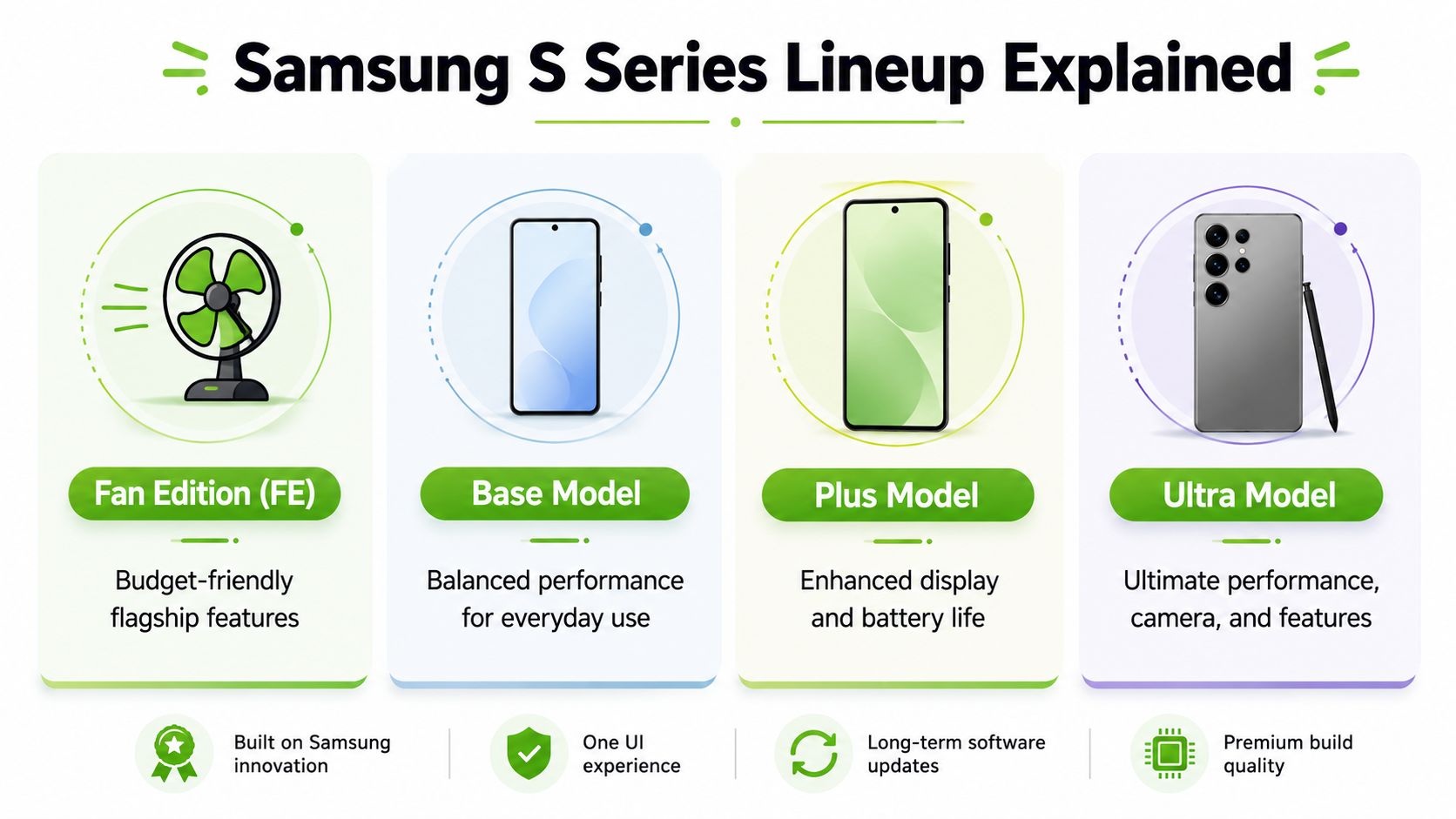
The cleanest way to understand the Samsung Mobile S Series is to stop looking at it as one product family and start seeing it as four roles. FE, base, Plus, and Ultra aren't just price steps. They're different answers to different buyer problems.
FE is the value flagship
FE usually makes the most sense for buyers who want the Samsung experience without paying top-tier flagship pricing. This is the model for someone who wants a strong display, familiar Galaxy software, and enough performance for daily use, but doesn't need the highest-end camera stack or premium materials.
If you're the sort of buyer who compares practical differences instead of launch slogans, it helps to compare phones effectively before deciding whether an FE trade-off is acceptable.
Base is the compact flagship
The standard S model is often the smartest choice for people who want flagship performance in a manageable size. It usually fits pockets more easily, feels better for one-handed use, and gives you the core S-series experience without moving into oversized-phone territory.
That's why I usually describe it as the compact powerhouse. You're not buying the cheapest phone in the line. You're buying the one that cuts excess.
Plus is the balanced all-rounder
The Plus model exists for buyers who want more screen and battery headroom than the base model, but don't need everything the Ultra is selling. This is the easy recommendation for people who stream a lot, work off their phones regularly, or spend hours on messaging, navigation, reading, and video calls.
A practical resale and upgrade angle is covered in this Galaxy S26 and S26 Ultra buyback guide, which is useful if you already know you won't keep the phone for its full lifespan.
Ultra is the no-compromise model
Ultra is for people who know why they want it. That usually means heavier camera use, more demanding workloads, or wanting the top spec without having to justify every added feature.
A material change helps explain the gap. The Galaxy S25 series is the first to use a 3nm chip architecture for superior efficiency, and the S25 Ultra keeps a titanium frame while the S25 Plus and standard S25 use Armor Aluminum, as outlined in this Galaxy S series evolution overview.
| Tier | Best fit | What works | What doesn't |
|---|---|---|---|
| FE | Budget-aware buyer | Lower entry cost into the S line | Usually has clearer compromises |
| Base | Compact-phone user | Easy handling, flagship core experience | Smaller screen may feel tight |
| Plus | Balanced buyer | Better comfort for work and media | Can overlap awkwardly with Ultra pricing |
| Ultra | Power user or creator | Premium materials and maximum capability | Higher upfront cost |
Buy Ultra because you need Ultra. If you're trying to talk yourself into it, you probably want the Plus.
Generational Leaps What Really Changed From S24 to S26
The biggest mistake buyers make is assuming every newer Galaxy S phone is a major everyday upgrade. Sometimes it is. Sometimes it's mostly refinement. If you're choosing between S24, S25, and S26, the right question isn't “Which is newest?” It's “Which changes will I still care about after two months?”
S24 made the long-term argument stronger
The S24 line mattered because it changed the ownership conversation, not just the spec sheet. For Singapore buyers, that's a bigger deal than most reviews admit. Samsung's Galaxy S24 series launched in January 2024 for Singapore with on-device Galaxy AI and 7 years of OS and security updates, a support window noted in this Singapore S24 feature mention.
That support promise changes how an older flagship should be judged. A phone with a long software runway doesn't become poor value just because a new model arrives.
What S25 changed in practical use
S25 looks more meaningful if you care about sustained efficiency, heat handling, and premium build feel. The shift to the newer chip architecture, covered earlier, points to the kind of upgrade many users don't notice on a spec sheet but do notice after a long day of work, navigation, calls, messaging, and camera use.
Generally, that's a quality-of-use upgrade. Apps stay responsive, battery behaviour tends to feel steadier, and the phone feels more composed under heavier use.
Where S26 fits
S26 is the model to consider if you want the newest refinements and you plan to keep the phone long enough to benefit from them. It isn't automatically the right buy for everyone. Newer doesn't always mean better value. It often means paying more for smaller gains if your daily routine is already well covered by the previous generation.
The practical split looks like this:
- Choose S24 if you want strong long-term software support and you've found a sensible price.
- Choose S25 if efficiency, newer hardware, and better premium feel matter enough to justify the extra spend.
- Choose S26 if you want the latest generation and you know you'll make use of its refinements over time.
A newer phone only saves money if you keep it long enough for the upgrade to matter.
Must-have upgrades versus nice-to-have upgrades
A simple way to judge the jump:
- Must-have: Longer update support, better battery behaviour, stronger thermal control, or a camera improvement that you will use.
- Nice-to-have: Marginal speed gains, slightly nicer materials, or features that sound exciting but don't match your routine.
- Poor reason to upgrade: Owning last year's phone and feeling tempted by launch season.
If your current phone struggles with battery life, heat, or ageing software support, moving up a generation can make sense. If your current device still handles your day smoothly, a discounted older flagship often gives the better total cost result.
Which Samsung S Series Phone Is Right for You
Picking the right Samsung Mobile S Series phone gets easier when you stop thinking in model names and start thinking in use cases. Most buyers in Singapore fall into a few familiar groups, and each one should buy differently.
The Student on a Budget
A student usually needs reliability first. Battery confidence, decent cameras for everyday use, enough performance for multitasking, and a price that doesn't wreck the semester budget matter more than owning the top model.
An FE model usually makes the most sense here. You still get the S-series identity, a strong everyday experience, and fewer painful compromises than you'd get from a random mid-range phone chosen only by price. If you can find a well-kept previous-generation base model at a fair price, that can also be smarter than stretching for a newer FE.
The wrong move is buying Ultra for status and then spending the rest of the year managing the cost.
The Avid Mobile Gamer
Mobile gamers need stable performance more than peak launch-day bragging rights. A larger display helps. Better thermal behaviour helps even more. That's why the Plus or Ultra tier tends to fit better than the base model for heavier gaming sessions.
If you also watch a lot of video or use a controller, the Plus is often the sweet spot. It gives you a bigger canvas and usually better battery comfort without forcing you into the highest camera-focused price bracket.
The Camera Enthusiast
If your phone is your main camera, just buy the Ultra tier and stop pretending the decision is close. This is the part of the lineup built for people who crop, shoot often, record frequently, and care about imaging flexibility.
The Galaxy S25 Ultra includes a 5,000mAh battery, Icecooling thermal architecture, and a 200MP main sensor with 8K video recording, according to this Singapore listing reference for the S25 Ultra. Those details matter if you're shooting for content, business use, or frequent travel rather than just casual snapshots.
If camera quality is one of your top two priorities, the Ultra premium usually makes sense. If camera quality is fifth on your list, it usually doesn't.
The Busy Professional
The busy professional usually doesn't need the loudest spec. They need a phone that handles email, documents, calls, maps, payments, messaging, hotspot duty, and occasional photography without friction.
For this group, the base and Plus models are usually the most sensible. The base model suits someone who values portability and spends all day in and out of meetings. The Plus suits someone who reads on-screen more often, handles longer messaging threads, or works from the phone for extended stretches.
A few practical buying rules help:
- Pick base if: You want a premium phone that's easy to carry every day.
- Pick Plus if: You want more screen comfort and battery breathing room.
- Pick Ultra if: Your work includes content capture, field use, or creative production.
- Pick FE if: You care more about sensible spending than top-end extras.
A quick decision table
| If you are... | Better fit | Why |
|---|---|---|
| Student | FE or older base model | Better value, lower financial stress |
| Gamer | Plus or Ultra | Better comfort for longer sessions |
| Camera-first user | Ultra | Camera hardware matters more here |
| Professional | Base or Plus | Easier balance of size, battery, and cost |
What doesn't work is buying a phone for an imaginary version of your life. Buy for your real one.
New Versus Refurbished S Series The Smart Singaporean Choice
Most Samsung buying advice goes soft. People talk about processor gains, display brightness, and camera tricks, then skip the part that affects your wallet. In Singapore, the more useful question is often not “Which Galaxy S model should I buy?” but “Should I buy it new at all?”
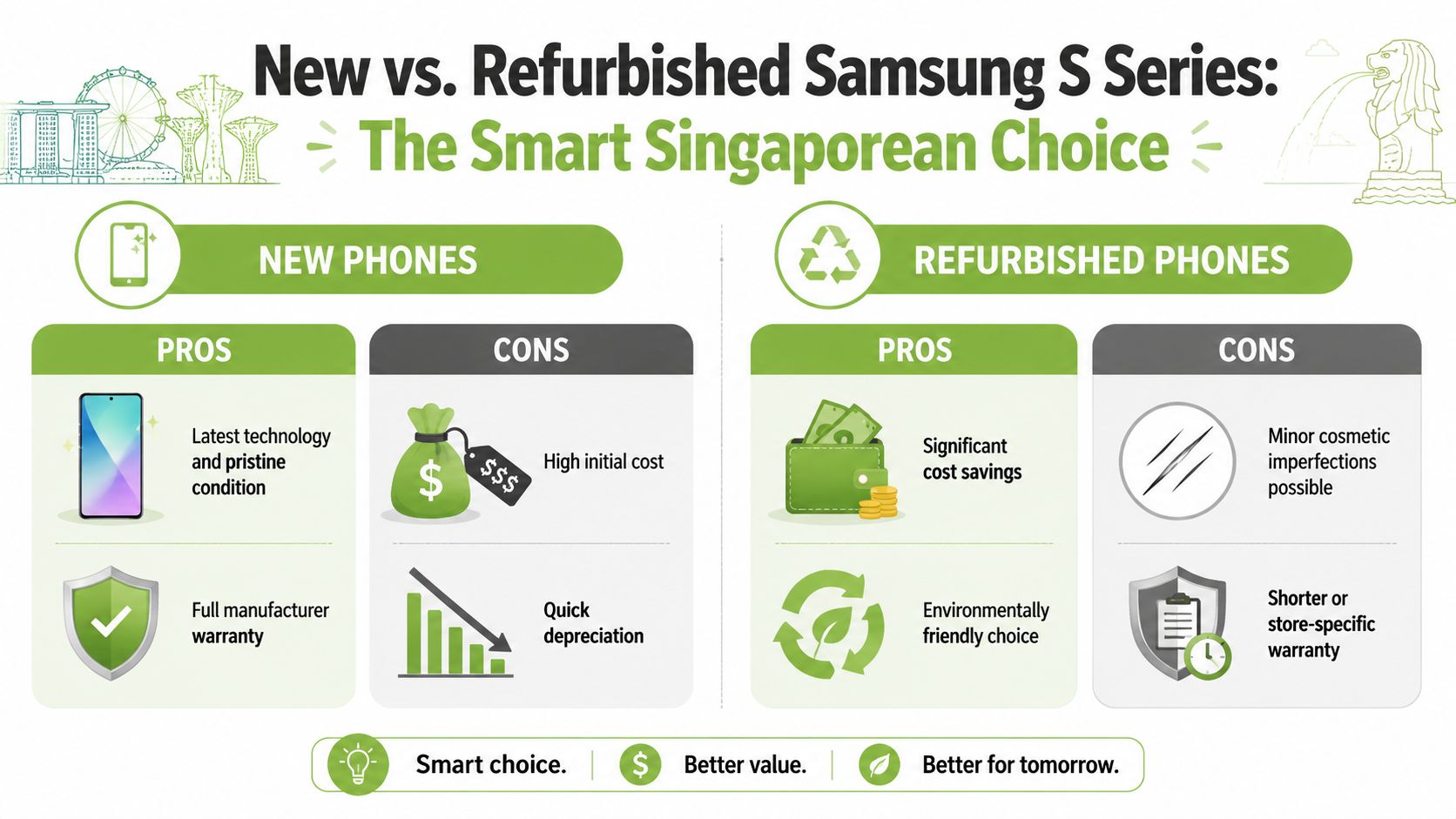
A concrete example makes the point. The S25 FE dropped from $1,388 to $948 within months, a decline highlighted on Samsung Singapore's mobile listings as referenced here. That's the kind of depreciation global reviews rarely discuss clearly, even though it changes the math for almost every practical buyer.
What buying new gets you
New still makes sense in some cases. You get untouched hardware, the latest launch cycle, full retail presentation, and peace of mind if you want to be the first and only owner.
That works best for buyers who plan to keep the phone long enough to spread the initial cost over several years, or for buyers who specifically want the newest generation's unique features.
What refurbished gets right
Refurbished becomes the stronger option when value retention matters. You avoid the steepest early drop, and you're paying for actual use value rather than opening-week status. For eco-conscious buyers, it also aligns better with extending device life instead of replacing hardware too quickly.
A useful local read on that mindset is this guide to buying a Samsung phone in Singapore, especially if you're comparing new and pre-owned paths side by side.
A practical comparison
- Buy new when: You want the latest release, plan to keep it for the long haul, and won't resent the upfront hit.
- Buy refurbished when: You care about cost discipline, better value retention, and reducing waste.
- Avoid both for now when: You're upgrading out of boredom, not need.
Refurbished isn't the cheap option. It's often the financially cleaner option.
For buyers who want one retailer-based route, myhalo offers Samsung phones in several conditions including factory-sealed new units, As-New devices, and ReLoved grades, with each unit going through 30 quality checks under an ISO 9001:2015-certified process based on the company's published service details.
The main trade-off with refurbished is simple. You need to accept that cosmetic condition can vary. If you can live with that, the savings and slower depreciation often make more sense than chasing a box-fresh flagship.
Smart Buying and Trade In Strategies in Singapore
Once you know which Samsung Mobile S Series tier fits you, the next step is buying in a way that protects your downside. That means thinking about warranty terms, trade-in timing, repair fallback, and how quickly you want the device in hand.
Start with your exit plan, not your checkout page
Many buyers only think about trade-in after the phone has already aged badly. That's backwards. If you know you like changing phones regularly, check buyback routes and residual-value programmes before you buy.
For example, Samsung's official Galaxy Upgrade programme for the S24 series in Singapore offers a guaranteed 40% residual value after 24 months of use, as noted on this Galaxy Upgrade reference. That's useful because it gives buyers a clearer way to estimate what they may recover later.
A practical buying checklist
- Match the phone to your holding period: If you'll keep it for years, buying newer can make sense. If you'll switch earlier, depreciation matters more.
- Check warranty details carefully: New, refurbished, and graded devices can come with different coverage periods.
- Assess repair reality: Before buying any flagship, know what common fixes might look like. If you want a broad view of Samsung screen repair options, that helps frame the risk of accidental damage.
- Think about delivery and support: Fast fulfilment and a physical store matter when your current phone is already failing.
- Don't ignore data handling: Trade-in is only convenient if data migration and erasure are handled properly.
A more local walkthrough of the resale side is this guide to Samsung trade in in Singapore, which is useful if you're deciding whether to sell first or buy first.
When to trade in
The best trade-in moment is usually before the device feels old to the next buyer. If battery health has dropped, the frame is visibly worn, or a new release has already pushed your model down a notch in perceived desirability, your bargaining power usually weakens.
Here's a quick visual explainer before you make that move.
One practical store-level consideration
If you want in-person help, Bugis Junction is useful because you can physically compare sizes, inspect condition, and decide whether a refurbished unit's cosmetic grade is acceptable to you. That matters more than people think. A spec list won't tell you whether a phone feels right in hand or whether minor wear bothers you.
Your Next Steps to Owning the Right Samsung S Series
A smart Samsung Mobile S Series purchase usually comes down to three decisions.
First, decide what kind of user you are. Student, gamer, camera-focused buyer, and busy professional shoppers shouldn't buy the same model just because it sits in the same family. Your real daily use should choose the tier.
Second, pick the right level of phone. FE keeps costs sensible. The base model stays compact and capable. Plus gives breathing room. Ultra earns its price only when you'll use what it adds.
Third, be honest about ownership cost. New isn't automatically smarter, and refurbished isn't automatically a compromise. In Singapore, where depreciation can hit quickly, the better financial move is often the one that protects resale value and avoids paying the steepest early drop.
The right Galaxy S phone is the one you'll still feel good about after the bill, not just after the unboxing.
If you buy with that mindset, the decision gets easier. You stop chasing the most impressive model and start choosing the one that fits your budget, your routine, and your upgrade habits.
If you want to compare current Samsung Galaxy S options in one place, including new and professionally refurbished devices, take a look at myhalo. It's a practical starting point if you want to weigh condition, warranty, and trade-in paths before committing.