





Repair Apple Watch Singapore: A Practical 2026 Guide
You're rushing for the MRT when your Apple Watch catches the edge of a table and the display spiderwebs. Or the battery starts swelling before a weekend walk at Bukit Timah, or the watch stops responding after a sudden rainstorm at East Coast Park. In Singapore, the repair decision usually comes down to three questions: where should you send it, how long can you manage without it, and is the repair sensible for an older model?
The right answer depends less on the crack itself than on warranty status, fault type, downtime and the watch's remaining value. This guide gives you a practical way to assess the damage, prepare the device, compare authorised and independent service, understand verified Singapore pricing, and decide when a Certified ReLoved replacement makes more sense.
Table of Contents
- When Your Apple Watch Needs Repair in Singapore
- What to Do Before Handing Your Apple Watch Over
- Apple Authorised Service vs Independent Repair Shops
- Real Costs and Turnaround Times in Singapore
- Booking, Diagnostics and the Repair Day Itself
- Warranty, AppleCare+ and Your Consumer Rights
- Smart Next Steps After the Repair
When Your Apple Watch Needs Repair in Singapore
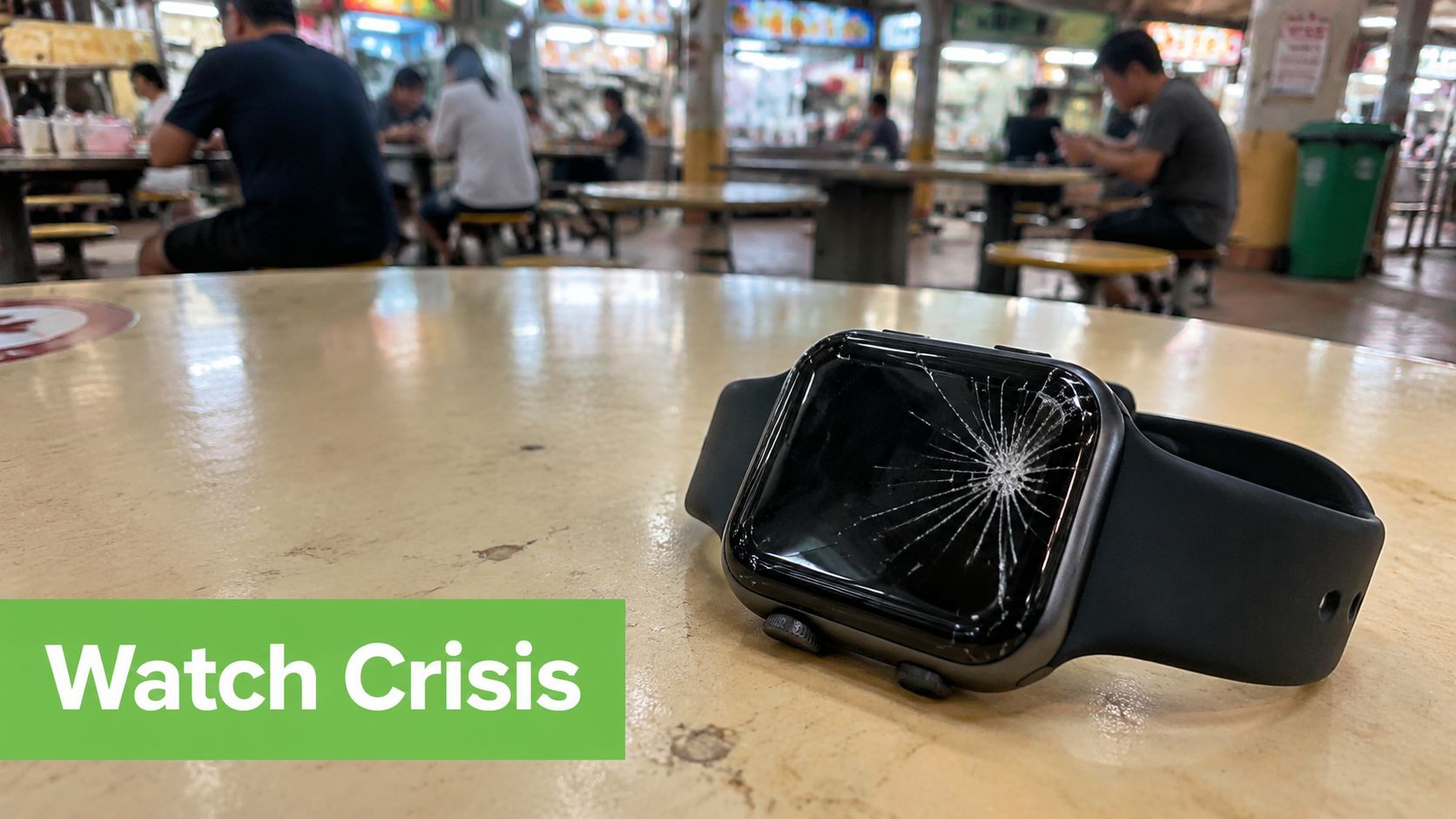
Start by identifying the failure, not by searching for the cheapest shop. A cracked display, weak battery, failed charging circuit and water-related fault need different diagnostic work. Apple Watches use glued-in displays and proprietary batteries, so a home repair is rarely realistic. Opening the case without the right tools can damage the seals, screen or sensors before a technician has assessed the original problem.
The common patterns are easy to recognise. Owners often present Series 7 to Series 9 watches with cracked screens, Series 5 and earlier models with swollen batteries, and SE models with sticky side buttons. These descriptions aren't a diagnosis, but they can help you explain the fault clearly when booking service.
Make the first decision within a day
Before handing over the watch, check three things:
- Warranty and AppleCare+ status: Apple says Singapore repairs can go through Apple retail stores, Apple Authorised Service Providers, or direct shipment to Apple. Repairs performed by Apple or an authorised provider are the ones covered by Apple's Limited Warranty and AppleCare plans, as explained in Apple's Singapore Apple Watch repair guidance.
- Urgency: If you use the watch for notifications, work access, fitness tracking or safety features, a same-day independent repair may be more practical than waiting for a centralised service route.
- Economic value: A battery replacement can be sensible on a newer watch, while a heavily damaged older model may deserve a repair-versus-replacement comparison.
Apple's Singapore materials state that authorised service, including replacement parts, is guaranteed for 90 days or the remaining warranty or AppleCare term, whichever is longer. That guarantee matters if the repair fails or the same serviced issue returns.
Practical rule: Don't approve work until you know whether AppleCare+ covers the damage and whether the quote leaves enough value in the watch.
By the end of this guide, you'll know which route to book, what preparation is required, what turnaround to expect, and when a Certified ReLoved replacement is the more rational choice.
What to Do Before Handing Your Apple Watch Over
A calm handover starts at home. Give yourself a short preparation routine so the technician can test the watch and you can protect your data and prove its condition.
Prepare the device
- Charge it to at least 50%. A charged watch gives the technician a better chance of running diagnostics immediately. If it won't charge, bring the charger and describe what happens when you connect it.
- Unpair it from the iPhone. Open the Watch app on the paired iPhone, select the watch, and choose the unpair option. Unpairing creates a backup of relevant watch data through the paired iPhone, removes Activation Lock, and makes it easier for another workshop to test the device.
- Record identifying details. Note the serial number under Settings, General and About, or check the engraving around the lug where applicable. Photograph the display, Digital Crown, side button, rear sensor array and any existing marks. Those photos create a simple condition record before the handover.
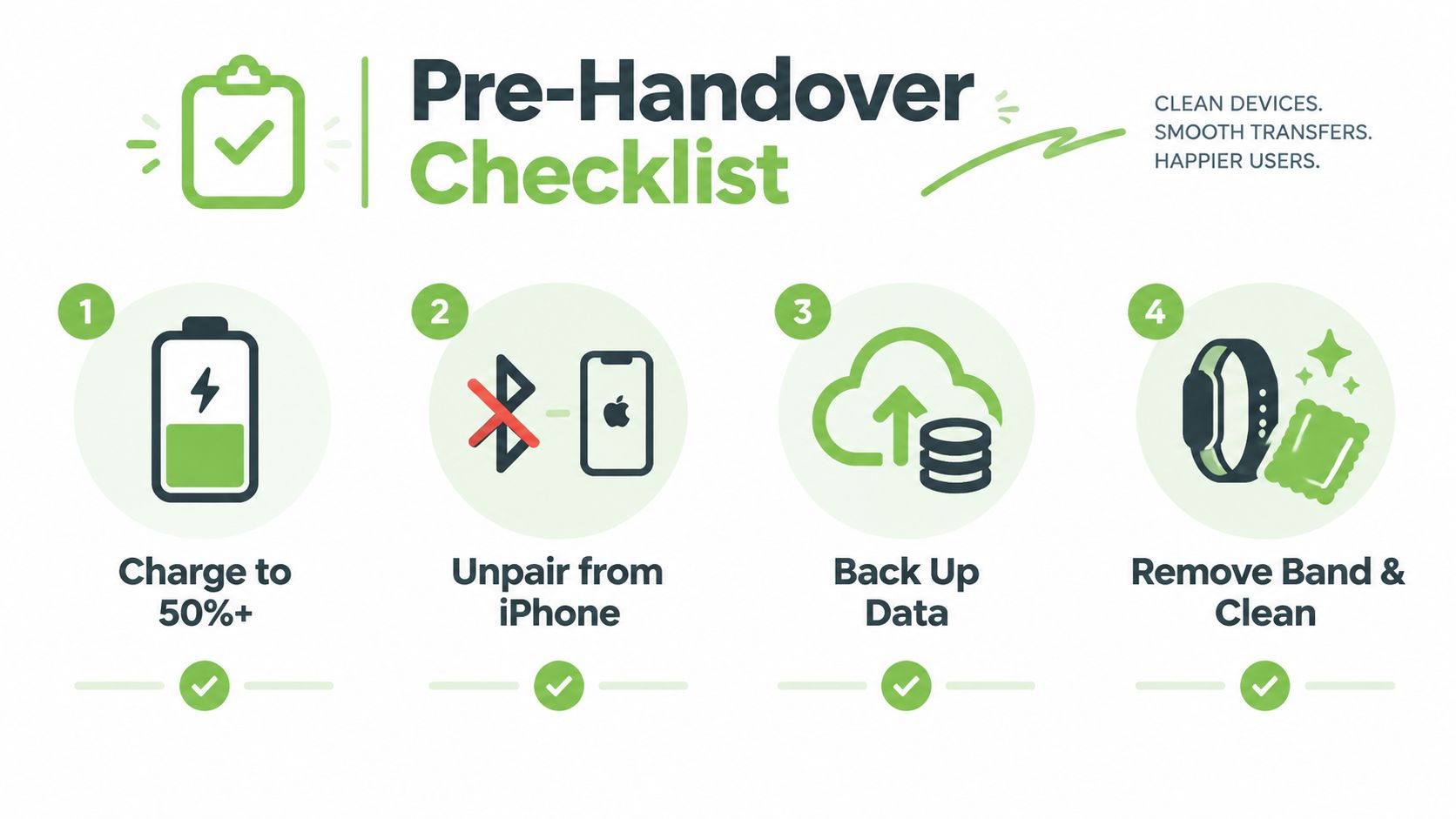
- Remove accessories. Take off the band, rugged case and any screen protector that obstructs inspection. Keep the band if the technician needs it for a fit check, but don't leave valuable accessories in a service bag unless requested.
- Remove account locks. Turn off Wrist Detection if the technician requests it, and sign out of the iCloud account connected to Find My as a belt-and-braces measure. Apple Authorised Service won't proceed while Activation Lock remains enabled, and independent shops may refuse the job for the same reason.
Keep your paperwork
Don't discard the original box or receipt. Proof of purchase, the serial number and AppleCare+ details can shorten a warranty discussion, especially when the watch was bought through a business, family member or third-party retailer.
If you want a visual reminder before leaving home, this short video can help you organise the handover:
Apple Authorised Service vs Independent Repair Shops
The choice is straightforward once you separate coverage from speed. Apple Authorised Service is the safer route for a watch still covered by AppleCare+ or warranty. An independent shop can be more convenient when the watch is outside coverage and you need it back quickly, but you must ask better questions about parts, testing and the shop's own warranty.
Apple's Singapore repair framework allows service through Apple retail, Apple Authorised Service Providers or direct shipment. The authorised route is tied to Apple's documented service process and the service guarantee described earlier. It also avoids the risk of a third-party opening affecting remaining AppleCare eligibility.
Independent repair shops may offer faster local handling for straightforward battery or display jobs. Singapore repair providers commonly quote 25 to 60 minutes for routine repairs, and one provider reports that more than 90% of repairs are completed within that window, as shown in its Apple Watch repair service information. Treat those figures as a provider's operating estimate, not a promise for cracked displays, liquid ingress or unclear faults.
| Factor | Apple Authorised Service | Independent Shop, e.g. myhalo Tech Care |
|---|---|---|
| Coverage | Best choice when warranty or AppleCare applies | Usually handled under the shop's own terms |
| Parts and process | Apple-authorised procedures and service channel | Part quality and repair method vary by provider |
| Downtime | May involve assessment and centralised handling | Routine work may be completed locally |
| Data handling | Activation Lock must be removed | The shop may also require account removal |
| Risk trade-off | Stronger alignment with Apple coverage | Faster convenience, but confirm the effect on remaining coverage |
| Best fit | Covered devices and owners prioritising official service | Out-of-warranty devices where time and cost matter |
Read how Apple service centres work in Singapore before booking, then ask the provider whether the quoted work is a component repair, a replacement unit or a diagnostic-only service. Don't accept “original quality” as a complete answer. Ask whether the part is genuine, OEM-grade or aftermarket, and what warranty applies to that specific repair.
Ask before approval: What exactly will be replaced, what happens if another fault appears, and will the repair affect existing AppleCare+ eligibility?
Real Costs and Turnaround Times in Singapore
A cracked screen, weak battery and intermittent charging fault create different cost and downtime decisions. Start with the published fee, then compare it with the watch's age, remaining coverage and the price of a Certified ReLoved replacement. Repair is not automatically the cheaper choice.
Apple's Singapore AppleCare information lists a S$98 service fee for accidental-damage incidents on Apple Watch and Apple Watch Nike, and a S$118 service fee for Apple Watch Ultra. Apple's battery service policy lists S$145 for out-of-warranty battery service across Apple Watch models in Singapore.
| Repair Type | AppleCare+ Fee | Apple Out-of-Warranty | Third-Party, Typical | Typical Turnaround |
|---|---|---|---|---|
| Accidental damage or display-related service | S$98 for Apple Watch and Nike, S$118 for Ultra | Quote depends on assessment | Quote depends on model and part | Authorised timing depends on assessment, independent routine work may be same day |
| Battery service | No charge when eligible under AppleCare+ | S$145 | Provider quote | Battery-only work is often faster than mixed-fault work |
| Charging or sensor fault | May fall under accidental-damage terms if eligible | Assessment required | Provider quote | Diagnostic ambiguity can extend the visit |
AppleCare+ covers Apple Watch, Apple Watch Nike and Apple Watch Ultra for two years from the AppleCare+ purchase date, with unlimited accidental-damage incidents subject to the applicable service fee, as stated in Apple's Singapore AppleCare information. Battery service becomes free under AppleCare+ when maximum capacity falls below 80% of original capacity.
Third-party quotes vary. A battery-only job may cost less than a repair involving liquid ingress, a damaged sensor array or a display fault. Ask for the diagnosis, parts description, repair warranty and final price in writing before approval. A short local turnaround is useful only if the repair does not weaken coverage or create another fault.
For a battery-only issue, compare the verified service fee with the watch's age and condition. For repeated faults, compare the accumulated bill with a dependable Certified ReLoved replacement and the value of avoiding further downtime. The battery replacement cost guide for iPhone owners supports the same practical rule: check battery health before deciding whether continued repair still makes economic sense.
Booking, Diagnostics and the Repair Day Itself
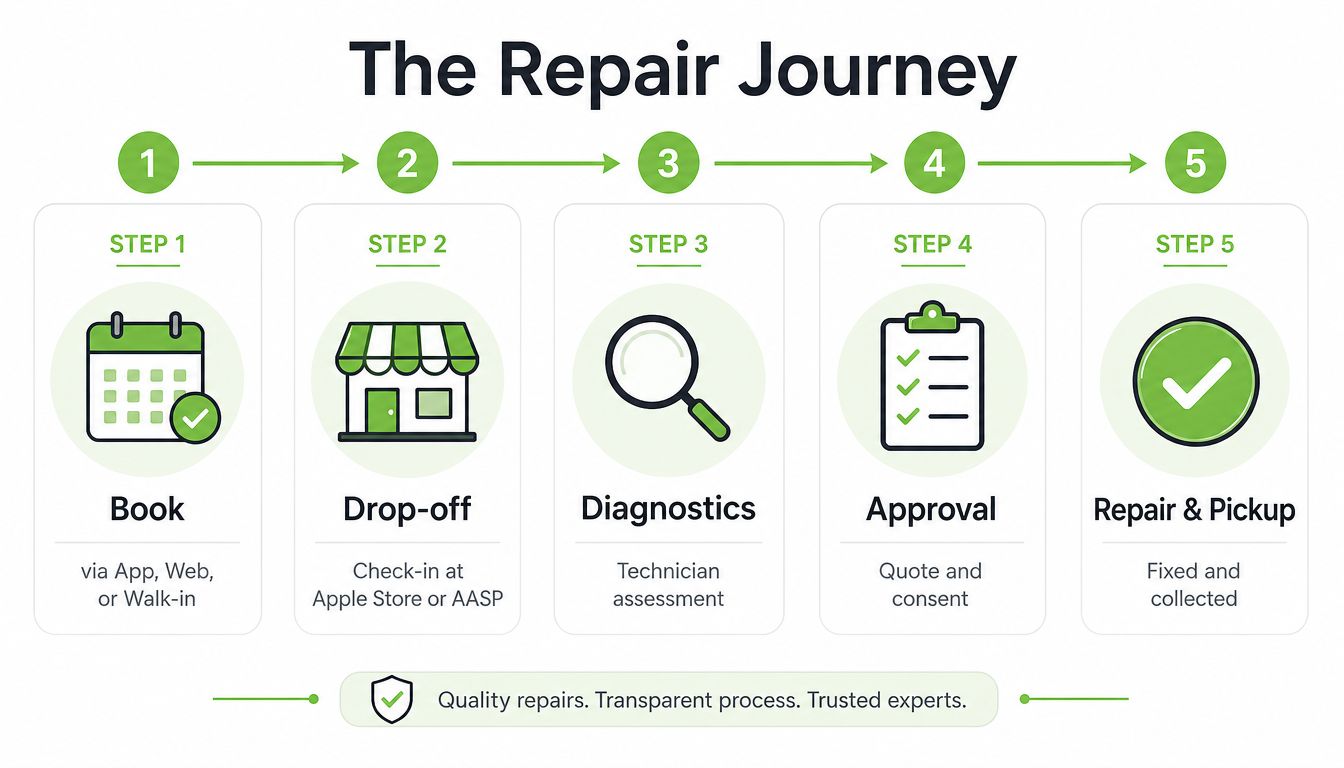
A repair visit should have four clear checkpoints: booking, inspection, approval and collection. If a provider skips the diagnostic explanation and asks for payment before confirming the work, pause the job.
The usual service flow
Book through the Apple Support app, Apple's online support scheduling tool, or the provider's own appointment channel. A walk-in may be accepted, but availability depends on the location and workload. Bring the watch, its charger if charging is part of the fault, and your proof of purchase where relevant.
At drop-off, the technician records the stated problem and checks the exterior. Diagnostics then test the functions relevant to the complaint, such as charging, display response, buttons, sensors and pairing. The technician should explain the confirmed fault, the proposed repair, the final price and any limitation before work begins.
Don't confuse a preliminary estimate with approval. Ask whether the quoted amount can change after opening the device, and require consent before any additional work.
Payment arrangements vary by provider. Confirm whether NETS, credit card or PayNow is accepted, and ask for a proper receipt showing the job description, serial number and warranty terms. Collection should include a functional check, pairing confirmation where applicable and written details of any service guarantee.
Where myhalo fits
When a watch is beyond economical repair, myhalo can support the wider lifecycle decision through device assessment, trade-in and refurbished-device options, rather than treating repair as the only outcome. Its Singapore mobile phone repair service reflects that broader repair and replacement conversation, although Apple Watch service availability should be confirmed directly before booking.
For SMEs, the same process applies across a batch of wearables. Record each serial number, fault description, user assignment and approval decision. That creates an auditable record and helps the business decide whether to repair, redeploy or replace devices consistently.
Warranty, AppleCare+ and Your Consumer Rights
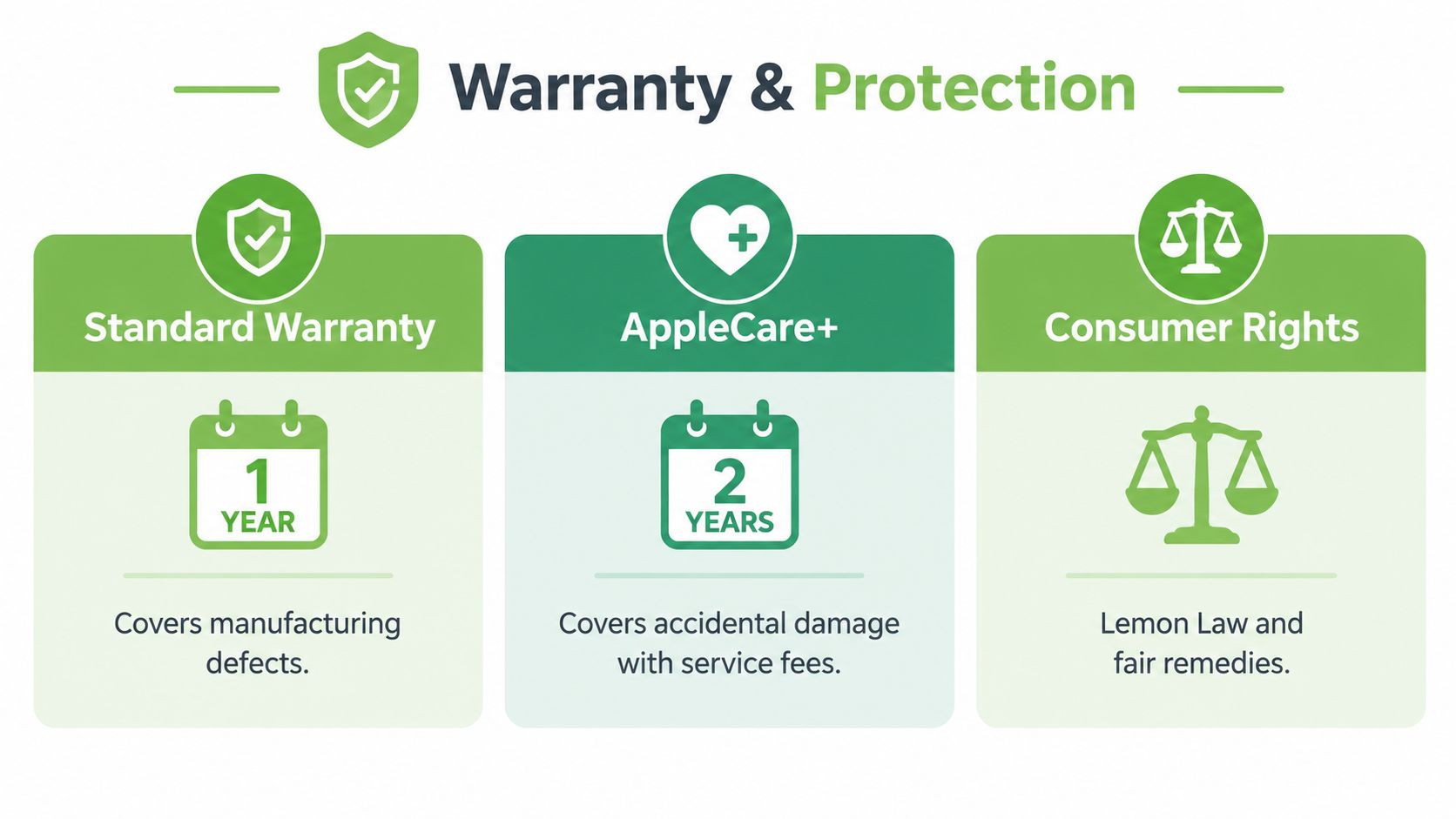
A cracked screen does not automatically mean a paid repair. First identify which protection applies. The standard Apple Limited Warranty covers manufacturing defects during its applicable warranty period. AppleCare+ covers accidental damage through a separate route. Authorised service carries the 90-day service guarantee or the remaining warranty or AppleCare term, whichever is longer, under Apple's Singapore support materials.
For the listed Apple Watch plans, AppleCare+ lasts two years from the AppleCare+ purchase date. Accidental-damage incidents carry a S$98 fee for Apple Watch and Apple Watch Nike and S$118 for Apple Watch Ultra. Battery service under AppleCare+ also depends on capacity falling below 80% of original capacity.
Protect your position in a dispute
Get a written quote before authorising work. It should state the fault, proposed repair, price, collection arrangement and service warranty. If technicians find another fault after inspection, require approval before they add it to the job.
Singapore's Consumer Protection (Fair Trading) Act sets a framework for unfair practices and remedies in consumer transactions. Keep evidence, question unclear or unauthorised work, and use the appropriate consumer channels if the provider refuses to resolve a genuine dispute. A verbal promise at a busy counter is difficult to enforce.
Keep these records together:
- Proof of purchase: Helps confirm warranty or AppleCare eligibility.
- Service receipt: Shows the work agreed by both sides.
- Serial number: Connects the claim to the correct watch.
- Before-and-after photos: Records the device's condition and any new damage.
- Written service terms: States the repair guarantee's period and scope.
If the watch is just outside coverage, ask why it was declined and request the out-of-warranty price. Then compare authorised service, an independent repair shop and a Certified ReLoved replacement. Repair is not automatically the cheaper choice once downtime and repeat faults are included.
Smart Next Steps After the Repair
Collection isn't the end of the job. Test the watch before leaving the counter, then keep the paperwork where you can find it. A repaired watch that isn't paired, charging or recording sensor data properly has not delivered value yet.
Use this post-repair checklist
- Confirm the repair in writing. Check that the receipt names the work performed, the serial number and the applicable service guarantee. For authorised service, confirm the 90-day guarantee or remaining coverage term, as applicable under Apple's Singapore framework.
- Run a practical function check. Test the display, Digital Crown, side button, charging connection, haptic feedback, speaker, microphone and sensors relevant to your original complaint. Pair it with the iPhone only after the technician has confirmed that the device is ready.
- Compare repair against replacement value. Add the final repair price to any earlier repair costs and compare the total with a Certified ReLoved replacement in a similar condition. My recommendation is simple: if the repair exceeds 60% of the Certified ReLoved replacement price, replace rather than sinking more money into an ageing watch. That is a decision rule, not an Apple policy, so check the actual replacement price and condition before acting.
- Protect the next repair cycle. Use a suitable case if your work or exercise exposes the watch to impact, keep the charging area clean and avoid treating water resistance as permanent protection after the case has been opened or damaged.
Dispose of the old device responsibly
Don't put a dead Apple Watch into general waste. Singapore's public e-waste guidance says smartwatches can go into ALBA e-waste bins, and it advises backing up data and performing a factory reset before recycling personal devices where possible. The national collection guidance also lists approved routes including ALBA, SGRecycle-Virogreen, Shell-Metalo and KGS, as shown in the smartwatch recycling guidance and approved collection-point information.
For households, remove the watch from your Apple Account and Find My before recycling. For SMEs, maintain a simple asset record showing the device identity, data wipe status and recycling route. That protects company information and gives the business a clear chain of custody.
A lifecycle approach creates more value than a repair-only mindset. A watch may be repaired for continued use, traded in for assessment, refurbished for another user or recycled when recovery is no longer sensible. myhalo's lifecycle services include Certified ReLoved devices, Certified Surplus products, RescueAdvise, mylo AI Assistant, transparent grading and battery health disclosure, supported by 30-point quality checks and ISO 9001 and ISO 27001 certifications. Use those tools to compare repair, reuse and replacement based on condition, budget and operational need.
For the next device, record the purchase date, warranty status and battery health from the beginning. That small habit makes the next repair decision faster, gives an SME better asset visibility and supports smarter resource use.
Visit myhalo to explore repair support, trade-in and Certified ReLoved alternatives when your Apple Watch repair no longer makes financial sense. Share the watch's model, fault and coverage status with the team so you can compare repair, reuse and responsible recycling with clearer information.