





Refurbished Laptop Buyer's Guide for Singapore 2026
You’re probably looking at two tabs right now. One shows a brand-new laptop that costs more than you wanted to spend. The other shows a much cheaper used machine, but you’re wondering what’s wrong with it, how long it’ll last, and whether you’ll regret trying to save money.
That tension is normal. In Singapore, plenty of buyers want a practical middle ground: something reliable enough for school, work, or daily use, without paying brand-new prices for hardware they may not fully need. That’s where a refurbished laptop starts to make sense, but only if you know how to separate a properly restored device from a risky resale listing.
If you’re walking into Bugis Junction to shop in person, the process gets much easier once you know what to check, what the grades mean, and where key trade-offs are.
Table of Contents
Why Choose a Refurbished Laptop in Singapore
A lot of customers come in with the same problem. They need a laptop soon. Their current one is slow, the battery is fading, or a repair no longer makes financial sense. But when they compare new models, the jump in price can feel hard to justify for everyday work like Microsoft Office, Zoom, browser tabs, accounting software, or school assignments.
A professionally refurbished laptop sits in the sensible middle. You’re not gambling on a random marketplace listing, and you’re not automatically paying for a sealed box just for peace of mind. You’re buying a machine that’s been checked, reset, cleaned up, and prepared for another life cycle.
That matters in Singapore for another reason beyond budget. Singapore generated 264,000 tonnes of e-waste in 2023, with only 22% being recycled, according to the National Environment Agency’s e-waste management overview. Choosing a certified refurbished laptop keeps a usable device in circulation longer instead of pushing demand straight to another newly manufactured unit.
Practical rule: If your workload is ordinary office, study, admin, browsing, or remote work, don’t assume “new” is automatically the smarter buy.
There are still trade-offs. A refurbished laptop may have small cosmetic marks. Battery condition needs to be checked, not assumed. Older models may have fewer modern ports, or they may be heavier than the newest slim designs. Those aren’t deal-breakers if the machine matches how you work.
In-store, the biggest shift I see is what happens when buyers stop asking only “How cheap is this?” and start asking “What grade is this, what’s been checked, and what support do I get if something goes wrong?” That’s the point where a good purchase becomes much easier.
If you’re comparing options on a budget first, this guide to affordable laptops in Singapore is a useful starting point before you narrow down models by grade, screen size, and battery condition.
Decoding Refurbished Grades and Certifications
You are standing at the Bugis Junction store, looking at two laptops with similar specs and two different price tags. One looks cleaner. The other costs less. The useful question is not just which one turns on. It is what the grade refers to, what work has already been done, and what proof the seller can show you.
What refurbished should mean
“Refurbished” should describe a process, not a vague sales label.
A proper refurbished laptop has been checked, cleaned, reset, and repaired where needed. The seller should be able to explain the checks in plain language. That usually includes hardware diagnostics, a fresh operating system installation, testing for keyboard, screen, ports, speakers, webcam, and battery behaviour, plus secure data wiping from the previous owner. If the answer is just “we tested it” with no detail, treat that as a warning sign.
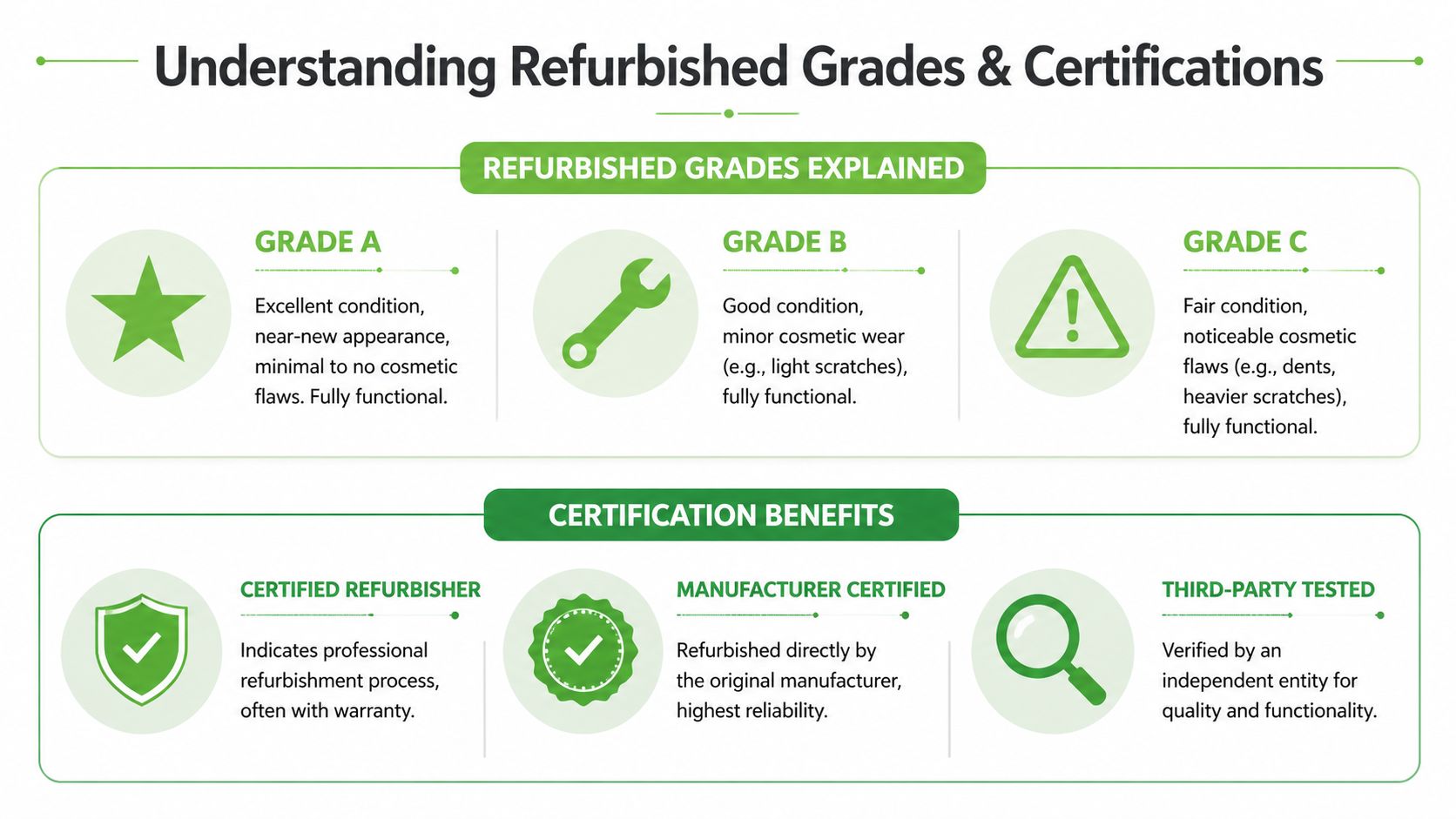
That is the line between a professionally refurbished unit and a laptop sold as-is.
| Type | What it usually means | Risk level |
|---|---|---|
| Secondhand | Sold in current condition, often with limited visibility into testing or repair history | Higher |
| Refurbished | Checked, cleaned, reset, and repaired if needed | Lower, if the process is explained clearly |
| Certified refurbished | Refurbished under a documented quality process, with defined checks and after-sales support | Lowest of the three |
A good seller does not need complicated jargon. They need to show what was tested, what was replaced, and what standard they use to approve the machine for sale.
How to read grades without guessing
Grades usually describe cosmetic condition. They do not automatically tell you how healthy the internals are.
That point trips up many buyers in-store. A laptop with a small scratch on the lid can still be the better buy if the battery is healthier, the keyboard feels tighter, and the screen is clean.
At myhalo, the grade names are meant to make that easier to judge in person:
- As-New. Minimal visible wear. A practical fit for office use, gifting, or anyone who wants a cleaner-looking machine.
- ReLoved. Fully functional with light to moderate cosmetic wear. Often the sweet spot for students, home users, and everyday work.
- ReEco. More obvious signs of use, but still suitable for buyers who care more about function than appearance.
Those labels are tied to visible condition and warranty tier, so you are not guessing what the grade is supposed to mean. As-New units come with a 6-month warranty. ReLoved and ReEco units come with a 30-day warranty.
The trade-off is straightforward. Paying more for a higher grade usually buys you cleaner cosmetics and longer support, not necessarily faster performance. Performance still depends on the actual specs. Processor generation, RAM, storage type, battery condition, and screen quality matter more than the sticker on the shelf.
Cosmetic grade tells you how the laptop looks in your hands. It does not replace checking the screen, battery, keyboard, ports, and warranty wording.
One more check helps avoid confusion. If you are looking at HP business models, our guide to an HP warranty check in Singapore helps you confirm what support history or remaining coverage may still apply.
The best in-store habit is simple. Read the grade, then ignore it for a moment and test the laptop in front of you. A lower cosmetic grade with the right specs and solid battery health can be better value than a prettier machine that does not suit your workload.
Verifying Warranty and Reliability for Peace of Mind
Once the laptop itself looks right, the next question is simple. What happens after you bring it home?
A lot of buyer regret comes from skipping this part. People inspect the chassis, test the keyboard, and compare prices, but they don’t read the warranty details until something fails.

What to read before you pay
A useful warranty isn’t just about duration. It’s about clarity.
Check these points before you commit:
- Coverage scope. Ask whether the warranty covers hardware faults only, or whether labour is included too.
- Battery wording. Batteries are wear items, so the wording matters more than people expect.
- Exchange process. If there’s an issue early, you want a straightforward path, not a long argument over fault.
- Turnaround expectations. Even if the laptop is covered, downtime can still be inconvenient.
A simple exchange window helps a lot because it gives you time to use the machine in your actual routine. Open your usual spreadsheets. Join your normal video calls. Connect your monitor, mouse, printer, or USB-C dock. That’s how hidden issues show up.
If you want a broader idea of what ownership checks usually involve, this guide on HP warranty checks in Singapore helps frame the sort of details worth verifying before and after purchase.
Why local reliability matters
In Singapore, buyers often raise the same concern. Heat and humidity. It’s a fair question, especially for business use where daily reliability matters more than looks.
According to a Deloitte Singapore circular economy report, business-grade refurbished laptops match new ones in 85% of uptime cases, and that reliability is linked to 40% SME uptake following recent government rebates. The useful takeaway isn’t that every refurbished laptop is equal. It’s that business-grade, properly processed devices can be dependable in local conditions.
That’s why I usually tell buyers to focus less on “refurbished versus new” and more on “business-grade versus unknown-grade, warranty-backed versus unsupported, tested versus untested”.
If you’re buying for work, the safer move is usually a business-class model with clear support terms, not the cheapest consumer machine on the shelf.
Your In-Store Laptop Inspection Checklist
At Bugis Junction, this is the point where a customer usually has narrowed it down to two machines that both look fine on the shelf. One might be an As-New unit with cleaner cosmetics. The other might be a ReLoved model with a stronger processor or more storage. A quick, hands-on check helps you choose the laptop you will enjoy using, not just the one that photographs better.
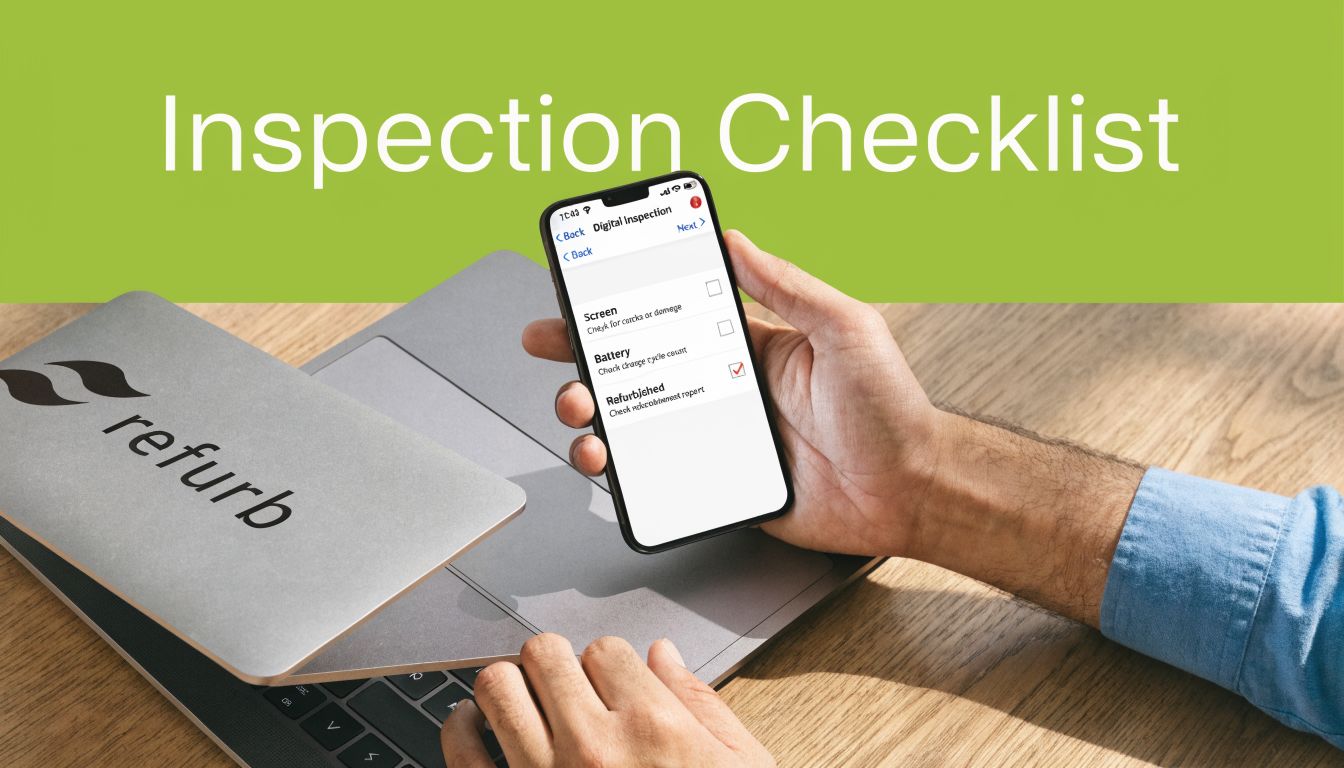
I usually tell buyers to inspect in the same order they will use the device. Start with physical condition, then test the parts you touch every day, then confirm the battery and storage details before paying.
Start with the outside
Cosmetic wear matters less than structural wear. Light scuffs are normal on a properly refurbished laptop. Cracks, bent corners, and uneven gaps between panels are a different story because they can point to a drop or poor earlier repair.
Use this quick pass:
- Lid and base. Check for cracks, deep dents, bent corners, or missing screws.
- Hinges. Open and close the laptop slowly with one hand if possible. The movement should feel even, with no grinding, popping, or wobble.
- Rubber feet. Missing feet affect desk grip and airflow. On a hot Singapore afternoon, that extra wobble and blocked ventilation can become annoying fast.
- Edges and ports. Look for corrosion, rough metal, or signs that a port has been forced.
- Smell and residue. Sticky patches, smoke smell, or residue around seams can suggest poor storage or past liquid exposure.
One small mismatch is also worth asking about. If the outer shell looks almost new but the keyboard is heavily polished or shiny, ask whether parts were swapped or whether the machine saw heavy office use.
Test the parts you’ll use every day
A laptop can boot perfectly and still be irritating within the first week. Test the features you will rely on every day while you are still at the counter.
Here’s the order I’d use in-store:
-
Screen
Open a white background, then a dark one. Look for dead pixels, pressure spots, flicker, yellowing, or uneven brightness near the edges. Minor variation is common. Obvious defects are what matter. -
Keyboard
Type a few full sentences, not just random taps. Check the space bar, enter key, shift keys, arrow keys, backspace, and power button. These are the keys that usually reveal wear first. -
Trackpad
Test single click, double click, tap, drag, and two-finger scrolling. If you use gestures, test those too. A weak trackpad often shows up only when you slow down and use it naturally. -
Ports
Bring a thumb drive, charging cable, or USB-C adapter if those matter to you. Test the exact ports you plan to use at home, in school, or at work. -
Webcam, speakers, and microphone
Open the camera app. Record a short voice sample. Play a video for a few seconds and listen for distortion or crackle.
Store-floor habit: Check the features you use daily, not the features listed on the spec sheet.
A quick visual walkthrough can also help if you prefer seeing someone inspect common problem points first:
Check battery health properly
Battery questions deserve a direct answer. Cosmetic grade and battery condition are separate things. An As-New laptop can still have an older battery, while a ReLoved unit might be excellent value if the battery has tested well and the price reflects the grade accurately.
On the shop floor, here’s what to do:
-
For Windows
Ask staff to show the battery reading in system diagnostics or a battery report if available. You want evidence that the battery was checked, not a verbal reassurance. -
For macOS
Open battery settings or system information and check condition status and cycle count where available. -
For both
Ask one plain question: “Has the battery been tested, and what standard do you use to pass it?”
If the answer is clear, specific, and easy to verify on the device, that is a good sign.
Confirm the storage type before you decide
Two laptops with similar specs can feel very different in daily use if one has a slower drive. Confirm whether the machine uses an SSD, what capacity it has, and whether that capacity fits your real workload. For a simple explanation of why this matters, see Finchum Fixes IT's drive comparison insights.
At the counter, I’d ask three things:
- Is the drive an SSD?
- How much free space is available after setup?
- Can this model be upgraded later, or is the storage fixed?
That last point matters more than many buyers expect, especially if you plan to keep the laptop for a few years.
Match the grade to your use
A local grading system proves beneficial. If you are buying for client meetings, front-desk use, or desire the cleanest finish, As-New often makes sense. If you care more about performance per dollar and can accept minor cosmetic wear, ReLoved can be the smarter pick.
In-store, the goal is simple. Make sure the condition you see matches the grade you are paying for, and make sure the parts that matter to your routine pass a real test before you bring the laptop home.
Securing the Best Value Beyond the Price Tag
The cheapest sticker price doesn’t always give you the best deal. A better way to buy a refurbished laptop is to look at the full package: device condition, upgrade path, payment flexibility, what happens to your old machine, and how much friction you avoid after purchase.
Think in total purchase value
Good value often comes from combining a few smaller advantages.
For example:
- Trade-in credit can reduce what you pay out of pocket if your current laptop, tablet, or phone still has value.
- 0% instalment plans can make a stronger-spec laptop more manageable if cash flow matters more than headline price.
- Price-drop protection matters if you hate buying today and seeing the same model reduced shortly after.
- After-sales support saves time. That’s part of value, especially if this is your work machine.
This is one place where a retailer’s surrounding services matter as much as the device itself. myhalo offers trade-ins, 0% instalment plans, and a price-drop refund guarantee, which changes the buying decision for customers who are balancing budget against immediate need.
A practical example: if two laptops are close in price, I’d usually tell a customer to choose the one with the better keyboard, healthier battery, and stronger upgrade path, then offset the spend with a trade-in rather than chase the lowest tag.
Choose the right storage setup
Storage type affects how “fast” a laptop feels in everyday use more than many buyers expect. If you’re comparing two similar machines, prioritise the one with solid-state storage for snappier boot-ups, app launches, and file access.
If you want a plain-English explanation of how storage choice changes real-world performance, Finchum Fixes IT's drive comparison insights are worth a look before you buy.
A simple in-store table helps:
| Your use | Better choice |
|---|---|
| Web, Office, schoolwork | SSD first, even with modest capacity |
| Large photo or media files | SSD plus external storage plan |
| Older budget machine with slow feel | Avoid HDD-only if possible |
What doesn’t work is overbuying specs you won’t use. Many people are happier with a balanced business laptop, enough RAM for multitasking, and SSD storage than with a flashy model that looks newer but cuts corners where it counts.
Aftercare and Extending Your Laptop's Lifespan
Buying well is only half the job. Keeping a refurbished laptop healthy is what turns a good deal into a long-term one.
Protect the device you just bought
Accidental damage is common. So is neglect. If the laptop will travel between home, office, school, and cafes, extra cover can make sense. Programmes such as myhalo Protect and myhalo e-Xtender are built around accidental damage, maintenance, and extended support, which is useful for buyers who want a service plan rather than just a one-off purchase.
For anyone using the laptop for work, don’t stop at hardware care. Make sure you keep secure business information copies so one spill, failed drive, or theft doesn’t turn into a data problem.
Small habits that help
A few habits make a real difference:
- Keep vents clear. Don’t use the laptop on bedding or soft surfaces that trap heat.
- Clean lightly and regularly. Wipe the screen and keyboard with appropriate materials instead of waiting for buildup.
- Use the right charger. Mismatched charging habits can create avoidable battery stress.
- Update software. Security and stability fixes matter, especially on older machines.
- Upgrade where it counts. More RAM or a larger SSD can give an older laptop a much better second phase of life.
If battery runtime becomes the main pain point later on, this guide to MacBook battery replacement options gives a good example of when replacement is more sensible than replacing the whole machine.
A refurbished laptop lasts longer when owners treat it like a working tool, not a disposable gadget.
Frequently Asked Questions
Is a refurbished laptop the same as secondhand
No. A secondhand laptop is usually sold as-is. A refurbished laptop should be inspected, cleaned, reset, and tested, with faults repaired where needed. The difference is the process and the support behind it.
Are refurbished laptop batteries reliable
They can be, but battery condition should always be checked directly. Don’t assume “refurbished” means “new battery”. Ask for the battery health standard used during inspection and whether the battery was replaced or tested.
Is a refurbished laptop good for gaming
It can be, if the model has the right graphics capability and cooling design for the games you play. Don’t shop by the word “gaming” alone. Check the GPU, ports, keyboard condition, fan behaviour, and warranty support.
Which grade should I choose
Choose by tolerance, not ego. If you care about appearance, go higher grade. If you want the strongest value and don’t mind visible wear, a lower cosmetic grade can be the better buy if the screen, battery, keyboard, and ports check out.
If you’d like to compare models in person, inspect grades side by side, or ask about trade-ins, repairs, and aftercare, browse myhalo or visit the Bugis Junction store to test a refurbished laptop before you decide.