





Lenovo ThinkPad: Your Ultimate Singapore Guide
You're probably looking at a lenovo thinkpad listing right now and wondering why the names read like alphabet soup. X1 Carbon. T14. E14. L13. P series. Then you spot refurbished units, different warranty terms, trade-in options, and a spread of prices that makes the decision even less clear.
That confusion is normal. ThinkPads have been around long enough to build a serious reputation, but the lineup only makes sense once you stop shopping by letters and start shopping by use case. In Singapore, that matters more than is commonly understood. A student needs a machine that can survive lectures, group projects, and café study sessions. A small business owner needs something easy to standardise, secure, and maintain. A hybrid worker needs light weight without buying more power than the job needs.
The reason the lenovo thinkpad still gets shortlisted so often is simple. It has deep roots, a very clear business-first design philosophy, and a long record of being bought for real work rather than showroom appeal alone. That also makes it one of the more sensible laptop families to buy new, refurbished, or as part of a longer replacement cycle.
Table of Contents
- Your Guide to the Legendary Lenovo ThinkPad
-
New vs Refurbished A Smart Choice for Your Wallet and the Planet
-
Maintenance and Upgrades Keeping Your ThinkPad for the Long Haul
Your Guide to the Legendary Lenovo ThinkPad
The lenovo thinkpad earns trust differently from consumer laptops. It wasn't built around flashy colours or impulse buying. It was built for people who type all day, carry their laptop everywhere, and expect it to keep working.
That reputation has a real history behind it. The ThinkPad line was first developed in 1992 at IBM's Yamato Facility in Japan, before Lenovo acquired IBM's PC business in 2005, and the brand later reached shipment of its 100 millionth ThinkPad unit in 2015 according to ThinkPad history on Wikipedia. For buyers in Singapore, that background helps explain why the brand feels both old-school and current at the same time. You're buying into IBM-era engineering thinking, but with Lenovo's broader manufacturing and support ecosystem.
The design language also tells you what kind of machine this is. ThinkPad has long been associated with a black, boxy look and the red TrackPoint. It doesn't try to look trendy. It tries to look familiar, repairable, and work-ready.
Practical rule: If you need a laptop mainly for work, study, or business deployment, boring is often good. Boring means mature drivers, predictable keyboards, standard docking habits, and fewer surprises.
For Singapore buyers, the smarter question usually isn't “What's the most powerful ThinkPad?” It's “Which ThinkPad gives me the fewest problems over the next few years?” That shift in thinking changes everything. It makes older business models worth considering. It makes warranty quality matter more than cosmetic perfection. It makes trade-in and lifecycle planning part of the purchase, not an afterthought.
A lot of people also miss the sustainability angle. A ThinkPad is one of the easier laptop families to buy with a longer view. New units make sense for buyers who want the latest platform and full support runway. Refurbished units make sense for students, lean teams, and anyone who would rather pay for reliability than packaging. That's where the buying journey in Singapore gets interesting, because the best choice often isn't the newest machine. It's the right-grade machine with the right support behind it.
The ThinkPad DNA Why People Swear By Them
A student rushing from Tampines to campus and a small business owner heading to a client meeting usually want the same thing from a laptop. They want it to wake up, type well, survive daily travel, and avoid silly downtime. That is why ThinkPad loyalty tends to run deep. The appeal is not one headline feature. It is the way these machines hold up in routine use over a few years.
Built for regular hard use
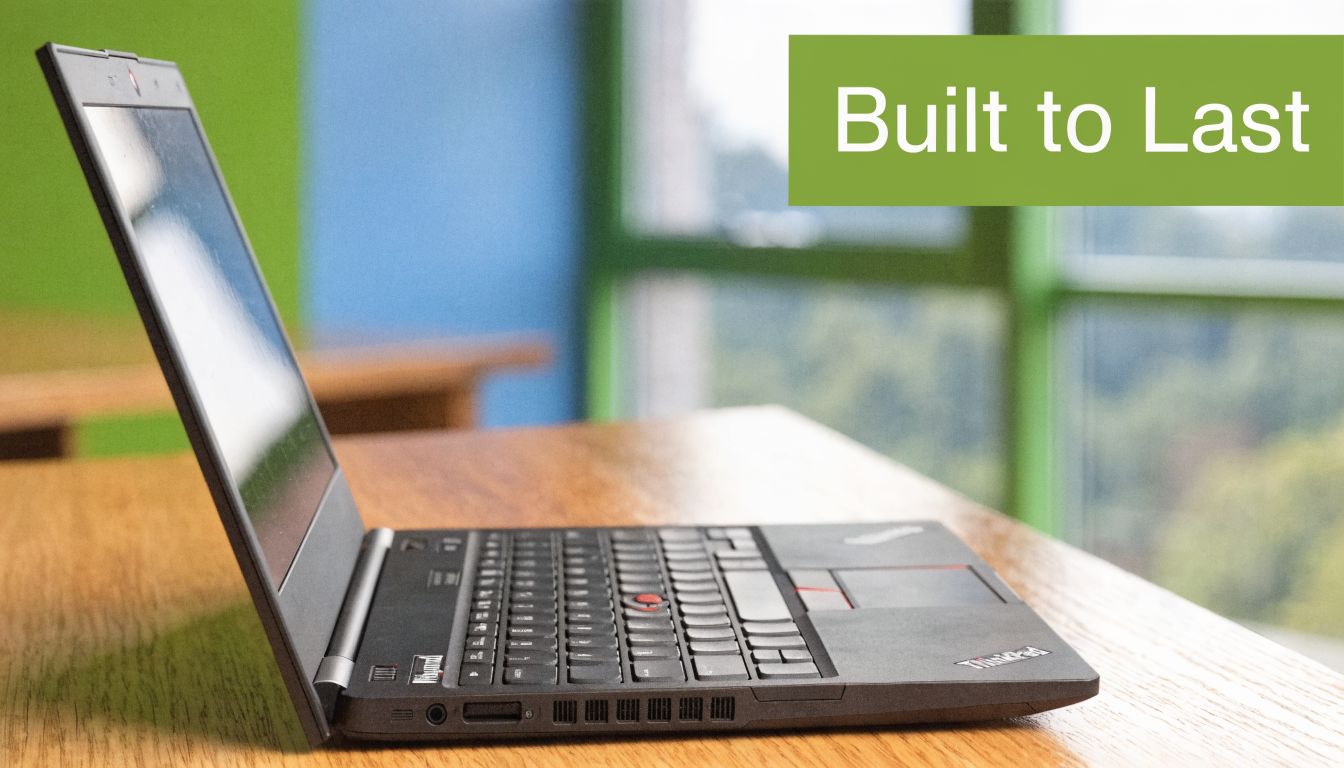
ThinkPads have a long reputation for being work machines first. The practical benefit shows up in the parts owners touch every day. Hinges tend to feel firmer. Chassis flex is usually better controlled than on many consumer models at the same price tier. The lid, keyboard deck, and port layout are designed for repeated opening, closing, docking, and carrying.
In Singapore, that matters more than many buyers expect. Laptops move between lecture halls, coworking spaces, office desks, meeting rooms, and public transport. Humid weather, packed bags, and constant charging cycles are normal. A machine that stays structurally solid after a year of commuting is often the better buy than one that looked flashier on day one.
This is also why refurbished ThinkPads remain attractive locally. A well-kept business model with a clean warranty grade can still make strong sense for students and SMEs, because the original design was meant for heavier daily use.
The keyboard keeps people coming back
Keyboard quality is one of the biggest reasons long-time owners stick with ThinkPads. Key travel, spacing, and layout consistency still feel tuned for people who spend hours writing, replying, tabbing through spreadsheets, or working in browser-based systems all day. That matters more than ultra-thin styling if the laptop is a study tool or a revenue tool.
Older ThinkPads are famous for their classic layouts. Newer ones are flatter and more modern, but the basic priority has stayed the same. Typing comfort still gets attention. If you are considering a premium ultraportable, the ThinkPad X1 Carbon buying guide for Singapore buyers gives a good example of how Lenovo keeps that balance between portability and day-to-day usability.
The TrackPoint is part of that story too. Some users ignore it. Others use it constantly once they get used to keeping their hands on the home row. For spreadsheet work, long editing sessions, or cramped tray tables, it is still genuinely useful.
A short video gives a good sense of why the brand still has that following:
Security features that are useful in practice
ThinkPad security features usually solve ordinary work problems rather than chasing flashy marketing points. TPM support helps with device encryption and business account policies. A physical webcam shutter is simple, but many users prefer a hardware cover they can see and control immediately.
That matters to different buyers for different reasons:
- Small business owners: Better baseline security reduces risk when staff laptops hold customer files, invoices, passwords, and shared company accounts.
- Students and hybrid workers: A webcam cover is handy in hostels, classrooms, shared homes, and hot-desk setups.
- Teams buying in small batches: Standard business security features make setup and replacement easier across multiple units.
A good business laptop should lower friction. It should not create more admin work, more repair drama, or more hesitation about buying refurbished.
That is the ThinkPad pattern people remember. Strong typing comfort, durable construction, and practical business features. For Singapore buyers, that reputation also holds up in the second-hand and trade-in market, which is a big part of why these machines keep their following.
Decoding the ThinkPad Series X1 T L P and E Explained
A lot of Singapore buyers get stuck at the same point. They know they want a lenovo thinkpad, then hit a wall of letters that look almost interchangeable. The easiest way to read the lineup is by buying intent. Each series is built around a different compromise between weight, price, repairability, and performance.
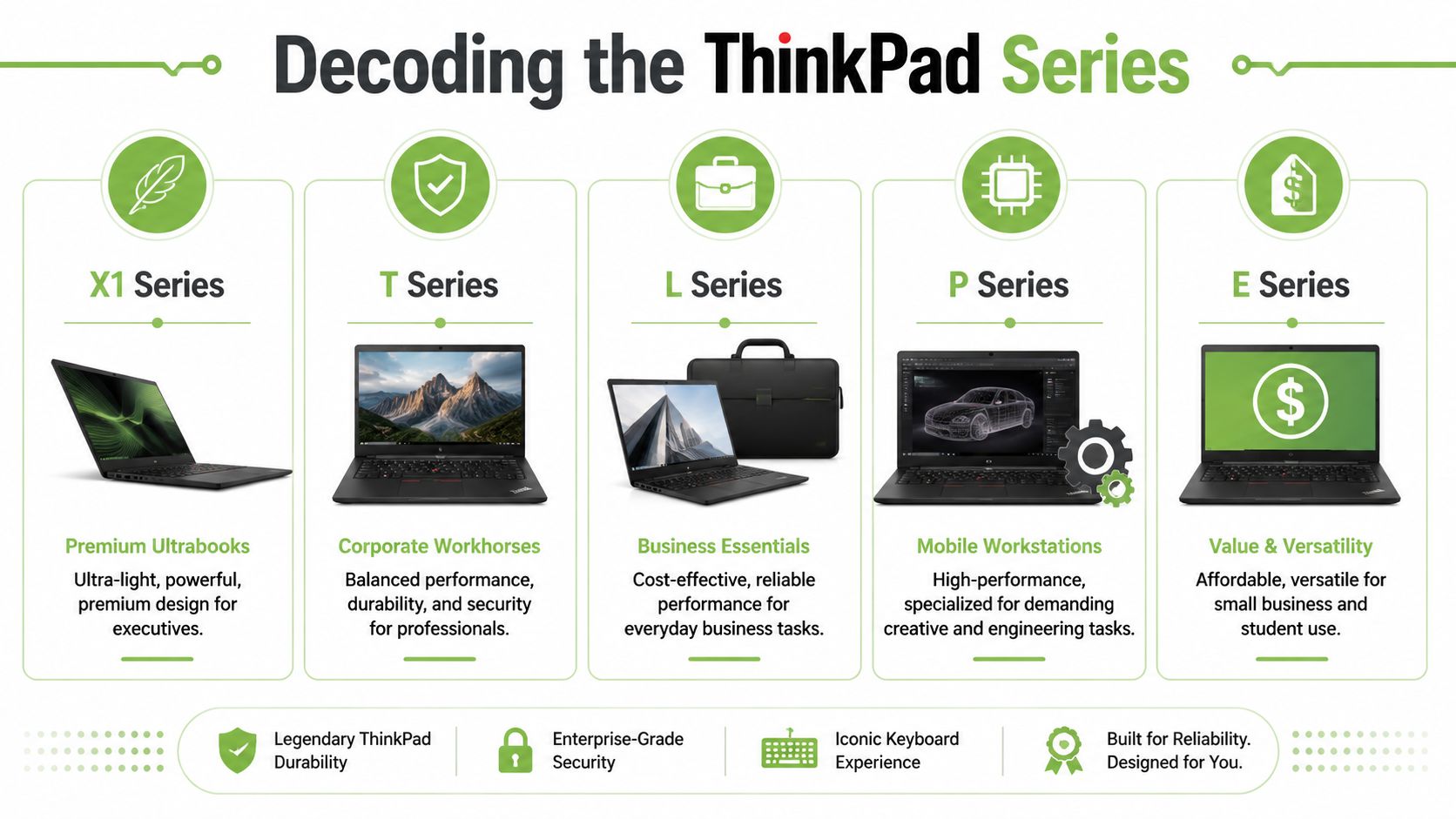
Lenovo ThinkPad Series At a Glance
| Series | Primary User | Key Strength | Price Point |
|---|---|---|---|
| X1 | Executives, mobile professionals, premium buyers | Low weight, premium materials, strong travel portability | Premium |
| T | Corporate users, SMEs, professionals | Best balance of durability, security, and everyday performance | Upper mid-range |
| L | Organisations buying practical fleet laptops | Business basics at a lower cost | Mid-range |
| P | Engineers, designers, technical users | Workstation-level performance for demanding software | Higher |
| E | Students, startups, budget-conscious buyers | Lower entry cost with ThinkPad basics | Entry to mid-range |
How each series fits real buyers
X1 series
X1 is the premium option for people who carry their laptop every day and care about size, finish, and weight. The X1 Carbon is the model many buyers recognise first. It stays popular because it feels polished in meetings, travels well, and handles office work without fuss. It is a strong fit for consultants, managers, and founders who spend more time in email, slides, browser tabs, and video calls than in heavy creative software.
The trade-off is simple. You pay more for portability and refinement, not for raw upgrade headroom. If you are comparing older and newer units, this ThinkPad X1 Carbon guide from myhalo is a useful reference point, especially if you are weighing a refurbished set against a current retail model.
T series
T is the safe recommendation for a large share of buyers. If a customer walks into a shop and says, "I want something dependable for work, but I do not need the most expensive model," T is usually where the conversation lands.
This series has long been the practical centre of the ThinkPad range. It suits accountants, operations staff, teachers, managers, and small business owners who need a machine that can last through daily use, occasional travel, and years of regular office work. In Singapore's refurbished market, T series models also tend to make sense because parts, accessories, and replacement units are easier to source than for niche models.
L series
L series is for buyers who want business features but need tighter cost control. Schools, charities, growing companies, and teams buying several laptops at once often end up here.
You should expect a more basic finish than T or X1. That is normal. The point of L is sensible deployment cost, not prestige. For admin work, web systems, classroom use, and standard productivity apps, it often does the job well. If long-term value matters, compare an L series new set against a refurbished T series in similar budget range. Quite often, the older T gives you a better keyboard, chassis, and service life.
P series
P series is the specialist lane. These are mobile workstations for CAD, 3D work, engineering applications, data-heavy workloads, and other tasks that benefit from stronger sustained processing and professional graphics options.
For the average student or SME office user, P is usually too much machine. It is heavier, more expensive, and less pleasant to carry around all day. Buy it because your software requires it, not because the letter sounds more powerful.
E series
E series is where many first-time ThinkPad buyers begin. It appeals to students, startups, home-office users, and small firms that want a recognisable business laptop without entering T or X1 pricing.
This is also the series where spec checking matters most. Two E-series units can feel quite different depending on screen type, memory, storage, and build choices. A well-configured E can be a sensible buy. A poorly configured one can feel cheap faster than expected. For Singapore buyers on a firm budget, E is worth comparing against certified refurbished T or L models with clearer warranty grading.
Start with T if you want the safest all-round pick. Start with E if budget is the main limit. Move to X1 for lower weight and a more premium feel. Move to P only when your workload genuinely needs workstation hardware.
One more practical point. The series name only tells you the family, not the full story. A T14, X1 Carbon, or E14 can come in different configurations depending on market, generation, and seller. That matters in Singapore, where parallel import stock, refurbished inventory, and ex-corporate units can differ quite a bit. Always check the exact screen, RAM, storage, battery condition, warranty grade, and return terms before you buy.
How to Choose the Right ThinkPad for Your Use Case
A buyer walks into our shop with a familiar problem. One ThinkPad is cheap but basic. Another feels premium but costs much more. A third has stronger specs than the workload will ever use. The right choice starts with your weekly routine, not the product page.
For Singapore buyers, that usually means balancing portability, keyboard comfort, warranty clarity, and whether a well-kept refurbished unit gives better value than an entry-level new one.
For the university student
A student at NUS, NTU, SMU, a polytechnic, or a private college usually needs a laptop that can survive lectures, group work, and long library sessions without becoming a burden in the bag.
The practical shortlist is E series or a refurbished T series. E works for tight budgets and lighter workloads such as documents, browser research, slides, and Zoom. A refurbished T-series unit often suits students who care more about better build quality, a stronger keyboard, and easier long-term ownership than having the newest design.
Check these points before buying:
- Display: An IPS screen is easier on the eyes and better for shared viewing during project work.
- Processor: For writing, spreadsheets, research, and school portals, a Core i5 is usually the sensible middle ground.
- Memory and storage: Buy enough for the full course, not just the first semester. Running short on RAM or SSD space is an annoying way to save money.
- Warranty grade: A student laptop gets bumped around. Clear grading and local support matter, especially on refurbished stock.
If you are comparing used and renewed machines, this guide to refurbished laptop computers in Singapore helps frame what to check before paying.
For the small business owner
Small firms usually care about consistency more than headline specs. The primary question is whether the machines are easy to deploy, easy to support, and sensible to replace in batches.
That is why T series and L series work well for SMEs. T fits teams spending long hours in Microsoft 365, cloud software, accounting systems, browser tabs, and video calls. L is the more budget-aware option when you need several business laptops without dropping to consumer-grade compromises.
A practical rule applies here. Spend less on chasing higher CPU tiers if the staff workflow is mostly admin and web-based. Spend more carefully on a good screen, enough RAM, a usable webcam, and warranty terms your business can live with.
For Singapore owners, there is another layer. If you expect to rotate devices every few years, choose models with steady resale demand and simple trade-in potential. That makes future fleet refreshes less painful.
For the creative professional
Creative work needs a more careful match. A ThinkPad can be excellent for Adobe work, content production, and light 3D, but not every configuration is worth buying for that role.
If your apps lean on graphics performance, AMD-based ThinkPads deserve the first look. As noted earlier, recent Ryzen ThinkPads have shown stronger integrated graphics performance than comparable Intel options. Intel still works well for office-heavy use, light media work, and buyers who prioritise battery behaviour or specific software compatibility.
Use this split:
- Office-heavy and general business use: Intel Core i5 remains a strong value choice.
- Photo, design, and GPU-leaning creative work: AMD often gives better headroom without stepping into workstation pricing.
- CAD, 3D modelling, simulation, or specialist software: Move up to P series instead of forcing a lighter model to do workstation duty.
Buy for the heaviest task you do every week. That keeps the machine useful without paying for hardware that sits idle.
For the hybrid worker
Hybrid work exposes bad laptop choices quickly. A machine that feels fine on a spec sheet can become irritating after two weeks of commuting, hot-desking, and video calls.
The shortlist usually comes down to X1 series or T series. X1 suits buyers who travel often and care about lower carry weight every single day. T suits buyers who want a more balanced machine with fewer compromises on price and durability.
Refurbished units can be especially attractive here because hybrid workers tend to value premium business features more than the latest chassis revision. A properly graded X1 or T-series model with a clear local warranty can be a smarter buy than a brand-new consumer laptop at the same price.
In Singapore, vendors such as myhalo are useful for this comparison because they state condition grades, warranty terms, and support options more clearly than a typical marketplace listing. That matters. The wrong hybrid-work ThinkPad is often the one that looked impressive on paper but ended up too heavy, too warm, or too costly for the work you do. The right one fits into the week without drawing attention and keeps going.
New vs Refurbished A Smart Choice for Your Wallet and the Planet
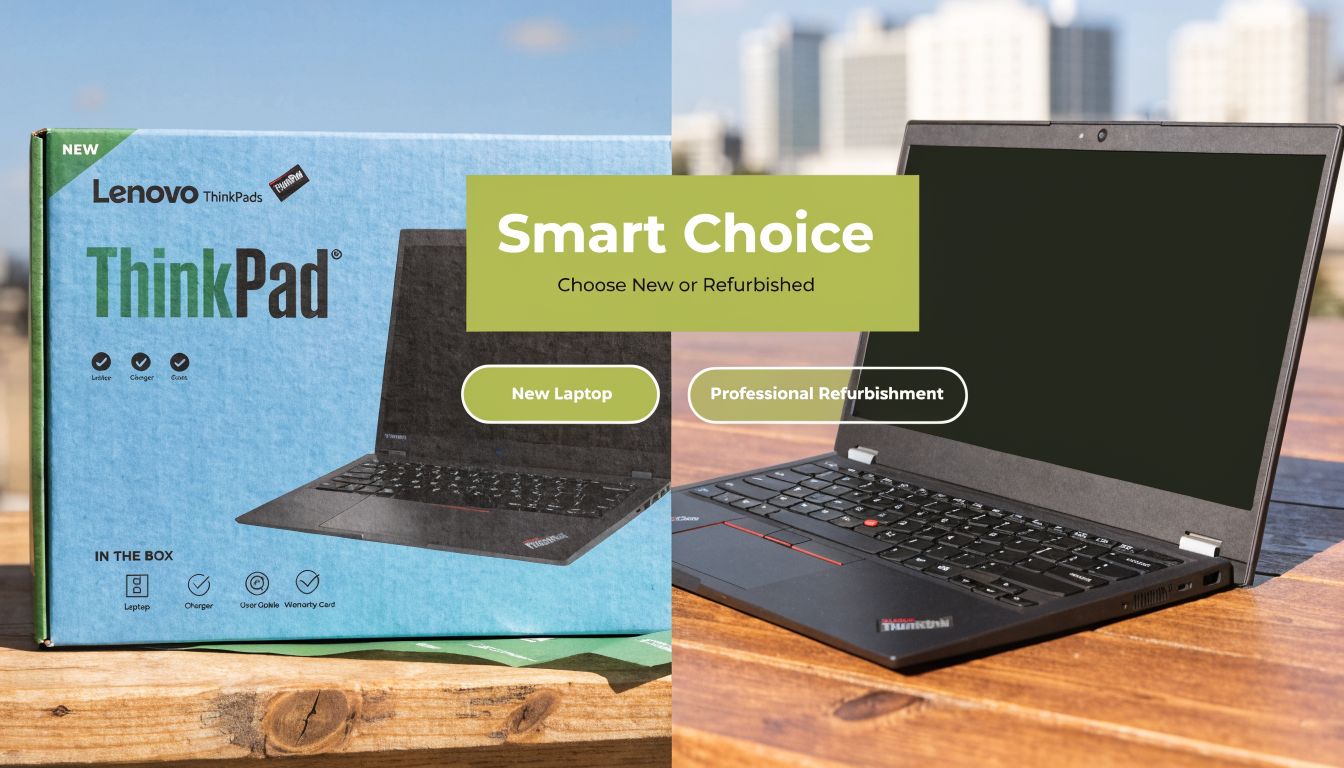
A new ThinkPad is easy to understand. You get current-generation hardware, full retail condition, and the confidence of starting fresh. A refurbished ThinkPad needs a little more thought, but for many buyers in Singapore, it's the more rational purchase.
When new makes sense
Buy new when your checklist includes the latest platform, the longest support runway, or a very specific configuration that older corporate units won't offer. This is common for businesses setting a fresh device standard, or for buyers who need a current ultralight such as a newer X1 model.
New also makes sense if you want fewer variables. There's no guessing about prior use, cosmetic wear, or battery history. You're paying for certainty as much as hardware.
When refurbished is the sharper buy
Refurbished ThinkPads make a lot of sense because the product family was designed for business use in the first place. That means even older units often age better than cheap consumer laptops. For students, startups, and value-conscious professionals, a professionally refurbished T or X-series machine can be a more durable buy than a brand-new entry consumer laptop.
The key phrase is professionally refurbished. There's a major difference between a checked, graded, warranty-backed device and a random marketplace unit with vague photos and no support path. If you want a deeper breakdown of what separates safer refurbished purchases from risky ones, this article on refurbished laptop computers in Singapore is a helpful reference.
What to verify before you buy
The display is where buyers often get caught out. Older or budget ThinkPads may use TN panels, and community discussion shows some Lenovo panels can shift to negative or inverted colours from side or lower angles, which makes viewing-angle quality a real comfort issue, especially in bright or shared spaces, as seen in this Lenovo forum thread on screen colour inversion by angle.
That matters a lot in Singapore. People work in cafés, co-working spaces, classrooms, and meeting rooms with uneven lighting. A weak panel gets tiring fast.
Check these points before buying any refurbished ThinkPad:
- Panel type: Ask whether the display is IPS or TN.
- Warranty grade: A short, clear warranty with defined exchange terms is better than vague reassurance.
- Cosmetic grade: Small scratches are fine if the keyboard, ports, and screen are in good shape.
- Battery expectations: Older units may still be perfectly usable, but battery condition should be discussed transparently.
- Upgrade path: Older business laptops can become much better value if storage or memory can be improved later.
A refurbished laptop is only a bargain if the seller has already removed the uncertainty.
The sustainability case is straightforward. Keeping a capable business laptop in use for longer reduces unnecessary replacement and cuts waste. But the buyer still has to be practical. Don't buy a refurbishment story. Buy a device with a clear grade, a clear support path, and a screen you can live with every day.
Maintenance and Upgrades Keeping Your ThinkPad for the Long Haul
ThinkPads tend to reward owners who maintain them sensibly. You don't need to baby them, but you also shouldn't treat them as sealed appliances that never need attention.
Simple habits that keep a ThinkPad healthy
Start with the boring basics. Keep the system updated, remove apps you no longer use, and pay attention when the laptop starts running hotter or noisier than usual. That change usually means something needs cleaning, checking, or adjusting.
A few habits make a real difference:
- Keep vents clear: Don't block airflow on soft surfaces for long periods.
- Watch startup clutter: Too many background apps make even a good machine feel old.
- Use the right charger habits: Repeated cable strain and poor adapters create avoidable problems.
- Clean the keyboard and screen properly: Dust and grime build up faster than most users think.
For student and office users, software housekeeping often solves more “slow laptop” complaints than hardware replacement does.
Upgrades that still make a real difference
When an older ThinkPad starts feeling cramped, the first places to look are usually RAM and SSD storage. Those upgrades can meaningfully improve responsiveness, multitasking comfort, and boot or load times, especially on machines that still have a decent processor but are held back by limited memory or older storage.
Not every ThinkPad is equally upgrade-friendly, though. Newer thinner models may have more fixed components, while older business models often give you more room to extend the machine's useful life. That's why it's important to check the exact model rather than assume all ThinkPads behave the same way.
A sensible maintenance cycle usually looks like this:
- Fix the software first: Updates, storage cleanup, and app trimming.
- Check thermals next: Fan noise and heat often signal maintenance needs.
- Upgrade only where it counts: RAM and SSD changes usually beat cosmetic accessories.
- Repair before replacing: A keyboard, battery, or port issue doesn't always mean the whole laptop is done.
The cheapest laptop upgrade is often the one that prevents an unnecessary replacement.
This is also where after-sales support matters more than people expect. If your seller can handle repairs, data migration, and lifecycle care programmes such as e-Xtender, keeping a ThinkPad longer becomes much easier and less stressful.
Where to Buy Trade-In and Get Support in Singapore
Buying a lenovo thinkpad in Singapore shouldn't end with choosing a model. The support path matters almost as much as the laptop itself, especially if you're deciding between new and refurbished units.

What a good local buying process looks like
A good local retailer should let you do three things clearly. Compare condition grades, understand warranty terms, and get help if the machine doesn't fit your workflow after purchase. That's especially important with business laptops, because two units with nearly identical names can feel very different depending on panel, wear, keyboard condition, and battery history.
If you prefer to see devices in person, being able to test the keyboard, hinge feel, screen brightness, and overall condition is valuable. If you buy online, the listing should still be specific about grade, warranty, and what support exists after checkout.
Singapore buyers should also care about practical details such as:
- Exchange clarity: What happens if the unit isn't the right fit.
- Delivery speed: Useful when replacing a failed work or school laptop.
- Repair continuity: Can the same provider help if the device needs servicing later.
- Condition transparency: Cosmetic wear should be described, not hidden.
Why trade-in changes the decision
Trade-in is one of the most overlooked ways to make a ThinkPad purchase feel sensible. Many buyers have an old laptop sitting at home, still holding some value, but never factor it into the replacement decision. Once you do, moving into a better business laptop becomes less painful.
If you're weighing that option, this guide on laptop trade-in in Singapore gives a practical overview of how the process works.
For local buyers, the strongest setup is simple. Buy from a seller that can help you compare new and refurbished stock, explain the warranty clearly, and handle trade-in and post-purchase support in one place. That reduces hassle and lowers the odds of turning a laptop purchase into a repair hunt later.
Frequently Asked Questions About ThinkPads
Is the red TrackPoint still useful
For some buyers, yes.
The TrackPoint still earns its place if you spend long hours in Excel, Word, accounting software, or terminal windows and want to move the cursor without lifting your hands off the keyboard. Students who type notes all day may ignore it. Small business owners who live in spreadsheets often end up appreciating it because it cuts small movements over the course of a workday. It looks dated at first, then starts to make sense once the habit forms.
What is the difference between onsite and depot warranty
The difference is mainly downtime.
Onsite warranty usually means a technician comes to your office or home, subject to Lenovo's coverage terms and the fault involved. Depot warranty means the machine is collected or sent in for repair. For a student with a backup device, depot service may be enough. For an SME owner with one main work laptop, onsite support can be worth paying for because it reduces disruption.
If you are buying refurbished in Singapore, check who handles the warranty in practice. Some sellers mirror business-friendly support well. Others only promise a short store warranty with limited repair capacity.
Can all ThinkPads be upgraded
No. Upgrade options vary a lot by model generation.
Older T, L, and P series machines are usually easier to open and more likely to support RAM or SSD upgrades. Slimmer X1 models often trade upgrade flexibility for weight and portability. Before buying, check the exact model code, not just the series name. A ThinkPad T14 from one generation may allow more changes than the next one.
This matters more in Singapore than many buyers expect, because an upgradeable refurbished unit can stretch your budget further and stay useful for a few more years.
Are refurbished ThinkPads safe to buy
Yes, if the seller is clear about what you are getting.
A safe refurbished purchase comes down to testing, battery condition, cosmetic grading, warranty terms, and honest disclosure. Grade A and Grade B units can both be good buys if the price matches the wear and the warranty is sensible. The main issue is vague listings that say “good condition” without telling you what was checked, how healthy the battery is, or what happens if something fails after purchase.
For buyers who care about value and waste reduction, refurbished ThinkPads remain one of the smarter routes. You spend less, keep a solid business laptop in use longer, and often avoid the rapid drop in value that comes with buying new.
Which ThinkPad series is the safest default choice
For many professionals and SME buyers, the T series is still the safest starting point because it balances build quality, keyboard comfort, repairability, and price better than the rest of the range.
For students, the answer is often different. A newer E series can make sense if you want warranty coverage at a lower upfront cost. A refurbished T series often gives better long-term value if condition, battery health, and warranty grade are clearly stated. That is usually the more practical Singapore buyer's decision than paying extra for an X1 badge alone.
If you're narrowing down your next ThinkPad, myhalo is a practical place to compare new and professionally refurbished options, check device grades and warranty terms, and explore trade-in support before you commit.