





Laptop Recycling Singapore: Your 2026 Guide
Your old laptop is probably still in one of three places. A cupboard. A drawer. Or the corner of a study table, charger wrapped around it, waiting for a decision you've been putting off.
Individuals don't ignore it because they don't care. They ignore it because two things get in the way. First, they're not sure whether the laptop should be repaired, sold, donated, traded in, or recycled. Second, they don't trust themselves to remove the data properly.
That hesitation makes sense. A laptop isn't like an old magazine or a worn cable. It holds logins, photos, client files, tax records, school documents, browser history, and sometimes years of work. In Singapore, where device upgrades happen regularly, that creates a very practical question: what's the right next step for an old machine that still contains both value and risk?
This guide takes the useful route. Not just where to drop off a device, but how to decide what to do with it first. If you're looking up laptop recycling in Singapore, that's usually the main issue.
Table of Contents
- Your Old Laptop Has a Future You Haven't Considered
- Why Responsible E-Waste Recycling Matters in Singapore
- The Essential Prep Work Before You Say Goodbye
- Recycle, Trade-In, Donate, or Repair? Choosing the Right Path
- Your Official Laptop Recycling Options in Singapore
- The Smartest Choice: Extending Your Laptop's Life with myhalo
Your Old Laptop Has a Future You Haven't Considered
A lot of old laptops get labelled as “dead” too early. Sometimes the battery is gone, the keyboard is sticky, or the machine feels slow enough that it seems finished. But in the shop, that's often not the end of the story. A sluggish laptop might only need a storage replacement, a clean operating system reinstall, a battery swap, or a proper assessment to see whether it still has resale or hand-me-down value.
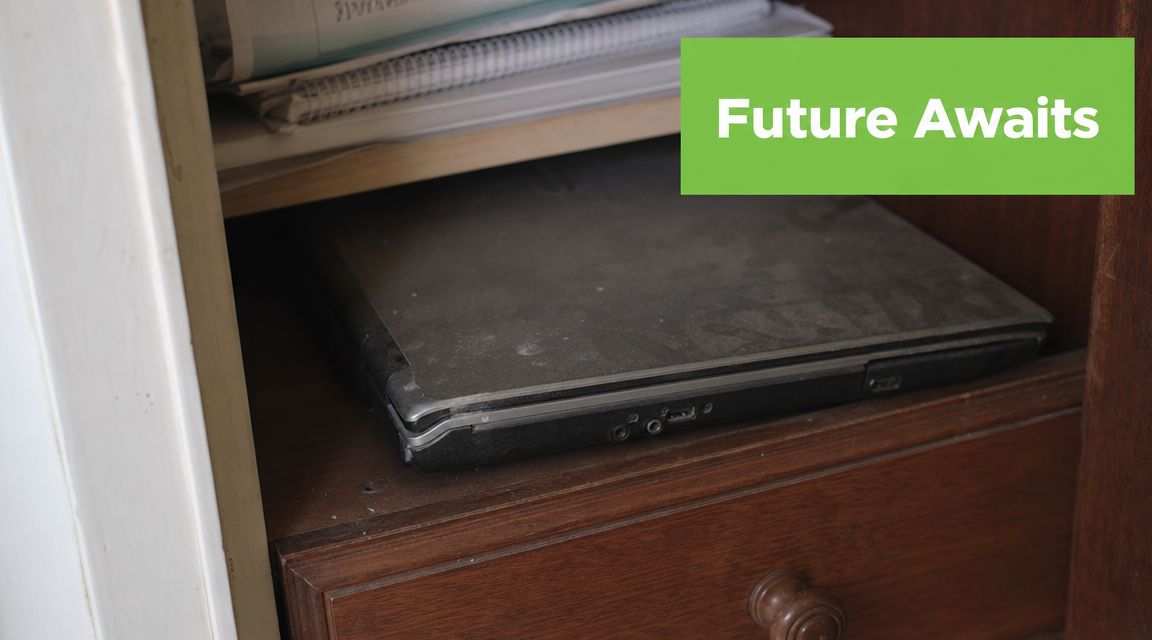
The bigger issue is uncertainty. People don't know if the machine is worth saving, and they don't want to hand over a device full of personal data. So the laptop stays at home, uncharged for months, while the owner tells themselves they'll “deal with it later”.
Practical rule: Don't start with “Where can I throw this?” Start with “Is this laptop still useful to someone?”
That one question changes everything. If the device still powers on, has a usable screen, and isn't physically dangerous, recycling may be the wrong first move. If it doesn't work, the next question becomes whether it's repairable, suitable for parts recovery, or completely at end of life.
A good outcome usually does three things at once. It protects your data, recovers any remaining value, and keeps a working machine in use for longer if that's still realistic. That's the practical side of laptop recycling in Singapore that many quick guides miss. Recycling matters, but it should usually come after you've ruled out repair, reuse, trade-in, and donation.
Why Responsible E-Waste Recycling Matters in Singapore
Once a laptop leaves your hands, control drops fast. If it goes into the wrong disposal stream, you lose visibility over data handling, battery safety, and whether any usable materials are recovered properly.
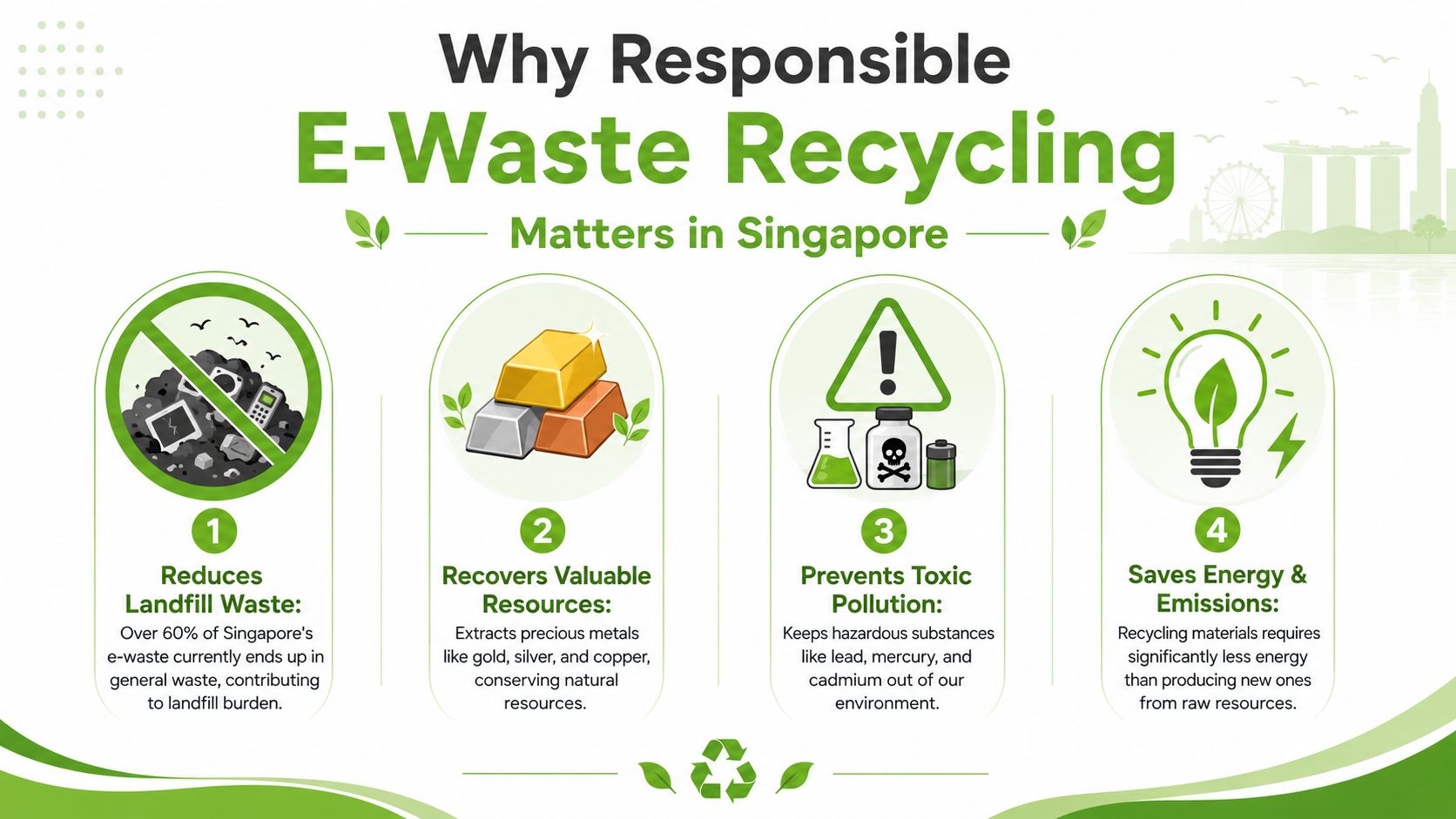
Singapore's process is more structured than many people realise. The National Environment Agency introduced the Extended Producer Responsibility scheme in July 2021, and more than 16,000 tonnes of regulated consumer e-waste had been collected under the scheme by December 2023, according to The Straits Times reporting on NEA-linked figures. The practical effect is that your old laptop enters a national collection and recycling framework, not a vague disposal chain.
Singapore also generates about 60,000 tonnes of e-waste annually, and laptops deserve extra care because they usually contain personal files, saved logins, work documents, and a lithium battery. Public guidance also notes that ICT devices should be wiped before disposal, as explained in this GovInsider article on Singapore's e-waste system.
Practical impacts beyond environmentalism
A laptop should never be treated like general rubbish. It contains metals, circuit boards, plastics, and a battery that need controlled handling. A regulated route improves the odds that recoverable materials are processed correctly and hazardous parts are handled safely.
There is also a decision-quality issue here. People often search for recycling first, even when the machine still has trade-in, repair, or resale value. In practice, the best outcome usually starts with assessment, not disposal. If the laptop still has life left, options like a used laptop trade-in in Singapore can keep the device in circulation and reduce waste before recycling is even necessary.
What works and what fails
What works is simple:
- Use Singapore's regulated collection channels for laptops that are at end of life.
- Treat data wiping as part of disposal, not an optional extra.
- Check battery condition before transport, especially if the laptop is swollen, cracked, or badly damaged.
- Assess reuse first so a repairable or resellable machine does not get scrapped too early.
What fails is common in-store too:
- Keeping dead or ageing laptops in a drawer for years because no one wants to deal with the drive.
- Putting laptops into general waste and assuming downstream sorting will handle the risk.
- Dropping off damaged devices without checking whether the collection point accepts them safely.
Responsible recycling is really about making the right call at the right stage. For a working or repairable laptop, recycling is often too early. For a machine that is unsafe, uneconomical to repair, or fully obsolete, proper e-waste recycling is the clean final step.
The Essential Prep Work Before You Say Goodbye
The riskiest part of laptop recycling in Singapore usually isn't the bin or the collection point. It's what happens before that. If you skip preparation, you can lose files, expose personal data, or create a battery safety problem during transport.
Start with the basics. Then do the secure parts properly.
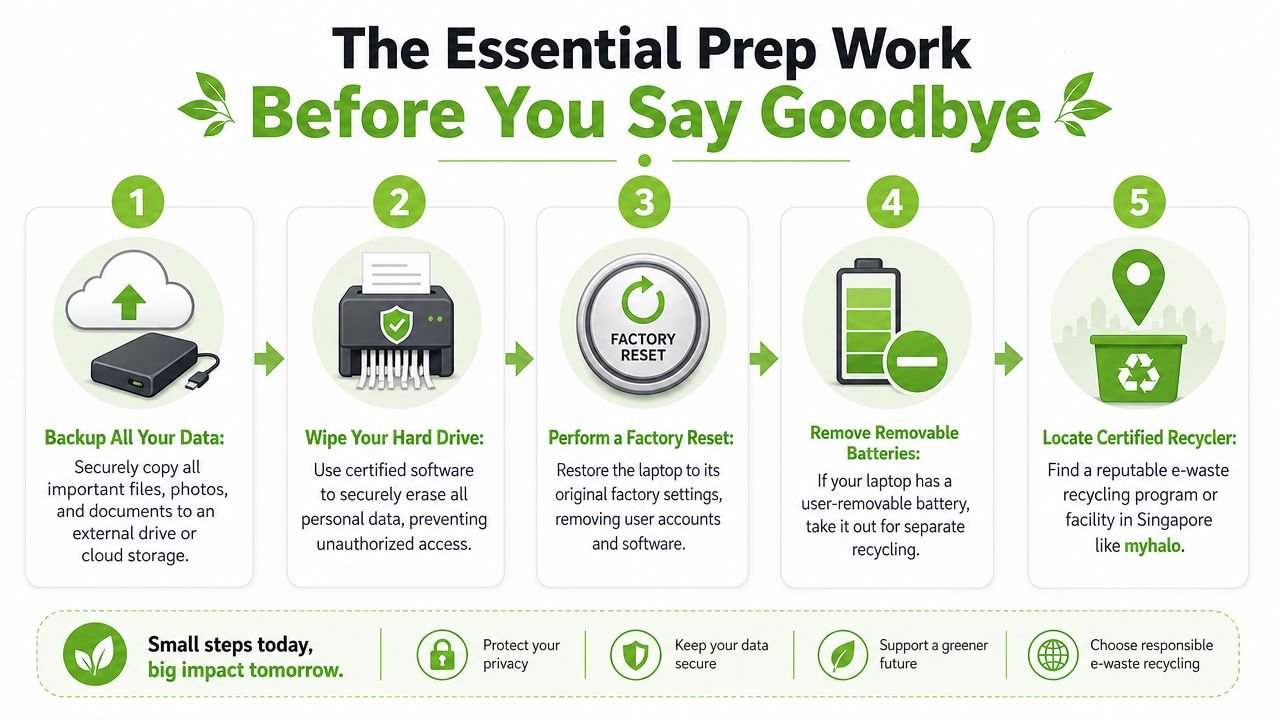
Start with a backup you can actually restore
A backup isn't useful just because files were copied somewhere. It's useful when you can open them on another device and confirm they're complete.
Before doing anything else, save what matters:
- Documents and desktop files: These are the folders people forget most often.
- Photos and videos: Check local folders, not just your phone sync apps.
- Browser exports: Saved passwords and bookmarks are easy to overlook.
- Email archives and app data: Some older setups store data locally.
- Licence keys and login access: Especially for Microsoft Office, Adobe apps, accounting software, and school platforms.
If the laptop still turns on, open random files from the backup after transfer. A backup you haven't checked is just a guess.
Wipe the storage properly
A factory reset is useful, but it isn't the same as a deliberate data wipe. If the laptop still works, erase personal data before handover. Public guidance from ALBA specifically notes that ICT devices should be wiped before disposal, and that's the right baseline for any old laptop.
For practical home users, the process usually looks like this:
- Sign out of key accounts such as Microsoft, Google, Apple ID, and any password manager.
- Disable device-linked services like Find My or activation locks where relevant.
- Use the operating system's reset tools to remove accounts and files.
- If you're especially concerned about sensitive data, get the storage device professionally wiped or physically removed for secure handling.
If the laptop held company files, legal records, NRIC scans, payroll data, or customer information, don't rely on a quick reset alone.
If you plan to sell instead of recycle, this matters even more. A buyer needs a clean machine, and you need confidence that nothing private remains. If you're comparing that route, this guide on selling a used laptop in Singapore is a helpful next read.
A short demo can help if you prefer to see the prep sequence visually before touching your files:
Check the battery before transport
This part gets ignored until the laptop is already in a bag. Don't do that.
Inspect the device before you move it:
- Look for swelling: If the base is bulging, the trackpad is lifting, or the chassis doesn't sit flat, stop there.
- Check for heat history: A laptop that became unusually hot while charging may need caution.
- Remove a user-removable battery if present: Older business laptops sometimes allow this.
- Keep accessories together: Charger, dock, and adapter can go through the same decision process, but don't stuff damaged batteries loosely with cables.
If a battery looks swollen or unstable, avoid pressing on the casing or trying to force the laptop shut. Hand that unit over through a staffed or safer collection route rather than treating it like ordinary electronics.
Recycle, Trade-In, Donate, or Repair? Choosing the Right Path
A lot of people search for laptop recycling in Singapore when what they really need is a decision tree. Recycling is one path, not the only path. For many laptops, the smarter order is simple: repair first, reuse second, recycle last.
That matters because access alone hasn't solved the problem. An NEA study reported that households recycle only about 6% of estimated domestic e-waste, while three in five residents do not know or are unsure how to recycle it, according to Channel NewsAsia's report on the study. In practice, people often need help choosing, not just directions to a bin.
Choosing the Best Path for Your Old Laptop
| Path | Best For... | Potential Payout | Our Tip |
|---|---|---|---|
| Repair | A laptop that still has decent specs, sentimental value, or only one failing part | Usually indirect value through longer use | Choose this when the screen, battery, storage, keyboard, or charging issue is fixable and the machine still fits your daily tasks |
| Trade-in | A working or partly working laptop with resale demand | Possible, depending on condition and model | Good if you want a simple handover and don't want to manage listings, meetups, or buyer disputes. For current options, see this guide to laptop trade-in in Singapore |
| Donate | An older but usable laptop that can still handle basic browsing, schoolwork, or office tasks | None | Donate only after wiping the device properly and checking that it's genuinely usable, not just “switches on” |
| Recycle | A laptop that fails functional testing, has board damage, severe battery issues, or isn't economical to restore | None | Use this when the device is truly end-of-life and no realistic second life remains |
Here's the practical shorthand used at the counter.
If the laptop powers on, takes a charge, and can run normal tasks after cleanup, don't recycle it yet. If it doesn't power on but the body and board aren't obviously destroyed, assess repair or trade-in first. If the machine is physically compromised, water-damaged beyond recovery, or has battery swelling plus low residual value, recycling usually becomes the sensible route.
One useful thing to consider if you're handing a laptop to someone outside your immediate area is transport risk. If you're packing a device for valuation, resale, or service, this guide on how to optimize laptop shipping with SelfServe gives practical context on protecting the device in transit.
The wrong move isn't choosing recycling. It's choosing recycling before you've checked whether the laptop can still serve another user.
For people who want one place to evaluate the condition, attempt repair, or move into trade-in without juggling multiple vendors, myhalo handles those paths in a single workflow. That's useful when your device sits in the grey zone between “still usable” and “probably done”.
Your Official Laptop Recycling Options in Singapore
If you've already decided the laptop is at end of life, use Singapore's official channels properly. The system includes more than 870 ALBA e-waste bins, as well as quarterly collection drives and retailer take-back points, according to ALBA's official e-waste information. That gives you more than one route, which matters if the laptop is bulky, damaged, or comes with accessories.
What goes where
For a standard old laptop, the official options are fairly straightforward:
- ALBA e-waste bins: Suitable for many small electronics and ICT items.
- Quarterly collection drives: Useful when you prefer a scheduled handover point in your estate.
- Retailer take-back points: Helpful if you're replacing a device and want a same-trip solution.
Chargers, cables, and adapters should be sorted sensibly with the device instead of left loose in random bags at home. If you're recycling multiple accessories with the laptop, keep them together so nothing gets forgotten.
What not to do
Two mistakes show up often.
- Don't leave bulky e-waste outside a bin. NEA-backed guidance is clear that bulky items should not be left outside collection bins.
- Don't ignore battery safety. Rechargeable batteries should have exposed ends taped before recycling to reduce short-circuit and fire risk.
If the laptop won't fit comfortably into a collection bin, use a collection drive or a staffed channel instead of forcing it. If the battery is swollen, damaged, or visibly unstable, treat that as a handling issue first, not a convenience issue.
A good handover is tidy. The laptop is wiped, the battery is checked, removable accessories are gathered, and the item goes through the right channel instead of the nearest one.
The Smartest Choice: Extending Your Laptop's Life with myhalo
A lot of laptops that get sent for recycling in Singapore are not yet at end of life. They are slow, have a worn battery, a cracked hinge, or a failed SSD. Those are repair decisions first, not recycling decisions.
If the machine still powers on, can hold a basic workload, or can be restored at a sensible cost, keeping it in use is usually the better outcome. That could mean fixing it for your own use, passing it to a family member, trading it in, or refurbishing it for a second owner. Recycling still matters, but it should come after you have ruled out the options that preserve more value.
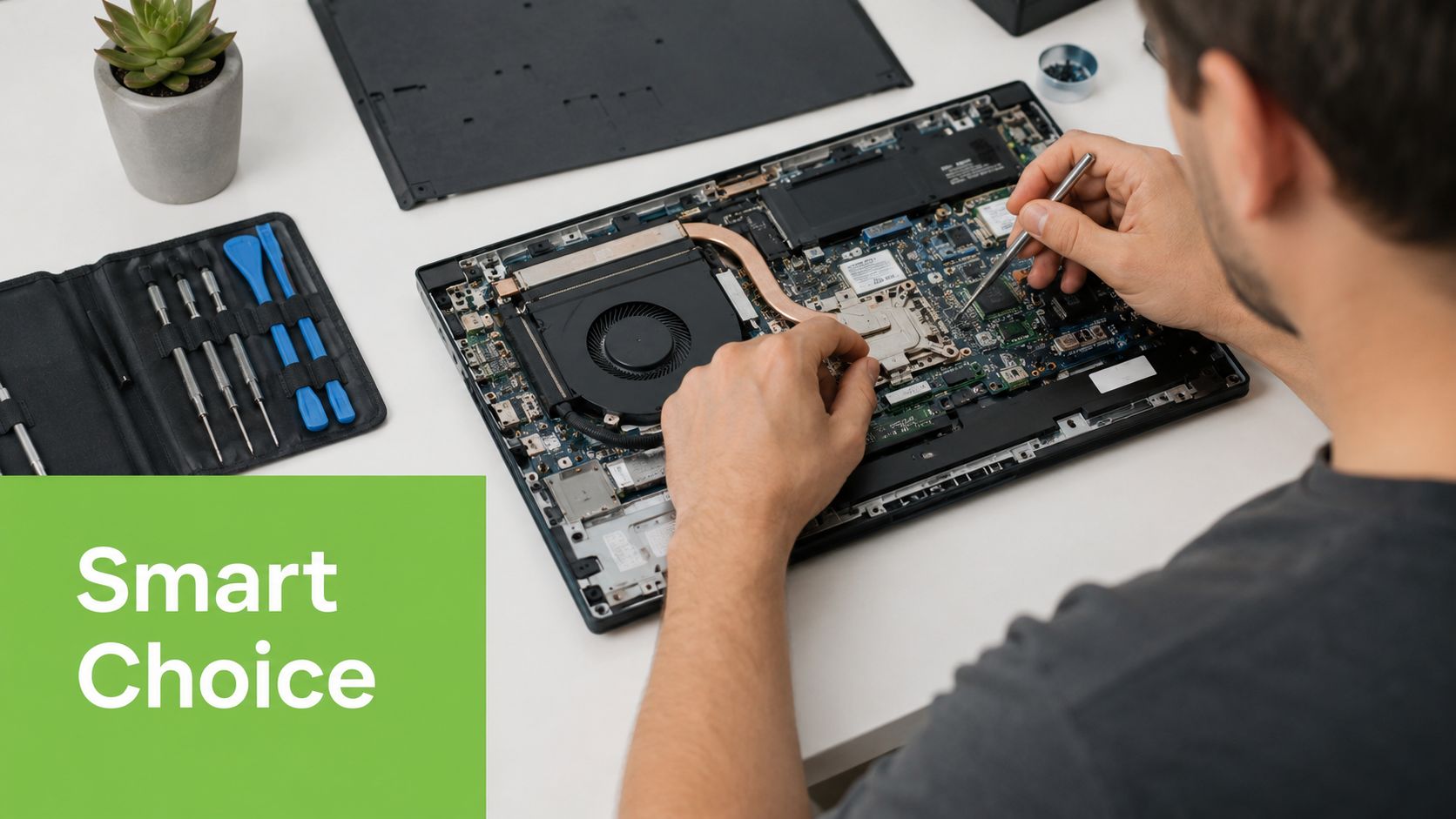
The practical question is simple. Is the laptop worth restoring, and for whom? A five-year-old business laptop with a healthy motherboard may still be useful with a battery change and fresh storage. A low-end unit with board damage and poor parts availability may not justify the spend. The right choice depends on repair cost, remaining performance, battery condition, and whether someone can still use the machine safely and productively.
If you want a clear benchmark for what a proper second-life device should look like, this guide to refurbished laptop computers helps set the standard. A real refurbishment process is not just a quick reset. It should include testing, part replacement where needed, cleaning, and a realistic check on whether the laptop is still fit for daily use.
myhalo is a practical starting point if you are stuck between repair, trade-in, and retirement. We look at the condition of the device first, then help you choose the route that makes sense. That means recovering value where possible and sending a laptop for recycling only when reuse is no longer technically or economically sensible.