





Laptop for 3D Rendering: The 2026 Singapore Buyer's Guide
You're probably here because your current laptop has already told you the truth. The viewport stutters when you orbit a dense scene. Blender hangs when you load high-resolution textures. A render that should feel like a coffee break turns into your whole afternoon. That's usually the moment people realise a laptop for 3D rendering isn't just a faster version of an office machine. It's a different class of tool.
In Singapore, the decision gets trickier. Many buyers need one machine for class, client work, commuting, and home use. That means performance matters, but so do heat, battery life, weight, and long-term value. The usual advice online focuses on buying new. What often gets ignored is a more practical question. Should you buy a brand-new mid-range laptop, or a professionally refurbished higher-end machine with stronger real-world rendering hardware?
Table of Contents
Choosing Your Next 3D Rendering Laptop
The first thing to get right is the baseline. A capable laptop for 3D rendering should have a discrete NVIDIA RTX or AMD Radeon GPU, a multi-core Intel Core i7/i9 or AMD Ryzen 7/9 CPU, at least 16GB RAM, preferably 32GB or 64GB, plus a 512GB to 1TB SSD because render performance depends on both compute power and memory capacity, and a fast SSD helps avoid file-loading bottlenecks, as outlined by Creative Bloq's laptop guidance for 3D modelling.
That baseline already rules out a lot of machines people casually shortlist. Ultrabooks with integrated graphics might look attractive in a shop. They're slim, quiet, and easy to carry. But once you open a proper scene with heavy geometry, particle systems, or multiple texture maps, they stop feeling “portable” and start feeling restrictive.
What matters most before you compare brands
Don't start with logo, colour, or whether the laptop looks “creator-focused”. Start with workload.
- If you model simple assets or learn Blender: you can begin with entry-level dedicated graphics, but you still want headroom.
- If you render animations, interiors, or product scenes: memory and GPU strength become much more important.
- If you use one machine for study and paid work: buy for the heavier task, not the lighter one.
Practical rule: Buy the laptop for the scene you expect to build in a year, not the scene you can render today.
This matters for students too. If you're moving into a technical or creative course path, something like the Access Courses Online computing diploma gives useful context on how computing and creative workflows intersect. It helps if you're trying to understand why hardware choices affect the software you'll end up using.
A smarter way to shop in Singapore
Buyers here often need to balance performance with budget. That's why it helps to compare both new and refurbished options side by side instead of looking only at current retail launches. A broader shortlist, including high-performance laptops and desktops in Singapore, usually makes the trade-offs clearer.
The right purchase isn't the flashiest machine. It's the one that keeps your viewport responsive, your renders stable, and your upgrade cycle sensible.
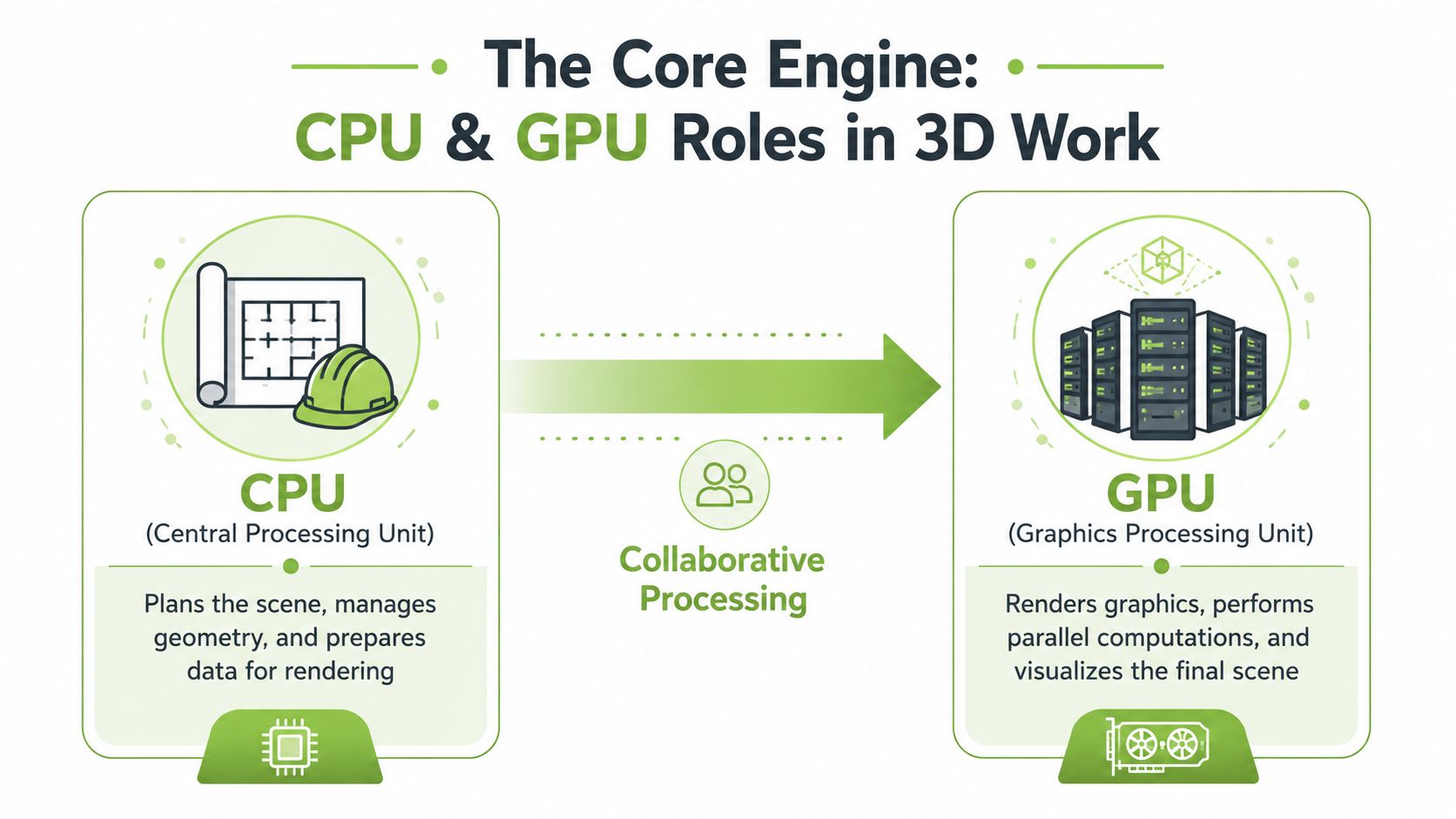
The Core Engine CPU and GPU Roles in 3D Work
A lot of first-time buyers obsess over the GPU and ignore the CPU. That usually leads to an unbalanced machine.
Think of the CPU as the architect and site manager. It organises the scene, handles modelling operations, coordinates simulation tasks, and keeps the project moving in the background. The GPU is the construction crew. It does the heavy parallel work that makes viewport performance and GPU rendering feel fast.
What the CPU actually affects
If you spend hours modelling, editing geometry, baking simulations, or managing large files, the CPU still matters a lot. A weak processor can make the whole machine feel delayed even if the GPU looks decent on paper.
You'll notice CPU limits when:
- Scenes take too long to prepare before rendering starts.
- Modifiers and simulations lag when you change settings.
- Multitasking gets messy with reference windows, Photoshop, browser tabs, and your 3D app open together.
A machine with a stronger multi-core Intel Core i7/i9 or AMD Ryzen 7/9 generally feels more dependable for mixed creative work. It won't magically fix every bottleneck, but it stops the rest of the system from dragging behind.
Where the GPU earns its keep
The GPU changes your day most clearly during viewport shading and final rendering in GPU-friendly engines. If your software supports CUDA, OptiX, or other GPU acceleration paths, a stronger graphics chip can make previews smoother and renders less painful.
A fast GPU saves time twice. First in the viewport, then again at final output.
That said, not every rendering problem is a GPU problem. If you run out of VRAM, or your system RAM is too small for the project, even a capable graphics chip won't feel capable. That's why balanced specs matter more than chasing a single component.
Don't build your buying decision around one headline spec
Laptop listings love big labels like “RTX graphics” or “AI-ready”. Those labels don't tell you whether the full machine is usable for sustained 3D work. You need the CPU and GPU to complement each other. If one is strong and the other is weak, your workflow will expose the mismatch very quickly.
A good laptop for 3D rendering feels even under load. It doesn't just benchmark well for five minutes.
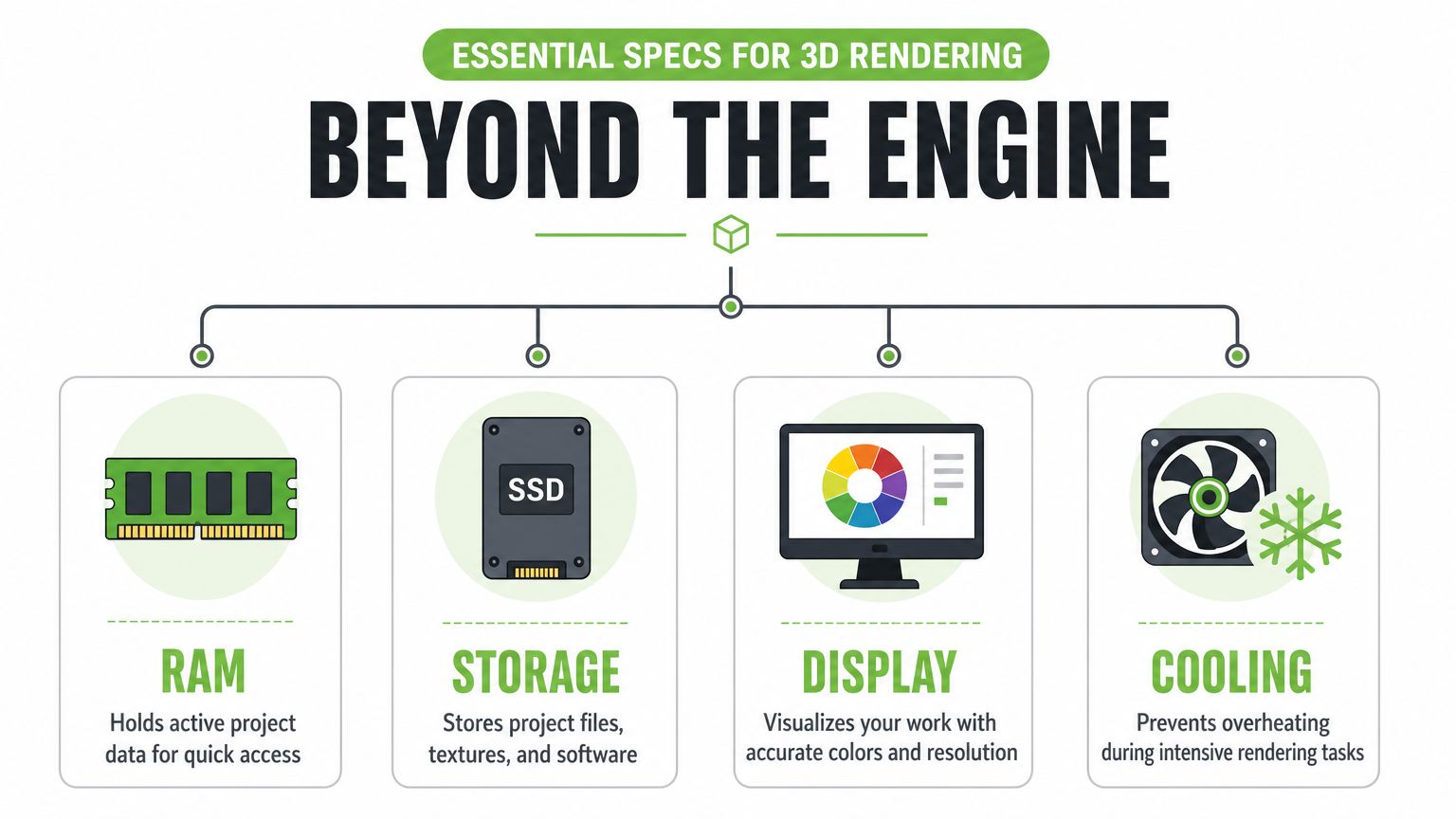
Beyond the Engine Essential Specs for Rendering
CPU and GPU get most of the attention, but secondary specs often decide whether a laptop feels smooth or frustrating after a month of actual use.
RAM is your workbench
RAM is the active workspace where your textures, geometry, caches, and application data sit while you work. If that workspace is too small, the laptop starts leaning on storage as overflow. That's when everything slows down and feels sticky.
For serious 3D rendering, Dell recommends at least 32GB of RAM, because large textures, geometry, and scene files need to remain accessible during computation. For Singapore users who prefer compact and portable systems, that's an important warning because many thin-and-light laptops are under-specced unless they can be configured with 32GB RAM for long renders without performance drops, according to Dell's 3D rendering laptop guidance.
A simple way to put it:
- Good: 16GB for light learning, simple scenes, and basic asset work.
- Better: 32GB for dependable project work and fewer memory headaches.
- Best: 64GB if your scenes are consistently large or your software stack is heavy.
If your budget only allows one meaningful upgrade, RAM is often the one that keeps a laptop useful for longer.
Storage affects daily friction
Storage doesn't render frames, but it changes how the whole machine behaves. Slow storage makes loading assets, opening project files, and caching previews feel clumsy.
Look for:
- An NVMe SSD for active work so software launches quickly and projects stay responsive.
- Enough room for assets because texture libraries, renders, and caches accumulate fast.
- A sensible split between current projects and archived work, using external storage if needed.
A 512GB SSD works as a floor. A 1TB drive is much more comfortable if you regularly keep project folders, reference material, and output files on the same machine.
Display quality changes creative decisions
A weak display won't make your render slower, but it can make your judgement worse. If brightness is poor, colours shift off-angle, or resolution feels cramped, you'll second-guess materials and lighting more often.
For 3D work, a better display helps with:
- Material review, especially in product and interior visualisation
- Texture checks, where subtle differences matter
- Long sessions, because poor panels are more tiring than people expect
If you can choose, prioritise a panel with solid colour consistency and enough resolution to keep your interface comfortable. A good screen doesn't just look nicer. It helps you make fewer correction passes later.
Don't judge a creator laptop by the sticker on the palm rest. Judge it by the panel you'll stare at for hours.
Cooling decides whether specs hold up
Cooling is the spec many people ignore until their first long render. On paper, two laptops can look similar. Under sustained load, the one with better thermals often performs more consistently.
This matters even more in Singapore. Warm surroundings, smaller rooms, and mobile use make thermal design harder to ignore. A laptop that feels fast for short bursts can throttle during extended rendering, simulation, or batch exports.
Watch for these red flags:
- Very thin chassis with high-end parts
- Minimal rear or side venting
- Fan noise rising quickly during light viewport work
- Keyboard deck getting hot early
If you're choosing between a thinner machine and a thicker one with better cooling, the thicker one is often the safer rendering laptop. Not glamorous. Just practical.
Performance Tiers What to Expect for Your Budget
Not everyone needs the same class of machine. The mistake is buying too low for your actual workload, or paying for a top-tier system when your projects don't need it.
The useful way to shop is by performance tier, not by marketing label. Recent market availability has made this easier because RTX 4050 and RTX 4060 laptops have become mainstream in the budget-to-midrange segment, while the RTX 4070 Laptop GPU with 8GB of GDDR6 VRAM is widely treated as a strong benchmark for 3D artists, as noted in this 2026 laptop roundup and ASUS-aligned guidance video.
For buyers trying to stretch value, it also helps to compare against broader affordable laptop options in Singapore, especially when deciding whether to spend more now or compromise on specs.
3D Rendering Laptop Performance Tiers 2026
| Tier | Ideal For | CPU | GPU | RAM | Estimated Price (SGD) |
|---|---|---|---|---|---|
| Entry-Level Creator | Students, hobbyists, simple Blender work, basic visualisation | Multi-core Intel Core i7 or AMD Ryzen 7 | RTX 4050 or RTX 4060 | 16GB, preferably upgradeable | Budget to mid-range |
| Prosumer Powerhouse | Freelancers, animation learners, heavier scenes, regular rendering | Multi-core Intel Core i7/i9 or AMD Ryzen 7/9 | RTX 4060 or RTX 4070 | 32GB | Mid-range to upper mid-range |
| Professional Workstation | CAD, complex assemblies, architectural visualisation, long render sessions | Multi-core Intel Core i9 or AMD Ryzen 9 | RTX 4070 or better, or workstation-class alternatives | 32GB or 64GB | Premium |
Entry-level creator
This is the tier that finally makes dedicated 3D work realistic for more people. An RTX 4050 or 4060 laptop can handle learning workflows, small to medium scenes, and portfolio building without forcing you into workstation pricing.
It's a sensible tier if you're still exploring your tools. It's less sensible if you already know you'll be dealing with dense assets, complex lighting, or larger client projects.
Prosumer powerhouse
Laptops move beyond being compromise machines and become reliable. A good CPU, a stronger mid-range GPU, and 32GB RAM usually create a much smoother working rhythm.
For many Singapore-based freelancers and design students, this is the sweet spot. You get mobility, enough graphics muscle for serious rendering, and fewer moments where memory limits interrupt your flow.
Professional workstation
This tier is for people whose software and projects punish weak hardware quickly. Larger CAD assemblies, texture-heavy visualisation, and sustained rendering sessions benefit from more RAM, more VRAM, and better thermal headroom.
If your work pays your bills, stability matters as much as speed.
This is also the tier where refurbished high-end laptops become interesting. A slightly older workstation-class model can sometimes offer stronger practical specs than a shiny new consumer laptop in the same budget band.
Software Needs and Performance Optimisation
Specs only make sense when matched to the software you use. A laptop that feels balanced for Blender might feel mismatched for another workflow depending on whether your time goes into modelling, simulation, look development, or final rendering.
Different apps stress different parts
Blender users often feel GPU upgrades quickly when working with GPU rendering and viewport shading. But if your day is mostly modelling, scene setup, modifiers, or simulation prep, CPU responsiveness still shapes how smooth the machine feels.
Cinema 4D, V-Ray, Lumion, and CAD-adjacent workflows all place slightly different pressure on the system. Some jobs care more about GPU acceleration. Others punish low RAM first. That's why “good for 3D” is too vague to be useful.
If you're still deciding where your workflow is heading, a broader guide to choosing animation software can help you think through the software side before you lock in hardware.
Simple optimisations that actually help
You can get better performance from almost any machine if you work a bit more deliberately.
- Use lighter viewport settings when blocking scenes. Full-quality shading all the time wastes resources.
- Replace heavy assets with proxies during scene assembly. Keep the high-detail versions for final output.
- Trim texture sizes where possible. Not every asset needs oversized maps.
- Close background apps before long renders, especially browser tabs and sync-heavy tools.
- Render in sensible passes when a single giant output becomes unstable.
A lot of people buy a stronger laptop when the bigger issue is messy scene management. Hardware matters, but disciplined files and clean scenes matter too.
The fastest render setup is often the one with fewer unnecessary polygons, fewer oversized textures, and fewer bad habits.
Match the machine to your dominant task
If your week is mostly viewport modelling and occasional renders, don't overbuy for rendering alone. If your week is client revisions, animation output, and repeated test renders, lean harder into GPU, RAM, and cooling.
That's the difference between buying a laptop you admire on paper and one you're happy to use every day.
The Smart Choice New vs Refurbished High-End Laptops
A lot of buyers assume new automatically means better. In 3D work, that isn't always true.
The most overlooked question in this category is whether a new mid-range laptop or a professionally refurbished higher-tier machine gives better real value. That trade-off matters in Singapore, where sustainability and affordability both influence buying decisions. It's also a meaningful one for rendering because a refurbished workstation-class laptop with more RAM and VRAM often outperforms a new consumer laptop at the same budget for demanding Blender or CAD workloads, as discussed in this analysis of 3D rendering laptop requirements and recommendations.
Why the used high-end route often wins
A new consumer laptop usually sells aspiration. Thin body. Fresh release. Current branding. Sometimes RGB.
A refurbished workstation-class machine often sells function instead:
- More memory headroom
- Stronger cooling
- Better build quality
- Ports that creative users need
- Hardware that was designed for sustained load, not occasional bursts
That difference shows up during long exports, scene navigation, and heavy multitasking. It also matters if you keep a machine for several years rather than replacing it quickly.
For a closer look at what to evaluate, this guide to refurbished laptop computers in Singapore is a useful starting point.
What to check before you buy refurbished
Refurbished is only a smart option if the seller is transparent about condition and testing. You want to know how the device was graded, whether there's a warranty, and what quality control has been done.
That's where practical retailer standards matter more than marketing language. In Singapore, some buyers look at providers such as myhalo because the business offers both new and professionally refurbished devices, transparent grading such as As-New and ReLoved tiers, warranties tied to condition, and a 30-point quality check process. Those details matter more than a generic “used laptop” label.
Before you commit, ask these questions:
- Can the RAM and storage be upgraded later?
- What warranty applies to this exact unit?
- What cosmetic grade am I buying?
- Has the battery been checked for health and consistency?
- Is this a consumer chassis or a workstation chassis?
Here's a useful walkthrough on what to look for in a rendering-class machine:
A refurbished high-end laptop isn't automatically the right answer. But if your priority is rendering value rather than launch-year prestige, it often deserves to be on the shortlist before a new mid-range model.
Frequently Asked Questions
Do I need a workstation GPU or is GeForce RTX enough
For many Blender, rendering, and visualisation users, GeForce RTX is enough. It gives strong performance for common creative workloads and is often the more practical choice in a laptop. Workstation-class graphics can make sense for specialised CAD environments, certified software pipelines, or businesses that prioritise validation and long-term deployment consistency over raw value.
If you're a student, freelancer, or general 3D artist, GeForce RTX is usually the more sensible starting point.
How important are Thunderbolt and other ports
Ports are more important than commonly realized. A 3D artist often connects external storage, a monitor, a mouse, a drawing tablet, or wired networking during file transfers. If the laptop is thin but forces you into dongles for everything, daily use gets annoying fast.
Prioritise practical connectivity over a cleaner spec sheet. A machine with better ports often fits creative work better than a slightly slimmer alternative.
Can I upgrade RAM or storage later
Sometimes yes, sometimes no. That depends entirely on the chassis design. Some laptops allow RAM and SSD upgrades. Others have soldered memory, which limits how far you can extend the machine later.
If you're buying for 3D work, this isn't a small detail. Upgradeability can turn a decent machine into a long-term machine. Before you buy, confirm exactly what is replaceable and what is fixed.
If you're comparing a new mid-range laptop with a refurbished higher-spec machine, start with the workload and memory needs first, then check the actual condition and support behind the device. For buyers in Singapore who want a practical mix of performance, affordability, and sustainable tech choices, myhalo is one place to compare both new and professionally refurbished options without treating 3D work like a generic laptop purchase.