





iCloud Lock Check: How to Verify Activation Lock Status
You're at a Singapore café or MRT meetup, holding a clean-looking used iPhone that powers on normally. The seller says it has been reset, you check the screen quickly, and the transaction feels routine. The problem appears later, when setup asks for someone else's Apple Account details and the phone refuses to activate.
That situation is avoidable. A proper iCloud lock check, more accurately called an Apple Activation Lock check, must be combined with an IMEI blacklist check and a physical inspection. A device can look perfect yet remain tied to another account, blocked from Singapore carrier networks, or contain parts with restricted calibration.
Table of Contents
- Why an iCloud Lock Check Matters Before You Buy
- How to Check Activation Lock Status on Any Apple Device
- Red Flags That Signal a Locked or Problematic Device
- Your Pre-Purchase Verification Checklist
- What to Do If the Device Is Already Locked
- How Certified Refurbishment Protects You from Lock Risks
Why an iCloud Lock Check Matters Before You Buy
Activation Lock is Apple's anti-theft protection connected to Find My. When an iPhone, iPad, Mac or Apple Watch remains linked to its previous owner's Apple Account, a reset doesn't necessarily make it transferable. During setup, the device can still request the former owner's account credentials, leaving the buyer unable to complete activation.
Singapore buyers face a second risk alongside the Apple-side lock. The local lost-and-stolen workflow uses the device's IMEI, the identifier used by carriers and authorities for blacklist processing. Singapore-focused guidance explains that once a stolen phone's IMEI is blacklisted in the IMDA database, it can't register on a Singapore carrier network, which is why an IMEI blacklist and iCloud lock check for Singapore devices should happen before payment.
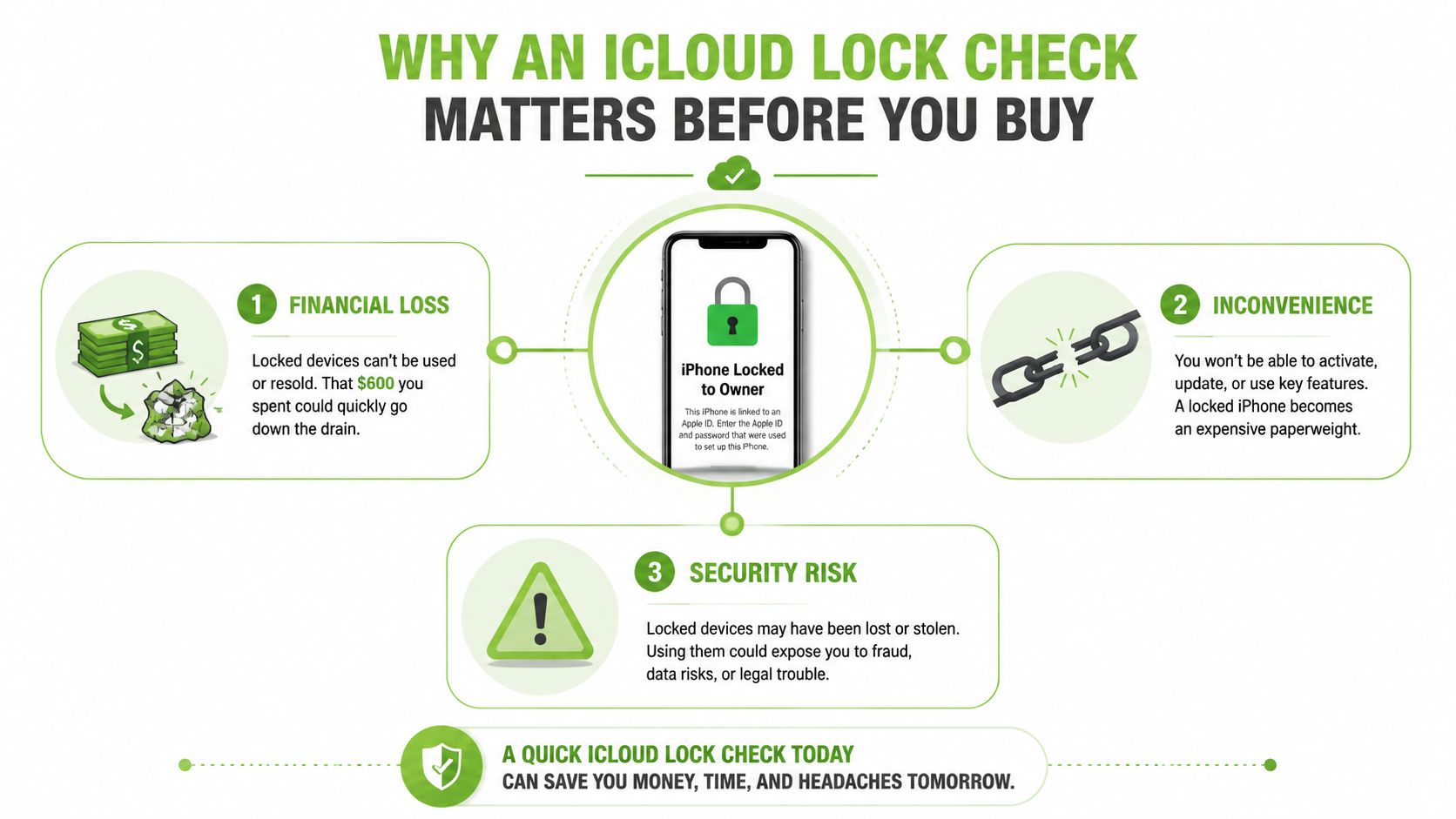
Two different failures can affect one phone
These checks answer different questions:
- Activation Lock: Can the next owner activate the device under a new Apple Account?
- IMEI status: Can the device register on Singapore's mobile networks?
- Physical condition: Are the display, battery, cameras, housing and logic board consistent with the listing?
A seller may have forgotten to sign out. They may also be unable to remove the lock because they don't control the Apple Account. The explanation matters less than the result. If the seller can't remove the account linkage in front of you, the phone isn't ready for sale.
Singapore's digital-security environment makes account-device binding particularly relevant. Official Singpass guidance says activating Singpass on a new phone automatically deactivates the app on the old lost device, while the Singapore Police allow lost-or-stolen item checks using a unique serial number. Carriers including Singtel, StarHub and M1 support service suspension and IMEI blocking processes, so a used iPhone's history can affect both account access and network usability.
Practical rule: Don't pay for a used Apple device until the seller has shown that it can be erased, activated and used without another person's Apple Account.
For broader buying guidance, keep this refurbished phone inspection guide alongside your transaction checklist. It helps place lock status in context, because a clean account state doesn't confirm battery health, repair quality or authenticity.
How to Check Activation Lock Status on Any Apple Device
You are meeting a seller in Singapore with an iPhone that looks clean, matches its box, and accepts your SIM. The sale can still fail if Activation Lock remains attached to someone else's Apple Account. Check the account state on the device, then test activation yourself. A serial-number lookup can support an identity or coverage check, but it cannot replace this test. Apple's Find My settings guide explains the relevant account settings.
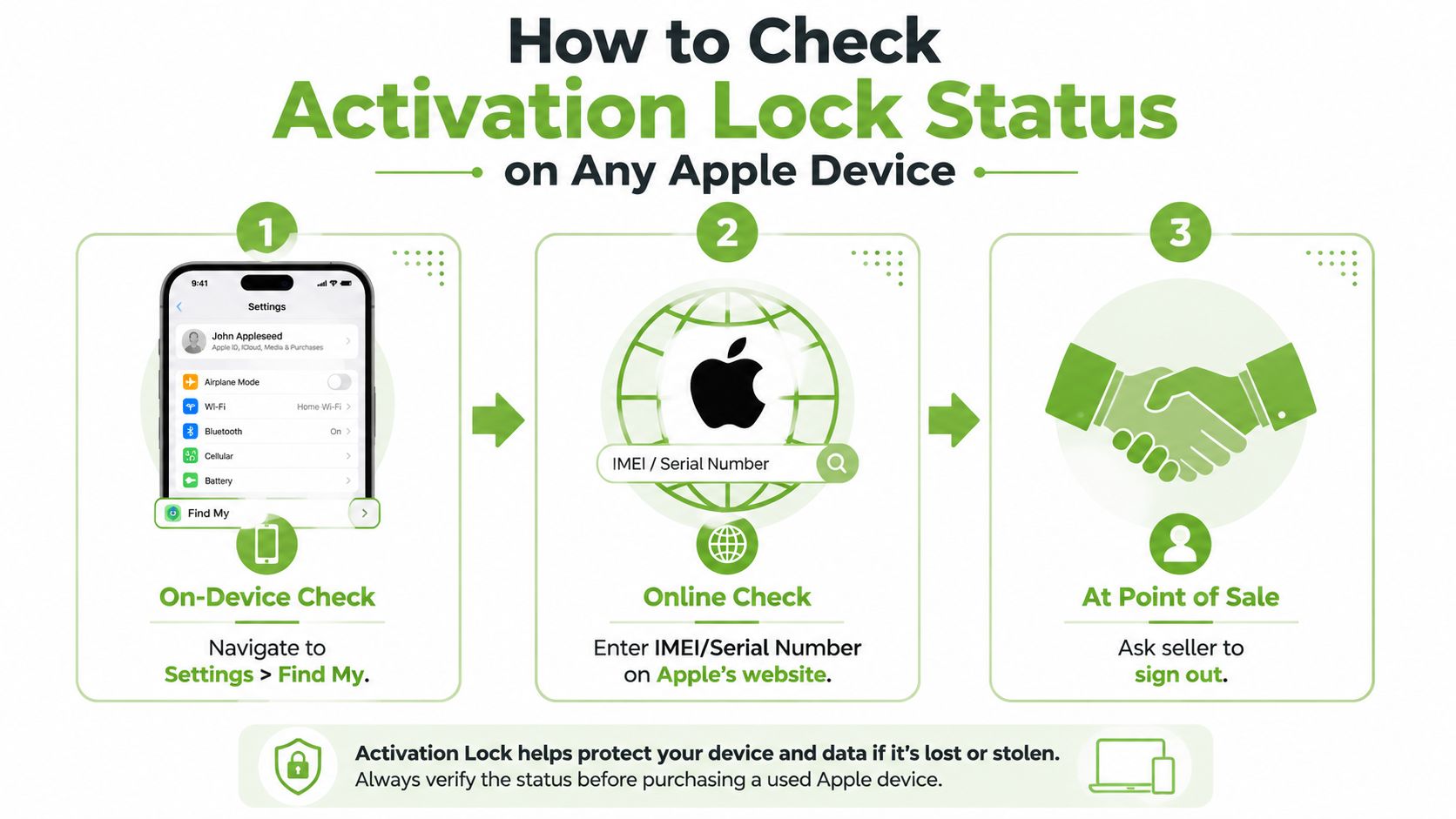
The on-device method
Ask the seller to perform these steps while you watch:
- On an iPhone or iPad, open Settings > [owner's name] > Find My.
- Confirm that Find My can be turned off on that device.
- Have the seller sign out of the Apple Account.
- Ask the seller to erase the device through its normal settings.
- Start setup yourself. The device should reach the Hello screen and continue without requesting the previous owner's credentials.
Do not pay on a promise that the seller will remove the account later. The transaction should end with an erased device ready for your Apple Account. This also gives you a chance to check whether the phone activates normally, rather than relying only on an IMEI or serial-number result.
Use this visual walkthrough during preparation or an in-person meetup:
Remote removal and other Apple devices
If the seller no longer has the iPhone, they can sign in at iCloud.com/find, select the device and choose Remove This Device. This changes the account association directly. It is not a result from a third-party database, and the owner can still take this action when the device is offline.
For a Mac, check System Settings > Apple Account and confirm that the seller can disable Find My Mac. Organisation-owned Macs and iPads require extra care because management controls may remain after a staff member leaves. Apple directs buyers to the relevant IT department or manager for removal.
Apple Watch follows the same ownership principle. If Find My Apple Watch is still shown, Activation Lock remains active, so the previous owner must remove the watch from their account.
Account clearance is only one part of a Singapore purchase. Pair it with checks for network access, repair-part restrictions, condition and seller records using this guide to buy a second-hand iPhone in Singapore. An iPhone can pass the account test and still be IMEI-blacklisted or assembled with parts that limit later servicing.
Red Flags That Signal a Locked or Problematic Device
The most useful warning signs appear when the seller controls the testing process. A seller who insists on shipping first, refuses a live setup test or says the account can be “fixed later” is making the transaction harder to verify.
A phone that stops at an Activation Lock screen is an immediate refusal. The same applies to an iPhone that reaches the Hello screen but asks for the previous owner's Apple Account during activation. A factory reset, new SIM card or standard software restore won't give you legitimate ownership access.
Look beyond the screen
Compare the IMEI and serial number shown in Settings > General > About with the packaging and physical identifiers where available. An unexplained mismatch can point to a housing change, logic board replacement or parts assembly. That doesn't prove theft, but it does justify a deeper inspection and written explanation from the seller.
Apple's parts-security documentation also creates a refurbishment issue. If a supported part came from another iPhone with Activation Lock or Lost Mode enabled, calibration for that part can be restricted during repair. Buyers therefore need to ask not only whether the phone activates, but whether its repair history could affect future servicing.
The Singapore Police reported a March 2025 case involving suspected sale of counterfeit mobile phones, reinforcing that lock status isn't the only secondhand-market risk. Authenticity, provenance and repair quality deserve the same attention.
| Red Flag | What It Likely Means | Risk Level |
|---|---|---|
| Seller won't demonstrate sign-out | The account may remain active, or the seller may not control it | High |
| Device asks for another Apple Account | Activation Lock remains enabled | Critical |
| IMEI or serial mismatch | Housing, logic board or parts history may be unclear | High |
| Unusually low price with little paperwork | Provenance or blacklist risk may be unresolved | High |
| Part warnings or unfamiliar repair messages | Component pairing or calibration may be restricted | Medium to high |
| Seller offers only screenshots | The evidence may not show a genuine erase and activation | Medium |
A phone that powers on isn't automatically a phone you can own.
Your Pre-Purchase Verification Checklist
Use the same order every time. The sequence prevents a polished exterior or a rushed meetup from distracting you from the account and network checks.
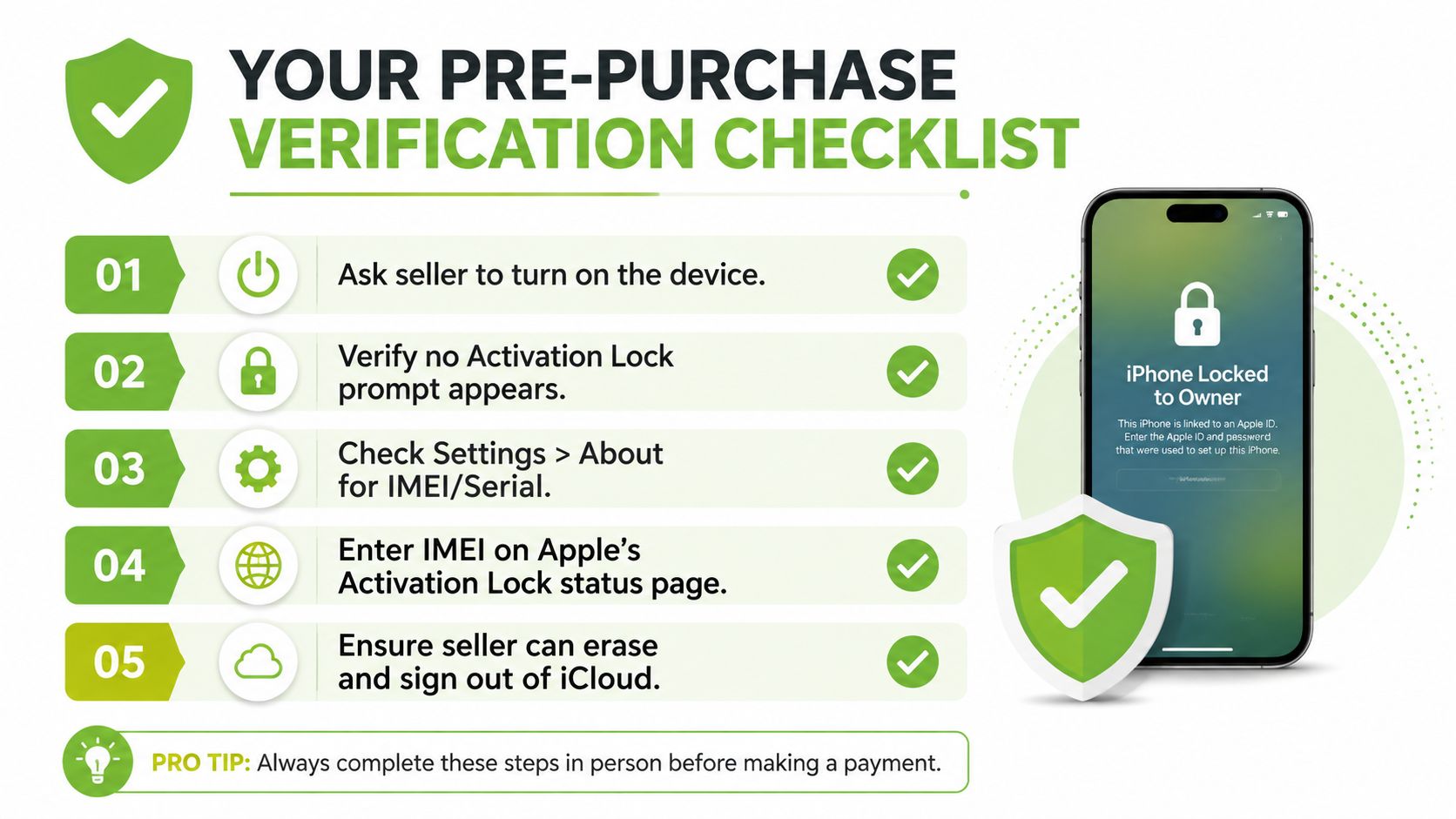
Start with ownership status
- Ask the seller to power it on: Don't rely on a photograph. Watch the device boot and interact with it.
- Check the current account: Open Settings and look at the account name at the top. If it belongs to someone else, ask the seller to sign out.
- Open Find My: Go to Settings > [name] > Find My. The seller must be able to disable Find My before the transaction.
- Test the erase: Ask the seller to use the normal erase process and enter their credentials when prompted. A reset performed without the owner's credentials may leave Activation Lock active.
- Begin setup: Continue far enough to confirm the phone doesn't ask for the previous owner's Apple Account.
Match the identifiers
Open Settings > General > About and record the serial number and IMEI. Compare them with the device information supplied by the seller and any physical identifier that remains available. If the numbers don't align, pause the purchase rather than accepting a vague explanation about replacement parts.
Use a second device to access Apple's coverage service for supporting information. Coverage details can help identify an apparently genuine device, but they don't prove that Find My or Activation Lock has been removed. The decisive evidence is the seller's account removal and your activation attempt.
Inspect the hardware before payment
Look for mismatched screws, uneven display fitting, housing gaps, unusual camera behaviour and part-serialization warnings. Check battery health, Face ID or Touch ID, charging, speakers, microphones, cameras and mobile connectivity. An account-clean phone can still be a poor purchase if repair work has reduced reliability or future service options.
Run the IMEI through a Singapore-focused blacklist check and ask the seller for purchase documentation. Never hand over cash until the digital, network and physical checks agree. If a seller rushes you because another buyer is supposedly waiting, treat that pressure as a reason to stop, not a reason to skip verification.
What to Do If the Device Is Already Locked
If setup displays Activation Lock, stop treating the device as a normal purchase. Do not pay for an alleged bypass, try questionable software or assume a Finder restore will remove the lock. The account owner, an organisation's IT administrator or Apple's supported proof-of-purchase process must resolve it.
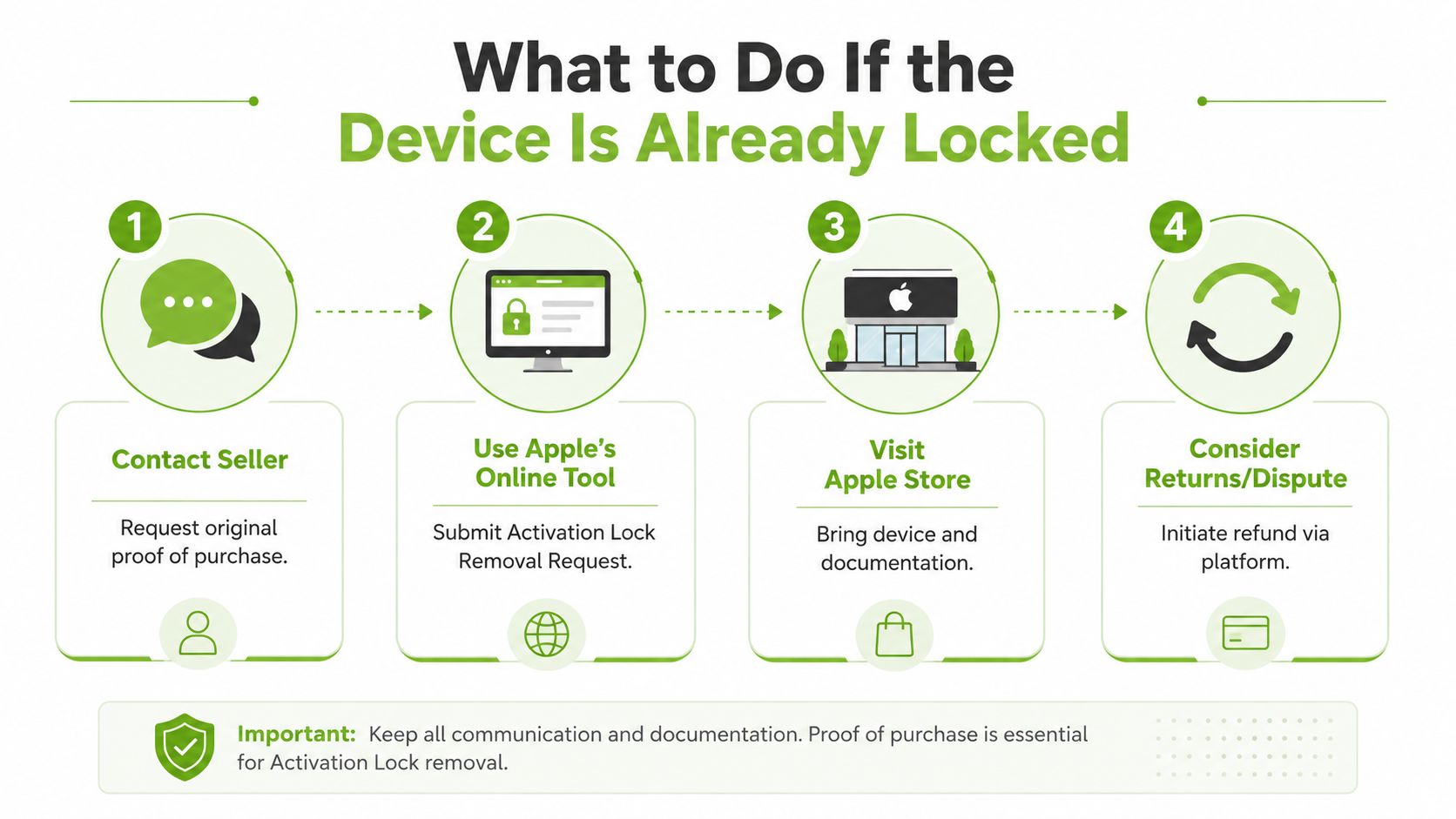
Contact the seller first
Send a written request asking the seller to remove the device from their Apple Account. If they still have it, they can sign in on the device and turn off Find My. If the device is elsewhere, the owner can use iCloud.com/find, select it and choose Remove This Device.
Ask for the original purchase invoice or receipt showing the device description and matching serial number or IMEI. A casual message saying “it was my friend's phone” does not prove ownership. A repair shop or third-party service cannot legitimately change Apple's account status.
Use formal support only when the evidence supports it
Apple may consider an Activation Lock support request when valid proof of purchase is available. For organisation-owned devices, the business or school's IT team must release the device. Keep the serial number, invoice, seller messages and payment record together, but possession alone does not guarantee approval.
Singapore buyers should also separate account status from network status. A device can be removed from an Apple Account yet remain IMEI-blacklisted, preventing normal mobile use. Check the IMEI with the relevant Singapore network or marketplace process before accepting a return or replacement.
Repair history adds another risk. Components associated with another device's Activation Lock or Lost Mode may face calibration restrictions, so inspect parts and functions after the account issue is resolved. This matters for refurbished iPhones and iPads, where a clean account does not guarantee unrestricted future repairs.
For tablet buyers, this refurbished iPad guide 2026 covers further purchase considerations. If the seller refuses to cooperate, contact the marketplace and payment provider promptly, preserve every message and receipt, and follow the platform's return or dispute process.
How Certified Refurbishment Protects You from Lock Risks
A certified refurbishment process addresses the device lifecycle, not just the moment of sale. A responsible technician verifies account removal, checks the IMEI status, examines the hardware and records condition before the device reaches a buyer. That process is more dependable than accepting a peer-to-peer seller's verbal assurance.
The distinction matters for business buyers. A company deploying iPhones or iPads needs devices that can be enrolled, reassigned, repaired and eventually traded in without an unknown account blocking the next user. Clear grading and battery-health disclosure also support budgeting, because procurement teams can compare usable condition rather than relying on photographs.
Verification should continue after purchase
Look for a provider that documents its process and gives you a clear remedy if the device doesn't match the description. myhalo's quality-check process includes 30-point quality checks under an ISO 9001:2015-certified process, alongside transparent grading and battery-health disclosure. Its lifecycle services also cover repair, migration and trade-in, which keeps account removal relevant when a device leaves your hands.
Certified options can include Certified ReLoved devices and Certified Surplus products. These models support reuse and longer service life while helping households and SMEs allocate technology budgets more carefully. Responsible recycling then provides a controlled route for devices that aren't suitable for further use.
When comparing where to buy refurbished iPhones, ask how each seller verifies Activation Lock, records defects and handles a post-sale dispute. The lowest upfront price isn't the lowest total cost if a locked device needs to be returned, replaced or written off.
A practical technology lifecycle partner should also help customers avoid repeat failures. Tools such as RescueAdvise and mylo AI Assistant can support troubleshooting and decision-making, while ISO 27001 Certified processes are relevant when devices and data move through business workflows. The aim isn't to sell a handset. It's to keep usable technology in service, make repair decisions clearer and preserve confidence at the next trade-in.
Before buying a used Apple device in Singapore, ask the seller to remove Find My, verify the IMEI, test activation and inspect the hardware before you pay. For verified devices, repairs, trade-ins and lifecycle support, visit myhalo and choose a route that fits your budget and how long you plan to keep the device.