





HP power HP Fury HP firefly HP dragonfly Guide 2026
You press the power button, nothing happens, and the first thought usually isn't “Which HP business laptop suits my workflow?” It's panic. You've got files trapped inside, meetings coming up, and no time to guess whether the charger, battery, board, or firmware has failed.
That's why this HP power HP Fury HP firefly HP dragonfly guide starts with the urgent problem first. Try the safe fixes. Check whether the machine is worth repairing. Then make a practical call: keep it alive, or move to a business-grade HP model that's built for heavier use, easier servicing, and a much longer working life than the average consumer laptop.
Table of Contents
- Your HP Laptop Won't Turn On Now What
- Quick Diagnostics for HP Power Failures
- Why Your Next Laptop Should Be a Business Model
- HP Fury vs Firefly vs Dragonfly A Detailed Comparison
- Real-World Use Cases Which Model Is Right for You
- Your Next Step with myhalo Repair Upgrade or Trade In
Your HP Laptop Won't Turn On Now What
A dead HP laptop doesn't always mean a dead motherboard. In practice, plenty of “won't turn on” cases turn out to be a weak adapter, a bad charging cable, a battery that's no longer stable, or a system that needs a hard reset after a failed sleep or power event.
Start simple. Remove docks, USB devices, SD cards, and external monitors. Then connect only the charger, give it a minute, and look for any charging LED, keyboard backlight flicker, fan twitch, or screen glow.
First decide whether this is a fault or a symptom
If the laptop was already showing warning signs, such as random shutdowns, battery swelling, charging only at certain cable angles, or running unusually hot, the power failure may be the final symptom of a deeper hardware issue. If it died suddenly after an update, forced shutdown, or long sleep cycle, there's a decent chance the fix is less serious.
Use this quick filter:
- No lights at all usually points first to the charger, DC input, or internal power path.
- Lights but no display can be a screen, RAM, or wake-state issue.
- Charging icon appears but battery stays flat often suggests battery wear, adapter mismatch, or charging circuit trouble.
- Power button lights briefly then cuts out can mean thermal protection, board-level instability, or a failed component.
Practical rule: Don't keep pressing the power button repeatedly for ten minutes. That rarely helps, and it can make a marginal power fault harder to diagnose cleanly.
Battery care matters too. If your HP still powers on occasionally but charge life has become erratic, this is a good time to review Simply Tech Today's battery guide, especially if heat and constant charging have been part of the pattern.
If you're unsure whether the machine is still covered, check the serial and support status before paying for parts. A quick HP warranty check for Singapore can save you from solving the wrong problem.
Quick Diagnostics for HP Power Failures
Before replacing anything, work through a clean power test. The goal isn't to become a repair engineer in one sitting. The goal is to separate a charger issue from a battery issue, and both from a board-level fault.
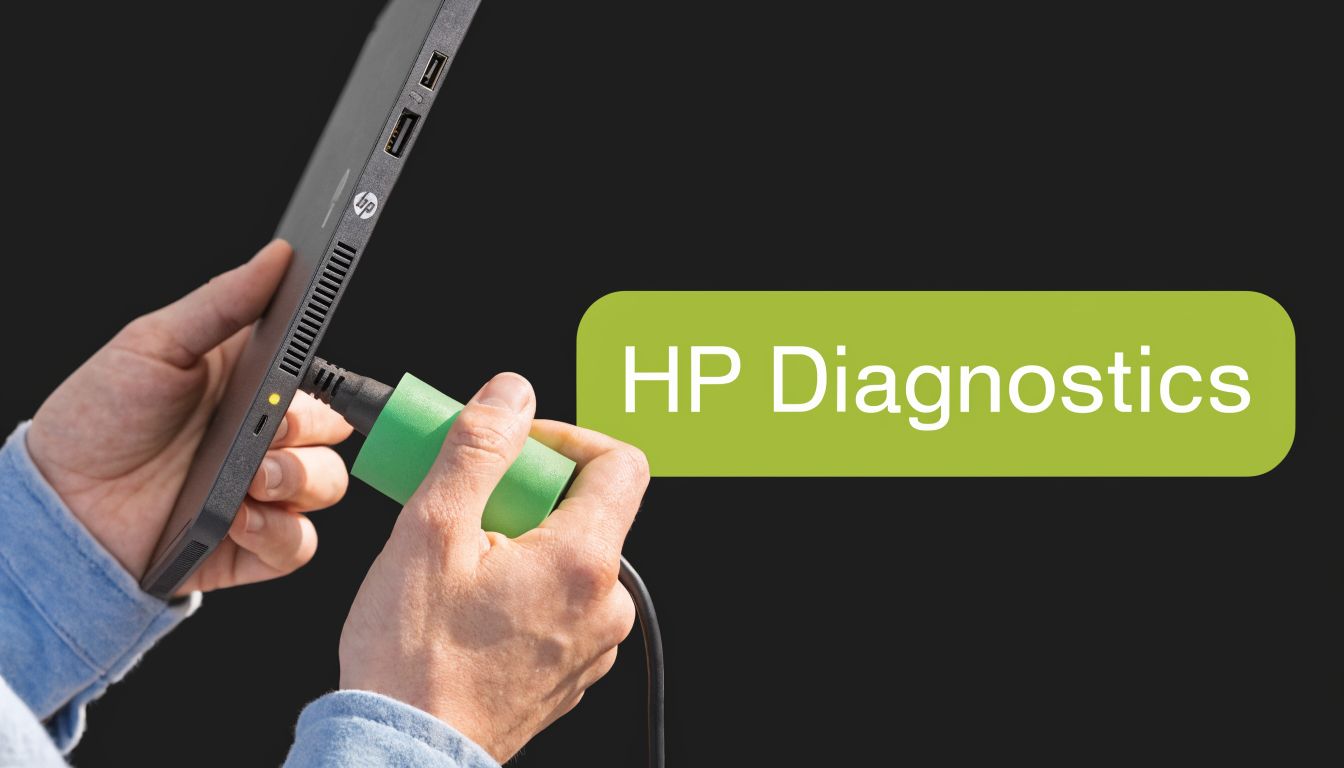
No lights no fan no response
This is the cleanest failure pattern to test.
- Check the wall socket first. Plug in another device. Power strips and shared office extensions fail more often than people think.
- Inspect the HP adapter. Look for frayed cable sections, bent USB-C ends, loose barrel tips, or a brick that gets hot unusually fast.
- Try a known-good compatible charger. This matters especially on USB-C models where wattage mismatch can cause weak or inconsistent charging.
- Disconnect all accessories. A bad dock, external drive, or even a damaged USB receiver can interfere with start-up.
- Do a hard reset. Unplug power. If the model allows battery disconnection, disconnect it. Hold the power button for around 15 seconds, then reconnect AC only and test again.
If there is still absolutely no sign of life, stop there. At that point the likely suspects are the DC-in path, charging IC, internal power rail, or motherboard fault.
It powers on then dies
This pattern usually means the laptop can initiate power but can't sustain it.
Look for these clues:
- It dies under load. Battery may be weak or the adapter may not be delivering stable power.
- It dies within seconds even on AC. Internal thermal or board fault becomes more likely.
- It restarts in a loop. RAM seating, firmware corruption, or a shorted peripheral can trigger this.
A safe user-level test is to let the machine cool completely, then start it with nothing attached except the charger. If you can access BIOS, leave it there for a few minutes. If it remains stable in BIOS but fails in Windows, the issue may be software or driver related rather than pure power delivery.
If the laptop starts only after cooling down, heat is part of the story. Dust-clogged vents and dried thermal compound often show up this way.
Plugged in but not charging
This fault frustrates users because the machine looks alive, yet battery percentage barely moves or even drops during use.
Check in this order:
- Use the original HP charger if possible. Business models are less tolerant of low-quality replacement adapters.
- Inspect the charging port. USB-C ports can loosen. Barrel ports can crack internally.
- Shut down and test charging while off. If it charges when off but not when working, the adapter may be underpowered or failing under load.
- Watch for battery health symptoms. Sudden drops, stuck percentages, or fast discharge suggest the battery itself may be near end of life.
A useful distinction is this: if the laptop runs properly on AC but won't hold charge off the plug, replace the battery first. If it can't run reliably even on AC, think beyond the battery.
When to stop DIY troubleshooting
Consumer advice often tells people to keep trying random resets. That's where damage happens. If you notice any of the following, hand it over for proper inspection:
- Swelling or chassis separation
- Burnt smell or heat near the palm rest
- Intermittent charging when the plug angle changes
- Repeated hard cut-offs after basic tests
At that point, the repair decision becomes a business decision too. If your laptop is an older consumer unit with limited parts access, investing in repair may not make sense. If it's a business model like an HP ZBook or Dragonfly, the case for repair or refurbishment is usually stronger because the platform itself is built for longer service life.
Why Your Next Laptop Should Be a Business Model
A lot of users only discover the difference between consumer and business laptops after a failure. On the outside they can look similar. Internally and structurally, they often aren't.

What business laptops do better
Business models are designed for fleets, office travel, repeated docking, and longer ownership cycles. That changes the priorities. You generally get sturdier chassis materials, cleaner internal layout, better parts access, stronger keyboard assemblies, and more predictable thermal design.
That matters in real use. A machine that's opened, carried, charged daily, and pushed through presentations, editing sessions, spreadsheets, CAD work, or remote meetings needs more than nice styling. It needs serviceability and consistency.
Common practical advantages include:
- Higher reliability under repeated use because hinges, ports, and internal mounting tend to be built for heavier duty cycles.
- Better long-term support because parts, batteries, and service documentation are more likely to remain available.
- Stronger security and management features that matter to SMEs, schools, and mobile teams.
- More sensible upgrade paths instead of fully sealed designs that force replacement too early.
For distributed teams and hybrid staff, the laptop also becomes part of the workspace strategy. If you're planning mobility for project teams, client-facing staff, or travelling managers, coworking and coliving for remote teams is a useful example of how work environments and device choice need to fit each other.
A practical example from the ZBook Firefly G11
The HP ZBook Firefly G11 is a good example of why business hardware ages better. It uses a dual-channel DDR5-5600MHz memory configuration with 2 SODIMM slots and supports up to 64GB, which means businesses can upgrade as workloads grow instead of replacing the whole machine early. That dual-channel design also delivers up to 100% more theoretical bandwidth for memory-heavy tasks than single-channel systems, according to the Firefly G11 hardware profile.
That's the kind of detail consumer laptops often skip. Soldered memory may keep a machine slim, but it limits repair options, upgrade flexibility, and total lifespan.
Business laptops usually cost more upfront because they're designed to be used harder, repaired more sensibly, and kept in service longer.
If you want a broader view of what makes a machine dependable in daily work, this guide to a reliable business laptop is worth reviewing before you buy your next device.
HP Fury vs Firefly vs Dragonfly A Detailed Comparison
Most buyers get stuck at this point. All three names sound premium. All three are business-class. But they solve different problems.
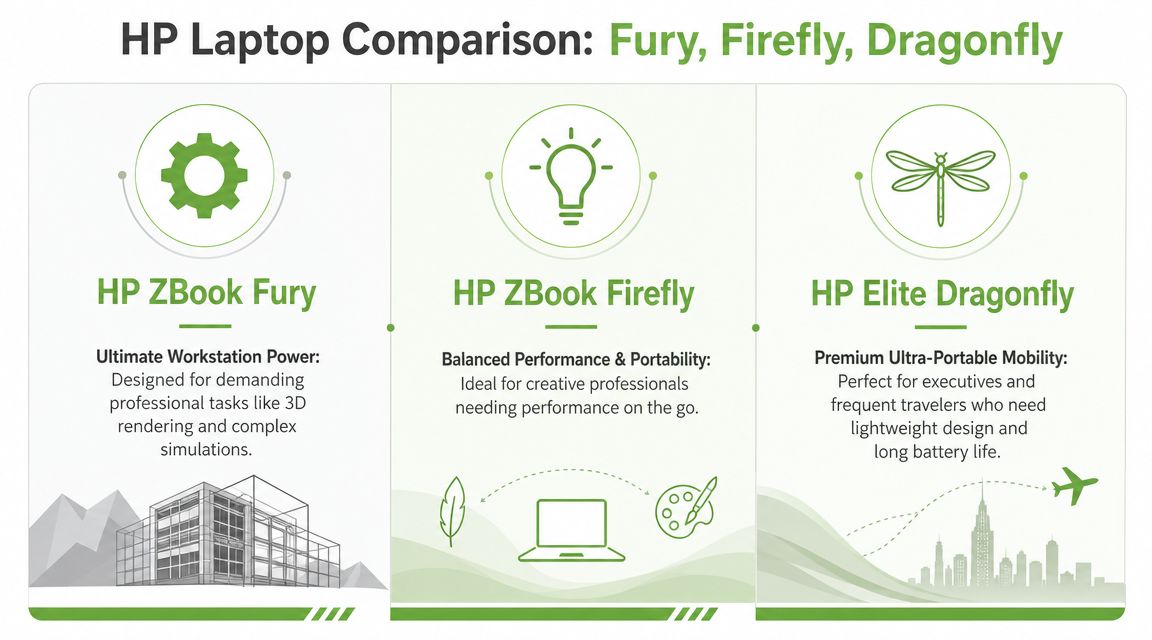
ZBook Fury for maximum workstation headroom
The HP ZBook Fury is the one you choose when portability matters less than sustained performance. It's built for engineers, 3D professionals, AI and ML work, simulation users, and anyone who wants a laptop to behave more like a mobile desktop workstation.
The performance gap is real. In benchmark testing, the ZBook Fury G10 delivered up to 8.4x higher GPU compute scores than the Firefly G10, making it the clear fit for GPU-heavy work like rendering and complex visual workloads, as shown in the Principled Technologies comparison.
What works well with Fury:
- long render sessions
- heavier CAD assemblies
- simulation and engineering software
- users who dock at a desk most of the day
What doesn't:
- carrying it all day through campus or client sites
- buyers who mostly live in browser tabs, documents, and meetings
ZBook Firefly for balanced mobile work
The HP ZBook Firefly sits in the middle. That's why it fits the broadest range of professionals. It gives you business-grade build quality and workstation DNA, but without the bulk of a Fury.
Firefly makes sense for analysts, designers, consultants, project managers, video editors with moderate mobile workflows, and SMEs that need one machine to cover office work plus specialised software. It's easier to carry, easier to standardise across mixed teams, and easier to justify when you need more than an ordinary ultraportable but less than a full workstation brick.
In day-to-day use, Firefly is the practical workhorse. It handles mobile business use better than a heavy workstation, and it handles professional software more comfortably than a very thin executive laptop.
Elite Dragonfly for premium portability
The HP Elite Dragonfly is a different category. It isn't trying to beat the Fury in graphics. It wins on mobility, polish, and executive travel use.
Against the ZBook Firefly G9, the Elite Dragonfly G4 shows 34% better multi-core CPU performance and an 84.2% better value-for-money ratio in the benchmark comparison provided in the verified data above. That tells you exactly what Dragonfly is for: people who want a very portable premium business machine and don't need discrete workstation graphics.
Dragonfly suits:
- executives and founders
- sales leaders
- consultants who move between offices and airports
- students and startup users who care more about weight and meeting performance than GPU acceleration
What it sacrifices is simple. You don't buy Dragonfly for serious 3D or heavy GPU work. You buy it because every gram and every meeting matters.
HP Business Laptop Comparison
| Model | Primary Use Case | Key Strength | Ideal User |
|---|---|---|---|
| HP ZBook Fury | 3D, simulation, AI, engineering, advanced creative work | Maximum workstation performance | Engineers, architects, technical creators |
| HP ZBook Firefly | Hybrid professional work with lighter workstation needs | Best balance of power and mobility | SMEs, creatives, analysts, consultants |
| HP Elite Dragonfly | Premium mobile business productivity | Lightweight design and travel comfort | Executives, founders, frequent travellers |
Choose Fury when the job is the bottleneck. Choose Dragonfly when movement is the bottleneck. Choose Firefly when you need the middle ground to hold up every day.
Real-World Use Cases Which Model Is Right for You
Specs help, but work patterns decide the right machine faster than any benchmark chart.

The architect and simulation user
An architect reviewing detailed models on-site, then returning to the office for heavier visualisation work, usually outgrows mainstream laptops quickly. This user needs stable thermals, stronger graphics, more memory headroom, and a chassis that can survive transport between desk, site, and meeting room.
That's where the ZBook Fury fits. For intensive 3 to 4 year workflows, a configuration with 128GB RAM and an RTX 5000 Ada GPU can justify its higher initial price, according to the Total Cost of Ownership comparison. For this type of work, underbuying is expensive because delays, crashes, and waiting time affect actual project output.
The creative director and hybrid professional
This person edits content, presents to clients, jumps between Adobe apps, browser tabs, external displays, and team calls, and often moves between home, office, and customer sites. They need a machine that travels well but still feels like a proper work tool.
That's Firefly territory. It gives enough workstation-grade seriousness for demanding office tasks, while staying more practical to carry than a full mobile workstation. For many mixed-role professionals, Firefly is the safest recommendation because it avoids both extremes.
A useful way to think about it is this:
- If your software is specialised but not extreme, Firefly is usually the cleaner fit.
- If your day includes lots of movement, Firefly stays comfortable.
- If your laptop also serves as your presentation machine, its balance matters more than peak benchmark figures.
The best laptop isn't the most powerful one. It's the one that removes the most friction from your actual week.
The CEO consultant and frequent traveller
Some buyers don't need a mobile workstation at all. They need a machine that opens fast, looks professional, feels light in hand, and doesn't become a burden after a full day of travel.
That's where Dragonfly earns its place. The same TCO comparison notes that the sub-1kg Elite Dragonfly and 3.4 lbs Firefly offer value by reducing travel fatigue and fitting mobile work environments, which affects productivity and user satisfaction over time. For a consultant living in presentations, document review, finance dashboards, and calls, that comfort matters more than workstation graphics.
A simple decision shortcut
If you're still deciding, use this filter:
- Choose Fury if your software punishes weak hardware.
- Choose Firefly if you need one business laptop to do almost everything reasonably well.
- Choose Dragonfly if portability is the feature you'll notice every single day.
This is also why these HP business models are better than typical consumer machines for work use. They're built around use cases, not only showroom appeal. That usually means better reliability, better service life, and fewer compromises once the laptop becomes part of your income.
Your Next Step with myhalo Repair Upgrade or Trade In
Once you've worked through the power checks, the decision usually becomes clear. Repair the current unit if the fault is isolated and the platform is still worth keeping. Upgrade if the machine is ageing, underpowered, or based on a consumer design that doesn't justify deeper repair.
For business-class HP machines, repair and refurbishment often make more sense than people expect. In Singapore, refurbished HP ZBook units represent 35% of mobile workstation sales at eco-focused retailers, and myhalo's ISO 9001:2015-certified process has extended the lifecycle of over 5,000 HP ZBooks since 2023, according to the verified data from the same source set used for this article. That matters because business laptops keep their usefulness longer when the platform itself is serviceable and worth maintaining.
Three sensible routes usually exist:
- Repair the current laptop if the issue is limited to battery, charger, keyboard, screen, or another contained fault.
- Trade in the old device if the economics of repair no longer hold up. A practical laptop trade-in option in Singapore can help offset the move to a better machine.
- Move to a refurbished business model if you want stronger reliability without paying new-unit pricing.
For many buyers, the smartest path isn't “buy the newest thing”. It's choosing the right class of machine. HP Fury, HP Firefly, and HP Dragonfly each solve different problems well. The key is not to overbuy for bragging rights or underbuy for short-term savings.
If your current HP power issue pushed you into this search, that's useful. It forces the right question: do you need another ordinary laptop, or do you need a business tool that will hold up better over time?
If you're deciding between repair, trade-in, or a certified refurbished upgrade, browse myhalo and check the mobile workstation collection at HP business laptops and mobile workstations. It's a practical place to compare HP Fury, Firefly, and Dragonfly options based on how you work.