





HP EliteBook: Singapore Buyer's Guide 2026
You are likely facing a common Singapore buying dilemma. You need a laptop capable of withstanding daily commutes, lengthy meetings, browser-intensive tasks, video conferencing, and occasional remote work, yet you want to avoid overspending on unnecessary features. When selecting for a team, the decision carries more weight because a poor choice results in a recurring error throughout the entire office.
That's where the hp elitebook line usually enters the shortlist. It sits in the business-laptop category for people who care about reliability, security features, serviceability, and a chassis that feels built for work rather than casual home use. Consumer laptops can still be fine for light tasks, but once you add remote work, managed devices, shared offices, finance apps, and long ownership cycles, the differences start to matter.
In Singapore, those differences show up quickly. Bright environments make display quality more noticeable. Frequent travel around the island makes build quality more relevant. Shared offices and co-working spaces make privacy and support less of a nice-to-have and more of a practical buying filter.
Table of Contents
- Your Guide to the HP EliteBook in Singapore
- What Makes an HP EliteBook Different
- Decoding the HP EliteBook Family Models
- The Smart Way to Buy A Guide to Refurbished EliteBooks
- Price and Availability in Singapore
- Beyond the Purchase Maintenance and Trade-In Options
- Protecting Your Investment with myhalo Care Plans
Your Guide to the HP EliteBook in Singapore
A customer walks into the shop with a familiar problem. Their current laptop still turns on, but battery life is poor, the hinge feels loose, video calls lag once too many tabs are open, and replacing it has become more urgent than planned. In Singapore, that buyer could be a poly student, a property agent, a founder working between home and a co-working space, or an SME owner buying five units at once. For all of them, the fundamental question is not just which HP EliteBook looks good on paper. It is which one will hold up, stay serviceable, and make financial sense across the full ownership cycle.
HP places the EliteBook range in its business notebook portfolio, built for professional use and longer deployment planning. Current models are available with Intel Core Ultra options through HP's official EliteBook lineup pages, and the range is typically configured with stronger memory and storage options than entry-level consumer laptops on the same shelf. The line's design prioritizes sustained work over hitting the lowest possible entry price.
That changes how the laptop should be evaluated. A practical buyer in Singapore should look at four things together: purchase price, day-to-day reliability, repairability once the warranty period starts to matter less, and likely resale or trade-in value later on. A new EliteBook can be the right call for companies that want standardised fleets and full manufacturer coverage. A refurbished EliteBook often gives better value for students, sole proprietors, and lean teams that need business-grade build quality without paying for the newest release.
Why buyers end up shortlisting an EliteBook
- Work-first design: EliteBooks are usually chosen by buyers who care more about uptime, keyboard quality, port selection, webcam quality, and stable daily use than flashy styling.
- Broader ownership value: These machines tend to make more sense when you plan to keep them for years, repair them if needed, and recover some value through resale or trade-in.
- Fit for mixed users: One range can serve a finance executive, a university student, or a small business team, provided the model and condition match the workload.
A simple rule helps here. Buy an EliteBook if the cost of a breakdown, a failed Zoom call, or a rushed replacement is higher than the initial savings from buying a cheaper consumer model.
Local support also affects the decision. In Singapore, buyers usually do better with laptop categories that already have an established parts, servicing, and second-hand market. EliteBooks have been common enough in offices and schools that repairs, battery replacement, SSD upgrades, and device buyback conversations are straightforward compared with niche models. That is where a service layer such as myhalo becomes useful in practical terms. It gives buyers a clearer path after checkout, whether they need protection, repair coordination, or a trade-in plan later.
The best EliteBook purchase is rarely the most powerful configuration. It is the one that matches your workload, your budget, and how long you expect to keep the machine.
What Makes an HP EliteBook Different
An HP EliteBook stands out because HP designs it around long-term work use. The difference shows up less in flashy specs and more in the things customers in Singapore notice after six months: hinge stability, keyboard feel, port wear, webcam reliability, battery replacement options, and how easy the machine is to keep in service.
Built for a harder daily routine
EliteBook systems are commonly associated with MIL-STD-810 testing and sturdier chassis materials, as outlined in this EliteBook 2023 technical overview. That does not mean they can survive abuse without damage. It means the design expects frequent travel, repeated opening and closing, and daily use across office, home, classroom, and client-site settings.
That matters here. A laptop that goes from Jurong to Raffles Place, then home again, sees more strain than a deskbound machine. Hinges loosen, ports get stressed, keys wear shiny, and cheaper palm rests start to flex. EliteBooks usually hold up better in that routine, which is one reason they remain relevant in Singapore's refurbished and trade-in market.
This also affects ownership cost. A machine that lasts longer and stays presentable is easier to resell, easier to justify repairing, and less painful to keep for a second user in the family or office.
Security that matters in shared spaces
Business security sounds abstract until someone opens payroll files in a café, a tuition centre, or a co-working booth.
Some EliteBook configurations include features such as Sure View and other business-focused security options. They are useful for buyers who handle customer records, finance documents, HR files, or internal presentations outside a private office. There is a trade-off, though. Privacy display features can reduce viewing comfort or screen quality for some users, so they make more sense for people who work in public-facing environments.
That is the pattern I usually point out to customers. If the laptop spends most of its time at home, paying extra for every security feature may not be the best use of budget. If it moves between meetings, client sites, shared desks, and public transport, those features start to earn their keep.
Performance that stays usable over time
EliteBook performance is not only about the CPU badge. It is also about memory headroom, storage speed, cooling behaviour, and whether the system still feels responsive after months of updates, browser tabs, video calls, and office apps piling on.
In practice, that gives the range a different role from entry consumer laptops. An EliteBook is often a better fit for users who keep many apps open, depend on stable Zoom calls, edit large spreadsheets, or pass the device between staff over a few years. Students in business, computing, or design-adjacent courses can benefit too, especially if they want a laptop that still feels serviceable after graduation.
A cheaper laptop can still be the right buy. For light home use, casual browsing, and short ownership periods, lower-cost models make sense. EliteBook becomes easier to justify when the plan includes longer use, possible repairs, battery replacement, or eventual trade-in. That lifecycle view is where buyers often save money, even if the upfront price is higher.
It also helps that support options are easier to find locally. In Singapore, common business models are simpler to service and assess for resale than obscure premium laptops. Buyers who want a clearer post-purchase path can pair that with services such as myhalo for protection, repair coordination, and trade-in support later, instead of treating the laptop as a disposable purchase.
Decoding the HP EliteBook Family Models
HP's naming can confuse buyers because the numbers and letters look more technical than they really are. Most shoppers don't need to memorise the full catalogue. They need to know which branch of the hp elitebook family fits their work.
How to read the lineup
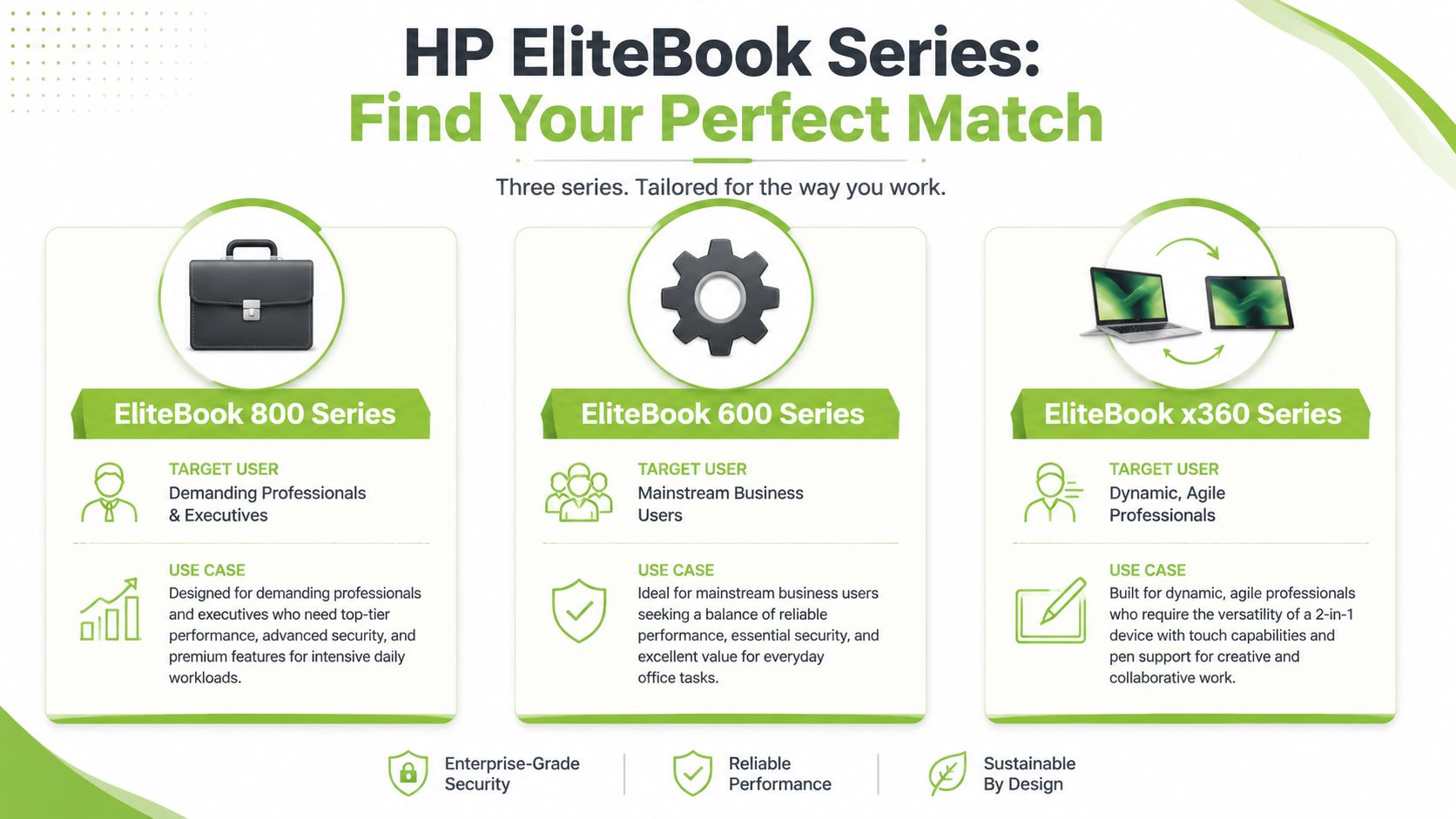
Start with the 600 series, 800 series, and x360 models. That gets most buyers close enough. From there, the screen size, processor tier, memory, storage, and display brightness matter more than the last few characters in the model name.
In the Singapore market, EliteBook 840 and 1040 class business laptops are commonly configured with 13th Gen Intel Core i5 or i7 CPUs and 14-inch 16:10 WUXGA (1920×1200) IPS panels, with brightness tiers from 250 to 1000 nits according to HP's EliteBook review guide. The brighter options help outdoors and in harsh indoor lighting. The 16:10 shape is useful because it gives you more vertical space for spreadsheets, documents, and code.
That one detail changes daily comfort more than many buyers expect.
HP EliteBook series at a glance
| Series | Primary User | Key Feature | Best For |
|---|---|---|---|
| EliteBook 800 Series | Professionals and SME teams | Premium business balance | Daily office work, travel, multitasking |
| EliteBook 600 Series | Mainstream business users | Value-oriented business features | Admin work, shared deployments, practical budgets |
| EliteBook x360 Series | Mobile and flexible workers | Convertible design | Presentations, note-taking, hybrid work |
Which model fits which buyer
EliteBook 800 Series
This is the workhorse range many buyers should start with. If you want the “proper business laptop” feel without moving into niche workstation territory, the 800 series is usually the safe bet.
It suits:
- SME owners: Standardising staff laptops that need to feel reliable and professional
- Executives and managers: Needing premium build, better displays, and strong day-to-day responsiveness
- Frequent movers: Carrying the machine between home, office, and meetings
What it's best at is balance. You get portability, security-minded design, and enough performance headroom for demanding office work without overbuying into workstation hardware.
EliteBook 600 Series
The 600 series is the practical buyer's line. It usually appeals to organisations and individual buyers who want business fundamentals but don't need the more premium touches of the 800 range.
This series works well for:
- Admin and operations staff
- Buyers equipping larger teams
- Users who mainly live in Office apps, browsers, and video calls
The key trade-off is feel versus value. The 600 series tends to be the choice when you want business features first and premium finish second.
If your workload is routine office work and your budget is disciplined, the 600 series often makes more sense than stretching for a higher trim level.
EliteBook x360 Series
The x360 models are built for flexibility. These are the ones to consider if your work style is less desk-bound and more presentation-heavy, collaborative, or handwriting-friendly.
They fit:
- Consultants who flip from laptop mode to presentation mode in client meetings
- Lecturers and trainers who annotate on screen
- Creative planners and project leads who want touch and pen input
The trade-off is simple. You're paying for versatility. If you never use touch, tablet mode, or pen support, the added complexity may not give you enough value.
A note on ZBook Firefly
A ZBook Firefly isn't an EliteBook, but shoppers often compare it with one. That's sensible if your work includes light CAD, heavier design apps, or more demanding creative software. Think of it as the branch you consider when a premium business laptop is almost enough, but not quite.
For many buyers, the shortlist becomes very simple:
- Choose 600 series if value and dependable office use come first.
- Choose 800 series if you want the strongest all-round business choice.
- Choose x360 if flexibility is part of your actual workflow, not just a nice idea.
- Choose ZBook Firefly if your apps are starting to look more workstation-like than office-like.
The Smart Way to Buy A Guide to Refurbished EliteBooks
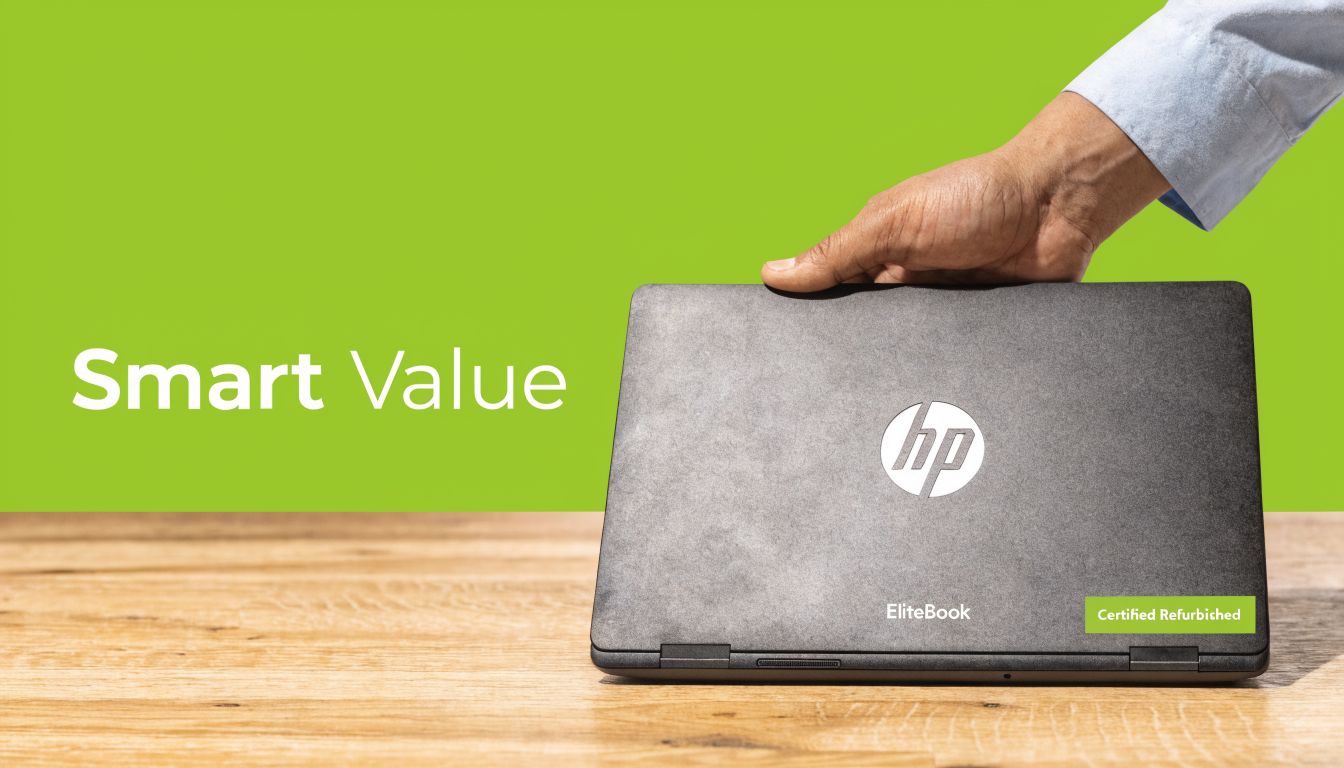
A refurbished hp elitebook often makes more sense than a brand-new mid-range consumer laptop. That surprises first-time buyers, but not people who've owned business laptops before. With this category, the strength is in the original platform. If the device was good enough for enterprise use when new, it can still be a smart buy later if it has been checked properly.
Why refurbished makes sense for this category
Refurbished works especially well with EliteBooks because these machines were built for long service life in the first place. The stronger chassis, business design, and professional-grade components make them more suitable for a second life than many flimsy entry-level consumer models.
For Singapore SMEs, startups, and practical individual buyers, a refurbished unit can provide premium features that might feel expensive when bought new. That includes higher-end displays, better keyboards, stronger materials, and privacy options such as Sure View on selected models.
The TCO angle matters too. In dense co-working environments, privacy can matter enough that a Sure View-equipped EliteBook is worth considering. A new model with Sure View may carry a premium, but a professionally refurbished option can make that business case easier to live with, as discussed in this guide to HP Sure View and privacy use cases.
What to check before you commit
Refurbished is only smart if you know what the seller means by “refurbished”. Some listings are just used laptops with a quick wipe-down. Others come with transparent grading, proper testing, and a clear warranty.
When I advise buyers, I ask them to confirm five things:
- Cosmetic grading: You should know whether the unit is close to new or plainly used.
- Functional testing: Ask what checks were performed on battery condition, ports, keyboard, display, webcam, and storage health.
- Warranty terms: A short but explicit warranty is better than vague reassurance.
- Return policy: You want a defined exchange path if the device doesn't suit you.
- Seller support: Local support matters more than marketplace convenience if the machine is your work device.
If you want a deeper overview of what separates a properly reconditioned machine from an ordinary used listing, this guide on refurbished laptop computers in Singapore is a useful starting point.
A buyer should also understand grading language. In the local market, you'll see terms like As-New, ReLoved Premium, ReLoved Excellent, ReLoved Value, and ReEco. Those labels matter because they frame cosmetic expectation, not just function. A lot of disappointment in refurbished buying comes from misunderstanding appearance rather than actual performance.
For buyers who want a quick visual explainer, this overview is worth a look.
Where Sure View becomes more interesting
Sure View is easier to justify on refurbished than on new because the premium feature can become more accessible without forcing you into a full-price purchase. The right buyer is someone who regularly handles sensitive material in public. The wrong buyer is someone who works almost entirely at home and cares more about pure display comfort than shoulder-surfing protection.
Refurbished isn't the budget compromise if the platform, checks, and warranty are right. It's often the more rational business purchase.
The primary trade-off is expectation. If you want untouched cosmetics, full retail packaging, and the newest model cycle, buy new. If you want better lifecycle value, lower e-waste, and stronger hardware for the money, refurbished often wins.
Price and Availability in Singapore
A buyer in Singapore often faces a more practical question than “Which EliteBook is best?” The essential question is whether a new unit at full retail, or a refurbished one with the right warranty and condition grade, gives better value over the next few years.
That answer changes by user. A poly student may be better served by a refurbished EliteBook with more RAM and storage for the same budget. An SME owner buying for staff may prefer new stock for easier standardisation across the team. A freelancer who needs one reliable machine for meetings, travel, and client work usually sits somewhere in between.
EliteBooks are easy to find here, but availability is rarely uniform across all configurations. The popular 14-inch business models move quickly, especially units with brighter displays, 16GB RAM, or newer Intel Core Ultra and Ryzen Pro options. Refurbished stock is even more variable because condition, battery health, and exact SKU depend on what has come back into the channel.
How EliteBook pricing usually works locally
Price is shaped by more than the model name on the lid. In Singapore stores, the same EliteBook series can vary quite a bit depending on processor generation, screen type, memory, SSD size, warranty coverage, and cosmetic condition.
These are the three buying routes that matter most:
- Brand-new retail stock: Best for buyers who want untouched condition, the newest platform, and manufacturer warranty from day one.
- Professionally refurbished stock: Better for buyers who care more about value per dollar than perfect cosmetics, especially if the seller states battery condition and warranty clearly.
- Physical inspection before purchase: Helpful for anyone who wants to check keyboard wear, panel brightness, hinge firmness, and casing condition in person.
Local support matters more than many first-time buyers expect. If the laptop is needed for school, payroll, invoicing, or field work, a fast exchange path in Singapore is worth paying for.
What to confirm before checkout
A good EliteBook deal can become a poor one if the listing leaves out key details. Check these before paying:
-
Exact display specification
Two 14-inch EliteBooks can look similar online and feel very different in daily use. Brightness, colour quality, touch support, and privacy screen options all affect comfort. -
Processor generation and upgrade headroom
A newer chip helps, but so does having enough memory and storage for the next few years. For many office users, a balanced older configuration beats a stripped-down newer one. -
Warranty terms and seller responsibility
Clarify whether support is carry-in, pickup, on-site, or exchange-based. For refurbished units, ask who handles faults locally and how quickly they respond. -
Battery condition
This matters on used business laptops. A low price loses its appeal if the battery runtime is poor and replacement cost arrives soon after purchase. -
Collection, delivery, and setup timing
Urgency has value. If the laptop is replacing a failed work machine because your computer keeps crashing, same-week availability may matter more than saving a small amount.
Buyers who plan their upgrade path early usually spend better. If you expect to replace the machine in two to three years, check whether the seller also supports resale or laptop trade-in options in Singapore. That changes the true cost of ownership.
myhalo fits well into this part of the decision. A lower upfront price on a refurbished EliteBook can make sense, but only if after-sales support, protection plans, and future trade-in paths are clear. For many Singapore buyers, that combination is what turns a cheap purchase into a smart one.
Beyond the Purchase Maintenance and Trade-In Options
A laptop purchase only looks cheap on day one. Total ownership costs show up over time through repairs, downtime, accessory replacements, migration headaches, and the residual value you recover when it's time to upgrade.

A laptop's value doesn't stop at checkout
Business laptops are worth treating as lifecycle devices. That means cleaning them properly, replacing failing parts before they cause data loss, and deciding early whether a device should be repaired, redeployed, or traded in.
EliteBooks suit this approach because they're the kind of machines people keep in service long enough for maintenance decisions to matter. Students may stretch one through an entire course. SMEs may hand the same unit from one employee to another. Freelancers may use one as both office machine and travel companion.
Repairs before replacement
A lot of owners replace laptops too early because they misread the symptom. A machine that slows down, overheats, crashes under load, or behaves oddly during startup doesn't always need full replacement. Sometimes it needs diagnosis, storage testing, thermal cleaning, or a failing component identified before the issue gets worse.
If your computer keeps crashing, this practical guide on why a computer keeps crashing is useful for separating software problems from hardware warning signs before you spend money in the wrong place.
Good maintenance isn't just about keeping a device clean. It's about catching small failures before they become interruption costs.
Local repair access also changes the ownership equation. When support is nearby, buyers are more willing to keep a good machine in service instead of replacing it at the first sign of trouble.
Trade-in and migration as part of the plan
Trade-in is often the most overlooked part of laptop buying. People focus on what they're paying and forget to ask what their current device is still worth. Even an older laptop with cosmetic wear may still have trade-in value if it's functional.
For anyone planning an upgrade path, this guide on laptop trade-in options in Singapore is worth reading because trade-in works best when you plan it before the old device deteriorates further.
Data and device migration matter just as much. Moving browsers, email accounts, work files, logins, and app settings takes time. For students and solo buyers, that's annoying. For small businesses, it can become a hidden labour cost. A smooth migration process keeps the old laptop useful right until handover and gets the new one productive faster.
The practical ownership model looks like this:
- Use the laptop well
- Maintain it before faults pile up
- Repair when the economics still make sense
- Trade in while the device still holds value
- Migrate cleanly to the next machine
That's how you reduce waste and get more value from the same purchase cycle.
Protecting Your Investment with myhalo Care Plans
A customer buying an EliteBook for daily work in Singapore usually asks two questions after choosing the model. How long will it stay reliable, and what happens if something goes wrong after the standard warranty period? That is the practical reason care plans matter.
EliteBooks are business machines, and many buyers choose them because they expect a longer service life than a consumer laptop. That only pays off if support, repair, and maintenance are planned from the start. A student carrying one between campus and home faces a different risk profile from an SME owner issuing five units to staff, but both still need to control downtime, repair cost, and replacement timing.
Two kinds of protection for two kinds of risk
The first risk is wear over time. Heat, dust, battery ageing, keyboard fatigue, and small faults rarely arrive all at once. They build up during normal use and often show up at the worst time, such as before exams, payroll runs, or a client presentation. A maintenance-focused plan helps catch those issues earlier and keeps the laptop usable for longer.
The second risk is sudden damage. A spill in a meeting room, a fall at a co-working space, or a fault that appears just outside warranty can turn a working day into a replacement decision. That is where protection coverage earns its keep.
If you are not sure what support your EliteBook already has, start with this guide to an HP warranty check in Singapore. It helps clarify whether you are extending existing coverage or filling a gap after the original warranty ends.
Physical security also belongs in the same conversation. For users who work in shared offices, event booths, classrooms, or retail counters, theft prevention is part of protecting the laptop's value. One simple step is to secure your notebook with this lock when the machine may be left unattended for short periods.
Who should add a care plan
Care plans usually make the most sense for buyers in these situations:
- Students who carry the laptop every day: More travel means more exposure to knocks, spills, and charger-port wear.
- SME owners and managers: One failed work laptop can delay billing, stock updates, customer replies, or internal admin.
- Remote and hybrid workers: Frequent movement between home, office, and public spaces increases accident risk.
- Buyers choosing premium configurations: Higher-spec models cost more to replace, so repair coverage can make better financial sense.
myhalo e-Xtender suits owners who want regular upkeep and a clearer maintenance path. myhalo Protect suits owners who want cover for accidental damage, liquid incidents, and hardware issues that appear outside the standard warranty window.
The best plan depends on interruption cost. If the EliteBook is your only machine for school, sales work, operations, or client delivery, even a short outage can cost more than the plan itself.
For buyers comparing new and refurbished EliteBooks, this matters even more. A refurbished unit can offer strong value at a lower entry price, but the ownership decision should include after-sales support, possible battery replacement, repair access, and the trade-in path later. That full-lifecycle view is where myhalo is useful. Alongside myhalo listings for new and professionally refurbished laptops, buyers can also sort out repair, migration, trade-in, and care-plan support in one place instead of piecing it together after a problem starts.