





Dell Latitude 5420: 2026 Review & Buying Guide
A lot of people in Singapore end up in the same spot. Your current laptop is slowing down, battery life isn’t what it used to be, and every new model you browse seems to cost far more than feels sensible for everyday work or study.
That’s where the dell latitude 5420 becomes interesting.
Not because it’s flashy. Not because it’s the newest machine on the shelf. It matters because it was built as a business laptop first, which usually means it was designed to survive daily use, regular transport, long meetings, spreadsheets, browser tabs, and the kind of unglamorous work typically performed. In the refurbished market, that changes the maths completely. A machine that started life as a proper business tool can make more sense than a brand-new budget laptop that looks modern but cuts corners where it counts.
For students, freelancers, startups, and small business owners, that difference shows up over time. It shows up in how the keyboard feels after months of use. It shows up in whether the ports are still practical. It shows up when you need a machine that just gets through the week without drama.
The Dependable Workhorse You Might Be Overlooking
A typical buyer looking at the dell latitude 5420 usually starts from a practical problem, not a hobbyist one. They need something for Zoom calls, Excel, browser-based systems, lecture notes, PDFs, accounting software, maybe a bit of Photoshop or Canva, and they need it without paying premium-ultrabook money.
That’s why this model still deserves attention. The Latitude line wasn’t built around showroom appeal. It was built around predictable daily use in offices, schools, and field work. In plain terms, it’s the laptop version of buying a tool that’s already proven itself instead of gambling on a cheaper product that only looks good on paper.
Practical rule: If your workload is mostly productivity, research, meetings, admin, and light creative work, a proven business-class laptop often gives better long-term value than a low-end consumer machine.
In Singapore, that trade-off matters even more. Many buyers aren’t choosing between a premium new laptop and a refurbished one. They’re choosing between a better-built older business laptop and a newer but more compromised budget machine. That’s a very different decision.
The dell latitude 5420 fits that buyer well because it sits in a sweet spot. It’s modern enough to feel current for everyday work, but old enough that the refurbished market makes it accessible. It also avoids the trap of being so old that support, parts, or general usability become a headache.
Three groups tend to benefit most:
- Students who need reliability: Lecture notes, group projects, web research, and streaming don’t demand a gaming laptop. They do demand a machine that won’t drag through multitasking.
- SME owners watching cash flow: A laptop used for invoicing, email, inventory, browser dashboards, and documents doesn’t need hype. It needs uptime.
- Hybrid workers moving between places: Home, office, co-working spaces, and public transport all punish flimsy hardware over time.
The smarter question isn’t “Is this the latest model?” It’s “Will this still feel like a good purchase after a year of real use?” For many buyers, the dell latitude 5420 answers that better than expected.
Deconstructing the Dell Latitude 5420
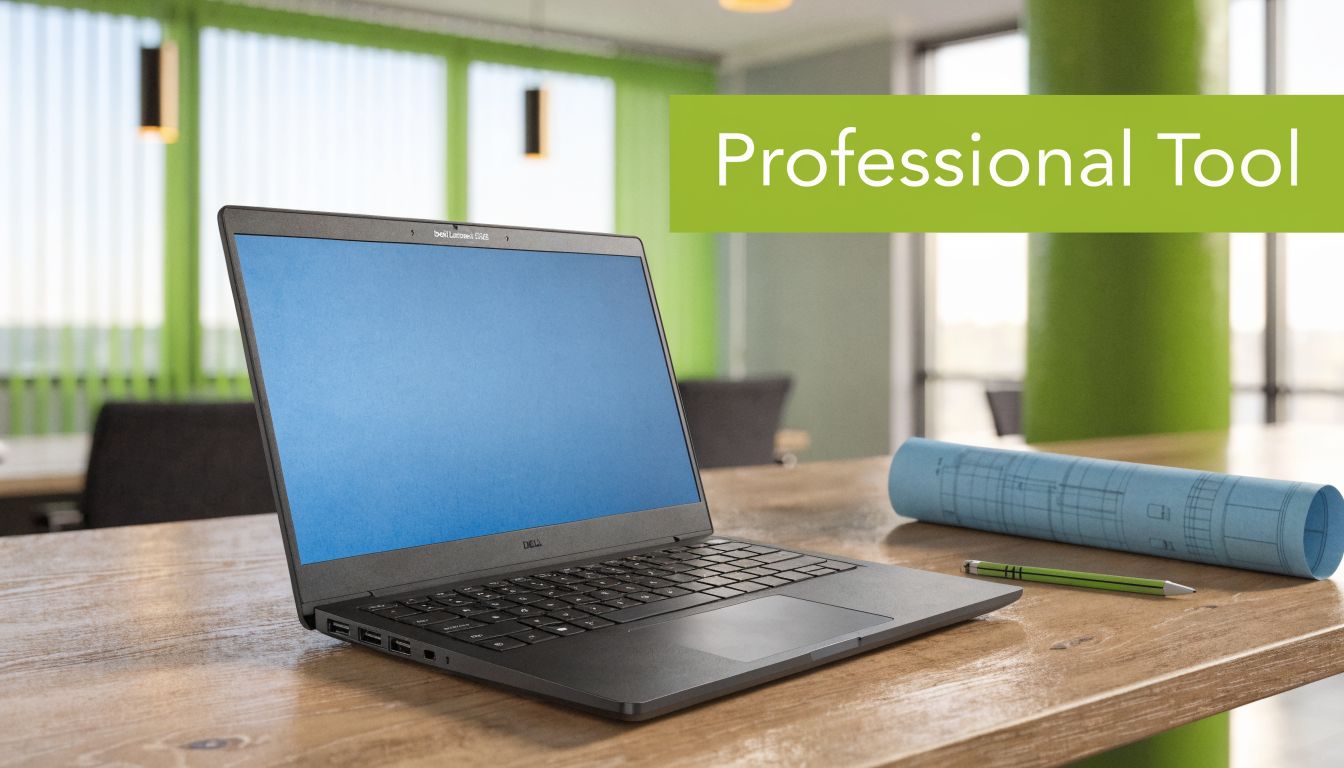
The simplest way to understand the dell latitude 5420 is this. It’s a professional tool, not a lifestyle gadget.
A lot of consumer laptops are designed to win the first impression. Thin body, glossy marketing photos, maybe a high-spec headline that looks attractive in a listing. Business laptops are different. They’re designed to make fewer mistakes over a longer period.
That’s the Latitude philosophy in general. You buy it for consistency.
Built for function first
The dell latitude 5420 doesn’t try to look radical. That’s part of its strength. The design is understated, office-friendly, and made for practical use. In a retail environment, that often means fewer surprises for buyers who just want a machine that feels stable and normal every day.
The chassis and general layout reflect that business-first thinking. The keyboard is meant for long typing sessions, and that matters more than many buyers realise until they’ve spent a full day answering emails, writing reports, or revising coursework. A laptop can have decent internals and still be annoying to use if the keyboard, palm rest, or general ergonomics feel flimsy.
The port selection also tends to age better on business models than on many slim consumer designs. That’s useful for users who still connect to external monitors, USB accessories, wired peripherals, or office docking setups instead of living entirely in a wireless-only setup.
What the core hardware tells you
Dell lists the Latitude 5420 with an 11th Gen Intel Core i5-1135G7 and a 14-inch Full HD display at 1920x1080, with display options up to 400 nits and 100% sRGB on some configurations, which gives it a solid productivity foundation according to the Dell Latitude 5420 product page.
That spec sheet matters less as a bragging point and more as a signal. It tells you this wasn’t an underpowered disposable office laptop. It was configured to handle mainstream business workloads properly.
For the average buyer, that translates into a few practical benefits:
- The screen is usable for serious work: Full HD on a 14-inch panel is still a sensible balance for documents, spreadsheets, and side-by-side windows.
- The processor class is appropriate for multitasking: This isn’t the kind of machine that feels built only for email and one browser tab.
- Some display variants are better than basic office screens: If colour work matters, the higher-end panel options are worth noticing.
Where the trade-offs show up
You don’t buy a dell latitude 5420 for visual drama. The styling is conservative. If you care a great deal about ultra-thin bezels, luxury materials, or the sort of design that turns heads in a café, this isn’t the obvious choice.
You also shouldn’t confuse “business-class” with “indestructible”. Durable isn’t the same as immune to drops, liquid damage, heat build-up, or poor maintenance.
Business laptops usually age better because their priorities are different. They’re built for repeated use, not just attractive first impressions.
That’s what makes the 5420 appealing in the refurbished market. It was designed with boring priorities. Boring is often exactly what you want in a machine you rely on every day.
Performance Deep Dive Into Specs
Performance on the Dell Latitude 5420 is less about headline specs and more about whether it stays responsive through a normal workday in Singapore. That means a browser full of tabs, a video call running, Excel open, cloud apps syncing in the background, and enough thermal headroom that the machine does not feel sluggish by mid-afternoon in a warm office or classroom.
For that kind of workload, the 5420 still holds up well, especially in refurbished configurations that were originally sold for business fleets rather than stripped-down consumer use.
What the processor and graphics mean in practice
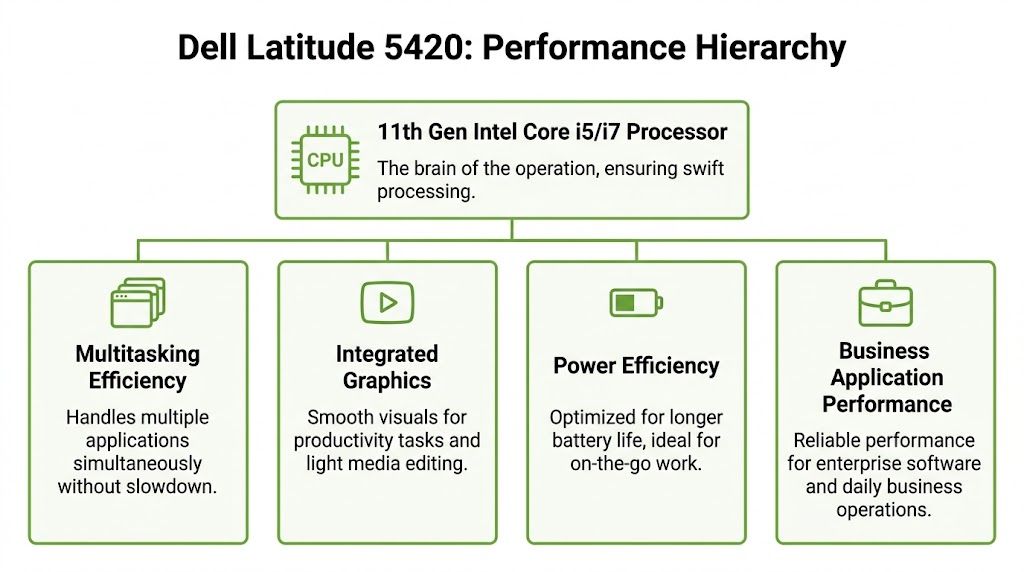
Common Latitude 5420 configurations include Intel Core i5 and i7 11th Gen U-series chips with Iris Xe graphics, DDR4 memory, and NVMe SSD storage. Dell’s official documentation for the model confirms support for features such as ExpressCharge, modern connectivity, and business-oriented configuration options on the Dell Latitude 5420 setup and specifications page.
In daily use, that translates into enough processor headroom for office multitasking, remote classes, admin work, and browser-heavy workflows. A key benefit is consistency. A refurbished 5420 with 16GB RAM and an NVMe SSD often feels quicker in real business use than a cheap new laptop with a weaker processor, slower storage, and no upgrade path.
Iris Xe graphics also deserve a measured view. They are fine for external displays, 4K media playback, Canva, basic Photoshop work, and light content editing. They are not the right tool for 3D rendering, serious CAD, or modern gaming.
Heat and power behaviour matter too. Business laptops like this are usually tuned for stable performance and battery efficiency, not short benchmark bursts. That matters more over three years of ownership than a small spec-sheet win on day one.
RAM and SSD choices that make sense
For buyers comparing listings, RAM and storage matter more than chasing the top CPU.
I usually give simple advice here. Buy at least 16GB RAM if the laptop will be kept for several years, shared across mixed workloads, or used by a student handling research, video calls, and productivity apps at the same time. In Singapore’s refurbished market, the price jump from 8GB to 16GB is often modest compared with the improvement in day-to-day usability.
The SSD matters just as much. An NVMe drive affects boot speed, app loading, Windows updates, and how quickly the machine recovers from sleep. It also lowers the chance that the laptop feels old too soon.
Common buying logic looks like this:
| Configuration (CPU/RAM/SSD) | Ideal User | Example Workloads |
|---|---|---|
| i5 / 8GB / 256GB | Light user on a tight budget | Web research, Word, slides, email, streaming lectures |
| i5 / 16GB / 512GB | Best fit for most buyers | Multi-tab browsing, Excel, Zoom, accounting tools, project work |
| i7 / 16GB / 512GB | Heavier multitasker | Large spreadsheets, light Adobe work, more demanding office use |
| i7 / 32GB+ / 512GB or 1TB | Specialist user who keeps many apps open | Data work, heavier browser sessions, layered productivity workflows |
For long-term value, the second row is usually the sweet spot. It keeps cost under control while avoiding the two common mistakes in refurbished buying. Buying too little RAM, and paying extra for an i7 that never gets properly used.
Independent testing from Notebookcheck also shows the Latitude 5420 platform delivering the kind of SSD-driven responsiveness and mid-range office performance expected from a business notebook in this class, with clear limits once graphics-heavy work enters the picture, as covered in its Dell Latitude 5420 review.
What works and what doesn’t
The Latitude 5420 suits users who spend most of the day in:
- Office apps, browser tabs, and web platforms
- Zoom, Teams, Google Meet, and shared documents
- Accounting, CRM, inventory, and admin systems
- Light photo editing, content prep, and presentation work
It is a weaker fit for users who need:
- Heavy video rendering every week
- 3D modelling or serious CAD work
- Current gaming performance
- A very bright screen for long outdoor sessions
One more practical point matters for total cost of ownership. Performance is only part of value. A refurbished Latitude 5420 makes sense because it pairs adequate speed with business-grade serviceability. If the battery weakens, the SSD needs replacing, or RAM needs an upgrade later, the economics are often far better than replacing an entire low-end consumer laptop.
That is why this model still makes sense. You are not only paying for what it can do today. You are paying for how long it can stay useful without becoming expensive to maintain.
Finding Your Fit Who Should Buy the Latitude 5420
The dell latitude 5420 isn’t for everyone. It becomes a good buy when the way you work matches what this machine does well.
Three buyer profiles come up again and again in Singapore.

The student who needs one laptop for everything
A polytechnic or university student often wants a laptop that can cover classes, research, group projects, and downtime without forcing a painful compromise. The Latitude 5420 suits that kind of mixed use well because it’s business-oriented but not joyless.
You can reasonably expect it to handle note-taking, lecture streaming, presentation prep, and large PDF readings without feeling like a machine that’s always on the edge. A student who occasionally edits photos, works in Canva, or runs browser-heavy collaboration tools will usually be better served by a solid refurbished business laptop than a cheap new machine with weaker overall build quality.
Where it may not fit is style preference. Some students want something slimmer, lighter, or more visually current. That’s a fair reason to choose another machine.
The small business owner who cares about uptime
For an F&B operator, clinic admin team, consultancy founder, or retail owner, the laptop is often just one part of a larger workflow. It’s used for invoicing, supplier communication, spreadsheets, marketing assets, stock systems, and video calls.
That buyer usually values reliability over novelty.
The Latitude 5420 works well here because it tends to offer the kind of ports, keyboard quality, and straightforward serviceability that reduce friction. You’re not trying to impress anyone with the thinnest chassis. You’re trying to get through daily tasks with as little interruption as possible.
A small business owner should still be honest about heavier use cases. If the machine is expected to process large media projects all day or serve as a specialised design workstation, this isn’t the right tool.
The hybrid worker who moves constantly
This is the profile that often benefits most. The person commuting between home, office, meetings, and shared spaces usually needs a laptop that can tolerate movement and routine handling.
The Latitude 5420’s business design makes sense here. It’s built around practical use rather than minimalism at all costs. That tends to age better for buyers who plug in to monitors at one desk, use peripherals at another, and carry the laptop several times a week.
A few trade-offs matter:
- Battery expectations should stay realistic: Good enough for mobile productivity isn’t the same as all-day immunity from charging.
- Outdoor brightness can be limiting: If your work often happens in harsh daylight, panel choice matters.
- Weight and feel are more practical than luxurious: Some buyers will like that. Others won’t.
The right laptop isn’t the one with the most exciting listing. It’s the one that fits the shape of your actual week.
That’s why the dell latitude 5420 keeps finding a place with users who need a machine to work hard unobtrusively.
Smart Buying Guide New vs Certified Refurbished
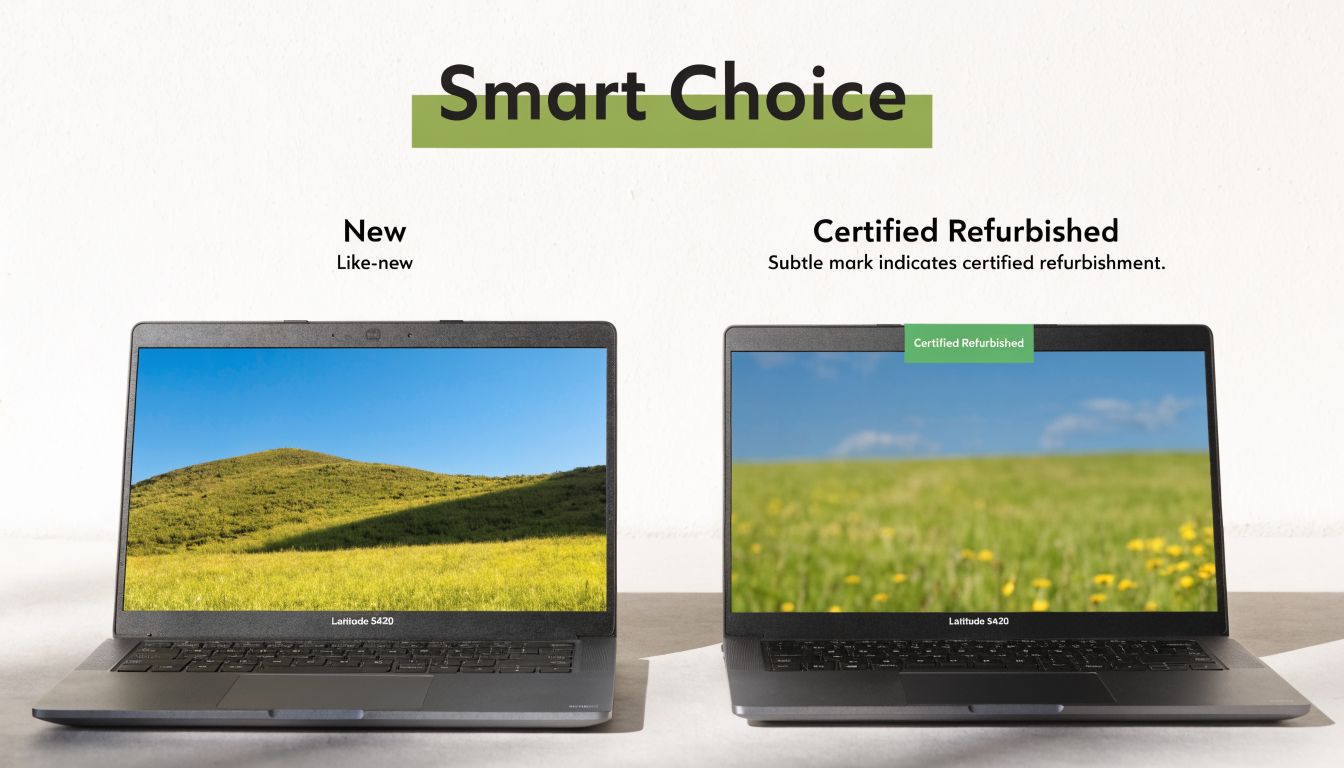
When considering the dell latitude 5420, the decision isn’t really between new and used in the abstract. They’re deciding whether to buy a stronger older business laptop or a newer entry-level machine built to hit a lower price.
That’s the decision that matters.
Why certified refurbishment changes the risk
A used laptop bought from an unknown seller and a certified refurbished laptop aren’t the same category of purchase. The first may be cheap, but you may inherit battery issues, hidden wear, thermal problems, or poor repair history without knowing it. The second should come with a defined inspection process, grading transparency, and some form of support.
That matters even more in Singapore. There’s limited published data on how the Latitude 5420 performs long term in high-humidity tropical conditions, which is exactly why a quality-checked refurbishment process and warranty matter more here than they might in cooler climates, as noted in this discussion of durability concerns for the Latitude 5420 in humid environments.
When you buy refurbished responsibly, you’re not just buying a lower price. You’re buying better control over risk.
What to check before you buy
The biggest mistake buyers make is focusing only on processor and RAM while ignoring the conditions that affect total cost of ownership later.
Use this checklist:
- Battery condition: A business laptop can still be a good buy with cosmetic wear. A weak battery is more costly to live with every day.
- Thermals and fan behaviour: Heat management matters in Singapore. A laptop that runs poorly under sustained use will annoy you long before it technically fails.
- Keyboard and ports: These are high-contact components. Damage here affects daily usability immediately.
- Screen quality: Not every Full HD panel feels the same. Brightness and condition matter, especially if you work in mixed lighting.
- Warranty and return terms: These are what separate a structured refurbishment purchase from a gamble.
A good grading system also helps buyers match expectations to budget. Cosmetic wear might be acceptable for a back-office machine or a student device. It may be less acceptable if the laptop is client-facing.
For buyers trying to understand how careful grading and refurbishment frameworks work in other markets, this guide on where to buy refurbished iPhones UK is useful because the same principles apply across categories. Clear grading, warranty terms, and seller accountability matter more than marketing language.
Why support matters after the sale
The hidden cost of a laptop often appears later. You need migration help. You need trade-in options. You need to understand whether it’s smarter to repair, replace, or recover value from an older device.
If you’re reviewing your broader device lifecycle, this practical resource on selling a used laptop in Singapore is worth reading because it helps frame the buy-hold-sell decision properly rather than treating a laptop as a one-time transaction.
Here’s a useful perspective:
A refurbished business laptop is a strong purchase when the seller reduces uncertainty. If the process is vague, the low price often stops being a bargain.
Later in the buying process, it also helps to see how a refurbishment workflow is explained in video form.
For a buyer in Singapore, the best refurbished Latitude 5420 purchase usually isn’t the cheapest listing. It’s the one with the clearest condition reporting, proper testing, and enough support that you won’t be stuck if a problem appears after the excitement of the purchase wears off.
Maximising Your Investment With Setup and Care
Once you’ve bought a dell latitude 5420, the next job is simple. Set it up properly so it stays fast, stable, and worth keeping.
A lot of owners skip this. Then they blame the laptop for problems caused by outdated drivers, bad power settings, unnecessary startup apps, or poor cleaning habits. A refurbished business machine can serve you well, but only if you treat setup as part of ownership.
The first things to do after unboxing
Start with the basics and do them in order.
-
Run all system and driver updates
Use Windows Update first, then Dell Command | Update if it’s available on the device. This is one of the quickest ways to reduce weird issues with battery behaviour, trackpad response, Wi-Fi stability, and firmware. -
Check what launches at startup
Many laptops accumulate software that doesn’t need to open every time you sign in. Disable the non-essential items. You’ll usually get a cleaner boot experience and less background clutter. -
Set a sensible power profile
Don’t leave the machine in a mode that constantly favours maximum performance if your work is mainly browser, Office, and meetings. Balanced settings often make more sense for daily mobility. -
Test your ports, webcam, mic, and speakers early
Don’t wait until your first class presentation or client call. Check everything while any exchange or support window is still fresh. -
Organise storage from day one
Keep work files synced properly, avoid dumping everything onto the desktop, and give yourself a simple folder structure. It sounds basic because it is, but it prevents messy recovery later.
Care habits that matter in Singapore
Singapore’s environment is hard on electronics over time. Heat, humidity, dust, and daily transport all matter more than people think.
A few habits make a real difference:
- Keep vents clear: Don’t use the laptop on soft surfaces that trap heat.
- Wipe the keyboard and palm rest regularly: Moisture, skin oils, and grime build up faster than most users realise.
- Use a proper bag sleeve or padded compartment: Daily commuting damage often starts as pressure and knocks, not dramatic drops.
- Avoid leaving it in hot enclosed spaces: That includes cars and sun-exposed areas.
- Charge with some discipline: Constantly running the battery flat isn’t a good ownership habit.
Good laptop care is mostly boring routine. That’s also why it works.
Accessories also affect long-term comfort. If you spend long hours typing or attending video calls, your posture and desk setup matter almost as much as the laptop itself. This guide to ergonomic office equipment is a practical reference for improving your setup without overcomplicating it.
Protecting value over the long term
A laptop keeps its value better when its condition stays predictable. That includes battery health, keyboard condition, thermal behaviour, and cosmetics.
If you’re buying from a seller with a documented inspection process, it’s worth understanding what was confirmed before sale. For example, a buyer comparing refurbished devices can learn a lot from reviewing a published list of device quality checks. It gives you a better sense of whether the refurbishment process focused on real functionality or only surface cleaning.
This is also where ownership support matters. A retailer or service provider that offers maintenance options, accidental damage cover, and help with lifecycle decisions can make a refurbished laptop easier to keep in service for longer. That matters if you want lower total cost of ownership rather than just a lower purchase price.
In practical terms, the buyers who get the most value from the dell latitude 5420 are rarely the ones who chase the absolute cheapest purchase. They’re the ones who buy a sound unit, set it up properly, and look after it with the same discipline they’d apply to any business tool.
Verdict Value Analysis and Key Alternatives
The dell latitude 5420 makes the most sense when you judge it by ownership value, not by launch-year glamour.
Its strongest case is simple. You get a business-class machine with credible productivity performance, useful connectivity, a sensible 14-inch form factor, and the kind of design that tends to age better than bargain consumer laptops. For many buyers, that combination matters more than owning something newer on paper.
There’s also an important market reality here. Typical reviews often don’t give buyers enough cost-per-task context, yet a refurbished Latitude 5420 from 2021 can often outperform a new 2026 entry-level business laptop on key productivity tasks, which makes it a compelling ROI option for teams rotating devices every 2 to 3 years, according to this analysis of the Latitude 5420’s procurement value.
When it’s the right buy
The Latitude 5420 is a smart purchase if your work revolves around:
- Documents, spreadsheets, research, and browser-heavy workflows
- Meetings, email, presentations, and admin systems
- Light design or media tasks without workstation-level demands
- A need for reliability over visual flair
It’s also a strong fit if you care about value retention and don’t want to burn budget on a machine that won’t materially improve your work.
If you’re still comparing options across lower-cost models, this roundup of affordable laptops in Singapore can help place the Latitude 5420 in the wider buying context.
Where alternatives may suit you better
There are still cases where another machine may be the better match.
A Lenovo ThinkPad T14 Gen 2 is often the one buyers cross-shop if keyboard feel is the top priority. ThinkPads have a strong reputation there, and some users prefer that typing experience.
An HP EliteBook 840 G8 can appeal more to buyers who want a more premium-feeling exterior and a slightly more executive look in hand.
A newer entry-level Latitude or similar budget business laptop may make sense if warranty length on a brand-new machine matters more to you than better hardware class for the money. The trade-off is that lower-tier new laptops often give back cost savings through weaker materials, less satisfying keyboards, or leaner configurations.
Final buying judgement
The dell latitude 5420 isn’t the laptop for people shopping emotionally. It’s for people shopping with a calculator, a calendar, and a realistic view of what they do all day.
That’s why it remains relevant.
If you need a dependable machine for work or study, want stronger long-term value than many brand-new budget models can offer, and you’re willing to prioritise practical performance over trend-chasing, the Latitude 5420 is still one of the more sensible buys in its class.
If you're weighing whether a refurbished business laptop makes more sense than a new budget model, myhalo is one place to compare configurations, grading, and support options in Singapore before you commit.