





Dell Latitude: 2026 Singapore Buyer's Guide
You're probably looking at a shortlist right now that includes a few Dell models, maybe a Lenovo ThinkPad, and one or two consumer laptops that look good on paper. The confusion usually starts when the prices don't line up with the specs. One laptop has more RAM but feels flimsy. Another looks premium but drops the ports you still need at work. Then you see a dell latitude and wonder why so many offices and schools keep buying them.
That question matters more in Singapore than many buyers realise. A laptop here has to survive commutes, hot weather, long days away from a charger, and the practical reality that if it fails, work stops immediately. For small businesses, students, and mobile staff, the right machine isn't the one with the flashiest spec sheet. It's the one that stays useful, easy to support, and affordable over time.
Table of Contents
- Your Guide to Choosing the Right Dell Latitude in Singapore
- Decoding the Dell Latitude Family 3000, 5000, 7000, and 9000 Series
- Latitude vs Inspiron and XPS Which Dell is Right for You
- Matching a Dell Latitude to Your Role Student, SME, or Professional
- New vs Refurbished Latitudes The Smart Choice with myhalo
- Essential Configuration Maintenance and Trade-In Tips
- Your Dell Latitude Questions Answered
Your Guide to Choosing the Right Dell Latitude in Singapore
A small business owner in Singapore often faces the same shortlist. Buy a new consumer laptop from a retail promo, or pick a business-class Dell Latitude that was built for office deployment in the first place. The right answer depends less on headline specs and more on how the machine will be used over the next three to five years.
That matters here because the local market includes both new and refurbished Latitudes from different corporate refresh cycles. A listing may look attractive on price, but its actual value sits in the details. Battery condition, port selection, charger type, keyboard feel, webcam quality, and whether the model fits your team's support capacity all affect the total cost of ownership.
Start with the job. A laptop for finance admin, school assignments, and browser-based SME work should be judged differently from one meant for video editing, CAD, or other heavy workloads. In many offices, stable performance in Outlook, Teams, spreadsheets, accounting platforms, and cloud dashboards matters more than chasing the highest processor tier.
Start with the job, not the spec sheet
A practical Latitude screen starts with four questions:
- Who carries it every day: If the laptop moves between home, office, client sites, and the MRT, size and weight affect satisfaction more than a small bump in benchmark performance.
- What it connects to: Monitor setups, USB-C charging, legacy USB-A devices, and docking habits can make one Latitude generation much easier to live with than another.
- Who has to support it: If your company has no full-time IT team, standardising on business models usually reduces setup issues, replacement delays, and accessory mismatch.
- How long you plan to keep it: A lower purchase price can backfire if the battery is weak, the RAM is limited, or the model is already close to the edge of useful Windows support.
Practical rule: For email, office apps, meetings, browser work, and common business software, prioritise reliability, battery health, and upgrade headroom first. Only chase extra performance if your apps require it.
What Singapore buyers often get wrong
A common mistake is to compare a used Latitude against a brand-new consumer laptop at the same price and look only at the processor generation or SSD size. That misses the parts that affect daily use. Build quality, keyboard durability, hinge condition, charging consistency, dock compatibility, and repair practicality often matter more once the laptop is in service every day.
Value is added by a careful seller. With refurbished business laptops, inspection standards, battery grading, warranty terms, and after-sales support matter almost as much as the model number. That is also why buyers who use myhalo tend to make better trade-offs. The platform helps narrow the field based on actual use case and condition, rather than chasing a spec sheet that looks good in a marketplace thumbnail.
Dell Latitude remains a strong option for buyers who want a machine that stays useful in real working conditions, not just one that looks competitive on day one.
Decoding the Dell Latitude Family 3000, 5000, 7000, and 9000 Series
A buyer in Singapore often sees three Latitude listings that look close on paper. One is a 3420, one is a 5430, and one is a 7430. The processor names may look familiar across all three, but the series number usually tells you more about how each machine was built, what kind of user Dell had in mind, and how well it is likely to hold up in daily service.
That matters even more in the local refurbished market, where mixed generations sit side by side. The series gives a fast first filter before you spend time comparing ports, battery condition, screen options, and warranty terms.
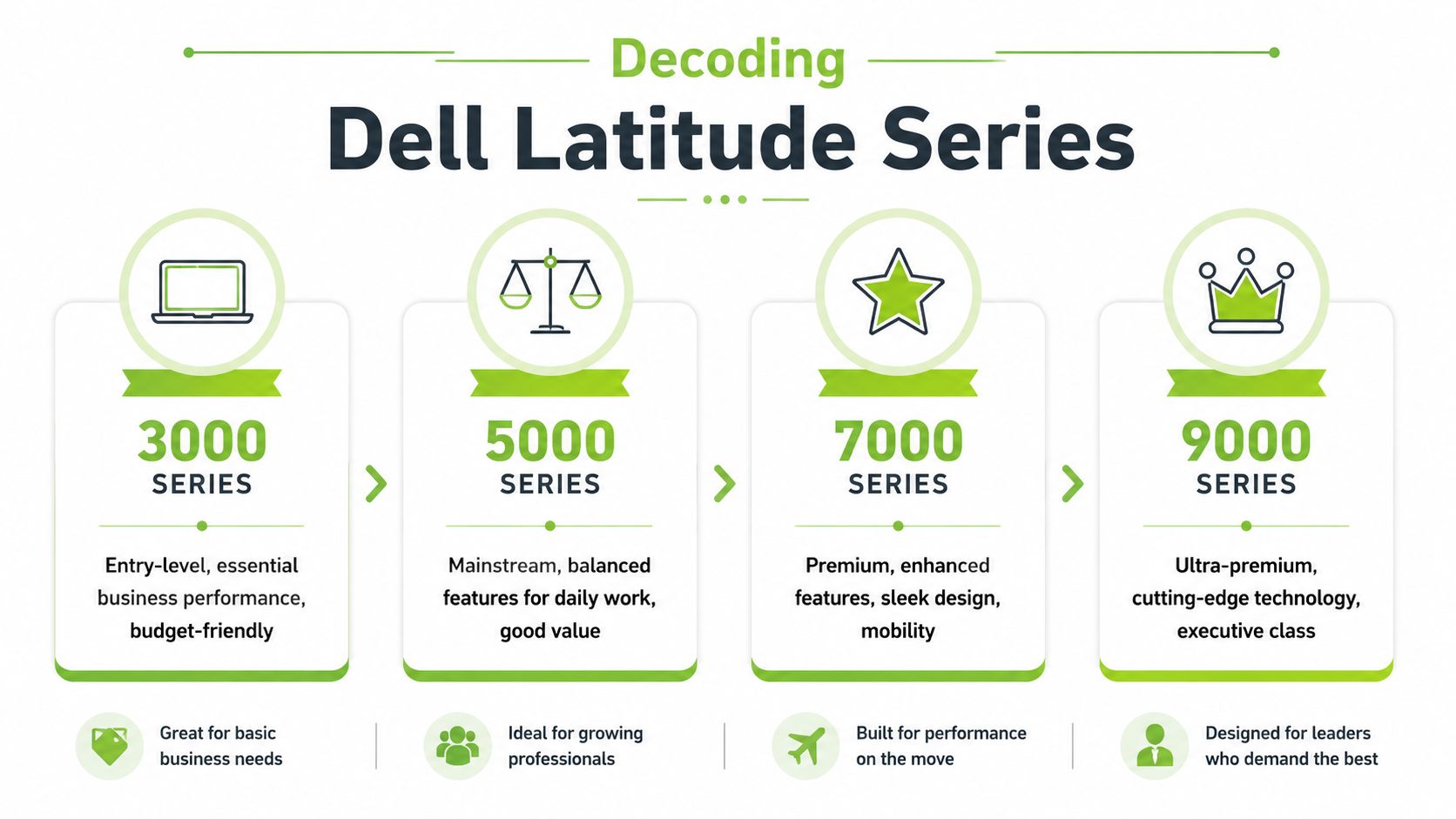
What the series numbers actually tell you
The 3000 series is the entry point for business use. These models are usually chosen for basic office work, school use, front-desk tasks, and teams that need the lowest upfront cost. In practice, this tier can be perfectly adequate for email, browser work, Microsoft Office, and video calls, but you should expect fewer premium touches in the chassis, display, and overall finish.
The 5000 series is the range I recommend most often for SMEs. It tends to hit the best balance between price, durability, repair practicality, and day-to-day comfort. For a small business in Singapore buying for admin staff, sales support, operations, or shared office use, this is usually the safest place to start because it avoids the compromises common in lower tiers without pushing the budget into executive territory.
The 7000 series is aimed at users who carry the laptop around all day and care about size, weight, and a more polished build. These are often a better fit for managers, consultants, and frequent travellers who work between client sites, home, and office. The trade-off is simple. You get a lighter and more refined machine, but you usually pay more for that mobility.
The 9000 series sits at the top of the Latitude line. It focuses on premium materials, a thinner profile, and flagship positioning within Dell's business range. For many SMEs, this series is harder to justify on value alone unless the user spends a lot of time on the move or wants a top-end corporate device for presentation-heavy work.
Dell Latitude series at a glance
| Series | Target User | Key Characteristics | Typical Use Case |
|---|---|---|---|
| 3000 | Start-ups, schools, basic office users | Entry-level business features, cost-conscious positioning | Admin work, student tasks, browser-based workflows |
| 5000 | SMEs, general office teams, university users | Mainstream balance of price, performance, and durability | Daily productivity, hybrid work, shared fleet deployment |
| 7000 | Mobile professionals, managers, consultants | Premium business design, lighter chassis, stronger mobility focus | Frequent travel, client meetings, on-the-go work |
| 9000 | Executives, senior professionals | Ultra-premium Latitude tier, compact and high-end | Executive use, premium mobility, image-conscious deployment |
Why the tier matters in the resale market
Series matters because older business laptops age differently. A 5000 or 7000 model often started life with a better keyboard, stronger chassis, and more business-friendly design choices than a 3000 model from a similar period. Years later, those differences still show up in hinge wear, palm rest condition, docking convenience, and how pleasant the machine feels after a full workday.
This is why I tell buyers not to read the processor label first. Read the series, then the generation, then the condition report.
For Singapore buyers comparing used stock across Shopee, Carousell, and specialist sellers, this approach cuts down bad shortlist choices quickly. A practical platform such as myhalo also helps by sorting options by use case and condition, not just by headline specs. That makes it easier to tell whether a cheaper 3000 series is enough, or whether a better-kept 5000 series will save money over a longer replacement cycle.
If you only remember one thing, remember this. A Latitude's series usually says more about long-term fit than a single processor name does.
Latitude vs Inspiron and XPS Which Dell is Right for You
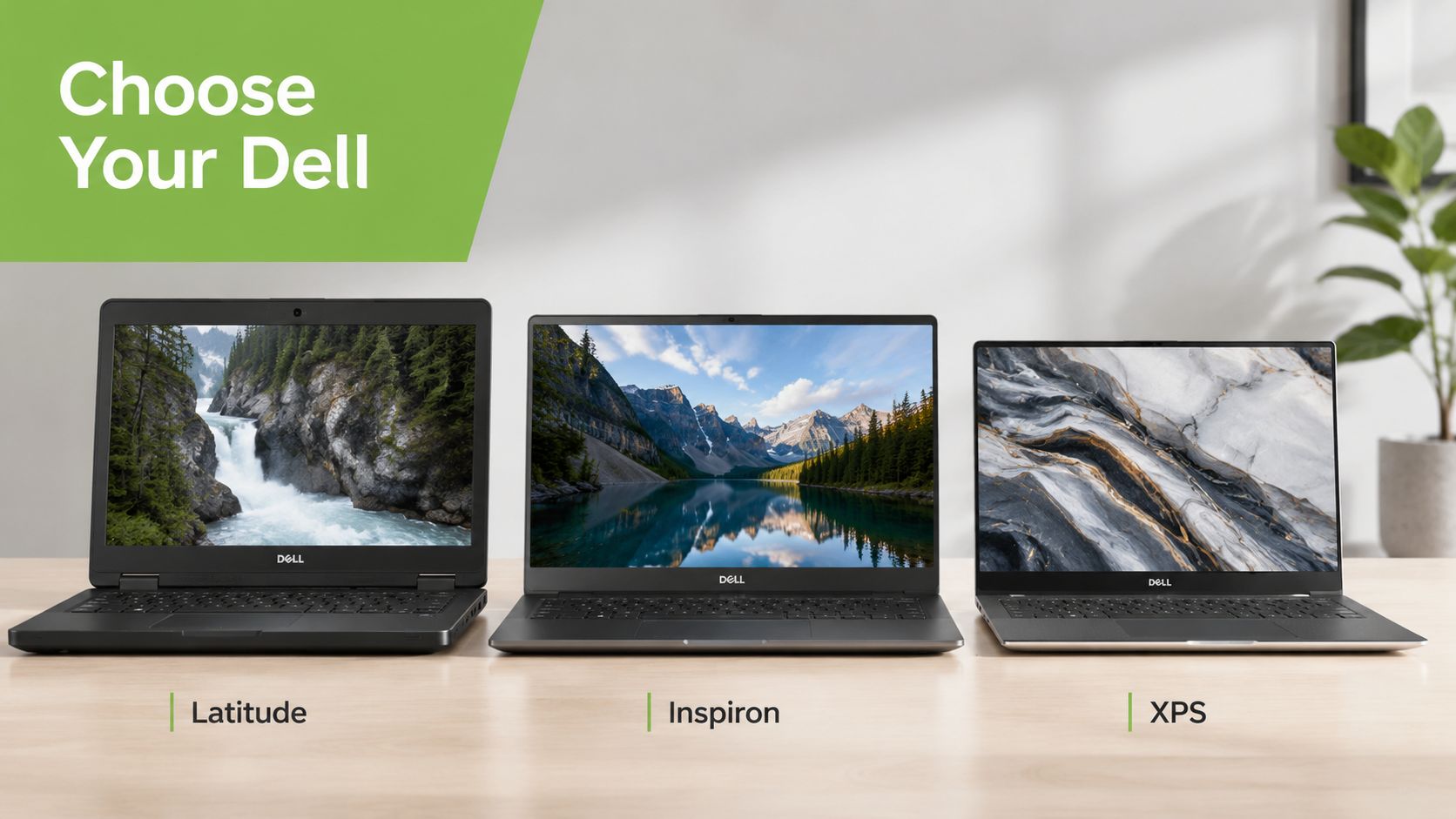
A lot of bad laptop purchases happen because buyers choose within a brand, not within a use case. Dell makes several laptop families, but they aren't aimed at the same job. If you buy an Inspiron expecting fleet durability or an XPS expecting easy office standardisation, you may end up paying for the wrong strengths.
Why Latitude fits business use differently
Dell positions Latitude around security, manageability, and durability, with features such as sign-in via a fingerprint reader on the power button, ExpressSign-in presence detection, ExpressConnect Wi-Fi prioritisation, and ExpressCharge that can reach 80% battery in one hour, as described on Dell's Latitude business features page. In real use, that means less downtime between meetings, easier movement between office and home, and fewer friction points for staff who need a machine that stays ready.
That's why Latitude suits:
- SME fleets: Standard business devices are easier to deploy across teams.
- Education environments: Consistent keyboards and predictable behaviour help with training and shared use.
- Mobile work: Fast top-ups and quick sign-in matter when you work in bursts across the day.
When Inspiron or XPS makes more sense
Inspiron is usually the better fit when budget home use comes first. If the laptop is mainly for browsing, video calls, documents, streaming, and occasional schoolwork, an Inspiron can make sense. It's not the line I'd prioritise for company-wide rollout, but it can be a reasonable personal-use buy.
XPS sits in a different lane. It's the premium consumer or prosumer choice for buyers who care about design, display quality, and a more refined overall feel. It can suit developers, creators, and users who want a polished machine for demanding personal or professional use, but it isn't the obvious first pick for a cost-controlled office fleet.
Here's the simple distinction:
- Choose Latitude when reliability, supportability, security features, and office fit come first.
- Choose Inspiron when your workload is lighter and price sensitivity is high.
- Choose XPS when you want premium design and stronger high-end appeal for individual use.
For a visual walkthrough of how these Dell families differ in everyday buying terms, this overview is useful before you compare specific models:
A good business laptop doesn't need to win a showroom comparison. It needs to stay dependable on a normal Tuesday when a staff member has ten tabs open, a video call running, and no time for troubleshooting.
Matching a Dell Latitude to Your Role Student, SME, or Professional
The right dell latitude depends less on the broad brand and more on the person using it every day. In Singapore, I'd usually map the decision to three profiles. Student. SME buyer. Mobile professional. Each one puts pressure on the laptop in a different way.
For students who need one machine for everything
A university student usually needs one laptop to cover lectures, assignments, browser research, presentations, and video calls. That means the machine should be durable enough for daily carry, sensible enough for budget control, and comfortable enough for long typing sessions. A Latitude 5000 series often fits that balance better than either an entry-level consumer laptop or an expensive premium device.
There's also a setup issue many students ignore. If you spend hours studying from home, the desk matters as much as the laptop. Anyone building a more sustainable work-and-study setup should look at guidance on enhancing home office wellbeing, because comfort affects how useful even a good laptop feels over a long semester.
For SME owners building a practical fleet
For a small business, the safest buying pattern is usually the 5000 series, with selective upgrades into 7000 series units for senior staff who travel more. The reason is simple. SMEs need consistency. Shared chargers, similar docks, familiar keyboards, and predictable support requirements lower friction for everyone.
Keyboard standardisation is one of those small details that becomes important only after deployment. Dell's support documentation shows that Latitude keyboards on recent business models use a 19.05 mm key pitch, while key counts vary by model and region. For example, the Latitude 5410 is listed at 81 keys for the US/Canada layout and 82 keys for the UK layout, while the Latitude 5421 has 79 keys for the US/Canada layout and 80 keys for the UK layout, as shown in Dell's Latitude keyboard guide. In practice, that means business fleets can feel consistent while still having layout differences that buyers should confirm before ordering.
If you want a broader view of what makes a machine dependable for day-to-day office use, this piece on a reliable business laptop is a helpful checklist.
For consultants and mobile professionals
If the laptop spends its life between client sites, co-working spaces, home, and airport lounges, portability starts to justify spending more. That's where the 7000 or 9000 tiers make more sense. You're paying for a machine that's easier to carry, easier to present with, and often better aligned with executive-facing work.
Buy the machine for the user's busiest day, not their lightest one. That's how you avoid underbuying for staff who spend half the week away from a desk.
New vs Refurbished Latitudes The Smart Choice with myhalo
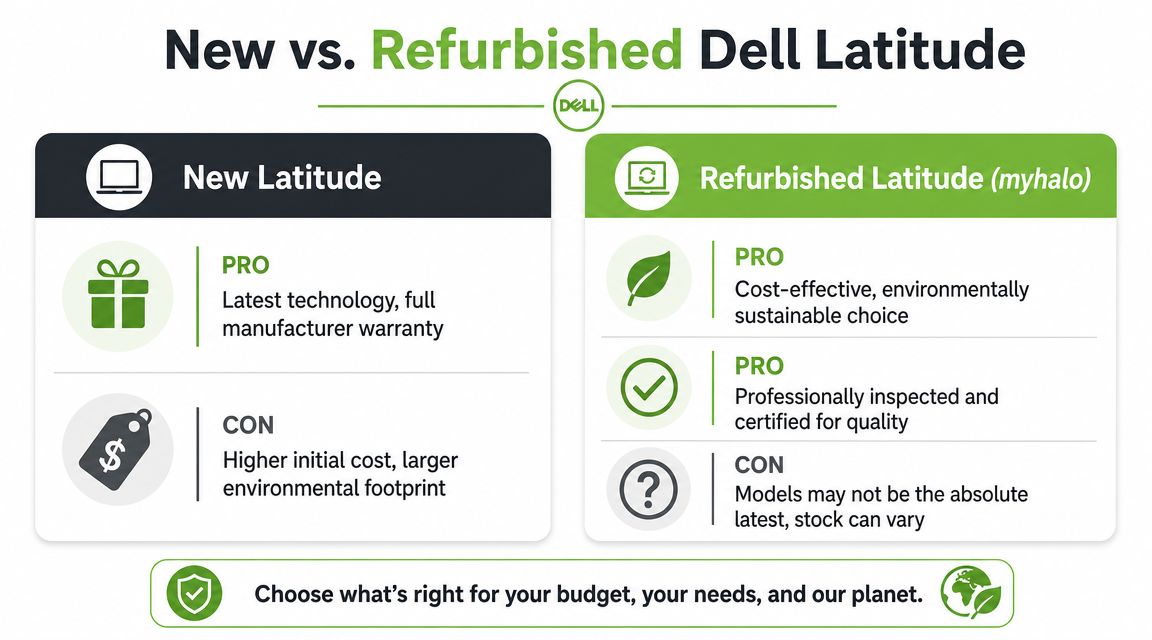
A small business in Singapore often faces the same buying decision. Spend more on a brand-new Latitude now, or stretch the budget further with a properly refurbished unit and keep cash for software, monitors, or staff onboarding. In many cases, the better answer depends less on “new versus used” and more on who inspected the laptop, what support is included, and how long the machine needs to stay productive.
A fair comparison goes beyond the listed price. Warranty terms, battery health, repairability, and local parts support affect the actual cost over the next two to three years. That is where many buyers get caught. A cheap listing can become expensive if the battery is tired, the keyboard layout is wrong for your team, or after-sales support is vague.
Where refurbished makes financial sense
Refurbished Latitudes make the most sense for buyers who want business-class durability without paying current-generation business-laptop pricing. That usually includes SMEs equipping a few staff, parents buying for polytechnic or university use, and professionals who need a dependable secondary machine for hybrid work.
The key trade-off is simple. New gives you the latest platform and the longest manufacturer lifecycle from day one. Refurbished can give you a better chassis, better port selection, and a higher original Latitude tier for the same budget, provided the unit has been checked properly.
That is why many Singapore buyers do better with a recent refurbished 5000 or 7000 series than with a brand-new entry consumer laptop. If you want a practical framework for comparing condition, warranty, and expected lifespan, this guide to refurbished laptop computers is a useful place to start.
What to check before you buy
When I review refurbished Latitude stock for business use, I focus on five things first.
- Battery condition: Ask how the battery was tested and whether replacement is available later if capacity drops.
- Ports and display output: Confirm USB-C, HDMI, and docking support against the monitors and accessories already in the office.
- Physical wear: Light cosmetic marks are acceptable. Loose hinges, uneven trackpads, or worn palm rests are not.
- Keyboard layout: Imported units can differ. Singapore buyers should confirm the exact keyboard layout before payment.
- After-sales support: Know who handles faults, exchanges, and repair questions locally.
A good refurbished unit is not just an older laptop. It is a business machine that still fits current work requirements at a lower entry cost. That distinction matters.
myhalo is relevant here because it sells both new and professionally refurbished devices in Singapore, with graded condition tiers, warranty coverage, repair support, trade-in options, and a published device-check process. For buyers who are not comfortable assessing used hardware on their own, that structure reduces risk and makes refurbished Latitude purchases much easier to justify.
Essential Configuration Maintenance and Trade-In Tips
Once you've picked the right Latitude tier, the next mistake to avoid is under-specifying it. Most users don't need the top processor in the catalogue. They do need enough memory, fast storage, and a configuration that won't feel cramped after a year of updates and heavier multitasking.
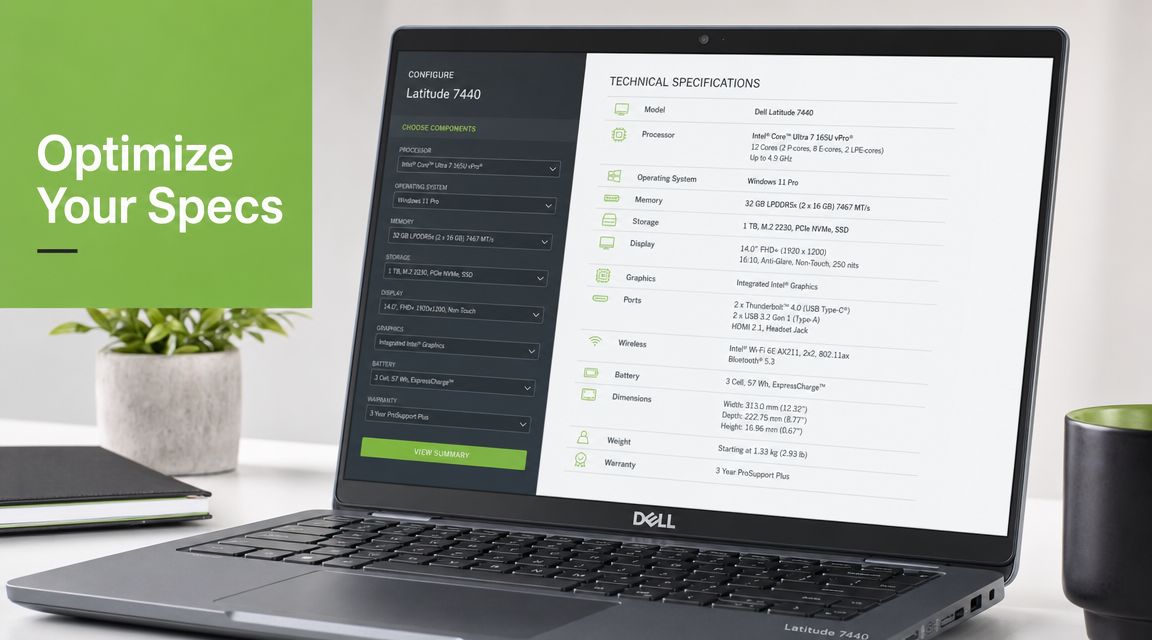
A representative Latitude review lists a Core i7-1185G7, 16GB RAM, and Intel Iris Xe graphics, while broader Latitude guidance points to Intel Core i5 or i7, at least 8GB RAM, with 16GB or more preferred for heavier multitasking, plus SSD storage for faster boot and app launches, according to Notebookcheck's Latitude series coverage. That combination is why Latitude works well for office productivity but isn't the right tool for sustained GPU-heavy rendering or CAD work.
The spec combination that works for most buyers
For general work and study in Singapore, this is the safe baseline:
- Processor choice: Start at Core i5 if the workload is normal office productivity. Move to Core i7 if the user juggles heavier multitasking or more demanding business apps.
- Memory: 16GB RAM is the comfortable point for most users today. 8GB can still work for lighter usage, but it leaves less room as workloads grow.
- Storage: Choose SSD storage over older spinning drives. Everyday responsiveness matters more than headline capacity for most users.
- Graphics expectation: Integrated graphics are fine for office work, browser apps, video meetings, and media. They're not ideal for GPU-intensive creative workloads.
How to keep a Latitude useful for longer
A Latitude usually ages well if you treat it like a work asset, not a disposable gadget. In practical terms:
- Clean vents and keyboard regularly. Singapore's dust and humidity aren't kind to neglected laptops.
- Use the right charger. Cheap substitutes can create intermittent charging issues that waste time diagnosing.
- Avoid constant full discharge. Battery wear is normal, but poor charging habits accelerate it.
- Check hinges and ports early. Small physical issues are cheaper to solve before they become major repairs.
Older business laptops can still be strong buys, but only if they meet current Windows, security, and remote-work expectations. The cheapest Latitude on a listing page isn't always the cheapest one to own.
Trade-in is the other part buyers overlook. If you're replacing an older device, don't let it sit unused in a drawer. A structured laptop trade-in in Singapore can offset your next purchase and keeps usable hardware circulating instead of becoming waste.
Your Dell Latitude Questions Answered
Is an older dell latitude still worth buying in 2026
Sometimes, yes. The better question is whether the specific generation still suits modern Windows, security, battery, video call, and connectivity needs. Older Latitude models can still be practical, but buyers should be careful about going too far back just because the price looks attractive. A machine that struggles with current workflows, has tired battery life, or lacks a sensible upgrade path often becomes a false economy.
Is a Latitude good for students
Yes, if the student needs reliability more than flashy features. A good 5000 series unit usually gives a student a sturdier platform for writing, research, browser work, and day-to-day campus use than many similarly priced consumer laptops.
Are Latitude laptops good for SMEs
Yes. They're a strong fit when the business values consistency, straightforward deployment, useful ports, business features, and easier long-term support. That matters more than headline performance for many office teams.
Should I buy Latitude for design or 3D work
Usually not as a first choice unless the exact model is configured for that workload. Latitude is generally better aligned with office productivity than with sustained GPU-heavy creative tasks.
Can I buy based on series alone
No. The series is a strong first filter, but you still need to check processor, RAM, SSD, battery condition, port generation, keyboard layout, and the support path after purchase.
What's the safest Latitude choice for most people
For most Singapore buyers, the middle of the range is often the safest place to start. It tends to give the best balance of usability, durability, and cost without pushing into either bargain-basement compromises or premium overspending.
If you're comparing dell latitude options and want a practical shortlist instead of guesswork, myhalo is a useful place to start. You can review new and professionally refurbished models, compare condition grades and warranty terms, explore trade-in and repair options, or visit the Bugis Junction store to see available devices before deciding.